



Let's get one thing straight. Forget the official Microsoft documentation. The Microsoft 365 Migration Manager is a free, native tool tucked away in the M365 admin centre, designed to move data from on-premises file shares, Box, Dropbox, and Google Workspace. Your team sees a no-cost utility and assumes it's a safe, low-risk option.
The documentation says it's a straightforward tool, but in reality, this is the first, and often most expensive, mistake your business can make.
Real Talk on Microsoft 365 Migration Manager
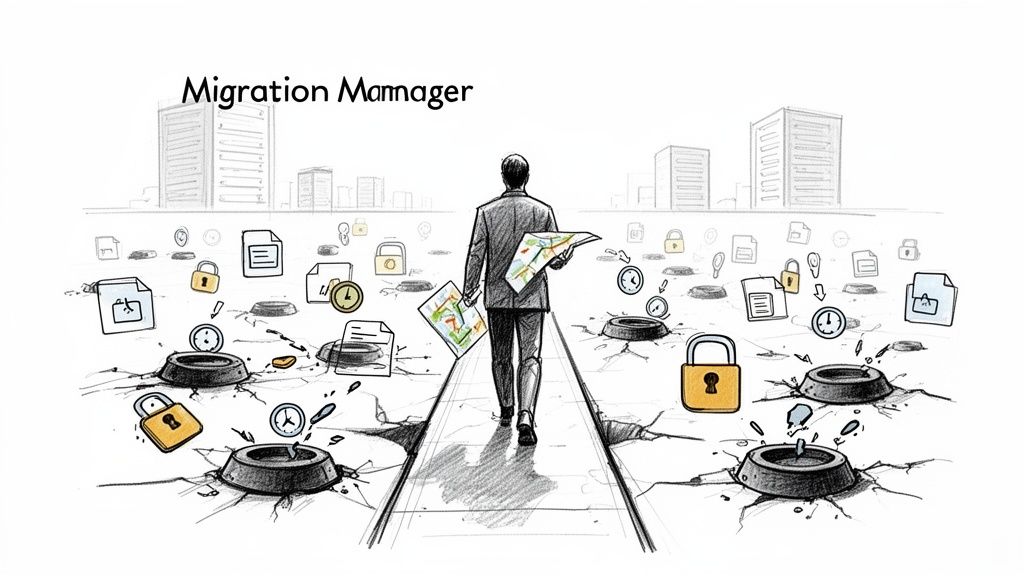
Let me be blunt. Your data is your most critical business asset. Treating its migration like a weekend DIY project is a gamble you cannot afford to lose. The Migration Manager looks fantastic in a demo environment with a small, uncomplicated set of files.
But for a real enterprise, especially one operating in a regulated Irish sector like finance or healthcare, it’s a minefield of undisclosed risks.
We are consistently called in to rescue projects where internal IT teams have put their faith in native tools, only to find themselves completely paralysed by technical failures and data integrity issues. We often see clients fail when they underestimate the gap between the marketing materials and the harsh reality of an enterprise data move.
The Unspoken Limits of Native Tooling
Here's the core problem: the Migration Manager operates on a "best effort" basis. It completely lacks the sophisticated pre-migration analysis, robust error handling, and detailed reporting that are non-negotiable for any serious data move. This isn't just an inconvenience; it's a direct path to project failure.
We see clients get blindsided by the same issues time and time again:
- Silent Permission Failures: The tool's ability to map permissions is rudimentary. It chokes on complex nested groups or broken inheritance, silently creating massive security gaps in your new environment that you won't discover until it's too late.
- Crippling API Throttling: Microsoft's own APIs will slam the brakes on your migration traffic without warning. What should have been a predictable, scheduled project descends into a chaotic nightmare of failed batches and endless retries.
- Zero Pre-Flight Checks: You are forced to fly completely blind. The tool won't warn you about long file paths, illegal characters, or user GUID conflicts until a migration job has already failed, leaving your team to pick up the pieces.
The Ollo Verdict: Migration Manager is a utility, not an enterprise solution. Relying on it for anything beyond a handful of non-critical folders is an unacceptable risk to your data integrity, security posture, and project timeline.
It's also crucial to remember that a successful migration isn't just about moving files. The project must land that data in a target environment with a robust security posture. This includes comprehensive Microsoft 365 security hardening. A successful project doesn't just move data; it secures it from day one in its new home.
Why Native Migration Tools Break Under Pressure
Let's be blunt. Microsoft's free tools, like the Migration Manager and the SharePoint Migration Tool (SPMT), are built for simple, small-scale jobs. When you force them into a complex, regulated enterprise environment, they don’t just bend—they fracture. This is the point where a project that looked straightforward on paper descends into a costly, frantic recovery effort.
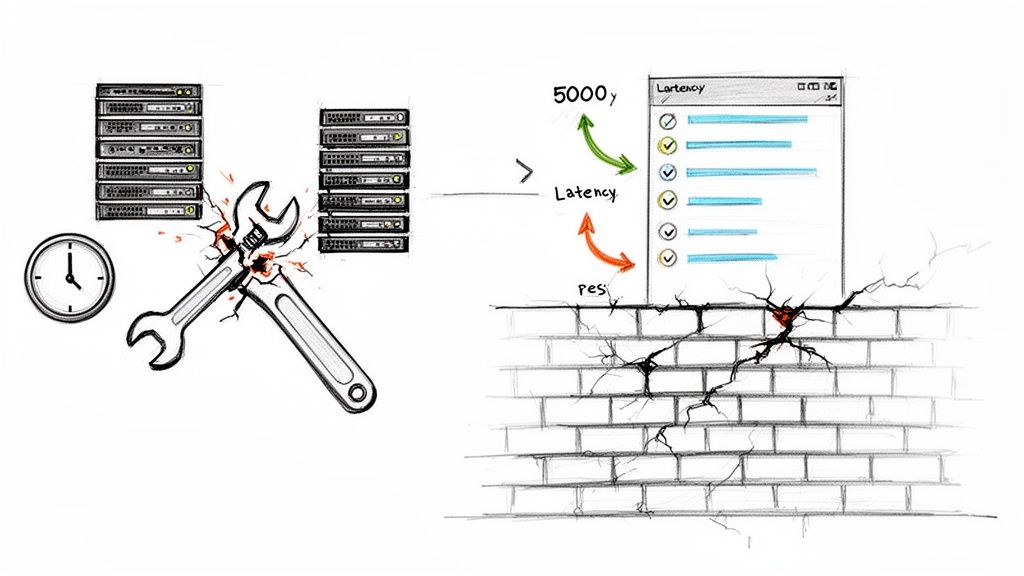
The first point of failure we see is API throttling. Microsoft's documentation mentions it, but what it doesn't convey is the operational paralysis this causes. Your migration sends too many requests, Microsoft’s servers push back, and your entire project grinds to a halt.
For any large Irish tenant, the latency from Dublin data centres just makes this worse. What should be a straightforward file migration turns into a months-long nightmare of failed batches and manual retries.
The 5,000-Item Death Spiral
Beyond throttling, the next project killer is a hard technical limit baked into SharePoint's architecture for over a decade: the 5,000-item list view threshold. The official line is that this limit maintains performance. In reality, it’s a brick wall that both Migration Manager and SPMT will run into at full speed.
When a tool hits this limit while migrating a library, it doesn't just fail gracefully. It often succeeds partially, corrupting views, breaking metadata filters, and rendering critical business processes unusable. You won't find this out from a clear error message; you'll find out when the finance department calls to say their entire document centre is broken.
The Ollo Verdict: Hitting the 5,000-item limit isn't an inconvenience; it's a catastrophic failure. Missing this in your pre-migration analysis doesn't just delay the project—it can break legal compliance by making auditable records inaccessible. This is a classic example of a "free" tool costing you far more in remediation than a specialist service would have from the start.
The Domino Effect of Unchecked Technical Debt
These aren't isolated issues. They are symptoms of attempting an enterprise-grade task with a consumer-grade tool. The problems stack up, creating a domino effect that derails timelines and blows up budgets.
Here's what your team will actually face in the trenches:
- Long Path Limits: Your on-premises file server never cared about a 400-character path limit. SharePoint Online absolutely does. Native tools will simply fail these files, often silently, leading to the kind of data loss your legal team will not appreciate.
- Broken Inheritance: Years of ad-hoc permission changes in your legacy systems have created a tangled mess of broken permission inheritance. Migration Manager has no mechanism to identify or fix this, so it just replicates your security flaws directly into the cloud.
- GUID Conflicts: In complex tenant-to-tenant migrations, user and group GUIDs can clash. The native tooling offers no conflict resolution, leading to corrupted permissions and sensitive data being exposed to the wrong people.
The reality is that these tools are not designed for the complexity your environment holds. For a detailed breakdown of one of the most common native tools, check out our guide on the SharePoint Migration Tool (SPMT) and its limitations.
Migration Manager vs ShareGate: A Real-World Showdown
IT Directors and architects often ask for a feature-by-feature comparison between Microsoft's Migration Manager and a third-party tool like ShareGate. But this isn't a fair fight. It’s like comparing a complimentary hotel shuttle bus to an armoured convoy. One moves you; the other gets you there securely when the stakes are high.
Migration Manager is a basic utility. It moves files. That’s it. ShareGate, on the other hand, is an enterprise-grade migration and management toolkit. The most dangerous difference isn't what happens during the move, but what doesn't happen before a single byte of your data is touched.
Flying Blind vs Surgical Precision
The single greatest point of failure in DIY migration projects is the complete lack of pre-migration analysis. Migration Manager forces you to fly completely blind. You point it at a source, give it a destination, and hope for the best. There is no pre-scan, no reporting, no warning system.
In stark contrast, ShareGate’s pre-migration reporting is a non-negotiable weapon for any serious project. It’s the difference between discovering a minefield by stepping on a mine versus having a detailed map of every threat before you even enter the field.
A ShareGate pre-scan identifies critical, project-killing issues that Migration Manager will blissfully ignore:
- Broken Permissions Inheritance: It flags every single instance where permissions are not correctly inherited from parent folders or sites.
- Excessively Long File Paths: It finds every file that will violate SharePoint’s 400-character limit, preventing silent data loss.
- Orphaned Users: It identifies users who have left the organisation but still own critical data, allowing you to remap ownership before you create a security hole.
- Illegal Characters: It finds filenames with characters like
&,#, or%that are notorious for causing migration jobs to fail.
We recently rescued a project for a financial services client where the pre-scan revealed that 78% of their legacy SharePoint sites had broken inheritance. Migration Manager would have silently replicated this broken state, creating a massive, post-migration security breach and a compliance nightmare.
Feature Breakdown: Migration Manager vs ShareGate
To make this crystal clear, a simple checklist doesn't do justice to the operational risk involved. The table below highlights the critical gaps in the native tooling that lead to project failure. These aren't just "nice-to-have" features; for an enterprise migration, they are essential.
The pattern is clear: Migration Manager is a blunt instrument designed for simple moves. ShareGate is a surgical tool designed for complex, high-stakes operations where visibility, control, and validation are paramount.
The Real-World Cost of "Free"
The inertia to modernise is a real problem. ShareGate's State of Microsoft 365 report reveals that many IT teams stall progress because the perceived complexity is too high, and native tools offer a false sense of simplicity.
This is the tangible cost of choosing a "free" tool over a specialist one. The native tool appears to work until it hits a documented, predictable breaking point. At that stage, your project is already in crisis, and the cost of remediation far exceeds the initial investment in proper tooling and expertise.
The Ollo Verdict: This is not a matter of opinion. For moving a few non-critical folders from a file share, Migration Manager is adequate. For migrating your business—your contracts, your intellectual property, your regulated data—relying on it is professional malpractice. You need industrial-strength diagnostics and granular control that only a tool like ShareGate, combined with expert oversight, can provide.
For a more focused analysis on another native tool and its specific limitations, you might be interested in our detailed breakdown of the SharePoint Migration Tool.
Navigating the Compliance Traps of DIY Migration
A failed migration is never just a technical problem; it’s a catastrophic business and legal failure. For our clients in heavily regulated Irish sectors like finance, energy, and healthcare, data residency and governance aren't just IT preferences—they're non-negotiable legal requirements. Relying on basic tools like Migration Manager creates massive compliance gaps that can expose your organisation to severe penalties.
Missing a single step doesn't just stall the migration; it breaks legal compliance and shatters data integrity.
Permissions: The First Line of Defence to Fall
We regularly rescue clients from projects derailed by unforeseen identity and access problems. Migration Manager has rudimentary permission mapping, but it's totally out of its depth when faced with a zero-trust redesign in Microsoft Entra ID.
The most dangerous scenario we see is the GUID conflict in tenant-to-tenant migrations. This isn't a theoretical risk; it's a common disaster. When user or group identifiers clash, the native tool has no conflict resolution logic. We’ve seen this directly lead to corrupted Microsoft Teams permissions, exposing confidential channels and sensitive files to the wrong departments. Missing this step doesn't just fail the migration; it breaks legal compliance.
The Myth of “Set and Forget” Data Residency
Furthermore, Microsoft's Advanced Data Residency (ADR) add-ons are not a magic bullet. Your team might purchase the licence, set the policy, and assume all your data is now compliant with Irish and EU regulations. This is a dangerously false assumption.
The Ollo Verdict: Post-migration, we have seen data residency mismatches persist for months, actively violating GDPR. This happens because underlying service data or user profiles remain tied to their original geography. Relying on a tick-box in the admin centre without deep, post-migration validation is a direct route to a compliance breach.
These aren't edge cases. They are the predictable outcomes of using a basic utility for a specialist's job. For a detailed look into the nuances of regulatory adherence, you might be interested in our guide on achieving SharePoint migration compliance.
Engineering Compliance from Day One
A compliant migration isn’t something you check for at the end; it must be engineered into the process from the very beginning. Tolerating governance gaps during the project is the same as accepting them in your live production environment.
Our methodology tackles these specific risks head-on:
- Pre-Migration Identity Audits: We identify and resolve all potential GUID conflicts and permission inconsistencies before the migration even starts.
- Custom Scripting for Complex Permissions: We use a combination of ShareGate for bulk operations and custom PnP PowerShell scripts to precisely map and enforce your zero-trust policies in Entra ID.
- Post-Migration Residency Validation: We don’t just trust the ADR settings. We run scripts to verify the geographic location of all relevant data artefacts—from SharePoint sites to Exchange mailboxes—ensuring total GDPR compliance.
This isn't just about moving data. It's about protecting it through every stage of a high-stakes transition. Attempting this with anything less than a specialist's toolkit and methodology is a risk your organisation cannot afford to take.
The Ollo Migration Blueprint From Chaos To Control
Enterprise migrations aren’t a simple checklist. They’re battles won or lost based on the preparation you do before lifting a single byte of data. If you wait until you’re mid-flight to spot critical issues, you’re already in trouble.
We often see clients fail when they treat migration as a one-off “big bang”. Time and again, we’ve seen projects collapse the moment reality collides with an overlooked dependency or hidden permission gap.
Our four-phase methodology transforms that chaos into control—moving you from rigorous pre-flight analysis all the way through to sustainable governance.
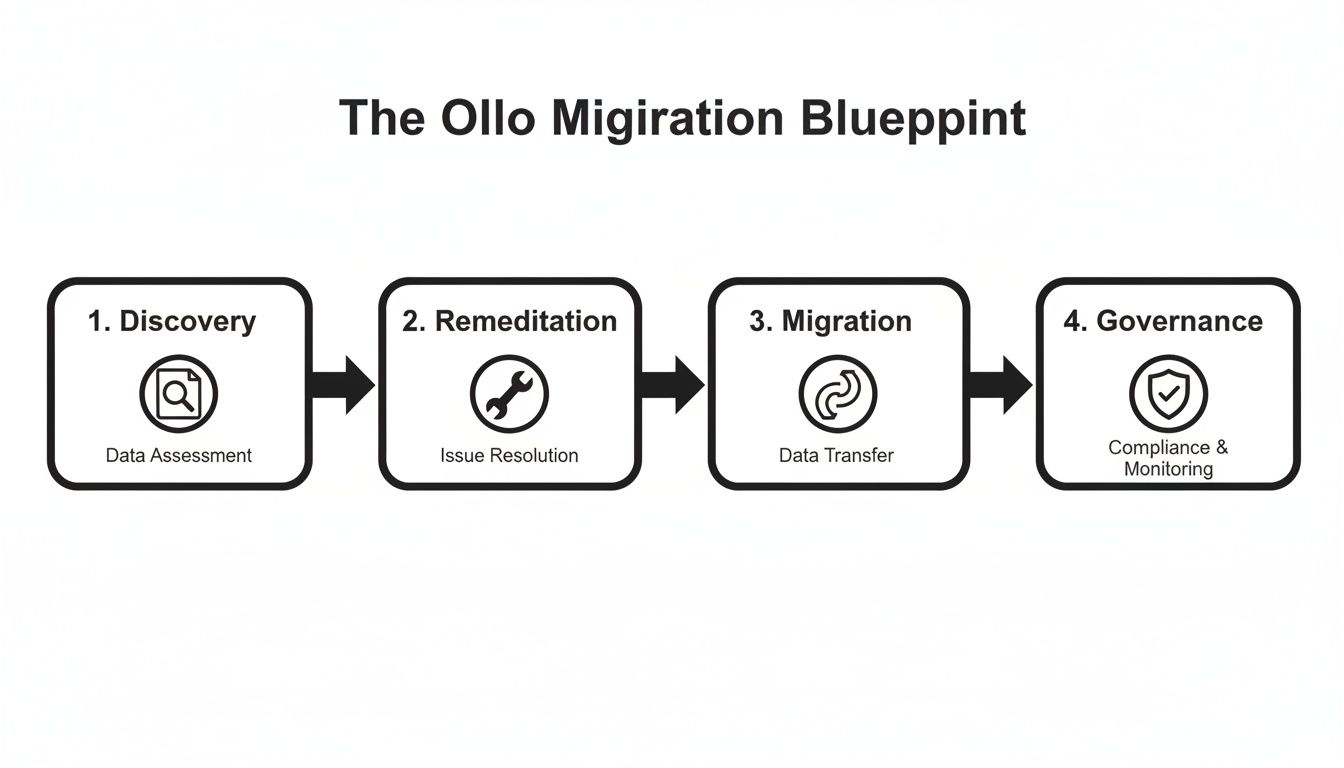
This isn’t just a set of steps. It’s a risk-reduction framework that front-loads the hardest work so your execution phase is predictable—no last-minute surprises, just steady progress.
Phase 1 Discovery And Risk Assessment
The moment most DIY migrations derail is during discovery. We kick off with a deep-dive assessment using specialised tooling—not the native utilities that only scratch the surface.
Key activities include:
- Permissions Audit: Map every access control entry, hunting down broken inheritance, circular group nesting and orphaned accounts that open security holes.
- Data Structure Analysis: Identify files and folders exceeding SharePoint’s 400-character path limit and flag libraries nearing the 5,000-item list view threshold.
- Dependency Mapping: Trace connections between applications, workflows and your data to avoid crippling day-to-day operations.
This phase roots out every issue we know will break your migration if left unaddressed.
Phase 2 Proactive Remediation
With the minefield mapped, we defuse it before any data moves. Native tools halt at the first error—but our remediation process fixes problems up front.
We partner with your team to:
- Restructure overly complex permissions
- Flatten nested folder hierarchies
- Archive obsolete or irrelevant content
Beyond enabling a smooth migration, this phase tidies up your information architecture for lasting benefits.
The Ollo Verdict: Skipping remediation is the single most expensive mistake you can make. Bringing years of technical debt and security gaps into your new Microsoft 365 tenant will cost far more to clean up later than fixing it correctly from the outset.
Phase 3 Controlled Migration Waves
Migration isn’t a monolithic event—it’s a series of strategic waves. We start with low-risk data to validate our process, then ramp up in carefully monitored stages.
Our approach includes:
- Scheduling high-volume transfers during off-peak hours to avoid API throttling
- Isolating, logging and resolving errors on the fly without stopping the entire project
- Continuous validation at each stage to build confidence across teams
To ensure your M365 migration moves from chaos to control, consider dedicating time to Mastering Data Migration Best Practices.
Phase 4 Post-Migration Governance
Moving your files is just the beginning. The final phase cements a governance and security framework that keeps your environment stable, compliant and resilient.
Key deliverables include:
- Implementing retention policies and sensitivity labels
- Configuring security settings and access controls
- Optimising for automation with the Power Platform
This isn’t simply about migration—it’s about delivering a secure, future-proof platform that empowers your business. Learn more about how we apply this methodology in our professional migration services.
Why Your Next Move Isn't a DIY Project
Let's be blunt. The migration tool market is growing for one simple reason: the out-of-the-box solutions that come with your licence buckle under the pressure of a real business. The documentation makes Migration Manager sound capable, but for a complex, regulated Irish organisation, a DIY approach is a straight line to budget blowouts, lost data, and compliance headaches.
We see this pattern constantly. A tool promises simplicity but shatters on first contact with your actual complexity—your tangled web of permissions, your legacy data structures, and your non-negotiable compliance rules.
Risk Reduction Is the Real ROI
Bringing in a specialist isn't just another line item on a budget; it's a risk reduction strategy. It's the conscious decision to hire a team that has already navigated the minefield you're about to enter, ensuring your most critical asset—your data—is moved with surgical precision and total security. We’ve been called in to rescue enough of these “simple” projects to know how quickly they spiral.
The market for migration tools is seeing a significant growth, and there's a good reason for that urgency right here in Ireland. The growth of the cloud migration tools market is driven by failures. We see GDPR-phased cutovers fail because of unaddressed issues like the 5k item limit in SharePoint lists—a hard limit confirmed in Microsoft's own documentation. We warn clients constantly: the official advice might suggest using basic tools for simple jobs, but for an enterprise Irish tenant, that advice can bring a project to a complete standstill.
From the Trenches to Your Tenancy
Our lead architect recently had to pull multiple Irish energy firms out of a catastrophic mess. A "simple" migration tool created Entra ID GUID conflicts that corrupted their entire zero-trust security framework. The native tools couldn't see the problem, let alone fix it. It took custom scripts and a deep understanding of the architecture to undo the damage.
The Ollo Verdict: Another failed project is not an option. Your team is talented, but they aren't specialist migration architects. Don't force them to learn on the job when your most valuable data is on the line. Use SPMT for <50GB. For anything else, you need custom scripting.
This is all we do. We don’t manage day-to-day IT; we plan and execute high-stakes, technically demanding migrations. We de-risk the entire process, from the initial discovery and planning right through to post-migration governance, making sure your project succeeds not just technically, but as a core business initiative.
Frequently Asked Questions About M365 Migration
As architects who are often called in to rescue failed projects, we hear the same questions from IT Directors. You've been burned by vendor promises, and you're rightly cynical. You need straight answers, not marketing fluff. Here are the tough questions we get asked.
Can We Really Use Free Tools for an Enterprise Migration?
You can, but it’s a high-stakes gamble. The documentation for Microsoft 365’s Migration Manager makes it look like a viable option. In reality, it lacks the critical pre-migration analysis, robust error handling, and detailed validation reporting that are non-negotiable for any project where data integrity matters.
We often see projects fail when teams equate "free" with "low-risk." The real cost becomes apparent when your project grinds to a halt from API throttling, or when you discover post-migration that thousands of broken permissions have created a massive security breach. The cost of fixing that mess will dwarf the initial cost of a specialist tool or service.
The Ollo Verdict: Using free tools for an enterprise migration is like using a consumer-grade drill for an industrial construction project. It will fail, and the damage will be expensive. It is a direct path to budget overruns and compliance failures.
What Is the Single Biggest Technical Risk We Will Face?
Without a doubt, it's the cascading failures that start with inadequate pre-migration analysis. Your team won't know about SharePoint's 5,000-item list view threshold until a critical library breaks mid-project. They won't discover that thousands of files violate the 400-character path limit until the migration tool simply skips them, causing silent data loss.
These aren't hypothetical scenarios; they are predictable points of failure that Microsoft explicitly references in its own technical documentation. A DIY approach forces you to discover these landmines mid-flight, when it’s already too late to course-correct without significant delays and frantic, manual clean-up. Your data is far too valuable for that kind of reactive troubleshooting.
How Do We Know the Migration Was Actually Successful?
This is the one question native tools simply cannot answer to a compliance standard. Migration Manager provides basic logs, but it offers no comprehensive post-migration validation report. You have no auditable proof that every single file, with its correct metadata and permissions, arrived intact.
For any regulated Irish organisation, this is an unacceptable gap. You cannot prove data integrity to an auditor. It's why our methodology includes a dedicated governance and validation phase, where we use custom scripts to verify data residency and permissions, providing the concrete evidence your compliance team requires.
Your data's security and integrity are not negotiable. At Ollo, we don't just move data; we de-risk the entire process with battle-hardened expertise and a methodology built to withstand enterprise complexity. Don't let your next project become another war story. Contact us to ensure it's a success.

















