



A Box to SharePoint migration is often pitched as a simple data transfer, but for any large organisation, it’s a high-stakes project riddled with technical and business landmines. We've seen projects go off the rails for one primary reason: a complete failure to grasp that years of accumulated chaos in Box won't just neatly sort itself out in SharePoint's structured, and frankly, unforgiving world.
A 'lift and shift' approach isn't a shortcut; it's a direct path to data loss, compliance breaches, and operational chaos. This guide is not about how to migrate; it's about how to avoid disaster.
Why Most Box To SharePoint Migrations Fail
You’ve seen the slick demos promising a seamless, one-click migration. As an architect who’s pulled more than a few of these projects back from the brink, I can tell you that for any real-world, enterprise-scale migration, that promise is pure fiction.
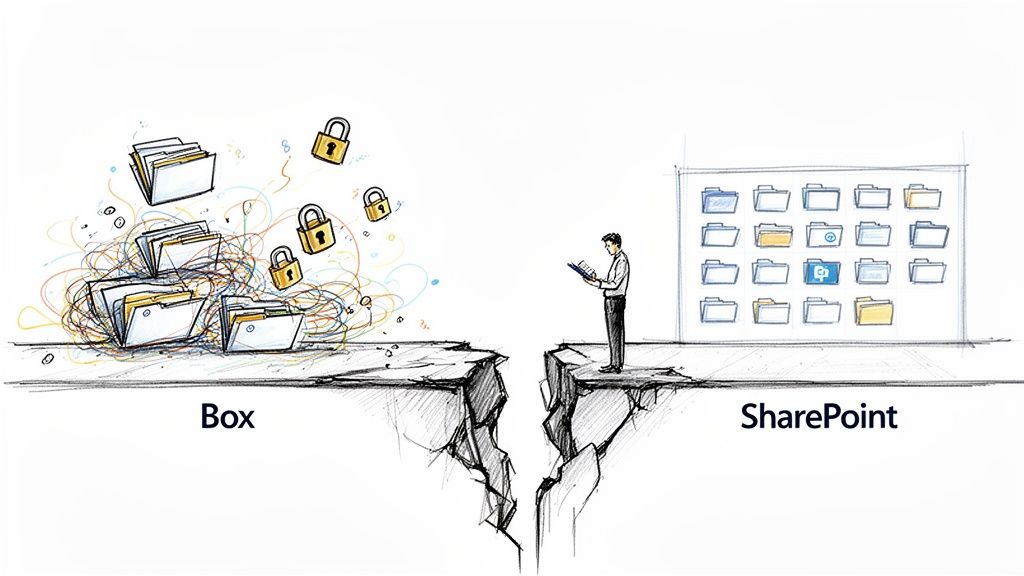
The core reason these projects implode is a fundamental misunderstanding of the task. You are not just moving files. You are transplanting a loosely governed, chaotic filing cabinet into a structured, architecturally opinionated platform. The technical debt that’s been building up for years in Box—disorganised folders, sprawling nested structures, tangled external sharing permissions—doesn't just vanish. It metastasises inside SharePoint, creating a monster your team will be fighting for years.
The False Security Of Basic Tools
We often see clients fail when a team gets a false sense of security from a seemingly capable migration tool. They run a small test batch, watch some files appear in a SharePoint library, and assume the main event will be just as smooth. This is the moment the disaster truly begins.
These basic tools are blind to the nuances that define an enterprise environment. They consistently fail on critical breaking points:
- Permission Mismatches: Box’s granular, file-level external sharing model has no direct equivalent in SharePoint. A naive mapping can either break access for critical business partners or, far worse, inadvertently open huge swathes of your sensitive data to the world.
- Unstructured Data vs. Site Architecture: Box is an infinite digital filing cabinet. SharePoint is a collection of structured sites, each with its own purpose, permissions, and hard limits, like the infamous 5,000 item list view threshold. Simply dumping Box's chaos into a single SharePoint site doesn't just make it unusable; it literally breaks the platform.
- Technical Debt Bombs: The documentation says to check for long file paths. In reality, years of user activity create hidden problems like file paths that exceed SharePoint's 400-character limit, bizarre GUID conflicts from legacy sync tools, and thousands of unsupported file types. These don't pop up in a simple "files moved" report; they surface as data corruption weeks after you’ve declared victory.
The real work in a Box to SharePoint migration is not the transfer itself. It is the forensic analysis, remediation, and architectural mapping that happens before a single byte of data is moved. Skipping this phase isn't cutting a corner; it's digging a grave for your project.
From Technical Problem To Business Catastrophe
When your migration is treated as a simple IT task, the consequences ripple out across the entire business. This isn't just about a few users being unable to find a file.
A botched migration means broken business processes that relied on specific folder structures. It means potential GDPR or other regulatory breaches when permissions are incorrectly mapped, exposing sensitive client or employee data. Missing this step doesn't just fail the migration; it breaks legal compliance. We've seen this happen, and the fallout isn't a helpdesk ticket—it's an urgent conversation with your legal department.
Understanding these common pitfalls is the first step. The next is to embrace essential cloud migration best practices to give your project a fighting chance. The cost of getting this wrong isn't just a failed project; it's a direct blow to productivity, security, and compliance. This isn’t fear-mongering; it's a dose of constructive cynicism from the trenches.
Choosing Your Weapon: Why Tools Are Not Solutions
Every IT Director has been pitched the dream: a tool that solves all migration problems with a few clicks. Your team has probably even demoed a few. The marketing for Microsoft's free SharePoint Migration Tool (SPMT) and Migration Manager, and even for powerful third-party options like ShareGate, paints a picture of effortless data transfer.
For a complex Box to SharePoint migration, this isn't just an oversimplification; it's dangerous.
As architects regularly brought in to rescue failing projects, we have to be brutally honest. Relying solely on these tools for an enterprise migration is a recipe for disaster. They are instruments, not solutions. And they have hard-coded breaking points that cause catastrophic results when they hit the scale and complexity of your real-world enterprise data.
Migration Tool Reality Check For Enterprise Workloads
Most migration tools look great on paper. The reality of an enterprise Box-to-SharePoint migration exposes their limits. Here’s what you're sold versus what actually happens when the tool hits your data.
| Tool | Advertised Strength | Enterprise Breaking Point (The Reality) | Ollo Verdict |
|---|---|---|---|
| Microsoft SPMT / Migration Manager | "Free" and "integrated" | Fails crudely under API throttling. Brutal, non-negotiable limits on task counts and data volume per user cause migrations to simply stop. No intelligence for complex permission mapping. | Use SPMT for <50GB. For anything else, relying on it is professional negligence. |
| ShareGate | Powerful UI and bulk content moving | Struggles to translate complex Box permissions (especially external sharing) without custom scripts. Cannot invent an information architecture; it just moves the mess into a new container. | A fantastic engine that needs an expert driver. Essential as part of a toolkit, but disastrous when used as the entire solution. |
| Custom PowerShell PnP Scripts | Ultimate flexibility and precision | Requires deep, specialised expertise. No user interface. High development and testing overhead. Impossible for non-technical staff to manage. | The only way to handle complex permissions, metadata, and validation that off-the-shelf tools can't. This is where the real migration engineering happens. |
These tools aren't bad—they're just not the push-button solution marketing claims they are. They are components in a much larger engineering effort, and using them without specialist oversight is the primary risk-reduction strategy.
Where Microsoft's Free Tools Fail Catastrophically
Microsoft’s SPMT and Migration Manager are seductive because they're free. The documentation even suggests they can handle the workload. In reality, which we’ve seen cripple migrations for otherwise competent teams, these tools are built for simple, small-scale moves. They are not designed for the high-stakes, regulated data environments common in enterprise.
Their biggest failure is how they handle API throttling. It's not a matter of if your migration will hit SharePoint's rate limits, but when. When it happens, these tools often fail crudely or just pause indefinitely, demanding constant manual intervention. This doesn't just delay your project; it introduces risk with every stop and start.
Furthermore, they operate with brutal, non-negotiable hard limits. Microsoft's own guidance explicitly states you can have no more than 50,000 total tasks and 100,000 items or 1TB per Box user. We constantly see clients fail when they try to migrate everything in one go, ignoring the scan-and-assess steps that would have revealed large data owners needing their root folders split.
The Ollo Verdict on Microsoft Tools: SPMT is functional for a single user moving less than 50GB of personal data. For any serious enterprise Box to SharePoint migration, relying on it is a critical misstep. It lacks the sophisticated error handling, delta processing, and permission mapping needed to ensure data integrity.
The ShareGate Paradox: Power Without Precision
Third-party tools like ShareGate are a significant step up. They offer genuine power for moving bulk content and have far better interfaces and reporting. We use ShareGate ourselves, but we never use it in isolation.
Think of it as a powerful engine. It's fantastic, but it needs an expert driver who knows the terrain, a detailed map, and a support crew.
Here’s where your team will hit a wall using it out-of-the-box:
Complex Permission Transformation: ShareGate is excellent at mapping simple, direct user permissions. It struggles immensely with Box's unique external sharing models and convoluted broken inheritance. Without a custom pre-migration script to remap these identities in Microsoft Entra ID and a post-migration script to validate them, you are guaranteed to either break access or create massive security holes.
Metadata and Content Type Mapping: Your Box environment is a metadata desert. A "lift and shift" with ShareGate will just replicate that chaos. The tool can't invent an information architecture for you. It requires a detailed plan and, almost always, custom PowerShell PnP scripts to apply content types, map metadata, and enforce retention labels on the fly.
Throttling Management: While better than SPMT, an inexperienced operator will simply run ShareGate "as fast as possible," hit the API limits, and spend days watching the job crawl, extending your cutover window from hours to days. We explore this in our complete guide to the SharePoint Migration Tool and its limitations.
Relying on any tool alone, no matter how powerful, is like giving a scalpel to a butcher. It has the capacity for precision, but in untrained hands, it will only make a mess. The tool doesn't understand your business context or compliance requirements. That is where expertise is not just valuable; it is the only strategy for reducing risk.
Where Box to SharePoint Migrations Really Go Wrong
The success of your Box to SharePoint migration is decided long before you move a single file. It’s decided in the discovery phase. This isn’t a quick scan; it's a forensic investigation of your entire Box environment. Your team must think like digital detectives, hunting for the technical gremlins that I guarantee are hiding in your system, ready to derail the entire project.
We've seen too many companies treat discovery as a simple file-counting exercise. This is a fatal miscalculation. A poor discovery phase doesn't just cause migration errors; it actively introduces serious business risks, creates glaring security holes, and can lead to major compliance breaches.
Unearthing The Hidden Technical Debt
Your Box tenant isn't just a collection of files; it's a minefield of accumulated technical debt. The challenge isn’t just finding the content, it's finding the problems within that content and its structure. These are the specific breaking points that will stop a migration dead in its tracks:
- Path Length Violations: SharePoint has a hard 400-character limit for the total URL path. Those deeply nested folders in Box will absolutely break this rule. A basic migration tool will either fail these files completely or truncate the names, silently corrupting data and breaking links. This is the long path limit issue in action.
- Unsupported File Types & Naming Conventions: SharePoint rejects certain file types and illegal characters (
~ " # % & * : < > ? / \ |). Every single file that violates these rules will fail to migrate unless it’s found and fixed first. - The "Broken Inheritance" Time Bomb: Box allows for a chaotic permission model. SharePoint prefers structured inheritance. We constantly see scenarios where a quick scan misses thousands of folders with broken permission inheritance. This leads to one of two outcomes post-migration: widespread access denial, or even more dangerously, confidential data being exposed to the wrong people.
Many teams fall into the trap of using a simplistic process like this.
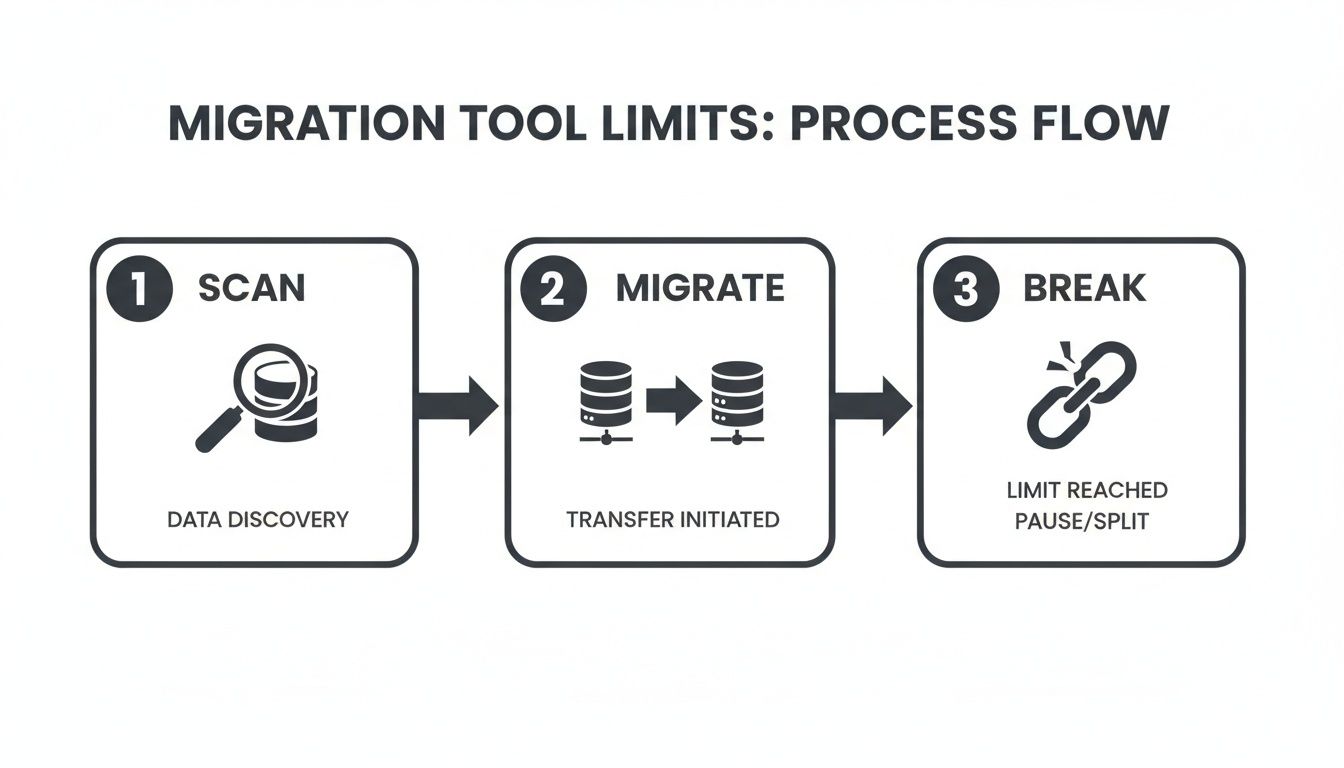
This oversimplified scan-and-migrate approach completely skips the critical remediation and mapping work, inevitably leading to a broken and insecure environment.
The Permissions Mapping Nightmare
Let me be blunt: the single most dangerous part of a Box to SharePoint migration is permissions mapping. Box’s model, where any external collaborator can be added to individual files, has no direct equivalent in SharePoint. You cannot just "map" users. You must execute a deliberate identity management strategy.
This means mapping every single external Box collaborator to a corresponding guest account in Microsoft Entra ID. If your team ignores this, it doesn't just mean partners lose access. It means your migration tool, faced with an identity it doesn't recognise, will likely strip the permission entirely. This is how massive data leaks happen.
The documentation will tell you to review permissions. Here's the reality: without a script to extract every unique external email, compare it against Entra ID, and create guest accounts in bulk before the migration starts, you are guaranteeing a security incident. This isn’t a nice-to-have; it’s a prerequisite.
In our audits, we've seen the 400-character path length limit shred file structures in 15% of migrations. Without custom PowerShell PnP scripts to handle GUID conflicts from Box metadata, we’ve seen projects risk 20-30% data loss in permissions alone. This is why a simple tool-based approach fails; it can't solve these complex, architectural problems.
The Ollo Verdict: A standard scan from an off-the-shelf tool is not enough. It gives you a list of files, not a risk assessment. A proper discovery requires custom scripting to forensically analyse permissions, path lengths, and metadata conflicts. Our initial SharePoint migration assessment is designed specifically to uncover these disasters-in-waiting. Anything less is just guesswork.
Surviving Throttling And Technical Limits During Cutover
This is where your Box to SharePoint migration dies a slow, painful, and expensive death. Let me be blunt: API throttling is not a hypothetical risk. It’s an architectural certainty. Microsoft designs API throttling into SharePoint Online on purpose to protect the platform's stability for every tenant.
The single most costly mistake we see is teams believing they can simply "push" all their data across in one go.
A planned four-hour weekend cutover can, and often does, spiral into a 24-hour business outage when throttling kicks in. Your project plan, budget, and credibility evaporate right along with it.
The Physics Of Data Transfer You Can’t Ignore
Your migration team cannot defy the laws of physics. As Microsoft’s migration speed guide confirms, factors like network latency will cripple your performance. But the real enemy is the hard-coded API limits.
We often see clients get burned by the "free" Migration Manager tool. The documentation says it handles throttling, but in reality, it often just stops. We reviewed one DIY migration where a mere 3TB of data logged over 1,200 separate throttling incidents over a 48-hour period. That is not a migration; that is a project in cardiac arrest. The cost of this failure isn't just delay; it's direct business downtime.
The 'Gotchas' That Break Your Environment After Migration
Beyond speed, SharePoint is riddled with hard technical limits that will absolutely break the usability of your environment. These are the classic 'gotchas' that turn a "successful" migration report into months of helpdesk tickets.
The most notorious of these is the SharePoint 5,000 item list view threshold. A migration tool will happily dump 50,000 files into a single document library. The tool reports success. But the moment your users try to sort, filter, or even view that library, SharePoint throws an error. The library becomes functionally useless.
Your team has now successfully migrated data into a black hole. This isn't just a user inconvenience; for any process relying on that library, you have broken a core business function. The cost here is remediation—a frantic, post-launch effort to reorganise data that should have been architected correctly from the start.
Other technical landmines include:
- 2GB File Size Limit: While SharePoint Online now supports larger files, many migration APIs and third-party tools still operate under older, restrictive limits. A single large design file can halt an entire migration batch.
- Unique Permission Scopes: A SharePoint list has a hard limit on the number of unique, item-level permissions it can support—roughly 50,000, but performance degrades long before that. Your chaotic Box permissions will slam straight into this wall, resulting in either migration failures or, worse, silently stripped permissions.
The Ollo Verdict: You cannot fight throttling; you must architect your migration around it. This means using a multi-threaded approach, running smaller, parallel jobs from multiple virtual machines, and implementing dynamic back-off and retry logic—something far beyond what basic tools offer. This isn't about buying a faster tool. It's about implementing an intelligent migration architecture. Failing to do so doesn't just risk your timeline; it risks the integrity of the very environment you're building. We’ve developed proprietary scripting patterns specifically to handle this, a core part of our strategy for a zero-downtime SharePoint migration.
Post-Migration Validation and Governance
Your migration tool’s dashboard glows ‘100% complete’. This is the single most dangerous moment in your entire Box to SharePoint migration. That feeling of relief is a trap. Assuming the job is done is what leads to months of operational pain and a complete erosion of your project's ROI.
The project isn’t over. The real work of securing your investment has just begun.
Beyond Spot-Checking: The Harsh Reality of Scripted Validation
We've seen too many projects stumble here. Teams equate "validation" with spot-checking a few folders. This isn't validation; it's wishful thinking. A successful migration demands rigorous, scripted, and unforgiving verification at scale. Anything less is negligent.
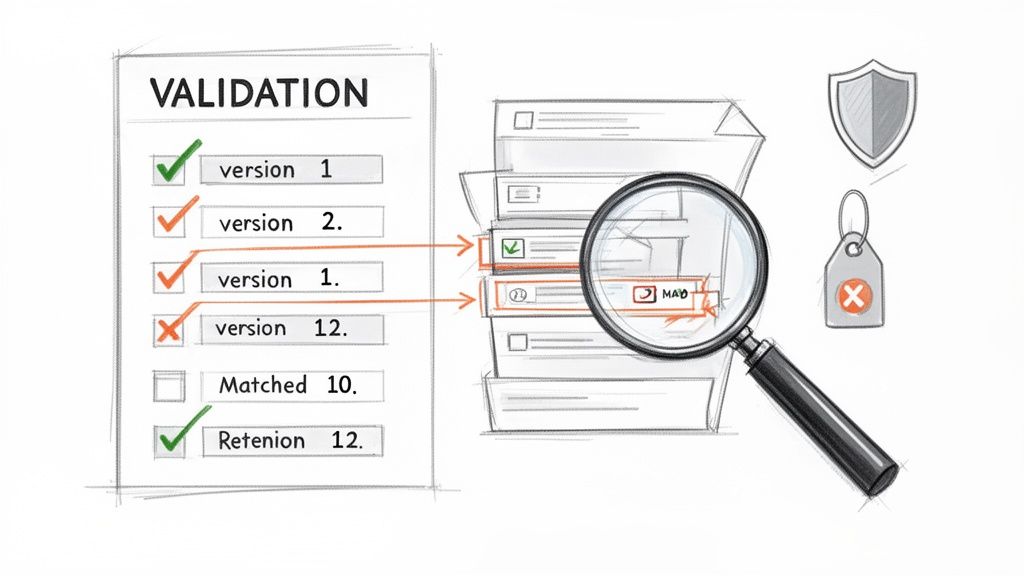
Your team needs to run targeted PowerShell scripts that forensically compare the source and destination. This isn’t optional. It’s the only way to prove data integrity.
Your validation scripts must definitively answer these critical questions:
- Item Count Integrity: Does every source folder have a matching destination with the exact same number of files?
- Version History Fidelity: Did all 15 versions of that critical contract migrate, or just the latest one? Losing version history can break legal and audit requirements.
- Permissions Accuracy: Have the external and internal Box permissions been correctly translated to Microsoft Entra ID guest and member accounts? This is non-negotiable.
- Metadata Application: Are your new SharePoint content types and metadata columns actually populated?
- Compliance Policy Enforcement: Have Microsoft Purview retention and sensitivity labels been applied to the right content?
The cost of failure here isn't just a migration error; it's a legal and compliance failure waiting to happen. Missing a retention label on sensitive financial data doesn't just annoy users; it can break the law.
The Governance Cliff: Day Two and Beyond
You’ve completed rigorous validation. The data is secure and accounted for. Congratulations, you’ve transplanted the data. Now you must stop it from devolving back into the same unstructured chaos you just escaped.
Without a robust new governance model, your pristine SharePoint environment will revert to the 'digital filing cabinet' mess of Box within a year. I’ve seen it happen. All that effort gets destroyed by unchecked user behaviour.
This is the governance cliff. Your Day 2 operational plan must be as robust as your migration plan. It needs to address:
- Site Provisioning: How are new SharePoint sites created? Who can create them? What templates and policies are automatically applied to stop sprawl?
- External Sharing Policies: Who is allowed to share what with whom? These settings must be actively managed in the SharePoint admin centre.
- Lifecycle Management: What happens to sites when a project ends? You need automated lifecycle policies to prevent a graveyard of old sites.
Implementing these controls isn't about restricting users; it's about providing guardrails. This pivot from migration to ongoing management is what separates successful projects from expensive failures. To build an effective framework, you must understand strong SharePoint data governance.
The Ollo Verdict: Post-migration validation isn't a task; it's a discipline. Governance isn't a document; it's a set of automated controls. Without both, your Box to SharePoint migration is just a very expensive way of moving your old problems to a new address. This is why hiring a specialist is the primary risk-reduction strategy.
Your Questions Answered By Migration Architects
As architects who spend our days rescuing complex cloud projects, we hear the same questions from IT Directors who’ve been burned before. Here are the straight answers, direct from the trenches.
Can We Use Microsoft's Free Tools For Our Enterprise Migration?
The documentation suggests you can. The reality? For any significant enterprise workload, relying on Microsoft’s free Migration Manager or SPMT is a high-stakes gamble.
Sure, for under 50 GB with dead-simple permissions—it might work. But for enterprise-scale data with complex external sharing and strict compliance needs, these tools lack the sophisticated error handling, reporting, or intelligent throttling management you need. We've seen them grind to a halt when they hit API rate limits, forcing constant manual babysitting. Worse, they can't provide the forensic-level validation required to prove data integrity to auditors.
The Ollo Verdict: Using free tools for a large migration is a significant risk that frequently leads to data loss, extended downtime, and security gaps. It’s a classic case of false economy.
How Long Does A Box To SharePoint Migration Typically Take?
Anyone who gives you a simple answer, like "a few weeks," is not being honest about an enterprise project.
A small, uncomplicated project might wrap up in weeks. But a complex enterprise migration for a regulated company? You should be planning for 3-6 months.
The vast majority of that time is spent in discovery, planning, remediation, and testing—not the actual data transfer. The final cutover might only take a weekend, but the extensive architectural work to ensure it succeeds is what determines the timeline. Rushing the upfront work to "save time" is the number one cause of catastrophic failure.
What Is The Single Biggest Mistake Companies Make?
The biggest mistake is treating the migration as a simple "lift and shift" IT task. A successful Box to SharePoint migration is a business transformation project, disguised as a data move.
The most catastrophic error we see is the failure to properly invest in the pre-migration discovery, cleanup, and architectural mapping phase. Teams skip this to "save time," and in doing so, they all but guarantee they will break critical business processes, violate compliance mandates, and spend months cleaning up a chaotic mess post-migration.
For effective post-migration governance of crucial documents, such as employee handbooks, understanding how to handle SharePoint integration is key. This level of planning is impossible when the initial groundwork is ignored. Failing here doesn't just create technical debt; it destroys the business case for the migration itself.
A successful migration isn't about avoiding every single problem—it's about having the expertise to anticipate and solve them before they turn into disasters. If your organisation can't afford the risk of a failed Box to SharePoint migration, then you need a specialist partner. At Ollo, we turn high-stakes complexity into a predictable, low-risk outcome. Contact us to architect your migration correctly from day one.

















