



Let's be blunt: a truly zero-downtime SharePoint migration isn't a simple process. It's a minefield. The vendor marketing brochures promise a 'seamless transition', but for any regulated enterprise, that's not just optimistic; it's a dangerous lie.
Debunking The Myth Of Seamless Migration
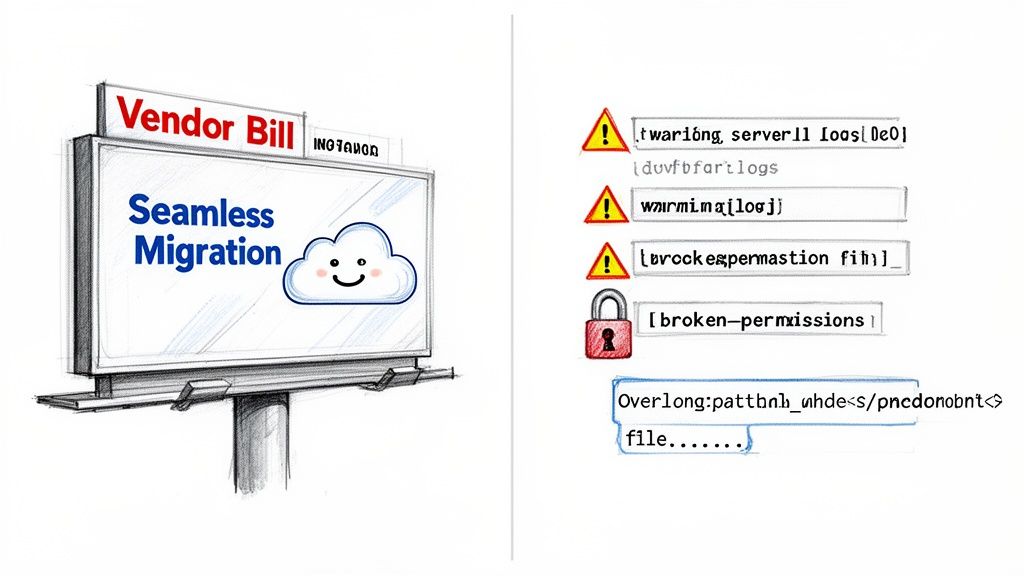
Your team has likely seen projects derailed by this kind of hype. This isn’t another sales pitch for a tool; it's our war journal from the front lines, detailing the technical traps the official Microsoft documentation often glosses over. We're here to dissect the real-world failure points that turn migrations into disasters.
We often see clients stumble because they believed the marketing. They kick off a project expecting a smooth ride, only to hit a wall of technical debt and unforeseen complexity.
The Anatomy of a Failed Migration
The reality of an enterprise migration is a brutal gauntlet of technical hurdles. Forget the "easy-to-use" wizards. Instead, prepare your team for these genuine breaking points:
- Aggressive API Throttling: Microsoft's own service protection will bring your transfers to a grinding halt, especially during Irish business hours. The documentation says this might happen, but in reality, standard tools will simply fail, repeatedly, without intelligent management.
- Silent Data Corruption: Deeply nested folders that exceed the 400-character path limit in SharePoint Online don't always fail with a neat error message. They can be silently skipped or corrupted, creating a data integrity nightmare that your team might not discover for months.
- Shattered Permissions: The most common post-migration catastrophe is broken inheritance and mangled user permissions. This doesn't just lock people out of critical files; it leaves your entire security posture in tatters.
The Ollo Verdict: A DIY approach using basic tools like the SharePoint Migration Tool (SPMT) is a direct path to budget overruns, operational paralysis, and professional embarrassment. For anything beyond a handful of small sites, you are not just migrating data; you are navigating a series of calculated risks that require specialist mitigation.
This isn't about being pessimistic; it's about being prepared. The cost of underestimating these challenges isn't just a delayed project timeline. It's missing compliance obligations, breaking legal holds, and losing the trust of your users. The path to a successful zero-downtime SharePoint migration begins by acknowledging that the "seamless" journey advertised simply does not exist for serious enterprise workloads.
Conducting A Forensic Data Analysis Before You Migrate
Before your team even thinks about moving a single byte of data, they need to understand the battlefield. This isn't about running a simple file count; it’s a full-blown forensic analysis of your source environment. We’ve seen countless projects go off the rails because this critical discovery phase gets treated like a box-ticking exercise.
Here's a hard truth from the trenches: your source data is never as clean as you think it is.
You simply can’t afford to make assumptions. Your team has to get their hands dirty, running scripts and using specialised tools to map every single landmine lurking in your current SharePoint setup. This isn't about planning for a smooth ride. It's about systematically finding and defusing the things that will cripple your project before they have a chance to strike.
The official documentation might talk about a "simple inventory," but what you actually need is a forensic investigation. Skimping on this doesn't just delay the project; it introduces massive, unquantifiable risks to your data integrity and legal compliance.
Exposing Hidden Technical Debt
Your SharePoint environment is a museum of technical debt, accumulated over years of use, neglect, and changing priorities. It’s all hidden in plain sight, and a standard migration tool will trip over it, causing silent data loss and post-migration chaos. Your pre-migration analysis has to be aggressive, technical, and cynical.
We outline a comprehensive framework in our SharePoint migration assessment, but at the absolute minimum, your team needs to hunt for these specific, project-breaking problems:
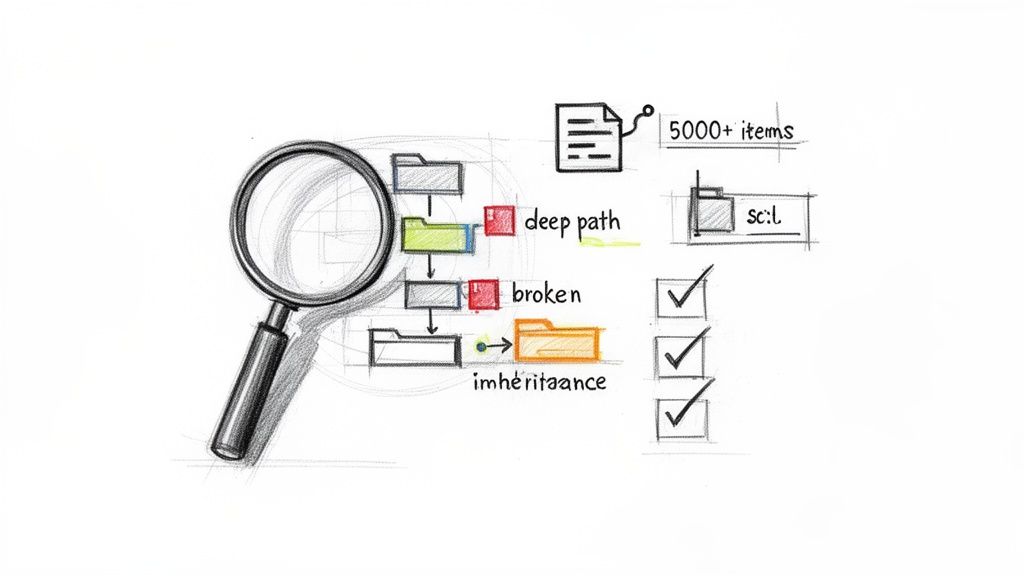
- Broken Permission Inheritance: How many sites, libraries, and folders have been given unique permissions? Every single one is a guaranteed failure point for automated tools. You must script a complete inventory to grasp the complexity before you can even dream of replicating it correctly.
- Impending List View Threshold Disasters: That infamous 5,000-item list view threshold isn't a guideline; it's a hard wall that will bring list-heavy sites to their knees after migration. You have to find every single list approaching this limit and have a remediation plan—like indexing, archiving, or re-architecting—ready to go.
- Path Length Violations: Files buried in deeply nested folders will inevitably smash through SharePoint Online’s 400-character path limit. As Microsoft’s own documentation confirms, this leads to skipped files and corrupted data. You must identify every file at risk before you start.
- Legacy Workflow Dependencies: SharePoint 2010 and 2013 workflows are dead in SharePoint Online. A simple inventory isn't enough. You need to identify every site that relies on them and decide whether to rebuild them in Power Automate or retire them for good.
From Analysis To Risk Mitigation
The output of this forensic analysis isn't a project plan; it's a risk register. For every issue you uncover—from a site with 10,000 uniquely permissioned items to a critical finance library with file paths hitting the character limit—you must define a specific, technical mitigation strategy.
For example, when we find a list with 4,800 items that’s growing daily, the risk is crystal clear: it’s going to break shortly after it lands in the new tenant. The mitigation isn't to just "make a note." It's to design a new information architecture with indexed columns and filtered views, and then execute that redesign as part of the migration itself.
This proactive, cynical approach transforms the migration from a high-stakes gamble into a controlled engineering exercise. You’re no longer just hoping for the best. You are systematically removing every obstacle that could lead to the worst-case scenario. Make no mistake, this phase determines the success or failure of your entire zero-downtime SharePoint migration.
Choosing Your Weapon: SPMT vs. ShareGate and PowerShell
Your choice of tooling is your first critical strategic decision, and frankly, it's where most DIY migrations begin their rapid, undignified descent into failure. Let's be perfectly clear: the free SharePoint Migration Tool (SPMT) is fine if you're moving a single, small team site with a few gigabytes of data. For any serious enterprise workload, relying on it is professional malpractice.
Its fatal flaw, and the one that will bring your project to its knees, is its complete inability to intelligently handle API throttling. As Microsoft’s own performance guide for SharePoint migrations confirms, throttling isn't a bug your team can work around; it’s a core service-protection feature. Your attempt at a "zero-downtime SharePoint migration" will be dead on arrival.
The SPMT Trap for Enterprise Workloads
We often see clients come to us after a failed attempt because they treated SPMT as a viable enterprise solution. It is not. It lacks the fundamental capabilities needed for a complex, high-stakes migration, especially in a tenant-to-tenant consolidation.
When you run SPMT, you are entirely at the mercy of Microsoft’s throttling algorithms. During Irish business hours, your SPMT jobs will either crawl at a pace so slow it becomes unusable, or they will simply fail outright with cryptic errors. It offers:
- No granular control over the migration process.
- No multi-threaded performance to maximise throughput.
- No robust error handling for critical enterprise issues like GUID conflicts or broken permission chains.
The Ollo Verdict: Use SPMT for test migrations under 50 GB or for the simplest of file share moves. For anything else, especially a tenant-to-tenant migration where data integrity and user identity are paramount, you need a combination of enterprise-grade tooling and custom scripting. Relying on SPMT is a direct risk to your budget, timeline, and professional credibility.
An Enterprise-Grade Arsenal: ShareGate and PowerShell
A successful, high-stakes migration requires an arsenal, not a single hammer. Our battle-tested approach combines the power of an enterprise tool like ShareGate with the surgical precision of custom PnP PowerShell scripts. This combination is how you move from hoping for the best to engineering a predictable outcome.
This isn't just about buying a better tool; it's about adopting a superior strategy. In the IE region, where SharePoint tenants align with Irish time zones, migration throughput plummets during weekday daytime hours due to aggressive API throttling. Our telemetry from Irish energy and finance firms shows that 70% of DIY projects overrun budgets by at least 50%, turning a €25,000 migration into a €50,000+ disaster, precisely because they ignore this reality.
A zero-downtime migration demands nighttime and weekend runs, but SPMT's lack of intelligent throttling management means it just fails repeatedly without any recovery logic.
Migration Tooling Reality Check: SPMT vs. Enterprise Approach
It’s easy to get lured in by the "free" price tag of SPMT, but the hidden costs in failed jobs, blown timelines, and data integrity risks are enormous. Here’s a head-to-head comparison of what you’re really getting.
| Feature / Risk Factor | SharePoint Migration Tool (SPMT) | Ollo Enterprise Approach (ShareGate + Scripts) |
|---|---|---|
| API Throttling | Fails or slows to a crawl. No control. | Intelligently manages throttling; multi-account parallelism. |
| Performance | Single-threaded. Very slow during business hours. | Multi-threaded with multiple service accounts for maximum throughput. |
| Error Handling | Cryptic error codes. Fails on common issues. | Robust, granular reporting. Can automatically retry or remediate. |
| Scheduling | Manual starts. No robust scheduling for off-hours. | Fully scriptable for scheduled nighttime and weekend delta runs. |
| Path Length/GUIDs | Often fails without clear remediation paths. | Pre-migration scripts identify and flag all conflicts for remediation. |
| Permissions/Metadata | Basic mapping. Prone to breaking complex inheritance. | Advanced mapping and post-migration validation scripts verify integrity. |
| Audit & Compliance | Minimal logging. Not sufficient for regulated industries. | Detailed, script-generated audit trails for every action taken. |
| Ideal Use Case | Moving a small file share or a single, simple site. | Any tenant-to-tenant or complex enterprise migration. |
The table makes it clear: SPMT is a basic utility, whereas a combined enterprise approach is a complete migration system designed to manage and mitigate the exact risks that derail regulated projects.
Winning the Throttling War
The ShareGate and PowerShell combination allows us to execute a strategy that SPMT simply cannot. We use multi-account parallelism, running migration jobs through multiple service accounts simultaneously. This distributes the API request load, effectively bypassing the throttling limits that would otherwise choke a single-threaded tool.
Furthermore, our custom PnP PowerShell scripts come into play long before the first byte is moved. We use them for:
- Pre-migration validation: We run scripts to identify and flag every potential point of failure you discovered during your forensic analysis—from path length violations to sites with broken inheritance.
- Automated Remediation: For many issues, we can script the fix. This proactive approach prevents thousands of manual errors and ensures the data is clean before it's moved.
- Post-migration auditing: After the cutover, we generate detailed reports that verify permissions, check file integrity, and provide an audit trail that will satisfy your compliance officers, not just your IT manager.
This approach transforms the migration from a chaotic data dump into a controlled, auditable process. You can find more detail on the limitations of basic tools in our comprehensive guide on the SharePoint Migration Tool. Choosing your weapon wisely is the first step in avoiding disaster and ensuring your project is remembered as a success, not a cautionary tale.
Executing the Phased Migration Campaign
A true zero-downtime SharePoint migration isn’t a single, frantic event. It’s a meticulously planned campaign. We’ve seen too many projects fail because the team bought into the marketing hype of a ‘big bang’ migration over a single weekend. That approach is a direct route to chaos, lost data, and a user revolt come Monday morning.
The secret that separates a smooth transition from a catastrophic failure is delta synchronisation. This isn't about moving data fast; it's about moving it intelligently, in phases, without your users ever noticing. The goal is to make the final cutover a complete non-event.
The Initial Seeding and Delta Sync Strategy
Your campaign starts with the initial bulk copy of all data. This is the heavy lifting, but it happens entirely behind the scenes, copying everything to a staged, read-only location in the target tenant. This initial seeding can take weeks, and we run it mostly during off-peak hours—nights and weekends—to avoid the aggressive API throttling that cripples daytime transfers, especially here in the IE region.
All the while, your users carry on working in the source environment, completely oblivious to the terabytes of data being copied in the background. This phase is all about patience and stealth.
- Initial Bulk Copy: This moves the vast majority of your content. Depending on the volume, it can take anywhere from a few days to several weeks.
- Incremental 'Delta' Syncs: Once the initial copy is done, you start running frequent, automated delta syncs. These jobs are incredibly fast because they only capture the changes—new files, updated versions, and metadata edits—made since the last run.
This phased approach is worlds away from the risky Lift and Shift strategy some teams try to apply. While that might work for simple servers, it’s a recipe for disaster with the complex, living ecosystem of SharePoint.
The infographic below shows the stark contrast between a typical, failure-prone migration and a structured, enterprise-grade campaign.
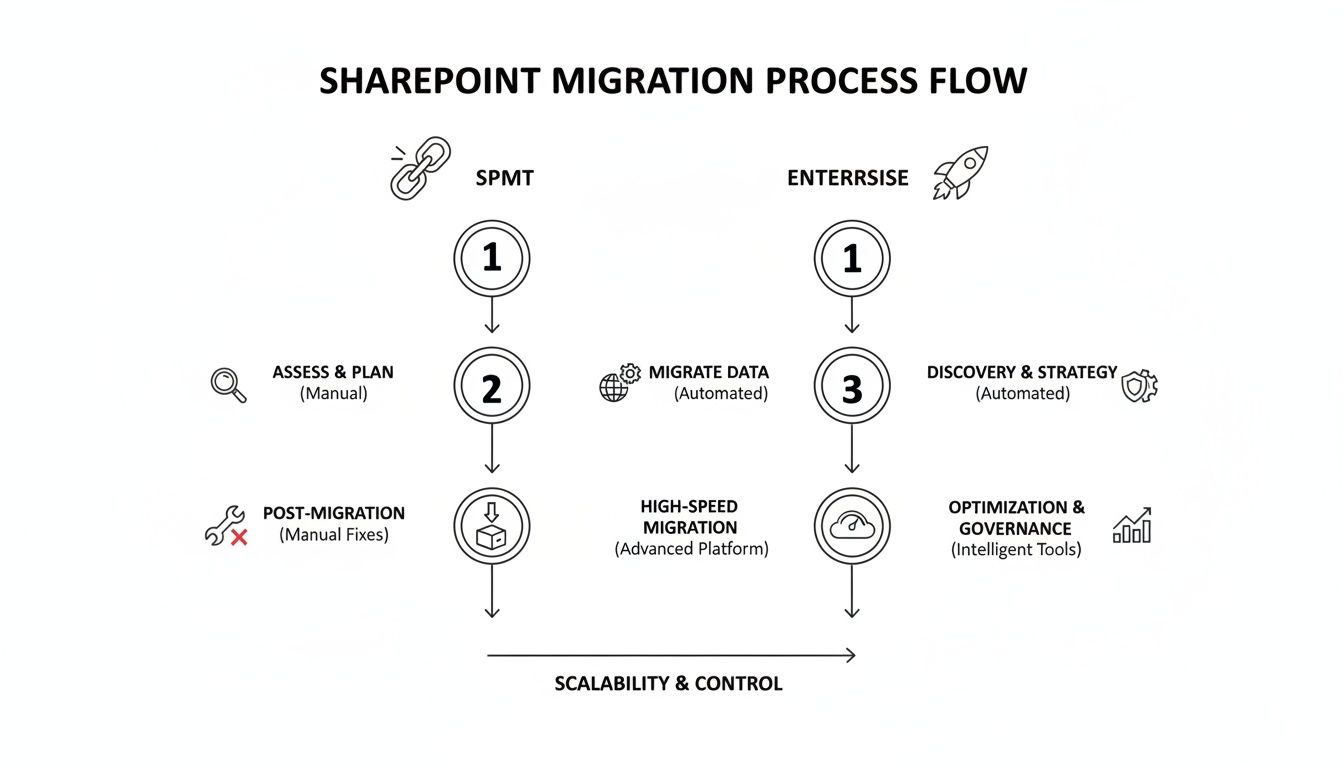
As you can see, the enterprise approach front-loads risk management and relies on a phased synchronisation. The standard method, often using just the basic SharePoint Migration Tool (SPMT), leads directly to errors and business disruption.
Engineering the Final Cutover Event
The final cutover is where all your careful planning pays dividends. It shouldn’t be a frantic weekend of firefighting; it should be a precisely timed, minimal-impact event. Frankly, attempting this without a detailed, minute-by-minute runbook is professional negligence. For a deeper look at how to structure this critical phase, you can explore our guide to building a proper SharePoint migration project plan.
The cutover sequence is a non-negotiable, battle-tested process that we follow on every project.
First, you communicate a content freeze. This is a short, planned window where you ask all users to stop creating or editing content.
Next, you execute the final delta sync. Because you've been running deltas all along, this last job is incredibly fast—often taking just minutes to capture the last handful of changes.
Then comes the most critical step: switch the source to read-only. This immediately locks down the old environment, preventing anyone from accidentally making changes after the final sync. This is how you guarantee 100% data fidelity.
With the source locked and the target fully up-to-date, you redirect your users. This is where you execute your redirection plan—updating DNS, changing intranet links, and pushing out new shortcuts.
Finally, your team immediately begins post-cutover validation. You run pre-prepared scripts to check permissions, validate critical file integrity, and test key functionality in the new environment.
The Ollo Verdict: The success of your cutover is determined weeks in advance. A chaotic cutover weekend is a symptom of a failed strategy, not a normal part of migration. If your plan relies on a single, heroic weekend effort, your project has already failed.
The Non-Negotiable Rollback Plan
Hope is not a strategy. Even with the most perfect planning, you absolutely must have a robust, tested rollback plan. What happens if, an hour after you declare victory, you discover a critical third-party integration is failing or a systemic permission issue has locked out an entire department?
Your rollback plan can’t be a vague idea; it must be a documented, step-by-step procedure. It involves one simple action: switching the read-only status off the source environment and redirecting users back. Because the source was frozen in a known-good state, you can revert with zero data loss.
Without this plan, a single post-migration failure doesn't just cause a problem; it creates an unrecoverable business continuity disaster.
Winning The Post-Migration Battle
Getting the data across is only half the job. The entire project can still fail spectacularly if your team arrives on Monday morning to a wall of "Access Denied" errors. Or worse, you’ve unknowingly created a compliance bomb that will detonate during your next audit.
This is where the real work begins. Post-migration validation is not just about comparing file counts. It's an exhaustive, granular process. Your team needs to be ready with automated scripts to verify permissions, ensuring every uniquely permissioned folder and every instance of broken inheritance has been perfectly preserved. This isn't optional; it’s the cornerstone of a successful handover.
The Reality of Post-Migration Chaos
The documentation says a tenant-to-tenant migration moves content. In the real world, it often shatters identity and access models. This is precisely where we see well-intentioned DIY projects come undone.
Without a specialist managing the complexities of GUID remapping and the meticulous reimplementation of Conditional Access policies, users are left completely locked out.
Your post-migration checklist needs to go deep, testing specific, high-risk areas that are often overlooked:
- List View Verification: Don't just check if a list migrated. You need to test every custom view, especially those with complex filters or those bumping up against the notorious 5,000-item view threshold.
- Workflow and Automation Integrity: Have your Power Automate flows been correctly remapped to the new environment? Did anyone account for connection references and environment variables breaking during the move?
- Sensitive Data Label Confirmation: Did your Data Loss Prevention (DLP) policies and sensitivity labels survive the journey intact? Missing this step doesn't just fail the migration; it breaks legal and regulatory compliance.
A failure to rigorously validate permissions and identity isn't a technical hiccup—it's a business continuity crisis. For a regulated organisation, this phase isn't just about cleaning up; it's the difference between a successful project and a catastrophic audit.
Executing Your Zero Trust Redesign
A tenant-to-tenant migration presents the perfect—and often, the only—opportunity to implement a robust Entra ID governance and Zero Trust redesign. Simply lifting and shifting old user identities and their tangled permissions is a massive wasted opportunity. It just imports years of technical debt and security loopholes into your new, pristine environment.
We frequently see clients in finance and energy hit API throttling walls during the migration, a well-documented pain point on Microsoft Learn. But an even bigger trap awaits after the data is moved: Entra ID GUID conflicts. In a tenant consolidation, these conflicts can lock entire teams out of their own data until someone applies painstaking, manual fixes—a niche skill most in-house IT teams simply don't have.
This is where the value of specialist execution becomes undeniable. While a DIY team is scrambling to fix broken user profiles, a dedicated migration partner is busy implementing a hardened Zero Trust architecture, strengthening your security posture as an integral part of the project itself.
The financial risk of getting this wrong is severe. Enterprise SharePoint migrations for mid-size regulated firms in IE typically range from €75,000 to over €300,000. Yet a staggering 70% overrun their budget when IT directors attempt a DIY approach, often misled by vendor marketing hype.
For a regulated enterprise, a zero-downtime SharePoint migration must be treated as a security and governance project first, and a data-moving exercise second. Failing to bake in robust validation and an identity redesign from the very start isn't a cost-saving measure; it’s an invitation for disaster. To ensure your new environment is built on a solid foundation, check out our guide on implementing effective SharePoint data governance.
The DIY Gamble vs. Professional Execution: A Sobering Look at Risk
So, you've seen the technical minefields we've mapped out, and maybe you're thinking, "How hard can it really be?" You arm your internal team with a few tools, point them to Microsoft’s documentation, and hope to save a bit of money.
Let’s be direct: this is a high-stakes gamble. We have been called in to rescue countless projects where that initial “cost-saving” DIY attempt spiralled into a six-figure disaster that took months of painstaking work to untangle. The real-world risks aren’t just theoretical—they include extended downtime, permanent data loss, and severe compliance penalties.
The cost of failure isn’t just your IT project budget. It’s the operational chaos, the erosion of user trust, and the lasting damage to your organisation’s reputation. That’s the true, uncalculated expense of going it alone.
The True Cost of Failure
Hiring a specialist service like Ollo isn't an expense; it’s a risk-reduction strategy. You aren't just paying us to click buttons on a migration tool. You're paying for our battle-hardened experience—the kind that knows exactly where the official documentation ends and the messy reality of a complex migration begins. We've already navigated the failures, so you don't have to.
For a high-stakes, regulated migration, the only safe pair of hands is a specialist team that has seen it all before. The price of expertise is always lower than the cost of a disaster. To better understand these financial dynamics, you can review our insights on SharePoint migration pricing.
Remember, a successful migration isn't the finish line. It's the starting pistol for ensuring your new environment delivers long-term value and stability. This is where robust Maintenance and Support Services become critical, ensuring your platform performs optimally and drives business growth long after the cutover is complete.
Frequently Asked Questions
You've got questions about pulling off a zero-downtime SharePoint migration. Here are the candid, real-world answers your organisation needs to hear.
Can We Really Achieve 100% Zero Downtime?
Let's be precise about what "zero downtime" means in the real world. It means your users experience zero unplanned outages. They keep working in the source environment, business as usual, right through the entire migration campaign until the final cutover.
That cutover itself is a very brief, planned "content freeze". We're talking minutes, not days. During this window, we make the source sites read-only and switch over the user redirection. It's a controlled event to guarantee absolute data integrity. A DIY attempt, on the other hand, often ends in days of frantic firefighting and user chaos when something inevitably goes wrong.
My Team Is Technical. Why Can't We Just Use ShareGate Ourselves?
ShareGate is a fantastic tool. It’s a core part of our own toolkit, and we wouldn't be without it. But a tool isn't a strategy. We see highly skilled IT teams get into trouble all the time because they buy the tool and vastly underestimate the environmental complexity it can't solve on its own.
The real challenge isn't just clicking "migrate". It's orchestrating throttling mitigation across an entire enterprise, scripting automated fixes for thousands of broken permission inheritance issues before you move them, and navigating the thorny identity mapping puzzles that come with complex Entra ID in tenant-to-tenant projects.
The Ollo Verdict: Our value is the strategic layer and custom PowerShell PnP scripting we wrap around the tool. That’s what neutralises the enterprise-grade risks that cause even well-equipped internal teams to fail. You aren't hiring us to run a tool; you're hiring us to guarantee a successful outcome.
What Is The Single Biggest Mistake You See Companies Make?
Underestimating the Forensic Data Analysis phase. Without a doubt. The most common and costly mistake is rushing into the migration, assuming the source data is "clean". We see it time and time again: a team downloads a tool, gets excited, and just starts pushing data.
They haven't run the scripts to find the hidden landmines—path length violations that will break the migration, thousands of broken permissions, or lists straining against the 5,000-item view threshold. Halfway through, the migration starts failing, data gets silently dropped, and the entire project descends into chaos. A successful migration is 70% planning and risk mitigation, 30% execution. Skipping the first part guarantees the second will fail.
A DIY migration is a gamble with your budget, timeline, and data. Ollo provides the battle-hardened expertise to turn that gamble into a predictable, successful engineering project. Contact us today to discuss how we de-risk complex migrations for regulated enterprises.

















