



Your migration programme finishes on schedule. The board gets its update. Users log in on Monday and keep working. On paper, your Microsoft 365 move looks clean.
Then audit day arrives.
The auditor asks for the Validation Summary Report, the traceability matrix, and evidence that your configured workflows, permissions model, and regulated records handling passed IQ, OQ, and PQ. Your team exports ShareGate logs, a few test screenshots, and a spreadsheet of tasks. That package might satisfy a project manager. It won't satisfy a regulator.
That gap catches more IT Directors than they admit. Plenty of migration guidance covers cutover planning, user comms, and tool selection. A useful example is this Brisbane M365 migration guide, which helps frame the operational side of a move. But in regulated environments, failure often starts after the migration “succeeds”, when no one can prove the target system is validated for its intended use. If your team is already untangling Microsoft 365 architecture decisions, this broader view of Microsoft 365 online migration planning matters far more than another checklist.
Your Successful Migration Can Still Fail Your Business
We often see clients fail when they treat migration and validation as separate workstreams.
The documentation says the move completed. Reality is harsher. The business now depends on a system that stores records, controls access, supports quality processes, and may feed evidence into regulated operations. If no one validated that configured system, your project didn't reduce risk. It moved risk into production.
What the audit exposes
A technically clean migration can still collapse under basic scrutiny because the evidence trail is missing. Auditors don't care that users can find their files. They care whether you can prove control.
Typical failure points look like this:
- Logs instead of validation evidence: Tool output shows activity. It doesn't prove intended use, approved requirements, or tested controls.
- Configuration drift after cutover: Teams make urgent changes to permissions, metadata, or workflows. No one updates the validation pack.
- Customisation blind spots: Power Apps, Power Automate flows, retention settings, and mapped permissions often sit outside the team's “migration done” definition.
- No defensible sign-off: The project closes without a release document that certifies approval for use in a regulated context.
Practical rule: If your team can't show why a control exists, how it was tested, and who approved it for use, auditors will treat it as uncontrolled.
Why this becomes a business issue fast
This isn't a paperwork problem. It's a market access problem, a legal standing problem, and an operational problem.
In regulated industries, missing validation evidence can put submitted data, quality records, and process outputs under suspicion. That can stall internal approvals, trigger remediation work, and force teams back into emergency documentation after the system is already live. That's the worst time to discover gaps because production pressure always wins over disciplined reconstruction.
A migration can finish on time and still damage your business if it leaves your data in a state you can't defend. Your users will call it successful. Your auditors may call it non-compliant. Only one of those opinions matters when the findings land.
What Computer System Validation Actually Means for You
Computer system validation is a formal regulatory requirement under FDA 21 CFR Part 11 §11.10(a), mandating that systems must be validated to ensure accuracy, reliability, and the ability to discern invalid or altered records. This is not optional in Irish regulated life sciences sectors.
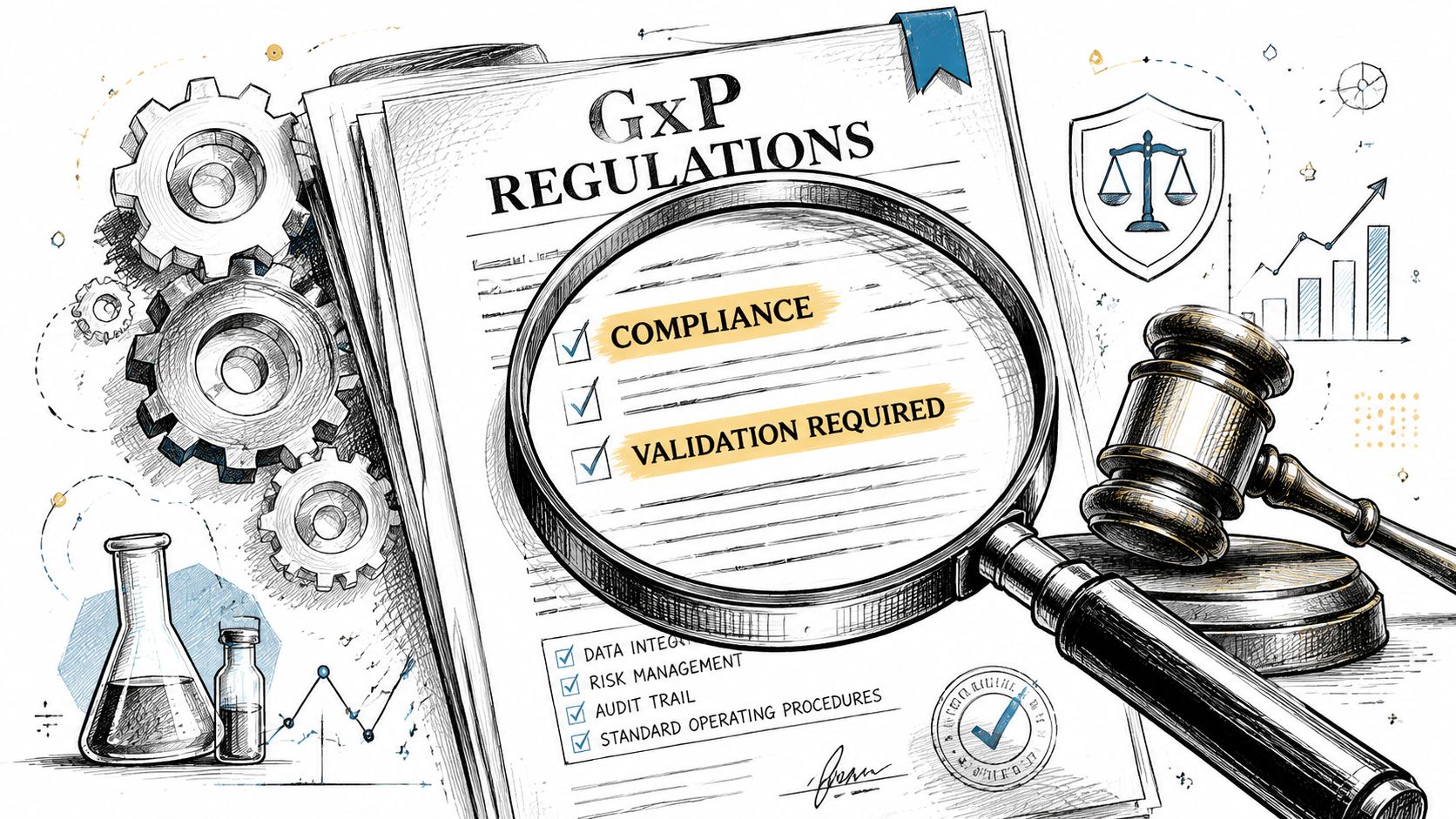
That requirement hits harder in Microsoft 365 than many teams expect. People assume Microsoft's cloud controls cover the obligation. They don't. Microsoft validates the base platform. You still own validation of your tenant configuration, your workflows, your permission model, your data mappings, and the way your staff use the system in GxP processes.
The legal meaning behind the acronym
Computer system validation sounds like an IT discipline. In practice, it's a legal and commercial safeguard.
If your Microsoft 365 environment controls processes, collects regulated data, generates reports, or supports quality and distribution functions, you need evidence that the configured system is fit for intended use. Without that, your records may lose regulatory credibility even when the software itself appears stable.
Here's the blunt version:
- Microsoft 365 being available isn't enough.
- Migration logs aren't enough.
- Vendor assurances aren't enough.
- Your organisation must validate its own use of the system.
Where teams get this wrong
We often see clients fail when they confuse platform assurance with deployment assurance.
A standard tenant build becomes regulated the moment your team uses it for regulated work. SharePoint libraries, Teams permissions, Power Platform workflows, and document handling rules can all affect data integrity and record reliability. If you configure those features, you own the validation burden that comes with them.
The documentation says the platform is compliant. In reality, the regulator will inspect your implementation, not Microsoft's marketing.
That distinction changes everything. It means your migration project sits inside a compliance framework, not beside it. Your system needs documented requirements, tested behaviour, controlled changes, and approved release evidence. If you skip that because the tool worked in dev, you haven't reduced uncertainty. You've hidden it.
The Unforgiving Validation Lifecycle and Its Artifacts
Computer system validation fails most often on discipline, not on technology.
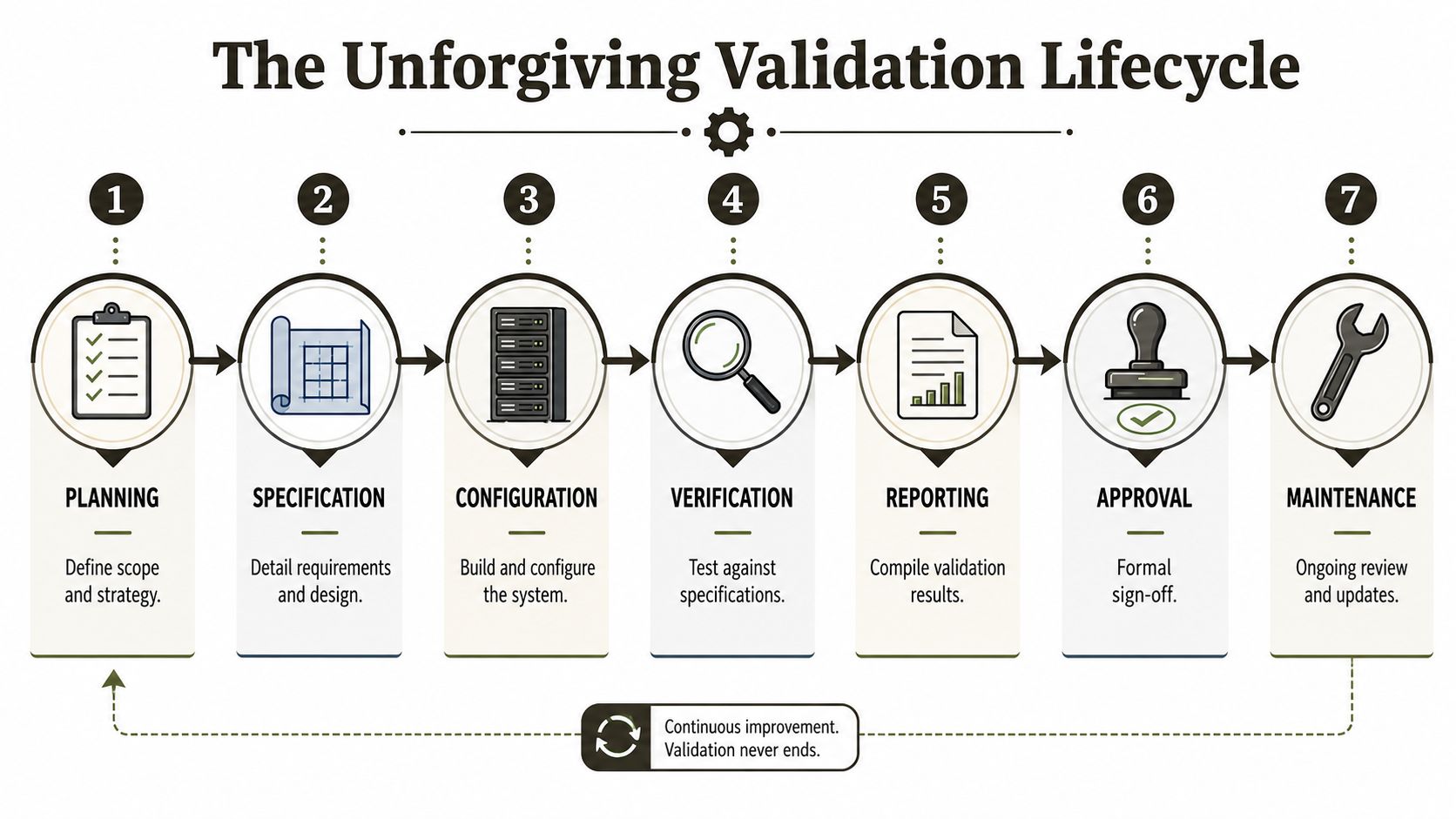
Teams can move terabytes of content and still miss the evidence chain that proves control. In regulated Microsoft 365 work, auditors expect a connected set of documents that starts before configuration and ends only when the system is formally approved and maintained under change control.
The artefacts auditors expect to see
The validation package must read like a controlled argument, not a pile of files.
A Validation Master Plan defines scope, roles, approach, and approval path. It tells an auditor that the work followed a controlled methodology rather than ad hoc decisions.
User Requirement Specifications state what the system must do for the business. If your team can't map tests back to approved requirements, your evidence trail breaks immediately.
Risk assessments identify where configuration choices could affect data integrity, security, access control, or process reliability. At this stage, regulated migrations separate from normal collaboration rollouts.
Functional specifications describe how the design meets the requirement. These matter because regulated environments don't reward assumptions.
Traceability matrices tie requirements to specifications, tests, defects, and final approval. DIY projects often collapse here because someone kept requirements in one file, tests in another, and exceptions in email.
The qualification stages that can't be hand-waved
The lifecycle includes Installation Qualification, Operational Qualification, and Performance Qualification, with User Requirement Specifications, functional specifications, traceability matrices, and a Validation Summary Report required for audit readiness, as detailed in the RSM validation overview. Failure to validate leads to regulatory non-compliance.
That sounds familiar to validation teams. It usually sounds painful to infrastructure teams. It's still required.
A practical reference point for handling the evidence side of complex content moves is strong SharePoint migration documentation practice, because the move itself only matters if every control and exception remains traceable.
Before the final sign-off, it helps to ground the process visually:
What each stage proves
| Stage | What it proves | What usually goes wrong |
|---|---|---|
| IQ | The system was installed and configured as intended | Teams rely on vendor defaults and skip tenant-specific evidence |
| OQ | Controls and functions operate according to specification | Tests cover happy paths only and ignore permissions, alerts, or edge cases |
| PQ | The system performs reliably in real business use | Business scenarios never get formally executed or approved |
Audit reality: If one artefact contradicts another, the auditor won't average them out. They'll treat the package as unreliable.
This is why computer system validation isn't a task you bolt on at the end. It's a discipline that governs how the whole migration gets designed, tested, documented, and released.
Why Standard Migration Tools Fail Regulated Migrations
Standard migration tools aren't useless. They're just over-trusted.
SPMT has a place. ShareGate has a place. Neither replaces a validation strategy, and neither protects your business from the edge cases that regulated migrations surface under pressure.
SPMT works until the estate gets complicated
Microsoft's SharePoint Migration Tool is fine for basic lifts. Small volumes. Simple structures. Low regulatory exposure.
It starts breaking down when the estate includes custom permissions, messy metadata, inherited legacy sprawl, and records that need defensible handling. Error reporting can be too shallow for high-stakes remediation, and the tool doesn't give your team the control needed to prove each exception was assessed and resolved. For a broader technical breakdown of where it fits, this review of the SPMT SharePoint Migration Tool is worth reading.
ShareGate is powerful, but it is not self-validating
ShareGate is much stronger in enterprise scenarios. It gives skilled engineers more visibility and more control. That's exactly why experienced teams use it.
But the documentation says “tool capability”. Reality is “operator capability”.
ShareGate logs do not become OQ or PQ evidence just because they exist. They don't replace requirement tracing, risk-based test design, or formal approval. In regulated work, the tool is one instrument inside a controlled method. It does heavy lifting, but it doesn't write your validation story for you.
Common breaking points include:
- Broken inheritance: The tool can move content, but your team still has to interpret and validate the permission model.
- GUID conflicts: Tenant-to-tenant work can expose identity and object mapping issues that generic runs won't resolve safely.
- Versioning and audit trail handling: You need to confirm the migrated record behaves as required, not just that it arrived.
- Custom scripts around the edges: The minute you add PowerShell or third-party handling, you expand the validation scope.
The Ollo Verdict
Use SPMT for low-risk, limited migrations where failure won't create a compliance event.
Use ShareGate when the environment is larger and more complex, but only with engineers who understand regulated evidence, exception handling, and scripted controls.
For anything beyond a small unregulated move, you need custom scripting, controlled testing, and validation artefacts. The tool alone won't save your team.
Unspoken Technical Disasters That Invalidate Your Data
Most migration failures don't announce themselves. That's the dangerous part.
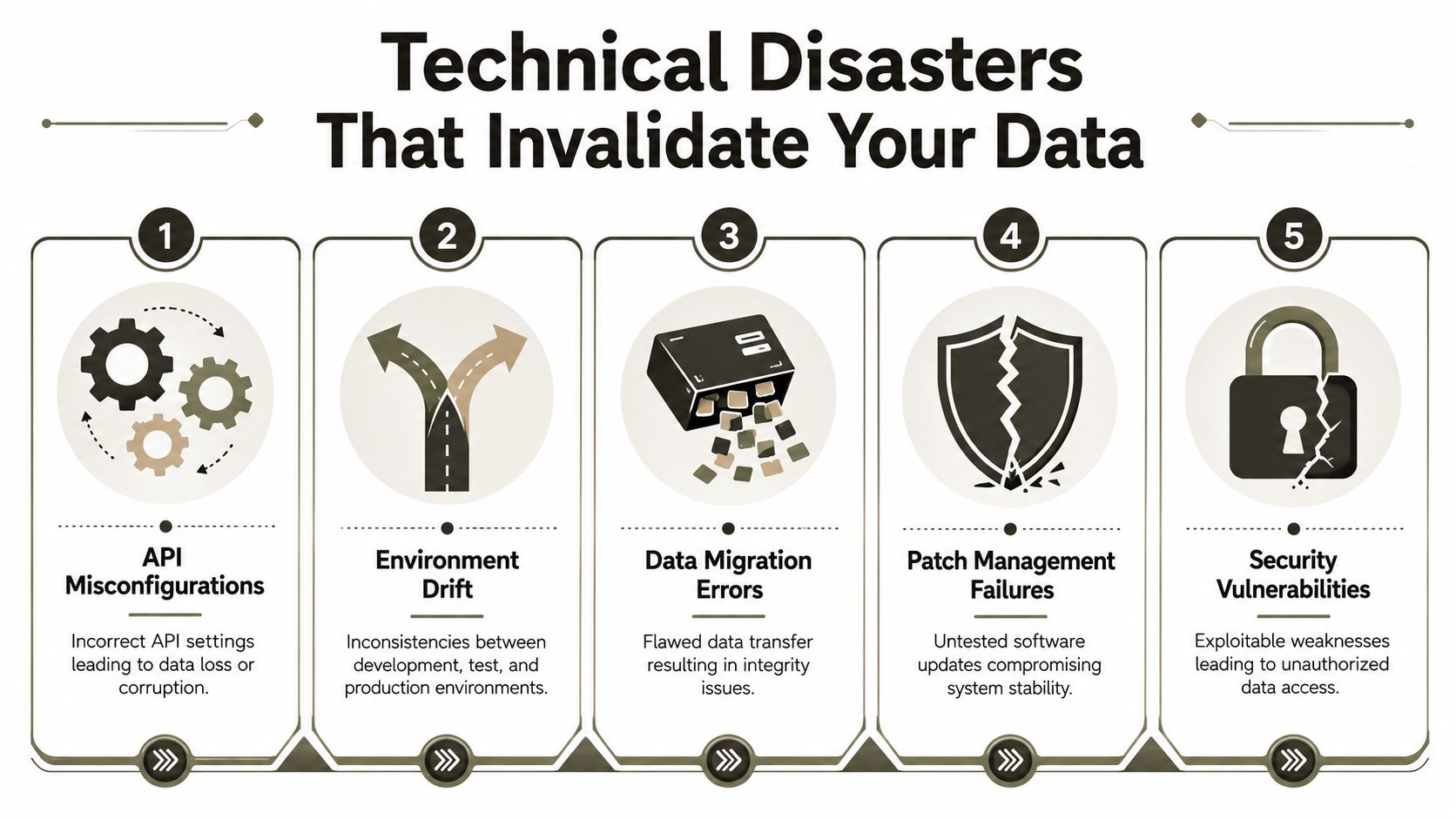
A hard failure is obvious. The job stops, the dashboard turns red, and your team reacts. A regulated failure is often quieter. A subset of records mis-maps. A permission inheritance chain breaks. A workflow misses objects because the source structure crossed a threshold nobody modelled. Users keep working while your compliance position degrades in the background.
API throttling doesn't look dramatic until deadlines slip
During large-scale mailbox migrations in Ireland's regulated sectors, API throttling triggers automatically when migration traffic exceeds Microsoft's 10,000 requests per minute threshold, causing silent job failures that break legal compliance timelines for HIPAA and SOC 2 frameworks.
That matters because throttling rarely presents as one clean stoppage. Jobs retry. Some items complete. Others don't. Teams assume progress is slower than expected when the underlying issue is partial execution and inconsistent state.
If your engineers don't design around throttling from day one, they'll spend cutover weekend proving what did not move.
Broken inheritance turns into exposure risk
Permission errors are the ugliest class of migration defects because they often remain invisible until the wrong person opens the wrong file.
We often see clients fail when they discover too late that source permissions were already messy, then the target structure preserved that mess in a different shape. In regulated sectors, that doesn't just create user friction. It can create a GDPR breach scenario and undermine claims of controlled access.
For teams trying to reduce that exposure before cutover, this guide on avoiding SharePoint migration data loss aligns closely with practical-world exception patterns we see.
The threshold and path issues most guides minimise
Some technical risks sound trivial until they stop validation:
- List view threshold problems: The documentation says one thing. Reality is that scripts, workflows, and admin operations can behave unpredictably when large lists are poorly designed around the known SharePoint threshold.
- Long paths and invalid characters: Migrated content can fail inconsistently when naming standards were never enforced in the source estate.
- GUID conflicts: These can break references, mappings, and process continuity in tenant-to-tenant moves.
- Environment drift: A tested configuration in one stage stops matching production after late changes, which weakens every test result tied to the earlier build.
The compliance consequence
None of these are “just technical”. Each one attacks a business control.
API throttling weakens completeness. Broken inheritance weakens confidentiality. GUID conflicts weaken traceability. Threshold failures weaken process reliability. Path issues weaken record consistency. Once those controls slip, your validation evidence becomes harder to defend because the system no longer behaves exactly as tested.
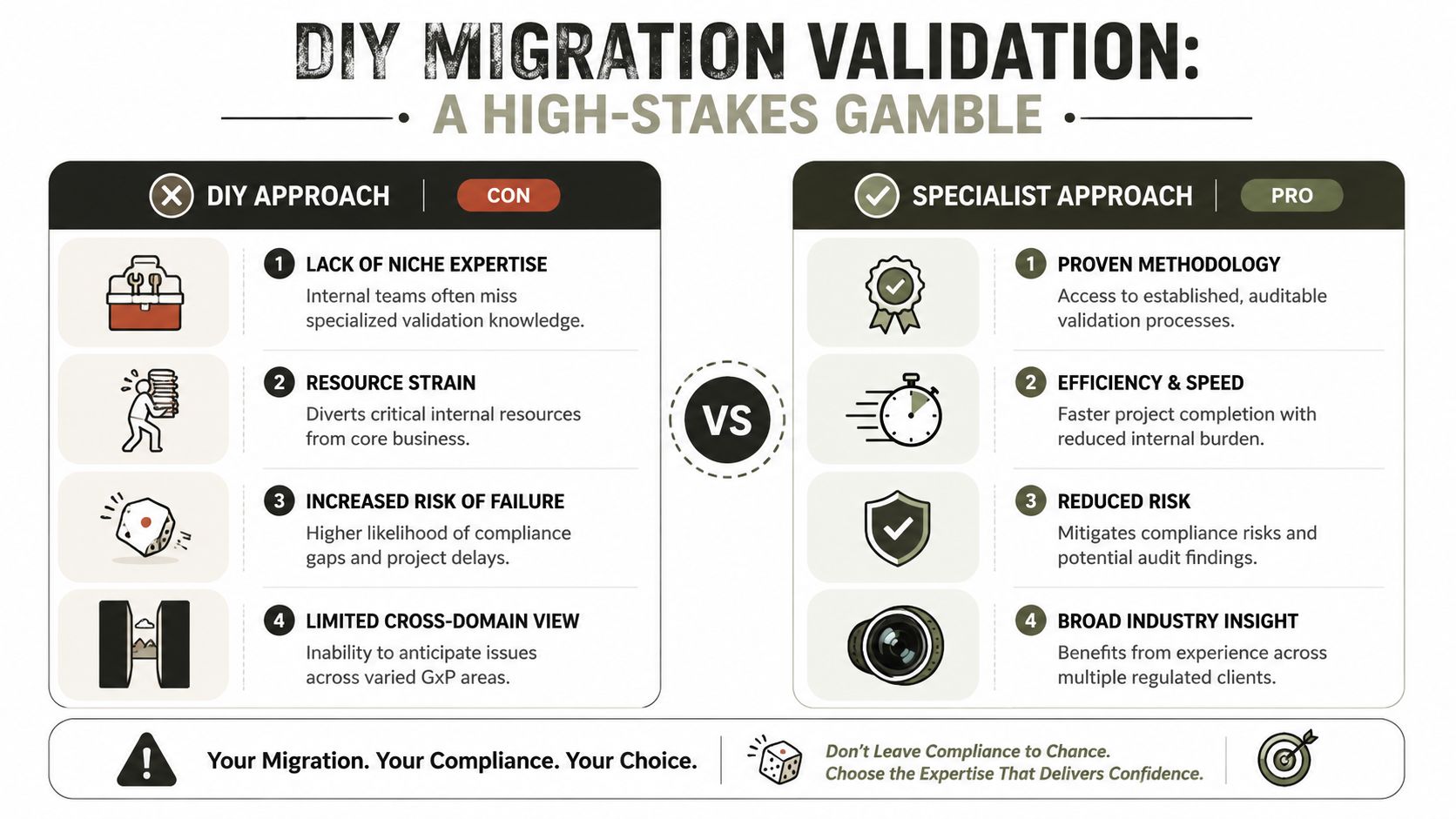
The High-Stakes Gamble of a DIY Migration Validation
A DIY migration validation usually starts with confidence and ends with exception handling.
Internal teams know the business. They often know the tenant. Some know the tools well enough to move data safely in normal conditions. The problem is that regulated migrations need a narrow combination of disciplines that rarely sit in one in-house team: validation practice, Microsoft 365 architecture, permissions forensics, scripted remediation, and audit-grade documentation.
Where DIY teams usually get cornered
Microsoft 365 migrations in Irish enterprises, especially Energy, Finance, and Healthcare sectors, fail primarily due to permission inheritance issues where broken inheritance causes data exposure violations against GDPR Article 32. Pre-migration audits using SharePoint Permissions Reporter reveal 20-35% of permissions are incorrectly mapped before migration begins.
That single fact explains why DIY confidence often collapses in week two. Your team starts with a “lift and improve later” mindset. Then the permission map reveals structural disorder in the source. Now the migration has become a security and compliance project, but the resource plan still looks like an infrastructure project.
A realistic comparison
| Decision area | DIY internal team | Specialist-led approach |
|---|---|---|
| Risk assessment | Usually focused on cutover and user disruption | Starts with data integrity, access control, and regulated use cases |
| Traceability | Often spread across tickets, spreadsheets, and emails | Built into the document set from requirements through approval |
| Exception handling | Reactive. Engineers troubleshoot live issues under time pressure | Planned. Scripts, controls, and rollback logic exist before execution |
| Audit readiness | Migration logs and screenshots | A validation package designed to withstand challenge |
| Business impact of failure | Legal exposure, remediation, delayed approvals | Risk reduced before go-live |
Your team can be highly capable and still be the wrong team for this specific problem.
The Ollo Verdict
If your migration sits outside regulated operations, DIY may be acceptable.
If the target environment supports controlled records, sensitive permissions, or regulated workflows, DIY becomes a high-stakes gamble. Missing this step doesn't just fail the migration. It can break legal compliance, expose data, and leave your leadership team defending a system nobody fully validated.
The Ollo Way Defensible Validation by Design
The safest regulated migrations start with the assumption that the tool run is the easy part.
The hard part is proving that the destination system, with your permissions, your workflows, your controls, and your exceptions, remains fit for intended use after cutover. That's why defensible projects start with a Validation Master Plan, not with a migration batch.
A disciplined approach builds validation into every step. Pre-migration audits identify broken inheritance, risky mappings, and source defects before data moves. ShareGate handles the heavy transfer work where it fits. Custom PnP PowerShell scripts deal with the awkward edges where enterprise estates usually fail, especially around permissions, mappings, and exception handling. Post-migration checks then confirm the target state matches the approved design and the tested behaviour.
That's the difference between a migration project and a regulatory procedure.
If your team is planning a high-stakes move, the only sensible path is one that treats computer system validation, scripted controls, permission auditing, and release evidence as one integrated method. The right partner for that work won't sell reassurance. They'll show you a repeatable process, an audit-proof document trail, and a realistic view of where Microsoft 365 migrations usually go wrong. If you're weighing specialist support for complex Microsoft 365 migration services, that should be your baseline.
If your Microsoft 365 migration touches regulated data, controlled documents, or sensitive permissions, treat it like a compliance event, not a file move. Ollo helps IT leaders in regulated sectors reduce the risk of silent data loss, broken access controls, and failed validation by designing defensible migration and audit evidence into the project from the start.

















