



The worst advice in this market is still the most common: buy electronic invoicing software, connect it to your ERP, and let the finance team “work through the edge cases”.
That advice fails because electronic invoicing isn't a front-end automation problem. It's a compliance, data architecture, and integration problem with legal consequences. If your invoice data lives across old ERP tables, SharePoint libraries nobody has audited, mailbox-based approvals, and half-documented tax logic, then the software itself is the least of your worries.
Your real problem is survivability. If the implementation goes wrong, invoices get rejected, reporting breaks, retention gets compromised, and your team starts doing manual work in the exact process that was supposed to remove it. If you're already reviewing platforms, it helps to understand how invoice extraction and accounting sync work in tools that support Xero and QuickBooks invoice integration. But don't confuse integration with compliance. They are not the same job.
E-Invoicing Is Not a Software Project It Is a Rescue Mission
Treating electronic invoicing software as a buying exercise is how enterprises walk into an avoidable mess. In our experience, teams waste weeks scoring vendor demos, arguing over interface details, and asking whether a platform “supports Peppol,” while ignoring the part that breaks implementations. Their own data, controls, and Microsoft 365 sprawl.
The market is growing because regulators are forcing the issue, not because finance teams suddenly wanted another platform. As noted earlier, analysts expect broad expansion of mandatory structured e-invoicing across Europe over the next several years. That matters for one reason. Deadlines will hit long before your internal architecture is ready.
Most failures start before procurement finishes.
What teams get wrong first
The first mistake is assuming software selection comes first. It does not. The first job is finding out whether your invoice process is even governable across ERP records, SharePoint libraries, mailbox approvals, Power Automate flows, and permissions nobody has reviewed since the last reorg.
Ask the questions that wreck weak projects early:
- Where does invoice truth live? ERP tables, PDF templates, SharePoint columns, custom forms, or user workarounds all create conflicting records.
- Who owns tax meaning? Field mapping is easy. Legal interpretation across jurisdictions is where projects start bleeding time and credibility.
- What fails under load? Usually API limits, throttling, queue backlogs, document library thresholds, or retention rules that were never designed for invoice traffic.
- How much manual repair is hidden in the current process? Inbox triage, spreadsheet fixes, and side-channel approvals are not edge cases. They are your operating model.
Practical rule: If a vendor says setup is easy before reviewing your source systems, permission model, and exception handling, they are selling fiction.
This gets worse inside Microsoft 365. Finance teams love to assume SharePoint can “just hold the documents” and Power Automate can “just route the approvals.” Then volume rises, lists hit limits, flows get throttled, permissions inherit incorrectly, and the audit trail becomes an argument instead of a record. E-invoicing exposes technical debt that Microsoft 365 has been hiding for years.
If you are already comparing platforms, it helps to understand how invoice capture and accounting sync work in tools that support Xero and QuickBooks invoice integration. Do not confuse that with compliance readiness. One moves data. The other survives regulatory scrutiny.
Deadlines do not care about your architecture
The documentation usually describes a phased transition. Production reality is harsher. Mandates arrive on policy timelines, while cleanup of source data, ownership, retention, and integration logic moves at enterprise speed, which is to say, slowly and with excuses.
That is why this is a rescue mission. You are not installing a nice new finance tool. You are trying to prevent rejected invoices, broken reporting, access-control failures, and manual rework from spreading across systems that were never designed to carry legal invoice data cleanly.
Teams that treat this like “install platform, train users, done” usually end up discovering the actual project halfway through implementation. By then, the deadline is still fixed, the architecture is still weak, and the people promising an easy rollout are suddenly hard to find.
Why Your PDF Invoices Are Now a Compliance Liability
Plenty of organisations still believe that sending a PDF by email counts as electronic invoicing. It doesn't. It counts as digital paperwork. Those are different things, and the law increasingly cares about the distinction.
In Ireland, the line is explicit. Electronic invoicing is strictly defined as the issuance of structured, machine-readable XML documents compliant with EN 16931 and exchanged via the Peppol BIS Billing 3.0 network. PDFs, scanned paper, and unstructured emails are explicitly excluded from compliance by Revenue's February 2026 directive, as outlined in RTC Suite's Ireland e-invoicing guide.
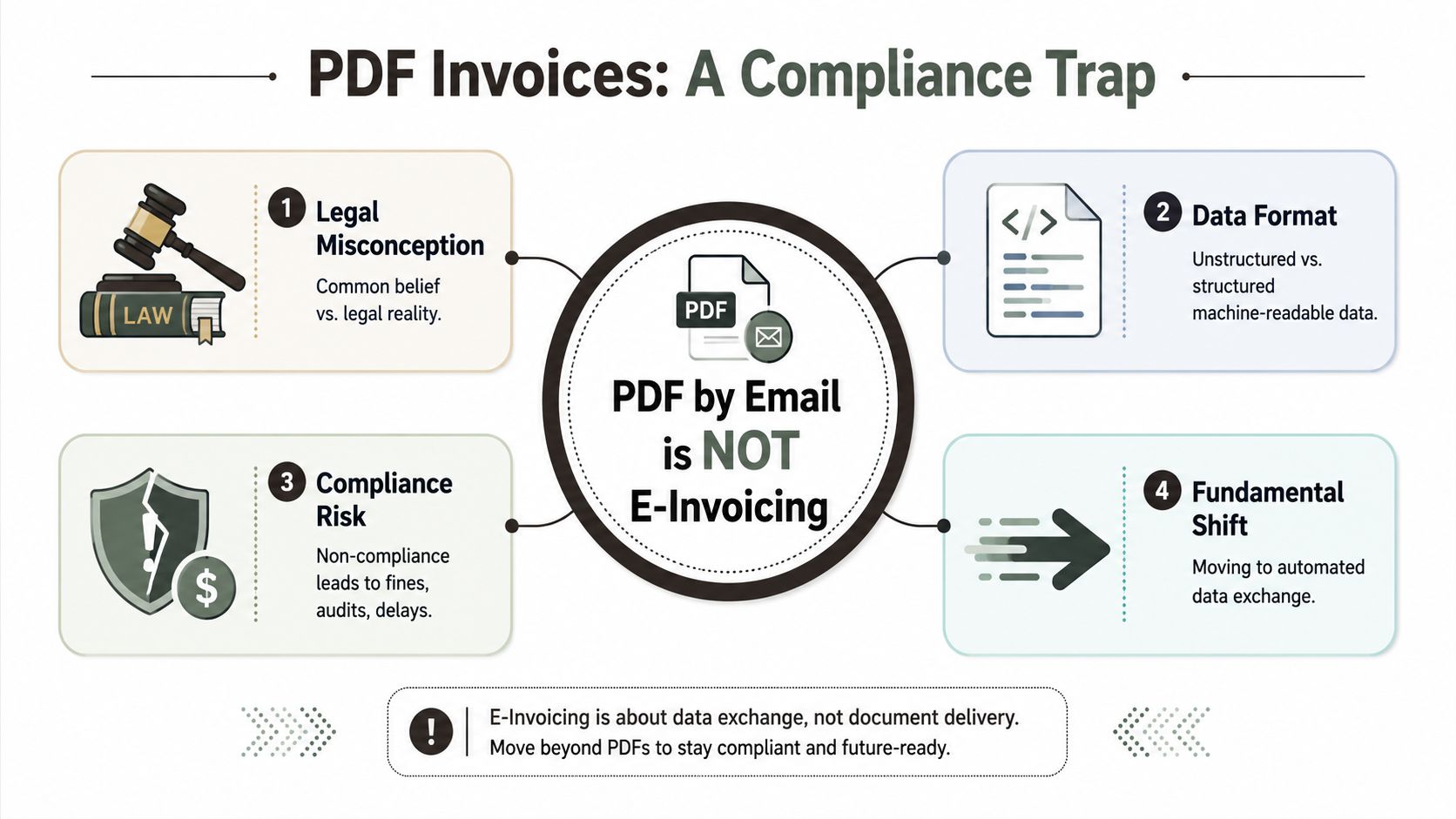
PDF is readable by people, not by compliance systems
A PDF is a presentation layer. It shows a human what the invoice says. It doesn't provide the structured legal payload required for automated validation, routing, tax checks, and reporting.
That distinction matters because machine-readable XML does several things your PDF never will:
- Carries structured fields that systems can validate automatically
- Supports standard schemas such as EN 16931
- Moves through recognised networks such as Peppol BIS Billing 3.0
- Reduces manual rekeying by finance teams trying to patch missing structure after the fact
If your chosen electronic invoicing software can only generate PDFs and then bolt on conversion through a third-party gateway, you've created a fragile chain with more failure points than necessary.
Native compliance matters more than nice screens
Often, software evaluations go off the rails. Buyers reward polished dashboards and ignore native XML generation, validation logic, and Peppol connectivity. Then they discover the platform needs middleware, custom transforms, or manual exception handling to produce a legally valid invoice.
That's not capability. That's deferred failure.
A PDF archive may satisfy internal habits. It won't satisfy a jurisdiction that requires structured exchange and reporting.
If your organisation trades beyond Ireland, the problem compounds. Rules differ, formats differ, and timelines differ. That's why it's worth watching how other regions are formalising their own mandates. For teams comparing international rollout patterns, the breakdown of UAE 2026 e-invoicing rules is useful because it shows the same pattern: governments don't care whether your existing process feels digital. They care whether the data is structured, transmitted correctly, and auditable.
The practical consequence
Your software shortlist should immediately exclude any product that treats structured XML as an add-on rather than the primary output. If the platform can't natively serialise invoice data into compliant XML and exchange it across the required network, it isn't electronic invoicing software in any serious sense. It's a document generator with legal exposure attached.
Navigating the Minefield of Peppol EDI and National Tax Portals
Executives love the fairy tale. Buy one e-invoicing platform, switch on Peppol, and Europe behaves like a single market.
It does not.
As noted earlier, adoption is rising because regulators are forcing the issue, not because the tooling is mature or the implementations are clean. Germany's acceptance mandate is already in motion, and issuing mandates are planned in later phases, including dates that have been signposted beyond 2025. That should end the fantasy that waiting will make this simpler.
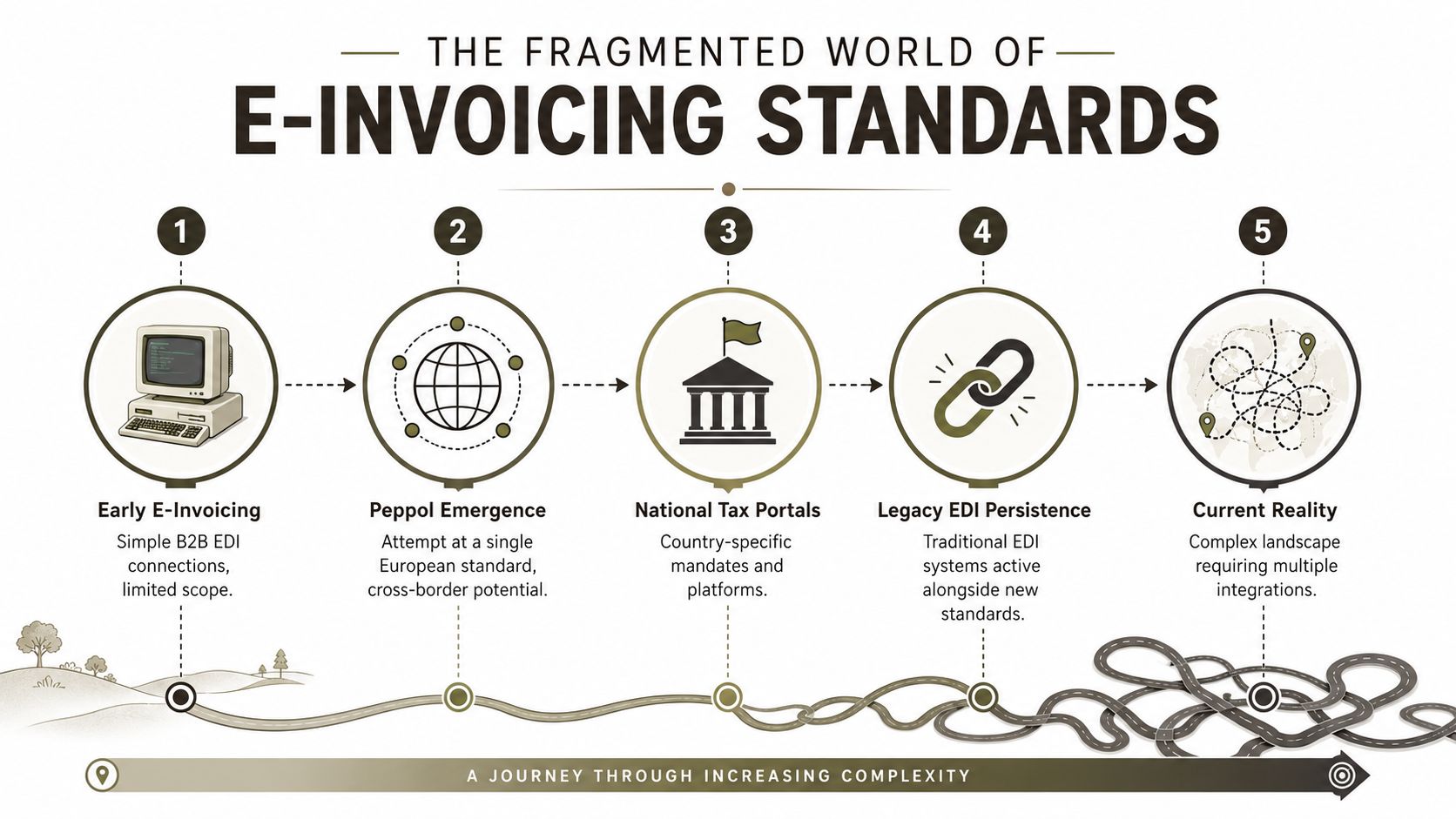
Peppol standardises transport. It does not fix your mess.
Peppol gives you a network and a rule set for exchange. Useful, yes. Magical, no. It does nothing to repair weak master data, inconsistent tax coding, missing identifiers, or the home-grown ERP shortcuts your finance team has normalised for years.
The failure points are painfully predictable:
| Problem area | What buyers assume | What breaks in production |
|---|---|---|
| Network standard | Peppol handles cross-border compliance | Local tax authorities still impose country-specific validation and reporting rules |
| Existing EDI | Legacy channels can be turned off quickly | Trading partners still depend on older message flows and custom mappings |
| Schema mapping | One XML map works everywhere | Tax treatment, buyer references, and line-level rules vary by jurisdiction |
| Authority reporting | Delivery equals compliance | Some countries also require portal submission or near real-time clearance reporting |
If your business already exchanges documents through older channels, you need a precise map of where classic EDI integrations still sit in the chain. Enterprises rarely replace EDI cleanly. They pile Peppol on top of portal submissions and old partner-specific flows, then spend months explaining why invoice status, payment status, and tax reporting no longer match.
National portals create technical debt fast
Peppol is only part of the job. Tax portals and local reporting gateways are the part vendors like to wave away with the phrase “supported country pack.” That phrase usually means somebody built a connector once, nobody documented the edge cases properly, and your team is about to discover them in UAT.
RTC Suite's overview of e-invoicing in Europe is useful for one reason. It shows the rollout is uneven. Different countries are pushing different models, on different schedules, with different reporting expectations. Denmark, Spain, Germany, and Ireland may all require structured invoicing, but they do not ask for the same operational setup.
That turns implementation into a sequencing problem. Which channel sends first. Which authority needs a copy. Which rejection codes stop fulfilment. Which fallback path keeps invoices moving when a portal times out.
Ignore those questions and your “standard rollout” becomes a collection of brittle country exceptions.
The hard part is semantic control
Transport gets too much attention because it demos well. Connect to network. Send file. Receive confirmation. Everyone relaxes.
Then production starts.
Your ERP stores a tax category one way. Your invoice engine transforms it into another code. The receiving schema expects a legal meaning your data model never captured. The invoice clears internal validation, fails external validation, and lands in a manual queue that nobody staffed. That is how compliance projects rot. Subtly at first, then all at once during month end.
For teams trying to align invoice flows with approvals, metadata, retention, and audit history, the wider discipline of digital transaction management matters because invoice compliance failure rarely stays contained. It spills into document control, exception handling, and eventually your Microsoft 365 estate, where bad routing logic and careless storage decisions become operational debt.
If your implementation plan says “standard Peppol mapping,” assume the dangerous work has not been done.
The Unseen Risks of Microsoft 365 and SharePoint Integration
Otherwise competent IT teams often get blindsided. They know their ERP. They know the invoicing platform. They know Microsoft 365. They assume joining those pieces is routine.
It isn't.
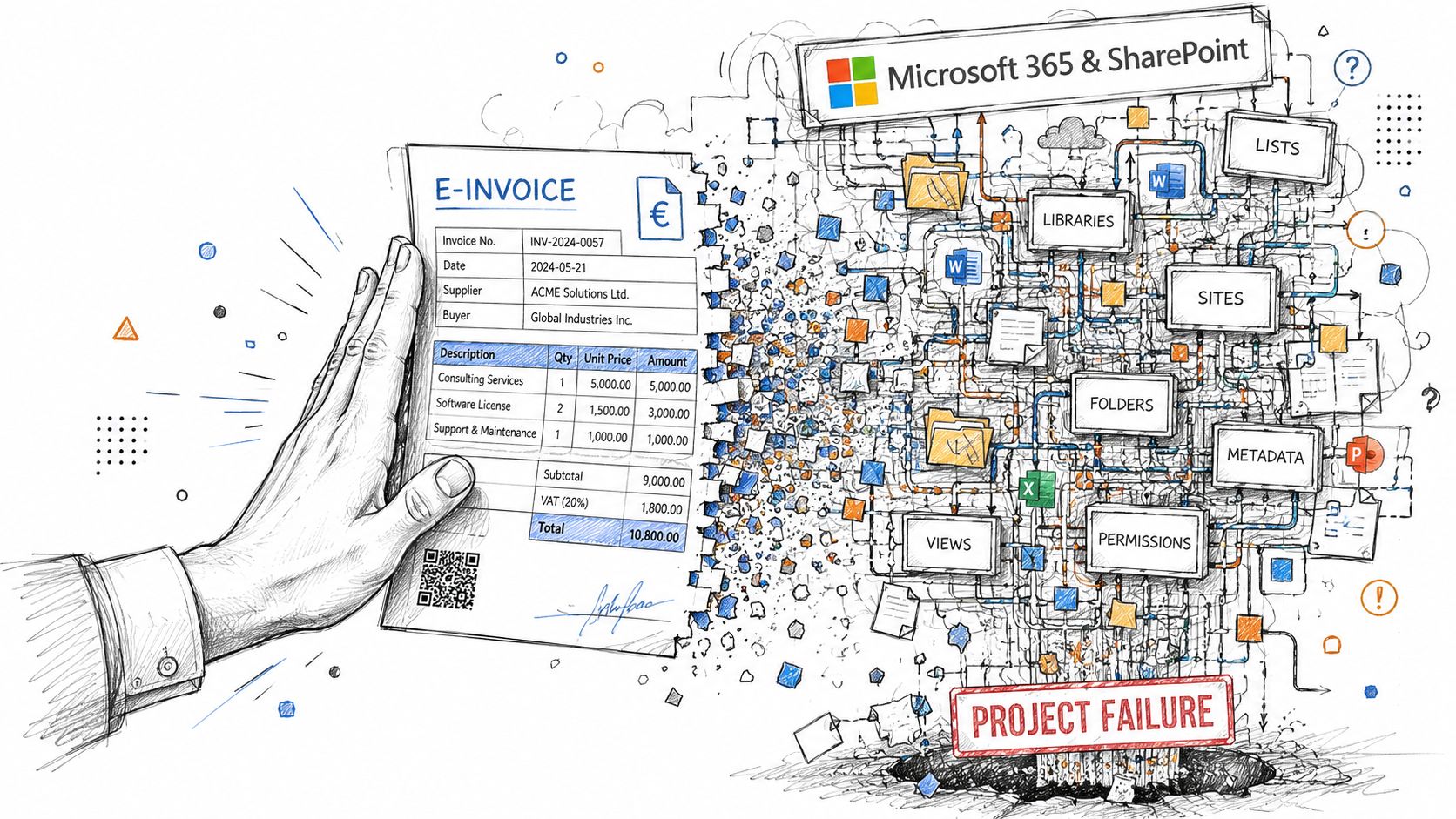
A typical plan sounds harmless enough. Store invoice XML in SharePoint. Surface approval tasks in Teams. Use Power Automate for routing. Apply retention labels in Microsoft Purview. Expose searchable archives to audit and finance.
That architecture can work. It also fails in very predictable ways when nobody audits the underlying Microsoft 365 estate first.
SharePoint doesn't forgive lazy design
Microsoft's own documentation confirms the 5,000-item list view threshold, and ShareGate's analysis of tenant-to-tenant migration risks ties failure to teams that don't audit and flatten lists before execution. Their write-up is blunt: if you ignore that threshold, the migration can halt mid-transfer, causing catastrophic downtime in regulated sectors.
Now apply that to an invoice archive.
Your team creates a document library. Then they add metadata. Then workflows. Then filtered views by vendor, month, country, status, tax code, approval state, and retention label. Then the API starts timing out, views degrade, and automation fails against the exact dataset your compliance process depends on.
We often see clients fail when they treat SharePoint like cheap object storage with a nice search box. It isn't. It's a governed platform with hard boundaries.
Retention, permissions, and audit trails break together
The next failure mode is permissions. Financial data nearly always carries tighter access requirements than general business content. Yet invoice repositories often inherit the same sloppy permission model as collaboration sites. Then someone migrates or restructures the site collection and breaks inheritance in all the wrong places.
That creates two different disasters:
- Overexposure. Users see invoice data they should never touch.
- Overrestriction. Finance loses access to live records during close, audit, or dispute handling.
Both are bad. One is a security incident. The other is an operational outage.
For teams trying to wire business processes into the Microsoft stack, SharePoint and Azure integration patterns start gaining importance. Identity, access, APIs, and retention aren't side topics. They are the architecture.
The workflow layer usually hides the fragility
Your team can make almost anything look good in a demo. A document arrives. A flow triggers. An approver clicks a button. An XML file gets filed. Everyone congratulates themselves.
Then production happens.
The workflow depends on stable metadata, consistent content types, predictable IDs, and access that doesn't mutate under migration or redesign. If any of those assumptions fail, your “automation” becomes a ticket generator.
Field note: The dangerous SharePoint issues are rarely dramatic on day one. They appear as intermittent failures, missing records, odd permission behaviour, and flows that only break for certain invoice batches.
That's why electronic invoicing software integrated into Microsoft 365 needs more than connectors. It needs pre-implementation auditing of list structures, content architecture, retention design, identity dependencies, and API behaviour under realistic load.
How E-Invoicing Implementations Fail in the Real World
Most rescue work starts the same way. Someone says the project was “mostly complete” before things went wrong. That usually means the visible pieces existed, but the underlying migration and governance work was either rushed or skipped.
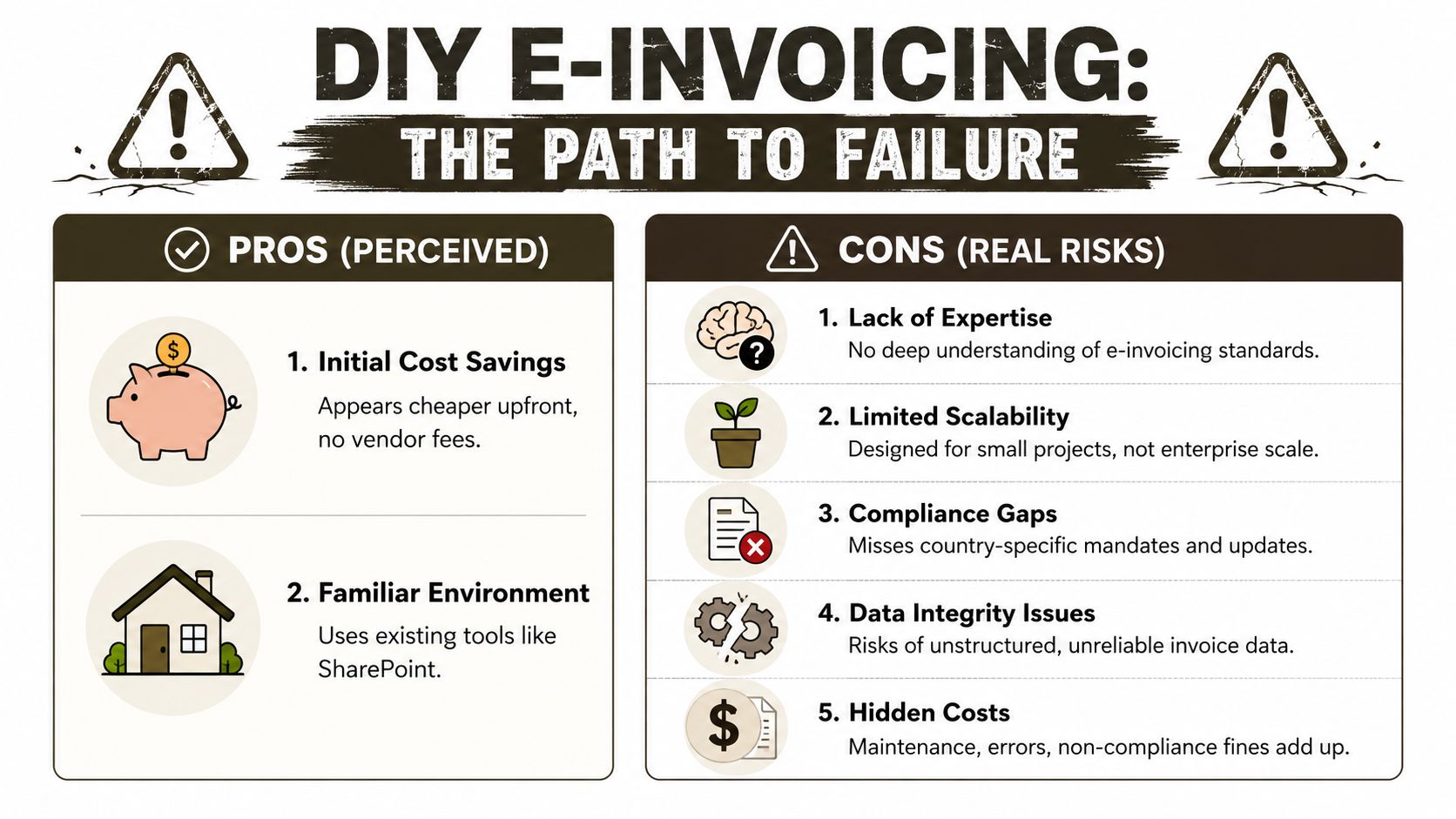
The favourite shortcut is DIY migration with Microsoft's free SharePoint Migration Tool. SPMT has a place. That place is small, simple, and nowhere near a regulated invoice archive with custom metadata, permissions complexity, and legal retention requirements.
The SPMT trap
SPMT works when the content is uncomplicated and the stakes are low. Teams misuse it because it's available, familiar, and free. Then they discover what free tools don't solve:
- API throttling blocks throughput when libraries and workflows become noisy
- Broken inheritance comes across badly or gets normalised into the wrong permission model
- Delta logic is insufficient for messy cutover windows
- Metadata fidelity becomes questionable once you start layering compliance requirements on top
ShareGate is better. It gives experienced teams more control and visibility. In inexperienced hands, it just accelerates chaos. A bad operator can reproduce every structural mistake faster.
The fantasy of fixing it later
This is the part many teams refuse to hear. Post-migration clean-up is usually a losing strategy. Expede Nexus reports that post-migration remediation projects for SharePoint have a failure rate exceeding 90% because API throttling makes “fix it later” impractical. The same source states that missing pre-migration validation doesn't just derail the move. It can break legal retention policies under GDPR.
That is the actual risk. Not inconvenience. Not rework. Legal and governance failure.
We often see clients fail when they assume metadata issues, broken permissions, and malformed structures can be tidied up after cutover. By then, the damage is already embedded in the target environment.
The Ollo verdict on tools
Here's the blunt version.
| Tool | Good for | Breaking point | Ollo verdict |
|---|---|---|---|
| SPMT | Small, simple content moves | Weak handling for enterprise complexity, permissions, and controlled cutover | Use SPMT for a single folder under 50GB. For anything else, you need custom scripting. |
| ShareGate | Structured migrations with expert oversight | Replicates bad architecture quickly if the source hasn't been remediated | Use ShareGate with pre-migration remediation and custom PowerShell PnP control. Not as a magic wand. |
The workflow side fails just as often. Teams wire invoice approvals into Microsoft 365 using default templates, then discover that escalations, exception handling, and audit needs don't map cleanly. If you're designing review chains, the difference between a toy flow and a controlled process becomes obvious when you look at mature Power Automate approval workflow design.
The common thread is simple. Tools don't rescue poor architecture. They just expose it faster.
Selecting a Partner Not Just a Product
By the time you're evaluating vendors, the feature lists all look suspiciously similar. Peppol support. API access. ERP connectors. Dashboarding. Compliance updates. “Global coverage.” That language tells you almost nothing about whether the implementation will survive contact with your data.
The more important question is whether the vendor understands regulatory semantic translation. Zone & Co makes the point directly in its e-invoicing overview: the hard part isn't mere field mapping. It's defining how your business data translates into compliant formats that meet regulatory requirements across jurisdictions.
Questions that expose weak vendors
Ask painful questions. If the answer sounds polished but thin, keep digging.
- Show the semantic mapping model. Not “we map your fields”. Show how your tax codes, line items, entity identifiers, and exceptions become legally valid data in each jurisdiction.
- Show the exception process. What happens when an invoice passes internal validation but fails external validation?
- Show support coverage. If an Irish team raises a critical issue during local business hours, who handles it and how far down the escalation ladder do they start?
- Show archive governance. Where does the invoice payload live, how is it retained, and what breaks if permissions or metadata change?
- Show cutover design. How do they handle delta windows, retries, and reconciliation between old and new invoice flows?
Product demo versus implementation truth
A good demo proves almost nothing. A good implementation partner talks more about failure modes than product screens.
That's also why procurement teams need a stronger process than a feature matrix. If your RFP doesn't force vendors to explain migration sequencing, support depth, semantic mapping, exception handling, and governance, it won't distinguish serious operators from sales teams. A disciplined software RFP process should force vendors to answer operational questions they'd rather avoid.
The documentation says “map your data”. In reality, you're defining the legal meaning of your invoice data in every jurisdiction where you trade.
Choose accordingly. The wrong product creates friction. The wrong partner creates audit exposure.
The Ollo Verdict Your Only Risk Mitigation Strategy
You can treat electronic invoicing software like another application rollout. Plenty of teams do. Those same teams usually meet the actual project later, when invoices start failing validation, SharePoint archives behave unpredictably, retention controls stop lining up with legal obligations, and finance starts rebuilding the process manually in email and spreadsheets.
The safer interpretation is the correct one. This is an infrastructure and compliance project disguised as software selection.
What actually reduces risk
Risk doesn't drop because a platform supports XML, Peppol, or APIs. Risk drops when someone does the hard work first:
- Audit the source estate before any migration or connector build starts
- Remediate data and structures before they poison the target environment
- Design retention and permissions deliberately instead of inheriting whatever SharePoint currently does
- Map legal semantics properly instead of pretending XML conversion equals compliance
- Build for exceptions because they will happen
The cost of ignoring those steps isn't theoretical. SharePoint Support's migration cost guide states that organisations that skip the professional pre-migration assessment phase underestimate total migration costs by 30–50%, leading to severe budget overruns and timeline delays that can exceed $500,000 for complex enterprise migrations consolidating multiple environments in Ireland.
That's what “we'll sort it during implementation” means in financial terms.
The final recommendation
If your environment is small, isolated, and lightly regulated, a basic deployment may limp across the line.
If your environment spans multiple jurisdictions, depends on Microsoft 365 and SharePoint for storage and governance, or carries legal retention obligations, you need specialist design, specialist migration control, and specialist remediation before cutover. Anything less is gambling with operational continuity.
If you're still unsure how exposed your estate is, start with a proper Microsoft 365 migration audit. That's the only sensible first step when the invoice platform, compliance model, and content architecture all depend on one another.
If you're facing an e-invoicing rollout tied to SharePoint, Microsoft 365, or a multi-jurisdiction compliance deadline, talk to Ollo. We handle the ugly part that most vendors gloss over: pre-migration assessment, remediation, tenant-to-tenant complexity, zero-trust redesign, and rescue work when “easy” implementations go bad.

















