



You're probably being told this exchange on premises to exchange online migration is manageable if your team follows the Microsoft checklist, picks a migration type, and schedules a weekend cutover. That story sells software. It doesn't protect your mail flow, your audit trail, or your job.
I've seen too many projects labelled “nearly complete” while users stopped receiving alerts, compliance teams lost confidence in message history, and support desks spent days trying to work out whether the problem sat in Exchange, Entra ID, Outlook profiles, or some forgotten application mailbox nobody documented. If you run IT in finance, healthcare, or energy, this isn't an infrastructure tidy-up. It's a business continuity exercise with legal consequences.
This Is Not a Migration Guide It Is a Survival Plan
A lot of IT Directors arrive here after the same bad meeting. Someone says Exchange Online is mature, hybrid is well documented, and the move is mostly operational. Then the project starts and reality turns up. Users get moved, but shared processes don't. Mail flows, but not for everyone. Security alerts vanish because an application mailbox was treated like a normal user mailbox. Audit teams ask for evidence that nothing was lost, and nobody can prove it.
That's the gap between vendor guidance and production reality.
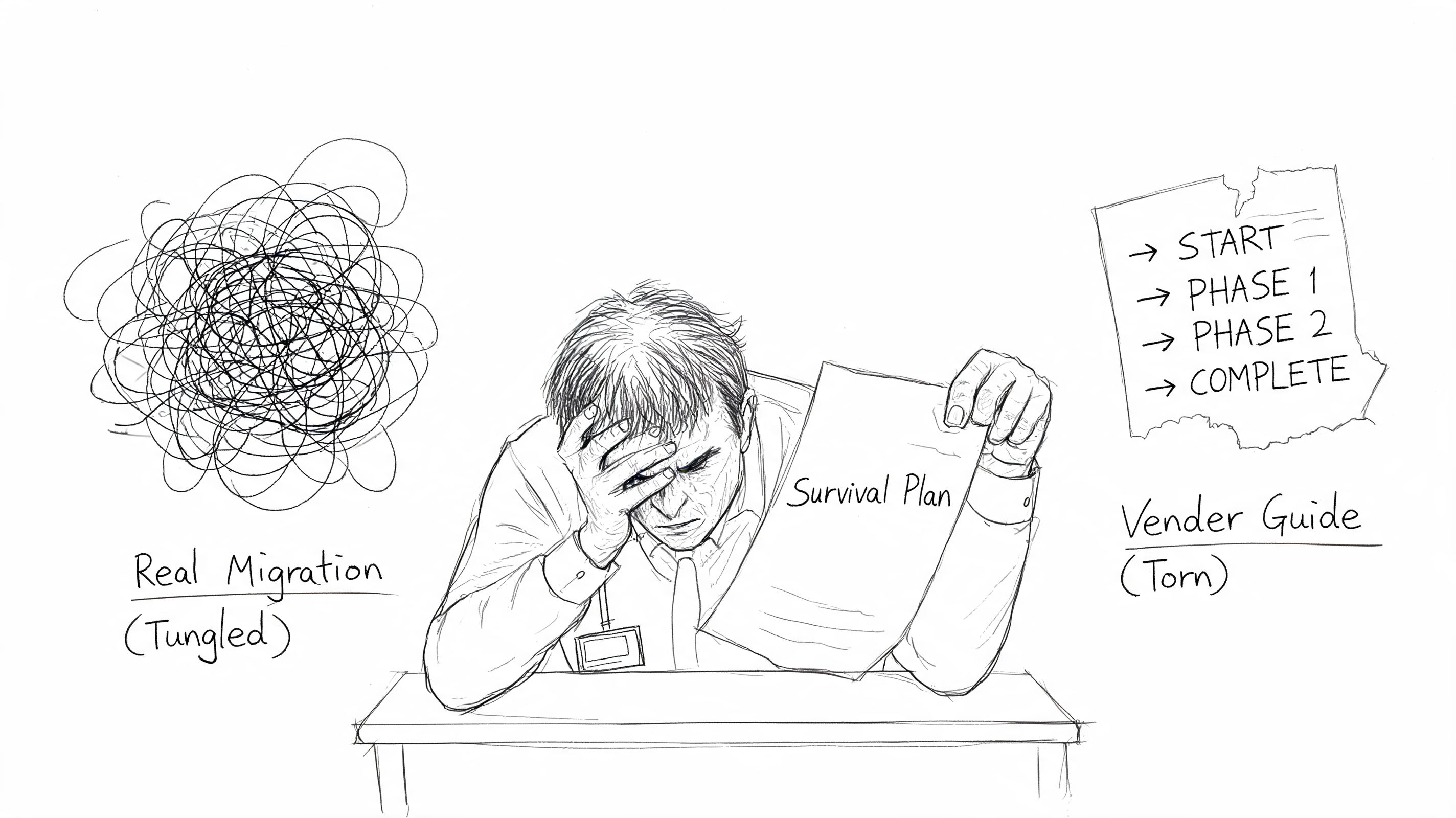
The official material usually treats migration as a sequence. Prepare, move, validate, decommission. Nice diagram. Clean arrows. In real environments, especially regulated ones, the work behaves more like incident prevention. You're not just moving mailboxes. You're preserving operational history, permissions, integrations, and evidence.
The documentation says migration is a technical workflow. In reality, it's a controlled risk event.
That's why smart teams also look at the wider security and cost of cloud for SMEs before they commit. The infrastructure decision matters, but it doesn't answer the hard part, which is how you stop a cloud move from breaking the controls your business depends on.
If you want the polished version of migration, there are plenty of vendor pages for that. If you want the version written for people who've already been burned, start with Ollo's own thinking on Office 365 migration risk and planning.
What usually goes wrong first
Most failed migrations don't begin with a dramatic outage. They begin with false confidence.
- The team trusts status screens too early. “Syncing” and “completed” get treated like proof.
- The project assumes all mailboxes are user mailboxes. They aren't.
- The business treats coexistence as temporary admin overhead. It's where most hidden faults appear.
- Security and compliance get pulled in too late. By then, you're validating after the damage.
My view
If your board, regulators, or auditors would care about lost mail, missing alerts, or broken retention evidence, then a DIY migration is not a cost-saving exercise. It's an unpriced risk.
The Discovery Minefield You Must Navigate First
The first serious mistake happens before anyone moves a mailbox. Teams call discovery “inventory” and reduce it to a count of users, shared mailboxes, and accepted domains. That's not discovery. That's optimism with a spreadsheet.
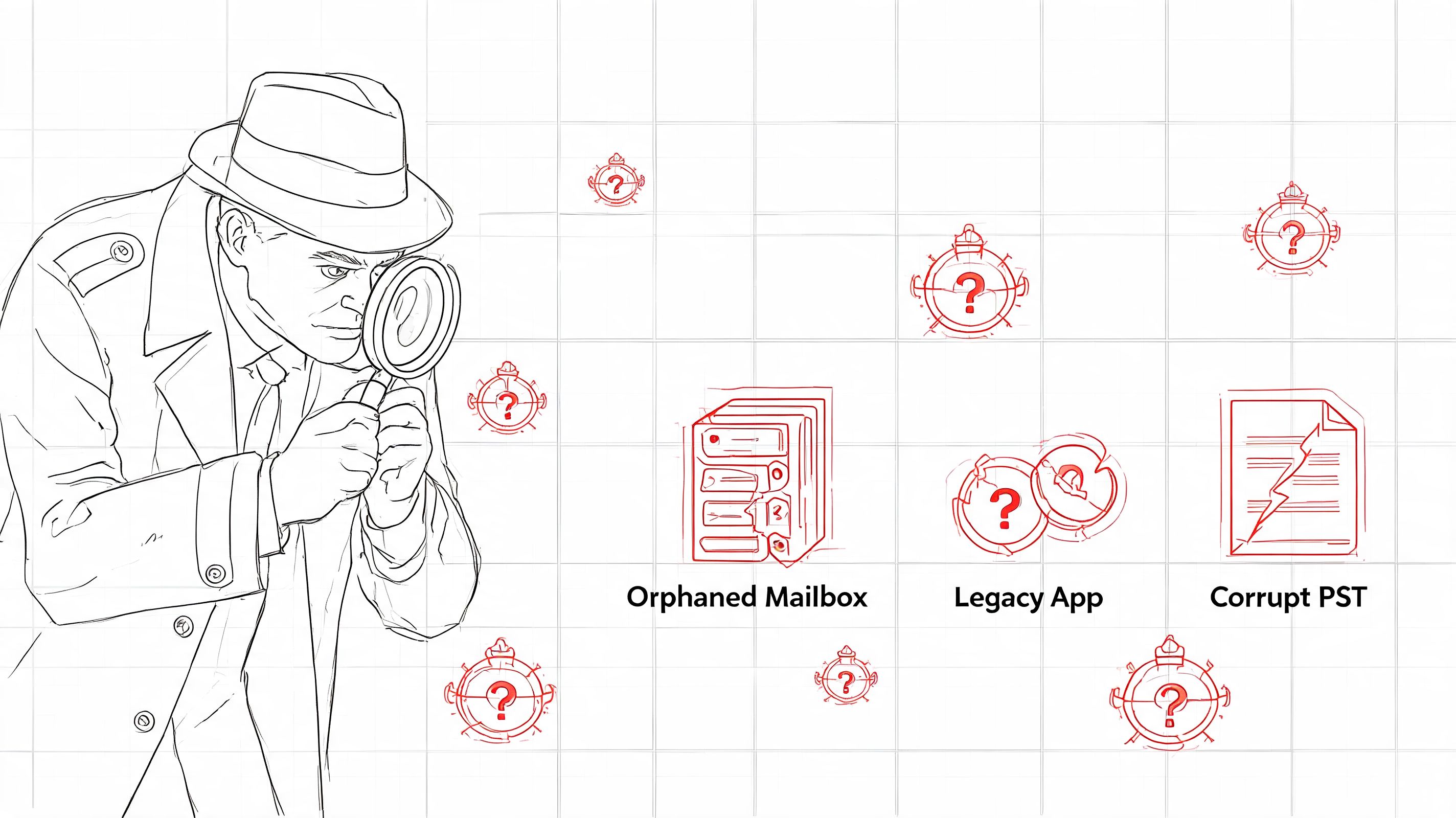
A proper discovery phase is forensic. You're hunting for the things that will fail undetected.
Microsoft and third-party tooling can help collect data, but the important part is interpretation. Rushing into an Exchange migration without a thorough pre-migration assessment is the single biggest cause of migration failures, and skipping it typically costs £18,000+ annually in ongoing remediation according to this pre-migration assessment analysis. The same source makes the point most internal teams learn too late. The assessment must quantify mailbox sizes, item counts, and source environment readiness.
Treat discovery like a forensic audit
If you skip this stage to “save time”, you usually add delay later when the project is least able to absorb it.
Ask your team to answer these questions with evidence, not guesses:
- Which mailboxes aren't tied to people. Application mailboxes, service accounts, journalling destinations, alert sinks, and automated report recipients often sit outside HR lists.
- Which mailbox permissions are business critical. Full Access, Send As, Send on Behalf, delegated calendar access, and odd exceptions built years ago for one executive team.
- What lives outside the server estate. PSTs on local drives, file shares, laptops, and old VDI profiles are still part of your risk surface even if nobody wants to admit it.
- Which dependencies rely on current message behaviour. Forwarding rules, connectors, scanners, line-of-business apps, and security tools usually assume the current path will remain intact.
Practical rule: If a mailbox receives machine-generated traffic, treat it as a system dependency until proven otherwise.
What discovery must produce
A useful discovery output is not a glossy report. It's a decision document.
That document should include:
- Mailbox population by type. User, shared, room, equipment, service, application.
- Exception register. Anything that won't migrate cleanly or predictably.
- Dependency map. Upstream senders, downstream consumers, and authentication assumptions.
- Validation criteria. What “good” looks like after each migration wave.
- Sign-off from compliance and operations. Especially where audit evidence matters.
For organisations that want a reality check before they commit, a targeted Microsoft 365 migration audit is often more useful than another planning workshop. It forces the uncomfortable questions early, which is cheaper than answering them during an outage.
The expensive lie
The expensive lie in migration projects is that assessment is optional if your environment is “fairly standard”. No enterprise environment is standard after years of exceptions, turnover, and tactical fixes. Your team doesn't need more courage. It needs better evidence.
Choosing Your Migration Path Cutover Staged or Hybrid
The issue is that Microsoft diagrams make people careless. They present cutover, staged, and hybrid like simple deployment patterns. They are not. They are different ways of carrying risk.
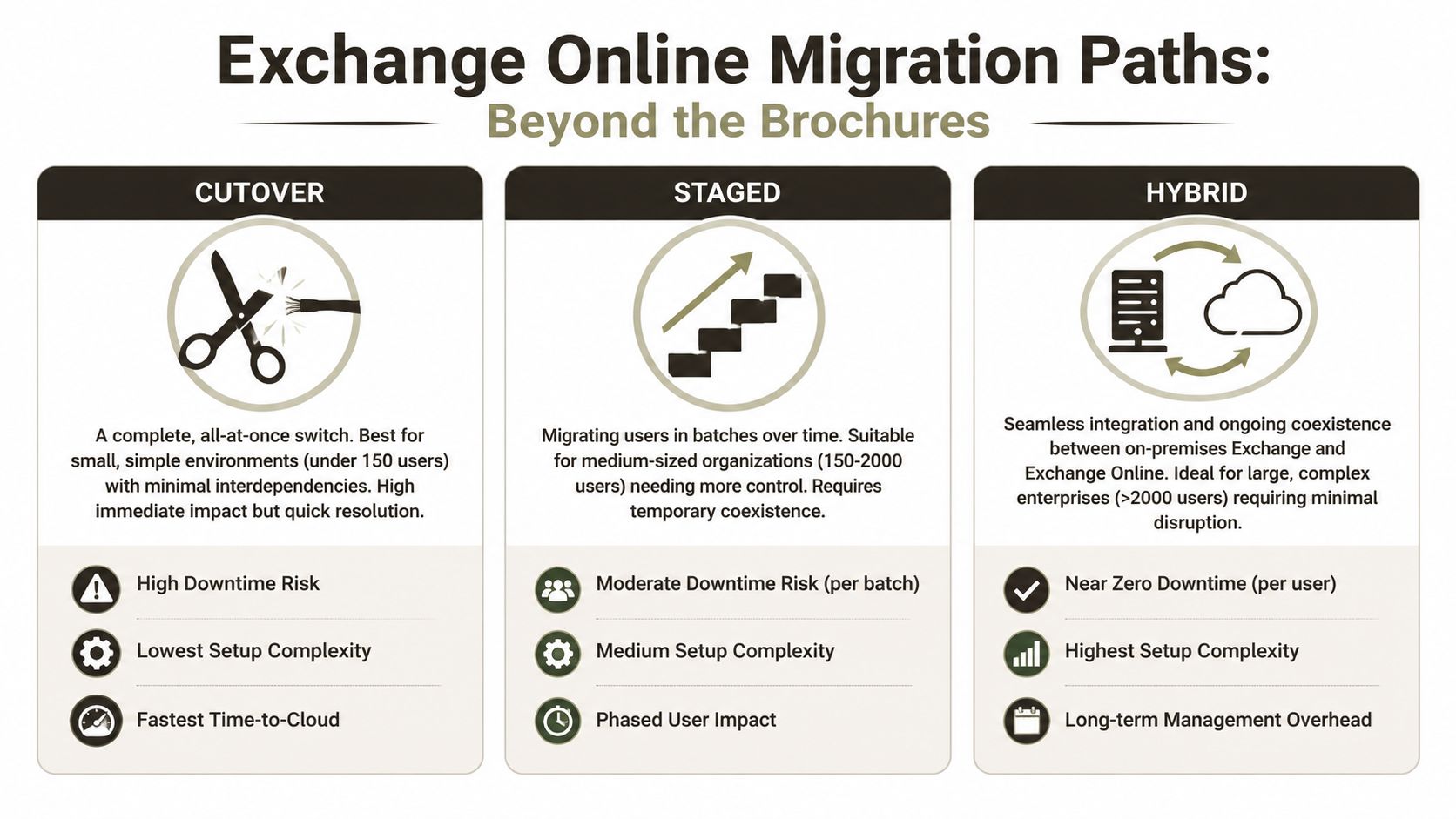
Cutover looks attractive because it avoids prolonged coexistence. Staged sounds controlled because it spreads change across batches. Hybrid gets sold as enterprise-friendly because it supports coexistence and gradual movement. All true, and all incomplete.
The real trade-offs
Here's the comparison teams need:
| Approach | Ideal For | Primary Failure Point | Ollo Verdict |
|---|---|---|---|
| Cutover | Small, simple environments with limited dependencies | Hidden application dependencies and compressed validation time | Use it only when the estate is genuinely small and clean |
| Staged | Medium estates that need phased movement | User confusion, coexistence drift, and inconsistent permissions between waves | Viable if discovery is strong and batch governance is disciplined |
| Hybrid | Large or regulated environments that need coexistence | Mail flow complexity, identity drift, and prolonged operational overhead | Usually the only defensible option for enterprise risk control |
The infographic above captures the brochure version. The operational version is harsher.
A cutover migration gives you one big event. That sounds efficient until you realise it compresses every unresolved dependency into a single failure window. If you miss something, you don't get a small incident. You get a broad one.
A staged migration gives you more control, but it also creates multiple versions of reality. Some users live one way, others another. Support teams start diagnosing batch-specific quirks. That's manageable, but only if your runbooks are detailed and your identity layer is stable.
Hybrid is where serious organisations usually end up. It's also where careless teams get hurt.
Later in the process, it helps to see the moving parts in a visual walkthrough before anyone signs off on route changes or coexistence policy.
Why hybrid fails in the real world
Mail flow misconfiguration is the second-leading cause of production incidents post-cutover, and one documented trap is failing to add the Exchange Online proxy address to the on-premises mailbox account, which can break routing for affected users, as outlined in this hybrid migration pain-points guide.
That single issue tells you everything about hybrid. It doesn't fail because the concept is wrong. It fails because coexistence punishes half-finished administration.
If your runbook doesn't include owners, escalation paths, validation checks, and rollback triggers, then it isn't a runbook. It's a wish list.
Ollo Verdict
Use cutover only for very small, low-dependency environments. Use staged when the organisation can tolerate prolonged coexistence and has disciplined operational ownership. Use hybrid when the business cannot tolerate reckless change, which is most mid-size and enterprise estates.
If you're evaluating the wider implications beyond mail, this broader view of on-premise to cloud migration planning is usually where architectural decisions start to sharpen.
The Identity and Security Nightmare Entra ID and Zero Trust
Most migration discussions spend too much time on mailbox movement and not enough time on identity. That's backwards. Mailboxes are payload. Identity is the control plane.
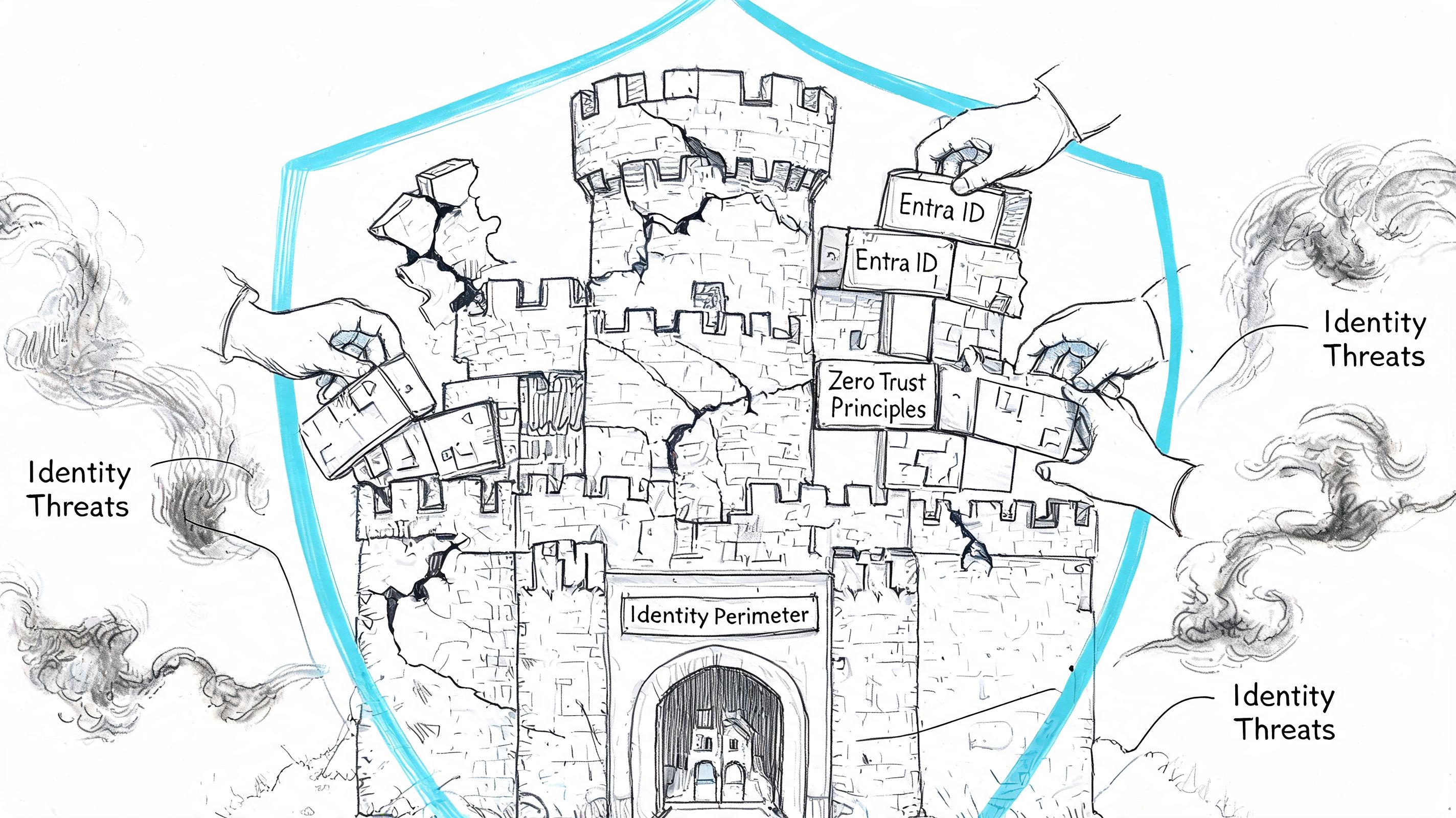
If your Entra ID design is weak, the migration will expose it fast. Source anchor mismatches, stale objects, duplicate identities, broken group logic, and old administrative assumptions don't stay hidden once you introduce coexistence and cloud authentication paths.
Entra ID Connect is not a magic bridge
Teams often treat sync as plumbing. Install it, let it run, move on. That mindset causes avoidable mess.
The hard parts are usually these:
- Immutable ID and source anchor confusion. If historical identity choices don't line up cleanly, users can end up with duplicate or mismatched cloud objects.
- Permission translation problems. On-premises permission patterns often reflect years of informal workaround culture. Zero Trust punishes that.
- Latency during coexistence. A change that hasn't reached the right place at the right time can look like random authentication failure to users and support analysts.
- Legacy admin sprawl. Old privilege models rarely survive contact with modern conditional access and least-privilege expectations.
Security architecture changes during migration
This is the part many projects still under-resource. You are not lifting and shifting identity. You are changing where trust lives.
That matters because Exchange Online depends on the quality of the identity layer around it. If your admins can't explain who owns sync, how break-glass access works, how conditional access intersects with migration operations, and how old service accounts are being retired or constrained, then the project is still underdesigned.
A mailbox migration can finish while your identity migration is still broken. That's how organisations end up “live” but not stable.
What good looks like
A responsible identity workstream should produce three things before broad migration starts:
- An authority model that states where each identity attribute is mastered.
- A privilege model that strips out inherited admin habits and aligns with Zero Trust.
- An exception process for service accounts, legacy protocols, and operational break-glass scenarios.
If your team needs a stronger baseline on this side of the house, start with a serious read on Microsoft Entra ID architecture and governance. It's often the missing layer in projects that looked fine in pilot and then degraded under scale.
The Long Tail of Migration PSTs Archives and Public Folders
In these situations, “simple mailbox migration” falters.
The long tail includes PSTs nobody owns, archives nobody has tested, public folders with ancient permissions, and non-user mailboxes feeding operational systems. These aren't edge cases. In enterprise work, they are often the actual work.
PSTs and archives are not admin clutter
When teams discover PSTs late, they usually try to treat them as a side task. Bad idea. PSTs often contain records users still depend on, and they usually sit outside whatever retention and supervision story the organisation thinks it has.
The same goes for old archive behaviour. If your project assumes online archives will just replace what users had before, test that assumption against actual workflows, not licensing diagrams.
Public folders break because history matters
Public folders survive in organisations for one reason. They still do something people rely on. Usually badly documented, politically awkward, and operationally inconvenient, but still relied on.
Automated tooling can move structure. It can't reliably reconstruct the reason the structure evolved, especially where permissions and access patterns were bent over time to satisfy exceptions. That's where manual validation and business ownership matter.
A few warning signs should trigger deeper investigation immediately:
- Nested permissions nobody can explain
- Folders used as process inboxes
- Applications writing to legacy public folder locations
- Teams insisting “nobody uses it” while refusing to sign off its removal
The hidden compliance risk nobody wants to own
The nastiest failures after cutover often come from application mailbox orphaning. Practical365 notes the need to coordinate application mailboxes, but the wider operational gap is bigger. In regulated environments, orphaned security-alert mailboxes or SIEM integration failures can remain undetected for 30–90 days, and 85% of mid-market organisations never inventory application mailboxes or their upstream dependencies, according to this application mailbox migration analysis.
That's not a cosmetic defect. Missing this step doesn't just fail the migration. It can break audit continuity.
Typical examples include:
- Security alerts sent to a mailbox monitored by analysts but never listed in the migration workbook
- Automated review queues that depend on forwarding or connector behaviour
- Third-party apps that still authenticate or send using old assumptions after mailbox relocation
One practical option in this phase is Ollo's application-layer discovery, which maps non-user mailboxes and upstream connectors before mailbox movement starts. That's useful because standard mailbox-led planning usually misses the systems wrapped around mail.
My rule on the long tail
If a data source, folder set, or mailbox looks old and awkward, don't downgrade its importance. Increase scrutiny. The ugly parts of the estate are usually the parts still holding together a process nobody has redesigned.
Post-Migration Validation The Difference Between Done and Disaster
Most internal teams stop too early. The migration batch finishes, a dashboard turns green, somebody sends a completion note, and the business is expected to move on. That is not validation. That is administrative closure.
Microsoft's own Exchange migration reporting makes this painfully clear. The Migration dashboard can show statuses for batches that are running, stopped, or complete, and it exposes per-user metrics including Data consistency score, Items Synced, and Items Skipped, as documented in Microsoft's migration user status reporting. The important point is not that the dashboard exists. It's that Microsoft exposes a separate quality layer because status alone doesn't prove a clean move.
What you must verify
The words “completed” and “successful” are not enough for regulated environments.
Check:
- Data consistency score. Microsoft states that this indicates the risk of data loss during migration.
- Items Synced. That is the count of items successfully moved.
- Items Skipped. That is the count of items not migrated.
- Per-user anomalies. A batch can look acceptable while specific mailboxes hide the underlying problem.
For deeper analysis, Microsoft also documents the use of Get-MigrationUserStatistics for a full report on a specific user, including report output that can surface errors and skipped items. That's the level of evidence you need when users report gaps and your team needs to prove what happened.
Completed means the process stopped. It doesn't mean the result is safe.
Validation has to include service behaviour
Don't just validate data. Validate function.
That means checking shared access, delegated access, mobile behaviour, client profile response, and any mailbox used by applications or operational workflows. If you're also tightening mail hygiene after cutover, a tool like an email spam checker can help verify whether your sending posture looks healthy from the outside. It won't validate the migration itself, but it can catch reputation and deliverability issues your users will blame on the migration anyway.
If your team needs a stronger discipline around proving outcomes, this guide to migration testing types and validation methods is the right mindset. Testing is not a project phase you rush through. It's the mechanism that stops a technical move becoming an operational incident.
The blunt truth is simple. A DIY exchange on premises to exchange online migration only looks cheaper before the first hidden dependency, mail flow fault, identity mismatch, or skipped-item dispute lands on your desk.
If you're planning a high-stakes migration and want a second set of eyes before your team commits, talk to Ollo. We handle Exchange and Microsoft 365 migration planning, validation, and recovery work for organisations that can't afford guesswork.

















