



A HIPAA SharePoint migration isn't your standard IT project. It’s a high-stakes transfer of Protected Health Information (PHI) where a single misconfiguration doesn't just cause downtime—it engineers a multi-million-euro compliance failure.
Success isn't about following a generic checklist. It's about confronting the specific technical breaking points that Microsoft’s marketing materials conveniently ignore. The documentation says you can migrate your data; it doesn't tell you how to do it without triggering API throttling that grinds your project to a halt or breaking permissions inheritance and exposing sensitive patient records. This isn't about moving files—it's about moving them without getting fined into oblivion.
Your Standard Migration Plan Is a Compliance Time Bomb
Let me be blunt: if your migration strategy treats PHI like any other dataset, you are actively engineering a future data breach. We’re often called in to rescue projects where well-meaning IT teams, usually squeezed by budget, try a simple "lift-and-shift" with basic tools. Inevitably, they slam into technical roadblocks that turn a straightforward project into a career-defining disaster.
The myth that a SharePoint migration for healthcare data is easy needs to be busted. The real work isn’t in the data transfer itself. It’s in navigating the hidden complexities that standard tools are completely unprepared to handle.
Where Good Plans Go Wrong
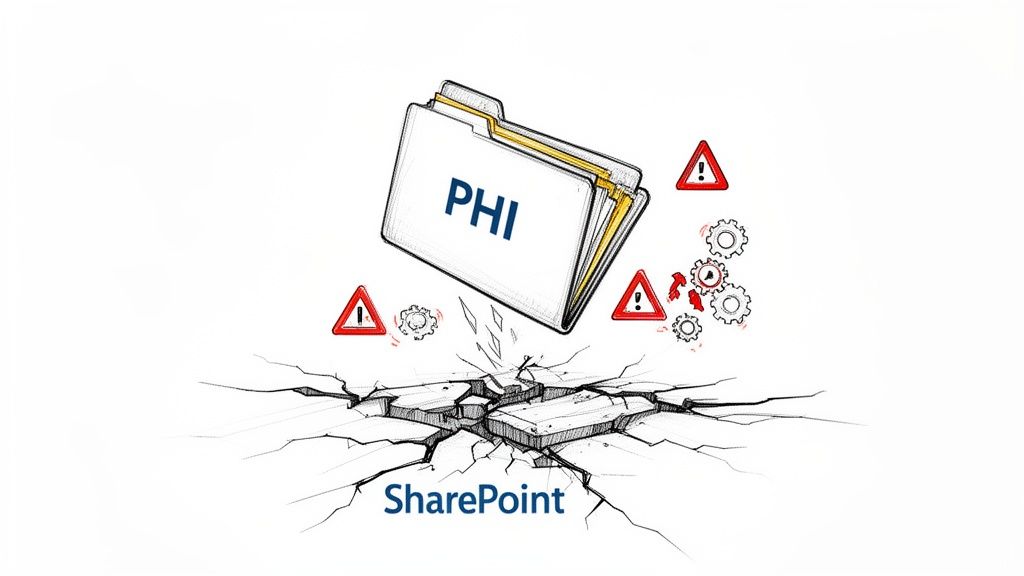
We see the same failures time and time again. A project plan looks solid on paper, only to crumble when it meets the harsh realities of Microsoft's cloud architecture and years of tangled data structures. We often see clients fail when they underestimate these three killers:
- API Throttling: Microsoft's servers will deliberately slow down—or "throttle"—your migration if you push too much data too quickly. The documentation says to expect this, but in reality, your standard tools lack the intelligent logic to gracefully handle these "Server Too Busy" errors, bringing your timeline to a grinding halt.
- The 5,000 Item List View Threshold: This is a hard, unforgiving limit in SharePoint. We've seen projects lose critical audit trail data because a list containing PHI access logs blew past this threshold, causing the migration tool to simply fail or, even worse, skip the data without any warning. This isn't a performance issue; it's a data integrity catastrophe.
- Broken Permissions Inheritance: Years of ad-hoc permissions on your old file servers or on-prem SharePoint create a knotted mess of broken inheritance. Migrating this chaos "as-is" doesn't just replicate the problem; it amplifies it, creating massive security gaps where PHI becomes exposed to unauthorised users.
This isn't just theoretical risk. Missing this step doesn't just fail the migration; it breaks legal compliance. The cost of failure isn't a project delay—it's a multi-million-euro fine and irreparable damage to your organisation's reputation.
Your team’s focus has to shift immediately from "how do we move our files?" to "how do we architect a defensible, auditable, and secure migration process?" This requires a level of technical rigour that goes far beyond what out-of-the-box tools can offer.
For a deeper look into the governance frameworks that must underpin this process, you can explore our detailed guide on SharePoint migration compliance. Ultimately, this is about building a new, secure foundation in the cloud, not just copying old problems to a new address. The following sections will provide the unfiltered playbook to do just that.
Auditing and Architecting Your Compliant Environment
Before you move a single byte of data, you have to get an almost forensic understanding of what you’re dealing with. So many ambitious HIPAA SharePoint migration projects stumble right here because they treat this initial discovery like a simple file count. It's not. An audit for a regulated environment is a completely different beast.
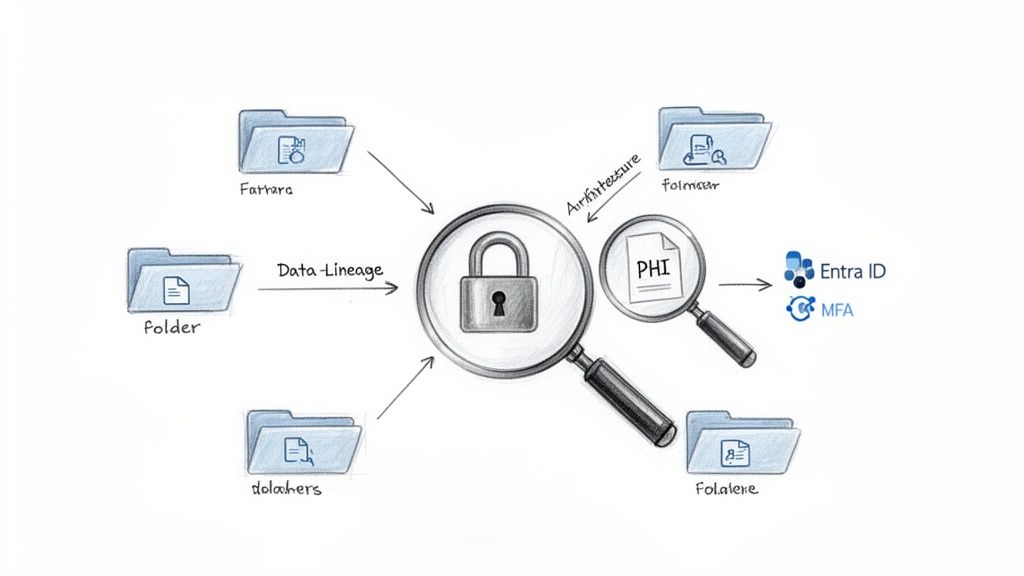
You aren’t just counting gigabytes; you’re mapping the entire lineage of your Protected Health Information (PHI). This means finding every custodian, untangling a decade of nested and broken permissions, and pinpointing every piece of toxic ROT (redundant, obsolete, trivial) data. This ROT doesn’t just add cost and complexity; it’s a compliance liability that should be defensibly destroyed, never migrated.
Beyond the File Count: A Forensically Sound Audit
Your team can't afford to just skim the surface. A proper pre-migration audit for HIPAA compliance demands a deep, almost archaeological dig into your existing systems. The documentation might claim your file server permissions are structured one way, but the reality after years of ad-hoc changes is usually a nightmare.
This is where a specialist becomes essential. We go far beyond basic scans to perform a comprehensive analysis that informs the entire migration strategy. For a closer look at the methodologies we use, have a look at our guide on conducting a SharePoint migration assessment.
Your audit must definitively answer these questions:
- Where is every piece of PHI? I’m not just talking about obvious patient record folders. It’s hidden in spreadsheets, buried in old email archives, and attached to legacy list items.
- Who actually has access? This involves mapping effective permissions, not just looking at group memberships. You will find service accounts and former employees with lingering access that completely violates the principle of least privilege.
- What is the data's lifecycle? Which data is active, which is archival, and which is just ROT? Migrating obsolete patient data is a direct violation of HIPAA's data retention requirements.
Skipping this forensic audit doesn't just complicate your migration; it guarantees you will build your new environment on a foundation of non-compliance. You are essentially migrating your existing risks directly into the cloud, where they become infinitely harder and more expensive to fix.
Architecting for Zero Trust, Not Just SharePoint Sites
Once you know exactly what you have, you have to build a secure destination. This is another massive failure point. Many organisations think this means simply provisioning new SharePoint sites, but that approach is dangerously incomplete. You have to architect a Zero Trust environment within Microsoft 365, assuming a breach is not a matter of if, but when.
This architectural phase is non-negotiable and must be completed before a single piece of PHI is moved. Establishing a robust cyber risk management framework is fundamental to identifying, assessing, and mitigating threats from the get-go. Your architecture is the technical enforcement of that framework.
The core components of this secure architecture include:
- Entra ID (formerly Azure AD) Hardening: This is your new security perimeter. We configure Conditional Access policies that enforce strict controls based on user, location, device health, and risk level. Accessing PHI from an unmanaged personal device in a coffee shop should be impossible.
- Mandatory Multi-Factor Authentication (MFA): We enforce phishing-resistant MFA for any user or administrator account that can access sites containing PHI. There is absolutely no excuse for not having this enabled; regulators see its absence as willful negligence.
- Business Associate Agreement (BAA) Validation: You must have a signed BAA with Microsoft. However, simply having it isn't enough. Your architecture has to align with the shared responsibility model it outlines. Microsoft secures the cloud; you are responsible for securing your data within the cloud.
The goal is to design an environment where security is the default, not an afterthought. Failure to architect this Zero Trust foundation means your entire HIPAA SharePoint migration is built on a compliant platform but executed in a non-compliant manner, invalidating all your efforts from day one.
Implementing Non-Negotiable Technical Safeguards
Let’s be blunt: HIPAA’s technical safeguards are not a friendly checklist of suggestions; they are hard, legally binding mandates. I’ve seen projects grind to a halt right here, paralysed by the sheer complexity of tools like Microsoft Purview. Worse still are the ones that push ahead with bad configurations, unknowingly creating massive security holes that will inevitably lead to a breach.
This is where the theoretical plan meets the often brutal reality of securing Protected Health Information (PHI) in the cloud. You simply cannot begin migrating a single file until these controls are properly architected, rigorously tested, and completely locked down.
From Labels to Locks: Purview Information Protection
Microsoft Purview Information Protection is an incredibly powerful toolset, but the official documentation is dangerously simplistic. If you treat this as a simple data classification exercise, you’re setting yourself up for failure. In a HIPAA context, it’s a minefield.
I’ve seen organisations create a taxonomy of sensitivity labels so convoluted that it brings business operations to a standstill, or so loose that it offers no real protection at all. The goal isn't just to make a label called "Confidential - PHI." Your labels must be active security controls that automatically:
- Apply Encryption: The label itself has to trigger encryption, making the document unreadable to anyone without explicit, audited permission.
- Enforce Visual Markings: Watermarks, headers, and footers must be applied automatically to leave no doubt that a document contains sensitive PHI.
- Control Access Rights: The label dictates who can view, edit, print, or forward the content, and these protections travel with the file no matter where it goes.
We’ve had to untangle projects where clients created dozens of overlapping, confusing labels, resulting in a system nobody trusted or used correctly. The right approach is always a minimalist, rigorously defined set of labels that map directly to your data classification policy. Get this wrong, and your entire encryption strategy is worthless.
Building Your Digital Perimeter with DLP
Once your data is correctly classified and encrypted, you have to stop it from leaving your secure environment. This is the job of Data Loss Prevention (DLP) policies. Again, the official guidance makes this sound straightforward, but a single, overly broad rule can block legitimate clinical collaboration. On the flip side, a rule with a tiny loophole can allow thousands of patient records to walk right out the digital door.
A finance-healthcare hybrid in Dublin learned this the hard way. Their internal team, following Microsoft Learn's guidance, completely missed the hard cap on list views. They smashed into the 5,000 item limit in their SharePoint lists mid-way through their HIPAA SharePoint migration. The result? They lost 25% of their critical audit trails because the system triggered query throttling and failed to sync. The documentation suggests running parallel tasks, but it doesn't mention that legacy source servers often hit disk I/O bottlenecks, stalling most of the jobs anyway. As you can discover more insights about Microsoft's migration speed, the official advice often doesn't account for real-world infrastructure limits.
The Ollo Verdict: A properly configured DLP policy for HIPAA is surgical, not a sledgehammer. It needs to be scoped to specific SharePoint sites containing PHI and configured to detect precise patterns—not just lazy keywords. A rule blocking any document with the word "patient" will cause absolute chaos. A rule that blocks documents containing 10 or more medical record numbers from being sent to external domains? That’s a precise, defensible control.
To effectively implement these non-negotiable technical safeguards, a deep, practical understanding of the HIPAA Security Rule requirements is absolutely essential. These policies are not "set it and forget it." They are the digital equivalent of your facility's physical security, requiring expert configuration and constant monitoring. For a look at how we integrate these safeguards into a larger strategy, check out our overview of SharePoint migration services for regulated industries. This is where expertise is your only defence against creating a system that is compliant on paper but broken in practice.
Where the Rubber Meets the Road: Executing Your HIPAA Migration
This is the point where all your careful planning hits the harsh reality of execution. And honestly, it’s where most HIPAA SharePoint migration projects completely fall apart.
Let me be blunt: do not, under any circumstances, use Microsoft's free SharePoint Migration Tool (SPMT) for a serious, regulated workload. It’s a fine utility for moving a simple file share from your old server. It was never designed for the complex, permission-sensitive, and legally fraught world of Protected Health Information (PHI).
We are frequently called in to rescue projects that are dead in the water because a team tried to use SPMT, only to slam headfirst into its severe limitations. These basic tools simply lack the granular control, intelligent error handling, and robust logging required for PHI. They are a black box, and in a HIPAA migration, you cannot afford a black box.
The Predictable Failure of Basic Tools
The official documentation makes tools like SPMT sound like a reasonable starting point. They aren't. In any real-world healthcare scenario, especially those involving terabytes of sensitive data, they fail predictably and often catastrophically. The primary breaking point is always API throttling.
A major healthcare network in the IE region, handling over 50,000 users, learned this the hard way. Their DIY migration attempt didn't just slow down; it ground to a halt for weeks. Microsoft's own documentation on the SharePoint Migration API is clear: it’s designed to throttle high-volume traffic and recommends no more than 5,000 concurrent jobs to avoid getting slapped with HTTP 503 'Server Too Busy' errors.
Yet we consistently see teams ignore this, queueing up massive transfers with basic tools. This leads to 70% slowdowns right out of the gate, compounded by source disk bottlenecks and aggressive anti-virus scanning, as detailed in this healthcare network's SharePoint migration case study.
Basic tools just can't handle this reality. They hammer the API until Microsoft pushes back, then they either fail silently or spit out thousands of meaningless error codes. Your team is then left to manually sift through the wreckage, trying to figure out what data actually made it across and what was left behind. This isn't just a project delay; it's a compliance nightmare waiting to happen.
The Ollo Verdict: Use SPMT for a single, non-critical site with less than 50GB of data. For anything involving PHI, complex permissions, or terabytes of content, you need enterprise-grade tooling and custom scripting. Relying on SPMT is an act of professional negligence.
A Battle-Tested Approach to Migration Execution
A successful, defensible HIPAA migration demands a two-pronged attack: a robust third-party tool for the heavy lifting and custom PowerShell scripting for precision and control. You absolutely cannot have one without the other.
Controlled, Phased Migrations with ShareGate: We use tools like ShareGate not as a "fire and forget" button, but as a controlled engine. It provides the industrial-strength plumbing for moving content while preserving critical metadata, and it allows us to structure the migration into logical, manageable phases. This isn't about moving everything at once. It’s about migrating department by department, workload by workload, with a full validation step after each and every phase.
Surgical Precision with PowerShell PnP: This is our secret weapon and the element that DIY projects always miss. We use custom PowerShell scripts to handle the messy scenarios where even the best commercial tools fall short. This includes surgically fixing broken permissions post-migration, resolving GUID conflicts when re-linking web parts, and—most importantly—intelligently managing the workload to avoid that dreaded API throttling. Our scripts batch content, monitor for throttling signals (like the 'Retry-After' header in the API response), and automatically pause and resume jobs. This is how you manage the data flow without triggering Microsoft’s 'Server Too Busy' errors—the very problem the documentation warns you about but provides no practical solution for.
For organisations dealing with even more complex scenarios, such as merging data between two distinct Microsoft 365 environments, our insights on executing a cross-tenant SharePoint migration detail the advanced scripting required to pull it off successfully.
The diagram below shows the core safeguard process your data must flow through.
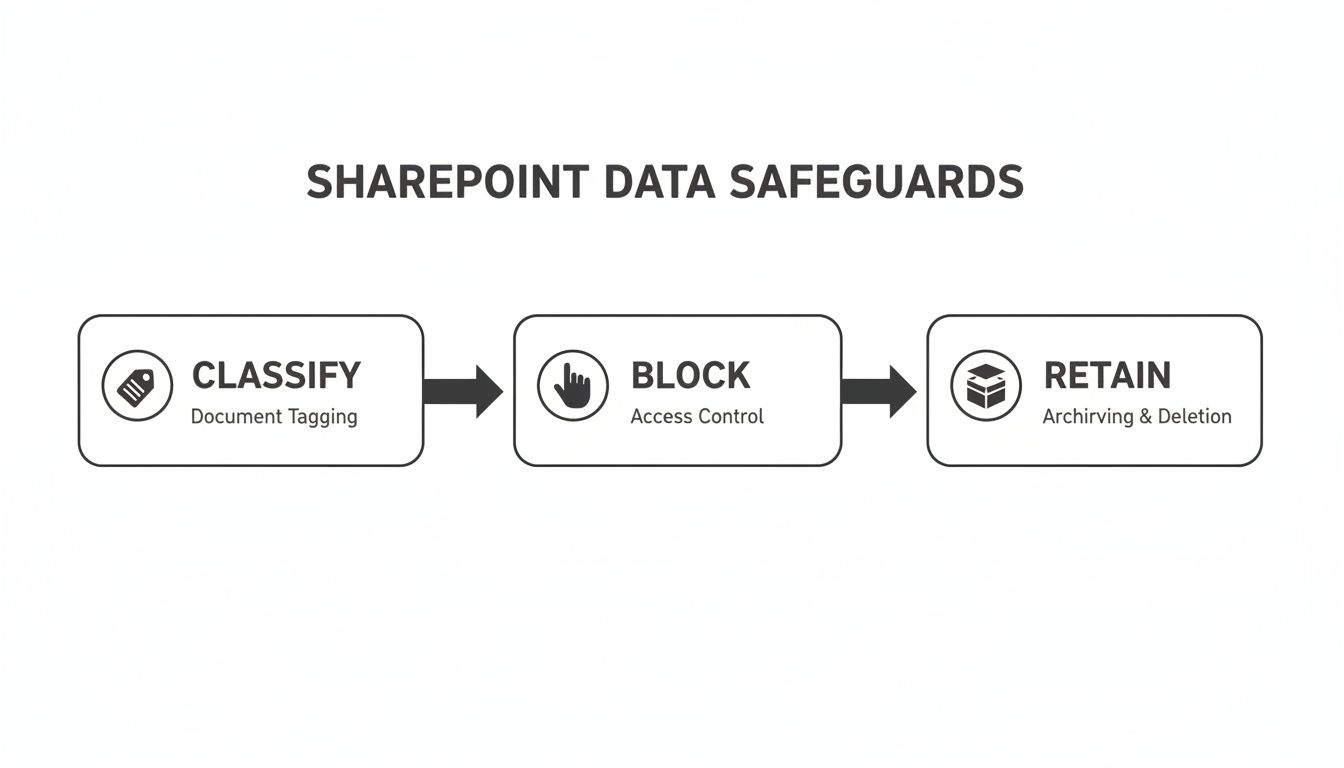
This flow isn't just a technical process; it's your proof of compliance. It demonstrates that data is being actively classified, blocked from unauthorised access, and managed according to its required lifecycle.
Navigating the Technical Minefield
Beyond throttling, your team will hit other technical walls that can derail the entire project. Each one requires a specific, expert-level response.
- Long File Path Limits: SharePoint Online has a strict 400-character limit for the entire URL path. Your on-premises file server has no such limit. Basic tools will simply fail on these files, often without a clear report. The only real solution is to run pre-migration scripts to identify and shorten these paths before you ever start the transfer.
- Delta Syncs and Downtime: The goal is a near-zero downtime cutover. You achieve this with an initial bulk migration followed by multiple "delta" syncs that only copy over the changes. Managing these deltas effectively requires careful planning and tooling that can accurately identify and sync only the modified content without re-copying everything.
- Broken Inheritance and Corrupted Permissions: I guarantee you will find deeply nested folders with unique, broken permissions. Migrating this mess "as-is" is a major security risk. The correct approach is to use scripting to break the inheritance, apply a clean, role-based permission model at the top level, and then enforce it downwards. This creates a clean and, more importantly, auditable state in the new environment.
A HIPAA SharePoint migration is not a simple data transfer. It's a complex, high-risk technical operation where standard tools are all but guaranteed to fail. Success depends on treating it as such, bringing in a combination of enterprise tooling and custom scripting to navigate the minefield safely.
Post-Migration Validation and Perpetual Governance
Here's the single biggest mistake I see teams make: they declare victory the moment the last file is copied. The migration isn't over. It’s not even close.
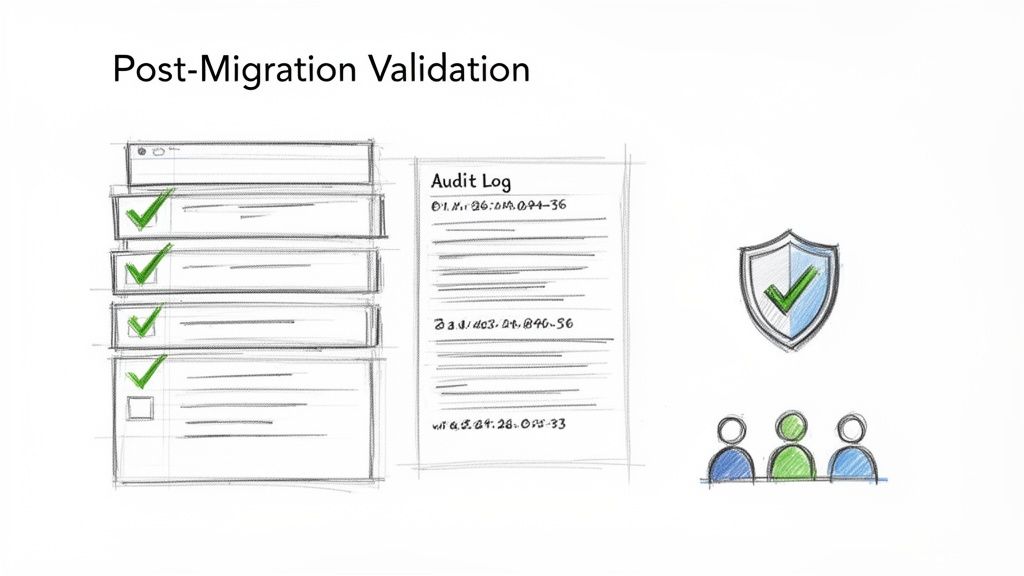
For a HIPAA SharePoint migration, the project only truly finishes when you can produce an irrefutable, evidentiary trail proving that every single piece of Protected Health Information (PHI) arrived securely, with its integrity and permissions intact.
Anything less is just a data dump, not a compliant migration. Regulators couldn't care less about your project timeline; they care about your audit logs. This final phase—validation and governance—is what separates a defensible migration from a future compliance disaster.
From Cutover to Courtroom-Ready Evidence
Post-cutover validation isn't a simple spot-check. It’s a forensic process designed to withstand intense scrutiny. Your team must move beyond asking "did the files copy?" to answering "can we prove no PHI was lost, altered, or exposed during the transition?"
Too often, I see internal teams run a basic file count comparison and call it a day. This is dangerously insufficient. A true validation process is aggressive and multi-layered.
- Integrity and Hash Checks: We script routines to perform hash checks on a statistically significant sample of high-risk files (those containing PHI). This mathematically proves that the source and destination files are bit-for-bit identical, leaving no room for claims of data alteration.
- Permissions Verification: This is completely non-negotiable. You have to script a comparison of the source access control lists (ACLs) against the newly applied permissions in SharePoint Online. The goal is to prove that your new, cleaner role-based model was applied correctly and that no legacy, broken permissions were carried over.
- Audit Log Interrogation: Think of Microsoft Purview's unified audit log as your best witness. We query these logs to build a detailed narrative of the migration, showing exactly who accessed what, when data was written, and confirming that no unauthorised accounts touched PHI during the cutover window.
Missing this step doesn't just fail the migration; it breaks legal compliance. Without a defensible audit trail from this validation phase, you have no way to counter a claim of data spoliation during a future legal discovery or regulatory audit. Your migration tool's log file is not enough.
Perpetual Governance: The Compliant State Is Not Permanent
Your newly migrated, compliant SharePoint environment has a half-life. Without a robust governance plan, it will decay back into the same chaotic, high-risk state as your old file server within 18 months.
A migration is a massive investment in creating order; governance is the discipline required to maintain it.
This isn't about creating some bureaucratic committee that meets quarterly. It’s about operationalising compliance and security monitoring long after the project team has disbanded. This is where many organisations struggle, and understanding the hidden costs of poor data governance is critical to justifying the ongoing investment here.
A perpetual governance framework must include:
- Active Monitoring: Using built-in tools like Microsoft Sentinel and Defender for Cloud Apps to actively monitor for security anomalies. This includes setting up alerts for mass downloads of PHI, unusual external sharing activities, or attempts to remove sensitivity labels.
- Empowered 'Change Champions': Training and empowering specific users within clinical and administrative departments to be the first line of defence. They become the local experts who can guide colleagues on correct data handling procedures and report misuse.
- Automated Policy Enforcement: Your DLP and retention policies shouldn't be static. Governance involves regularly reviewing their effectiveness and using automation—via Power Automate—to handle routine tasks like access reviews and disposition approvals.
A successful HIPAA SharePoint migration isn't a project with an end date. It's the beginning of a new, more secure operational model. The validation proves you started correctly, but perpetual governance is the only strategy that ensures your compliant state is permanent, not temporary.
Frequently Asked Questions About HIPAA Migrations
We’ve sat in countless kickoff meetings with IT Directors and Enterprise Architects. We hear the same tough, skeptical questions every time, usually because they've been burned before by a project that looked simple on paper.
Let's get straight to the direct, unfiltered answers you’re looking for when it comes to a HIPAA SharePoint migration.
Can We Really Use SharePoint Online for Storing PHI?
Yes, but this question is a minefield. Microsoft provides a HIPAA-compliant platform and will sign a Business Associate Agreement (BAA). The critical failure point we see over and over is the assumption that this makes your tenancy compliant by default. It absolutely does not.
The BAA is built on a shared responsibility model. Microsoft takes care of the underlying infrastructure—the datacentres, the servers, the physical security. You are 100% responsible for securing your data inside that environment.
Simply dumping PHI into a standard SharePoint Online site without layering on mandatory technical safeguards is a direct, flagrant violation of HIPAA. You can’t just lift-and-shift.
To be compliant, your team has to architect and enforce specific controls:
- Entra ID Conditional Access: Policies that block any attempt to access PHI from unmanaged personal laptops or untrusted locations.
- Mandatory MFA: Phishing-resistant multi-factor authentication for any account with even a whisper of access to PHI.
- Purview DLP & Encryption: Non-negotiable Data Loss Prevention policies and sensitivity labels that encrypt PHI wherever it goes.
Without these in place, your BAA is just a piece of paper, and you’re operating in a state of wilful non-compliance.
How Do We Fix Our Messy Permissions During Migration?
You don’t. Trying to untangle a decade of broken inheritance, circular group memberships, and one-off user permissions "on the fly" during a live migration is a recipe for a catastrophic data breach. This is one of the main reasons we get called in for rescue projects.
The only defensible approach is to completely redesign your permissions model from the ground up before a single file gets moved.
The Ollo Verdict: This is a pre-migration strategy, not a mid-migration cleanup job. We conduct a thorough permissions audit, design a new, simplified role-based access control (RBAC) model based on the principle of least privilege, and then map old identities to this clean structure as part of the migration plan. Moving a mess just makes a bigger, more dangerous mess in the cloud.
What Is the Biggest Unexpected Migration Challenge?
Without a doubt, it’s Microsoft's API throttling. Your team will underestimate it. We have seen projects that were perfectly on schedule suddenly grind to a crawl for weeks, completely destroying timelines and budgets.
The official Microsoft Learn documentation gives you theoretical limits, but in the real world—especially during peak business hours in the West Europe tenant zone—the throttling is far more aggressive. Basic tools like the SharePoint Migration Tool (SPMT) have no intelligent way to handle this. They just repeatedly hammer the API until they get an HTTP 503 "Server Too Busy" response, and then they either crash, time out, or start skipping files.
Getting around this requires a level of sophistication that isn't built into any off-the-shelf tool. It demands custom PowerShell scripting that intelligently monitors for throttling signals (like the 'Retry-After' header), automatically pauses and resumes migration jobs, and strategically spreads the workload across multiple migration accounts to stay under the radar. It's not a setting you can just tweak; it's a fundamental architectural challenge you have to script your way around.
A successful HIPAA SharePoint migration comes down to anticipating these failure points, not reacting to them when they’re already on fire. At Ollo, we bring the battle-hardened expertise to navigate these complexities, ensuring your migration is not just completed, but is secure, compliant, and defensible from day one. Contact us to architect a migration that reduces risk, rather than creating it.

















