



A cross-tenant SharePoint migration is one of the highest-risk projects your IT department will ever sanction. Let's be clear: this is not a file move. It is a deep, invasive surgical procedure on the identities, permissions, and data structures that run your business. The path to success is paved with constructive cynicism, not optimistic timelines built on vendor promises.
Confronting the Reality of SharePoint Tenant Migrations
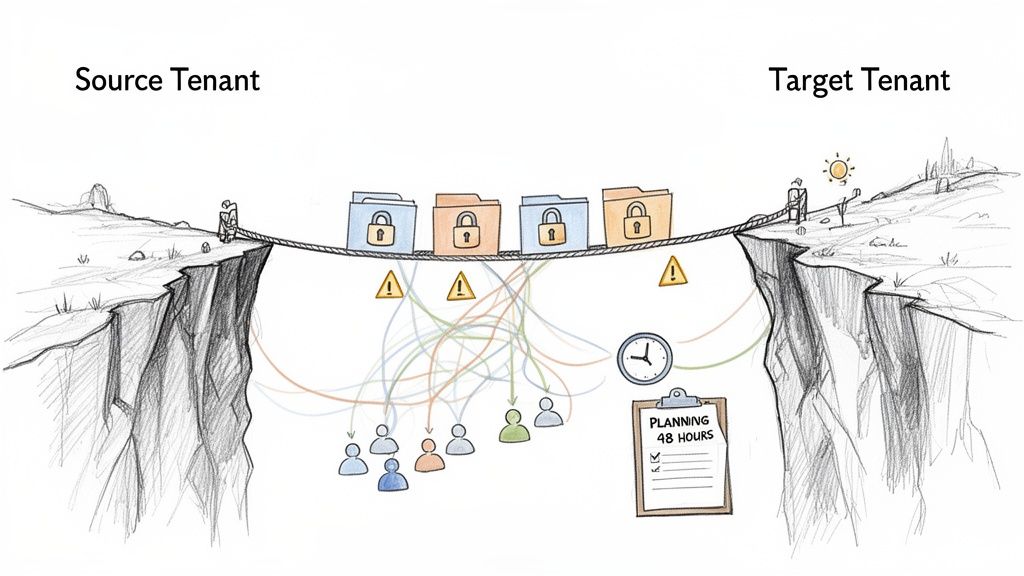
Forget the marketing fluff about a "seamless transition." Most cross-tenant SharePoint migrations fail because of critical oversights in the first 48 hours of planning. We are often called in to rescue projects that have imploded not because of the migration tool, but because the team treated it like a standard lift-and-shift.
This isn’t about moving files; it's about untangling years of accumulated technical debt. Your team is staring down a complex merger that involves:
- Divergent Identities: Reconciling two separate Entra ID (formerly Azure AD) tenants is the single greatest point of failure. User GUIDs, group memberships, and guest accounts will not align, creating an immediate permissions nightmare that standard tools cannot resolve.
- Hidden Dependencies: SharePoint does not live in a vacuum. It is deeply woven into Teams, Power Automate flows, and Power Apps. A migration shatters every one of these connections, crippling automated business processes if they aren’t meticulously identified and rebuilt.
- Crippling Technical Limits: Your timeline will be dictated by Microsoft's API throttling, not your project manager. Attempting to push too much data too quickly guarantees failed batches, corrupted metadata, and a stalled project. You must work within the system's constraints, not fight against them.
The Irish Compliance Minefield
For Irish organisations, the stakes are higher. Between 2019 and 2024, Ireland saw a massive uptake of Microsoft 365, with over 65% of large organisations adopting it by 2023. This, combined with an average of 400–450 M&A deals per year, makes these migrations an inevitable consequence of business consolidation.
For your business, Microsoft's data residency model, which places tenants primarily in Dublin, is a critical factor for GDPR and Central Bank of Ireland compliance. This reality must shape your cutover planning, demanding incremental, test-driven strategies to manage risk. You can read the details on Microsoft's data residency model for SharePoint.
The documentation might show a simple user mapping process. In reality, a broken inheritance chain or a misconfigured user mapping doesn't just block access; it can create a catastrophic data breach, violating GDPR and putting your entire organisation at risk. Missing this step doesn't just fail the migration; it breaks legal compliance.
This guide arms you with the real-world perspective needed to succeed. We focus on the harsh realities to give you a framework for a successful, secure cross-tenant SharePoint migration. Before proceeding, review our comprehensive SharePoint migration strategy guide to ground your team in the foundational concepts.
Conducting a Forensic Pre-Migration Analysis
Let's be blunt: the success of your cross-tenant SharePoint migration is decided long before you move a single byte of data. We often see clients fail when their "pre-migration analysis" is little more than a glorified file count. A superficial inventory is a direct path to disaster.
Your team must conduct a deep, forensic analysis. This isn't optional; it’s the only way to unearth the hidden complexities that will break standard migration tools and derail your timeline. Relying on SharePoint Admin Centre reports alone is a rookie mistake—they don't expose the real-world technical debt hiding in your tenant.
Uncovering the Hidden Time Bombs
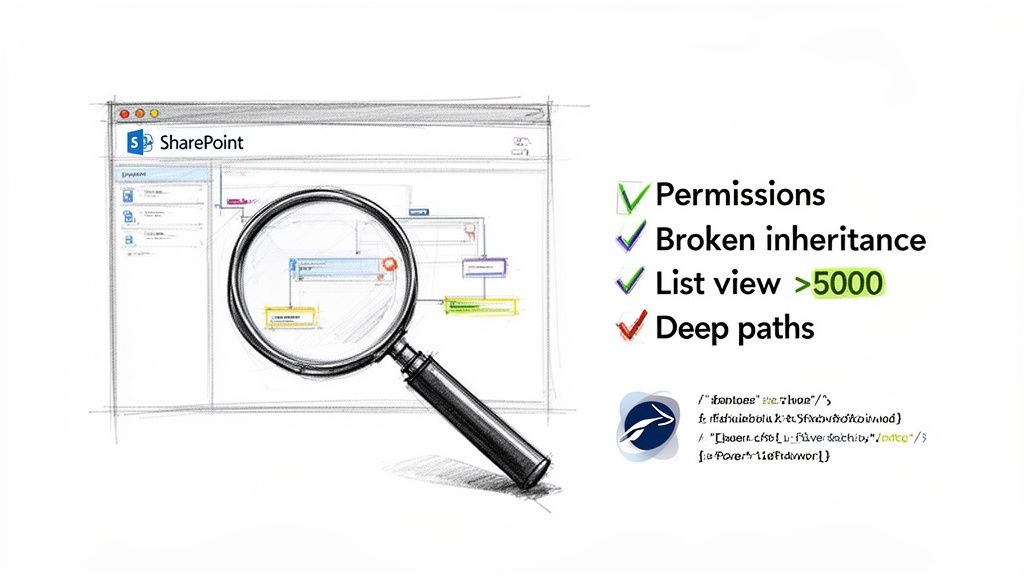
A proper analysis goes miles beyond site and data volume. We run a battery of PowerShell PnP scripts to map the true state of the source environment, specifically hunting for the breaking points that off-the-shelf tools choke on. Your discovery has to be aggressive.
Here is your non-negotiable checklist:
- Broken Inheritance: Find every list, library, folder, and item with unique permissions. These are guaranteed failure points for automated tools, which often revert them to parent permissions, creating massive security holes you'll be scrambling to fix post-migration.
- The 5,000-Item List View Threshold: Flag every list and library approaching or exceeding this hard limit. The documentation says you can migrate these, but in reality, attempting it without a clear remediation strategy won't just fail the migration; it will break the target site for your users.
- Excessive Path Lengths: The official limit is 400 characters, but in the real world, any URL path approaching 260 characters risks being truncated by migration APIs. This leads to orphaned files and corrupted data structures that are a nightmare to untangle.
- Legacy Artefacts: Unearth every InfoPath form, SharePoint Designer workflow, and custom content type with no modern equivalent. These cannot be migrated. They must be identified and rebuilt, a fact tool vendors conveniently omit from their sales pitches.
The Ollo Verdict: A simple inventory tells you what you have. A forensic analysis tells you what will break. Missing this step doesn't just risk migration failure; it guarantees it.
Mapping Permissions and Identities
Mapping SharePoint groups is where projects consistently collapse. Standard tools attempt a simple user-to-user mapping (UPN to UPN), but they fall apart when faced with nested SharePoint groups, orphaned user accounts in Entra ID, and complex custom permission levels.
These are not edge cases. In any tenant that has existed for more than a few years, they constitute a significant portion of the permission structure.
Skipping this granular mapping will force your team into a chaotic, manual clean-up post-migration, while business users are locked out of critical files. This spirals from an IT problem into a full-blown business continuity crisis. The risk of data exposure from misconfigured permissions is immense, putting you in breach of GDPR.
For a deeper dive into the challenges of handling enormous data sets, explore our insights on executing a large-scale SharePoint migration. We detail how to handle these exact complexities without bringing your business to a halt.
Choosing Your Weapon: Migration Tooling Realities
Let's get one thing straight: there is no magic button for a cross-tenant SharePoint migration. Your project's success hinges on a brutally honest understanding of the breaking points of the tools you choose. Buying a licence for a top-tier tool and hoping for the best is not a strategy; it's a gamble.
We often get called in after a migration has gone sideways. The client has a report showing thousands of cryptic errors, and the project is dead in the water. The problem is not that the tool was "bad." It's that it was pushed far beyond what it was designed to handle in a complex, enterprise environment.
The SharePoint Migration Tool (SPMT) Illusion
Microsoft offers its free SharePoint Migration Tool (SPMT). For the right job, it's fine. What’s the right job? Moving a handful of basic team sites with less than 50GB of data and a simple folder structure.
The moment your needs become complex, SPMT doesn't just struggle; it falls apart.
The documentation might suggest it handles permissions, but in practice, it often flattens intricate permission structures, breaks inheritance, and creates a massive security mess. It has no sophisticated way to handle Microsoft's throttling limits, so it frequently times out on large files, leaving gaps in your data.
The Ollo Verdict: Use SPMT for <50GB. For anything else, you need custom scripting. For an actual business-critical, cross-tenant migration, relying on it is negligent. The cost of cleaning up the mess will dwarf the price of a proper tool.
ShareGate: The Power and the Pitfalls
Third-party tools like ShareGate are in a different league from SPMT. They are powerful and essential for any serious migration. But treating ShareGate as a "set it and forget it" solution is a critical mistake.
Think of ShareGate as an effective data mover, not an identity management platform. It will do its job, hit the inevitable complexities of your two tenants, and then dutifully report thousands of errors that it cannot resolve on its own.
Here’s where ShareGate hits a wall in the real world:
- GUID Conflicts: It cannot resolve conflicts where managed metadata term sets have the same unique identifiers (GUIDs) in both tenants. This leads to widespread metadata corruption that breaks sorting, filtering, and search.
- Orphaned Users: The tool cannot magically map user accounts that existed in the source but have since been deleted from Entra ID, leaving you with thousands of files with broken permissions.
- Throttling: While it has good throttling management, if you push terabytes of data too aggressively, Microsoft's APIs will still slam the brakes. This requires careful, strategic scheduling that the tool alone cannot fully optimise.
These are not edge cases; they are guaranteed to happen in any major tenant merger. ShareGate is excellent at logging the problems. It is not designed to solve them for you. That requires deep technical expertise. We cover this in more detail in our analysis of the SharePoint Migration Tool landscape.
Knowing When to Go Off-Road with Custom Scripts
This is the line that separates a stalled migration from a successful one. When your tool spits out thousands of identical errors tied to a specific pattern—like broken lookups or unmappable custom permission levels—you must stop. Running the migration again is insanity; you will get the same broken result.
This is where custom PowerShell PnP scripting becomes non-negotiable. We don't use scripts to move bulk data; that’s ShareGate's job. We use them for surgical strikes to fix systemic issues the tools cannot touch.
Consider this classic scenario: A source site uses a custom permission level called "Project Contributor." The target tenant has no equivalent. A tool will fail to map this permission on every single item, generating thousands of errors. Instead of a soul-destroying manual clean-up, a targeted PnP script can find every instance of "Project Contributor" and remap it to "Edit" in the target. Job done in minutes.
Migration Tool Reality Check: SPMT vs ShareGate vs Custom Scripts
This isn't about marketing features; it's about the real-world breaking points we see every day.
Our Approach: Use ShareGate for the heavy lifting—the 80% of your data that is straightforward. But you must plan and have expertise ready for the final, complex 20%. This is where targeted PowerShell scripts are the only thing that will get you over the finish line. A hybrid strategy isn't just a good idea; it's the only way to guarantee a complete and accurate cross-tenant SharePoint migration.
Executing a Realistic Cutover Strategy
Let’s be blunt: the idea of a ‘big bang’ cross-tenant SharePoint migration over a single weekend is a fantasy told by people who have never managed a project where terabytes of data and thousands of users are on the line.
The hard reality of your timeline isn’t dictated by your project plan. It's governed by one brutal, unyielding factor: Microsoft's API throttling.
Trying to force massive amounts of data through the migration APIs in a tight window is a recipe for disaster. The system will push back, leading to dropped files, corrupted metadata, and a chaotic Monday morning your service desk will never forget. A successful cutover is about control and patience.
Phased Cutover: The Only Viable Approach
For any significant data volume, the only sane strategy is a phased, delta-sync approach. This means moving the bulk of historical files and folders in the background over days, or even weeks, with zero impact on your users.
The actual "cutover" becomes a much smaller, faster, and more manageable final synchronisation.
The diagram below shows how a well-architected migration flow should look, escalating from basic tools to complex, custom solutions as needed.
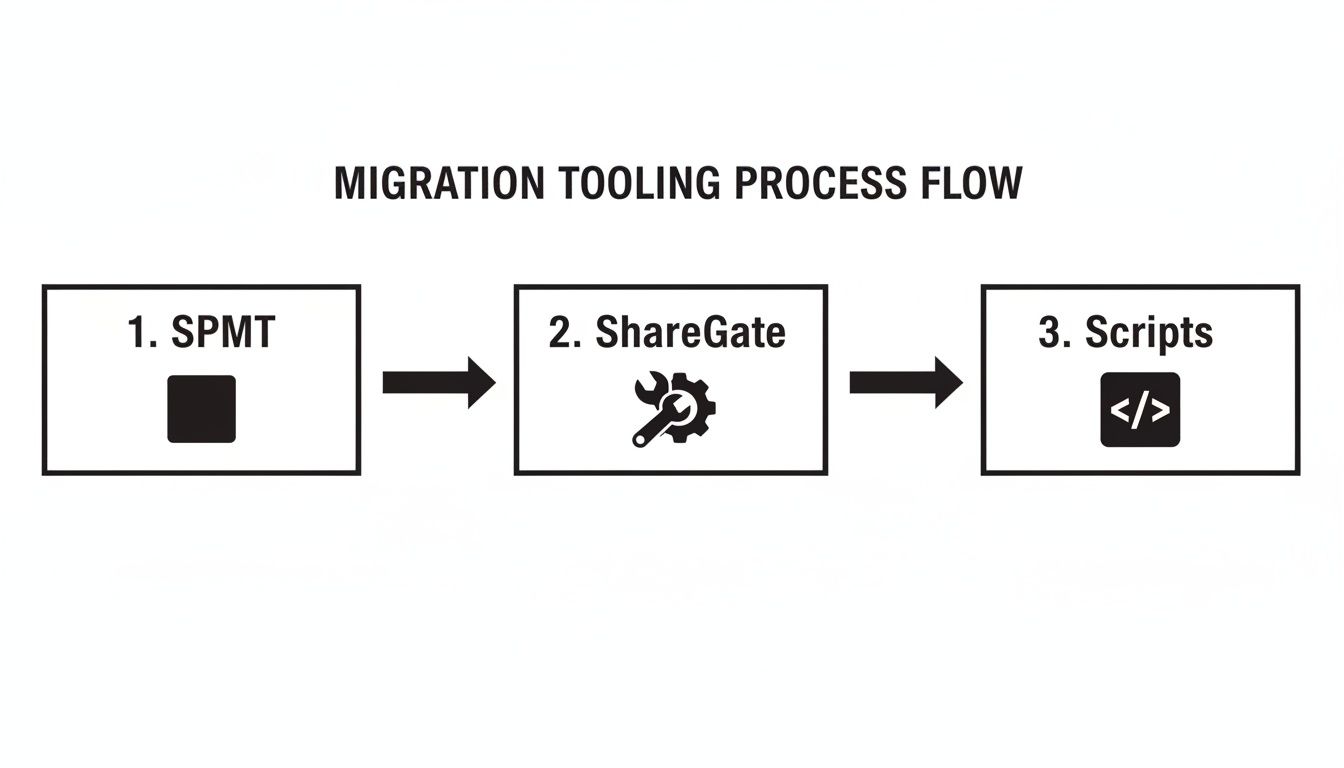
This process highlights a critical truth: a successful migration almost always relies on escalating technical intervention. You start with off-the-shelf tools but finish with custom scripts to handle the complex issues those tools cannot resolve.
This multi-stage execution isn't optional. Microsoft’s own Migration Performance Guide for SharePoint makes it clear that data throughput is highest during off-peak hours—nights and weekends. For an Irish tenant, that sweet spot is between 20:00 and 06:00.
From our experience, you can expect a sustained throughput of 2–4 TB per 24 hours, per migration agent. A 25 TB migration, therefore, requires a bulk transfer time of 7–10 days. This fact alone forces you into a delta-sync strategy.
The Cutover Playbook
When it’s time for the cutover, precision is everything. This is a carefully choreographed sequence designed to prevent data drift.
- Enforce Read-Only State: Your first move is to lock down the source. Set all source SharePoint sites to read-only. This is the only way to guarantee users can’t modify content during the final sync.
- Execute the Final Delta Sync: With the source locked, run the final incremental sync. This pass only copies changes, making it dramatically faster and less likely to hit throttling limits.
- Run Validation Scripts: Immediately after the sync, run your validation scripts. These PowerShell scripts must compare item counts, file versions, and key metadata. Do not trust the migration tool's summary report; you need independent verification.
- Redirect and Reconfigure: Once data integrity is confirmed, you can implement redirects and begin reconfiguring connections. This is where you address all connected services that don’t migrate cleanly.
The Ollo Verdict: Expecting a clean, one-to-one migration of all connected components is a critical error. The documentation says they're integrated, but in reality, Power Automate flows, Teams integrations, and Power Apps will break. These services are inventoried, documented, and then rebuilt against the new SharePoint data source. Missing this step doesn't just fail the migration; it breaks core business processes.
Managing user expectations is as important as the technical execution. Your communication must be direct. Tell people when the read-only period starts, what to expect on day one, and who to contact. Avoid promises of a "seamless" experience; it sets your team up for failure. Our guide on managing a complete Microsoft 365 migration covers the communication strategies we use to prevent user chaos.
Hardening Post-Migration Governance and Security
Getting the data across is not the end of the project. We often see clients breathe a sigh of relief, only to walk straight into a security and compliance nightmare a month later.
The project is not over. For your long-term security posture, the most critical phase is just beginning.
A cross-tenant migration is a rare opportunity to burn the old, convoluted permission models to the ground. Your new tenant is a clean slate. Wasting this chance to implement a robust Zero Trust security model from day one is a strategic failure. You don't "check" permissions post-migration; you redesign them from first principles.
Redesigning Your Security from the Ground Up
The old permission structure was a mess of broken inheritance and over-permissioned accounts. Simply lifting and shifting that technical debt defeats the purpose. Your first job is to establish a new, least-privilege baseline.
This is where you implement the foundational controls that were too disruptive to retrofit into the old environment:
- Entra ID Conditional Access: Enforce stringent access policies based on user location, device compliance, and sign-in risk. Block access from non-compliant devices or unmanaged networks.
- Data Classification and Labelling: Systematically apply Microsoft Purview sensitivity labels to all migrated content. This ensures that even if a document is exfiltrated, its inherent encryption and permissions travel with it.
- Data Loss Prevention (DLP) Policies: Configure tenant-wide DLP policies to actively monitor and block unauthorised sharing of sensitive information, such as PII, via email, Teams, or SharePoint.
The Ollo Verdict: Missing this step doesn't just fail the migration; it breaks legal compliance. A migration is the perfect catalyst for aligning your SharePoint environment with standards like ISO 27001 and GDPR. Treating governance as a "Phase 2" project is a direct acceptance of unnecessary risk.
Rebuilding Integrations for a Zero Trust World
Your next point of failure will be all those automated processes you thought were safe. Every Power Automate flow, Power App, and Teams integration connected to the old SharePoint environment is now broken. You don't just "fix" them. You rebuild them with security at their core.
We often find legacy flows were built using personal user accounts. This is a huge risk. When rebuilding, every connection must be re-established using properly configured, least-privilege service principals managed within Entra ID. This simple change prevents a single compromised user account from bringing down critical business automation.
This is not a technical clean-up. It’s a strategic enhancement that transforms a chaotic environment into one that is secure, compliant, and efficient. The hard work of a cross-tenant SharePoint migration only pays off when you build a governance framework that can withstand modern threats. To see the full scope, explore the components in our SharePoint migration services. We ensure post-migration security is the foundation of your new environment.
Answering the Hard Questions About SharePoint Migrations
Your team has seen it all before—mergers, divestitures, or major internal shake-ups. You’ve sat through vendor demos and nodded along with glossy feature lists. Your experience tells you to be sceptical. You’re right to be.
The gap between the sales pitch and on-the-ground reality is immense. Let's cut through the noise and tackle the hard questions we hear from IT Directors and Enterprise Architects who have the battle scars to prove it.
Can We Migrate SharePoint Permissions and User Profiles Perfectly?
Let's be blunt: no. A 'perfect' 1:1 migration is a myth. Any consultant who promises one is either inexperienced or dishonest.
The core challenge is identity mapping between two separate Entra ID tenants. Every user has a unique identifier (GUID) in the source tenant that does not exist in the target. It's like trying to match fingerprints from two different databases.
While great tools like ShareGate do a commendable job mapping users based on attributes like their User Principal Name (UPN), they will inevitably fail in key areas:
- Guest Accounts: External collaborators and B2B guest accounts are ghosts in the new tenant. They have no direct equivalent, and their permissions will break.
- Orphaned Accounts: Users who have left the organisation but still own files will become "orphans," creating thousands of errors no tool can resolve.
- Complex SharePoint Groups: Those intricate, nested SharePoint groups with a mix of direct users and Entra ID security groups often get scrambled in translation.
The Ollo Verdict: Plan on spending 20-30% of your post-migration effort purely on permission validation and remediation. The tools get you most of the way there, but you'll need targeted PowerShell scripts to audit and surgically correct the inevitable fallout. Assuming the tools got it 100% right is a project-ending mistake.
What Is the Single Biggest Cause of Migration Failure?
It’s underestimating the 'long tail' of complexity. This is the classic 80/20 trap that ambushes so many projects.
The first 80% of your data—the straightforward document libraries—will probably migrate without drama. This creates a dangerous false sense of security.
The project fails, consistently and catastrophically, in that final 20%. This is where the technical debt hides:
- The customised SharePoint lists pushing the 5,000-item view threshold.
- The forgotten SharePoint Designer workflows and InfoPath forms with no modern equivalent.
- The mission-critical sites with convoluted, broken permission inheritance that migration tools misinterpret, creating massive security holes.
Teams that only perform a superficial, file-count-based assessment get blindsided by this complexity at cutover. This blows budgets, shatters deadlines, and corrupts data. The failure is rarely the tool's fault; it’s a failure of proper forensic discovery.
How Do We Handle Teams and Power Platform Integrations?
You don't 'migrate' them. You inventory them, and then you rebuild them from scratch. This is a non-negotiable architectural reality.
SharePoint is the storage backend, but Microsoft Teams and the Power Platform (Power Automate, Power Apps) are separate services with their own tenant-bound wiring. A cross-tenant migration shatters these connections.
Every Power Automate flow, Power App, and file tab in a Teams channel will break. This isn't something a migration tool can fix. The process must be manual and strategic:
- Inventory: Before moving a single file, run scripts to map every flow, app, and Teams channel connected to the SharePoint sites in scope.
- Export & Document: Export the definitions of all Power Automate flows. Document the logic of your Power Apps. You need the blueprints.
- Rebuild & Reconnect: After the SharePoint data lands in its new home, you manually recreate these integrations in the target tenant, pointing them to the new data sources.
We’ve seen entire departments grind to a halt because their automated approval workflows simply vanished overnight.
What Is a Realistic Timeline and Downtime Expectation?
For any enterprise-scale cross-tenant SharePoint migration (>10 TB), plan for a multi-week project, not a single weekend. Anyone promising a "zero downtime" migration for a complex environment is not being transparent about the technical realities.
The timeline is dictated by API throttling, data volume, and complexity. A realistic, risk-managed approach involves phases:
- Weeks of Background Sync: The initial, full copy of the data is done in the background with zero impact on users. This can take several weeks.
- Minimal Cutover Window: This is the only period of genuine disruption. The user-facing downtime—where you set the source to read-only and run the final delta sync—should be targeted for a tight 4-8 hour window over a weekend.
This phased approach is the only sane way to execute a controlled, predictable cutover that respects the technical limits of the platform while keeping business interruption to an absolute minimum.
Navigating these complexities isn’t about finding a magic tool; it's about having the right expertise to manage the inevitable issues before they become disasters. At Ollo, we bring the architectural rigour and in-the-trenches experience required to de-risk your cross-tenant SharePoint migration. Contact us to discuss how we can ensure your project is a success.

















