



Let's be direct. Your upcoming SharePoint migration is not a standard IT project. It's high-stakes data surgery on the heart of your production environment. You're dealing with multi-gigabyte CAD files, deeply integrated MES data, and a decade of organised chaos living on failing file servers. Get this wrong, and you don't just have a failed project; you have production grinding to a halt. This guide isn't about how to migrate; it's about how to avoid the disaster your current plan is likely heading towards.
Why Your Manufacturing SharePoint Migration Is Primed to Fail
Most migration advice is a fantasy written for corporate environments with tidy Word documents, not for the brutal reality of a factory floor. This is not a "lift-and-shift." One wrong move corrupts priceless IP, shatters regulatory compliance, and causes chaos that ripples from the top floor to the shop floor.
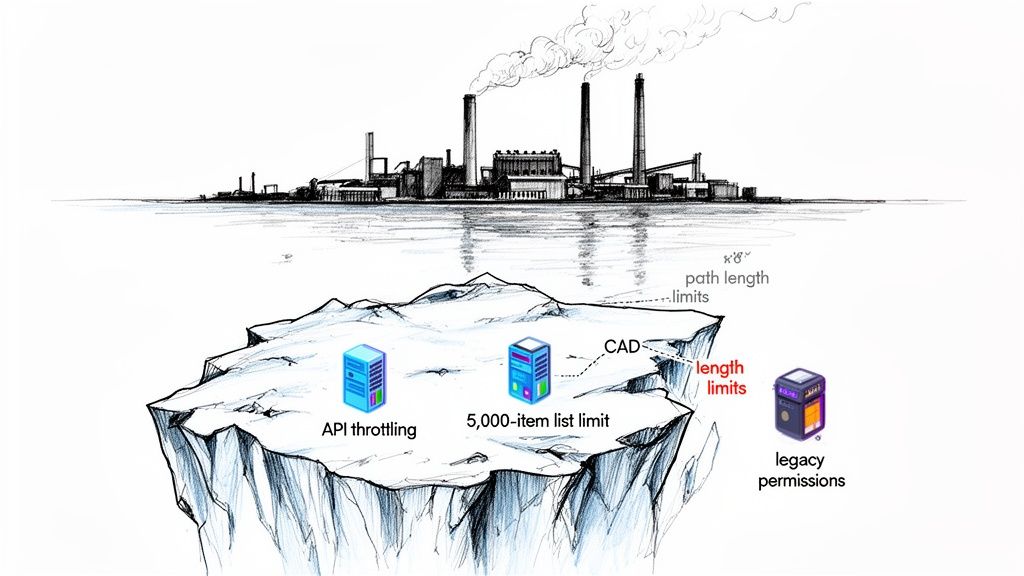
We often get the call after a company’s internal team has failed, brought down by technical icebergs their generic consultants swore weren't a problem. The checklists you've downloaded won't warn you about what's waiting below the surface.
The Real-World Failure Points
Your team is underestimating the brutal impact of technical limits that are mere footnotes in standard documentation. In a manufacturing environment, these aren't edge cases; they are guaranteed project killers.
- API Throttling: Microsoft will slam the brakes on your data transfer to protect their service. The documentation says this is manageable; the reality is that standard tools handle this badly, leading to constant timeouts and failures, especially when you’re pushing terabytes of critical engineering files overnight.
- The 5,000-Item List View Threshold: This isn’t a suggestion; it's a hard limit inherited from SQL Server. Your Bill of Materials (BOM) or Quality Management System (QMS) lists will smash through this, breaking the very views and integrations your production teams depend on every minute of the day.
- File Path Limits: The nested folders on your engineering file server, organically grown over 20 years, will inevitably violate SharePoint’s 400-character path limit. The ugly result? Thousands of files simply fail to migrate, vanishing without a clear error report.
The documentation says you can use the free SharePoint Migration Tool (SPMT). The reality is that for any serious manufacturing data volume, SPMT will choke on throttling, fail completely on large files, and offers zero help to fix the tangled, broken permissions you are guaranteed to uncover.
Standard Tools vs. Manufacturing Reality
The disconnect between what standard migration tools promise and how they perform under the stress of manufacturing data is where most projects fall apart. We've seen it time and again. Here’s a more realistic comparison based on what we see in the trenches.
This isn’t just about making tools work; it's about re-architecting your data for a new environment while keeping the factory running. This is the risk you are trying to mitigate.
This isn't merely an inconvenience. For businesses in Ireland and the UK, over 75% of mid-size manufacturers still on SharePoint 2016 are now flying blind, well past Microsoft's mainstream support end date of July 13, 2021. Missing this step doesn't just fail the migration; it breaks legal compliance. Microsoft's own documentation warns that these unsupported systems lack the security updates needed to protect sensitive IP.
To steer clear of these pitfalls, you need more than a generic plan. While some firms offer broad IT services for migration projects, true risk reduction comes from partnering with specialists who have seen these failures and know precisely how to prevent them. The stakes are too high to learn these lessons the hard way.
The Discovery Phase Your Consultants Will Skip
Most discovery phases are box-ticking exercises. A typical consultant runs a generic script, spits out a glossy report full of useless vanity metrics, and calls it a day. We see it differently—it’s a forensic investigation. Why? Because we’re the ones called in to clean up the operational chaos when critical, manufacturing-specific dependencies are inevitably missed.
A superficial audit doesn’t just delay your project; it guarantees data loss and production downtime.
Your first question should never be, "What data do we have?" It must be, "What will shatter when we move it?" This isn't just a best practice; for a manufacturing firm, it's the bare minimum for survival.
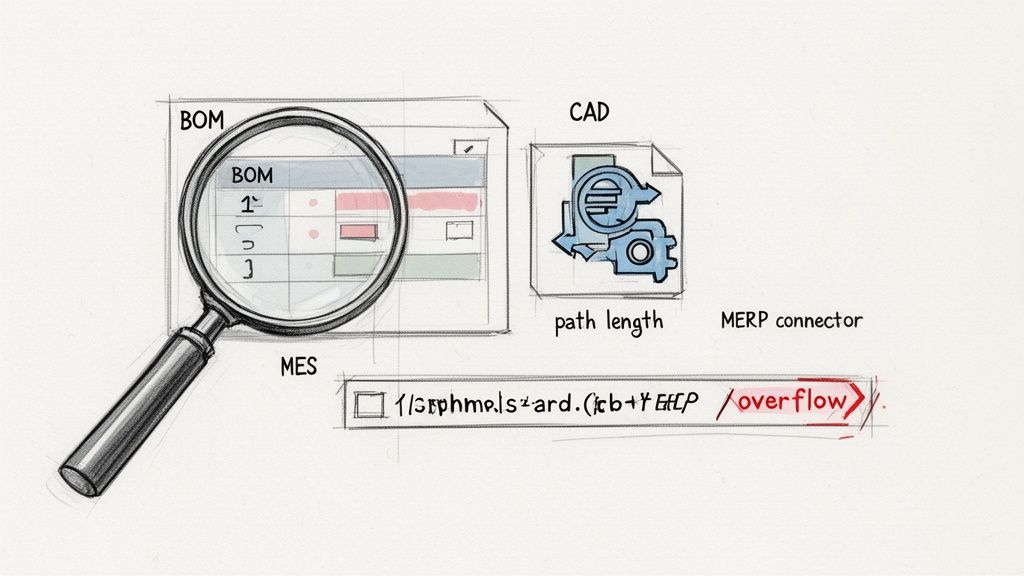
Time and again, we see projects fail because the initial audit was a shallow scan that completely missed the landmines buried in your legacy systems. It's in that failure to dig deep where the seeds of disaster are truly sown.
Beyond File Counts to Failure Point Analysis
A standard discovery might tell you that you have 10TB of data. A proper forensic discovery tells you that 3TB of that data consists of CAD files with deeply nested external references (XRefs) that will break upon migration, corrupting your master designs.
It also reveals that your bill-of-materials (BOM) database, currently a SharePoint list, has 78,000 items. This guarantees it will become unusable the second it hits SharePoint Online's infamous 5,000-item list view threshold.
This isn’t about just counting files. It’s about running targeted analyses to find the exact breaking points unique to your operation. Our non-negotiable discovery steps always include:
- Deep File Type Analysis: We don't just count DOCX and PDF files. We run scripts to specifically identify and catalogue large-format manufacturing files—CAD, CAM, schematics—and map their interdependencies. This allows us to plan a specific, careful migration strategy just for them.
- System Integration Mapping: We trace every single connection from your Manufacturing Execution Systems (MES) and ERPs back to the SharePoint lists and libraries they rely on. Many of these integrations are undocumented, brittle, and will break silently, halting production.
- Path Length Validation: Before a single file is touched, we run scripts against your source to identify every file path that will exceed Microsoft's character limits. Ignoring this is a surefire way to have thousands of your most critical engineering files simply fail to migrate.
Make no mistake, the documentation from Microsoft confirms these limits are not suggestions; they are hard architectural constraints. Failing to identify these conflicts pre-migration doesn't create a problem to be solved later—it creates an unrecoverable data loss scenario.
Uncovering Hidden Workflow Dependencies
Your Quality Management System (QMS) probably runs on a tangled web of custom SharePoint Designer or Nintex workflows built a decade ago. Standard discovery tools can’t see these. They'll report a simple list of documents, completely blind to the complex approval and compliance processes hardwired to them.
We often talk to clients who were told their workflows would "just need a little tweaking" post-migration. The documentation says X, but in reality, these legacy workflows will shatter completely. They have to be re-architected from the ground up in Power Automate.
Identifying this single requirement during discovery changes the project from a simple data move into a complex business process re-engineering effort. Missing this doesn’t just cause a workflow to fail; it breaks the very compliance framework your ISO certification depends on.
A proper SharePoint migration assessment is not a preliminary step; it is the most critical phase of the entire project. It draws the line between success and catastrophic failure. This isn’t something you delegate to a junior admin with a free tool. It requires architects who know exactly where to look for the hidden dependencies that can bring your entire operation to a standstill.
Architecting for Security, Not Just for Storage
Let’s be blunt: moving your data to SharePoint Online without completely overhauling your security model is architectural negligence. It’s like moving into a brand-new fortress but leaving all the doors unlocked because the keys from your old, crumbling castle still happen to fit.
Your legacy on-premises permissions, with their chaotic mess of nested Active Directory groups and rampant broken inheritance, are a compliance disaster just waiting to happen in the cloud. We see it all the time—clients lift-and-shift this tangled web directly, creating a sprawling, indefensible attack surface.
The goal here isn't to replicate your old file server. It's to build a modern, defensible architecture that will satisfy an ISO 27001 auditor and prevent a catastrophic data leak. For any serious manufacturing SharePoint migration, this is non-negotiable.
From Nested Folders to Secure Hubs
First things first, you have to dismantle the old way of thinking. Those deeply nested folder structures that are so common on-premises? They are poison in SharePoint Online. They actively encourage unique permissions at the individual file level, which quickly spirals into an unmanageable nightmare of broken inheritance.
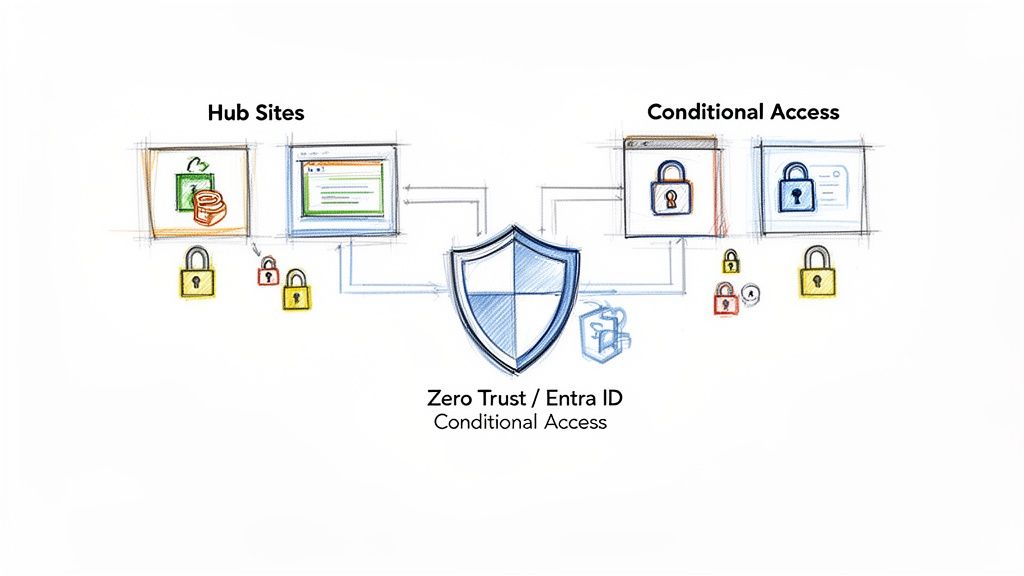
Instead, you need to design a flat architecture using SharePoint Hub Sites. Think of each hub as a logical container aligned with a distinct business function or production line—for instance, "R&D," "Quality Assurance," or "Supply Chain." This structure allows you to enforce security at the container level, not the document level.
- R&D Hub: Access is tightly controlled and limited only to specific engineering and design teams. Simple.
- Shop Floor Operations Hub: Production staff get broader access, but with read-only permissions for critical SOPs and schematics. Safe.
- Finance Hub: This one is extremely restricted, accessible only by a defined M365 security group containing finance personnel. Secure.
This isn’t just about being tidier; it's a fundamentally more secure model that is far easier to audit and manage. Breaking inheritance should be a rare, documented exception, not your standard operating procedure.
The Ollo Verdict: If your migration plan involves lifting and shifting your existing folder permissions, stop immediately. You are not migrating; you are merely relocating a security vulnerability. The architecture must be redesigned from the ground up.
Implementing a Zero-Trust Model with Entra ID
Once your site architecture is clean, the real work begins. Your on-premises Active Directory is a product of a bygone era—a time of network perimeters and firewalls. In the cloud, you must assume a breach is inevitable and operate on a zero-trust principle. This is where Entra ID (what used to be Azure AD) becomes your most critical tool.
This is where many generic IT providers drop the ball. They’ll sync your AD to the cloud and call it a day. That’s not good enough. We enforce security through layers of policy that verify every single access request, no matter where it comes from. This means implementing robust Conditional Access policies.
Take your R&D hub containing sensitive IP, for example:
- Access is granted only to named users within the "Engineering" security group.
- Users must authenticate using Multi-Factor Authentication (MFA), no exceptions.
- Access from unmanaged personal devices is blocked entirely.
- Any attempt to access from outside Ireland is automatically flagged for review.
Missing this step doesn't just put the migration at risk; it breaks legal compliance and exposes your most valuable data. You can find more details in our complete guide on how to approach SharePoint migration security.
The urgency for this architectural shift is growing. IT directors across Ireland are facing a 2026 cliff, with an estimated 68% of UK and Irish factories still on-premises and scrambling to move to SharePoint Online for Copilot integration. However, a staggering 62% of DIY migrations fail due to breaks in customisation and major security oversights. Microsoft's own Migration API documentation confirms hard limits, like capping concurrent jobs at 5,000 to prevent database overload—a ceiling that cripples migrations of large manufacturing datasets. This isn't just about moving files; it's about building a secure, modern foundation that won't collapse under pressure.
Tooling and Tactics The Trenches Taught Us
Let's have a frank discussion about tooling. This isn't just a technical choice; it’s a decision that will define whether your SharePoint migration is a success or a factory-floor disaster. Picking the wrong tool isn't a shortcut—it’s a guaranteed route to data loss, extended downtime, and operational chaos.
We often see clients fail when they try to use Microsoft's free SharePoint Migration Tool (SPMT) for a complex manufacturing environment. On paper, it sounds capable. In reality, it was built for simple file share lifts, not the multi-terabyte, permission-sensitive ecosystem of a modern factory.
Frankly, for this kind of job, it’s a liability.
Where Free Tools Become Expensive Liabilities
The SPMT is perfectly fine for a small marketing department’s files. For your critical engineering data, CAD files, and quality assurance records, it fails in painfully predictable ways. It chokes on large files, offers no meaningful way to fix broken permissions and GUID conflicts, and produces error logs so cryptic they’re useless for real-world troubleshooting.
We’ve written extensively about the specific breaking points of the SharePoint Migration Tool in enterprise scenarios.
The Ollo Verdict: Use SPMT for a single, simple file share under 50GB. For a full-scale manufacturing SharePoint migration, using it is like trying to build a car with a single spanner. You're not just ill-equipped; you're guaranteeing a breakdown.
The data backs this up. While 85% of enterprises in the IE region plan to move to SharePoint Online by 2026, a staggering 40% of these projects derail due to technical roadblocks like large list throttling. Microsoft’s own documentation caps lists at 5,000 items for migration without custom scripting. That's a death sentence for factories with Bill of Materials databases that can easily exceed 200,000 entries.
We've seen migrations grind to a halt because on-access antivirus scanning was hogging CPU cycles during the read phase. Performance guides show these disk bottlenecks can slash migration speeds by 50%. You can learn more by exploring a deeper analysis of SharePoint migration services for 2026.
Graduating to a Professional Toolkit
This is where you must invest in a professional-grade tool. For us, ShareGate is the baseline, but we see it as just one tool in the arsenal. Its strength is its delta migration capability—syncing only the files that have changed since the last run—which is non-negotiable for minimising downtime. It also provides far more robust metadata handling and reporting than SPMT.
But even ShareGate has its breaking points. The documentation says it handles permissions, but in reality, we’ve seen it struggle with extremely complex, broken inheritance or unique identity mapping challenges during a tenant-to-tenant merger. It’s a powerful instrument, but it’s not the entire orchestra.
The Non-Negotiable Role of Custom Scripting
This is where out-of-the-box tools end and true expertise begins. When you hit the inevitable wall—a GUID conflict, a workflow that needs remapping, or thousands of permissions that need to be programmatically reset—you need custom PnP PowerShell scripting. There is no alternative.
Relying solely on a GUI-based tool is planning for failure. We've had to write scripts specifically to:
- Fix Broken Inheritance: It’s common to find entire libraries where permissions are incorrectly applied at a folder level after a migration. A custom script can traverse millions of items and reset permissions back to the parent, a task that would take weeks to do manually.
- Remap User Identities: During a merger, "John.Smith@OldCompany.com" needs to become "JSmith@NewCompany.com" across tens of thousands of files and list items. A script handles this identity transformation reliably and at scale.
A successful enterprise migration always uses a hybrid approach. It's about knowing precisely when to use a tool like ShareGate for its raw speed and when to deploy a surgical PowerShell script to solve a problem the tool simply can't handle.
Execution Cutover and Post-Migration Realities
The cutover weekend is where careers are made or broken. Let me be blunt: any consultant promising a single, seamless "big bang" migration for a complex manufacturing environment is either dangerously inexperienced or flat-out dishonest.
That fantasy approach completely ignores the brutal reality of shop-floor dependencies and the absolute certainty of unforeseen technical failures. The only sane, battle-tested strategy is a phased, pilot-based cutover.
We always, always start with a low-risk, high-visibility department—think HR or Marketing. This isn’t just a test run; it’s a live-fire validation of your tooling, your process, and your team’s ability to handle the inevitable user support tickets that will flood in.
This pilot phase validates everything from permission mapping to performance before you touch a single critical production system. Only after a successful pilot have you earned the right to schedule the main event.
The Battle-Hardened Cutover Checklist
When the go-live weekend finally arrives, your team must operate with surgical precision. This is absolutely not the time for improvisation. It requires a battle-hardened plan that everyone has rehearsed and knows by heart.
Your non-negotiable checklist has to include:
- Final Delta Sync: Your last data synchronisation using a tool like ShareGate must capture every single change made since the last major sync. Kicking this off too late means you miss critical, last-minute file updates from the team working late on a Friday.
- Source System Lock-down: The moment the delta sync begins, your on-premises SharePoint or file servers must be set to read-only. We see clients fail here all the time; a user saves one last document to the old system, and that data is lost forever.
- Robust Rollback Plan: You must have a documented, tested, and timed rollback plan. This includes everything from DNS record reversions to pre-written communication templates. You must have this plan, but you should pray you never have to use it.
The Ollo Verdict: A rollback plan you haven't fully tested is not a plan; it's a hope. We mandate a full dry run of the rollback procedure during the pilot phase. If you can't reverse the pilot migration within your agreed-upon time limit, you are not ready for the full cutover.
This following infographic breaks down the tooling process flow, showing how each tool plays a specific role, from the initial bulk moves right through to handling complex final fixes.

It’s a clear visualisation of why a single tool is never enough. A successful manufacturing migration relies on a hybrid approach, escalating from basic tools to advanced scripting as the complexity inevitably increases.
From Migration Pain to Competitive Advantage
Let’s be clear: the job isn't done when the cutover completes. The two weeks following go-live—what we call the "hypercare" period—are absolutely crucial. Your team must be entirely dedicated to resolving user access problems, tuning search indexing, and addressing the performance complaints that will happen.
But just resolving tickets is the bare minimum. The real goal is to turn this painful migration into a genuine competitive advantage. This is where you move beyond simply storing files and start actually transforming your operations.
- Integrate Teams: Connect your newly organised document libraries directly into the relevant Microsoft Teams channels. Your quality assurance team should be able to access SOPs from within their dedicated Team, not by hunting through a sea of SharePoint sites.
- Automate with the Power Platform: Those shop-floor processes you just digitised are now ripe for automation. We help clients build simple Power Apps for things like incident reporting or inventory checks, all directly connected to the SharePoint lists you just migrated.
- Prepare for Copilot: Your new, clean data architecture is now the perfect foundation for AI. With proper metadata and permissions in place, you can begin using tools like Copilot to analyse production data and surface insights—something that was impossible with your old, chaotic file servers.
This post-migration optimisation is what separates a truly successful project from a mere technical exercise. Adopting essential document management best practices is paramount to ensuring the long-term success, security, and usability of your new SharePoint environment.
You can explore our insights on executing a large-scale SharePoint migration to understand the full scope of this transformation. Ultimately, it's about making the new system an indispensable part of your manufacturing process.
FAQ
We hear the same questions from IT Directors who have the scars to prove that a manufacturing SharePoint migration is not a simple IT project. Here are the blunt, technically aggressive answers to the questions you should be asking.
How Do You Handle Migrating Extremely Large CAD Files Without Constant Timeouts and Throttling?
This is a classic failure point for standard tools, and let’s be clear, Microsoft’s own documentation says throttling is a feature, not a bug. Relying on the SharePoint Migration Tool (SPMT) for this is a guaranteed recipe for failure. It will time out, corrupt files, and leave your engineering data in a fragmented mess.
Our approach is a multi-stage assault on the problem:
- Forensic Inventory: We begin with deep-dive discovery scripts to identify and catalogue every file exceeding 1GB. This isn't just a count; we map their precise locations and understand their dependencies.
- Pre-Migration Culling: Before a single byte is moved, we work directly with your engineering teams to archive obsolete versions. There is simply no sense in moving terabytes of outdated intellectual property to the cloud.
- Strategic Execution: For the migration itself, we use professional tools like ShareGate, but not naively. We schedule large file batches to run during non-peak hours (e.g., 2 AM Dublin time) to deliberately avoid the most aggressive API throttling windows.
- Custom Code for the Unmovable: For the most problematic multi-gigabyte files, we deploy custom PowerShell scripts. These use chunked uploading and intelligent retry logic to methodically push the data through, completely bypassing the timeout errors that cripple out-of-the-box tools.
This isn't a simple file copy; it's a managed, resilient data transfer designed for the unique challenges of manufacturing IP.
Our On-Premise SharePoint Has Dozens of Custom Workflows. Will They Migrate?
No, they absolutely will not, and any consultant who says otherwise is misleading you. SharePoint Designer workflows are deprecated technology and will shatter on impact with SharePoint Online. Nintex workflows face their own specific, expensive, and often problematic migration path.
Let's be perfectly clear: there is no "migrate" option for your legacy workflows. The only path forward is to analyse, triage, and rebuild. Any other strategy is just planning for an operational breakdown post-migration.
Our process treats this as a business re-engineering opportunity, not just a technical task. We document every single workflow during discovery and classify them:
- Retire: Obsolete processes that no longer add value to the business.
- Replace: Functions that can be handled by modern, out-of-the-box SharePoint features.
- Rebuild: Business-critical processes that must be reconstructed from scratch as robust, supportable flows in Power Automate.
This approach ensures you don't just move a problem to the cloud. You eliminate technical debt and build new automated processes that are far more efficient and auditable than the legacy code they replace.
What Is a Realistic Timeline for a 10TB Manufacturing Migration from SharePoint 2016 to SharePoint Online?
A DIY attempt using SPMT, after factoring in the inevitable throttling, remediation work for failed files, and manually fixing permissions, will likely stretch to 6-9 months—assuming it doesn't fail outright. We’ve seen many that do.
With a specialist team like Ollo using a hybrid of ShareGate for the bulk lifting and custom scripts for the complex problem-solving, a realistic timeline is 3-4 months. This is a battle-tested schedule:
- Weeks 1-4: A forensic discovery, planning, and architectural design phase. No corners cut.
- Weeks 5-12: Phased migration waves, rigorous validation with business users, and immediate remediation.
- Weeks 13-14: Final cutover weekend and a dedicated hypercare support period to ensure a smooth transition.
The difference isn't just speed; it's about risk reduction and certainty. Our accelerated timeline comes from surgically avoiding the catastrophic errors and endless rework loops that plague inexperienced teams and bring projects to a grinding halt.
Your manufacturing data is too valuable for a trial-and-error migration. If these scenarios sound painfully familiar, you need a specialist team that treats your data with the seriousness it deserves. Ollo provides the battle-hardened expertise to navigate the technical realities of a high-stakes manufacturing SharePoint migration and deliver a secure, stable, and optimised platform.
Avoid disaster and schedule your migration strategy call with Ollo today.

















