



Most advice about microsoft 365 email security starts with the wrong assumption. It assumes the platform is secure because Microsoft runs it. That's lazy thinking, and it's how regulated organisations end up with breached mailboxes, exposed data, and incident reports nobody wants to write.
Microsoft 365 gives you a powerful security stack. It does not give you a hardened operating model by default. Your team still has to configure policy, control identity sprawl, test mail flow, validate quarantine behaviour, and keep the whole thing working through change, migration, and tenant consolidation. That's where projects fail.
Your 'Secure' M365 Tenant Is a Target
You're not defending a quiet mailbox platform. You're defending one of the most attacked business systems in your estate. Microsoft's own Q1 2026 email threat landscape report says it detected approximately 8.3 billion email-based phishing threats during January to March 2026, with 78% of threats link-based, and reported about 10.7 million business email compromise attacks in the same quarter.
That should kill the most common bad assumption in boardrooms and IT teams alike. “We're on Microsoft 365, so email security is handled.” It isn't handled. It's exposed, constantly tested, and usually under-configured.

Industrialised attacks punish weak configuration
The documentation says layered filtering helps. In reality, attackers don't care what licence you bought. They care whether your tenant has weak impersonation controls, stale admin accounts, permissive mail flow, and users who can click a credential-harvesting link before remediation catches up.
For Irish and European organisations, this gets worse fast. Finance, healthcare, energy, and public-facing regulated teams don't just carry operational risk. They carry reporting, contractual, and legal risk. One badly handled phishing event can turn into a breach investigation.
Security testing matters because assumptions fail silently. If your team hasn't validated your control set against realistic attack paths, you don't have assurance. You have hope.
If you want a reality check beyond vendor dashboards, pair your mail security review with proper penetration test services. That forces the conversation away from licence entitlement and towards actual exposure.
Stop asking if you have security
Ask harder questions.
- Can your tenant detect impersonation predictably
- Can your team remove malicious mail after delivery without chaos
- Can your admins prove policy intent matches tenant behaviour
- Can your identity layer withstand a stolen password event
If the answer to any of those is “probably”, your microsoft 365 email security posture isn't mature. It's unfinished.
The Default Security Illusion
Exchange Online Protection gives you a baseline. A baseline is not a hardened posture. That distinction matters because many teams stop at “enabled” and never move to “defensible”.
Microsoft's own guidance defines Standard and Strict security levels in recommended settings for EOP and Defender for Office 365. That alone tells you the default state isn't the end state. If default protection were enough, Microsoft wouldn't need to publish a harder model.
Default settings favour broad usability, not regulated risk
We often see clients fail when they inherit a tenant with “working email” and assume that means “secure email”. The spam filter is on. Mail is flowing. Users aren't complaining. Meanwhile impersonation tuning is weak, quarantine actions are too soft, and exceptions have piled up because somebody wanted less friction.
That's how the default security illusion survives. Comfort wins over control.
The bigger problem sits outside the mail stack. The same Microsoft guidance sits beside an ugly operational truth from CoreView, cited in that context. 87% of organisations had MFA disabled for some or all admins. If your admins don't have proper MFA coverage, an attacker doesn't need to beat your phishing controls cleanly. They can walk around them through identity compromise.
Identity sprawl breaks email security
Email security teams love arguing about detection rates. Attackers prefer admin accounts, overprivileged roles, stale service identities, and inconsistent Conditional Access. That's because identity sprawl turns every good mail control into a temporary inconvenience.
Use this as a simple test:
| Area | What teams assume | What actually fails |
|---|---|---|
| EOP defaults | “Baseline protection is enough” | Policy posture stays too permissive |
| Admin security | “We'll tighten that later” | Attackers target weak admin identity first |
| Exceptions | “Business needed it” | Exceptions become permanent bypasses |
| Shared mailboxes and legacy auth habits | “Low risk operational items” | They create unmanaged exposure |
Practical rule: If admin identity is weak, your microsoft 365 email security design is weak, even if your anti-phishing policies look tidy on paper.
The quickest way to improve the situation is not more faith in defaults. It's governance. Review roles. Remove stale admin access. Enforce MFA properly. Tighten Conditional Access. Then review mail policy again, because identity and email are part of the same attack path.
If your team needs a grounding document before hardening, use a proper Microsoft 365 security best practices guide. But don't confuse reading the checklist with fixing the tenant. Most failed rollouts die in the gap between documented settings and disciplined enforcement.
Deconstructing the Microsoft Defender Stack
Most tenants treat the Defender stack like a product bundle. Buy the licence, switch on some presets, and assume the platform does the rest. That's not how this works.
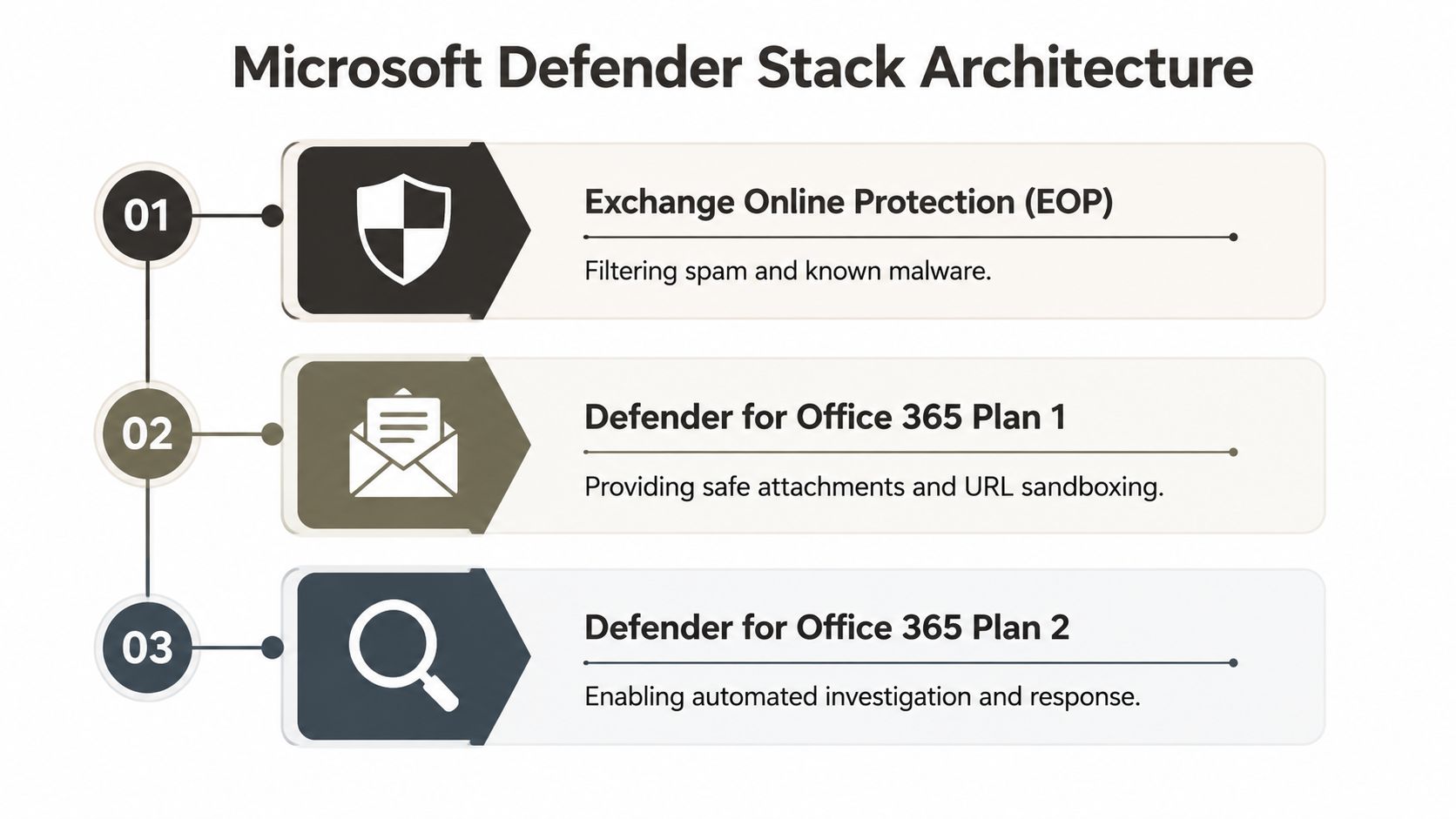
Microsoft 365 email security is a stack of controls with different jobs, different failure modes, and different operational burdens. If your team can't explain what each layer does and where it fails, you're not managing risk. You're renting features.
What each layer actually does
Here's the architect's view.
| Layer | What it's for | Where teams get it wrong |
|---|---|---|
| Exchange Online Protection | Baseline anti-spam, anti-malware, and mail hygiene | They assume baseline equals hardened |
| Defender for Office 365 Plan 1 | Safe Links, Safe Attachments, stronger anti-phishing controls | They enable parts of it and leave policy gaps |
| Defender for Office 365 Plan 2 | Investigation, automation, deeper response capability | They buy it and never operationalise the workflows |
The documentation presents a clean layered model. Reality is messier. Most enterprise incidents don't happen because the stack was absent. They happen because the stack was partially configured, badly tuned, or unsupported by response discipline.
The inbox is not a clean boundary
Microsoft's own Defender for Office 365 performance benchmarking shows Defender removed an average of 70.8% of malicious mail that had already reached the inbox. That single figure should reset how you think about protection.
If most malicious remediation happens after delivery, then your real security posture depends on what happens next. Can your system detonate URLs quickly enough? Can it purge at scale? Can your analysts investigate user-reported mail without delay? Can your team distinguish a nuisance issue from an active phishing campaign?
Blocking matters. Post-delivery control matters more than most teams are willing to admit.
Why layered tools don't save bad operations
We often see clients stack products because they don't trust one control plane. That can help in narrow areas. It can also create confusion, duplicate actions, and false confidence if ownership is unclear.
The wrong operating model looks like this:
- One team owns mail flow and doesn't own identity.
- Another team owns Defender and doesn't own response.
- A third party manages incidents and has no authority to change policy.
- Nobody owns end-to-end validation across delivery, detonation, quarantine, and purge.
That's why Defender Plan 2 only pays off when someone builds and tests the response process. If your analysts don't trust the automation, they'll bypass it. If your incident runbooks are vague, malicious mail will sit in user inboxes while people argue about severity.
For a more detailed technical breakdown of product capabilities versus operational reality, this Microsoft Defender for Office 365 analysis is worth reviewing. The important point is simple. Your team should design for post-delivery remediation as a core function, not a fallback.
Hardening Your Tenant Beyond Default Settings
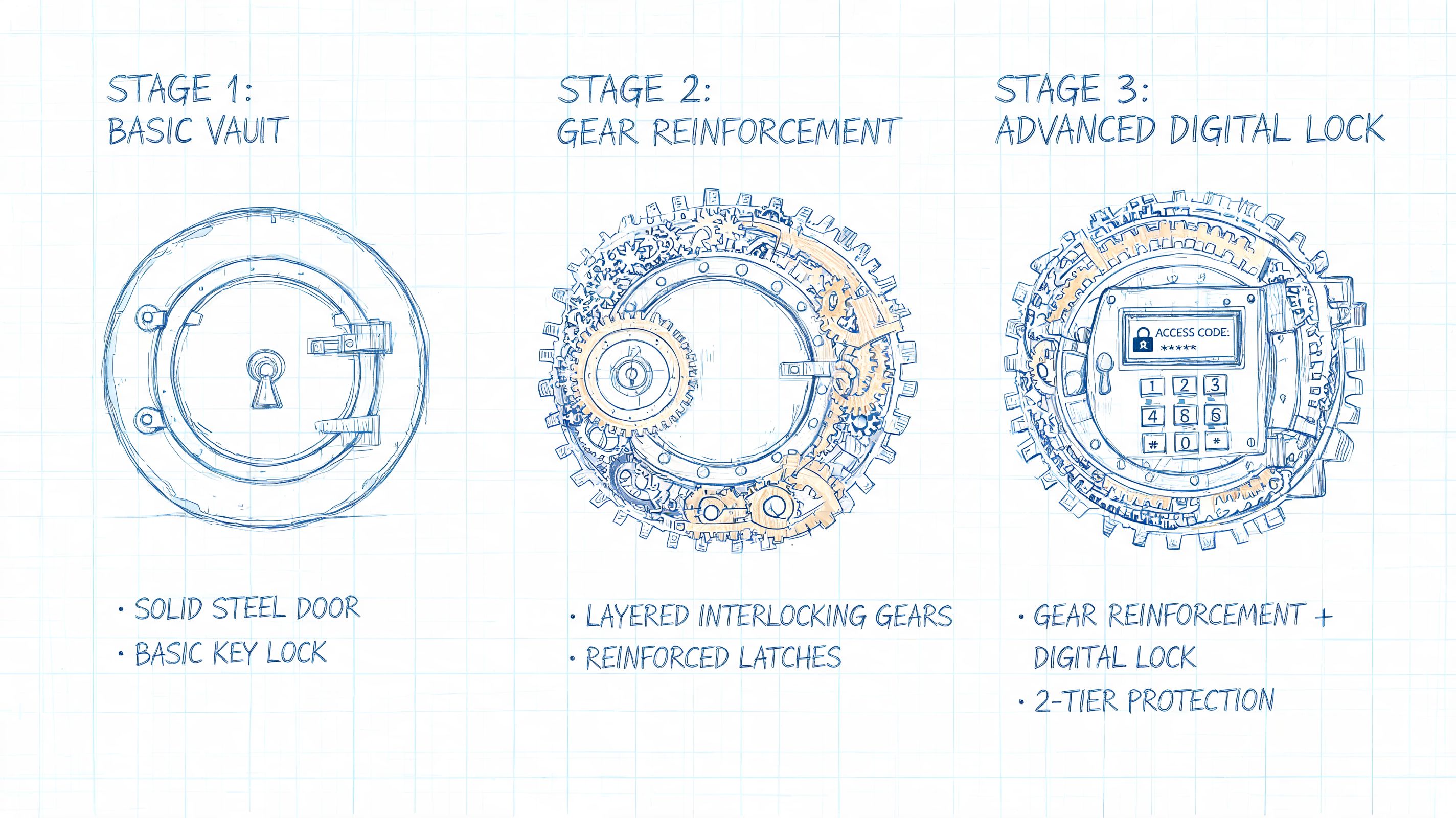
A hardened tenant doesn't rely on polite scoring and user judgement. It enforces policy. That's the shift many organisations never make.
We often inherit tenants where the licences are present, but the hard controls aren't. Safe Links exists, but it isn't tuned properly. Anti-phishing exists, but impersonation coverage is too loose. Quarantine exists, but actions drift because administrators don't want complaints.
Start with deterministic policy
Microsoft's Exchange Online Protection feature guidance is clear on two points that too many teams soften. Spoof-detected mail can map to Quarantine, and DBEB rejects invalid recipients at the service perimeter before later filtering layers run.
That matters because soft handling creates avoidable risk.
- Quarantine spoofed mail: Don't treat obvious sender deception like a minor nuisance.
- Enable DBEB: It cuts off a common directory-enumeration path early.
- Tune anti-phishing aggressively: Especially for high-value users, finance roles, executives, and privileged identities.
- Apply Safe Links with intent: Don't leave obvious blind spots just because a default looked acceptable.
- Review exceptions quarterly: Temporary business exceptions become permanent attack paths.
Operational warning: Under-configured policy doesn't fail loudly. It fails quietly, one delivered phish at a time.
Hardening also means identity control
A mail policy set without identity enforcement is cosmetic. If a compromised account can still operate freely, your filters become a speed bump.
That's why hardened microsoft 365 email security always sits beside Conditional Access, role minimisation, and admin lock-down. If you need a useful external primer, Eagle Point Technology Solutions has a practical roundup of essential O365 security tips that helps frame the broader control picture.
The implementation detail still matters more than the reading list. We use tenant reviews to trace where mail controls and identity controls disconnect. That usually exposes the underlying issue faster than another policy export.
Before you let any team “tidy up” your tenant, make sure they understand Conditional Access policies in Microsoft 365. Most projects fail because people treat access policy and mail policy as separate workstreams when attackers treat them as one route.
A useful technical walkthrough sits below, but don't mistake a video for a deployment plan.
What hardening looks like in practice
The teams that do this well behave differently.
| Weak posture | Hardened posture |
|---|---|
| Users decide too much | Policies decide first |
| Spoofing handled inconsistently | High-risk spoofing goes to quarantine |
| Invalid recipients accepted into processing | DBEB rejects them at the perimeter |
| Exceptions accumulate with no review | Exceptions are documented, owned, and removed |
That isn't glamorous work. It's controlled administration. It's also where most avoidable exposure lives.
The Compliance Minefield for Regulated Data
Encryption discussions go wrong because people collapse three different controls into one word. “We need encrypted email.” Fine. Which model, for which recipients, under which operational constraints?
Microsoft documents three distinct paths in its email encryption guidance: Microsoft 365 Message Encryption, IRM, and S/MIME. On paper, that sounds straightforward. In live regulated environments, it rarely is.
The war story nobody wants to repeat
We often see clients fail when they choose S/MIME as a universal standard because it sounds like the most rigorous option. The documentation makes certificate-based security look attractive. Reality is uglier. External recipient populations are messy, key distribution is inconsistent, renewals get missed, and recovery becomes a support problem nobody budgeted for.
That's how a security project turns into a compliance failure. Staff can't reliably send protected messages to third parties. External recipients can't open what they receive. Business teams invent workarounds. Sensitive information starts moving outside approved channels because the approved channel stopped being usable.
Strong cryptography with broken operations is still broken security.
Pick the model your organisation can actually run
For most regulated exchange patterns, Microsoft 365 Message Encryption is the saner operational choice because recipients don't need a Microsoft 365 subscription to read or reply. That matters when you deal with patients, clients, suppliers, external counsel, brokers, contractors, or partner organisations with uneven technical maturity.
Use this decision logic:
- Use OME when you need policy-driven protection across mixed external recipients.
- Use IRM when rights restriction and document behaviour control matter inside managed workflows.
- Use S/MIME only when you can govern certificate distribution, renewal, custody, and support with discipline.
If your compliance teams are also mapping broader healthcare obligations, this background piece on implementing HIPAA compliant infrastructure is useful context for how technical controls tie back to regulated operating requirements.
Compliance fails in the operational gap
At-rest encryption in Microsoft 365 matters, but it does not solve message handling risk on its own. The core design problem is selecting the right message-level control and making sure people can use it without bypassing policy.
That's where DLP and email encryption must line up. If one team defines the rule and another team deploys the mail experience without testing recipient reality, you get false assurance. A proper data loss prevention strategy closes that gap by binding classification, transport behaviour, and user workflow together.
Missing that step doesn't just frustrate users. It breaks legal compliance.
Why Tenant Migrations Create Security Nightmares
A tenant migration is where microsoft 365 email security gets exposed as an operational discipline, not a feature set. Most project plans obsess over mailbox content and cutover timing. Then security breaks because the controls around the mailbox were never migrated properly.
That's when we get called in. Usually after the project team says the move is “complete”.
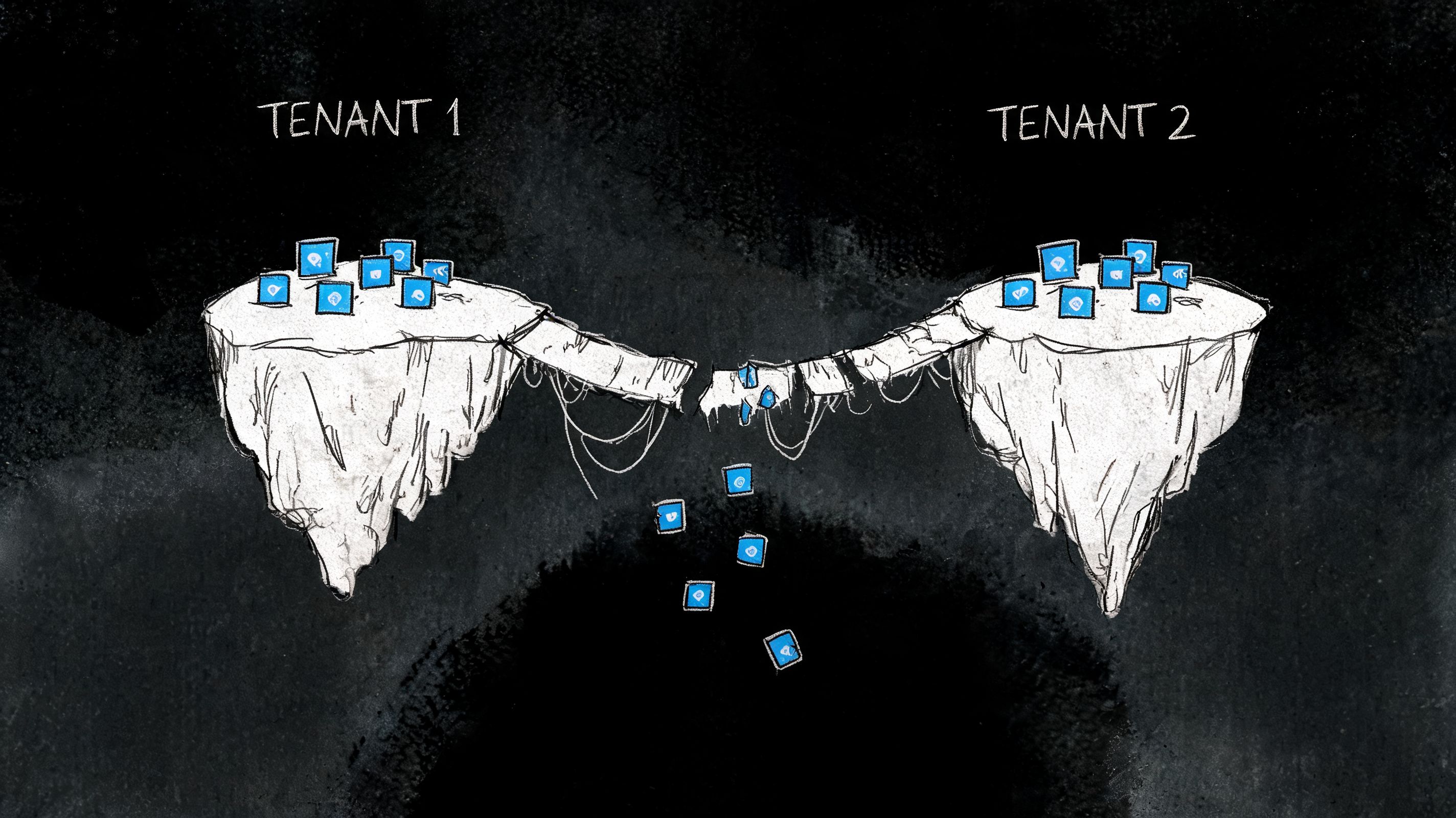
The migration succeeded. The security posture didn't.
The common failure pattern looks like this:
- Mailboxes move, but anti-phishing and spoof policies don't match the source tenant.
- Transport rules get rebuilt badly, so enforcement changes without anyone noticing.
- Outbound authentication alignment breaks, and legitimate mail starts landing in junk or getting challenged by recipients.
- Quarantine workflows change, but the service desk has no tested process for the new tenant.
- Privileged access gets recreated loosely, because the migration deadline mattered more than governance.
The documentation for migration tooling talks about moving data. It rarely saves you from policy drift. That's why basic migration thinking is so dangerous. Your data can arrive intact while your security maturity gets reset.
Tools help with content, not with architecture
SPMT and ShareGate both have their place. Use them with your eyes open. They are useful for moving content. They are not a substitute for security architecture, policy mapping, identity redesign, or post-cutover validation.
We often see clients fail when they assume the migration tool covers the security fabric. It doesn't. It won't preserve the intent behind your tenant design unless someone explicitly models and rebuilds that intent.
If you're planning a wider cloud transition, Refact has a sensible perspective on how to modernize your digital platform. Just don't confuse platform modernisation with mail security preservation. They overlap, but they aren't the same job.
The Ollo Verdict: Use migration tools for content movement. For policy parity, identity hardening, mail flow assurance, and security control validation, you need architectural oversight and custom execution.
A failed migration doesn't just create downtime. It reopens attack paths you already paid to close.
The Ollo Verdict Why DIY Is a High-Stakes Gamble
By this point, the pattern should be obvious. The risk in microsoft 365 email security rarely comes from missing features. It comes from weak implementation, policy drift, identity sprawl, poor post-delivery operations, and migrations that strip away hard-won controls.
DIY teams usually know enough to be dangerous. They can enable Defender. They can turn on a preset. They can move a mailbox. What they often can't do under pressure is design the control plane, validate the interactions, and keep compliance intact while the environment changes.
What DIY gets wrong
DIY approaches usually break in one of four places:
| Failure point | What the team says | What actually happens |
|---|---|---|
| Defaults | “We'll harden later” | Later never comes |
| Identity | “Admin clean-up is separate” | Attackers use identity to bypass mail controls |
| Response | “Defender will catch it” | Malicious mail lands and nobody owns remediation discipline |
| Migration | “The tool moved everything” | Security settings, logic, and enforcement drift |
That's why I'm sceptical of “we'll manage it in-house” unless the team has done this repeatedly in regulated environments and has the authority to enforce change. Most don't. They're already stretched, they inherit old decisions, and they're expected to avoid disruption while tightening policy. That combination produces compromise-by-exception every time.
The safe decision is the one that reduces operational risk
Specialist execution matters here. A focused partner should review identity and mail together, map the tenant against real attack paths, harden deterministic controls, and validate the response model before the next incident tests it. That's the only context where it makes sense to mention a service provider directly. Ollo works on Microsoft 365 migrations, Defender for Office 365 hardening, and Entra ID security redesign for complex tenants where failure carries regulatory and operational consequences.
You don't need another generic Microsoft 365 project. You need fewer assumptions, tighter control, and somebody who's seen how these rollouts fail in actual deployments.
If your team is carrying regulated mail, planning a tenant migration, or trying to clean up a half-configured Defender deployment, talk to Ollo. We help organisations reduce the risk of getting microsoft 365 email security wrong when the cost of failure is far higher than the cost of doing it properly.

















