



The worst advice in Microsoft 365 security is still the most common: just enable MFA and move on.
That advice gets tenants locked, service accounts broken, executives stranded on travel days, and migration programmes delayed by authentication conflicts no one mentioned in the glossy setup guide. microsoft 365 multi factor authentication setup isn't a switch. It's an access control redesign with political fallout attached.
If your team treats MFA as a checkbox, you'll get the checkbox result. Partial enrolment. Confused users. Legacy authentication left alive. A false sense of safety. Then someone discovers the problem during an audit, an outage, or a tenant-to-tenant migration when ShareGate starts choking on authenticated sessions and throttling.
MFA Is Not a Project It Is a Minefield
The security argument for MFA is obvious. Microsoft's own numbers say over 99.9% of compromised user accounts do not use MFA and that properly configured MFA blocks the vast majority of attacks, as shown in Microsoft's customer multifactor authentication statistics. The problem isn't whether MFA matters. The problem is that most tenants don't implement it properly.
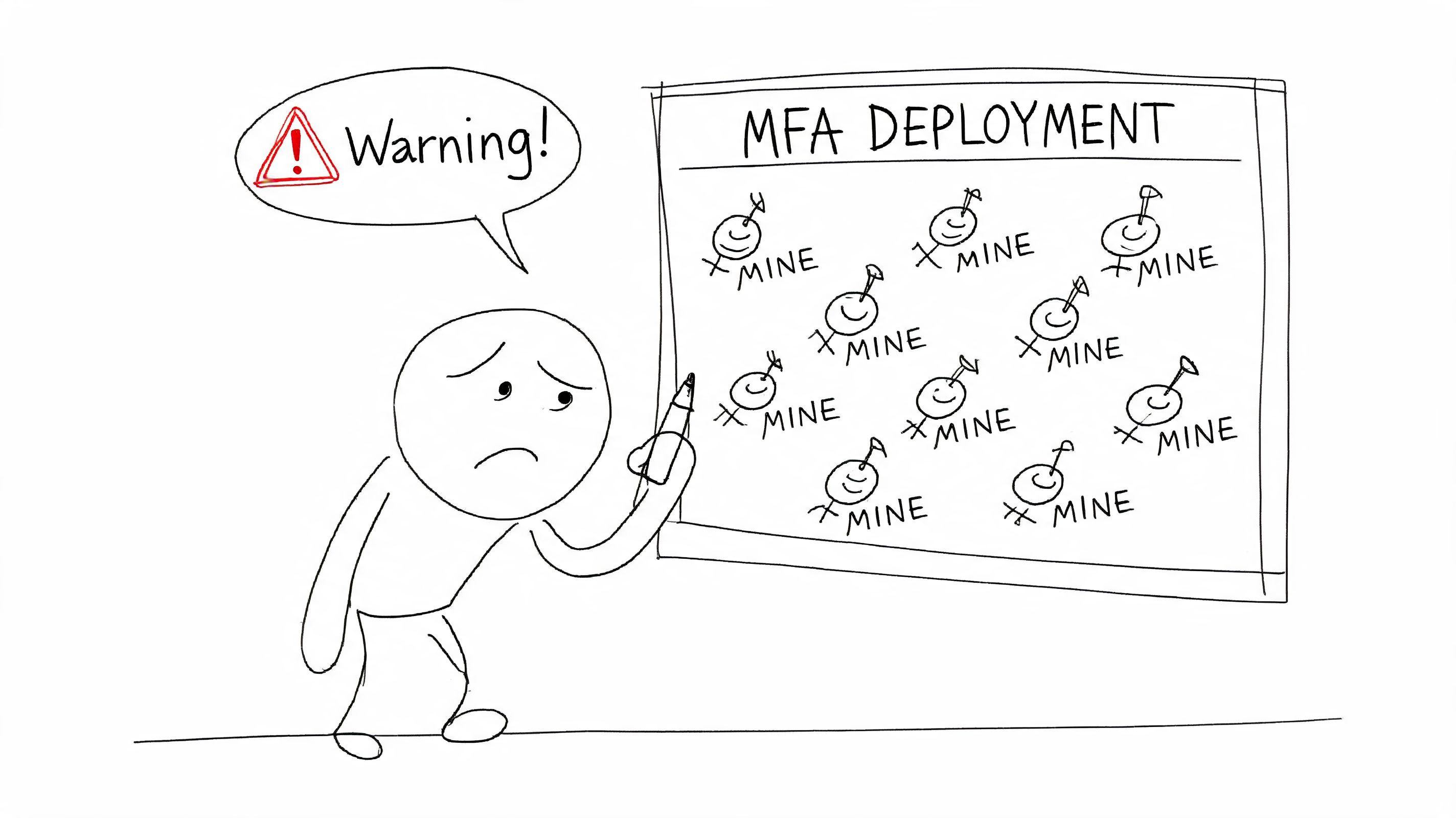
I've lost count of how many environments look "protected" in a steering meeting and fall apart during enforcement. The documentation makes the path sound clean. Enable security defaults. Prompt users. Done. In reality, your tenant contains exceptions, old apps, stale accounts, VIP users, mobile device edge cases, and line-of-business tools that no one wants to discuss until logins start failing.
The real problem is organisational, not just technical
MFA changes who can get in, how they get in, and what happens when they can't. That's not just identity engineering. That's operations, compliance, service desk capacity, executive tolerance, and board-level risk.
A lot of teams learn this too late. They assume a successful rollout means users see an MFA prompt. It doesn't. A successful rollout means users can still work, administrators can still recover the tenant, audit teams can prove policy intent, and security teams can explain why one class of account was excluded and another wasn't.
Practical rule: If your MFA rollout plan doesn't include emergency access, legacy authentication review, service account handling, and rollback logic, you don't have a rollout plan. You have a lockout plan.
This applies outside Microsoft 365 too. If you want a simple non-Microsoft explanation to use with business stakeholders, Splash Access has a decent primer on MFA for secure Wi-Fi access. The principle is the same. Extra verification reduces risk. The implementation details decide whether the control is effective.
Why sceptical IT directors are right to be wary
Your caution is justified. MFA projects fail in boring ways. Nobody checks what still uses legacy authentication. Nobody defines break-glass accounts properly. Nobody tests from unmanaged devices. Then the first incident lands in production, not in pilot.
The ugly truth is this. Most failed MFA rollouts don't fail because Microsoft lacks features. They fail because teams trust default settings, skip tenant archaeology, and assume user registration equals actual protection.
The Planning Fallacy Why MFA Fails Before You Click Enable
MFA rollouts usually fail in the spreadsheet, not the admin portal.
The meeting goes the same way every time. Someone picks a date, someone says registration will sort itself out, and nobody wants to be the person who asks which service accounts, shared mailboxes, admin identities, scripts, mobile workers, and third-party apps will break first. That is how you turn a security control into an outage with executive visibility.
The political mistake is worse than the technical one. Security says "reduce risk." IT operations hears "own the fallout." Business leaders assume the change is routine because Microsoft markets it that way. It isn't routine. It changes how people authenticate, how admins recover access, and how exceptions get justified under pressure. If you do not settle those arguments before rollout, you will settle them during a lockout.
Security Defaults versus Conditional Access is a risk decision
Microsoft presents these options like product packaging. Treat them like risk models.
| Option | What it gives you | What it will punish later |
|---|---|---|
| Security Defaults | Fast baseline coverage | No serious control over exclusions, sequencing, admin edge cases, or awkward business dependencies |
| Conditional Access | Policy control that matches a real tenant | Extra design work, testing overhead, and nowhere to hide bad identity hygiene |
The gap between "registered" and "fully protected" is where MFA programmes go to die. Microsoft has repeatedly shown that many users who register authentication methods still do not complete MFA challenges in live sign-in flows. In its Entra ID security operations guidance and reporting, Microsoft makes the distinction clear. Registration status is not proof of enforcement, and enforcement is not proof that every sign-in path is covered.
That matters because leadership will look at a dashboard and assume the problem is solved. It isn't. A user with a phone number on file is not the same as a user forced through MFA on the applications and conditions that matter. A tenant with a policy object is not the same as a tenant with protected admin access, clean exclusions, and no forgotten legacy path back in.
If your team needs the identity fundamentals straight before touching policy, read Ollo's guide to Microsoft Entra ID architecture and terminology.
Run a pre-mortem before you touch production
Start by listing the ways this rollout could get you fired. Then design around them.
- Emergency access accounts: Build them first. Store credentials securely, exclude them from normal user policies, test them, and log every check. If those accounts are theoretical, your recovery plan is fiction.
- Legacy authentication and non-interactive sign-ins: Find every dependency before enforcement. Old finance apps, printer scan workflows, line-of-business tools, and forgotten scripts will not warn you politely.
- Privileged access: Split admin identities from day-to-day user accounts. Global admins should not read email, browse the web, and approve MFA prompts on the same identity that can change tenant-wide policy.
- Method quality: Review what users registered, not just whether they registered something. Weak or inaccessible methods create helpdesk floods and bad executive escalations.
- Exception ownership: Name the person who owns every exclusion. "Temporary" exceptions become permanent attack paths unless someone is accountable for removing them.
One sentence should sit at the top of your plan. Which sign-in paths must survive, which must be blocked, and who signs off on each exception?
That question exposes the underlying work. MFA does not fail because the wizard is confusing. It fails because nobody wants to document the ugly parts of the estate until the ugly parts start breaking.
Ollo Verdict
Use Security Defaults only if the tenant is small, simple, and politically quiet. For any enterprise tenant, any regulated environment, or any business with legacy baggage, build the rollout around Conditional Access and tenant archaeology. Anything less is not a serious microsoft 365 multi factor authentication setup.
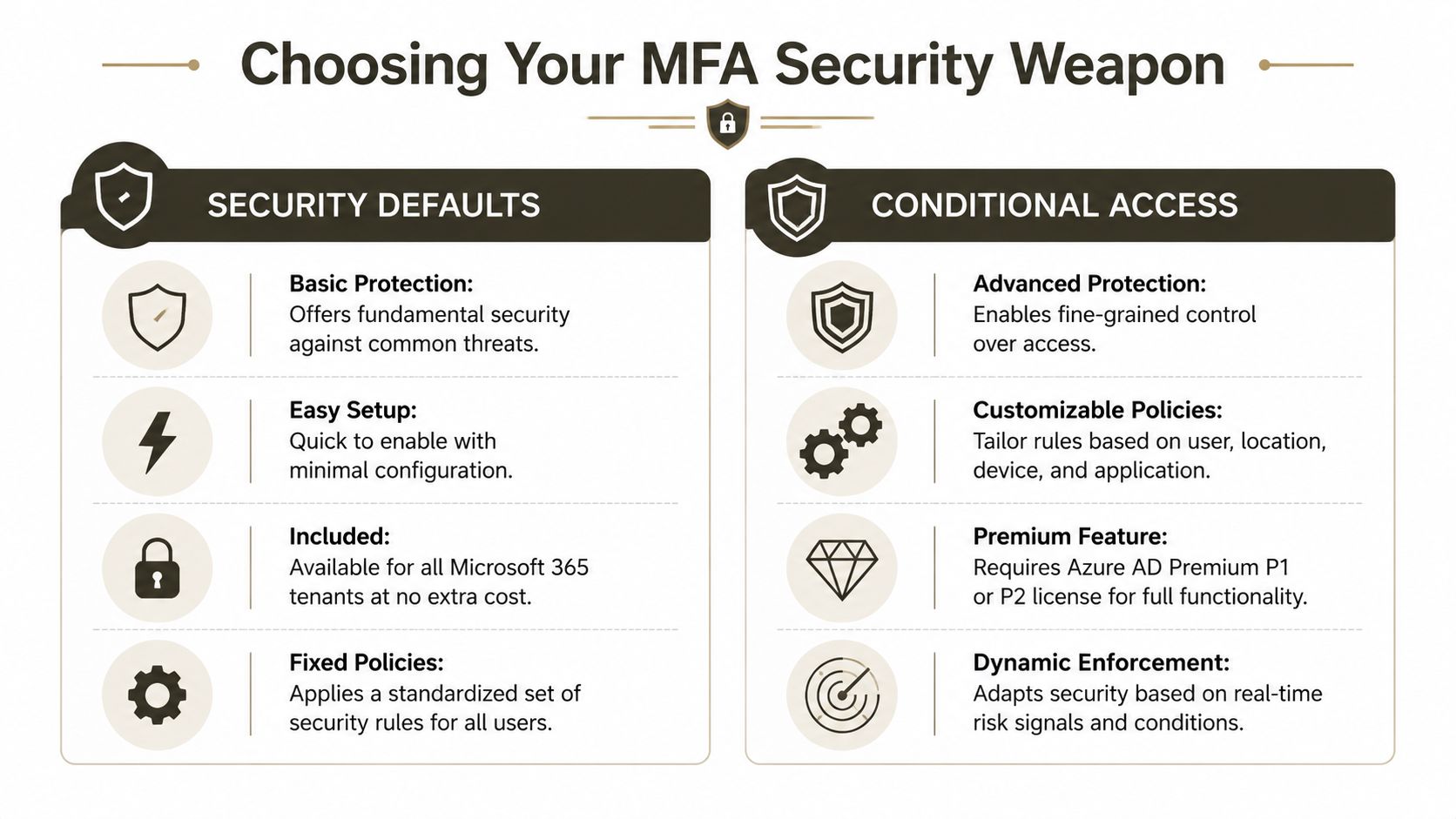
Security Defaults vs Conditional Access Choosing Your Weapon
Microsoft's documentation frames this choice like a convenience decision. It isn't. It's the difference between broad-brush protection and policy engineering.
As of 2024, Microsoft began enforcing mandatory MFA for all Entra tenants, yet 62% of small and mid-sized organisations still skip MFA entirely, often because the work becomes harder once they move beyond basic defaults, according to the Systems Engineering summary of MFA urgency statistics. That's exactly why Security Defaults is dangerous. It gives hesitant teams a comforting first step and then lets them stop there.
Security Defaults works until your tenant becomes real
Security Defaults has a place. That place is narrow. It suits simple estates where everyone works the same way, no fragile legacy tooling exists, and no one expects nuanced control. That's not most enterprise tenants.
The moment your environment includes regulated workloads, privileged administration, external access patterns, or service dependencies, Security Defaults becomes a blunt instrument. You can't shape enforcement with enough precision. You can't manage risk by user class. You can't handle exceptions cleanly. You can't treat executives, contractors, admins, automation, and legacy tooling as if they all belong in the same basket.
Conditional Access is the professional tool
Conditional Access lets you design policy around actual risk. That's the whole point. You can separate admin enforcement from user enforcement. You can block legacy authentication deliberately. You can stage policies in report-only mode. You can align device compliance, application scope, session behaviour, and sign-in conditions.
That doesn't make it easy. It makes it usable.
A sound pattern usually includes these layers:
Privileged accounts first
Start with administrator roles. If you don't secure administrative access early, everything else is theatre.General user policy next
Group users by reality, not org chart. Frontline users, contractors, remote staff, and shared-device populations don't behave the same way.Legacy auth blocking as its own decision
Don't bury this inside a generic "all users" policy. It deserves separate testing because it breaks old software fast.Service and automation review outside the user model
Service principals and unattended processes need their own treatment. Forcing human MFA logic onto non-human identities is how overnight jobs fail.
If your team needs a less vendor-sanitised explanation of policy design, Ollo's guide to Conditional Access policies in Microsoft 365 is a better starting point than the default wizard.
Security Defaults is a starter lock on a side door. Conditional Access is an access control system.
Ollo Verdict
For any serious tenant, use Conditional Access. Security Defaults in an enterprise isn't prudence. It's underinvestment dressed up as best practice.
Designing Bulletproof Conditional Access Policies
Most Conditional Access failures aren't technical impossibilities. They're architecture mistakes dressed as rollout issues.
The pattern is predictable. A team starts with per-user MFA because it existed first. Later they add Security Defaults because it feels safer. Then they move to Conditional Access because they need control. Now they have overlapping logic, confused prompts, and users who can't explain why one app challenges and another doesn't.
The policy mess usually starts with exclusions
Microsoft Learn confirms that exclusion logic must be applied individually to each Conditional Access policy, in its guide to setting up multifactor authentication. That's one of those details that sounds harmless until you manage it at scale.
If you build policy around endless exclusions, you've already lost control of the design. Exclusions should be rare, explicit, and documented. When they become the operating model, your tenant turns into a spreadsheet game where nobody trusts the outcome.
We often see clients fail when they migrate from per-user MFA without decommissioning it first. The documentation tells you how to create new policies. It doesn't properly warn you how ugly the overlap becomes in production. Users hit conflicting prompts. Admins start "temporarily" disabling things. Temporary becomes permanent. Then someone has to remediate the whole tenant.
A sane policy structure
Don't build one giant policy and hope for the best. Split intent clearly.
Admin access policy
Cover privileged roles separately. Test every admin path, including portal access, PowerShell workflows, and recovery scenarios.User access policy
Target standard users with controlled scope and staged deployment. Don't tie all applications into the first pass unless you enjoy support queues.Legacy authentication block policy
Keep this distinct. Breaking old protocols might be exactly what you need, but you need to know what you're breaking.Migration and tooling exceptions
Treat migration tools, provisioning workflows, and tenant consolidation tasks as change windows with governance, not as hidden one-off hacks.
If your estate also depends on device trust, app protection, and endpoint posture, this has to line up with your Microsoft Intune setup guide. Identity policy without device policy usually creates a gap attackers and auditors both notice.
Field note: The cleanest Conditional Access design is the one where you can explain every policy, every exclusion, and every account class without opening five browser tabs and a panic spreadsheet.
The Authenticator trap nobody budgets for
The user side looks simple until it isn't. Microsoft recommends the Authenticator app as the default method, which is sensible. The rollout pain comes from fallback design and support reality.
When teams skip backup methods, the first phone reset becomes a production incident. When they leave users to self-register without guardrails, they get weak method sprawl and support confusion. When they mix old and new registration approaches, they create a user journey that even experienced admins struggle to explain.
For teams building internal capability before rollout, decent Azure Security Technologies practice tests can help engineers pressure-test their understanding. That's more useful than memorising the wizard screens.
A short walkthrough helps if your stakeholders need visuals before sign-off.
Ollo Verdict
Build fewer, cleaner, purpose-built policies. Kill per-user MFA before moving to Conditional Access. Keep exclusions rare. Separate admins, users, legacy auth, and project-specific exceptions. If your design relies on constant manual exclusions, it isn't bulletproof. It's brittle.
The Rollout Minefield Piloting and Bulk Enrolment
A bad rollout can wreck a good policy design in a week.
The fastest way to fail is the "everyone on Monday" plan. It looks decisive in a meeting. It looks catastrophic in the service desk queue. MFA changes user behaviour, so you need proof that registration, challenge flows, recovery paths, and support scripts work under pressure.
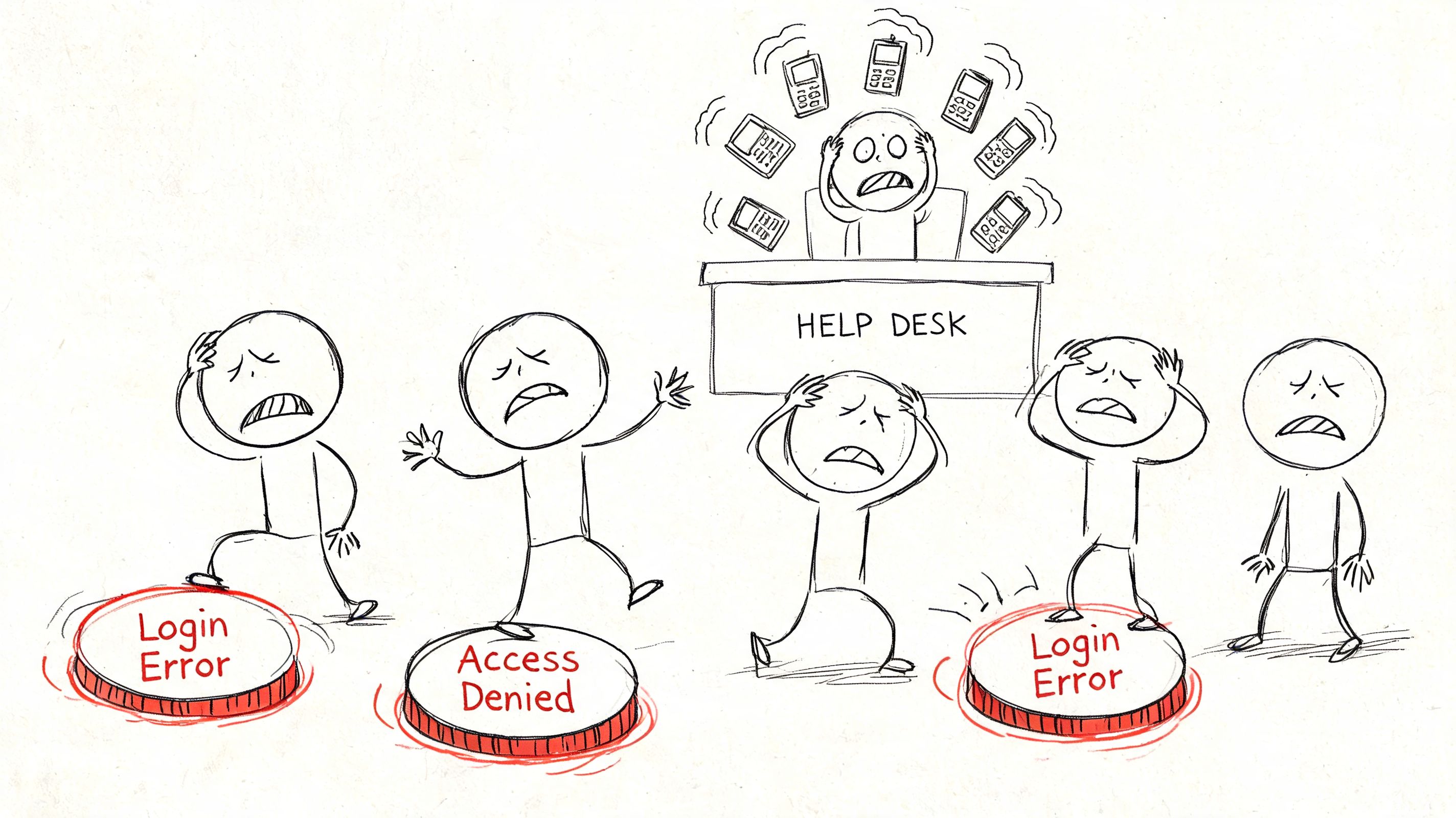
Pilot the people who will complain loudly and use systems strangely
Don't pick only friendly IT staff. That gives you false confidence. Your pilot needs a mix of privileged users, sceptical managers, remote workers, mobile-heavy staff, and people who still use awkward apps no one wanted to admit existed.
Test real scenarios:
- Lost phone on a travel day
- New handset with Authenticator missing
- Shared workstation access
- Device swap during a live approval process
- Access from an unmanaged personal device
- Support desk recovery after backup method failure
If you skip this and jump to broad deployment, you'll learn in public.
Bulk enrolment hits limits faster than teams expect
DIY teams also underestimate bulk operations. The scripts look fine in a lab. Production introduces API throttling, timing issues, and sequence problems between registration, enforcement, and user communication. Microsoft Learn confirms throttling risks in bulk scenarios and related tooling contexts. That's why rollout timing matters.
The same mindset matters if MFA sits alongside wider migration work. If your tenant is already under strain from large-scale provisioning, ShareGate jobs, or cross-tenant auth handling, your rollout can collide with other programmes and cause avoidable failures.
Monitoring isn't optional after go-live. It's how you detect policy misses, identify repeated lockouts, and spot users who still aren't authenticating the way the dashboard claims they are.
That is where proper test planning earns its keep. If your team doesn't already run structured validation, Ollo's guide on types of testing is worth using as a governance sanity check before deployment.
The Authenticator app isn't the problem. Your fallback design is
In regulated environments, 12% to 18% of users experience an Authenticator app failure within 90 days of deployment, and DIY setups that don't enforce backup methods drive a 40% to 60% increase in support ticket volume, based on Microsoft's setup guidance and the deployment patterns cited in this Microsoft support article on setting up Microsoft 365 sign-in for MFA.
That aligns with what experienced teams see in practice. Phones get replaced. Apps get removed. Notifications get missed. Users enrol one method and assume they're done. Then they can't work.
A competent rollout does three things:
Forces backup method registration early
Not later. Not "if needed". During onboarding.Audits sign-in and registration quality continuously
Don't trust a one-time registration event. Validate usage patterns.Equips the service desk before enforcement
Your support team needs recovery runbooks, identity verification procedures, and clear escalation paths.
Ollo Verdict
Pilot first. Roll out in waves. Enforce backup methods. Watch the logs like a hawk. If your plan assumes users will register correctly without supervision and recover cleanly without support, your plan belongs in a lab, not in production.
Your Only Safe Path Forward
The pattern across failed MFA deployments is boringly consistent. Teams under-scope planning. They choose the wrong control model. They build messy policies. Then they push too many users through too quickly and act shocked when access incidents multiply.
That isn't bad luck. It's what happens when identity work gets treated as admin housekeeping instead of business risk management.
The cost of failure isn't just security
A poor microsoft 365 multi factor authentication setup doesn't merely weaken protection. It breaks operations. It traps administrators. It frustrates executives. It leaves audit trails full of contradictory controls. In regulated sectors, that creates compliance problems long before it creates a headline breach.
It also damages adjacent projects. In tenant-to-tenant migrations, source tenant MFA can block ShareGate exports due to API throttling, and cross-tenant authentication failures can leave large datasets stranded mid-migration, as discussed in this Microsoft Learn community discussion on MFA configuration. That's the kind of dependency vendor documentation rarely foregrounds. It matters a lot when your migration window is fixed and your rollback options are ugly.
Your decision is governance, not tooling
If you're an IT Director or Enterprise Architect, this isn't really a choice between setup methods. It's a choice between controlled risk and unmanaged risk.
A rational decision process looks like this:
Treat MFA as an identity change programme
Not a settings exercise.Assume hidden dependencies exist
Because they do.Require proof before broad enforcement
Pilot outcomes beat optimistic status reports.Connect MFA to wider security controls
Device management, privileged access, migration sequencing, and monitoring all need to line up.Pressure-test recovery
If the service desk can't recover users quickly and safely, the control isn't production-ready.
Your security team should also be thinking offensively. Identity controls need validation, not trust. That's where independent review matters. If you're already reviewing exposure around privileged access and cloud controls, Ollo's page on penetration test services is a sensible companion read.
Good MFA design reduces risk. Bad MFA design redistributes risk into support queues, outage bridges, and migration failures.
The blunt conclusion
You can absolutely enable MFA yourself. Many teams do. The problem is that enabling it and deploying it safely are not the same thing.
If your estate is simple, your risk is low, and your dependencies are minimal, you can get away with basic implementation. If you're running a regulated tenant, managing privileged access, supporting legacy systems, or planning a consolidation, DIY is gambling with production access.
That gamble gets expensive when the rescue starts.
If your team wants a safe pair of hands for Microsoft 365 MFA, zero-trust policy design, or a high-risk migration tied to identity changes, talk to Ollo. We handle the ugly parts that generic rollout guides skip, including Conditional Access architecture, migration-safe MFA sequencing, and recovery planning that protects your users, your admins, and your data.

















