




The most popular advice about microsoft business intelligence power bi is also the most dangerous. It tells your team that modern BI is now self-service, drag-and-drop, and safe to roll out like a desktop productivity tool. That advice belongs in a demo environment, not in a regulated enterprise with legacy file shares, hybrid identity, and audit exposure.
Power BI is powerful. It’s also deceptive. It looks simple at the surface because Microsoft did an excellent job packaging years of BI tooling into a friendlier interface after launching Power BI as a standalone platform in 2015 (timeline reference). But the minute your estate includes tenant migration, SharePoint-synchronised files, on-prem gateways, or sensitive financial and healthcare data, the risks stop being cosmetic. They become operational.
I’ve seen the same pattern repeatedly. A team builds attractive dashboards quickly. Leadership gets excited. Then month-end lands, refreshes stack up, APIs throttle, inherited permissions break, and nobody can explain why the “single source of truth” shows three different answers. That isn’t a reporting problem. It’s an architecture failure.
The Power BI Paradox Why Your Dashboards Will Fail
Power BI fails in enterprises for the same reason it succeeds in demos. It lets teams build something convincing before they have solved identity, refresh design, source control, lineage, or audit requirements. Speed creates false confidence.
Self-service reporting is fine inside a contained environment. It breaks fast in a tenant with hybrid identity, SharePoint file dependencies, on-prem data gateways, regulated records, and multiple teams publishing overlapping semantic models. I have seen business units declare victory after a week of dashboard building, then spend the next quarter untangling broken refresh schedules, duplicate datasets, and row-level security mistakes that should never have reached production.
Self-service is real. Self-service at scale is the trap.
Microsoft positions Power BI as a unified self-service and enterprise analytics platform in its own Power BI overview documentation. That is accurate. It is also the point where inexperienced teams get hurt. They hear "self-service" and ignore the "enterprise" part, which is where the hard engineering lives.
The usual failure pattern is predictable. Analysts connect directly to SharePoint lists, Excel files, SaaS APIs, SQL databases, and whatever else they can reach. They publish quickly. Then refresh windows collide with API throttling limits, gateway queues back up, service principals are mis-scoped, and a migration introduces GUID conflicts between workspaces, apps, or deployment pipelines. At that point the dashboard is not the product. The dependency chain is.
If you’re still deciding whether Power BI is the right fit compared with lighter-weight alternatives, this Metabase vs Power BI comparison is useful. Read it as an operations question, not a feature checklist.
A spreadsheet-heavy business often treats Power BI as the obvious next step. That assumption causes damage. If your reporting culture still depends on emailed extracts, manually corrected workbooks, and undocumented formulas, Power BI will scale the confusion faster than it fixes it. These signs your business has outgrown spreadsheets usually show up well before the BI programme starts slipping.
Power BI is accessible. Enterprise-grade Power BI is engineered.
What usually breaks first
The visible failure is usually trust, but trust collapses because the underlying mechanics were never designed properly.
- Refresh chains fail under real load: Reports are published without planning refresh order, source contention, gateway throughput, or the difference between import, DirectQuery, and composite model behaviour.
- Permissions drift after change: Workspace restructures, Entra ID group changes, and tenant migration work can expose the wrong data set to the wrong audience, especially where row-level security was copied rather than designed.
- DIY source patterns become brittle: SharePoint-backed files, synced folders, and manually maintained Excel extracts look harmless until file paths change, owners leave, or refresh credentials expire.
- Model sprawl destroys consistency: Separate teams recreate the same measures with small logic differences, then executives get conflicting answers from reports that all claim to be authoritative.
Finance notices first. Compliance follows. Leadership stops trusting the numbers.
The core paradox
Power BI can support serious enterprise BI. That is not the problem. The problem is that the organisations with the most demanding reporting, migration, and regulatory requirements are the ones least able to survive a casual rollout.
The product looks easy precisely where the operational risk is highest. A team can publish a dashboard in a day. Cleaning up a weak deployment after audit findings, failed cutovers, throttled APIs, and conflicting object IDs can take months. In regulated environments, that cleanup window is often where the project dies.
Deployment Architectures That Do Not Collapse Under Pressure
Power BI projects rarely collapse because the visuals are bad. They collapse because the deployment was treated like a publishing exercise instead of a production architecture.
A weak design usually starts with convenient choices. One gateway cluster in name only. Reports pointed at whatever source was easiest to reach. SharePoint files mixed with SQL data. DirectQuery selected because nobody wanted to own refresh windows. That setup survives demos. It breaks during month end, audit sampling, tenant migration, or the first serious concurrency spike.
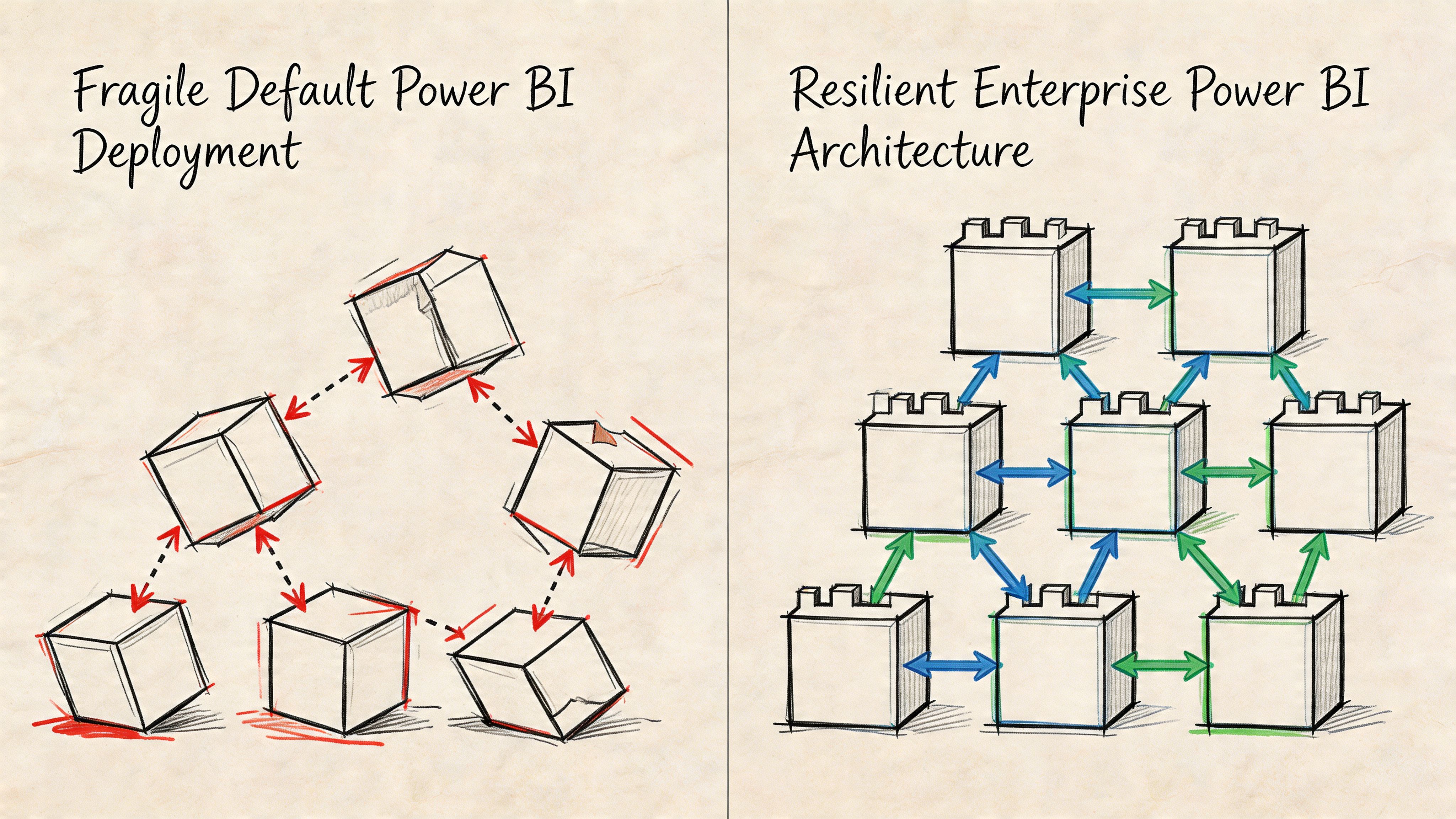
Stop pretending one gateway is architecture
A single gateway pattern is a failure point with a nice admin screen.
Once enough refresh jobs, credential handshakes, and hybrid queries hit the same path, the gateway becomes your bottleneck. Then the failure spreads sideways. Scheduled refresh queues back up. Interactive reports stall. Authentication retries pile on. Support teams blame the source system because they do not want to admit the topology was wrong from day one.
Use isolation on purpose:
- Split gateway workloads by business criticality. Finance, regulated reporting, and ad hoc departmental workloads should not share the same choke point.
- Separate by source behaviour. SQL Server, SAP extracts, SharePoint libraries, and file shares fail in different ways. Design for those differences.
- Match gateway design to target identity. If Entra ID groups, service principals, or tenant boundaries are changing during migration, build for the end state. Temporary shortcuts create permanent outages.
If your organisation already runs core services in Azure, Power BI needs to fit that operating model. A proper Microsoft Azure integration strategy gives BI the same network, identity, and operational discipline as the rest of the platform.
DirectQuery is where weak architecture gets exposed
DirectQuery is sold internally as real time. In rescue work, it usually means the team skipped data engineering and pushed the pain downstream to users.
Import mode fails predictably when capacity and model design are poor. DirectQuery fails unpredictably because it depends on source performance, network latency, connector behaviour, and query folding that often stops working after one innocent transformation. Add a migration in flight and you get report timeouts tied to renamed servers, changed object paths, or GUID conflicts in downstream dependencies that nobody mapped properly.
Fabric does not remove that risk. It changes where the risk sits.
Power BI and Fabric workloads are still subject to API and capacity controls. Microsoft documents Power BI REST API throttling, including 429 Too Many Requests responses when limits are exceeded, in the same Learn guidance that lists request limits such as 120 queries per minute per user for certain operations (Power BI REST API throttling limits). In regulated environments, I see teams hit throttling faster than expected because they stack refresh automation, metadata scans, deployment scripts, and user traffic on top of each other without testing concurrency.
SharePoint is a data source, not a dumping ground
A surprising number of failed Power BI deployments are really failed SharePoint data patterns.
Teams build reports on top of synced Excel files and document libraries because the files already exist. Then they discover that SharePoint list and library performance changes sharply at scale. Microsoft states that although a list can contain millions of items, the List View Threshold is 5,000 items by default (Manage large lists and libraries in SharePoint). At that point refresh reliability becomes a design problem, not a user problem.
The usual failure pattern is ugly and familiar. File paths change during migration. Permissions are inherited differently in the target site. A synced local path masks the actual source location in development. Then production refresh runs under a service identity that cannot resolve the new path or sees a different object entirely. You end up with broken lineage, duplicate files, inconsistent schema, and reports that fail only after cutover.
Practical rule: If a Power BI model depends on manually maintained files in SharePoint, treat that source as unstable until you replace it with controlled ingestion.
A short technical primer is useful here before anyone signs off an architecture choice:
What actually survives pressure
The deployments that survive audits, peak load, and tenant change follow a stricter pattern. They reduce moving parts, isolate failure domains, and remove sources that depend on human memory.
| Deployment choice | Fragile version | Resilient version |
|---|---|---|
| Data access | Mixed direct connections from reports | Controlled semantic models and curated source paths |
| Hybrid connectivity | Single shared gateway | Segmented gateway design by workload and sensitivity |
| SharePoint-backed data | Ad hoc file extraction | Controlled ingestion with pre-validated source structure |
| Fabric adoption | Capacity assumed | Capacity tested against concurrency and peak query load |
Ollo Verdict: Default patterns are fine for disposable reporting. They are reckless for enterprise migration, regulated data, or executive reporting. Use segmented gateways, controlled ingestion, tested capacity, and scripted deployment paths, or prepare for throttling, refresh failures, and security incidents at exactly the moment the business can least tolerate them.
Licensing Is a Capacity Weapon Not a Checklist
Licensing is where Power BI projects sabotage themselves. Teams treat it as procurement paperwork, then act surprised when month-end refreshes miss their window, XMLA workloads queue up, and executives read stale numbers because shared capacity was cheaper on paper.
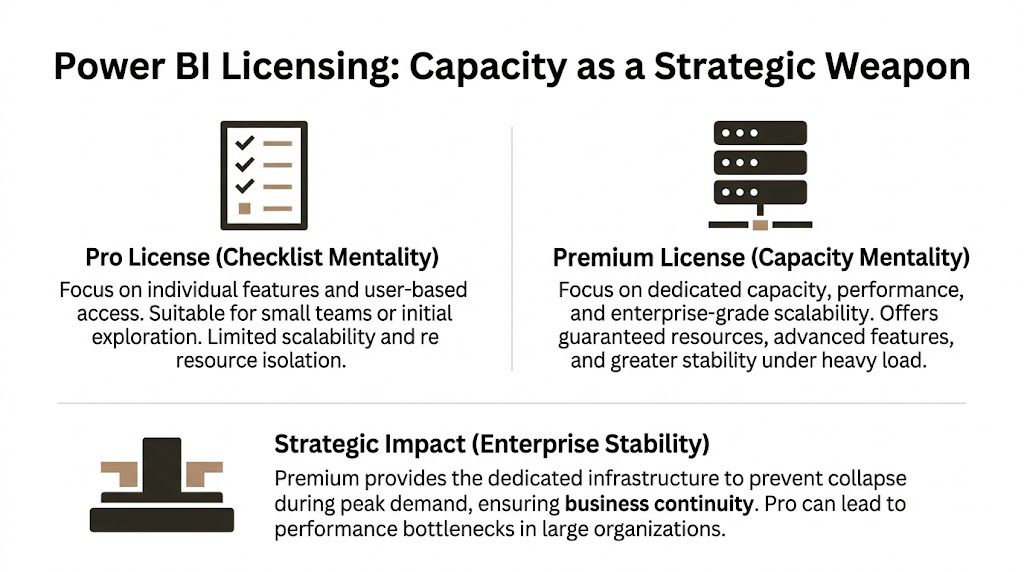
Pro is cheap right up to the point it breaks
Power BI Pro is fine for small-team reporting with low consequences. It is a bad standard for enterprise migrations, regulated reporting, or any environment where refresh timing and concurrency matter.
Microsoft documents the difference plainly in its Power BI licensing and service descriptions. Shared capacity gives you collaboration and publishing rights, but it does not give you reserved compute, isolated performance, or the headroom needed for heavy refresh and query contention (Microsoft Power BI pricing and licensing details).
That distinction is where DIY estates fail. A finance team schedules refresh at the same time as operational reporting. API calls pile up against source systems. Gateways backlog. Users hammer the same semantic model during close. Shared capacity does exactly what it was designed to do. It shares. Your critical workload gets no special treatment.
I have seen this end badly more than once. A migration team keeps Pro because the report count looks modest. Then they add incremental sources, row-level security, and a few badly written DAX measures over a growing model. Refresh slips by 40 minutes, then two hours, then into business time. The workaround becomes "refresh it again later." That is not a workaround. It is an admission that the platform was under-bought.
Premium changes the operating model
Premium capacity gives you reserved resources, larger model support, XMLA endpoints for proper lifecycle control, and features built for managed enterprise BI rather than casual report sharing. Microsoft’s documentation for Premium describes dedicated capacity, enterprise semantic model scale, and deployment features that Pro does not provide (Power BI Premium documentation).
The technical impact is immediate:
- Capacity planning becomes possible. You can test refresh, query concurrency, and memory pressure against a known target instead of hoping the shared service behaves.
- Lifecycle control gets stricter. XMLA write, deployment pipelines, and managed model operations reduce the manual publishing habits that create drift between environments.
- Failure domains get smaller. You can isolate critical workloads instead of letting every department compete inside the same shared service conditions.
That matters in regulated environments. If your reporting logic supports capital planning, patient operations, or controlled financial disclosures, you need predictable execution. You also need a defensible explanation for why one overloaded workspace could not degrade another. Pro does not give you that story.
PPU creates a dangerous class system
Premium Per User looks attractive because it offers advanced features without a full capacity commitment. It works for pilots and tightly bounded specialist teams. It fails as an enterprise standard.
Here is the usual pattern. One team gets PPU and builds the "proper" semantic model. Another team stays on Pro and cannot consume or contribute the same way. Logic gets copied. Reports fork. Dataset IDs and deployment paths drift between workspaces. Then migration scripts start colliding with reused artifacts and GUID conflicts appear during promotion or tenant consolidation because nobody funded a single governed platform design.
That is not a licensing quirk. It is an architecture failure caused by fragmented entitlement.
The cheaper licence is often the most expensive decision in the estate.
A proper review maps licences to workload class, data sensitivity, refresh intensity, and environment boundaries. If your Microsoft estate already has overlap and waste, a targeted Microsoft 365 licence audit for unused and misaligned subscriptions usually exposes the same bad habit in Power BI. Teams buy access one user at a time and never fund capacity as infrastructure.
The decision rule is simple
| Licence path | Good for | Bad for |
|---|---|---|
| Pro | Small teams, exploratory reporting, low-impact dashboards | Executive reporting, regulated workloads, large semantic models, predictable refresh windows |
| PPU | Controlled pilots, specialist advanced use cases, temporary transitional states | Enterprise standardisation, cross-team model reuse, tenant-wide governance |
| Premium capacity | Shared governed BI, heavy refresh schedules, large models, audited and regulated reporting | Tiny ad hoc teams with no scale or performance requirement |
Ollo Verdict: Use Pro for disposable reporting. Use PPU only with a clear exit plan. If the business depends on Power BI, buy capacity early and design around it. Otherwise you are building a reporting estate that will fail under load, fail during migration, and fail hardest when auditors or executives are watching.
Governance and Security The Enterprise Battleground
Power BI governance discussions often drift into abstract policy language. That’s useless when an auditor asks who could see what, when they could see it, and why your controls failed.
In enterprise deployments, governance comes down to three battlegrounds. Isolation, identity, and integrity. If any one of those is weak, your dashboards become a leakage path.
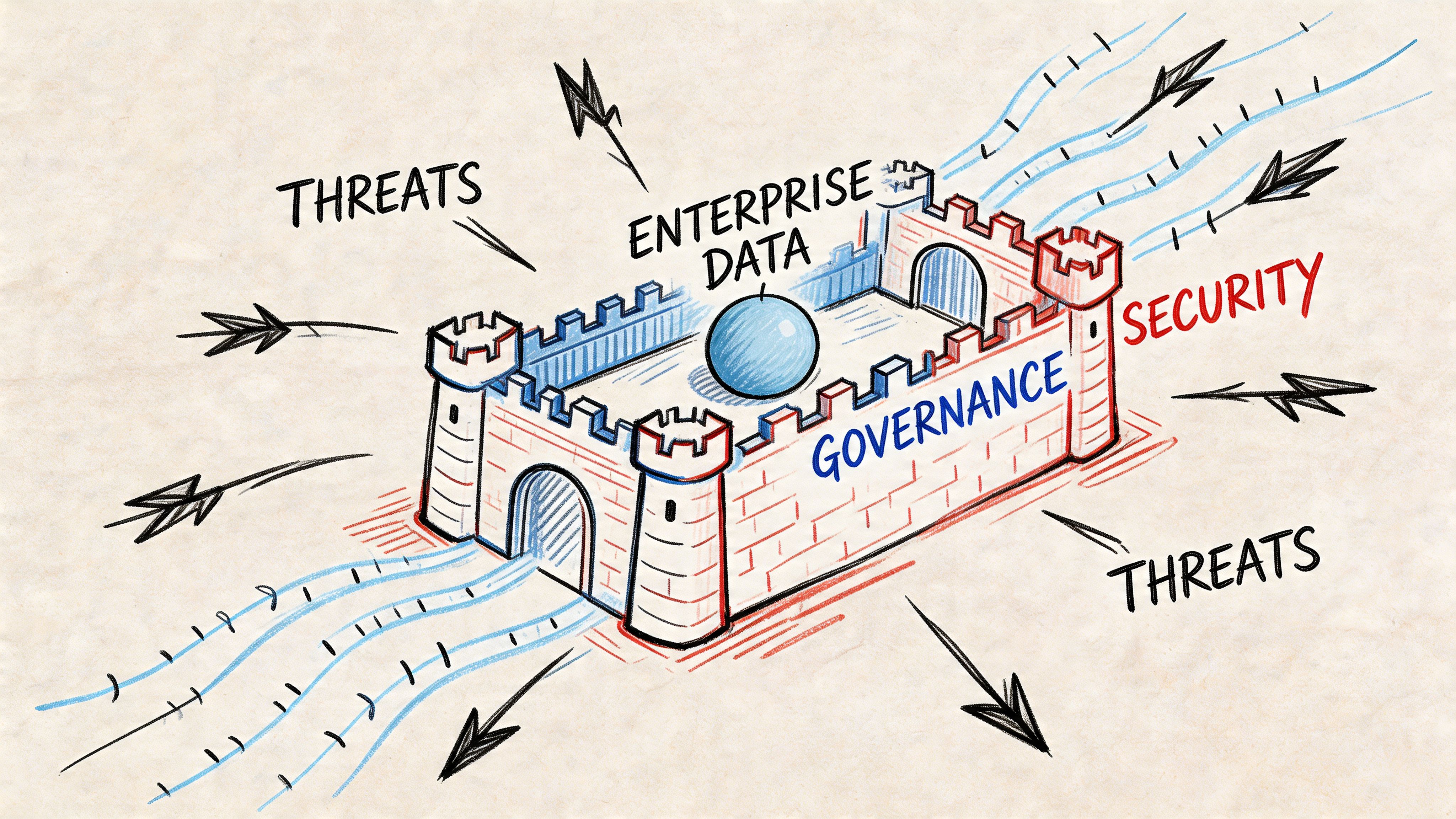
Isolation is not bureaucracy
The Microsoft-friendly version says workspaces help organise collaboration. True. The enterprise version is harsher. Workspace design is a containment strategy.
If Finance, HR, Operations, and regional subsidiaries share workspace patterns loosely, you invite accidental exposure and administrative drift. People think they’ve implemented access control because folders, apps, and reports look separate. Under the hood, the permission model is often messy.
A defensible pattern does three things:
- Separate workspaces by function and sensitivity
- Limit publisher rights aggressively
- Control dataset reuse so sensitive models don’t spread informally
Many M365 estates already reveal wider governance problems. If your broader tenant governance is loose, your BI estate will inherit that weakness. A proper Microsoft 365 governance audit usually exposes the same permission shortcuts showing up inside Power BI.
Identity breaks during change, not in theory
Power BI security works best when identity is clean, stable, and designed. That’s not the case during tenant migrations, Entra ID redesigns, or service account retirement.
The documentation often assumes coherent identity. Real organisations carry legacy groups, nested permissions, inherited access, and application identities nobody wants to touch because they fear breaking refresh. Then a migration starts and those assumptions implode.
What usually goes wrong?
Legacy principals don’t map cleanly
Reports and datasets retain expectations about identities that no longer exist in the target tenant.Service principals become orphans
Authentication paths survive just long enough to pass testing, then fail once legacy dependencies are removed.Broken inheritance spreads undetected
A report keeps rendering for admins while business users lose access or gain access they should never have had.
That isn’t a “Power BI issue”. It’s a zero-trust design issue surfacing through Power BI.
Security in BI fails at the identity layer long before anyone notices the visual layer.
RLS is powerful and dangerous
Row-Level Security looks elegant in architecture diagrams. In production, it demands paranoia.
One misconfigured role, one badly mapped group, or one copied semantic model with outdated assumptions can expose data outside its intended boundary. The organisations that get burned usually didn’t ignore security completely. They half-implemented it.
The practical failure modes are predictable:
- Role logic tied to stale group membership
- Testing done with admin accounts instead of representative user identities
- Copied datasets carrying old RLS assumptions into new workspaces
- Migration sequences that rebuild reports before security bindings are fully validated
A lot of teams think governance means documentation. It doesn’t. Governance means proving that your access model still works after every change.
Integrity matters as much as access
Security people rightly focus on who can see data. Enterprise architects also need to focus on whether the data remains trustworthy after publication and migration.
Certified datasets help, but only when the organisation enforces their use. ALM controls help too, but only when release discipline exists. Without that, “self-service” becomes a permission to clone logic endlessly.
A workable governance posture usually includes:
| Pillar | Weak practice | Defensible practice |
|---|---|---|
| Isolation | Broad workspaces, mixed publisher rights | Segmented workspaces aligned to business and risk boundaries |
| Identity | Legacy groups, service accounts, ad hoc access | Entra ID-aligned access with explicit ownership and review |
| Integrity | Uncontrolled report copies and local models | Certified datasets, governed publishing, controlled change paths |
What auditors and architects both care about
Auditors want evidence. Architects want reliability. The same controls serve both.
If your team can’t answer these questions quickly, governance is weak:
- Which workspaces contain regulated data?
- Which datasets depend on legacy authentication?
- Which reports inherit access from outdated groups?
- Which RLS rules were tested with actual business-role identities?
You don’t need more policy prose. You need fewer assumptions and tighter operational control.
Ollo Verdict: Lock down workspace sprawl, align Power BI access to Entra ID design, and treat every RLS rule like a potential breach point until proven otherwise.
The Migration Minefield Why Standard Tools Will Fail You
Migration tools fail Power BI projects in the exact place executives assume they are safe. They move artefacts. They do not preserve the operating model behind those artefacts.
That distinction is where enterprise migrations go off the rails.
A dashboard in the tool says 94 percent complete. The first Monday after cutover says something else. Refresh jobs start failing because gateway bindings still point at source-tenant assumptions. Reports open against the wrong semantic model because downstream references were rebuilt with different IDs. RLS behaves differently because Entra ID groups were remapped during consolidation. If the estate also depends on custom connectors or API-driven ingestion, throttling starts to bite as soon as backfill and scheduled refresh hit the same source at once.
Tool success is not production success.
What actually breaks
The hard part is not copying workspaces or publishing PBIX files. The hard part is preserving lineage, identity, refresh, and dependency behaviour under a new tenant boundary.
In rescue engagements, the same pattern shows up repeatedly. Teams migrate SharePoint content, files, and reporting artefacts first. They use SPMT for simple moves or ShareGate for broader workload coverage. Then they assume Power BI will settle itself after import.
It does not.
The first visible failures usually look like this:
- Refresh pipelines fail because gateway bindings, credentials, or service principal access were never rebuilt for the target tenant.
- Reports connect to the wrong model or fail outright because semantic model IDs changed and dependent artefacts still reference old objects.
- RLS tests pass in pre-prod and fail in production because the target group structure is not equivalent to the source structure.
- Embedded or app-linked content breaks because app IDs, workspace mappings, and downstream references were treated as portable when they were tenant-specific.
- Backfill jobs trigger source throttling because nobody modelled API limits against cutover-week refresh demand.
I have seen teams spend months cleaning this up by hand. That is not a vendor statistic. It is the normal outcome when migration is treated as an export and import exercise instead of a reconstruction effort.
If your validation step is “the report opened,” you are already late.
Standard tools stop well before the dangerous part
ShareGate is useful. We use it. It is still only one component in the plan.
It can help move content. It cannot resolve Power BI semantic model GUID conflicts. It cannot redesign identity. It cannot repair broken lineage across a tenant split or merger. It cannot tell you whether a dataset that refreshes once after cutover will still refresh under production concurrency, gateway failover, and source throttling.
SPMT is narrower again. It is acceptable for low-risk content movement. It is not a strategy for regulated Power BI migration.
If your team is still comparing file-move capability as if that decides migration risk, read this review of SharePoint migration software options. Then separate content transfer from Power BI survival.
Tenant boundaries create failure points teams miss
Power BI has several components that look portable until you test them under pressure.
| Component | Why standard migration tooling misses the real problem |
|---|---|
| Semantic models | IDs and lineage change, so dependent reports, apps, and composite models can break silently |
| Gateway connections | Data source bindings, credentials, and network assumptions stay attached to the old environment |
| RLS and object permissions | Group remapping alters effective access, especially after Entra ID cleanup |
| Service principals and automation | App registrations, secrets, and tenant consent do not carry over cleanly |
| API-based ingestion | Post-cutover backfill plus scheduled refresh can trigger throttling and partial data loads |
The ugly projects are not the ones that fail immediately. The ugly projects are the ones that look mostly intact, because leadership assumes a few support tickets will finish the job. In reality, the environment often needs partial rebuilds, scripted remapping, and a second cutover plan.
GUID conflicts are a good example. A team merges tenants, republishes datasets, and assumes downstream reports will reconnect cleanly. They do not. References point at objects that no longer exist in the same form. The workaround becomes manual rebinding across dozens or hundreds of reports. Every manual touch adds another chance to mis-map a model, expose the wrong data, or break refresh again.
The only approach that holds up
Treat Power BI migration as controlled reconstruction.
Start with the dependency graph. You need a map of workspaces, datasets, gateways, service principals, apps, refresh schedules, embedded dependencies, and every regulated data path. Design target identity before moving anything. Script remapping and validation for edge cases. Test with real user contexts and production-like refresh load, not admin accounts and one-off checks.
Use tools where they help. Do not ask them to do architecture.
If you are still evaluating platforms instead of migration risk, this Business Intelligence Software Comparison is useful context. Just do not confuse product selection with delivery competence.
Ollo Verdict: Use SPMT for trivial moves. Use ShareGate for content transfer where it fits. For serious Power BI migration, especially in regulated environments, a tool-led DIY approach is how you create API throttling incidents, GUID repair work, broken security mappings, and an expensive rescue project.
Your Only Defensible Path to Enterprise BI
Enterprise Power BI fails long before the first dashboard looks wrong. It fails when teams treat microsoft business intelligence power bi as a self-service reporting tool instead of a governed platform with hard limits, identity dependencies, and failure modes that show up under audit.
That mistake is expensive.
In regulated environments, the break point is rarely report design. It is operational control. A DIY migration can look fine in a pilot, then collapse under production load when refresh jobs hit API throttling, service principals are scoped incorrectly, or copied assets carry object references that do not survive a tenant move. I have seen teams discover GUID conflicts only after deployment, then spend weeks repairing broken bindings by hand while executives ask why certified reports no longer match the source system.
The safe path is narrower than teams want to admit. Treat Power BI as infrastructure. Set standards for source control and release discipline. Build identity around the target tenant, not the legacy shortcut. Segment sensitive workspaces before migration, not after an exposure. Buy capacity for peak concurrency and refresh pressure, not for the average week that never triggers an incident. Validate with real user roles, real gateway paths, and real recovery procedures.
Tooling still matters, but only after the operating model is defined. If you are still comparing products instead of failure modes, read this Business Intelligence Software Comparison. Product choice does not rescue a weak migration design.
The blunt rule is simple. If your team cannot script the edge cases, prove security mappings, and recover from failed remaps without manual guesswork, you are not ready to run enterprise BI on Power BI.
Failed Power BI programmes usually do not prove the platform is weak. They prove the organisation tried to run a regulated data estate like a desktop reporting project.
If your Power BI estate sits inside a high-stakes Microsoft 365 migration, don’t gamble on generic tooling and hopeful testing. Ollo handles the ugly parts that sink enterprise projects, including tenant-to-tenant consolidations, Entra ID redesigns, ShareGate-led migrations, and scripted remediation for the failures Microsoft demos never mention.

















