



The most popular advice on microsoft intune setup is also the most dangerous. People treat it like a wizard-driven admin task. Click through Microsoft 365, switch on enrolment, create a few compliance policies, and call it progress.
That mindset is why so many enterprise projects fail.
Intune isn't just another console in your tenant. It becomes part of your identity control plane, your endpoint security model, and your audit story. If your team gets the setup wrong, devices don't just miss a setting. Your users fall into inconsistent access paths, your compliance controls become impossible to defend, and your service desk inherits a mess that keeps resurfacing for months.
We often see clients fail when they follow the documented sequence but never challenge the assumptions underneath it. The documentation says what menu to open. Reality decides whether your licensing supports the controls you think you bought, whether your firewall allows the traffic Intune needs, and whether your GPO-era security model survives contact with cloud management.
Stop Following the Microsoft Intune Setup Wizard
The setup wizard is not a deployment strategy. It's a user interface.
Microsoft's documentation is useful, but it speaks in platform terms. Regulated organisations need to think in control terms. Those are not the same thing. Finance, healthcare, and energy teams don't get judged on whether they found the right blade in the admin centre. They get judged on whether devices enforce policy consistently, whether auditors can trace decisions, and whether exceptions are governed.
The documentation says “deploy”. Reality asks, “what happens when policy application lags, enrolment fails silently, and your old controls don't map cleanly to Intune?”
That gap matters because Intune sits directly in your Zero Trust architecture. If you deploy it badly, you create a false sense of control. Your dashboard might show managed devices. Your actual estate might still contain unmanaged access paths, broken policy logic, and users working around restrictions because your design never accounted for practical reality.
What breaks first
The early failures are rarely dramatic. They're quiet.
- Licensing assumptions break policy design because teams assume Microsoft 365 licensing automatically provides every required Intune capability.
- Network assumptions break enrolment because firewall validation misses endpoints that aren't obvious in primary documentation.
- Policy assumptions break compliance because teams believe Intune templates replace Group Policy one-for-one.
Those aren't edge cases. They're the recurring pattern in rescue work.
What the official path misses
Microsoft's setup guidance is device-centric. Enterprise rollout is risk-centric. That difference is why DIY projects drift into failure even when competent internal teams run them.
Your architects need to answer harder questions before rollout:
- Which controls must be enforceable on day one?
- Which legacy GPO settings have no clean Intune equivalent?
- Which users should get MDM, and which should stay in an app-protection model?
- What evidence will auditors expect when a policy doesn't apply immediately?
If your team can't answer those before enrolment starts, you're not setting up Intune. You're creating future incident tickets.
The Foundational Layers You Cannot Afford to Misconfigure
Most failed microsoft intune setup projects don't fail at enrolment. They fail earlier, at the layer everyone treats as admin housekeeping. Licensing, tenant readiness, and identity integration are architecture decisions. If your team treats them like procurement details, the rest of the design inherits the mistake.
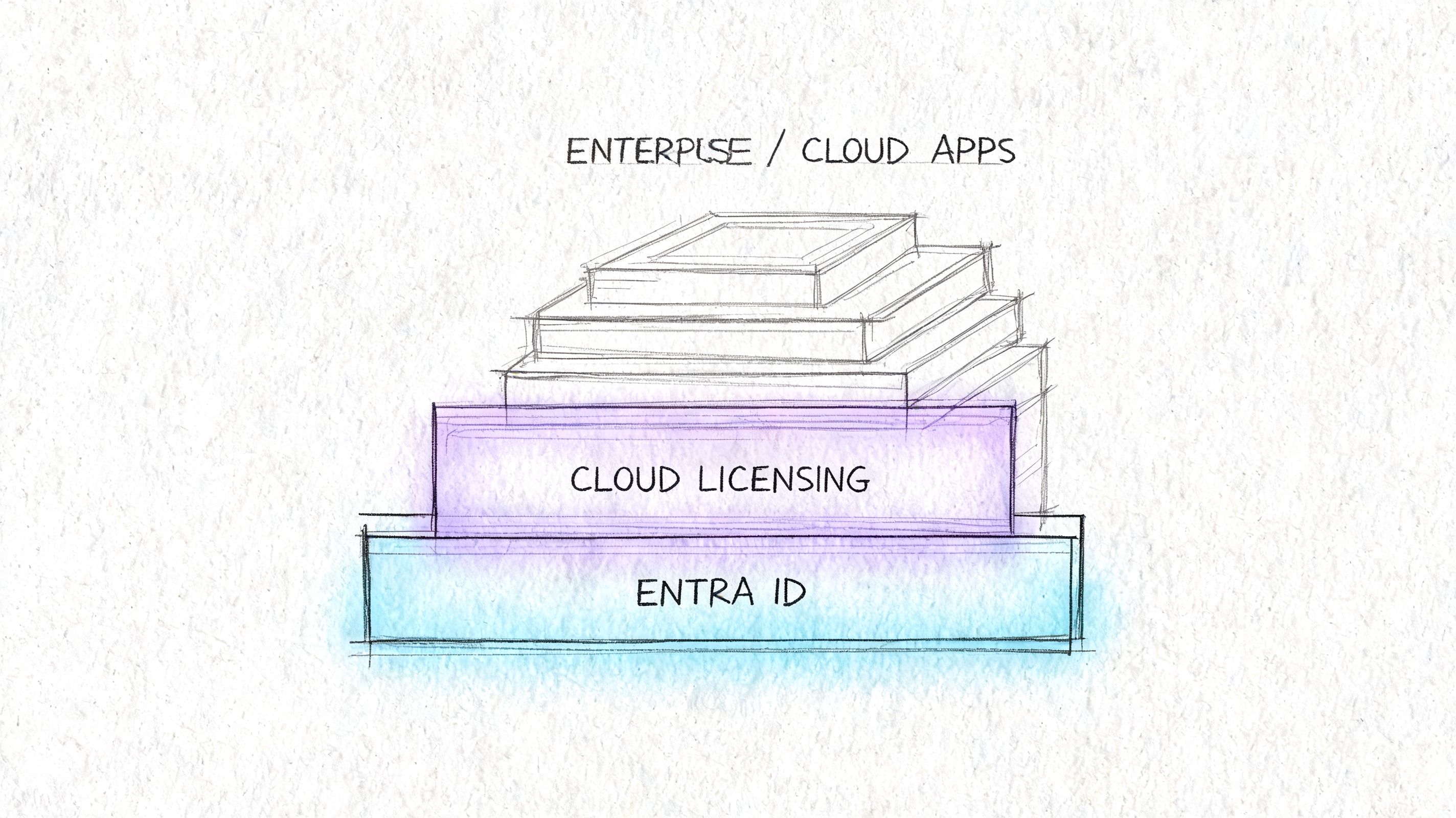
Microsoft Intune deployment requires foundational understanding of the Microsoft 365 licensing architecture. Setup starts inside the Microsoft 365 portal under Admin centres, and Microsoft's own documentation confirms that Endpoint Analytics only works with Windows 10/11 devices and requires Azure AD integration and Microsoft 365 licensing, which is why DIY teams regularly miscalculate prerequisites and end up with incomplete deployments (licensing and setup requirements).
Licensing is a design constraint
Here's the mistake. A team sees active Microsoft 365 subscriptions and assumes Intune is “covered”. That's not validation. That's wishful thinking.
You need to map required controls to actual entitlement before you write a single policy. If your target state includes device health monitoring, identity-backed access decisions, and advanced reporting, your licensing stack has to support that exact operating model. Otherwise, your engineers build a security design they can't enforce.
A useful reference point is this practical cloud governance guide. It frames cloud controls as governance decisions, not console tasks. That's the right lens for Intune as well.
The checks your team must complete first
Use a short pre-design validation table. If your team can't fill this in with confidence, stop the project.
| Area | What to validate | Why it matters |
|---|---|---|
| Microsoft 365 licensing | Which subscriptions include the Intune features your rollout depends on | Prevents policy designs that your tenant can't support |
| Entra ID integration | Whether identity objects, joins, and access conditions align with endpoint plans | Stops broken policy targeting and access loopholes |
| Endpoint Analytics eligibility | Whether device estate and licensing support the feature set | Avoids designing reporting around features you don't actually have |
| Admin portal readiness | Whether the Intune service is correctly accessible through the tenant admin path | Prevents teams from assuming service availability equals service readiness |
Teams that skip this work usually discover the truth after pilot users start failing.
Identity and access must be designed together
Intune cannot sit on its own island. If your Conditional Access thinking is immature, your device controls won't save you. Strong endpoint management depends on the identity layer making consistent decisions about who gets access, from what device state, and under which conditions.
If your team is still tightening admin and user verification paths, our guidance on Microsoft 365 multi-factor authentication setup fits directly into this stage.
Later, once the design assumptions are clear, this walkthrough is worth reviewing before deeper configuration work:
Practical rule: If you haven't validated licensing against the exact controls you plan to enforce, you are not ready to build compliance policies.
Core Design Decisions Before Enrolling a Single Device
Organizations often rush to device enrolment because it feels like visible progress. That's backwards. The decisive work happens before the first handset, laptop, or tablet touches Intune.
Your biggest decision is simple on paper and brutal in practice. Will you fully manage the device, or will you protect corporate data at the application layer? Microsoft presents both as available paths. Enterprise reality says they serve different purposes and carry different political costs.
Device management versus application management

A useful external primer on asset control is this overview from REDCHIP IT Solutions. It isn't Intune-specific, but it reinforces a point many endpoint teams ignore. Ownership and control boundaries matter.
Here's the practical comparison:
| Model | Where it fits | Where it breaks |
|---|---|---|
| MDM on corporate devices | Strong fit where the business owns the hardware and expects full control | Heavy-handed if you extend it blindly to personal devices |
| MAM on personal devices | Useful when you need to protect corporate data without taking over the whole device | Insufficient if your control objective depends on full device posture |
| Hybrid approach | The right answer for most enterprise estates with mixed ownership | Requires sharper policy design and clearer user segmentation |
We often see clients fail when they force MDM onto BYOD populations that never agreed to enterprise-grade control over personal hardware. Users resist. Workarounds appear. Shadow IT follows.
Autopilot is not a later problem
Windows Autopilot should be defined during design, not patched in later when procurement starts shipping devices. Your naming standards, profile strategy, role-based assignment model, and join expectations all need to be settled early.
If they aren't, you get devices that enrol differently depending on source, geography, or technician habit. That inconsistency is poison. It causes drift in app deployment, policy timing, and remediation.
Your Entra design is tightly linked to this. If you need a refresher on the identity foundation behind modern endpoint management, review Microsoft Entra ID before you finalise targeting and join decisions.
The Ollo verdict
For enterprise microsoft intune setup, use MDM for corporate-owned devices, MAM for personal access scenarios, and only break that rule when a documented compliance requirement forces your hand.
Don't let the project default into “manage everything the same way”. That's lazy architecture. It creates unnecessary user friction on one side and weak control boundaries on the other.
A Phased Rollout to Prevent Big Bang Disruption
If your business is pushing for a tenant-wide launch, push back. Hard.
Microsoft's own guidance warns against a company-wide “big bang” rollout and recommends a phased approach. Organisations that run inadequate pilots see adoption failure rates of 25 to 40 percent, and shadow IT grows when users start bypassing restrictive policies. A more disciplined approach uses 4 to 6 weeks for a mid-market enterprise pilot, with success criteria such as enrolment completion of at least 95 percent (phased rollout guidance and pilot benchmarks).
What a real pilot looks like
A real pilot does not mean “IT tested it and nothing exploded”.
It means your team deliberately introduces controlled exposure across user types, device types, and business processes. That includes corporate Windows laptops, personal mobile access, app deployment, compliance enforcement, and non-compliance remediation. If you haven't tested recovery, you haven't tested the platform.
Use a phased structure like this:
Start with technical users and operational outliers
Include IT and power users, but don't stop there. Add people with awkward app dependencies, mobile-heavy work patterns, or unusual access needs.Test parallel control paths
Validate enrolment, app delivery, and compliance together. A device that enrols successfully but misses a critical app is still a failed pilot device.Record friction in measurable terms
Count lockouts, failed app launches, and policy exceptions. If your team relies on anecdotal feedback, they'll miss the patterns that matter.Refine before departmental expansion
Don't “accept a few issues” and scale anyway. Small policy mistakes become expensive when assignment scope widens.
What to measure
Pilot quality depends on evidence, not optimism.
- Enrolment completion must hit the threshold you set before rollout expands.
- Compliance report acceptance needs business and security sign-off, not just technical sign-off.
- Helpdesk impact should stay controlled. If support demand jumps, your policy design still has friction.
A pilot exists to catch policy mistakes while the blast radius is still small.
For structured validation thinking, our article on types of testing is directly relevant. Intune projects need the same discipline that infrastructure and application teams already apply elsewhere.
The rollout mistake that causes the most pain
Teams compress pilot duration because leadership wants speed. That's the wrong place to optimise. A rushed pilot doesn't save time. It moves failure into production, where lockouts affect real users, exceptions pile up, and rollback gets messy.
In regulated environments, phased rollout also supports auditability. Your team needs a documented record of what was tested, what broke, what changed, and who approved wider enforcement. Skip that, and your rollout has no defensible governance trail.
Building Defensible Policies Beyond Microsoft Templates
The most expensive Intune mistake in regulated organisations is believing that Settings Catalog and templates replace Group Policy in any meaningful one-to-one way. They don't.
Microsoft's official Intune deployment setup guidance outlines the process, but it does not provide a migration path for enterprises carrying CIS GPO bundles or custom baselines. The same documentation mentions templates and Settings Catalog, yet regulated teams still face a critical gap because they cannot lift and shift existing GPOs into Intune (Microsoft Learn deployment setup guidance).

Why policy translation matters
We often see clients fail when they assume “device configuration profile” means “cloud GPO”. That assumption collapses under audit.
Some settings map well. Some only partially map. Some don't map at all in a way that satisfies security or evidentiary requirements. The issue isn't just control presence. It's control fidelity, reporting, and timing. Intune check-in behaviour changes how quickly a setting lands, and that matters when a control is compliance-critical.
Here is the cleaner way to look at it:
| Legacy control type | Intune reality | Risk if ignored |
|---|---|---|
| Standard GPO security setting | Often translatable through templates or Settings Catalog | Moderate, if tested and evidenced properly |
| Custom registry and preference behaviour | May need redesign, scripting, or compensating controls | High, because parity is often assumed but not achieved |
| Audit-sensitive baseline control | May apply differently and report differently than auditors expect | High, because evidence quality changes |
Documentation is part of the control
Most internal projects lose credibility because engineers configure policies but don't produce a translation record that explains what changed, what stayed equivalent, and where compensating controls replaced direct parity.
A useful resource on that discipline is this guide to streamline projects with documentation. In Intune terms, that means documenting every security decision, every gap, and every control exception in language your audit and risk teams can use.
If your access layer is evolving alongside device policy, tie the work into your Conditional Access policies for Microsoft 365 so identity and endpoint controls support each other instead of drifting apart.
Your auditors won't accept “the cloud does it differently” as a control statement.
The Ollo verdict
Do not run a GPO migration as a technical import exercise. Run it as a control translation programme.
If your team doesn't build a mapping matrix between legacy GPOs, target Intune policies, non-equivalent settings, and compensating controls, your microsoft intune setup will look complete long before it becomes defensible.
The Failure Modes That Blindside Enterprise IT Teams
Intune failures rarely announce themselves. They hide in partial success.
A device appears in the portal. A user can sign in. Some apps arrive. One compliance policy lands, another doesn't. Your team sees fragments of success and wastes days proving that the obvious pieces work, while the underlying problem sits elsewhere.

Silent enrolment failure is the classic trap
We often see clients encounter Intune enrolment failures because Microsoft's firewall whitelisting guidance is incomplete. Teams allow the documented Intune endpoints and still get broken enrolment because other necessary verification points are involved. In one real-world enterprise case with restrictive firewall rules, the root cause was a separate verification site that also had to be whitelisted (firewall validation and hidden enrolment blockers).
That sort of issue burns time because it looks like an Intune defect. It usually isn't. It's network design colliding with cloud service behaviour.
The war stories we keep seeing
The pattern is predictable.
Devices look healthy but miss policies
Your team checks assignments, rechecks user groups, and blames admin error. The actual issue sits in network validation or a hidden dependency path.Scripts and bulk actions behave inconsistently
Engineers trigger broad changes and expect deterministic results. In enterprise estates, you need operational discipline, retry logic, and staged execution. The admin centre won't save you from poor rollout mechanics.Policy overlap creates endpoint confusion
Multiple profiles target the same scope with clashing settings. The endpoint applies one behaviour, the portal implies another, and nobody can explain the result without tracing every assignment path.
Where DIY teams lose control
DIY teams usually troubleshoot symptoms in isolation. They look at one device, one user, or one policy and assume the answer sits there. It often doesn't.
The safer approach is to validate the chain end-to-end:
- Identity path. Did the user and device satisfy the intended access route?
- Network path. Can the endpoint reach every required validation and service dependency?
- Policy path. Are assignments, scope, and control precedence clean?
- Operational path. Are scripts, apps, and remediations being deployed in a controlled sequence?
Specialist methodology is crucial. Ollo's Intune setup service is built around design validation, endpoint policy implementation, and controlled enrolment sequencing for modern device management, rather than just switching on profiles and hoping tenant defaults hold.
Security teams should treat this as a control test
If your organisation already values adversarial validation, connect Intune rollout to that same discipline. A misapplied compliance policy or an unmanaged endpoint escaping notice is a security exposure, not just an endpoint issue. That's why this work belongs alongside broader assurance practices such as penetration test services.
If enrolment fails silently, your security policies don't just weaken. They stop existing on the endpoints that need them most.
Your Next Step A Successful Intune Deployment
By this point, the pattern should be obvious. microsoft intune setup does not fail because the product is weak. It fails because organisations underestimate the architecture, governance, and compliance work required to make it trustworthy.
Your team may be technically strong. That isn't the same as being battle-tested in Intune rescue work. Most internal teams only run a project like this once. They learn by absorbing the damage. Regulated organisations don't have that luxury.
What a safe deployment actually requires
A safe deployment needs more than configuration skill.
- Upfront licensing validation so design decisions match actual capability
- Device and app management boundaries that fit ownership and user reality
- Phased rollout discipline with evidence-based gates
- Policy translation from GPO-era controls into something auditable in Intune
- Failure-mode testing that catches network, targeting, and policy path issues before production impact
If any one of those is weak, the rest of the programme suffers.
The commercial truth most teams avoid
DIY sounds cheaper because the cost sits inside existing salaries. That's accounting fiction. The true cost appears later in rework, support burden, emergency exceptions, audit anxiety, and leadership time spent explaining why a supposedly standard Microsoft project turned into a prolonged remediation exercise.
For a small tenant with simple needs, your internal team may manage it. For a regulated enterprise, that gamble is reckless. The cost of failure isn't just technical debt. It's a weaker control environment and a rollout your stakeholders stop trusting.
The right move is to treat Intune like a security architecture programme with endpoint delivery attached. That means using a methodology built around risk reduction, not wizard completion.
If your team needs a deployment that stands up under security review, user pressure, and audit scrutiny, talk to Ollo. We help organisations design Intune around governance, identity, policy translation, and controlled rollout so the project doesn't need rescuing six months later.

















