



Moving your company’s SharePoint data across borders isn’t an IT project. It’s a high-stakes tightrope walk over a pit of legal, technical, and logistical traps. Get it wrong, and you're not facing a delayed project. You're facing compliance breaches, corrupted data, and an operational nightmare that will land on your desk. The goal here isn't to move files—it's to execute a complex consolidation of data, identities, and legal duties without catastrophe.
The Unspoken Truths of Multi-National SharePoint Migration
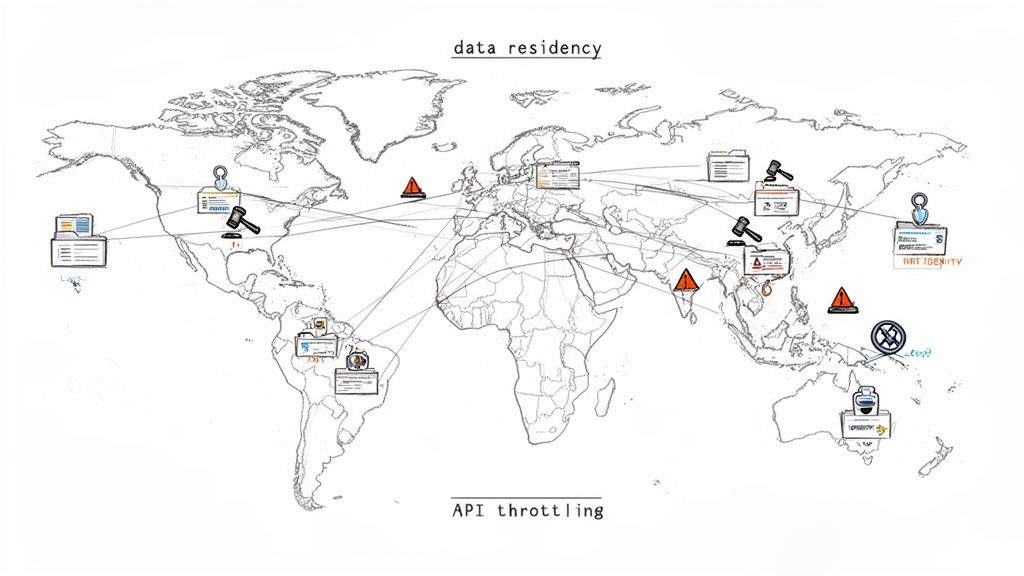
Let me be blunt. Following the standard Microsoft documentation for a global SharePoint migration is a recipe for failure. You’re not just moving files from A to B. You're navigating a minefield of data residency laws, wrestling with cross-border identity management, and hitting crippling technical walls that the basic tools conveniently forget to mention.
I’ve seen too many IT Directors inherit this task, burned by past projects and sold on a "straightforward lift-and-shift." They fail. This isn’t a collection of generic best practices. It’s a playbook built from lessons learned in the trenches, rescuing migrations that went sideways.
The Real Risks Hiding Beyond the Documentation
Your biggest challenge isn't the sheer volume of terabytes. It’s the invisible complexities that silently corrupt your data and derail your project timeline. We consistently see teams stumble over the same, predictable hurdles because they put too much faith in the marketing fluff and not enough in the harsh technical reality.
These are the core issues your team needs a plan for, right now:
- Crippling API Throttling: Microsoft will absolutely slow your migration to a crawl to protect its infrastructure. Without a sophisticated strategy to work around this, your timeline will collapse. It’s not a possibility; it’s a certainty.
- GUID and ID Conflicts: When you merge tenants, you're guaranteed to have duplicate Globally Unique Identifiers (GUIDs). This doesn't just cause a few errors; it corrupts entire data structures, making critical content inaccessible.
- Broken Permission Inheritance: Migrating complex, nested permission structures is where out-of-the-box tools fall apart. Inheritance breaks, leaving sensitive data wide open or, just as bad, locking critical files away from those who need them. This isn't a migration failure; it's a security incident.
- The 5,000-Item List View Threshold: The documentation calls this a "threshold." In reality, it's a hard limit that doesn't just stop a view from rendering—it can halt entire migration jobs cold if you haven't remediated oversized lists beforehand.
The official documents tell you to "plan for throttling." Here’s the reality for a global organisation with teams in Dublin, New York, and Singapore: there is no ‘off-peak.’ Your migration strategy must assume you are always being throttled, 24/7.
One of the most overlooked "unspoken truths" is the immense challenge of handling multilingual content. A deep understanding of document translation is non-negotiable. This goes far beyond just language; it's about preserving critical metadata and ensuring compliance across wildly different regional data formats. Missing this step doesn't just fail the migration; it breaks legal compliance.
We often see clients in Dublin's financial district get completely blindsided by underestimating API throttling. Microsoft's own documentation confirms these strict limits, yet teams attempting a DIY migration with basic tools like SPMT ignore this and watch their throughput plummet by 70% during peak EU business hours.
This single oversight is what turns a predictable project into an expensive, high-stress recovery mission.
Conducting the Audit That Prevents Catastrophe
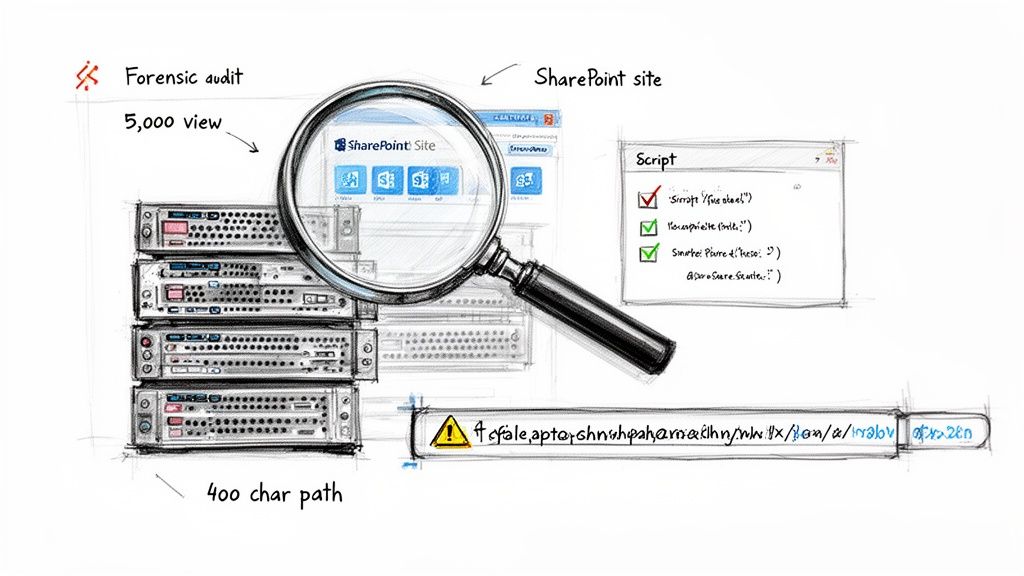
Let's be clear: most multi-national SharePoint migration failures are set in stone long before a single byte of data is moved. The discovery phase isn’t a box-ticking exercise; it’s the forensic investigation that determines whether you succeed or spend the next six months in a recovery project explaining what went wrong.
I’ve seen clients fail because they treat this audit as a simple inventory. They count sites and terabytes but miss the hidden technical debt that will bring the project to its knees. A proper audit doesn't just look at the surface; it dissects the source environment to expose every potential point of failure.
Your team cannot afford to be superficial here. This is where you uncover the real complexity of your data.
Exposing the Technical Landmines
A high-level scan is useless. You must go deeper, using scripted analysis to uncover the issues that standard migration tools will inevitably choke on. Your audit must provide definitive answers to these critical technical questions:
- List View Thresholds: Which lists have blown past the 5,000-item view threshold? Microsoft's documentation is clear this isn't a performance warning; it's a hard limit that causes migration jobs to fail outright. You need a script to flag every single one.
- Path Length Violations: File paths exceeding the 400-character limit will be truncated or skipped, leading to silent data loss and thousands of broken links. Your team must run a scripted report to identify every file at risk before you move it.
- Broken Permission Inheritance: Over years of use, complex and broken permission chains become a governance nightmare. A real forensic audit uses PowerShell to map out unique permissions and pinpoint broken inheritance—a primary cause of post-migration data breaches.
- Customisations and Workflows: Every legacy workflow, InfoPath form, or custom solution is a potential showstopper. These rely on deprecated services and will not migrate cleanly. Each one needs to be identified, assessed, and have a clear remediation plan.
This isn't about technical tidiness. Failing to identify a list over the 5k limit doesn't just cause a migration error; it can halt the entire process for a critical department. Missing a broken permission chain doesn't just create a support ticket; it can expose sensitive financial data across borders, triggering a compliance incident.
The Multi-Geo vs. Single Tenant Dilemma
For a multi-national organisation, your audit findings directly inform one of the most critical strategic decisions you'll make: whether to pursue a single, global tenant with Microsoft 365 Multi-Geo capabilities or to maintain separate, sovereign tenants. This isn't just a technical choice; it's a board-level conversation about risk, cost, and compliance.
You must map your data's country of origin against regulations like GDPR and present the trade-offs to your leadership.
The Ollo Verdict: Choosing the wrong architecture based on an incomplete audit is catastrophic. If your audit reveals significant data residency obligations across multiple legal jurisdictions like the EU and North America, a Multi-Geo strategy is often the only viable path. However, misconfiguring it is a direct path to a major legal breach. If you need guidance on this critical first step, you can explore our detailed approach in our SharePoint Migration Assessment guide.
Skipping this level of forensic detail isn't a shortcut; it's a gamble with your company's data, budget, and legal standing.
Why Your Choice of Migration Tooling Matters
Let’s clear the air. Your choice of migration tooling isn’t a minor technical decision; it's the single most significant factor determining whether your multi-national SharePoint migration succeeds or becomes a career-defining failure.
I’ve seen it time and again: internal teams treat this lightly, assuming all tools are more or less the same. They are not. The chasm between free tools and professional-grade solutions is immense, especially when enterprise complexity enters the picture.
The SharePoint Migration Tool: A Trap for the Unwary
Microsoft’s free SharePoint Migration Tool (SPMT) has its place. If you're moving a single department's clean file share, it’s adequate.
But for a multi-national enterprise migration? Relying solely on SPMT is professional malpractice. The documentation presents it as a capable solution, but in the real world, it has specific, predictable breaking points that will halt an enterprise project.
- No Sophisticated Throttling Management: The documentation says SPMT handles throttling. In reality, it has no intelligent mechanism to navigate Microsoft’s aggressive API throttling. When it gets throttled—and it will be—it simply fails or slows to a crawl, destroying your project timeline.
- Permission Fidelity is Weak: It struggles to map complex, custom permission levels or broken inheritance chains. It often defaults to simplified permissions that either expose sensitive data or lock users out.
- Minimal Error Reporting: When a job fails, the logs are often cryptic. You're left guessing why critical data failed to move.
The Ollo Verdict: Use SPMT for migrations under 50GB with simple permissions. For anything else, you need custom scripting and a professional tool. Using SPMT for an enterprise job is an unacceptable risk to your data's integrity and your project's budget. To understand the tool's specific limitations, we've detailed them in our breakdown of the SharePoint Migration Tool.
Professional Tooling: The Non-Negotiable Baseline
This brings us to professional-grade tools like ShareGate, AvePoint, and Quest. Your team might see the price tag and hesitate, but you must frame this as a risk-reduction investment, not a cost. These tools are engineered specifically to handle the enterprise pain points that SPMT ignores.
However, even these powerful tools are not a silver bullet. We often see clients purchase a top-tier tool but fail to pair it with the necessary scripting expertise. The reality is that no off-the-shelf product can handle every piece of technical debt your audit uncovered.
This is where custom PnP PowerShell scripting becomes essential. It’s the connective tissue that handles what the tools cannot, such as:
- Remediating Broken Inheritance: Scripting allows you to surgically repair broken permission chains post-migration.
- Managing Complex Metadata Transformation: Scripts can handle intricate metadata mapping and content type realignments during tenant consolidations.
- Automating Validation: Custom scripts are crucial for performing granular, post-migration validation checks to confirm data fidelity at scale.
We often see healthcare CIOs crumble when they hit broken inheritance during consolidations—an issue Microsoft Learn documents confirm plagues lists over 5,000 items, forcing post-migration fixes that can double project timelines. You can explore more about these enterprise challenges by reviewing this in-depth 2026 migration guide.
Migration Tooling Reality Check: SPMT vs. Professional Tooling
To put it bluntly, the free tool looks appealing until it hits a real-world enterprise wall. This table breaks down exactly where that happens.
The takeaway is clear: enterprise problems demand enterprise-grade solutions.
The Ollo Verdict: For any migration over 1TB, involving tenant-to-tenant consolidation, or containing significant customisations, a hybrid approach is non-negotiable. You must combine a best-in-class professional tool with targeted, custom PnP PowerShell scripting. Relying on one without the other leaves a dangerous gap in your execution strategy.
Navigating Execution Throttling and Data Fidelity
This is where the plan hits reality. The execution phase is a battle of attrition against API throttling, unexpected data corruption, and eroding user trust. The documentation politely suggests you “plan for off-peak hours,” but for a global organisation, there’s no such thing. Your migration runs under constant pressure, which means you must assume you're being throttled 24/7.
We've seen it time and again: a client runs a small, successful pilot, sees impressive throughput, and then builds their entire project timeline by extrapolating that speed. It’s a classic mistake. Microsoft will aggressively throttle large-scale, sustained data transfers. The cost of this oversight isn't just a blown timeline; it's corrupted data from failed jobs and a complete loss of faith from the business.
A Battle-Tested Throttling Strategy
You can't brute-force your way through throttling, but you can outsmart it. A successful execution hinges on an intelligent, multi-wave strategy.
This is where your professional tooling is non-negotiable. It must be configured to use multiple migration accounts, distributing the API load. More importantly, your entire plan must be built around delta synchronisations.
- Initial Sync: Move the bulk of the data weeks ahead of the actual cutover, when timelines are still flexible.
- Incremental Deltas: Run subsequent delta syncs to capture all changes. The final delta, performed just before the cutover, should be small and fast, keeping user downtime to an absolute minimum.
This approach transforms the migration from a single, high-stakes event into a controlled, predictable process.
The diagram below shows the core process flow we follow, moving from a forensic audit to tool selection and, finally, to a carefully managed execution.
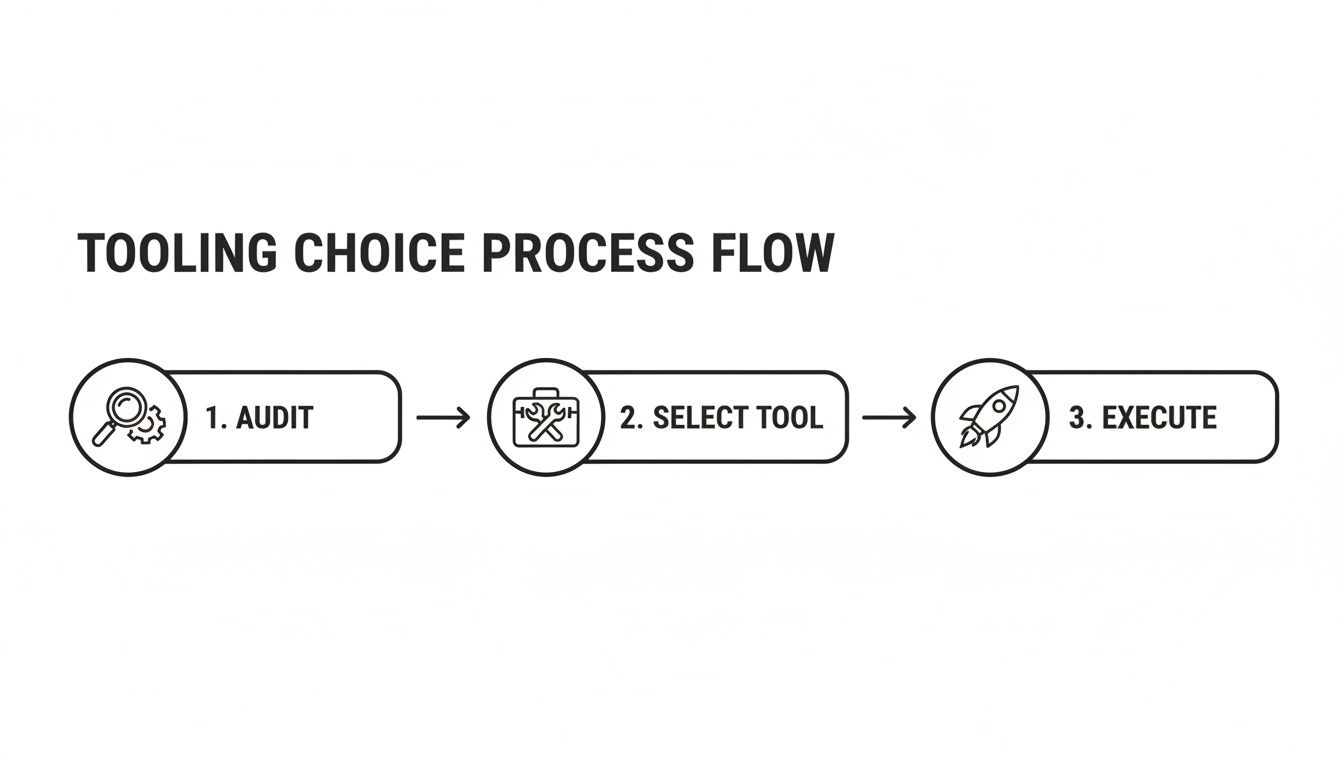
This flow highlights a critical point: successful execution is impossible without a rigorous audit and the right tools. Each step directly informs the next.
Beyond "Did the File Copy?" Validation
User Acceptance Testing (UAT) is another area where internal teams stumble. A simple check to see if files arrived is dangerously inadequate. True validation confirms data fidelity and business process continuity.
Your UAT has to be rigorous and scripted. We use custom PowerShell scripts to run validation checks at scale, comparing source and destination checksums, file counts, and metadata. This isn't spot-checking; it's a forensic comparison to prove nothing was lost.
Your UAT plan must involve business power users testing critical, real-world scenarios. Can the finance team access and co-author the quarterly report? Does the legal team's document approval workflow still function? If these processes are broken, the migration has failed, regardless of whether the files are there.
A staggering 45% of finance sector DIY attempts are aborted due to hitting the 5k item list limits—a hard cap Microsoft Learn spells out for Migration API batches. We've rescued clients who dived in with SPMT, only to hit path length restrictions over 400 characters, fracturing metadata and spiking remediation costs by 55%.
The Rollback Plan You Hope to Never Use
Finally, you must have a robust, tested rollback plan. Hope is not a strategy. Your plan needs to be a clear, step-by-step procedure for reverting users back to the source environment if a critical failure occurs.
This plan must define:
- The Go/No-Go Criteria: What specific validation failures will trigger a rollback?
- Communication Protocol: Who makes the call, and how is it communicated?
- Technical Reversal Steps: The precise actions needed to make the source environment primary again.
A rollback is painful, but it's infinitely better than trapping your organisation in a corrupted, non-functional environment. For complex scenarios, especially those involving on-premises infrastructure, a hybrid configuration can act as a crucial safety net. You can learn more by reading our guide on planning a SharePoint hybrid migration. Without this level of planning, you're not executing a migration; you're performing a high-wire act with no safety net.
Establishing Post-Migration Governance and Security
Getting your data moved is only half the victory. We’ve seen teams celebrate a successful cutover, only to watch their new environment descend into the same chaotic mess they just left.
Without a rock-solid, immediately enforced governance plan, you've simply moved your old problems to a more expensive platform. The work isn't done; it has just begun. The goal now is to lock down the environment and prevent chaos.
Implement a Zero-Trust Security Model Immediately
Your new tenant is a clean slate—the chance to implement a security model that was impossible before. This starts with a zero-trust approach using Microsoft Entra ID. Do not wait.
We often see clients delay this. It’s a critical mistake. Your very first post-migration actions must be security-focused.
Your immediate priorities are:
- Conditional Access Policies: Roll out policies that enforce multi-factor authentication (MFA) for all users, block insecure authentication protocols, and require compliant devices for accessing sensitive SharePoint sites. This eliminates the most common attack vectors.
- Privileged Identity Management (PIM): Your migration project likely required several accounts with Global Admin rights. Decommission them. All privileged roles—SharePoint Administrator, Global Administrator—must be moved into PIM for just-in-time (JIT) access. No one should have standing admin rights. Ever.
The official documentation might present these as optional extras. They are not. In the context of a multi-national SharePoint migration, failing to implement PIM and strict Conditional Access on day one is negligent.
Tame Site and Team Sprawl Before It Starts
You've just wrangled thousands of sites into a single, organised structure. The last thing you need is users creating new, unmanaged sites and Teams, recreating the sprawl you just paid a fortune to eliminate.
Put automated lifecycle management in place from the outset. Use the Power Platform to build an automated site provisioning process that requires a business justification, data classification, and named owners. An approval workflow ensures nothing gets created without accountability.
For SharePoint, a key Document Management System, establishing robust post-migration governance and security is paramount. A valuable resource on this topic is the Document Management System Software: A Guide to Governance, Compliance, and Audit Readiness which details the principles required to maintain control.
Deploy Data Protection That Actually Works
Your audit identified where the sensitive data lives. Now, you must protect it. Deploy Microsoft Purview sensitivity labels immediately. Your initial set of labels should be simple and map directly to business impact (e.g., Public, Internal, Confidential, Highly Confidential).
- Apply a Default Label: Set a default label (like 'Internal') for all new documents in SharePoint to establish a baseline of control.
- Automate Critical Protection: Use auto-labelling policies to find and protect documents containing specific sensitive information, like financial data or PII.
- Enforce DLP Policies: Create Data Loss Prevention (DLP) policies that prevent documents labelled 'Highly Confidential' from being shared externally or copied to a USB drive.
This isn’t a "nice-to-have." Missing this step doesn't just fail the migration's security goals; it breaks legal compliance with regulations like GDPR, which carry severe financial penalties. If you're looking for a deeper dive into this, explore our dedicated post on developing a SharePoint data governance strategy.
Finally, user training is not a formality. Your teams need to understand why these new rules exist. If they don't get the new model, they will find ways to work around it, undoing all your hard work.
Frequently Asked Questions from the Field
We’ve been in the trenches on these big, multi-national SharePoint projects for years. We hear the same questions from IT Directors every time. They come from the hard reality of enterprise IT, not some slick marketing brochure.
Here are the blunt, field-tested answers.
Can We Really Not Use the Free SharePoint Migration Tool for Our Enterprise Migration?
Look, you can use it. But doing so means you are consciously accepting a massive risk to your project timeline, your budget, and the integrity of your data. It's a gamble.
The free SharePoint Migration Tool (SPMT) is built for one thing: simple, low-volume migrations. It completely falls apart when faced with the demands of a multi-national project. It has none of the sophisticated error handling, intelligent throttling management, or granular permission mapping that these complex jobs require.
In our experience rescuing failed projects, an over-reliance on SPMT is the single most common cause of catastrophic budget overruns. The tool simply isn't engineered to handle the complexities of enterprise technical debt like broken inheritance, long path limits, or GUID conflicts.
What Is the Single Biggest Technical Mistake Teams Make During a Multi-Tenant Migration?
Underestimating the crippling impact of API throttling. It’s a project killer.
Internal teams almost always build their timeline based on ideal pilot speeds. They fail to account for how aggressively Microsoft throttles sustained migration traffic, especially during regional business hours.
We’ve seen it time and again: a migration job that takes eight hours overnight suddenly takes 48 hours when you try to run it during the European business day. This one issue cascades, completely destroying your cutover weekend plans. A specialist understands how to structure migration waves and use professional tools that intelligently negotiate throttling to maintain a predictable performance baseline.
How Do We Handle Data Residency Requirements Like GDPR in a Single Global M365 Tenant?
This is a critical strategic decision with significant legal teeth. The primary tool is Microsoft 365’s Multi-Geo Capabilities. This add-on allows a single tenant to store data at rest in different geographical datacentre locations.
Your forensic discovery phase is non-negotiable. You must map all data to its country of origin and identify its specific legal storage requirements. Your migration plan then has to explicitly tag and route this data to the correct geo-location during the migration itself.
Getting this wrong doesn't just mean you fail an internal audit; it can result in severe legal and financial penalties.
The Ollo Verdict: Multi-Geo is a powerful compliance tool, but its complexity is also its biggest risk. A simple misconfiguration can silently place EU data in a US datacentre, creating an instant, reportable data breach. This process requires expert oversight to ensure it is planned, executed, and validated correctly from the start.
A multi-national SharePoint migration is a minefield of technical, legal, and operational risks. At Ollo, we don't just migrate data; we manage that risk. We've rescued projects brought to a standstill by the very issues discussed here. If you're an IT Director who can't afford for this to fail, let's have a pragmatic conversation about doing it right the first time.

















