



Moving your business from SharePoint 2013 is a high-risk data transplant, not a simple IT project. You're pulling critical assets from a decade-old system that was never designed for the cloud. Frankly, your team's optimism is your biggest liability right now.
The first mistake we see companies make is treating this like a "lift-and-shift." It isn't. This is a rescue mission.
Your Migration Is a Rescue Mission, Not an Upgrade
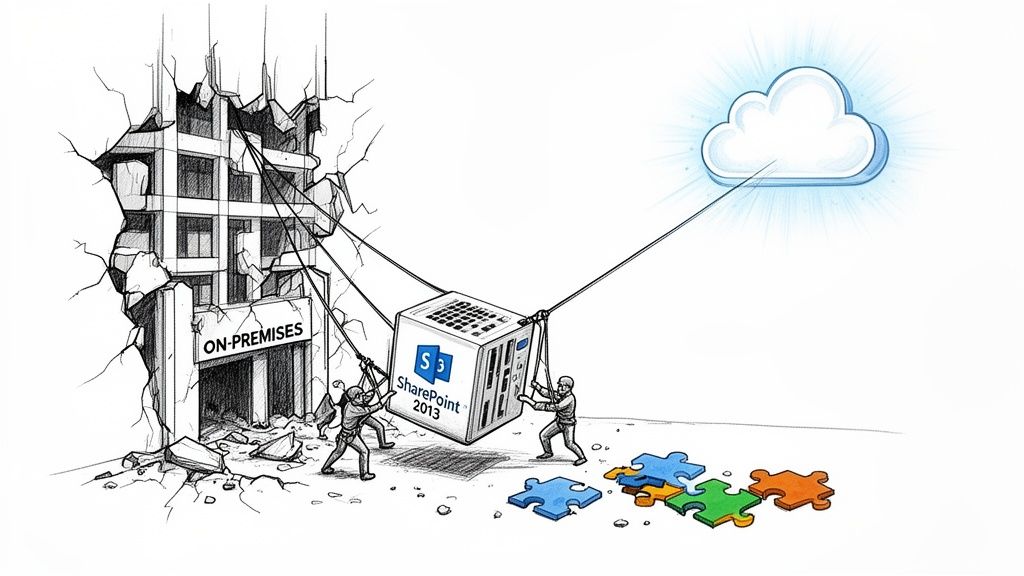
Forget the vendor promises of "seamless transitions" and "easy-to-use" migration wizards. We're often called in to save projects after IT leaders have discovered the brutal reality: a SharePoint 2013 migration is not an upgrade. It’s a high-stakes data extraction from a fragile, unsupported platform.
Your team, however capable, has almost certainly underestimated the dangers lurking inside your SharePoint 2013 environment. They see site collections and document libraries; we see a minefield of technical debt just waiting to detonate.
The Anatomy of Failure
The official Microsoft documentation might say their tooling supports your content. But down in the trenches, we see catastrophic failures happen because of the issues the marketing materials conveniently ignore. These aren't minor hiccups; they are genuine project-killers.
Time and again, we see projects fail when teams don't prepare for these predictable breaking points:
- Custom Code Collapse: Every single one of your custom web parts, timer jobs, and full-trust solutions has no modern equivalent. They will not migrate. They have to be rebuilt from scratch as modern SharePoint Framework (SPFx) web parts or Azure Functions.
- Permission Model Disintegration: The deeply nested, often broken permission inheritance models so common in SharePoint 2013 don't map cleanly to modern Microsoft 365 Groups. We’ve seen migrations where this one oversight exposed sensitive HR and financial data to the entire organisation.
- Workflow and Form Obsolescence: Every single SharePoint 2013 workflow and InfoPath form is a dead end. They aren't just unsupported; they are fundamentally incompatible with the Power Platform. Each one demands a manual, forensic-level analysis and a complete rewrite in Power Automate and Power Apps.
Treating a SharePoint 2013 migration as a standard IT project is the fastest path to data loss and compliance failure. It's a rescue operation for critical business assets trapped in obsolete technology.
Thinking of this as a rescue mission means adopting a strategy that borrows from the top 10 data center migration best practices for enterprises. The core principles of meticulous planning and risk mitigation are directly transferable and absolutely essential here.
The Real Cost of Optimism
Your internal team’s optimism is your single greatest liability. They will follow the standard playbook, and that playbook leads directly to operational paralysis.
When the migration tools start hitting API throttling limits and failing silently, or when users start reporting that mission-critical data has vanished because its file path exceeded the character limit in SharePoint Online, the project grinds to a halt.
By then, your budget is gone, your timelines are shattered, and your business units have lost all faith in IT's ability to deliver. This isn't speculation; it's the exact scenario we find when we're asked to take over a failed project.
An effective migration isn't just about moving files. Before you even think about moving a single byte, you must conduct a thorough SharePoint migration assessment to truly understand the risks. The initial plan has to be built on a foundation of constructive cynicism, not hopeful assumptions.
Unearthing a Decade of Digital Debt: The Forensic-Level Discovery
The success or failure of your SharePoint 2013 migration is decided right here, long before a single file is copied. A high-level inventory—just counting sites and users—is a recipe for disaster. We’ve seen internal teams present impressive-looking spreadsheets, only for the project to completely implode because they missed what actually matters.
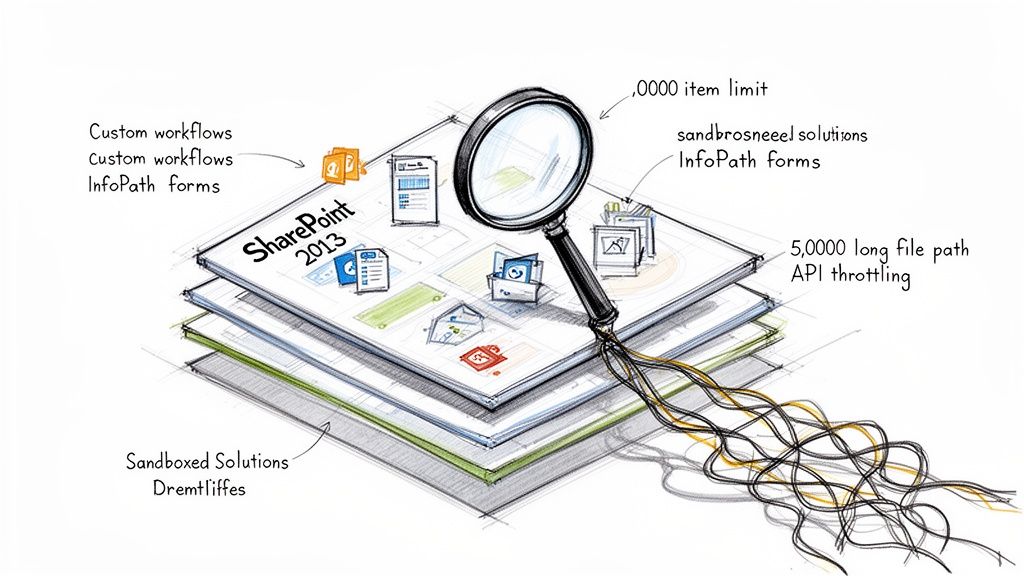
A true discovery phase goes far beyond a simple count. It’s a forensic investigation. You’re hunting down every last customisation, workaround, and shortcut that has built up in your environment over the last 10+ years. Your mission is to find every custom web part, every SharePoint 2013 workflow, every InfoPath form, and every sandboxed solution.
Why this level of detail? Because most of these things won’t just migrate. They will break.
Identifying the Guaranteed Breaking Points
Whatever you do, don't just run a third-party tool's pre-migration report and call it a day. These reports are a decent starting point, but they consistently miss the business context and the tangled web of dependencies that cause chaos during a cutover. Your team has to get its hands dirty, manually and programmatically digging into the environment for these specific, well-documented points of failure.
These aren't theoretical risks. They are hard limits confirmed in Microsoft's own technical documentation that will absolutely choke any standard migration process.
- The 5,000 Item List View Threshold: This is the most notorious SharePoint Online limit. On-premises, you could often find workarounds, but in the cloud, it is an unbreakable wall. Any of your lists or libraries with views that filter or sort on more than 5,000 items will fail. This doesn’t just break a view; it can bring a critical business process grinding to a halt.
- API Throttling and Ejection: The documentation politely calls it "throttling to ensure service health." In the real world, during a high-volume migration, this means SharePoint Online will actively start rejecting your requests. Any off-the-shelf tool—yes, including ShareGate—will get throttled. Without custom scripts that intelligently handle the inevitable
429 (Too Many Requests)and503 (Server Busy)responses, your migration will slow to a crawl or fail entirely. - Invalid Characters and Path Length Limits: SharePoint Online has much stricter rules for file names and path lengths (400 characters total) than your old 2013 farm. We routinely find tens of thousands of files that violate these rules, buried deep within nested folders. A standard tool will either skip them—creating silent data loss—or fail the job, leaving your team to manually fix each one.
We see clients get into trouble when they treat a tool's "pre-scan" report as gospel. These scanners find the obvious stuff, but they lack the intelligence to map a 2013 workflow's business logic to a modern Power Automate flow. That gap is where projects go to die.
The Remediation Rebuild: This Isn't a "Cleanup"
Once you’ve identified these landmines, "cleanup" is the wrong word entirely. This is not a simple tidying exercise. It's a full-scale rebuild of critical business applications that just happen to live inside your old SharePoint farm.
Your remediation plan must be resourced like a separate development project running in parallel with the migration. Anything less is a gross miscalculation of the effort involved.
Workflow Modernisation
Every single SharePoint 2013 workflow must be inventoried and its business owner identified. Your team can't just "migrate" them. They have to be completely re-architected and rebuilt from scratch in Power Automate. This is a manual process that demands a deep analysis of the original business logic—a task no automated tool can perform.
InfoPath Form Replacement
InfoPath is a dead technology. There's no gentle way to put it. Every form must be rebuilt as a modern Power App. While this is a great chance to improve the process, it requires dedicated developer time. Neglecting this doesn't just create a post-migration cleanup task; it breaks the business process on day one.
Data and Permission Structure Remediation
This is where custom scripting becomes non-negotiable. You must have someone who can programmatically crawl your entire dataset to:
- Identify and fix all files and folders that exceed the 400-character path limit.
- Break permission inheritance on massive lists and re-architect the security model to align with modern best practices, steering clear of those 5,000-item threshold issues.
- Analyse and document how your organisation uses metadata. This is a crucial step for a successful SharePoint metadata migration and for building a much more usable system in the cloud.
Failing this forensic discovery and remediation stage doesn’t just delay your SharePoint 2013 migration; it guarantees its failure. It exposes your organisation to significant data loss and operational risk. This is the hard work that separates a successful, uneventful migration from a corporate disaster.
Why Your Chosen Migration Tool Will Inevitably Fail You
Let's be blunt about the tools for your SharePoint 2013 migration. Your team is likely looking at two main paths: Microsoft’s free SharePoint Migration Tool (SPMT) and a third-party product like ShareGate. The marketing for both suggests they’re a straightforward solution. From where I stand, having rescued projects crippled by both, that’s a dangerously simplistic view.
These tools are not the intelligent, autonomous solutions they're sold as. They are brute-force instruments that will inevitably hit a wall in any complex, real-world enterprise environment. Relying on them without a deep understanding of their breaking points is the first step toward a failed project.
The SPMT Liability
Microsoft’s SPMT is free, and you get exactly what you pay for. For a tiny, non-critical migration—maybe a handful of team sites with less than 50GB of simple files—it might just get the job done. For anything resembling a proper enterprise workload, using SPMT is a massive liability.
We are frequently called in when a project has ground to a halt, and SPMT is almost always the initial culprit. Here’s where it consistently falls apart:
- Complex Permission Mapping: SPMT has an almost childlike inability to handle the messy, often-broken permission models of a decade-old SharePoint 2013 farm. It simply cannot intelligently remap custom permission levels or untangle scenarios with broken inheritance. This doesn't just throw errors; it creates gaping security vulnerabilities post-migration.
- Metadata Transformation: The tool’s ability to transform and remap metadata is laughably basic. If you need to restructure content types or intelligently map terms from an old term store to a new one, SPMT offers no real answer. Missing this step doesn’t just make content harder to find; it can break legal compliance for organisations that rely on metadata for records management.
- Cryptic Error Reporting: SPMT's error reporting is useless. It will report a failure, but the logs provide almost zero context, leaving your team to waste days trying to diagnose a problem that a specialist would have anticipated and scripted around from the very beginning.
The Ollo Verdict: Use SPMT for a few simple sites under 50GB where you can manually verify every single permission and piece of metadata. For any serious enterprise SharePoint 2013 migration, relying on SPMT is professional negligence. It's a false economy that costs far more in rescue efforts and data loss risk than you save on a licence fee.
ShareGate Is Not a Silver Bullet
ShareGate is a powerful and respected tool. We use it ourselves. But it is not a "fire-and-forget" solution. Thinking you can just buy a licence, hand it to your IT team, and expect a smooth migration is a critical miscalculation.
ShareGate is an excellent instrument, but it requires a skilled architect to play it—and just as importantly, to know when to put it down and pick up a different tool. We've seen projects crippled because the team treated ShareGate as a magic bullet, only to run headfirst into its documented limitations in enterprise scenarios.
Here’s where we see ShareGate stumble when it isn’t backed by expert oversight and custom scripting:
- Extremely Large Sites: While far more robust than SPMT, ShareGate can struggle and even time out when migrating massive site collections (terabytes of data or hundreds of thousands of files). It can be overwhelmed by the sheer volume, leading to unexplained failures that require painstaking manual fixes.
- Version History Flaws: The documentation says it preserves version history, but in the real world, this can be flaky. We've seen scenarios where version histories for specific file types become corrupted or are simply not migrated correctly—an issue that only surfaces during user acceptance testing when it's far too late to fix easily.
- GUID Conflicts: When you're not just lifting-and-shifting but actively restructuring content, ShareGate can sometimes create GUID (Globally Unique Identifier) conflicts, especially when moving and merging lists or sites. This is a subtle but destructive problem that can break lookups, workflows, and web parts in ways that are incredibly difficult to troubleshoot.
To effectively navigate these challenges, you'll need a deeper understanding of various migration approaches. You can learn more about different options and find the right fit for your needs by exploring our detailed guide on SharePoint migration software.
The Tooling Reality Check
This brings us to the uncomfortable truth: for any complex SharePoint 2013 migration, off-the-shelf tools are necessary, but not sufficient. They are one part of a three-part solution. The other two are a senior architect who knows the tool's limits and a library of custom PowerShell PnP scripts to handle what the tool cannot.
Here's a breakdown of where each approach shines and where it catastrophically fails in the context of a real enterprise migration.
Tooling Reality Check: SPMT vs ShareGate vs Custom Scripting
Your environment is unique. Your business logic is unique. Your technical debt is unique. You cannot expect a generic tool to handle the specific complexities your organisation has built over a decade.
Custom scripting is the only way to surgically address issues like programmatic permission restructuring, complex metadata transformations, and intelligently handling API throttling from Microsoft 365. This isn't an "add-on"; it's a core requirement for risk reduction in any serious migration project.
Executing a Phased Cutover Without Breaking Your Business
Let’s be blunt: a ‘big bang’ migration for a complex SharePoint 2013 environment is corporate suicide. Anyone who tells you it’s possible is either dangerously inexperienced or just trying to sell you a tool. The only responsible path forward is a meticulously planned, phased cutover.
But don't get a false sense of security. A phased rollout isn't automatically safe; it’s just less catastrophic than the alternative. I’ve seen far too many phased plans fail because they were built on arbitrary metrics like department size or the sheer volume of data. That’s a critical mistake.
A successful phased cutover isn't organised around terabytes; it’s structured around business function and technical risk. It's about surgically moving sections of the business in a controlled manner, with pre-planned escape routes for when—not if—something goes wrong.
The Pilot Migration: Your Litmus Test for Disaster
Your first real move isn't the migration itself; it's the pilot. The most common error here is picking the easiest, least important department for your test run. This tells you absolutely nothing useful. You need to select a group that is low-risk but technically representative of the chaos you’re about to tackle.
Choose a department that:
- Uses a mix of content types and has some metadata in play.
- Relies on a few SharePoint 2013 workflows you’ve already remediated.
- Is known for being vocal and will provide honest, even critical, feedback.
- Has data that is important, but not so mission-critical that a temporary outage would spark a full-blown business crisis.
The feedback you get from this pilot group is pure gold. They are the ones who will uncover the hidden ‘gotchas’ and user experience flaws your technical team inevitably missed. Their complaints about broken links, confusing navigation, or slow load times are your final, most important checklist before you even think about touching a critical business unit.
The real point of a pilot isn't to succeed; it's to find all the ways you're going to fail, but on a small, contained scale. A perfectly smooth pilot should make you more nervous, not less. It just means you haven't looked hard enough.
Managing the Cutover Wave by Wave
With the lessons from your pilot in hand, you can begin the phased rollout. Think of each phase as a "wave"—a miniature project with its own strict set of procedures. This is where projects often descend into chaos because the team fails to implement one non-negotiable technical step: making the source data read-only.
During the final delta sync for a specific wave, you must set the source SharePoint 2013 sites to read-only. If you skip this, users will absolutely continue to modify content on-premises while you're trying to synchronise the very last set of changes. This creates immediate data divergence and utter chaos, where nobody knows which version of a document is the correct one.
Your approach to tooling will also evolve. You might start with basic options and escalate to more powerful, custom solutions as the complexity of each wave increases.
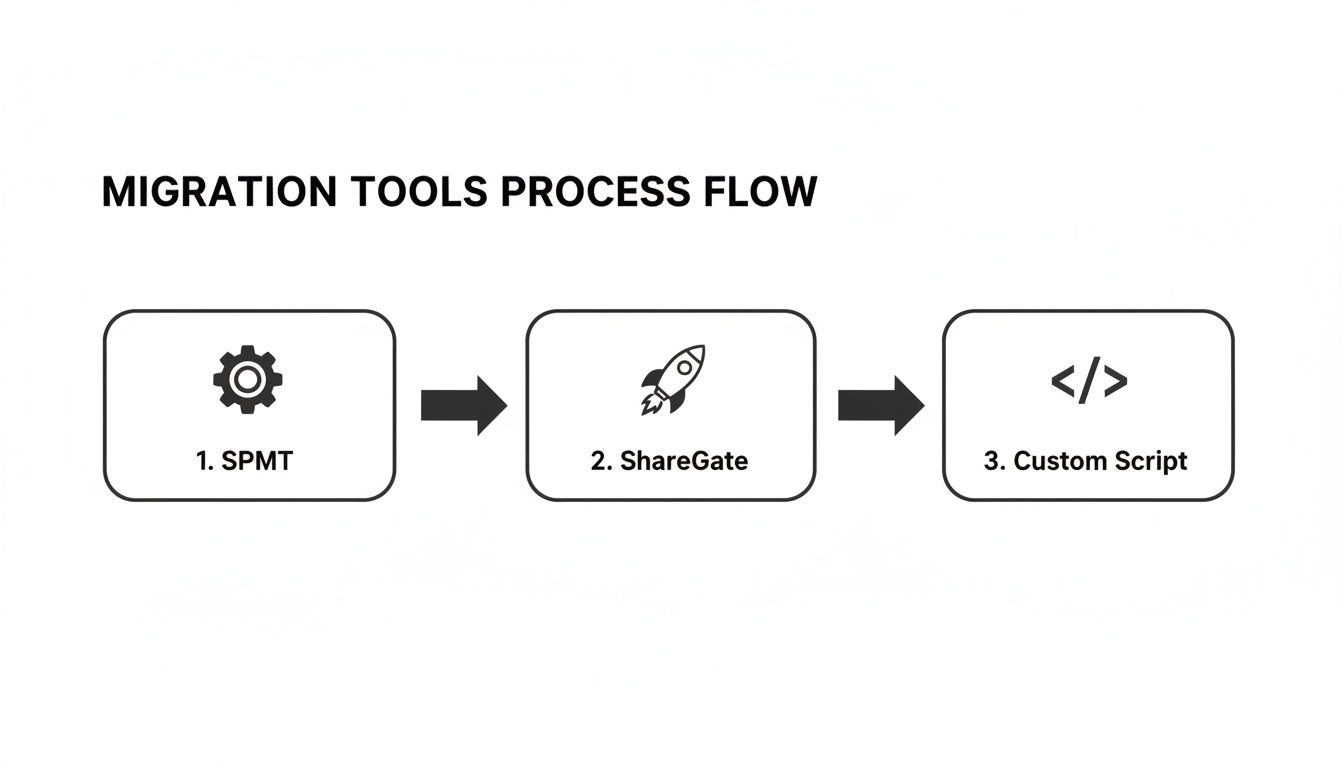
This flow is typical; you start with Microsoft's own SPMT for simple sites, move to a robust third-party tool like ShareGate for the bulk of the work, and then rely on custom scripting for the truly complex, bespoke scenarios that no off-the-shelf tool can handle.
Have an Escape Plan for Every Single Wave
For every migration wave, you need a clearly defined and tested rollback plan. What’s the procedure if the finance department’s migrated data is found to be corrupted during post-migration validation? Your team cannot be scrambling to figure that out in the middle of a crisis.
A real rollback plan isn't just a vague idea to "switch back." It's a documented procedure that answers these questions with precision:
- What is the exact trigger for initiating a rollback? (e.g., more than 5% data validation failure, a critical business process being down for more than 2 hours).
- How will you communicate the rollback to affected users clearly and quickly?
- What is the technical process for redirecting users back to the on-premises environment?
- How will you capture any new data created in SharePoint Online during the brief cutover period to re-integrate it back on-premises?
Executing a phased cutover isn't just about managing data; it's about managing user expectations, controlling change, and maintaining business continuity at all costs. A detailed SharePoint migration timeline should map out not just the migration steps themselves, but these critical risk-reduction activities for each and every wave. Without this battle-hardened methodology, your "phased migration" is just a slower, more painful way to fail.
The Post-Migration Governance Crisis You Haven't Planned For
Getting your data from SharePoint 2013 to SharePoint Online isn't the finish line. In fact, it’s the starting gun for a governance crisis most IT teams don't see coming. We talk to leaders who are so focused on just moving the files that they completely miss the most dangerous part of the project: Your entire SharePoint 2013 governance model is obsolete and will create immediate security and compliance failures in Microsoft 365.
Lifting and shifting your old security model isn’t a strategy; it’s an act of negligence. The permission structures and administrative concepts from 2013 are fundamentally incompatible with the modern cloud. Ignoring this doesn't just leave you with a messy tenant; it completely nullifies the security benefits you were supposed to gain by moving to the cloud in the first place.
From Broken Inheritance to Zero Trust
Let's be honest. Your SharePoint 2013 environment is probably a chaotic web of broken permission inheritance, custom SharePoint Groups, and individual user permissions granted directly to sites and libraries. That model is a nightmare to manage on-premises, and it's catastrophically dangerous in the cloud. Your migration must be paired with a complete redesign of your identity and access management.
This isn't an optional "Phase 2" clean-up project. It has to happen in lockstep with the migration itself. Here’s what that looks like in the real world:
Dismantle Old SharePoint Groups: Instead of migrating those legacy SharePoint Groups, you have to rebuild your security model around modern Microsoft 365 Groups. This is a critical shift. It centralises control, simplifies administration for your team, and creates a coherent security boundary that extends across Teams, SharePoint, and other M365 services.
Embrace Entra ID: Your identity strategy has to evolve from old-school Active Directory trusts to a Zero Trust architecture anchored in Microsoft Entra ID. This means implementing Conditional Access policies, enforcing multi-factor authentication (MFA) everywhere, and managing access based on real-time risk signals—concepts that were pure science fiction back in the 2013 era.
Implement Sensitivity Labels: Your on-premises data likely has no formal classification. In Microsoft 365, you can and must deploy sensitivity labels to classify your data (e.g., Public, Internal, Confidential). These labels do more than just tag documents; they can enforce encryption, apply watermarks, and restrict access, giving you protection that follows the data wherever it goes.
A successful migration doesn't end when the last file is transferred. It ends when you have a modern, secure, and governable environment that reduces organisational risk. Anything less is a failure.
Activating the Cloud's Defences
Simply moving your files into SharePoint Online doesn't automatically make them secure. You have to actively configure and turn on the modern security tools that didn't even exist in 2013. This is a critical step that many internal teams, exhausted from the migration itself, often push off or ignore completely.
We often see clients stumble when they treat this as a post-launch "clean-up" item. This is a mistake that leaves a wide-open window for data leakage. Your plan has to include the immediate configuration of:
Data Loss Prevention (DLP) Policies: From day one, you need DLP policies configured to actively prevent the accidental or malicious sharing of sensitive information, like financial data or personal identifiable information (PII), through Outlook or Teams.
Retention Policies: Unlike the clumsy records management of 2013, modern retention policies ensure data is kept for its required legal or business lifecycle and then disposed of defensibly. Missing this step doesn’t just mean you failed the migration; it means you're breaking legal compliance.
For an in-depth look at building a robust framework, check out our guide on modern SharePoint data governance strategies.
Forensic Validation Is Non-Negotiable
Finally, your post-migration validation has to go way beyond simply checking if the files arrived. Your team needs to conduct a forensic-level audit to confirm the new governance model is actually working as designed. This requires some custom scripting and a healthy dose of cynicism.
You need to run automated tests that attempt to access sensitive sites with unauthorised test accounts. You have to programmatically verify that links embedded within documents still resolve correctly. A forensic permission audit is absolutely crucial to prove, not just assume, that the new Microsoft 365 Group permissions have been applied correctly and the old, broken inheritance is gone for good.
This isn't just about moving your data out of a decade-old system. A proper SharePoint 2013 migration is your one and only chance to pay down years of technical debt and build a secure, governable foundation for the next decade. Wasting that opportunity is the biggest disaster of all.
The Hard Questions About Your SharePoint 2013 Migration
As a senior architect, I know the questions you’re already asking your team about this SharePoint 2013 migration. But I also know the ones you're afraid to ask out loud because you suspect the answers aren't good. Let's get straight to the point and tackle those head-on.
Can We Really Just Do This Ourselves With ShareGate?
Your team is sharp, and ShareGate is a fantastic tool. I've seen it work wonders. For a small, straightforward environment, a seasoned expert with ShareGate can pull it off. But let's be realistic. For an enterprise with regulated data, years of customisations, or a mountain of technical debt, relying only on an off-the-shelf tool is a huge gamble.
We’re often called in to rescue projects that have stalled precisely because the tool hit a wall. Things like failing to remap complex permissions or choking on a library that's blown past the list view threshold.
A tool is only as good as the architect running it—and the custom scripts they have ready for when it inevitably gets stuck.
What Is the Single Biggest Technical Mistake We Could Make?
Underestimating remediation. This is the mistake that destroys budgets and puts careers on the line.
Your team looks at a spreadsheet and sees "1,000 workflows" and "500 InfoPath forms" and thinks, "Okay, let's add a few weeks to the plan." This is a catastrophic miscalculation.
Every single one of those legacy components needs to be manually analysed, redesigned for a completely different platform, and rebuilt from scratch in Power Automate and Power Apps. They don't migrate. This isn't a small task; it's a full-blown development project buried inside your migration. Failing to resource it as such will derail your entire timeline.
We see clients get into trouble when they treat remediation as a simple "clean-up" phase. The reality is, for a decade-old SharePoint 2013 environment, remediation is the project. The data lift-and-shift is often the last, and easiest, step.
How Do You Define a Successful Migration?
Success isn’t just seeing your files appear in SharePoint Online. That’s table stakes. For us, a successful SharePoint 2013 migration is defined by a few non-negotiable outcomes:
- Zero unexpected data loss: Every critical file, list item, and piece of metadata arrives with its integrity and context fully intact. No exceptions.
- A demonstrably stronger security posture: We don't just "lift and shift" your old security model. We replace it with a modern Zero Trust framework built on Entra ID. We can prove you are less at risk than you were before.
- Full user adoption with minimal business disruption: The cutover is so precise that users can keep working, and the new environment is so well-structured that they actually prefer it.
- A modern governance plan from day one: You have data classification, retention policies, and DLP active from the moment you go live, not as an afterthought.
One of the tough questions that often gets missed is what happens to your old servers. Using a proper server decommissioning checklist is vital to ensure all data is securely wiped and hardware is disposed of in a compliant manner. This isn't just a final step; it's a critical one.
Success means we haven’t just moved data; we’ve actively retired technical debt and measurably reduced your organisation's risk profile. Anything less is a partial failure, no matter how many terabytes you managed to move.
The risks in a SharePoint 2013 migration aren't theoretical. They are practical, predictable, and costly. At Ollo, we specialise in navigating these complexities, de-risking your project, and ensuring your move to the cloud isn't just a data transfer, but a strategic upgrade to your security and governance. Contact us to discuss how we secure your high-stakes migration.

















