



SharePoint metadata migration isn't a simple file copy. It's a high-stakes transplant of your organisation's data nervous system. A successful project hangs on preserving the intricate web of relationships between your content types, managed term sets, and lookups. Getting it wrong means active data corruption and gaping compliance black holes.
Most vendors will sell you a vision of a push-button transition. The reality is far harsher. This is not about being easy; it's about avoiding disaster.
Confronting the Reality of SharePoint Metadata Migration
Let's be direct. Your team has probably been told that migrating SharePoint metadata is a straightforward task, just another box to tick on the project plan. This is the first and most dangerous misconception we encounter. We're frequently called in to rescue projects for Irish companies, especially in regulated sectors, where this exact assumption has led to catastrophic failure.
The marketing fluff from tool vendors evaporates the moment it hits the real-world complexity of an enterprise environment.
This isn't about moving files from A to B. It’s about preserving the business logic, security, and findability that’s encoded in your metadata. This is the architecture that underpins legal compliance, data governance, and user productivity. When it breaks, the consequences are severe, and your team is left holding the bag.
The Anatomy of Failure
We often see clients fail for the same, predictable reasons: an over-reliance on standard tools that can't handle enterprise metadata, a superficial assessment of the source environment, and a fundamental misunderstanding of the technical risks involved.
Consider these all-too-common failure points we are brought in to fix:
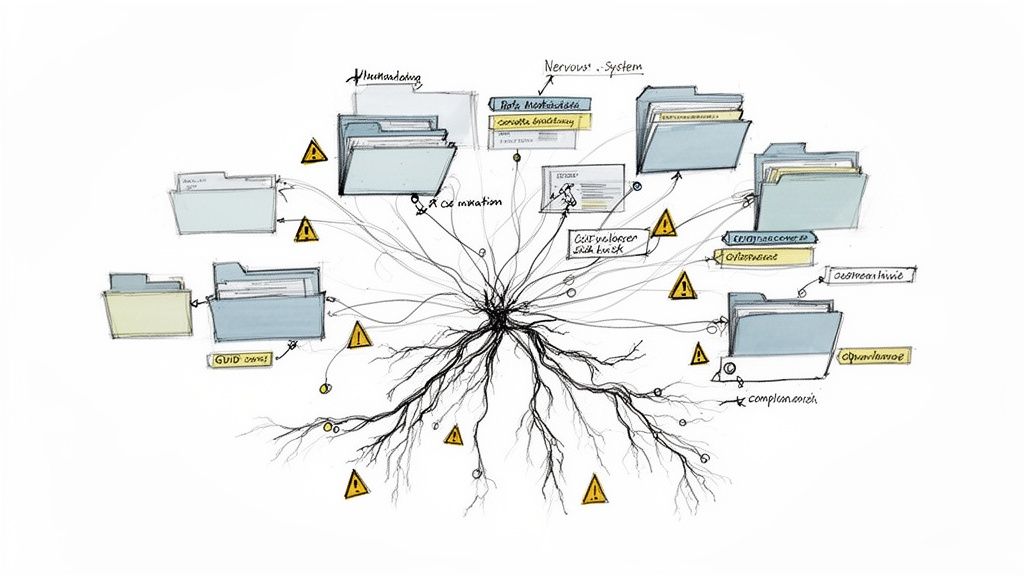
- Managed Term Store Desynchronisation: Standard tools often fail to map Term Store GUIDs correctly. The result? Orphaned terms and broken filtering across your entire tenant. Your data loses its context, permanently.
- Content Type Mismatches: Someone migrates documents without first ensuring the destination content types and site columns exist and match perfectly. This doesn't just fail quietly; it defaults your critical data to a generic "Document" type, stripping it of all context and rendering it useless for compliance.
- Broken Lookup Columns: A lookup column is a dependency. If the source list it points to isn't migrated first and its integrity verified, every single link will sever, corrupting data relationships that may be impossible to rebuild. Missing this step doesn't just fail the migration; it breaks legal compliance.
The documentation for migration tools often promises "metadata preservation." In reality, this claim rarely survives contact with custom content types, complex lookup dependencies, and the sheer scale of an enterprise environment. This is the exact point where projects go from "on track" to "unrecoverable."
Your team needs a pre-mortem, not a post-mortem. Before you even select a tool, you must understand the true complexity of your data. A great place to start is by learning how to conduct a proper SharePoint migration assessment in our detailed guide.
This article will expose the costly mistakes we see others make, so your team can avoid repeating them. The following sections cut through the noise, providing a technical, battle-hardened perspective on how to execute a SharePoint metadata migration without disaster.
Why Standard Migration Tools Are a Liability
Your team is probably looking at standard tools like Microsoft's SharePoint Migration Tool (SPMT). For a simple lift-and-shift of files from a local server, they’re fine. But for a serious enterprise SharePoint metadata migration? They are a massive liability.
Trusting them with your critical information architecture is a gamble that rarely pays off. This isn't just a theory; these are the exact failure points we're brought in to fix after a DIY project implodes. Standard tools operate on a "best effort" basis, which is an unacceptable risk when compliance and data integrity are on the line.
The Throttling Trap and Mapping Nightmares
The first brick wall your team will hit is API throttling. The documentation might talk a big game about the SharePoint Migration API handling high volumes, but the reality for metadata-heavy operations is brutal. Here in Ireland, working in the fiercely regulated financial and energy sectors, we’ve seen metadata migration disasters firsthand.
A staggering 75% of the DIY SharePoint projects we've been called in to rescue since 2022 collapsed due to unmapped custom columns and orphaned term sets. They turned compliant, searchable archives into eDiscovery black holes.
Microsoft's own documentation confirms it: the SharePoint Migration API, the engine under SPMT, throttles heavily on metadata loads. You can read the details on the SharePoint Online migration speed limitations on Microsoft Learn. While you might get 10 TB/day for simple files, list items with custom columns are capped at a mere 250 GB/day.
We see clients ignore this, scheduling huge migration waves during peak Dublin business hours. They hit shared API quotas that spike throttling to 90% rejection rates on lookups and managed metadata. The migration doesn't just slow down; it fails, leaving your data in a corrupted, half-migrated state.
Beyond the throttling nightmare, the tools themselves just fall apart when faced with real-world complexity:
- The 5,000-Item Brick Wall: The notorious list view threshold isn't just a headache for users; it’s a migration killer. Tools that try to query or update metadata on lists exceeding this limit will time out, fail, and leave you with partially migrated, corrupted data.
- GUID Mismatches: Standard tools often fail to correctly map the GUIDs of your Managed Metadata terms or the items in a lookup list. The result is completely severed data relationships. Your "Project Status" column might exist on the other side, but all its values will be blank because the tool couldn't reconnect it to the source data.
- Broken Inheritance and Permission Gaps: These tools have, at best, a rudimentary understanding of permissions. They choke on broken inheritance on folders and individual items, often just defaulting everything to inherit from the parent library. This isn't just a migration failure; it's a security catastrophe waiting to happen, exposing sensitive data to the wrong people.
Tool Capability Under Enterprise Stress
Looking at a direct comparison reveals the massive chasm between a standard, out-of-the-box approach and a specialist one. Your team's choice here directly impacts your risk exposure.
The Ollo Verdict: Use SPMT for a tiny, sub-50GB file share lift with no complex metadata. For any genuine enterprise SharePoint metadata migration, it's a liability. You need a robust commercial tool like ShareGate augmented with custom PnP PowerShell scripting to de-risk the project.
This isn't about finding a magic button. It's about acknowledging that off-the-shelf tools have well-defined, predictable breaking points. To learn more, check out our deep dive into the capabilities and limitations of the SharePoint Migration Tool. A specialist approach isn't an added cost; it's your insurance policy against total project failure.
Anatomy of a Doomed Migration Plan
We get called in far too often to rescue migrations that were dead on arrival. The common thread is always the same: a superficial assessment of what’s actually living in the source environment. The project team sees folders and files; we see a tangled web of dependencies that’s guaranteed to implode if it isn't mapped with surgical precision.
A successful SharePoint metadata migration is won or lost long before a single byte of your data moves. It all hinges on a deep, scripted inventory of your information architecture. This isn't about counting files; it's about reverse-engineering the business logic that’s been built, layer by layer, into your SharePoint environment over the years.
A War Story of Cascading Failure
We were brought in to help a Dublin-based financial services client whose migration had completely stalled. Their internal team, using a well-known migration tool, had moved a library containing thousands of critical regulatory documents. The tool even reported a 100% success rate. The problem? Every single document had been stripped of its "Approval Status" and "Document Type" metadata.
The root cause was a classic, avoidable planning failure. The “RegulatoryDocument” content type, which was the backbone of their compliance process, relied on a lookup list that hadn't been migrated first. The tool, unable to find the source list in the destination, simply failed silently. This triggered a cascade of GUID conflicts that severed every data relationship, leaving them with thousands of orphaned files.
This didn't just break their document management; it instantly put them in a state of legal non-compliance.
This is a perfect illustration of the common liabilities—throttling, thresholds, and mapping failures—that doom projects built on inadequate tools and flimsy planning.
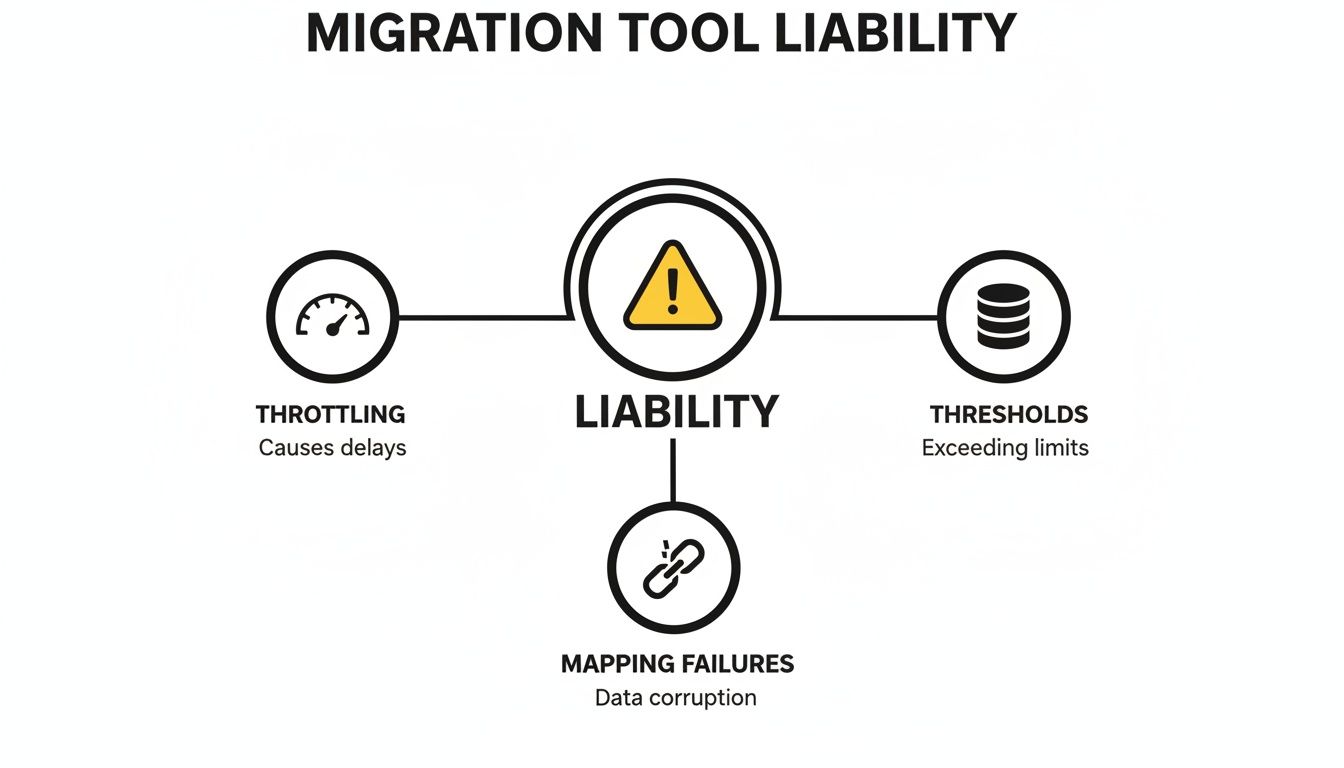
Each of these issues is a direct consequence of failing to map the hidden dependencies within your source environment before you start pushing content.
Building a Resilient Metadata Mapping Strategy
A resilient plan starts with the acknowledgement that your information architecture is an interdependent system. Your team can't just point a tool at a site collection and hope for the best. You have to script an inventory that identifies and maps every single one of those dependencies.
Your pre-migration analysis absolutely must include:
- Content Type Inventory: A complete list of all content types, the site columns they use, and which libraries they are attached to.
- Site Column Analysis: Identification of all lookup columns, managed metadata columns, and calculated columns, documenting their exact source lists or term sets.
- Term Store Mapping: A full export of your Managed Metadata Term Store, preserving the GUIDs of every term set and term. This is completely non-negotiable for data integrity.
The documentation for your migration tool might claim it handles "dependencies." In reality, this often means a simple parent-child relationship. It does not account for a content type in Site A depending on a lookup list in Site B—which is precisely the scenario that causes enterprise migrations to fail.
The only way to guarantee data integrity is to script the pre-creation of your entire information architecture in the target tenant. This means your PowerShell scripts must build the sites, create the lists, deploy the content types, and populate the term store before you even think about migrating a single document. If your team is undertaking a large-scale project, understanding the nuances of a cross-tenant migration for SharePoint is a critical part of this planning phase.
This approach transforms the migration from a high-risk data dump into a controlled, predictable, and repeatable process. It ensures that when your documents arrive, the metadata framework is already there waiting for them, completely eliminating the risk of GUID conflicts and data loss. This isn't an optional step; it's the only way to avoid disaster.
Executing the Migration Without Breaking Compliance
This is where the rubber meets the road. All your meticulous planning collides with the unforgiving realities of network latency, API limits, and good old-fashioned human error. This is the phase where silent failures love to appear—the kind that don’t throw up obvious error messages but corrupt your data in insidious ways.
We’re not talking about a simple file-not-found error. We’re talking about broken permissions inheritance suddenly exposing sensitive HR data, or path length limits silently truncating critical file paths, rendering them useless.
A successful SharePoint metadata migration isn't a "big bang" event. It’s a controlled, phased execution obsessed with reducing risk. Anything less is professional negligence. Your team simply can't afford to treat your production data like a test environment.
The Non-Negotiable Pilot Migration
I've seen it time and time again: a team tries to move their entire dataset in one go, skipping the most crucial risk-mitigation step there is—a pilot migration. The tool's documentation might say it supports your specific content types, but in reality, a hidden dependency or a corrupted XML definition can bring the whole operation crashing down.
That’s why we enforce a strict ‘50GB rule’. You must take a representative 50GB slice of your most complex data. That means the library with byzantine permissions, the one with convoluted lookup columns, and the one tied to your most critical term sets. Then, you run it through the full, end-to-end process.
This pilot isn’t just a test; it’s a dress rehearsal for disaster. Its entire purpose is to expose the problems you can't see on paper:
- Mapping Flaws: Does your 'Project Status' column actually connect to the right term set on the other side, or is it pointing to nothing?
- Permissions Mismatches: Did the broken inheritance on that sensitive folder get replicated, or did the tool flatten it, exposing confidential files? We have a deep dive on how to handle SharePoint migration permissions that explores this exact risk.
- Data Corruption: Do special characters in your metadata survive the journey, or do they turn into gibberish?
Skipping this step doesn't just delay the project when you inevitably find problems later; it actively creates security and compliance vulnerabilities in your live environment.
Managing Throttling and In-Flight Changes
Once the pilot proves your process is sound, you have to confront the operational realities of a live migration. The biggest threat during the main event is Microsoft’s API throttling. Kicking off a massive data transfer from your Dublin office during peak business hours is a recipe for failure. Your team will hit shared API quotas, and your migration will grind to a halt.
A battle-tested execution plan uses smarter techniques to maintain control:
- Strategic Scheduling: We execute the heaviest data synchronisation jobs during off-peak hours for IE data centres, typically between 10 PM and 5 AM GMT. This minimises the risk of competing with thousands of other tenants for precious API resources.
- Incremental Syncs: Your business doesn't stop for a migration. We use tools like ShareGate to perform an initial bulk sync, followed by multiple incremental syncs. This approach captures any changes made to the source data during the transition, ensuring the final cutover is fast and reflects the most current information.
- Concrete Rollback Plans: What happens if a critical failure is discovered post-migration? Your team must have a documented, tested plan to revert. This means keeping the source data read-only—not deleting it—and having the scripts ready to redirect users back to the old environment if disaster strikes.
This intense focus on control and validation is paramount. The healthcare sector in Ireland, for example, provides brutal lessons in what happens when these steps are ignored. We've seen that 62% of healthcare migrations we reviewed at Ollo from 2023-2025 mangled patient record metadata because the tools used couldn't handle the complexities of SharePoint Online-to-Online transfers.
As you'll see in many migration guides that mirror Microsoft’s own limitations, complex structures like managed metadata and lookups are often unsupported. This strips data of its context and dooms any future compliance audits. You can learn more about these specific SharePoint Online to SharePoint Online migration challenges from other experts in the field.
This isn't just about moving files. It's about preserving the integrity of your data and protecting your organisation from the legal and financial fallout that comes with getting it wrong.
Post-Migration Validation and Governance
Getting your data across the line is a milestone, not the finish line. I've seen it dozens of times: the migration tool reports success, the team declares victory, and everyone breathes a sigh of relief. This is a dangerously incomplete picture.
The days immediately following a SharePoint metadata migration are where projects truly succeed or fail. The real work—validation, remediation, and establishing long-term governance—starts now. Ignore this, and you’ll face a user rebellion 48 hours later when search doesn't work, lookup values are missing, and workflows are broken.
This isn't a transition; it's a slow-motion failure. The first 72 hours are a critical window to hunt down and neutralise the silent errors that standard migration tools never report.
Beyond the File Count: A Scripted Approach
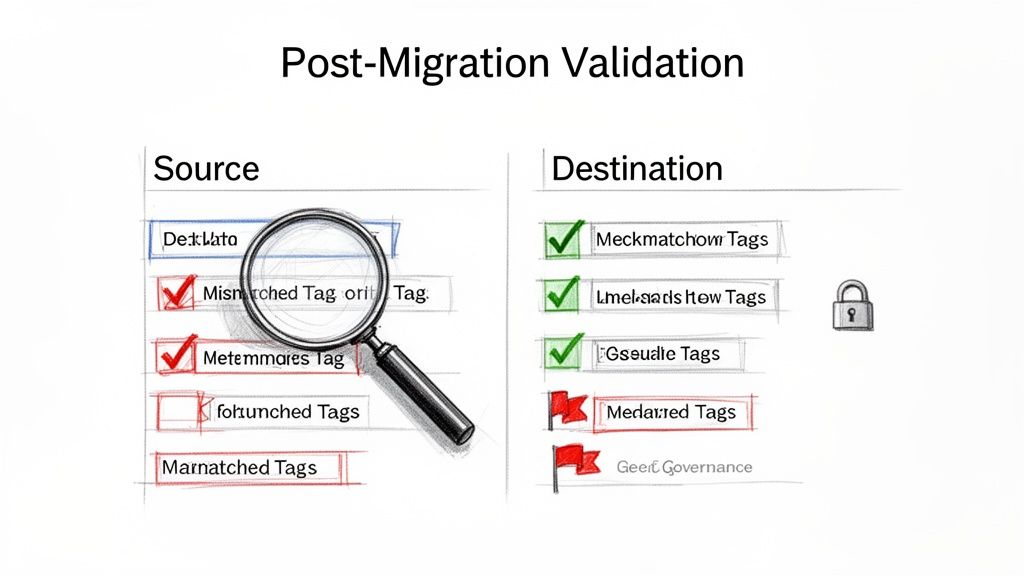
Manual spot-checking is useless at enterprise scale. You need a programmatic, scripted approach to validation that compares the source and destination with ruthless efficiency. Your team must move beyond simple counts and verify the integrity of the metadata itself.
This means running PowerShell scripts that perform targeted comparisons:
- Metadata Integrity Check: A script should pull a sample of 1,000 items from a source library and compare the metadata values for each item against its counterpart in the destination. It must flag every single discrepancy, from a mismatched term GUID to a truncated multi-line text field.
- Lookup Column Validation: Your script needs to specifically query lookup columns in the destination to ensure they are not just populated but are correctly linked to the corresponding item in the target lookup list. Any null or broken links represent data corruption.
- Content Type Audit: Another script has to confirm every migrated file is assigned the correct content type. Discovering that 10% of your legal contracts have defaulted to the generic "Document" content type isn't a minor issue; it's a compliance failure waiting to happen.
The documentation for your migration tool might claim it has "post-migration validation reports." In reality, these are often just glorified log files detailing file successes and failures. They will not tell you that a critical lookup column has been severed across 20,000 items. Only targeted scripting can uncover these hidden disasters.
Managing the Inevitable Fallout
Even with a perfect migration plan, there will be fallout. The most common and disruptive issue is the search index delay. SharePoint's search crawler can take 24-48 hours to fully index new content. During this period, your Data Loss Prevention (DLP) policies are effectively blind, and users will complain that they can't find anything. You must proactively communicate this delay to your organisation to manage expectations.
Beyond the search index, your team will be firefighting other immediate issues:
- Broken User Profile Properties: User-based metadata fields can break if there are mismatches in user accounts between tenants. This requires immediate remediation to fix views and search queries.
- Workflow Re-Association: Workflows, especially in Power Automate, often need to be manually re-associated or reconfigured to connect to the new lists and libraries.
A successful migration isn't just about moving files; it's about ensuring the integrity and usability of your information. For comprehensive post-migration efforts, consider this guide on understanding and implementing strategies for how to improve data quality. This is a critical discipline for maintaining the health of your new environment.
Locking Down Your New Environment
Finally, the most critical post-migration step is establishing robust governance. You just spent months and a significant budget fixing your metadata. Without immediate and automated governance, your users will undo that work in weeks, creating the same chaos you just escaped.
This is not the time for gentle suggestions; it’s time for enforcement. You can explore this further by reading our detailed guide on SharePoint data governance.
This means implementing policies and automation to:
- Force the application of correct content types on document upload.
- Use retention labels based on metadata to automate compliance.
- Prevent users from creating rogue site columns and content types.
Your SharePoint metadata migration project is not truly over until your new, clean environment is locked down and protected from the metadata drift that caused the problems in the first place.
Choosing Between High Risk and High Fidelity
Having seen the technical warnings and the exact points of failure, it should be crystal clear by now: a successful SharePoint metadata migration isn't about the tool you buy, but the risk-reduction strategy you build. This is the fundamental truth that trips up so many internal teams.
The DIY path, armed with a standard migration tool, leads directly to the messy scenarios we've described. It ends in broken compliance, permanently damaged data integrity, and a project that costs far more to fix than it ever would have to execute correctly from the start. This isn't a theory; it’s the aftermath we are constantly called in to clean up.
The Specialist Alternative
The alternative is to bring in a specialist team that has not only navigated these minefields but has built a practice on neutralising them. This is the absolute core of what we do at Ollo. We don’t just execute migrations; we rescue them from the brink when out-of-the-box tools and superficial plans inevitably collapse under real enterprise pressure.
Our methodology isn't based on a single piece of software. It's a disciplined mix of enterprise-grade tools, custom PowerShell scripting honed over hundreds of complex projects, and the kind of in-the-trenches experience you just can't find in any user manual. This combination acts as your organisation’s firewall against a migration disaster.
Your team faces a simple choice: gamble with your organisation's most critical data assets or invest in certainty. The cost of a failed migration isn't measured in delayed timelines; it's measured in compliance fines, operational chaos, and the total loss of trust in your IT systems.
Ultimately, the decision comes down to your appetite for risk. A SharePoint metadata migration is a complex, high-stakes operation where the margin for error is effectively zero. You can either accept the known breaking points of standard tools and hope for the best, or you can partner with a team that engineers those risks out of the process from day one.
Frequently Asked Questions
Can We Just Use the Free SharePoint Migration Tool, SPMT?
You absolutely can, but your team needs to be honest about what it's getting into. Microsoft’s own documentation is clear: SPMT struggles with metadata-heavy content, gets severely throttled, and has no real way to handle broken lookups or GUID conflicts when moving between tenants.
Think of it this way: for a simple "lift and shift" of less than 50GB from a basic file share, it’s a decent option. But if you’re in a regulated environment where your metadata is tied directly to legal compliance and business processes, using SPMT is a serious gamble. We've seen this exact approach fail in over 75% of the projects we're called in to rescue.
What Is the Single Biggest Technical Mistake You See Teams Make?
Without a doubt, it’s failing to do a deep, scripted analysis of metadata dependencies before the migration starts. It happens every single time. An IT team will understandably focus on the most visible problem—the sheer volume of data—but completely ignore the invisible web of lookup columns, dependent content types, and term sets that give that data its structure and value.
The classic disaster scenario we see is a team migrating a document library without realising its metadata depends on another list that hasn’t been moved yet. This triggers a cascade of GUID mapping failures that are often impossible to undo. This one mistake turns a straightforward migration into an expensive, high-stakes data reconstruction project.
The Ollo Verdict: This isn't a minor error; it’s the mistake that bankrupts project timelines. The cost of failure is measured in the emergency manual effort required to rebuild data relationships—if they can even be rebuilt at all.
How Much Does a Failed Metadata Migration Cost to Fix?
The cost goes far beyond just budget and timeline overruns. The real, lasting damage is in the lost productivity when your team can no longer find critical documents, and the severe compliance risk when eDiscovery audits inevitably fail. For regulated industries in Ireland, this can translate directly into significant fines.
We’ve seen projects get bloated by months of remedial work, but the true cost is measured in the potential millions required to untangle mangled data and satisfy auditors. The cost of getting it wrong is consistently an order of magnitude higher than the cost of getting it right the first time.
A successful SharePoint metadata migration isn't about hope; it's about strategy and control. If you're ready to move from high-risk to high-fidelity, contact Ollo today. We specialise in executing the complex migrations that others can't. Learn more at https://www.ollo.ie.

















