



You’re probably holding a migration plan that looks tidy in a spreadsheet and dangerous everywhere else.
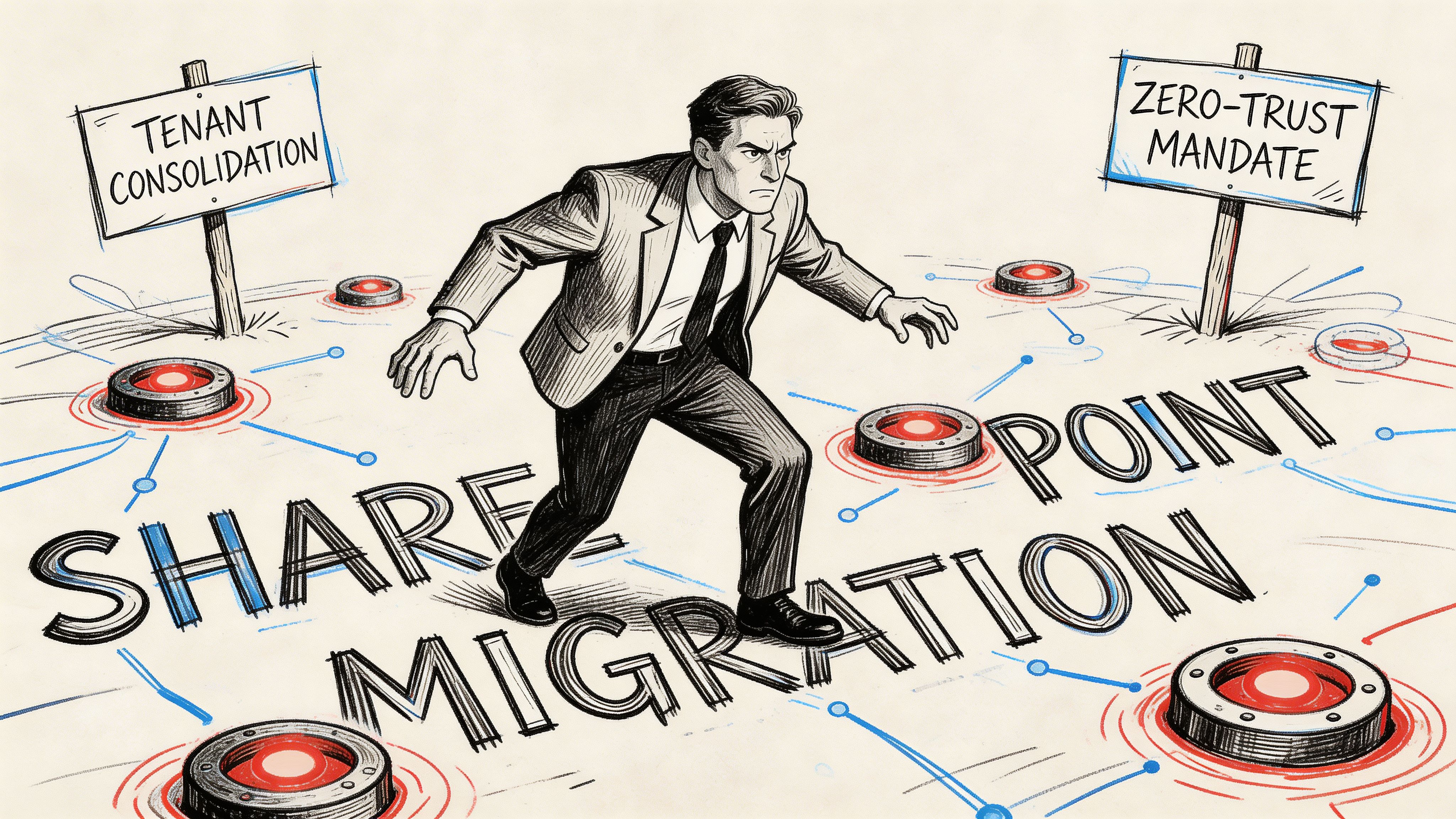
The business wants a tenant consolidation after an acquisition, or security wants a zero-trust redesign, or your infrastructure team wants the last on-prem farm gone. On paper, it’s a content move. In practice, it’s a high-risk identity, permissions, governance, and compliance event with your name attached to it.
That's the core problem for a SharePoint migration IT director. You’re not judged on whether bytes moved. You’re judged on whether users can still work, whether legal content stayed intact, whether auditors can trace access, and whether Monday morning becomes a service desk collapse.
Your SharePoint Migration Is Not a Technical Project It Is a Minefield
Most failed migrations don’t fail because SharePoint is impossible. They fail because leadership treats the job like plumbing. Move files. Repoint users. Done.
That fantasy dies fast in regulated environments.
In the IE region, 80% of businesses in regulated sectors have migrated to SharePoint Online by 2025, yet 40% of legacy installations remain on-premises, which leaves IT directors carrying ongoing risk during modernisation and consolidation work, according to this SharePoint migration analysis. The same source notes that DIY programmes often break on 5,000-item list thresholds, 400-character path lengths, and API throttling, with 70% of DIY attempts running into GUID conflicts and broken inheritance.
We often see clients fail when they dump hundreds of thousands to millions of documents into one library because that’s how the old file share looked. Microsoft’s documentation makes SPMT sound “free and easy”. Reality is uglier. Poor information architecture turns the migration engine into a throttling contest, then turns the target tenant into a governance mess.
What gets people fired
It’s rarely the first copy pass.
It’s the aftermath. Permissions don’t line up. Sites inherit access they shouldn’t. Legacy folder structures survive untouched and poison search, retention, and user behaviour. Teams ring support because shortcuts break, links point nowhere, and nobody can explain why confidential finance content is suddenly visible to the wrong group.
Hard lesson: A migration plan that starts with tooling instead of information architecture is already off the rails.
The IT directors who survive these programmes do one thing differently. They run a pre-mortem. They ask where the failure points are before they approve the first migration wave.
That’s also why so many Microsoft 365 programmes collapse long before the platform itself becomes the issue. The underlying reason usually sits in governance, ownership, identity, and cutover discipline, not in the product. If that sounds familiar, this breakdown of why enterprise Microsoft 365 projects fail will feel uncomfortably accurate.
The uncomfortable truth
You are not moving content. You are moving risk.
Your board sees a cloud project. Your compliance team sees chain of custody. Your users see whether they can open files at 9:05 on Monday. If your migration partner doesn’t understand all three, you don’t have a plan. You have a slow-motion incident.
The Three Migration Battlegrounds You Must Prepare For
Not all migration pain looks the same. That’s why generic advice usually fails. The project type decides the blast radius.
Tenant-to-tenant consolidation
This is the most misunderstood battleground.
Everyone talks about content transfer. The core problem is identity. Cross-tenant migrations require identity mapping, and Microsoft states that users must sign in using their target tenant credentials in Microsoft Learn guidance for cross-tenant SharePoint migration. What the guidance doesn’t solve is the service desk chaos that follows. Cached credentials linger. OAuth tokens break. Sync timing creates access denials after the data has already landed.
That’s where projects go sideways. The cutover looks complete on a dashboard, but your users can’t get in.
- Your exposure: stale credentials, mismatched UPNs, orphaned access, SSO confusion.
- Your business impact: support ticket spikes, delayed go-live, executive escalation.
- Your real task: validate identity mapping before cutover, not after complaints arrive.
Entra ID zero-trust redesign
This battleground isn’t really about migration. It’s about surgery.
You’re stripping out years of lazy permissioning and replacing it with a defensible access model. That means inherited permissions, one-off sharing, legacy AD groups, and business exceptions all need to be dragged into the light. If your team just “preserves existing permissions”, you’ll preserve years of bad decisions.
A zero-trust redesign forces you to answer questions most organisations have avoided for years:
- Who needs access
- Which permissions exist only because nobody cleaned them up
- Where legacy AD logic no longer fits target Entra ID design
- Which sites should be rebuilt instead of copied
The worst permission model to migrate is the one users have learned to work around. It feels stable until you try to reproduce it.
Rescue migration
This is the battleground nobody budgets for and too many directors end up funding anyway.
A rescue migration starts after a failed attempt. Sometimes the cause is a rushed internal job. Sometimes it’s a low-cost partner who ran the tool, produced a status report, and vanished when the exceptions list exploded. What lands on your desk is always the same. Partial content, mismatched permissions, user distrust, and a compliance team asking for evidence nobody captured.
Rescue work is harder because now you’re handling both a migration and a credibility problem.
How to classify your own project
If you’re unsure which battleground you’re in, use this blunt test:
- If two Microsoft 365 tenants are involved, treat it as an identity-led project.
- If security is driving the change, treat it as an access redesign, not a lift-and-shift.
- If one attempt has already failed, stop talking about acceleration and start talking about containment.
Misdiagnose the battleground and you’ll pick the wrong runbook, the wrong tooling, and the wrong team. That’s how ordinary migrations turn into board-level explanations.
Anatomy of Disaster The Technical Failure Modes That Will Halt Your Project
Enterprise SharePoint migration doesn’t collapse randomly. It collapses in predictable places.
The problem is that many teams only learn those places while they’re already in them.
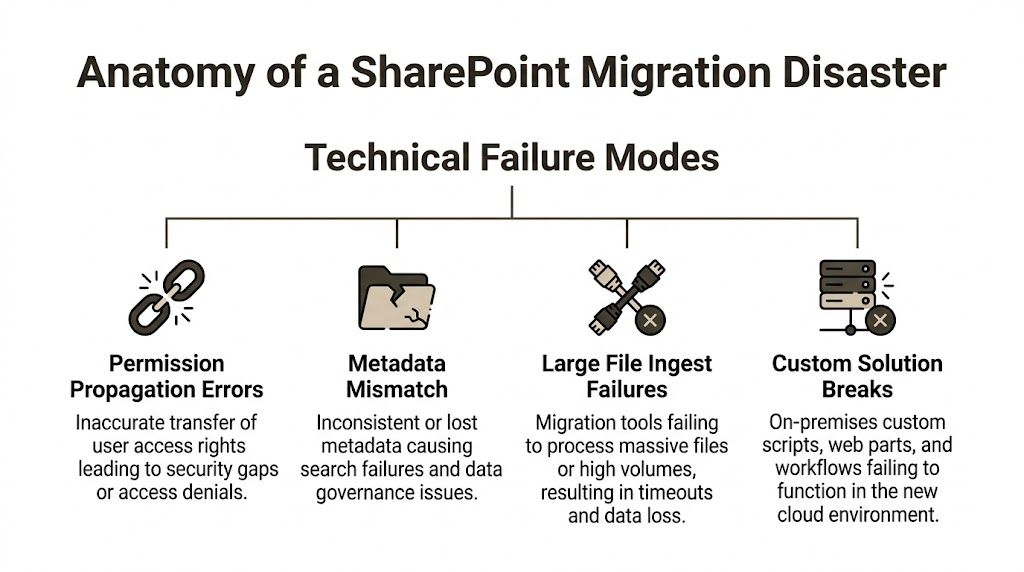
In IE-regulated sectors, migration timelines stretch to 3-6 months for mid-size enterprises, and Microsoft documentation acknowledges that throttling 503 errors can halt large jobs. The same Microsoft guidance also aligns with field reality where DIY attempts hit antivirus and network bottlenecks, with duplicate or lost data in 40% of cases and broken custom workflows becoming a major post-migration issue, as noted in Microsoft’s SharePoint migration speed documentation.
API throttling is a wall, not a warning
Teams often treat throttling like bad luck. It isn’t.
It’s a platform control. When your migration process hammers the service too aggressively, throughput collapses. Jobs slow, retries stack up, logs bloat, and operators start making bad decisions. They split jobs badly, rerun tasks blindly, or create overlapping waves that multiply duplication risk.
We often see clients fail when they assume more parallelism solves everything. It doesn’t. It can make the tenant fight back harder.
Practical rule: If your migration strategy depends on “just run more jobs at once”, you don’t have a strategy. You have a throttling generator.
List thresholds and library design failures
The 5,000-item threshold is one of those limits everyone claims to know and many teams still ignore in practice.
The failure usually starts before the first file moves. Someone decides to preserve the old file share logic in one oversized library. The copy technically progresses for a while. Then views degrade, operations stall, indexing suffers, and exceptions start surfacing in places the project team didn’t test.
This isn’t just performance pain. It affects discoverability, governance, and downstream user trust.
Common causes include:
- Single-library dumping: massive libraries that recreate file share chaos.
- No metadata model: teams keep nesting folders instead of designing structure.
- No view planning: users hit thresholds in production because nobody tested business views.
Path length and silent skips
Long legacy paths are poison in cloud migrations.
Deep folder trees from old file servers look harmless until target constraints reject them. Then files get skipped, mangled, or stranded in exception reports nobody reads carefully enough. The project team thinks the wave finished. The business discovers missing content later.
If your legal, finance, or clinical records sit in nested folders, this risk isn’t theoretical. It’s waiting.
Broken inheritance and permission propagation
Permission errors are where migration problems become security incidents.
If inheritance breaks in the wrong place, users lose access and work stops. If inheritance breaks in the other direction, they gain access they should never have had. Both are failures. Only one of them creates an audit finding as well.
We often get called after teams copied content successfully but couldn’t explain access outcomes. That’s not a migration success. That’s unmanaged exposure.
Custom solutions and workflow breakage
Legacy SharePoint farms collect debris. Designer workflows. custom web parts. brittle automations. old scripts nobody wants to own.
Those components don’t magically survive a move to SharePoint Online. If they drive approvals, records handling, or operational handoffs, your migration has a dependency chain far beyond file transfer.
When these failures already leave data fragmented or inaccessible, incident response sometimes overlaps with recovery work. In those cases, specialist professional data recovery services can be relevant for organisations dealing with damaged repositories outside the migration tooling itself.
For teams already wrestling with these breakpoints, this deeper guide to SharePoint migration troubleshooting is worth reviewing before your next pilot wave.
The Tooling Myth SPMT versus A Professional Approach
Your finance team will hear “free” and assume “good enough”. Don’t let them drive this decision.
SPMT has a place. It just isn’t the place most enterprise projects put it.
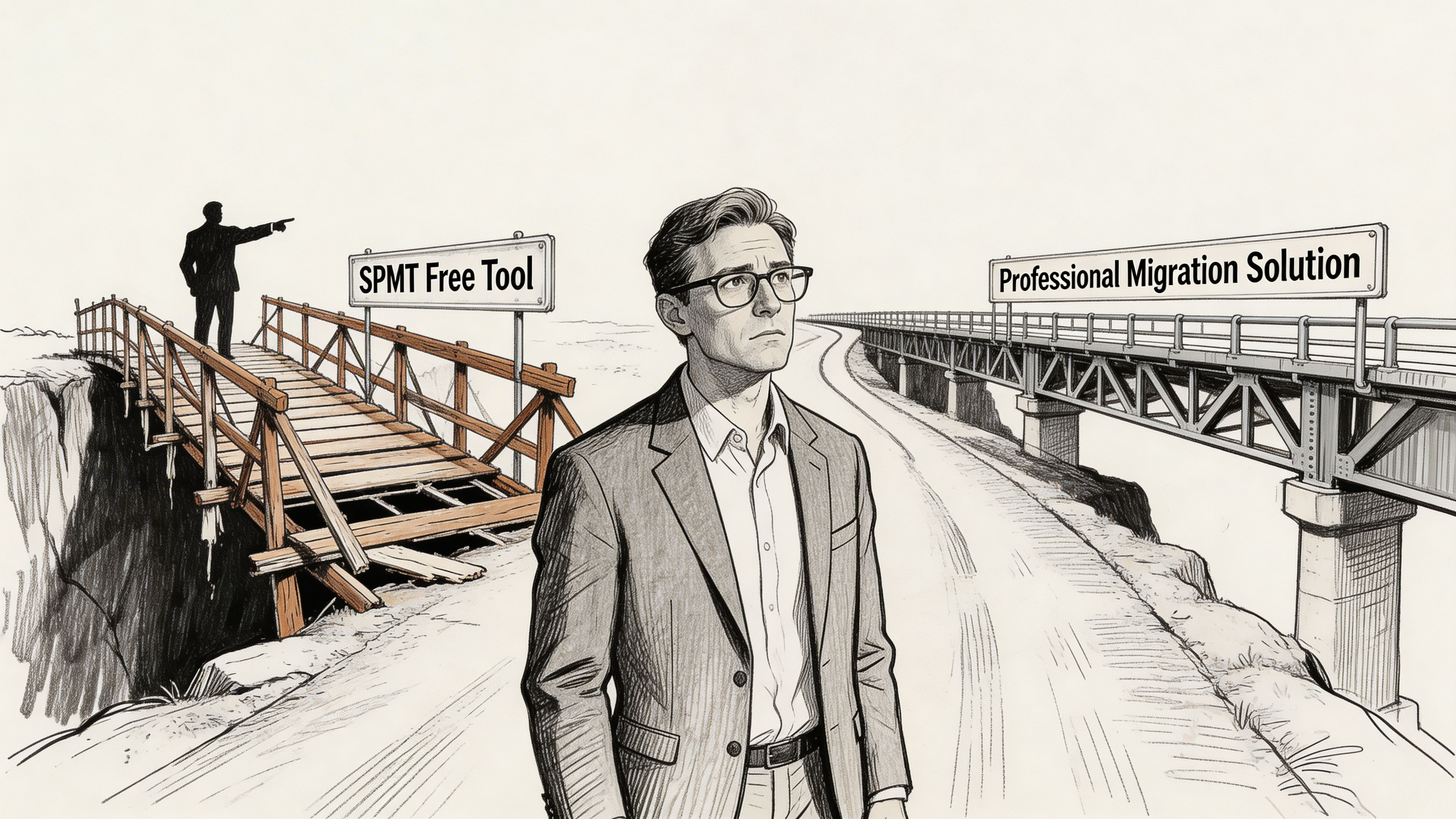
The ugly part is straightforward. SPMT can throttle at 50 MB/s and can fail without notification on path lengths greater than 260 characters, according to the cited technical discussion at this migration tooling review. That matters in finance and healthcare because compliance data often lives in exactly the kind of folder structures that violate those limits. The same source argues for ShareGate with custom PowerShell PnP scripts when you need pre-validation and auditable control.
What SPMT is actually for
SPMT is acceptable when the job is small, clean, and low-risk.
Think one file share, a modest content set, straightforward permissions, no regulatory sensitivity, and no ugly legacy structure. If the data is already organised and the tenant design is new and disciplined, SPMT can do useful work.
That is not the environment most IT directors in regulated sectors are dealing with.
Where enterprise jobs break
A real enterprise migration has uglier ingredients:
- Mixed identities
- Legacy permissions
- Overgrown paths
- Custom workflows
- Audit requirements
- Cutover windows that can’t tolerate chaos
SPMT doesn’t solve those. It exposes them.
| Failure Point | Microsoft SPMT (The 'Free' Tool) | Ollo's Professional Approach |
|---|---|---|
| API throttling | Hits service limits and slows or stalls under pressure | Uses ShareGate plus custom scripting to control batches, back-off, and rerun intelligently |
| Path validation | Can fail silently when path issues surface | Pre-flight analysis flags path problems before a wave starts |
| Permission handling | Basic preservation can leave mismatches unresolved | Permission mapping is reviewed, tested, and validated against target design |
| Audit evidence | Limited for regulated review needs | Custom reporting and logs support governance and compliance review |
| Legacy complexity | Struggles when customisations and edge cases pile up | Rebuild, remediate, or isolate problematic workloads instead of pretending they’ll copy cleanly |
The operational difference
Professional migration work starts before any content moves.
It inventories. It scans. It tests identity mapping. It analyses path depth. It stages waves around business criticality. It checks target architecture so you don’t recreate on-prem mistakes in the cloud. That’s why firms use SPMT guidance and migration tool analysis only as one input, not as a strategy by itself.
A specialist-led stack usually combines ShareGate with custom PnP PowerShell because that’s how you gain control over exceptions, logging, and remediation. In practice, that’s also where a team like Ollo operates. ShareGate for enterprise migration handling, custom scripting for validation and remediation, and no dependence on basic SPMT for complex regulated programmes.
This walkthrough is worth watching if your stakeholders still think “free” means “safe”:
The Ollo Verdict
Use SPMT for less than 50GB and only when the data is clean, the permissions are simple, and the compliance stakes are low.
For anything larger, dirtier, cross-tenant, or regulated, you need ShareGate plus custom scripting. Otherwise you’re not saving money. You’re delaying the bill until the failure becomes public.
The Unforgiving Filter Compliance in Regulated Sectors
In regulated environments, migration success is not “files arrived”.
Success means you can prove what moved, who could access it before, who can access it now, what changed, what didn’t, and where the evidence lives. If you can’t prove that, auditors won’t care that your project hit the target weekend.
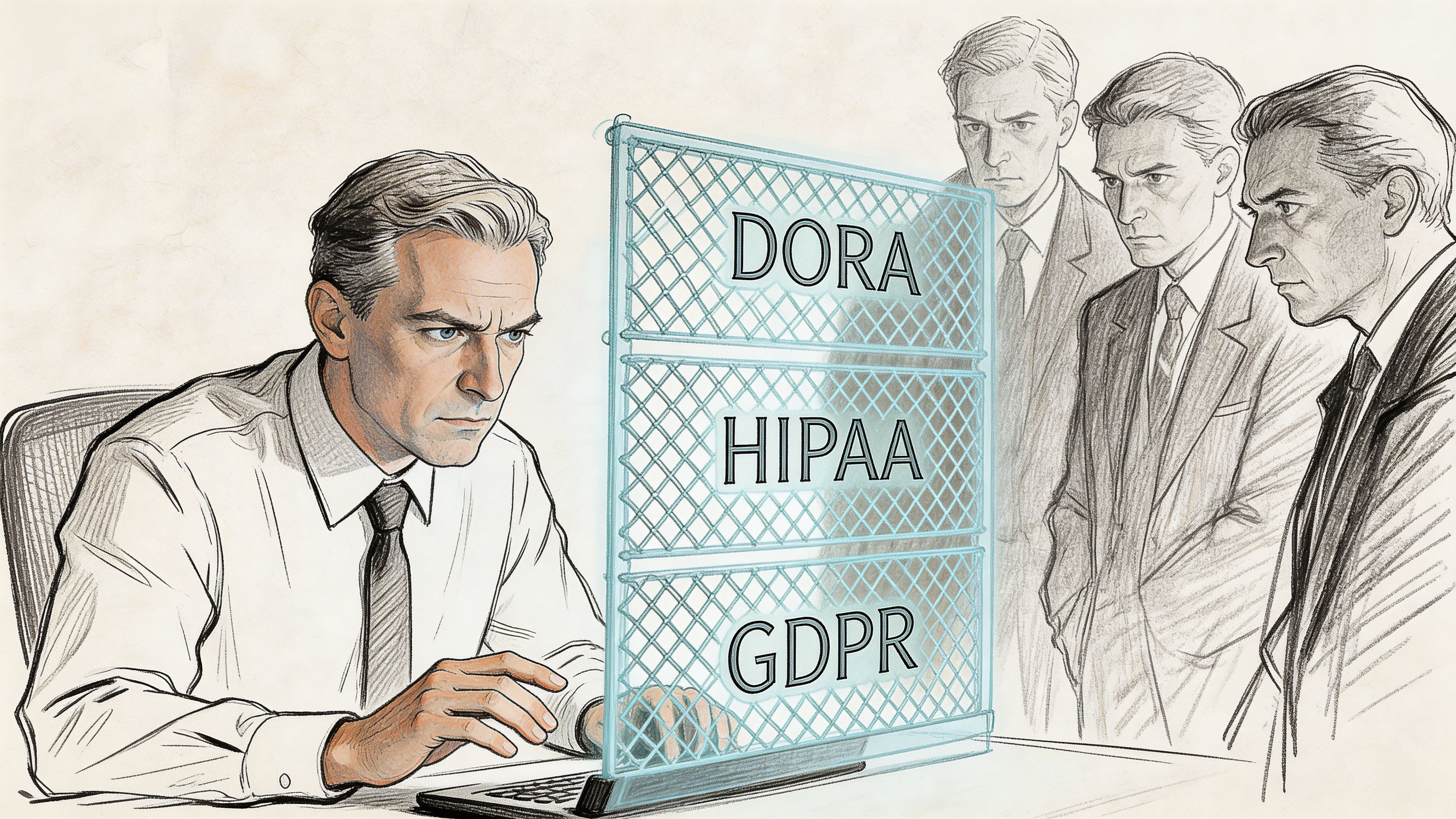
For IE healthcare organisations, path length limits of 400 characters derail 75% of legacy migrations involving deep folder structures, and exceeding that limit can trigger silent skips or corruption in libraries over the 5,000-item level, according to Microsoft Learn discussion on SharePoint migration challenges. The same source notes that IE finance firms under DORA report 30-50% data loss rates in DIY lifts due to unmapped permissions.
Compliance failures don’t look dramatic at first
They often show up as quiet defects:
- Version history missing
- Metadata not preserved
- Permission mappings incomplete
- Content moved into the wrong jurisdictional structure
- Audit trail too weak to defend
Those aren’t technical footnotes. They are compliance failures with technical root causes.
Auditors don’t accept “the tool didn’t bring that across” as a defence.
The chain of custody problem
When content leaves a legacy environment, you need evidence that its integrity survived the move.
That means preserving not just the file, but the surrounding context. Version history. metadata. access controls. ownership. exceptions. remediation records. If basic tooling drops or obscures any of those, your compliance posture weakens immediately.
Regulated-sector migration planning changes shape at this stage. You stop asking, “Can we move it?” and start asking, “Can we defend it?”
Data sovereignty and target design
Cross-border or multi-jurisdiction tenant work adds another layer. The wrong destination design can create unnecessary exposure before users even log in.
Your target tenant architecture has to reflect how regulated data should live, who can administer it, which access model controls it, and how evidence is retained. If the project team treats that as post-migration tidy-up work, they’ve already missed the point.
A lot of this comes down to designing the migration as a governance exercise from day one. For regulated workloads, this guide on SharePoint migration for regulated industries is a better starting point than generic cloud advice.
What a defensible compliance posture requires
- Documented permission mapping: not assumptions, not screenshots, actual evidence.
- Exception handling discipline: every skipped, blocked, or remediated item accounted for.
- Pre-migration validation: path, metadata, and inheritance reviewed before production waves.
- Post-migration access testing: business-critical roles verified against expected access outcomes.
If your migration partner can’t talk clearly about those four items, they’re not running a regulated migration. They’re running a file move and hoping legal never asks questions.
The Decision Framework Do It Yourself or Hire a Specialist
This choice doesn’t come down to pride. It comes down to exposure.
Your internal team may be excellent. That doesn’t mean they should carry a one-time, high-risk SharePoint migration without specialist support. Migrations punish generalists. They reward teams that already know where the bodies are buried.
The blunt checklist
Answer these thoroughly.
- Identity readiness: Does someone on your team know how to validate Entra ID mappings, stale credentials, target UPN consistency, and post-cutover sign-in behaviour before users start failing?
- Scripting capability: Do you have in-house experience with PnP PowerShell for SharePoint Online beyond basic admin tasks?
- Exception handling: Who owns path remediation, duplicate resolution, inheritance analysis, and rerun logic when migration jobs don’t behave cleanly?
- Compliance evidence: Who produces the logs and validation records your auditors or risk team will ask for?
- Business cutover control: Who coordinates site owners, support staff, rollback criteria, and communications when access problems start surfacing?
If those answers are vague, that’s your answer.
When DIY is still reasonable
DIY can work in a narrow set of conditions.
A smaller content set. Low regulatory pressure. Clean source structure. No tenant-to-tenant complexity. Minimal customisation. Simple permissions. A team that can tolerate some rework without operational damage.
That is not most mid-size or enterprise reality.
When specialist support stops being optional
Bring in specialists when any of these show up:
Cross-tenant identity complexity
The data move is not the hard part. Access continuity is.Regulated workloads
Missing a permission mapping doesn’t just irritate users. It can break compliance.Large or dirty legacy estates
Old file shares and old SharePoint farms hide structural debt that basic tooling won’t clean up.Failed first attempt
Once trust is damaged, you need disciplined recovery, not another optimistic retry.
For organisations comparing outside options more broadly, it can help to review how providers frame business cloud migration services and then measure that language against your actual SharePoint risk profile. If the offer sounds generic, it probably is.
Your team doesn’t need to be incompetent for DIY to be the wrong call. The project just needs to be specialised enough that learning on the job becomes expensive.
The decision in plain English
If your migration is small and forgiving, your team can probably handle it.
If your migration touches regulated data, identity changes, broken legacy permissions, or executive visibility, hiring a specialist isn’t overhead. It’s risk transfer.
That’s the only frame that matters.
Your Blueprint for a Defensible SharePoint Migration Strategy
A defensible migration strategy starts with one attitude change. Stop treating the project as a move. Treat it as a controlled risk programme.
That single shift changes everything. It changes how you scope. It changes what you test. It changes which tools you allow near production data. It changes who signs off.
What the blueprint actually looks like
Start with the migration type. Tenant consolidation, zero-trust redesign, or rescue. If you get that wrong, every decision after it drifts.
Then force a real pre-migration audit. Not a superficial inventory. A useful one. You need path analysis, permission analysis, workflow dependency review, identity mapping checks, and target architecture decisions before wave planning begins.
After that, choose tooling based on failure handling, not brochure language.
- Use tools that validate before they copy
- Use scripts that can remediate, retry, and log
- Use wave plans that match business criticality
- Use cutover runbooks that assume user access will need intervention
The non-negotiables
A serious SharePoint migration IT director should insist on these:
- Pre-flight validation: find path, metadata, and permission defects before migration weekend.
- Controlled wave design: don’t push everything through one giant task because the schedule looks cleaner.
- Access verification: confirm the target access model with real user scenarios.
- Evidence capture: keep the audit trail as carefully as you move the content.
One more thing matters. Your target environment must be better than the source. If you preserve file share chaos in SharePoint Online, you haven’t modernised anything. You’ve just rented new infrastructure for the same old disorder.
That’s why the project plan must join migration mechanics with governance design. This practical SharePoint migration project plan approach is the kind of baseline I’d expect before approving enterprise waves.
The final judgement call
You are accountable for whether this programme becomes a controlled transition or a visible failure.
Don’t let anyone reduce it to “just moving files”. That phrase has wrecked more migrations than any product bug ever did. The safe strategy is the one that assumes complexity, validates aggressively, and treats access, compliance, and user disruption as first-order risks.
If your current plan doesn’t do that, it isn’t finished.
If your SharePoint migration carries real risk, bring in a team that treats it that way. Ollo works on complex Microsoft 365 and SharePoint migrations where identity, permissions, governance, and regulated data can’t be left to basic tooling or generic project plans.

















