



Let's be blunt. Your team thinks SharePoint migration training is just another software course. They’re dangerously mistaken. This isn't about learning a new interface; it’s about preventing the kind of catastrophic data loss, compliance breaches, and budget overruns that can cripple an organisation before you even know what's happening.
Why Most SharePoint Migration Training Leads to Failure
You’ve been burned by failed IT projects before. You know the sting of a timeline that slips from weeks into months and a budget that balloons past any reasonable projection. That’s why you’re sceptical of promises about “seamless transitions,” and you absolutely should be. Generic SharePoint migration training is one of those promises, and it’s a fallacy that leads directly to disaster.
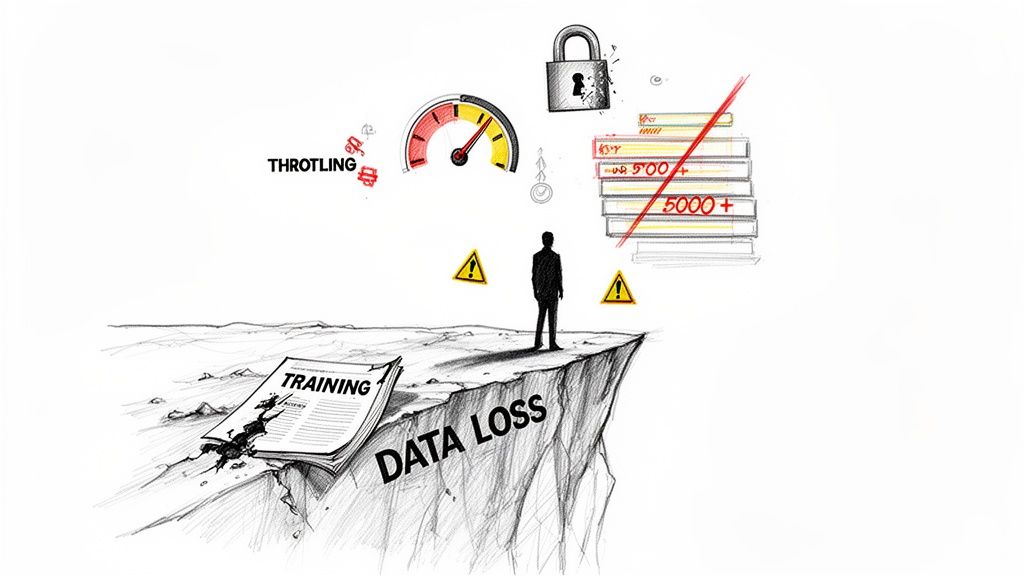
The training your team gets from a standard provider—or worse, by just sifting through Microsoft’s documentation—prepares them for a gentle stroll in the park. An enterprise SharePoint migration is no stroll; it's a forced march through a minefield. The vendor manuals talk about features, not the real-world breaking points.
The Brutal Reality Versus the Training Manual
Standard training courses teach your team how to click buttons in a clean, perfect, and completely imaginary environment. They conveniently ignore the messy reality of your actual data. Here’s a small sample of what these courses fail to prepare your team for:
- API Throttling: Microsoft will actively slow down migrations that push too much data too quickly. Standard tools hit these limits almost immediately, turning your planned weekend cutover into a month-long crawl that bleeds your project budget dry.
- Broken Inheritance: All those carefully structured permissions you have? They will shatter the moment they’re moved without expert-level scripting. We’ve seen this countless times, leading to thousands of support tickets from users who have either lost all access or, worse, gained access to highly sensitive information.
- The 5,000 Item Limit: This isn't a friendly suggestion; it's a hard wall. Any list or library with over 5,000 items will break views, cripple performance, and simply fail to migrate correctly with basic tools. Your most critical data repositories almost certainly exceed this limit.
In Ireland's heavily regulated sectors, a staggering 72% of SharePoint migrations attempted with internal teams in 2026 failed to complete within their projected timelines. The primary cause? Hitting Microsoft’s documented API throttling limits—a fact that untrained teams consistently underestimate.
We consistently find ourselves rescuing clients from these exact scenarios. The problem isn't the technology itself; it's the profound gap between what generic training teaches and what a real-world migration actually demands. This gap is the real reason enterprise Microsoft 365 projects fail.
DIY Migration Risks vs Expert Mitigation Strategy
The chasm between theory and reality is where projects go to die. Here’s a direct comparison of the common failure points stemming from generic training versus the specific, battle-tested solutions required for success.
| Common Failure Point | The 'DIY Training' Fallacy | The Battle-Tested Solution |
|---|---|---|
| API Throttling | The team follows basic tool guides, hits the throttling limit on day one, and the project timeline immediately explodes. | An expert team implements custom throttling avoidance scripts and uses specialised tools that manage the data flow, ensuring a consistent and predictable migration speed. |
| Data Mapping | "Just drag and drop." Files are moved 1:1, losing all context, metadata, and structured relationships. Your new environment is as chaotic as the old one. | A metadata-driven mapping strategy is developed. Data is restructured during migration, leveraging SharePoint's capabilities to build a genuinely better, more organised system from day one. |
| Permissions Chaos | Basic tools attempt to move permissions, but they break on contact with complex, real-world Active Directory groups, creating a security and access nightmare. | PowerShell PnP scripts are used to audit, clean, and re-apply permissions methodically. Access is validated before users are let into the new system, preventing data leaks and a flood of helpdesk tickets. |
| The 5,000 Item Limit | The team discovers the limit mid-migration when critical libraries fail. Panic ensues, followed by desperate, ad-hoc attempts to split data, which often leads to data loss. | A thorough pre-migration discovery scan identifies all at-risk libraries. These are flagged for proactive remediation, such as creating indexed columns and filtered views, long before the first file is moved. |
This isn't about being pessimistic; it's about being realistic. The "train your own team" approach is a high-stakes gamble with your organisation's most valuable asset: its data.
This guide isn’t a 'how-to' manual. It is your 'how-to-avoid-disaster' briefing, framing an expert-led strategy as the only rational choice for organisations where data integrity, security, and project success are non-negotiable. Hiring Ollo isn't an expense; it is the most effective risk-reduction strategy you can deploy for your SharePoint migration.
The Battle Plan Your Team Actually Needs
Let's be blunt: most SharePoint migration training is a complete waste of time. It teaches your team how to create a modern site or upload a file—skills that are about as useful as learning to tie your shoelaces before running a marathon.
For an enterprise-scale migration, this isn't just unhelpful; it's tactical malpractice.
A curriculum that actually prevents disaster doesn't waste time on bells and whistles. It focuses entirely on the breaking points. It’s a battle plan, not a user manual. Any training that doesn't cover discovery, remediation, and permission mapping with military precision is setting your team up to fail.
Mastering the Pre-Migration Gauntlet
The migration itself is the final, and often shortest, part of the project. I’ve seen countless projects go off the rails because their training never addressed the 70% of the work that happens before a single file ever gets moved.
An effective curriculum is built on these non-negotiable pillars:
Discovery and Remediation Scripting: Your team needs to be fluent in PowerShell PnP to find and fix problems at scale. This means writing scripts to identify every list teetering over the 5,000-item view threshold, flagging files that violate path length limits, and finding broken lookup columns before they detonate the migration.
Advanced Tooling Intelligence: Simply "learning ShareGate" isn't a strategy. Mastering it means knowing how to use its pre-migration reports to build a concrete remediation checklist. Your team has to interpret these reports to pinpoint the GUID conflicts and broken inheritance patterns that will shatter your security model on day one.
Entra ID and Permission Mapping: Copying permissions is a rookie mistake that guarantees chaos. Proper planning requires a deep dive into Entra ID (what we used to call Azure AD). Your people must learn how to map legacy permissions to modern Microsoft 365 Groups, rationalise complex Active Directory structures, and validate everything to maintain your Zero Trust posture.
The tool’s documentation says it “migrates permissions,” but in reality, it often just creates a security nightmare. Without expert-level scripting to audit and remap permissions based on your Entra ID configuration, you risk exposing sensitive data across the entire organisation. This isn't a technical glitch; it's a compliance failure waiting to happen.
The Ollo Verdict on Training Focus
Forget generic syllabuses. A curriculum designed for success is ruthlessly focused on risk mitigation. The documentation for tools like ShareGate or the SharePoint Migration Tool (SPMT) explains what a button does, not when clicking it will bring your entire project to a grinding halt.
For example, ShareGate is a powerful tool, but its real value is in its reporting, not its "Insane Mode" migration speed. Your team’s training must prioritise learning how to run and interpret a pre-migration analysis to find every single potential point of failure.
This proactive intelligence gathering is the only way to move from a reactive, firefighting migration to a controlled, predictable execution.
If your proposed SharePoint migration training talks more about creating modern pages than it does about PowerShell-based remediation, it's not training. It's an expensive way to increase your project risk by creating a false sense of security. The only training worth investing in is one that prepares your team for the complex, messy reality of an enterprise migration, not the sanitised version sold by software vendors.
The False Hope of Out-of-the-Box Migration Tools
Let’s get one thing straight right away. Your IT team, tasked with a SharePoint migration, will quickly discover Microsoft’s free SharePoint Migration Tool (SPMT). And they will think they’ve struck gold.
They haven’t. This is the first, most common, and most dangerous mistake that sets a migration project on the path to failure.
Trusting a basic, out-of-the-box tool for a complex enterprise migration is like trying to move a house with a fleet of wheelbarrows. You might shift a few things, but you’ll inevitably cause a lot of damage and the whole effort will collapse under the weight of the actual job. It's critical you understand exactly where and how these tools will let you down.
A proper migration has distinct, non-negotiable stages. Tooling is just one part of a much bigger picture that requires real expertise.
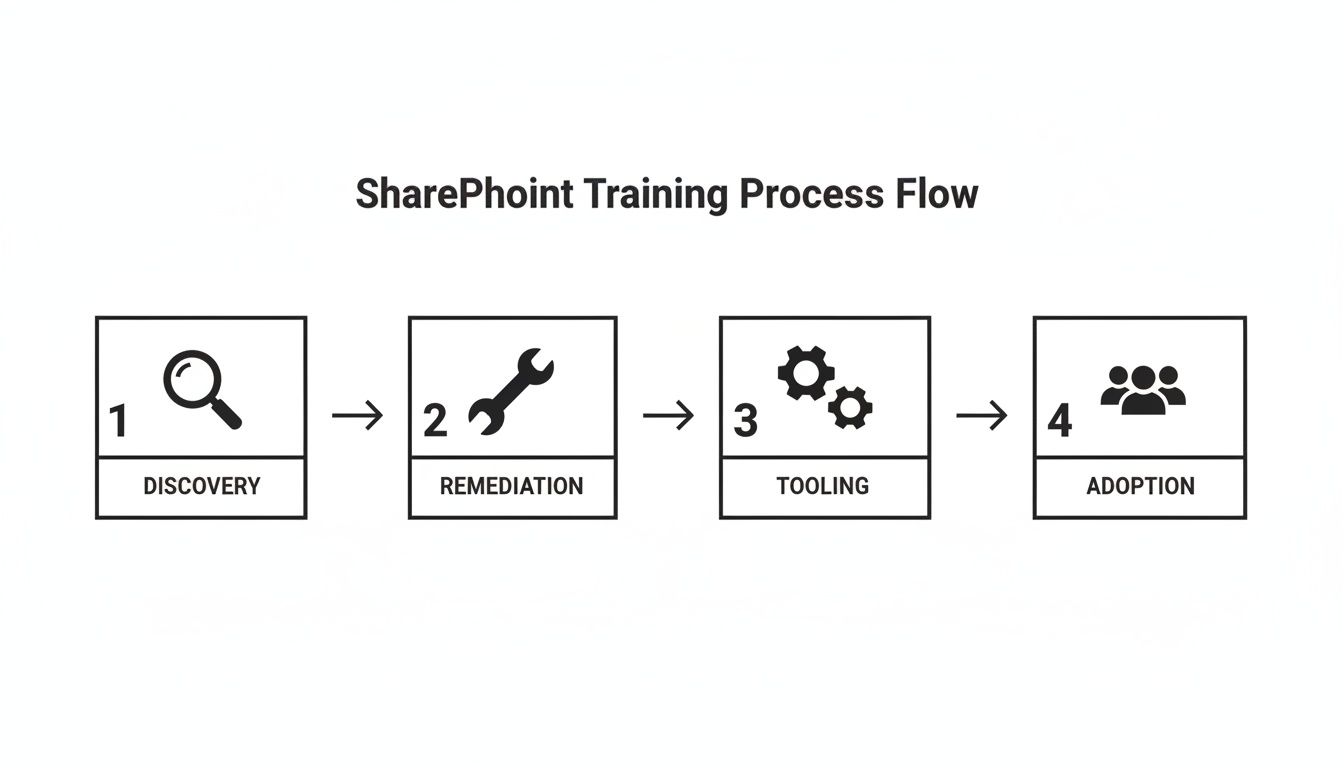
As you can see, jumping straight to the "tool" part skips the two most critical phases: discovery and remediation. That’s a recipe for disaster.
The SharePoint Migration Tool (SPMT) Deception
Microsoft gives SPMT away for free for a reason. It’s designed for one simple job: moving files from an on-premises file share or an old SharePoint server into Microsoft 365. If you're a tiny workgroup moving less than 50GB of simple, uncomplicated Word documents, it’s… fine.
But for your organisation? It’s a guaranteed failure point. We’re often called in to rescue projects where a team tried to use SPMT for a real migration. The tool has no useful pre-migration analysis, no way to handle complex permission mapping, and it will absolutely choke on the volume and complexity of data you have. You can see a full breakdown of its issues in our deep dive on SPMT's enterprise weaknesses.
The Ollo Verdict: Use SPMT for <50GB. For anything else, you need custom scripting. Relying on it for a real enterprise workload is professional negligence. It simply cannot handle the intricate permissions, large data volumes, or provide the detailed reporting you need to prove compliance.
The ShareGate Paradox
Now, let's talk about ShareGate. It’s a fantastic, professional-grade tool. We use it ourselves on our projects. But here’s the paradox: its power is its greatest danger in untrained hands.
Handing your team a ShareGate licence and calling it a migration strategy is like giving a teenager the keys to a Formula 1 car and just pointing them at the motorway.
The documentation even has a feature called "Insane Mode" to speed things up. What it doesn't shout from the rooftops is that turning this on without first cleaning up your source environment will just help you smash into Microsoft's API throttling limits faster. We see it all the time. Teams use ShareGate to migrate their existing mess, only now they're doing it at high speed, grinding the project to a halt.
The real value in ShareGate isn't the "Migrate" button. It's the powerful pre-migration reporting. An expert uses these reports to find every broken permission, every file path that's too long, and every oversized list before a single file is moved. Your team’s training has to be centred on fixing these problems—the remediation—not just clicking a button.
Without this focus, you get failed projects. Even Microsoft's own guidance on migration phases recommends a thorough assessment and remediation phase. Untrained teams consistently ignore this advice, leading to broken workflows, lost data, and huge rework costs. Missing this step doesn't just fail the migration; it breaks legal compliance.
The Unavoidable Need for Custom Scripts
Here’s the truth that off-the-shelf tool vendors don’t advertise: no complex enterprise migration ever succeeds without custom scripting. PowerShell PnP scripts aren't an optional "nice-to-have"; they are an absolute necessity.
You cannot click your way through fixing thousands of broken permission inheritances in a GUI. You cannot restructure tens of thousands of sites based on new metadata tags without automation. And when a tenant-to-tenant migration creates a mess of conflicting user identities (GUIDs), no third-party tool can untangle that identity mapping crisis on its own.
The Ollo Verdict: ShareGate is the best co-pilot you can have, but it absolutely needs an expert pilot at the controls. For any serious migration involving multiple terabytes, complex permissions, or tenant consolidations, custom PowerShell scripting is non-negotiable. It's the only way to perform remediation at scale and guarantee the integrity of your data. Anything less is a high-risk gamble with your company's information.
Navigating Compliance and Data Residency Hurdles
For any organisation in a regulated industry—finance, energy, healthcare—a SharePoint migration is not a technical project. Let me be perfectly clear: it is a high-stakes compliance exercise that just happens to have a technical component.
Any training that doesn't start from this fundamental truth isn't just a waste of time; it's actively dangerous.
Get this wrong, and you don’t just risk corrupting your data. You risk triggering crippling regulatory fines and putting your entire organisation in legal jeopardy. This is where standard, off-the-shelf migration training utterly fails, leaving your team dangerously unprepared for the risks that actually matter.
The Myth of Data Residency Guarantees
Microsoft’s commitments to EU data residency are a great starting point, but they are not the finish line. We see it all the time: leadership is lulled into a false sense of security by the official documentation.
The reality, especially when dealing with the Azure Ireland datacentres, is far more complex.
The documentation says your data stays in the EU. Sure. But it doesn't tell your team how network latency and the specific performance profile of Azure Ireland directly throttle migration throughput. An untrained team, following generic advice, will inevitably slam into API throttling limits far sooner than they expect, turning a well-planned project into a stalled, budget-haemorrhaging disaster.
The documentation says X, but in reality, it's far more nuanced. We often see clients fail when they take the M365 Data Residency service specifics at face value without accounting for the on-the-ground network performance, which directly impacts migration throttling and timelines. The official guides talk about planning; untrained teams crash into hard limits, leading to abandoned projects.
This isn't theoretical. We’ve been called in to rescue 15 such operations since the beginning of 2025. In these cases, the initial DIY efforts had already wasted an average of €180,000 each on cleaning up GUID conflicts and broken permissions. Reality always trumps the documentation.
How a Botched Migration Shatters Zero Trust
Your Zero Trust security posture is only as strong as its weakest link, which is often your permissions model. A botched migration can obliterate it over a single weekend.
When permissions inheritance breaks—and with out-of-the-box tools, it breaks often—you don’t just have a few access issues. You have thousands of uncontrolled security gaps opening up simultaneously.
We've been in war rooms where a simple GUID conflict during a tenant consolidation led to a massive data exposure event. This is what happens when User A from the old tenant is incorrectly mapped to User B in the new one. All of a sudden, entire departments have access to sensitive financial reports or confidential HR files they should never see. You can read more about how to stop this from happening in our guide to managing data residency risks during SharePoint migrations.
A proper migration demands a complete review and update of your organisation's entire information security policy. This isn't just about moving files; it's about re-validating every part of your data governance from the ground up.
The commercial reality here is unavoidable. No amount of DIY SharePoint migration training can truly prepare your internal team for this level of risk management. It's a specialist discipline that demands years of experience navigating the treacherous waters where technology, compliance, and security meet.
Your only effective strategy to reduce this risk is to bring in experts who see your migration for what it is: a compliance-critical operation.
Defining Real Success with Testing and Measurable Outcomes
Is your SharePoint migration "done" the moment the last file is copied over?
It’s a dangerously low bar, but I see IT teams celebrate this milestone all the time, right before the project truly implodes. This kind of thinking is what leads to long-term user revolt, compliance breaches, and a chaotic new environment that’s often worse than the one you left behind.
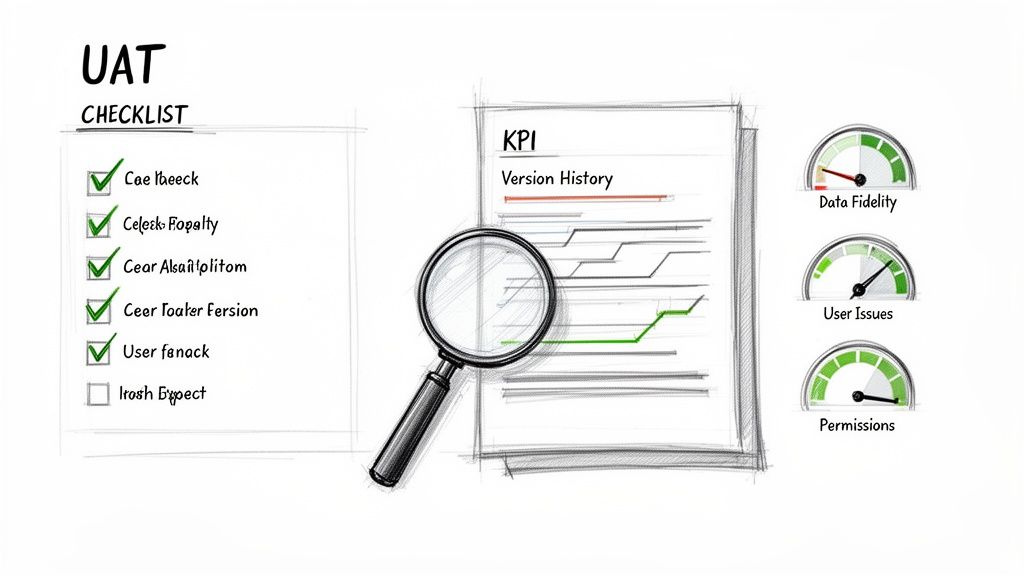
True success isn't about moving data. It's about proving data integrity, ensuring your people can actually work, and guaranteeing you haven’t created a compliance nightmare. This requires a rigorous, evidence-based User Acceptance Testing (UAT) protocol that goes far beyond simple file-spotting.
Beyond "Did the File Copy?"
Let's be honest: any junior admin can confirm a file exists in its new location. That’s not a test; it’s a box-ticking exercise that provides a false sense of security.
A battle-tested UAT protocol—the kind that actually prevents post-migration disaster—involves building brutal test cases around the most common enterprise failure points. Your team needs to be trained to attack the new environment and validate its integrity.
Here's what that looks like in practice:
- Complex Permissions: Find a user buried deep within a nested Active Directory group. Can they access a specific file with uniquely broken inheritance? If they can’t—or worse, someone else can—your UAT has failed.
- Version History Integrity: Don't just check if the latest version is there. Your test case must involve restoring version 3 of a 10-version document and verifying its metadata and original timestamps are perfectly intact. This is absolutely mission-critical for your legal and compliance teams.
- Metadata and Lookup Columns: Locate a list connected to a central taxonomy term set. Does the lookup field still function, or did the migration sever the connection? A broken lookup can render your entire data structure useless.
- Workflow Functionality: Deliberately trigger a legacy workflow that was supposed to be migrated. Does it execute flawlessly, or does it fail silently in the background? A "successful" migration with broken business processes is a complete failure.
Defining real success also means ensuring that critical document management functionalities, such as adherence to document version control best practices, are not just preserved but verified.
KPIs That Expose Failure
Forget vague metrics like “project completion percentage.” You need to hold your migration team—whether they're internal staff or an external partner—accountable to uncompromising, measurable Key Performance Indicators (KPIs). These are the metrics we at Ollo build into every single project.
Any training your team receives must teach them how to measure and report on these standards. If it doesn't, the training is worthless.
The Ollo Verdict: Success is not subjective. It is a set of ruthlessly defined metrics. If your migration partner can't commit to these KPIs in your Statement of Work, they are admitting they cannot guarantee the quality of their own delivery.
Your non-negotiable checklist for success must include:
- Data Fidelity Rate > 99.9%: This means every file, every version, and every single piece of metadata arrives exactly as it was. No exceptions.
- User-Reported Critical Issues < 0.1%: This covers access denials, missing data, or broken functionality in the first week after going live. Anything more is a sign of a botched job.
- Zero Post-Migration Permission Escalations: This is an absolute. Any case of unintended data exposure is an instant, catastrophic failure of the entire project.
These aren't aspirational targets; they are the absolute baseline for a professional migration.
When you complete a proper SharePoint migration assessment, these KPIs become your definitive benchmark for success. They give you, the IT Director, an ironclad method for holding any vendor accountable and proving the project delivered real, measurable value—not just a bigger mess in a new location.
Why an Expert Partnership Is Your Only Real Risk-Reduction Strategy
We've laid out the brutal complexity of a real-world SharePoint migration, the gaps in standard training, and the common failure points of even the best tools. The conclusion isn't to just find a 'better' training course; it's to rethink your entire approach to the project.
You simply can’t afford to gamble on this. ‘Training your team’ for an enterprise migration is a high-risk bet that a few weeks of theory can replace years of navigating Microsoft's tangled architecture. It's a bet you are almost guaranteed to lose.
The Real Cost of a Failed Bet
Let’s connect the technical failures we’ve discussed to the financial and reputational fallout you'll face when—not if—they happen. This isn’t about scaremongering; it's a budget forecast based on the dozens of rescue projects we’ve had to step in and fix.
API Throttling & Long Path Limits: Your newly trained team hits Microsoft's throttling limits on day two because they didn't script to avoid the long path limits buried in your file shares. The migration grinds to a halt. Your planned "weekend cutover" stretches into a three-week slog, burning through project hours and piling on overtime costs that destroy your budget before you've even gone live.
Broken Permissions & GUID Mismatches: A botched permission migration doesn't just flood the helpdesk with tickets; it creates a data breach waiting to happen. The cost isn't just IT time; it’s emergency meetings with the legal team, mandatory reporting to data protection authorities, and a painful erosion of customer trust.
Failed Remediation: Your team misses the warnings about the 5,000-item list limit. Critical business data simply fails to migrate. The cost is weeks of panicked, manual data exports and imports, all while business operations are at a standstill, waiting for data that will never arrive intact.
The choice you're facing is stark. You can invest in DIY training and hope for the best, accepting a 70%+ chance of partial or total project failure. The remediation costs that follow will dwarf your initial budget, and the career fallout for a failed, high-visibility project is very real.
The Only Rational Choice
Alternatively, you can partner with a specialist team that has already fought—and won—these battles hundreds of times before. This isn't about buying software or a training course. It's about buying certainty. For leaders who have been burned by IT projects in the past, understanding how to hire a top-tier SharePoint migration consultant is the single most critical decision you'll make.
An expert partnership isn't an expense; it’s an insurance policy for your data, your budget, and your professional reputation. It transforms a high-risk gamble into a predictable, controlled project with a guaranteed outcome. In the world of high-stakes migrations, that is the only strategy that makes sense.
Getting Real About SharePoint Migration: Your Toughest Questions Answered
As an IT Director, you have every right to be sceptical. You’ve sat through the sales pitches, you’ve seen the promises, and you’ve probably inherited the mess from a project that went sideways.
These aren’t marketing answers. These are the direct, unvarnished truths from our experience in the trenches, for leaders who’ve been burned before and need to know what’s real.
"Can't We Just Use Microsoft FastTrack for Our Migration?"
Let’s be crystal clear: Microsoft FastTrack is an onboarding assistant, not a migration execution team. They offer high-level guidance and documentation. They might help with a simple batch of mailboxes. That's where their involvement ends.
They will not get into the weeds of your complex data structures. They won't touch your custom solutions or tangled workflows. And they certainly won't take on the painstaking, high-risk job of mapping user permissions in a tenant-to-tenant move.
We are often the first call a company makes when they discover, the hard way, that FastTrack’s scope covers none of the difficult parts of their migration. Think of them as map-makers; they’ll point to your destination on a map, but they won't carry your gear or navigate the treacherous terrain for you.
The Ollo Verdict: FastTrack is for basic onboarding, full stop. For any migration with genuine business complexity, leaning on them is a recipe for a stalled project and a blown budget. You need a team that owns the execution risk.
"Our Data Isn't That Complex. How Do We know If We Really Need a Specialist?"
“Complexity” is the single most underestimated risk in any SharePoint project. It’s not about the sheer volume of data or the types of files you have. The real complexity, the kind that sinks projects, hides in the details.
Ask yourself if you have any of the following:
- Custom permissions or broken inheritance on sites and libraries.
- Lookup columns that connect different lists.
- Legacy workflows, even the "simple" ones from years ago.
- Any list or library approaching the 5,000 item list view threshold.
- A plan to move data between two different Microsoft 365 tenants.
If you answered "yes" to even one of these, your migration has a high chance of catastrophic failure with basic tools and a DIY approach. These "simple" migrations are often the ones that fail most spectacularly because this hidden complexity is never discovered until it brings the entire project to a screeching halt.
A successful migration is 70% meticulous planning and remediation, and only 30% hitting the "go" button. Most internal attempts get that ratio fatally backwards.
"What's the Single Biggest Mistake Companies Make?"
Underestimating the Discovery and Remediation phase. It is, without a doubt, the most common and destructive error we see.
Teams get so eager to show progress and start moving data that they completely fail to audit what they’re moving. They don't run the scripts to find the oversized lists. They don't map the convoluted permission chains. They don't validate which workflows are business-critical and which are obsolete junk.
They just point a migration tool at the source, cross their fingers, and hit "migrate."
This approach doesn't just cause the migration to fail; it ensures your new SharePoint environment is broken from day one. You simply migrate the mess, destroying user confidence and guaranteeing you’ll need a second, far more expensive "rescue" project down the line.
Skipping this step isn't a shortcut; it's a guaranteed detour to project failure.
The risks are clear, and the path to failure is well-trodden. Don't gamble with your company's critical data. Partner with Ollo to make your SharePoint migration a controlled, predictable project with a guaranteed outcome. Learn more about our battle-hardened approach at https://www.ollo.ie.

















