



Moving your SharePoint data isn't just a technical task; it's a high-stakes compliance manoeuvre where a single misstep can shatter your legal and operational integrity. The most dangerous assumption your team can make is that your data will automatically land in the correct legal jurisdiction. This is the first, and most common, point of failure we see in projects tackled internally.
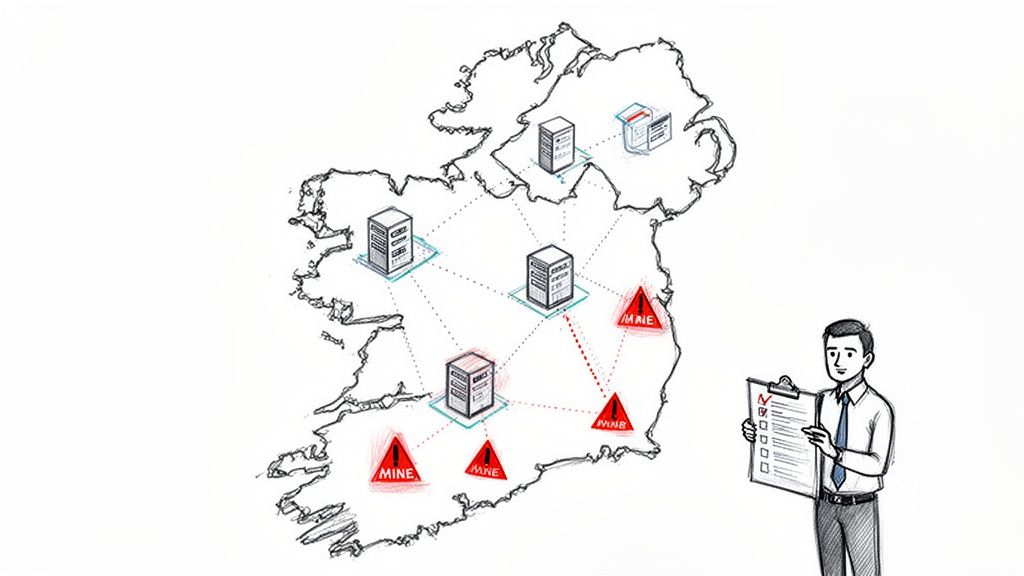
Why Data Residency Turns Migrations Into Minefields
Let’s be blunt. Your upcoming SharePoint migration is not just a tech project. Time and time again, we see IT Directors sold on marketing fluff like "seamless transitions," only to face catastrophic failure when those promises collide with the unforgiving reality of data sovereignty laws. The documentation says your data is safe, but in reality, the first audit proves otherwise.
Missing the mark on SharePoint migration data residency isn’t about a few project delays. The real costs are severe regulatory fines, irreversible data sovereignty breaches, and a complete loss of trust from the business. We are called in to rescue the projects that ignored this. When navigating these complexities, understanding various small business server solutions, including cloud, on-premise, and hybrid options, is a foundational step for ensuring compliance from the ground up.
This guide is not another generic checklist. It's a field report from the trenches, built on years of rescuing failed migrations. We will dissect the three pillars where these projects consistently collapse:
- Legal & Compliance Illusions: Misinterpreting GDPR or sector-specific mandates and wrongly assuming Microsoft’s standard features provide a complete legal safe harbour.
- Architectural Traps: Believing standard migration tools can handle the nuances of a multi-geo tenant, broken inheritance, long path limits, or GUID conflicts without expert-level scripting and rigorous oversight.
- Operational Blind Spots: Underestimating the real-world business disruption caused by post-migration search blackouts and the chaos of API throttling.
The most dangerous assumption is that standard tools and a basic plan are enough. This thinking positions your migration for failure before the first terabyte is even moved. Missing this step doesn't just fail the migration; it breaks legal compliance.
We challenge the DIY mentality because we’ve cleaned up the aftermath. A successful data residency strategy needs a battle-hardened plan that anticipates every potential failure point. This is especially true for any organisation undertaking a complex, multi-national SharePoint migration, where jurisdictional lines are all too easily and disastrously crossed.
This guide provides the brutal truths you need to build that plan, ensuring your project is remembered for its success, not its collateral damage.
Common Data Residency Project Failure Points
Many organisations underestimate the specific technical risks associated with data residency. We often see clients fail when they treat these as theoretical problems. They are real-world scenarios that have cost businesses dearly.
Each of these failures stems from treating data residency as a simple checkbox item rather than a core architectural principle of the migration. The technical risks are real, and their business impacts are severe, often involving financial penalties, legal battles, and a complete breakdown of trust with customers and regulators.
Microsoft's Data Residency Promises vs. On-the-Ground Reality
Microsoft’s documentation paints a tidy picture of data residency controls. Your team reads about Standard Data Residency and assumes your Irish data will be safely ring-fenced within our borders.
This is the first, and often most expensive, mistake we see clients make. The on-the-ground reality of a Sharepoint migration data residency project is far messier and exposes your organisation to significant risk if you take the marketing at face value.
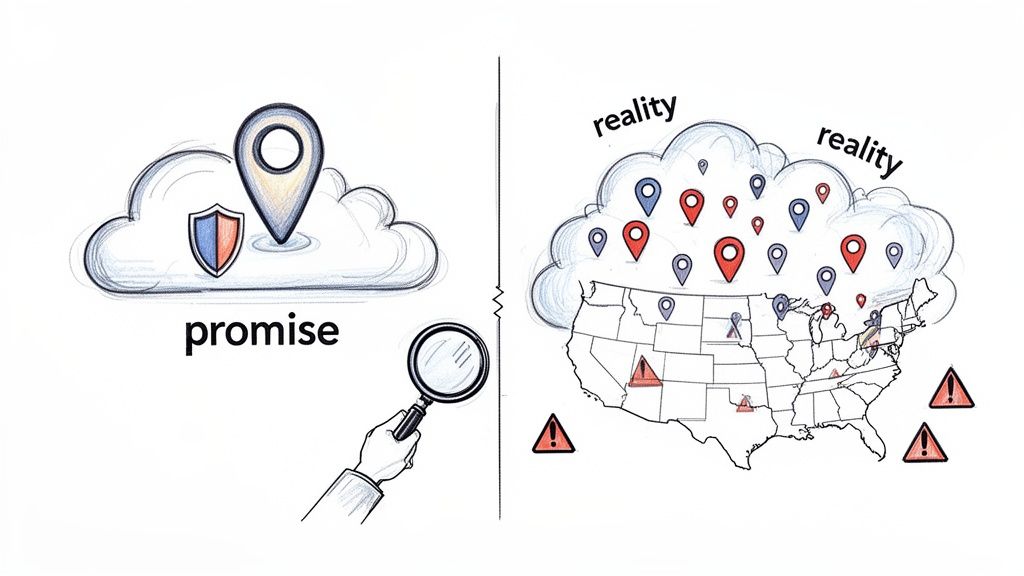
The documentation says you have a choice, but in reality, it’s a high-stakes gamble. Relying on the standard commitment for any regulated Irish industry is a compliance failure waiting to happen. The promises are conditional, and the gaps are exactly where your project will break.
The Standard vs. Advanced Residency Deception
Microsoft’s Standard Data Residency commitment for the EU simply means your data will be stored somewhere within the European Union datacenter region. It does not guarantee your data will stay in Ireland.
For operational reasons, Microsoft can and will move your at-rest data between data centres within the EU. For an Irish financial or healthcare organisation, it's a non-starter.
This is where the Advanced Data Residency (ADR) add-on comes into play. ADR provides a financially-backed, contractually enforceable guarantee that your core customer data for services like SharePoint will remain in your specified country. It sounds simple, but it fundamentally changes your tenant's architecture and adds new layers of complexity your team must manage.
The Ollo Verdict: The term "Standard Data Residency" is dangerously misleading for regulated sectors. It's a commitment to a continent, not a country. If your compliance officer requires data to stay within Ireland, ADR is not optional; it's the mandatory starting point of your entire migration architecture.
This distinction becomes critical for any enterprise with a cross-border presence. The UK has its own separate Macro Region, distinct from the EU. This means Irish organisations cannot assume their UK subsidiary's data will migrate to Ireland under Standard Data Residency.
For multi-national enterprises, this architectural complexity demands a 'multi-Geo tenant'. You can learn more about these Microsoft 365 data location policies to understand the technical requirements.
Multi-Geo: A Necessary Evil
Opting for ADR often forces you to configure a Multi-Geo tenant, an architectural decision with huge downstream consequences. It lets you provision "satellite" geo-locations for your data. While it sounds like the perfect solution, it introduces a host of technical traps.
- Search Complexity: Your search index is now federated across multiple geographies. A poorly configured search schema can lead to incomplete results or, even worse, data leakage between jurisdictions.
- Administrative Overhead: You are no longer managing a single SharePoint environment. Your team now has to juggle geo-specific sharing policies, data loss prevention (DLP) rules, and user access controls.
- Tooling Incompatibility: Standard migration tools often fail to correctly identify a user's Preferred Data Location (PDL). They just dump data into the central tenant location by default, silently invalidating your entire data residency compliance posture.
The decision to adopt Multi-Geo isn't just about ticking a compliance box. It's a fundamental shift in how you govern your entire M365 estate. We've seen projects grind to a halt because the team lacked the expertise to navigate these complexities.
This is the point where many enterprises begin to question the cloud-only model and start reclaiming sovereignty from SharePoint by re-evaluating hybrid architectures. The promises from Redmond are powerful, but the implementation reality requires an expertise that goes far beyond the official user guides.
The Licensing Trap That Invalidates Your Compliance
This is the single most common point of failure we run into. Your team thinks they’re compliant. They’ve purchased Microsoft’s Advanced Data Residency (ADR) add-on for their SharePoint migration data residency plan. They’ve spent the money, only to discover the fine print makes the entire investment worthless.
This isn’t a licensing chat; it’s a critical warning. Think of it as a compliance time bomb, ready to go off the moment an auditor walks through the door. Microsoft’s own documentation is clear, but the implications are so often missed by teams focused only on the technical migration.
The Non-Negotiable Threshold
The heart of the problem is a hard rule you can’t negotiate. The Advanced Data Residency (ADR) add-on, an absolute must-have for any regulated Irish organisation, comes with a minimum buy-in to guarantee its promises.
This is where we see so many plans fall apart. An organisation buys fewer than 1,645 ADR licenses and finds out mid-migration that Microsoft can still move their tenant out of the designated region without warning. For Irish businesses in finance or energy, this is a compliance nightmare. You can find the full details in Microsoft's own guidance on Advanced Data Residency commitments.
This isn't a mistake; it's by design. Microsoft has to justify the operational cost of pinning an entire tenant’s core data to a specific country's data centres. If you're below that threshold, you’re just another tenant in the general EU pool, no matter how many ADR licenses you’ve bought.
The Ollo Verdict: Do not start a migration until you have confirmed your ADR license count against Microsoft's strict minimums. Missing this step doesn’t just put the project at risk; it actively breaks your legal compliance framework before a single file has even been moved.
A War Story: The Audit That Nearly Failed
We were called in to help an Irish financial services firm just weeks before a major regulatory audit. They had finished what they thought was a successful SharePoint migration. They’d even bought ADR licenses for their key compliance and executive staff—about 400 users.
Their internal team had done everything "by the book." The problem was their plan was fundamentally broken from the start. They were nowhere near the 1,645 license minimum.
During our pre-audit check, we found their tenant's data was not contractually guaranteed to stay in Ireland. A quick look in their M365 admin centre confirmed their data residency status was merely "best effort," not the legally solid guarantee their compliance officer needed. They had paid for a promise that Microsoft was under no obligation to keep.
The scramble to fix it was intense and expensive. It meant an emergency purchase of over 1,200 extra licenses and a frantic re-validation process with Microsoft support. It was a near-miss that would have led to a failed audit, huge fines, and a catastrophic loss of credibility.
This story highlights a crucial truth: understanding the ecosystem of SharePoint compliance tools is about more than just features. It’s about knowing the contractual tripwires that can completely invalidate them. Your team’s technical skill means nothing if the foundational licensing strategy is wrong.
Navigating the Post-Migration Search Blackout
This is where migration theory gets a brutal dose of operational reality. Your team has planned the technical cutover, but they've overlooked the business-crippling chaos that comes next. Microsoft’s documentation might mention a "read-only" window, but it dangerously downplays the extended "search blackout" that will bring your users to a dead stop.
A cross-geo site move, often a key part of a SharePoint migration data residency project, isn’t about a few hours of downtime. For days afterwards, your users' ability to find critical, recently moved documents via search will be completely crippled. This is the gap between a technical process and its real business impact—a gap inexperienced teams almost always miss.

Putting a Number on the Operational Risk
What does a 48–72 hour search blackout actually feel like on the ground?
For a financial firm in Dublin, it means analysts can’t find the latest reports and compliance officers can’t retrieve crucial audit trails. For a healthcare provider, it means a clinician may be unable to search for recently updated patient documentation, introducing unacceptable risk.
The official line is that SharePoint site moves within the EU have a read-only window of about 4-6 hours. However, the search index lag stretches far beyond this. The documentation from Microsoft says search results won't reflect changes until the crawler catches up, which typically takes a couple of days but can extend longer. For Irish organisations handling time-sensitive compliance data, this creates a severe documentation integrity risk. You can read the understated version of this problem in Microsoft's data residency workload documentation.
The Ollo Verdict: The 4-6 hour read-only window is a distraction. The real damage is the multi-day search blackout that follows. Failing to plan for this doesn't just frustrate users; it breaks core business processes and shatters the credibility of the entire migration project.
Pre-Emptive Communication Isn't Optional
We see projects go off the rails when IT teams focus solely on the technical execution. The business doesn’t care about crawl schedules; they care that they can't find a file that was right there yesterday. When that happens, your project is immediately branded a failure, no matter how technically perfect the data move was.
To get ahead of this, your team must execute a rigorous pre-migration communication plan. This isn't about sending a single, vague "system maintenance" email. This is a critical risk-reduction step in any large-scale SharePoint migration where business continuity is paramount.
Your pre-flight communication checklist must include:
- Department-Specific Impact Briefings: Sit down with the heads of Finance, Legal, and HR. Explain exactly how their teams will be affected and for how long.
- Clear Timeline Visuals: Create and distribute simple graphics that distinguish between the "read-only window" (short) and the "search degradation period" (long). Be brutally honest about the 72-hour potential.
- Alternative Document Access Protocols: For mission-critical teams, establish a temporary protocol for accessing key documents, such as direct links to library locations.
- A Separate "All Clear" Signal: Do not declare victory when the read-only window ends. The project isn't "complete" until the search index is fully caught up. Communicate this second, more important milestone clearly.
Ignoring these steps is a recipe for disaster. This is the difference between a project managed by technicians and one orchestrated by experienced migration architects.
Why Your Standard Migration Tools Will Fail
Let’s be blunt. The migration tools your team is comfortable with are not up to the job for a high-stakes SharePoint data residency project. The comfort of a familiar interface is a dangerous thing when staring down a complex cross-geo move. We need to look at these tools not for what their marketing says, but for where they break under enterprise pressure.
Relying on off-the-shelf software without specialist oversight is the definition of high risk. The tools just aren't built for the task, and the failures can be catastrophic.
The SharePoint Migration Tool (SPMT) Illusion
Microsoft's free SharePoint Migration Tool (SPMT) is good at one thing: small, simple moves into a single, uncomplicated SharePoint Online environment. For a data residency project, it's a complete non-starter.
SPMT has no concept of a Multi-Geo tenant or a user's Preferred Data Location (PDL). It will simply dump all your data into your tenant's primary geo-location, instantly blowing up your entire data sovereignty strategy.
It also notoriously falls over when it meets common enterprise realities:
- Long File Paths: The tool chokes on file paths exceeding Microsoft’s character limits.
- Broken Permission Inheritance: It struggles to correctly map complex, broken permission structures, leaving gaping security holes.
- GUID Conflicts: It offers no pre-flight checking for GUID conflicts, leading to failed moves that are a nightmare to diagnose.
The Ollo Verdict: Use SPMT for <50GB. For anything else, you need custom scripting. Using it for any serious, compliance-driven enterprise migration isn't a cost-saving measure; it's professional negligence. To understand why, you can read our deep-dive into the SharePoint Migration Tool's limitations.
ShareGate: A Powerful Tool That Demands an Expert Hand
Third-party tools like ShareGate are in a different league. They’re powerful, flexible, and an essential part of our toolkit. But treating ShareGate as a "fire and forget" solution is where IT Directors get burned. Its power is only unleashed by an expert who understands its limits and knows how to script around them.
The documentation says ShareGate supports complex scenarios. The reality is that it will hit hard limits during a large-scale data residency migration. The single biggest breaking point is API throttling. When you’re moving terabytes of data between geographic locations, you will hit Microsoft’s API rate limits. It's not a question of if, but when.
Without an expert at the wheel, ShareGate’s default settings will lead to:
- Constant Failures: The tool will repeatedly try and fail, dragging your migration timeline out for weeks.
- Incomplete Migrations: Throttling can cause partial transfers, leaving critical documents or metadata behind.
- Corrupted Timestamps: Aggressive retry logic can sometimes mangle "Date Created" and "Date Modified" metadata—a disaster for legal records.
The solution isn't to blame the tool. We combine its power with custom PowerShell PnP scripts designed to intelligently manage throttling, handle exceptions that break automated workflows, and run rigorous post-migration validation checks.
This blended approach is the only safe way forward. Relying on the tool’s GUI alone is like giving a high-performance race car to someone with a learner's permit.
Migration Tool Reality Check for Enterprise Migrations
It's easy to assume your familiar tool will scale. But data residency migrations expose breaking points you never knew existed.
Ultimately, no off-the-shelf tool can replace the strategic oversight needed for these projects. Your data’s integrity depends on having an experienced driver, not just a fast car.
A Battle-Tested Blueprint for a Defensible Migration
We've seen how these projects go sideways. Now, let’s talk about how to get it right. This isn’t a generic checklist; this is our battle-tested methodology for a high-stakes SharePoint migration data residency project where failure is not an option. Our value isn't just running a tool—it's managing the minefield of risks that surround the process.
To navigate this complexity, we integrate proven best practices for data migration to sidestep the common pitfalls that doom these projects. A successful migration is engineered through rigorous, phased execution.
The diagram below shows the all-too-common failure we see when teams grab an off-the-shelf tool and hope for the best.
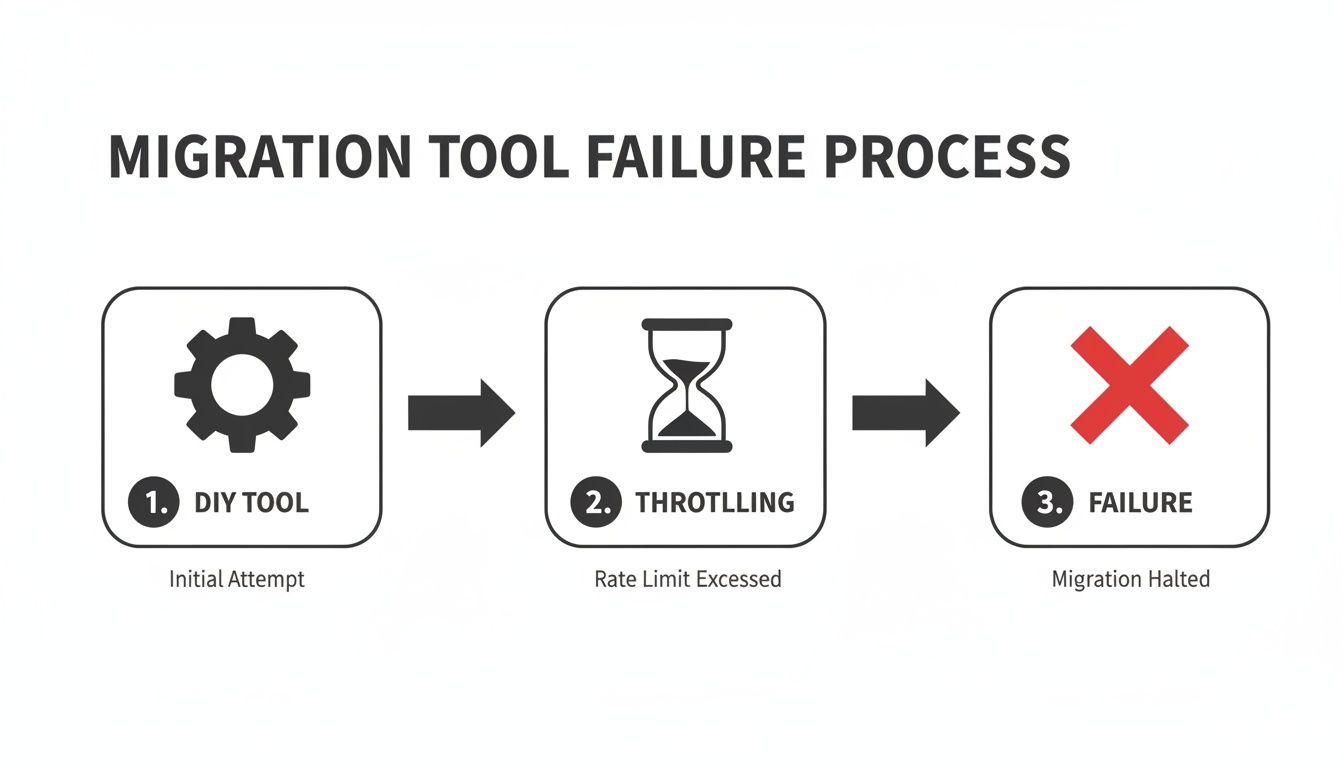
This simple progression—from a DIY tool hitting Microsoft's API limits and grinding to a halt—is the predictable outcome when you underestimate the technical realities of moving data across geographic boundaries.
Phase 1: Pre-Flight Audit
This is where we win the war before the first shot is fired. Too many projects fail because teams dive straight into moving data. That’s a recipe for disaster.
Our audit is an aggressive, script-driven validation process. We programmatically verify your Advanced Data Residency (ADR) and Multi-Geo configurations against Microsoft’s APIs to confirm they’re actually working. Then, we run scripted pre-migration checks across your source environment, actively hunting for issues that break standard tools:
- GUID Conflict Analysis: We identify and map conflicting identifiers that would otherwise cause silent, irreversible data overwrites.
- Broken Inheritance Scans: Our scripts locate and flag every instance of broken permissions that automated tools will inevitably misinterpret, leading to massive security gaps.
- Long Path Identification: We generate a definitive report of every file and folder that exceeds SharePoint’s path limits. These must be fixed before a single byte of data is moved.
Phase 2: Orchestrated Execution
This is not a "click next and walk away" operation. We combine enterprise-grade tooling like ShareGate with a library of custom PowerShell PnP scripts we've built to manage the brutal reality of Microsoft's API throttling.
The documentation says you'll get impressive throughput, but in reality, large-scale migrations always hit a wall. Our scripts don't just retry failed jobs; they intelligently back off and manage the workload to stay under throttling limits, ensuring a predictable migration timeline. Missing this step doesn't just delay the project; it introduces serious risks of data corruption.
Phase 3: Post-Migration Validation
The job isn't finished when the last file is copied. The most critical step—and the one most often skipped—is programmatic validation. Your team cannot manually check millions of files and permissions.
We run a suite of automated scripts that compare the source against the destination, verifying:
- Data Integrity: Using checksums to confirm every file is bit-for-bit identical to the original.
- Permission Fidelity: Auditing Access Control Lists (ACLs) to ensure the complex access rights from the source have been perfectly replicated.
- Residency Compliance: Programmatically confirming that every user's data has been correctly homed in its designated geo-location, providing an auditable proof of compliance.
This blueprint transforms migration from a high-risk gamble into a controlled, defensible engineering project. When the stakes are this high, it's the only safe pair of hands for your data.
Burning Questions About Data Residency Migrations
On every high-stakes SharePoint migration we handle, we hear the same critical questions from IT Directors and Enterprise Architects. Here are the straight, no-fluff answers.
Can We Manage a Migration to Ireland Without the ADR Add-On?
Technically, you could, but for any regulated Irish business, it’s an unjustifiable risk. Simple as that.
Without Microsoft's Advanced Data Residency (ADR) add-on, your data residency is just a "best effort" promise, not a contractual guarantee. This falls short of most compliance obligations because Microsoft can still shift your data to other EU data centres for load balancing.
ADR is the only way to get a contractually-backed, legally defensible commitment that your core data will stay put in Ireland.
Our Team Uses ShareGate. Isn't That Enough?
ShareGate is a brilliant tool, and we use it, but it’s not a complete strategy. Not by a long shot.
When you're doing a large-scale, cross-geo move, ShareGate will struggle with Microsoft's aggressive API throttling. This leads to failures, slowdowns, and much longer migration windows than planned.
It also doesn’t inherently solve complex permission resolutions or, crucially, validate data sovereignty after the move. We use it as one part of a wider toolkit, alongside custom PowerShell scripts to handle the inevitable exceptions where the tool just can't cope.
What Is the Biggest Unforeseen Issue in These Projects?
The post-migration search index lag. It catches everyone by surprise and the business impact is massive.
The technical team focuses on the 4-6 hour read-only window. But for the next two or three days, the business is crippled because users can't find their most recent files via search. It creates chaos, floods the helpdesk with tickets, and completely undermines confidence in IT.
It's a failure of expectation management that is almost always overlooked in DIY migration plans.
A successful data residency migration isn't about running a tool; it's about de-risking a complex compliance project. At Ollo, we provide the battle-tested expertise to ensure your migration is not just technically successful, but legally defensible and operationally smooth. Contact Ollo to secure your migration.

















