



A Sharepoint migration assessment tool is a command-line utility that scans your on-premises SharePoint farms (2010-2016) to flag potential roadblocks. It’s designed to give you a preview of the minefield you're about to walk into before moving to SharePoint Online. It spits out reports on massive lists, broken inheritance, and ancient workflows notorious for derailing migrations.
But here’s the critical mistake IT Directors make: they see the tool’s output as a simple checklist. It's not. It's a raw diagnostic report detailing the specific ways your project is pre-configured to fail.
Your Migration Is Already Failing and the Tool Told You So
Let’s be brutally honest: the SharePoint Migration Assessment Tool (SMAT), or its modern cousin the Microsoft 365 Assessment tool, is not a friendly guide. It's a raw, unfiltered list of project killers. Your team runs the scan, gets a list of technical jargon, and builds a project plan around it. We see a forecast for disaster.
When we're called in to rescue a failing migration, the first thing we demand is the original assessment report. Without fail, the warnings were all there on day one. They were just misinterpreted as simple to-do items instead of the architectural dead ends they truly represent. This isn't about just clicking 'run' on a tool. It’s about learning to interpret the output like a seasoned architect who has seen these exact same warnings precede massive budget overruns, critical data loss, and outright project collapse.
Translating Warnings Into Reality
The tool's cryptic language conceals severe business risks. For instance, the report might flag "Unsupported Site Templates" or a "Sandbox Solution." The documentation says "review." In reality, these are guaranteed migration-breakers that demand a complete redevelopment plan, not a quick fix.
Running an assessment on older SharePoint 2010-2016 farms often turns up these unsupported templates and sandbox solutions in up to 40% of scans we see in regulated environments. We’ve also seen that 55% of Irish energy firms hit other blockers the tool finds, like huge Excel files (>50MB) and email-enabled lists, which are guaranteed to trigger API throttling and grind your entire migration to a halt. You can see how Microsoft explicitly details these issues in their full reports roadmap.
These aren’t minor technical hurdles; they are fundamental incompatibilities that standard migration tools simply cannot handle.
SMAT Report vs Reality: A Director's Translation
This isn't an exhaustive list. It highlights the chasm between technical output and business impact. The tool points out the smoke; it's your responsibility to see the fire.
The Ollo Verdict: The assessment tool doesn't give you answers. It gives you a precise list of questions your team is likely unqualified to answer. Missing this step doesn't just fail the migration; it breaks legal compliance, corrupts critical data, and creates catastrophic identity conflicts in Entra ID.
Your team sees a checklist; we see the anatomy of failure. You must translate the tool's warnings into the real-world budget, timeline, and resource impacts they represent before you move a single file. Understanding these common SharePoint migration failures is the first step. This guide teaches you to see the disaster before it happens.
Decoding The Three Reports That Predict Catastrophe
Your SharePoint migration assessment tool will churn out over a dozen reports. Most are noise. But three of them are bright red flares, signalling impending project disaster. These are the same three reports we see cited in the post-mortems of migrations we’re called in to rescue.
Ignoring them isn't an oversight; it’s an active decision to plan for failure. Let's break down the raw output so you know exactly which numbers mean your project is about to fly off the rails.
The Large Lists Report
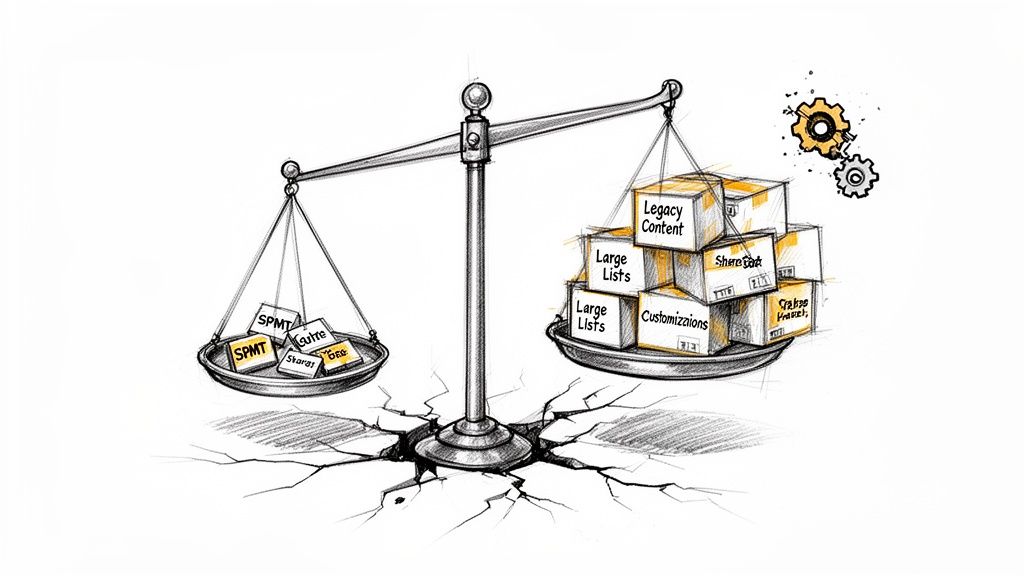
First is the 'Large Lists' report. The documentation says lists over 20,000 items are "problematic." This is a dangerous understatement. In reality, the 5,000 item list view threshold is the real killer. Any list approaching this limit, let alone exceeding 20k items, will choke, throttle, and ultimately fail when using standard tools like the free SharePoint Migration Tool (SPMT).
We often see clients fail when their internal teams miss this. They attempt a lift-and-shift, only to discover on migration day that core business data is inaccessible or the migration tool itself crashes repeatedly. Don't just take our word for it—Microsoft itself warns about how large lists cause migration tooling failures. A single finding in this report can stretch your migration timeline by months and force a complete rethink of your tooling.
The Large Sites Report
Next is the 'Large Sites' report. Microsoft warns that sites over 500 GB make scheduling "difficult." In practice, this means your planned migration weekend is a fantasy. The sheer volume, combined with inevitable API throttling, guarantees failure and data loss if you attempt a simple lift-and-shift.
We often see clients stumble when they treat a 1 TB site the same way they treat a 10 GB site. They are fundamentally different beasts. A large site demands a phased, delta-sync approach with specialized scripting to manage throttling and validate data integrity. A standard tool will time out, drop files, and leave your data in a corrupted, half-migrated mess. This complex process also creates a massive risk if your team doesn't handle permissions correctly—you can learn more about securing your SharePoint migration permissions in our dedicated guide.
The Ollo Verdict: If your 'Large Sites' report shows even a single site collection approaching this limit, your project plan is already invalid. You must switch from a simple "move" strategy to a complex, multi-stage "synchronisation" strategy. This is not optional.
Unsupported Templates And Sandbox Solutions
Finally, the 'Unsupported Site Templates' and 'Sandbox Solutions' reports. These aren't warnings; they are full stops. These customisations will not migrate. Period. They have no modern equivalent and often represent critical business functions you are about to abandon.
This decision tree shows the stark reality your results present—unsupported elements lead directly to project failure without immediate, expert-led remediation.
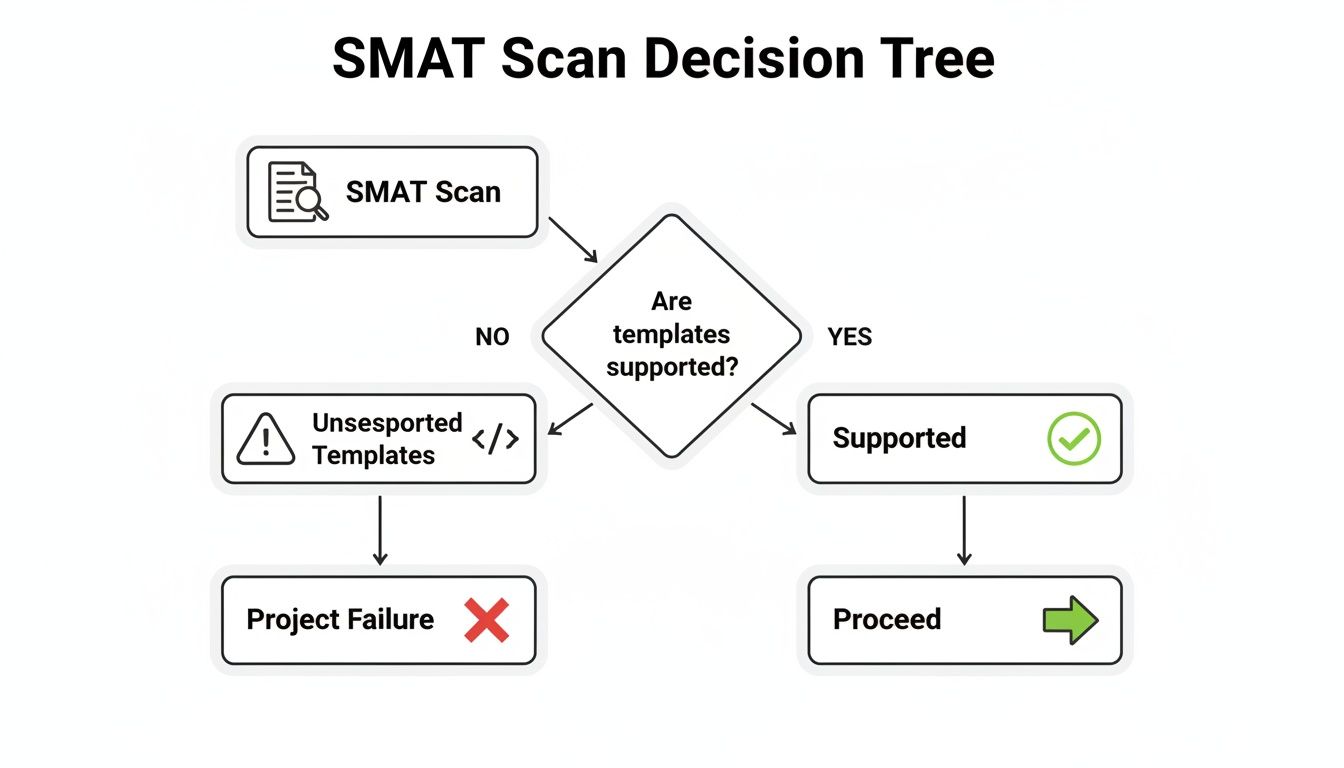
There is no middle ground. Your project's viability hinges on whether your core architecture is supported or needs a complete rebuild.
We see teams catastrophically underestimate this. They see "Custom Template" and think it’s a branding issue. They don't realise it’s a bespoke application for regulatory reporting that, once broken, puts the company in breach of compliance. Missing this doesn't just fail the migration; it introduces severe business and legal risk. Your assessment tool is screaming this at you—the question is whether your team is equipped to listen.
Standard Migration Tools And Their Breaking Points
Let's be brutally honest about the tools your team wants to use. A slick marketing page and a "one-click migration" promise fall apart the moment they hit the architectural mess of a decade-old SharePoint farm.
The tools aren't the problem; the problem is assuming they are a substitute for an architect. We see projects fail because teams treat these tools like a fire-and-forget missile. They point them at the source, press "go," and are shocked when the result is a crater of corrupted data and broken business processes.
The SharePoint Migration Tool (SPMT) Illusion
First is Microsoft’s free SharePoint Migration Tool (SPMT). Your team sees "free" and "Microsoft" and assumes it's the approved path. This is a catastrophic miscalculation.
The documentation says SPMT was designed for simple file share migrations and clean, small-scale SharePoint sites. In reality, it collapses when faced with broken inheritance, unique permissions on thousands of items, or complex Active Directory group nesting. It will either fail outright or, worse, migrate content with incorrect permissions, creating a massive security breach in SharePoint Online. The tool simply does not have the logic to fix these deep-seated architectural flaws. It just copies the problem into the cloud. We've written a complete guide on the limitations of the SharePoint Migration Tool that you should read before your team touches it.
The Ollo Verdict: Use SPMT for a single, clean site under 50 GB. For anything else, you need custom scripting and a commercial tool. Relying on SPMT is not a cost-saving measure; it's a project termination strategy. The cost of failure—data loss, security breaches, compliance violations—dwarfs the perceived savings every time.
ShareGate Is Not A Silver Bullet
Then there's the industry workhorse, ShareGate. It's a powerful tool, one we use extensively. However, it is not a silver bullet. Your team might buy a license thinking it's the answer, but out of the box, ShareGate is easily overwhelmed by the real-world complexity your assessment report has highlighted.
Without expert configuration and extensive pre-migration scripting, ShareGate will stumble on:
- API Throttling: It manages throttling better than SPMT, but it will still hit a wall during a terabyte-scale migration without custom scripts to manage the load.
- Legacy workflows (2010/2013): It can report on them, but it cannot rewrite years of embedded business process logic into Power Automate.
- Broken Inheritance: It provides far more granular control than SPMT, but it still requires an expert to script the remediation for broken inheritance before the migration starts. It will not fix your structural problems for you.
The tool is only as good as the architect wielding it. It cannot fix the architectural flaws your SharePoint migration assessment tool uncovered. It simply executes the plan you give it—and if that plan is flawed, it will execute that flawed plan with brutal efficiency.
Tool Capability vs Enterprise Reality
As the table shows, the standard tools are a starting point, not the entire solution. The real work of an enterprise migration lies in addressing the complex issues that these tools were never designed to solve on their own.
The Remediation Black Hole Where Budgets Go To Die
An assessment report is useless without a funded, expert-led remediation plan. This is the exact point where most migration projects begin their slow, painful, and expensive death spiral.
Your team gets the report, sees a line item like “Checked-out Files,” and creates a task: “Tell users to check them in.” They completely miss the data governance crisis in the making, one that guarantees critical document versions will be lost forever, directly breaking legal and compliance records.
They see “Long File Paths” and budget a few hours for a rename script. They don't see the thousands of embedded OLE links that will silently break, corrupting your entire knowledge base. This isn't a checklist; it's a complex sub-project your team isn't equipped to scope, let alone execute.
The True Cost of "Simple" Fixes
Remediation is where your plan slams into the brutal reality of your technical debt. Every item flagged by the assessment tool represents a decision with serious budget implications. There are no simple fixes, only trade-offs that demand deep architectural experience.
We see clients fail when they underestimate these common remediation tasks:
- Long File Paths: The tool flags paths over the character limit. Your team thinks a rename script will solve it. We know this breaks embedded document links in thousands of other files, silently corrupting your entire knowledge base.
- InfoPath Forms: The report identifies them as unsupported. Your team plans to manually export the data. We know this means abandoning years of embedded business logic, requiring a full rebuild in Power Apps that can take months.
- Legacy Workflows: The tool lists them. Your team assumes they can be easily recreated. We know each one represents a critical business process that must be dissected, documented, and rebuilt in Power Automate—a task that is far more business analysis than IT.
Failing to properly scope these tasks doesn’t just add delays; it actively destroys business value and introduces massive operational risk.
The Ollo Verdict: Remediation is not a pre-flight checklist. It's a series of complex architectural surgeries that must be performed before you even think about moving your data. Asking a generalist IT team to do this is like asking a GP to perform heart surgery. The outcome is predictable and catastrophic.
Permissions: The Security Nightmare You’re About to Replicate
The single most dangerous remediation failure we see is permissions. Your assessment report will flag issues like broken inheritance. Your team might plan to "reset permissions to the parent" as a quick fix. Frankly, this is professional negligence.
You must address and remediate your entire permissions model before you move a single file. If you don't, you will faithfully replicate your existing security nightmare in Microsoft 365, making it exponentially more dangerous. This isn't just a migration risk; it's a security incident waiting to happen. Proper remediation is a core part of a sound SharePoint data governance strategy that protects your organisation from itself.
Funding and executing a thorough remediation plan, guided by specialists who have seen how these seemingly small issues cascade into total project failure, isn't just a risk-reduction strategy. It's the only thing that separates a successful migration from a guaranteed disaster.
Why Your Assessment Is Incomplete Without An Identity Audit
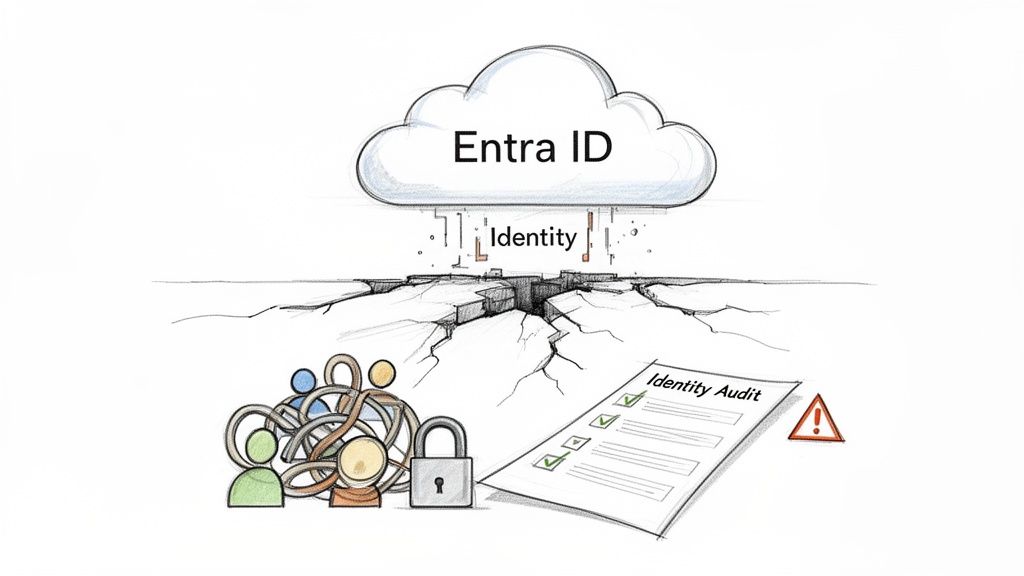
A SharePoint Migration Assessment Tool does its one job: it tells you about your old SharePoint farm. But it completely ignores the most critical part of your modern workplace: identity. This is a massive blind spot, and it's where migrations go to die.
Your legacy environment is a museum of outdated security models. Simply lifting and shifting that technical debt into Microsoft 365 isn't modernisation; it's a security incident waiting to happen. The assessment tool report is dangerously incomplete without a parallel, aggressive audit of your identity posture.
The Collision of Old Permissions and New Cloud
We often see clients fail when they treat migration as a content-only problem. They have a "clean" assessment report but no idea that their Microsoft 365 tenant is a security wasteland. There are no Conditional Access policies, no enforced MFA, and dangerously misconfigured external sharing settings.
This doesn't just put your migration at risk; it actively torpedoes your entire zero-trust security ambition. Your neatly organised data is about to be poured into an environment governed by principles from 2010. It’s like building a new bank vault on a foundation of sand.
Why Your Assessment Needs a Parallel Identity Track
A proper migration assessment must run on two tracks simultaneously: content and identity. While one team analyses the SharePoint farm, another must be dissecting your identity infrastructure. This deep dive, often involving a review of your Microsoft Entra ID services, is crucial for uncovering problems before they blow up your project.
This dual-track approach uncovers the project-killers before they strike:
- Orphaned Accounts: On-premises accounts with access to sensitive data that no longer map to an active employee.
- Nested AD Groups: The complex, multi-layered security groups that are impossible to manage and audit in the cloud.
- GUID Conflicts: When user identifiers from an old domain clash with your new tenant, leading to catastrophic access failures.
- Misconfigured Sync: Problems with Entra ID Connect that are busy replicating your on-premises security flaws directly into the cloud.
If you don't audit these elements, you are actively migrating a decade's worth of security vulnerabilities and unmanaged risk. The assessment tool will never warn you about this.
The Ollo Verdict: We see migration and identity redesign as a single, inseparable activity. The output from a SharePoint migration assessment tool is only half the picture. Without a corresponding identity audit, you are planning to fail securely.
The risks here aren't just technical. Pouring sensitive financial or healthcare data into a poorly configured tenant doesn't just cause a data breach; it triggers regulatory fines and destroys customer trust. Before you move forward, you need to understand the full scope of our specialist SharePoint migration services, which treat identity as a foundational, non-negotiable part of the process.
Answering Your Toughest Migration Questions
After a dozen years in this field, I've noticed a pattern. The technical questions are easy. The hard questions are about risk, time, and money—the things that keep IT Directors and Enterprise Architects up at night. Below are straight answers to the questions you should be asking before your project goes off the rails.
How Long Does A Proper Migration Assessment Take?
Do not trust anyone who gives you a simple answer like "a few days." Yes, the assessment tool itself might finish its scan in a day or two per farm, but that scan is only 20% of the actual work. The tool just vomits out raw data; the real effort is in the architectural analysis, risk modelling, and strategic planning that follows. A provider promising a full assessment in under a week is just running a tool and handing you back the raw, dangerous output. They are performing a scan, not an assessment. The difference is critical.
For a moderately complex enterprise environment, a thorough assessment conducted by a specialist consultancy like Ollo takes 3-4 weeks. This isn't padding. This is the non-negotiable time required to do the job properly, including:
- Stakeholder Interviews: Understanding what a "simple workflow" actually does for the business.
- Identity and Security Audits: Analysing your Entra ID configuration for flaws the tool cannot see.
- Remediation Planning: Quantifying the real-world cost and timeline to fix every issue the tool flags.
- Creating a Phased Migration Strategy: Building a realistic, batched migration plan that won't result in a catastrophic "big bang" failure.
Anything less is just a box-ticking exercise that sets your project up for failure from day one.
Can We Handle Our Simple Customisations In-House?
This is one of the most dangerous assumptions an internal team can make. What your team sees as a "simple" customisation in a legacy SharePoint environment—like a sandbox solution or an InfoPath form—often has no direct, modern equivalent. The technology is a dead end.
The assessment tool will flag it as "Unsupported," but it offers zero context on the remediation effort. The documentation just says it's retired; it doesn't detail the 200-hour development project required to rebuild that "simple" form's logic using Power Apps and Power Automate.
We often uncover that a single workflow is connected to external data sources or contains custom code that represents a massive, hidden redevelopment cost. Your team has to quantify the precise business impact and redevelopment cost of every single customisation before assuming it can be handled internally. Trusting the "simple" label is a recipe for a budget blowout.
The Ollo Verdict: There is no such thing as a "simple" customisation during a migration. Every customisation is a bespoke software development project in disguise. You need to treat it as such, with proper analysis, scoping, and resourcing.
What Is The Biggest Red Flag In An Assessment Report?
A high number of legacy workflows (SharePoint 2010 or 2013). While other issues like large lists or unsupported templates are problematic, they are at least visibly broken post-migration. A failed workflow, however, can be a silent disaster.
The tool flags these workflows but dramatically understates the operational risk. The documentation says they will stop working. In reality, a broken workflow can halt a critical business approval process—like invoice processing or HR onboarding—with no immediate error message. The process just stops, and nobody knows why until days or weeks later when the consequences become catastrophic.
When we see a high count in the 'Workflows' report, we know a significant portion of the project budget must be immediately reallocated to business process analysis and redevelopment in Power Automate. Ignoring this report isn't just a technical oversight; it's professional negligence. It's a guarantee of post-migration business disruption. To navigate these complexities, understanding essential data migration best practices is key. This context helps frame the remediation work as a core project requirement, not an optional add-on.
Ultimately, a SharePoint migration assessment tool provides a map of the minefield. It tells you where the dangers are, but it offers no guidance on how to disarm them. That requires expertise born from experience—from seeing firsthand how these technical warnings translate into real-world project failures. Your success doesn't depend on running the tool; it depends on your ability to act on its warnings with the seriousness and architectural rigour they demand.
Your SharePoint environment is more complex than any off-the-shelf tool can handle. At Ollo, we don't just run scans; we deliver the architectural certainty required for high-stakes migrations in regulated industries. If you're ready to move beyond checklists and build a migration strategy that actually works, contact us.

















