



Your migration project may already be in trouble, and you might not know it yet.
Your team mapped sites, cleaned permissions, tested throughput, and ticked off the usual Microsoft 365 migration checklist. Then the first post-migration audit starts. Sensitivity labels don't match. Restricted files open for the wrong people. Retention controls don't follow the content. Compliance asks a simple question, and nobody can answer it with confidence: what happened to your classified data?
That's the part most migration plans ignore. Data classification doesn't usually fail in policy workshops. It fails during movement. It breaks when files cross tenants, when metadata shifts, when GUIDs change, when inheritance snaps, and when a generic script decides “close enough” is good enough. It isn't.
The Classification Catastrophe You Haven't Planned For
We often see clients fail when they treat data classification as an admin exercise instead of a survival issue.
The pattern is always familiar. A finance or healthcare tenant migration starts with confidence. Purview labels exist. DLP rules exist. Someone exports reports showing the environment is “covered”. Then content moves, labels don't reattach properly, folders inherit the wrong permissions, and the audit trail turns into guesswork. The documentation says the controls are there. Reality says the controls only matter if they survive the move.
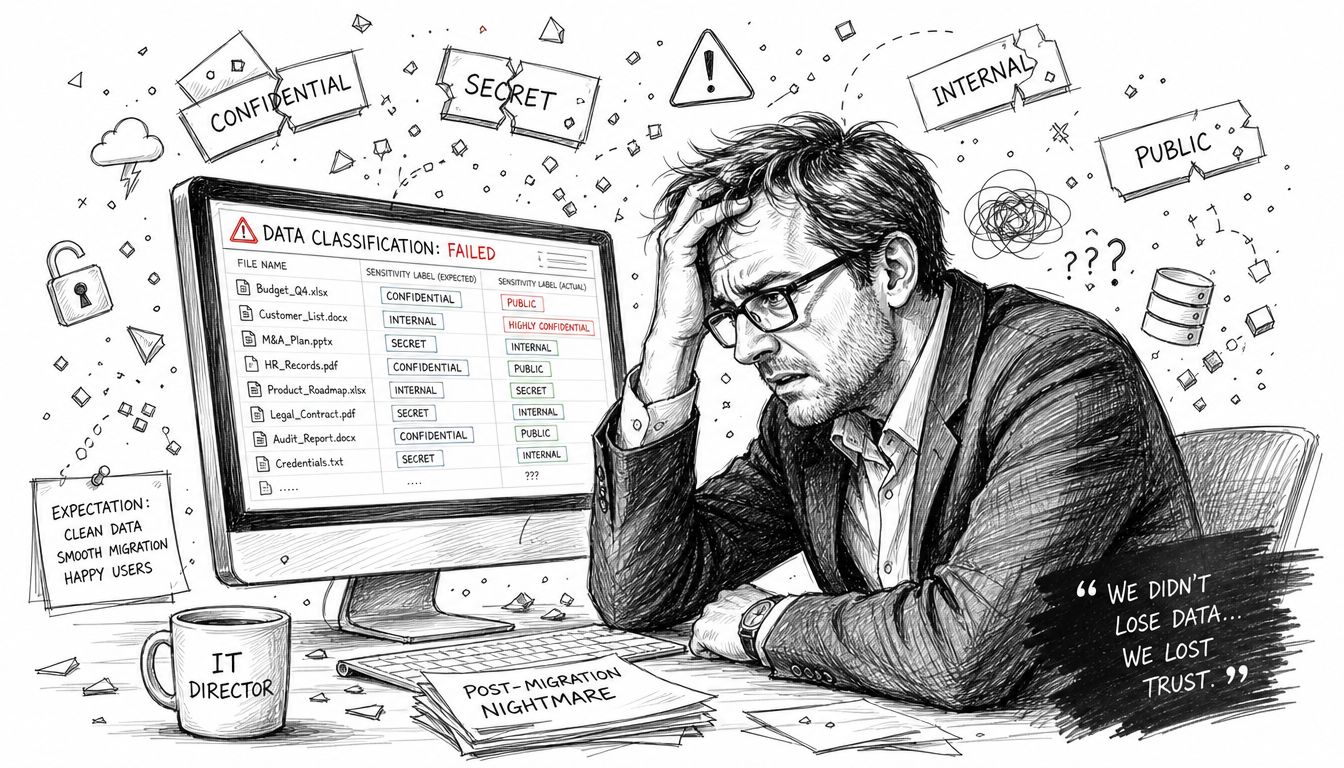
What goes wrong first
The first failure usually isn't dramatic. It looks small. A set of migrated libraries lands in the target tenant without the expected label state. A few folders keep access they shouldn't have. Someone assumes the automation will catch up overnight.
It won't.
In the Irish regulated sector, data classification must align with GDPR Article 30. Failure to correctly classify PHI or PII can trigger penalties up to €20M, and Microsoft Purview sensitivity labels are meant to reduce that risk. The problem is that DIY PowerShell scripts consistently fail to catch 40% of semi-structured data variants, and the Irish HSE's 2024 report identified this as the root cause in 68% of its ransomware data breaches (information classification and data classification risks).
Practical rule: If your migration test plan checks file counts and permissions but doesn't prove classification continuity, your test plan is incomplete.
That's why I don't trust “we've labelled everything” as a serious answer. Labels on paper mean nothing if your migration process strips the metadata that makes the label enforceable.
Why this catches good IT teams off guard
Most internal teams focus on movement mechanics. Can we move the data? Can users log in? Can we preserve sharing links? Those are valid questions. They're just not the dangerous ones.
The dangerous question is whether your classification survives contact with tenant boundaries, policy differences, and content anomalies. If your team still relies on users to manually repair labels after the move, read the manual labelling myth in Microsoft 365 classification at scale. It will sound uncomfortably familiar.
If you're looking at ways AI can help with governance and control, Enhancing data compliance with AI is worth your time. Not because AI fixes bad migration design. It doesn't. But it does help clarify where automation belongs and where blind trust becomes dangerous.
The cost of missing this isn't a delayed project. It's a compliance breach with legal consequences attached.
Your Classification Model Is Probably Wrong
Most organisations start with a tidy model. Public. Internal. Confidential.
That model looks sensible in a workshop and collapses in a regulated Irish environment. It's too blunt, too generic, and too detached from how Microsoft 365 handles nested permissions, metadata, and regional policy boundaries.
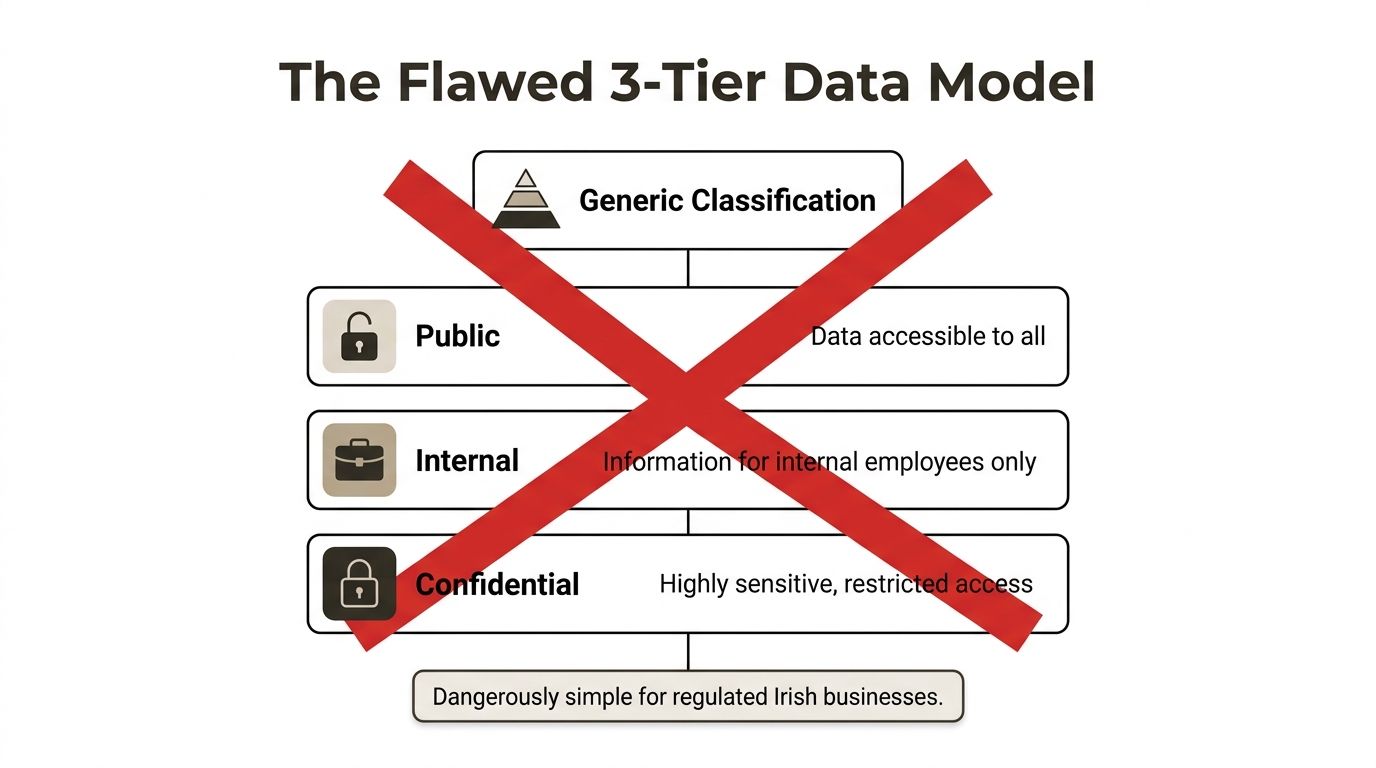
Generic models break under Irish requirements
The NIST three-tiered scheme is a recognised starting point, but Irish organisations have to integrate it with the national Output Area Classification's 8 supergroups and 52 subgroups. If your security model can't distinguish those nested groupings, you create broken inheritance in SharePoint permission structures, which Microsoft Learn confirms is a real risk. We often see clients fail by applying generic models without adapting them to Ireland's specific NUTS groupings (AWS guidance on classification models and schemes).
That's the gap most consultants politely sidestep. I won't.
Your classification model has to work in the systems your team runs. If it can't survive nested groupings, regional distinctions, and downstream permission mapping, then it isn't a model. It's a slide deck.
The documentation says one thing. Reality says another
On paper, a three-tier approach gives you clarity. In production, it often creates ambiguity:
- Public stays easy: Nobody argues over brochureware or published content.
- Internal becomes a dumping ground: Staff use it for anything that doesn't obviously look sensitive.
- Confidential turns into a panic label: Teams apply it inconsistently, then exceptions multiply until governance loses meaning.
That's before a migration even starts.
Once you move content across tenants, a simplistic model creates collision points between metadata, libraries, content types, and inheritance chains. If your architects document labels in Markdown or maintain migration mappings in plain text, even a lightweight tool like this MD file reader online can help your team sanity-check the source artefacts before they become production mistakes.
A weak classification model doesn't fail loudly. It fails quietly, then shows up in an audit.
What a serious model needs
Your classification design needs to support at least these realities:
| Requirement | Why it matters |
|---|---|
| Nested group awareness | SharePoint permissions don't behave well when your taxonomy ignores hierarchy |
| Regional alignment | Irish reporting and governance boundaries aren't optional in regulated estates |
| Migration mapping rules | Labels, content types, and metadata need explicit translation logic |
| Post-move validation | A model that isn't tested after migration isn't trustworthy |
If your organisation is adding AI and Copilot governance into the mix, building an AI governance model for Microsoft 365 classification metadata and tagging becomes part of the same problem. Bad classification doesn't stay inside storage. It bleeds into search, prompts, permissions, and exposure.
Where Microsoft 365 Tools Reach Their Breaking Point
Microsoft Purview, Sensitivity Labels, and DLP policies are useful tools. In a stable single-tenant environment, they can do exactly what they're supposed to do. I'm not dismissing them.
I'm dismissing the fantasy that they'll carry your classification safely through a complex tenant migration without specialist design, explicit mapping, and hard validation.
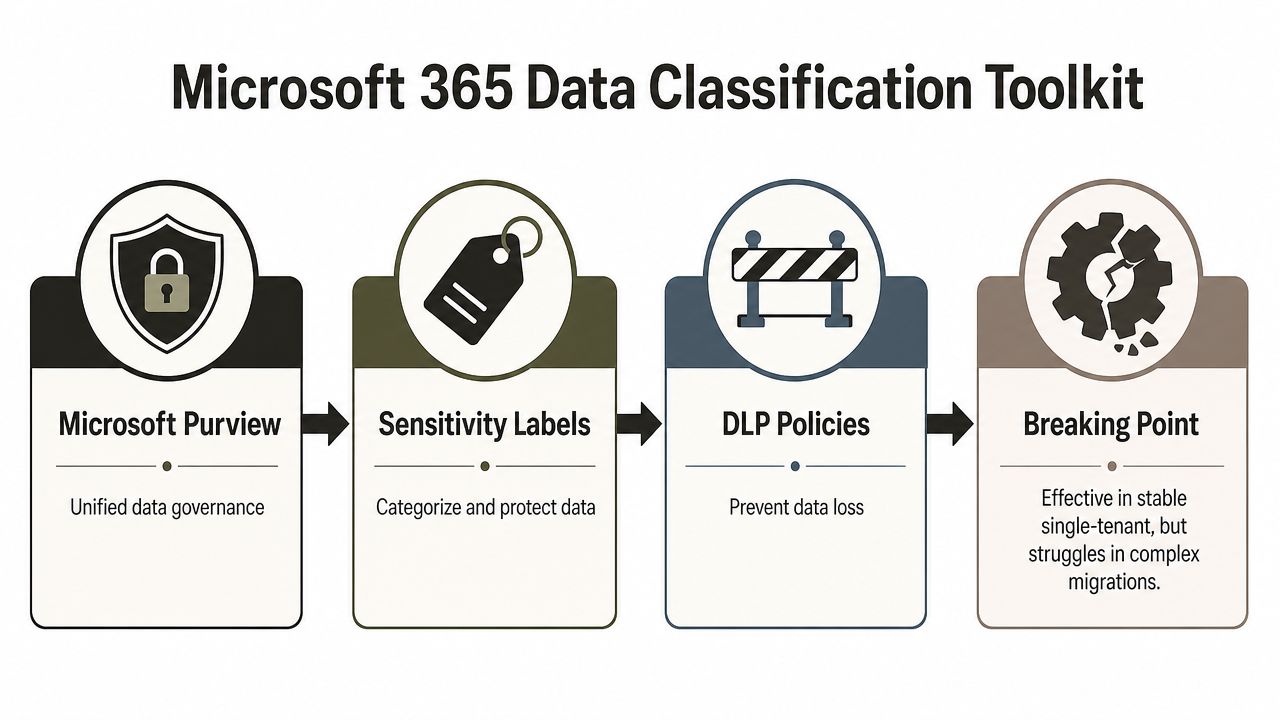
Stable systems are not the problem
In one tenant, with mature policy, consistent metadata, and low structural change, Microsoft's stack can enforce classification well enough. Purview scans. Labels apply. DLP enforces. Admins get a predictable policy surface.
That isn't your project.
Your project involves consolidation, divestment, merger fallout, or a rescue migration after somebody else already made a mess. In those conditions, labels aren't abstract governance controls. They're metadata attached to objects moving through a system that changes object identity, paths, inheritance, and policy context.
Microsoft Learn documents that broken inheritance occurs when content moves across tenants, and official documentation confirms that content moves lose metadata unless explicitly mapped. It doesn't tell you how automated classification labels fail to re-apply when GUIDs shift or when path lengths blow past the limit. That leaves DIY teams manually auditing thousands of items after the event, which is exactly when they're least able to spot the dangerous misses.
What actually breaks in migration
Here's the ugly version your partner may skip in the sales call:
- GUID changes sever assumptions: A label strategy that relies on object continuity breaks when the object identity changes.
- Path growth causes failure: Long nested folder structures create migration exceptions that don't politely fix themselves.
- Inheritance snaps at the wrong level: Libraries, folders, and items stop inheriting as expected, and nobody notices until access expands.
- Policy reapplication lags or fails: Automated classification doesn't magically reconstruct the original enforcement state.
If your migration runbook says “labels will reapply automatically”, ask who validated that against changed GUIDs, altered paths, and tenant-specific policy conflicts.
The vendor promise versus operational reality
SPMT has a place. So does ShareGate. Both can move content. Neither removes the architectural problem. Out-of-the-box tooling won't decide how your target tenant should reconcile conflicting classification frameworks, damaged inheritance, or metadata lost in transit.
For organisations trying to compare automation with manual control, Microsoft Purview versus manual compliance in enterprise migrations is the right debate to have. Not because one side “wins”, but because the wrong mix leaves your classified estate in a false state of compliance.
Here's my verdict. Use Microsoft's native stack for policy enforcement inside a settled environment. Don't rely on it as your migration safety net. During a regulated tenant move, treating out-of-the-box features as sufficient isn't confidence. It's negligence.
Building an Implementation Roadmap That Won't Fail
Most classification roadmaps look neat because they were written by people who didn't have to clean up the aftermath.
Real implementation work is mostly trap avoidance. The wrong label structure confuses users. The wrong automation rule floods your tenant with false matches. The wrong sequencing turns migration weekend into a legal problem.
Start with the crown jewels
Don't start by trying to classify everything at once. That's how teams create label sprawl and then wonder why nobody uses the model correctly.
Start with the data that will hurt you most if it goes wrong. In regulated Irish sectors, missing data classification during migration directly risks breaching GDPR Article 30 and the EU Cybersecurity Act. Unclassified sensitive data moved without retention labels can invalidate legal compliance and trigger audit failures with costs exceeding €20M for mid-enterprises, according to Office 365 migration pitfalls affecting compliance in Ireland.
That should shape your roadmap immediately.
Build the roadmap in this order
Define what must never be exposed
Don't start with broad categories. Start with patient data, financial records, operationally sensitive documents, and any content tied to legal retention or restricted access.Prove the taxonomy on a small hostile sample
Use messy libraries, old team sites, nested permissions, and semi-structured files. Clean samples lie. Broken content tells the truth.Create automation from validated patterns
Don't “turn on” automated classification and hope the engine understands your estate. Train your rules on evidence from the sample you've already tested.Validate in the target state, not just the source
A label that worked before migration proves nothing about the target tenant.
Questions your team should answer before moving anything
Ask these directly. If you don't get crisp answers, stop the project.
- Which labels are legally significant: Not “important”. Legally significant.
- Which content types lose meaning if metadata drops: Your team should know this without guessing.
- What happens when source and target policies conflict: “We'll sort it out after cutover” is not a plan.
- How will you prove post-migration classification integrity: Not by spot check. By repeatable validation.
Field lesson: User-facing labels should stay simple. Back-end taxonomy must not.
That's the part many teams get backwards. They build a giant visible label menu, exhaust users, and still fail to encode the underlying logic needed for migration and governance.
If you want the governance side done properly, content governance for Microsoft 365 and SharePoint is the right place to focus. Governance is what stops classification from becoming a one-off admin project that decays the moment the business changes.
The Technical Disasters Standard Tools Cannot Handle
Nice diagrams die at this stage.
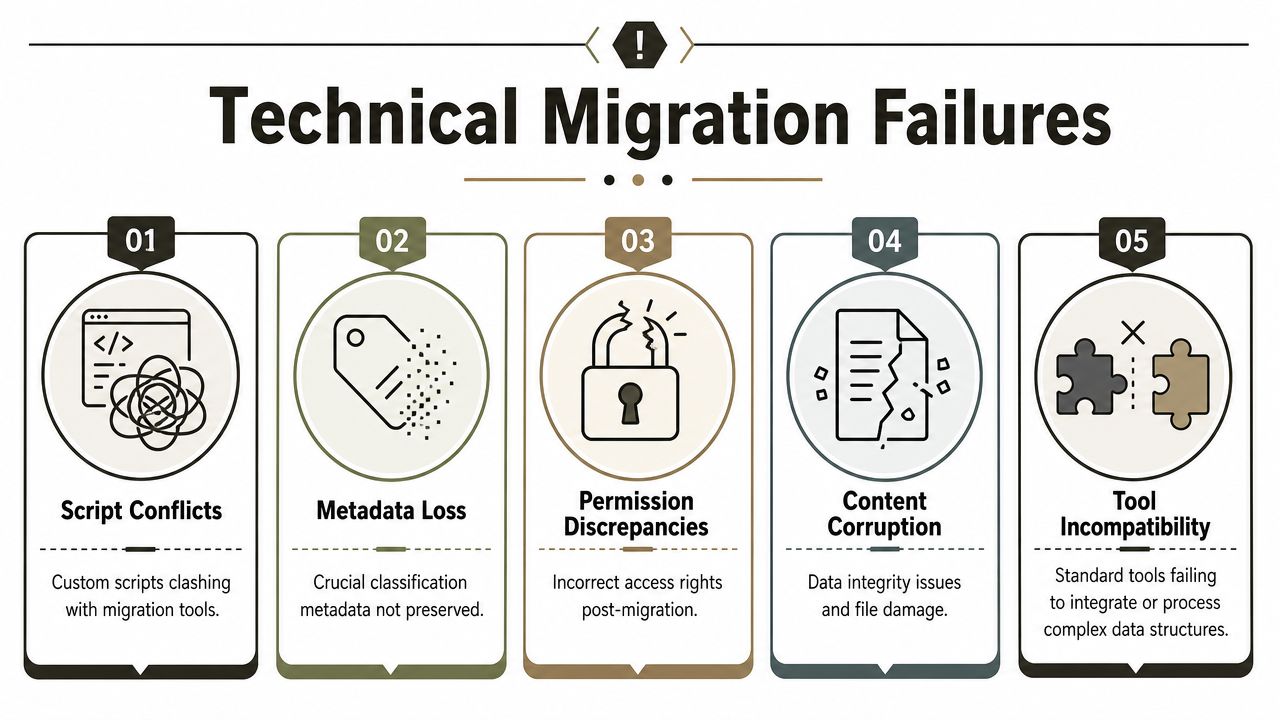
Migration failures rarely come from one dramatic event. They come from stacked technical constraints that standard tools acknowledge but don't solve. Your team hits one limit, scripts around it, then collides with the next one. By the time you discover classification drift, the estate is already inconsistent.
The limits that break enterprise jobs
Microsoft SharePoint enforces a hard 5,000-item list view threshold that blocks standard queries and breaks migration scripts unless custom indexing or PowerShell filtering is implemented. Microsoft documents this behaviour, and it remains a primary cause of failed DIY migrations in enterprise environments (SharePoint migration challenges and the 5,000-item threshold).
That matters because classification validation usually depends on querying large content sets reliably. Once your script can't read the library cleanly, your assurance model collapses.
Then you hit path issues. File paths exceeding 400 characters in SharePoint trigger migration failures, and illegal characters such as #, %, {, and } can create GUID conflicts that break inheritance and permissions, which Ollo's analysis of Migration Manager limits lays out clearly. The documentation says path rules are technical hygiene. Reality says they're classification killers because broken paths often mean broken metadata continuity.
Why standard tools run out of road
SPMT works for simple jobs. ShareGate is stronger and far more usable in the hands of someone who knows what they're doing. But both hit limits in regulated estates when you need to preserve, map, validate, and re-check classification at scale under throttling and structural complexity.
Major problems pile up like this:
- API throttling cuts your script off: Microsoft protects the service, not your migration deadline.
- List threshold blocks verification: You can't validate what your query can't consistently return.
- Metadata mapping gaps create silent loss: Missing labels don't always throw loud errors.
- Tenant consolidation causes classification drift: One tenant's weaker label logic can override another tenant's stricter intent.
If you're evaluating broader AI document classification solutions, that can help on the discovery side. It does not remove the migration physics. A model can identify sensitive content. It still won't fix a broken inheritance chain or a failed label remap after cutover.
Standard tools move files. Enterprise migration work has to preserve meaning.
The Ollo verdict
Use SPMT for less than 50GB. For anything larger, anything regulated, or anything involving tenant consolidation, you need custom scripting, explicit indexing strategy, metadata mapping, and post-move validation. Out-of-the-box ShareGate usage is fine for smaller businesses. It is not enough on its own for a regulated enterprise.
That's where a specialist service such as data loss prevention planning for Microsoft 365 migrations fits. The point isn't tool preference. The point is reducing the probability that your team creates an unclassified, over-permissioned mess and only notices after cutover.
Choosing Predictable Success Over Probable Disaster
You don't need another upbeat migration partner telling you the platform has matured.
The platform is powerful. The tooling is useful. The documentation is extensive. None of that changes the fact that data classification breaks at the exact moment your project becomes complicated. Cross-tenant moves break inheritance. Metadata gets lost unless you map it explicitly. Large libraries hit query limits. Long paths fail. Conflicting policies collide during consolidation. Then compliance asks for proof, and your team starts manually checking folders like it's 2009.
That isn't bad luck. That's what happens when organisations run high-stakes migrations with generalist delivery teams and vendor optimism.
What your decision really is
You are not choosing between “doing it internally” and “getting some outside help”. You are choosing between:
| Option | Likely outcome |
|---|---|
| Generalist approach | You move data, then discover governance gaps after the fact |
| Tool-led approach | You trust reports that don't prove classification continuity |
| Specialist-led approach | You design for metadata survival, policy mapping, and validation before cutover |
Most rescue projects start the same way. Somebody believed the first two options were good enough.
The cost shows up twice
First, you pay for the failed migration. Then you pay for the rescue. That second cost is always worse because now the estate contains partial truth. Some content moved correctly. Some didn't. Some labels survived. Some vanished. Some permissions inherited. Some broke. Untangling that state takes longer than doing the work properly from the start.
Your board won't care that the migration tool said “completed”. They'll care that restricted data became accessible.
I've seen too many projects where the internal team did everything “reasonably” and still created avoidable exposure because nobody owned classification continuity as a first-class migration requirement.
The only rational path
If your migration involves regulated content, multiple tenants, legacy SharePoint sprawl, or conflicting label policies, don't gamble on generic runbooks. Don't let anyone sell you an "uncomplicated story". Ask how they handle broken inheritance, GUID changes, path failures, throttling, metadata remapping, and validation in the target tenant. If they answer in broad terms, walk away.
Predictable success comes from designing for failure modes before they happen. Anything less is probable disaster.
If your team is facing a tenant-to-tenant migration, a consolidation, or a rescue job where classified data can't go missing, talk to Ollo. We handle Microsoft 365 and SharePoint migrations for regulated organisations that need explicit metadata mapping, custom PowerShell PnP controls, and post-migration validation instead of hope.

















