



Let’s be direct. Your plan to migrate your healthcare organisation to SharePoint Online isn't a simple IT project. It’s high-stakes data surgery on a live system, and your team has been burned by failed projects before. One wrong move doesn’t just cause downtime; it risks clinical chaos and catastrophic compliance breaches.
Your on-premises SharePoint is a minefield of undocumented customisations, GUID conflicts, broken permission inheritance, and sensitive Protected Health Information (PHI) scattered where it has no business being. This guide is not a Microsoft support page. It's a collection of lessons learned from the trenches, designed to show you where the real disasters are hiding and how to disarm them.
The Unspoken Reality of Healthcare SharePoint Migration
The standard vendor playbook promising a "seamless transition" is dangerously misleading for any organisation handling patient data. It sells a fantasy of drag-and-drop simplicity that simply doesn't exist in the regulated, high-stakes world of healthcare IT. This is how failed projects begin.
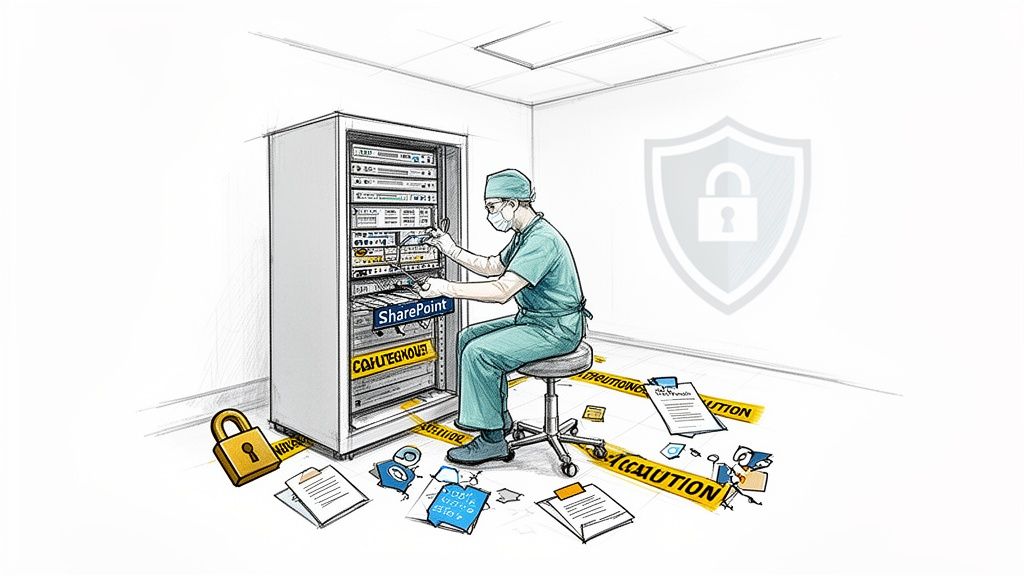
The reality we see is that migrating from SharePoint 2013 or older isn't a technical lift-and-shift; it's inheriting a decade of information governance debt. We often see clients fail when they underestimate this. In our assessments, we consistently find 30-40% of a healthcare organisation's content is either orphaned, duplicated, or contains sensitive data sitting in completely insecure locations.
A basic tool like Microsoft's SPMT will happily copy this entire liability into your new cloud tenant without question, creating a compliance time bomb that will detonate months after you go live.
Your on-premises environment is not a simple folder structure. It's an ecosystem riddled with:
- Undocumented Customisations: Ancient web parts and decade-old scripts that will break spectacularly the moment they hit the modern SharePoint Online framework.
- Broken Permission Inheritance: Thousands of folders with unique, one-off permissions that defy any logical audit and create massive, unpluggable security holes.
- Sensitive Data Sprawl: PHI and patient records scattered across team sites that were only ever intended for departmental memos.
Why Standard Migration Tools Fail in Healthcare
The tools marketed for general business use were never engineered for the rigours of a regulated healthcare environment. We often see clients run into disaster when they treat their migration as a standard IT project and rely on these out-of-the-box solutions.
Microsoft's own SharePoint Migration Tool (SPMT) is the perfect example. It's adequate for moving a small department's file share. But for a hospital's entire clinical documentation library, with complex metadata and deeply nested permissions? The documentation says it works, but in reality, it will fail.
The SPMT chokes on long file paths, misinterprets complex permissions, and offers zero granular control. These aren't minor inconveniences; they are project-killing failures that put patient data at risk. Missing this step doesn't just fail the migration; it breaks legal compliance. Understanding these pitfalls is a critical part of planning a successful HIPAA-compliant SharePoint migration.
The Ollo Verdict: SPMT is for labs and small teams, moving less than 50GB of non-regulated data. For an enterprise healthcare migration, relying on it is an unacceptable risk to your data, your compliance posture, and your professional reputation.
Decontaminate Your Data Before You Migrate
Most healthcare SharePoint migration projects are doomed before the first byte is moved. Why? Because teams skip the most critical phase: data decontamination.
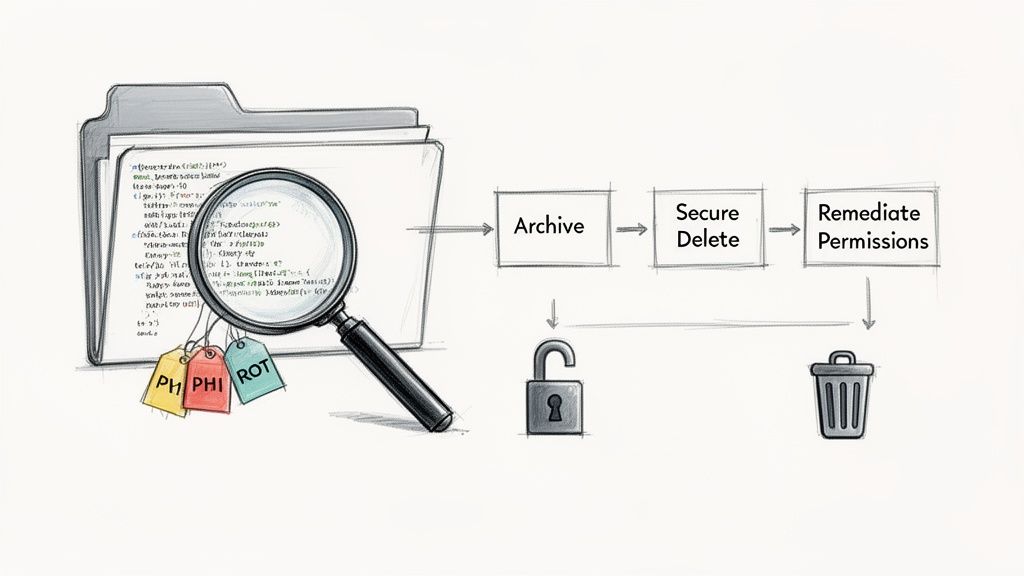
We call it decontamination for a reason. Your source environment isn't just cluttered; it's contaminated with years of Redundant, Obsolete, and Trivial (ROT) data, dangerously mismanaged permissions, and stray Protected Health Information (PHI).
Lifting and shifting this liability into a pristine Microsoft 365 tenant is an act of gross negligence. It doesn't solve your problems; it amplifies them in a more complex and expensive environment where the compliance stakes are even higher.
The Forensic Assessment Your Data Demands
A simple inventory won't cut it. Your data demands a forensic-level assessment. This isn't a task for a junior admin with a checklist; it requires aggressive scripting and deep analysis to hunt down the hidden risks that will derail your project and expose your organisation to compliance penalties.
We often see clients stumble when they underestimate the sheer complexity of their legacy environment. Your team must focus on three core areas of contamination:
- Stray PHI Discovery: You must assume PHI exists outside of designated repositories. We deploy custom scripts to perform pattern matching and keyword analysis across every site collection, identifying patient data lurking in unsecured team sites, personal drives, and forgotten document libraries.
- Permissions Anarchy: Your on-premises environment is a labyrinth of broken inheritance and ad-hoc direct permissions. This must be mapped, untangled, and remediated before you migrate. Copying broken permissions directly into SharePoint Online creates an immediate, unauditable security crisis.
- Technical Breaking Points: We systematically scan for technical landmines. This includes identifying lists and libraries approaching SharePoint’s 5,000-item list view threshold. The documentation might call this a "threshold," but in reality, it's a hard limit. Ignoring it doesn't just slow down a library; it breaks it completely post-migration.
It's also crucial to understand the future use cases for your information. For instance, utilizing data from Microsoft SharePoint files for AI training requires exceptionally clean, well-structured data—something a decontamination phase makes possible.
Triage Is Not Optional
Once you have a clear map of the contamination, the next objective is ruthless triage. This is a business decision, not just an IT task. Your organisation cannot afford to move everything. Every file you migrate carries a cost in storage, management overhead, and potential compliance risk.
Your triage process must be definitive:
- Archive: Identify data that must be retained for legal or regulatory reasons. Move this to low-cost, immutable storage—don't dump it into active collaboration sites.
- Delete: Securely delete everything else. This step requires sign-off from data owners and a clear, defensible disposition policy. We find that organisations can typically eliminate 30-50% of their data footprint here alone, drastically reducing migration complexity and cost.
- Remediate: For the data that will be migrated, fix the permissions at the source. Re-establish proper inheritance and align access controls to modern security groups before you even think about moving it.
The Ollo Verdict: Moving a messy house just creates a bigger, more expensive mess in a new location. Failure to decontaminate your source data doesn't just risk a failed migration; it knowingly imports compliance vulnerabilities into your cloud environment. This is a foundational step, and skipping it is a strategic error with long-term legal and financial consequences. You can explore our insights on ensuring your data handling meets strict regulations like GDPR to understand the depth of this challenge and what a proper SharePoint GDPR compliance strategy entails.
Architecting for Zero Trust in the Cloud
Your migration is the single best chance you'll ever get to completely overhaul your security. This is not the time to be sentimental about old structures.
Simply copying your old, porous Active Directory permissions and security groups into the cloud is a critical mistake. Frankly, it's an amateur move. We often see projects fail when identity is treated as an afterthought, leading to a security posture that's somehow even weaker than what they had on-premises.
The goal here isn't to "lift and shift" permissions. It's to build for Zero Trust.
In modern healthcare, this principle is non-negotiable. It means every single access request to Protected Health Information (PHI) must be explicitly verified, every single time, no matter where it comes from. Trust is never, ever assumed.
Building a Zero Trust architecture means understanding the current landscape, which includes everything from the rising threat of infostealer malware to the constant risk of internal breaches. Your new setup must be resilient enough to stand up to these modern attacks.
From Active Directory Chaos to Entra ID Control
Let's be blunt: your on-prem security groups are not fit for the cloud. They're likely a decade-old mess of nested groups, vague names like "Admin Users," and direct user assignments that make any kind of audit an absolute nightmare. Replicating this chaos in Entra ID (what used to be Azure AD) is an act of self-sabotage.
Instead, your team must build a new identity and access model from the ground up, centred on the core pillars of Entra ID. This isn't a "nice to have"; it's a foundational requirement for securing clinical data.
Your new architecture absolutely must enforce:
- Mandatory Multi-Factor Authentication (MFA): Every user, from the CEO to frontline clinical staff, has to be enrolled. There are no exceptions. We find resistance to MFA often crumbles when it’s framed as what it is: a non-negotiable patient safety measure.
- Granular Conditional Access Policies: Access shouldn't be a simple "yes" or "no". Your policies need to evaluate real-time signals. For instance, a doctor accessing patient records from a known, compliant hospital device is a completely different risk profile than accessing that same data from a personal mobile on public Wi-Fi. Conditional Access lets you block, limit, or demand stronger authentication based on that specific context.
- Privileged Identity Management (PIM): Your IT administrators should not have standing, always-on global admin rights. That's a disaster waiting to happen. PIM enforces a "just-in-time" access model where privileged roles have to be requested, justified, and are strictly time-limited. This simple change dramatically shrinks your attack surface.
Restructuring Groups Around Data and Roles
Forget your old departmental groups. They don't work anymore. Your new security groups need to be structured around two axes: clinical roles and data sensitivity.
This means creating logical, self-documenting groups like "Cardiology Clinicians - Read/Write" or "Research Team - Anonymised Data Access." This model makes permissions logical, auditable, and directly tied to what people actually do.
This isn't just a technical task of renaming a few groups. It's a deep-dive engagement with clinical and operational leaders to map real-world workflows to precise, digital access controls. Skipping this step doesn't just make your permissions messy; it breaks legal compliance by failing to enforce the principle of least privilege required by regulations like HIPAA.
For a deeper look into these crucial security components, you can review our detailed breakdown of a secure SharePoint migration security strategy.
The Ollo Verdict: If your migration plan has a line item that says "Replicate AD security groups," your project is already on a path to failure. A Zero Trust architecture built natively in Entra ID is the only defensible security model for a modern healthcare organisation. This is complex, painstaking work that demands deep expertise in both identity architecture and healthcare compliance—it is not a DIY weekend task.
Choosing Your Migration Tools Wisely
Let's cut through the marketing fluff. Your migration tooling will either be your greatest asset or the primary point of failure for your entire healthcare SharePoint migration. Seriously. This choice determines whether you get a controlled, auditable data transfer or descend into a chaotic mess of lost files and compliance breaches.
I’ve seen too many IT Directors get lured in by the promise of a simple, one-click solution. The reality is that these tools have specific, often undocumented, breaking points that become catastrophic in a regulated healthcare environment.
The SPMT Trap for Unwary Teams
Microsoft's own SharePoint Migration Tool (SPMT) is a common starting point. Its key feature? It’s free. The documentation suggests it's a capable tool for moving files into SharePoint Online, and for a very small, non-sensitive file share, it can work.
But the moment you introduce the complexities of a healthcare organisation, it falls apart.
We've seen it fail silently when encountering custom metadata columns—a standard feature in clinical document management systems. It will choke on files with long path lengths, a common issue in sprawling legacy archives, and simply skip them without clear, consolidated error reporting.
Most dangerously, it has no sophisticated mechanism for handling complex or broken permission inheritance. It will either flatten permissions, creating a security free-for-all, or fail to apply them correctly, locking clinicians out of critical patient data.
The Ollo Verdict: SPMT is suitable for moving less than 50GB of simple, non-regulated files. For any serious healthcare migration involving PHI, complex permissions, or critical metadata, using SPMT is an act of negligence. It lacks the forensic-level logging and error handling that HIPAA demands.
ShareGate: The Workhorse with Limitations
Third-party tools like ShareGate are a significant step up. They are the industry standard for a reason. ShareGate offers far more granular control, better reporting, and can handle complex permission mapping with more intelligence than SPMT could ever hope to.
Its pre-migration checks are invaluable for flagging potential issues like those long file paths or invalid characters that would otherwise cause failures mid-migration.
But even a robust tool like ShareGate has its limits when pushed to the extreme volumes of a large hospital trust or research facility. The documentation doesn't adequately warn you about how performance degrades when dealing with millions of documents or libraries containing hundreds of thousands of items. We’ve seen its reporting capabilities become overwhelmed, making it difficult to reconcile massive datasets post-migration.
It's also not a magic wand for deeply broken source environments. While it can remap users and permissions, it can’t fix a fundamentally flawed information architecture. It also struggles with highly specific, one-off exceptions common in legacy systems, requiring manual intervention that kills momentum. This is especially true in complex scenarios like a cross-tenant consolidation, a process we've detailed in our guide on cross-tenant SharePoint migrations.
The Only Viable Path: Hybrid Tooling and Custom Scripting
For any enterprise healthcare migration, relying solely on an off-the-shelf tool is a high-risk strategy. The only approach that provides the required control, auditability, and precision is a hybrid model.
This involves using a commercial tool like ShareGate for the heavy lifting—the 80% of your data that is relatively standard—and deploying custom PowerShell PnP scripts for the difficult 20%.
This hybrid methodology is the core of how we operate. It gives us the surgical precision needed to handle the inevitable exceptions that would halt a purely tool-based migration.
- Handling Exceptions: When ShareGate flags a library it can't process due to a unique corruption or bizarre permission setup, we don't stop. We use targeted PowerShell scripts to investigate, remediate, and migrate that specific dataset without derailing the entire project.
- Generating Audit Logs: Commercial tools provide good logs, but HIPAA often requires more. We script custom, detailed audit trails that provide an unbroken, defensible chain of custody for every single file containing PHI, from source to destination.
- Automating Remediation: For widespread issues, like thousands of files with invalid metadata, we don't rely on manual fixes. We build scripts that correct these issues at scale before the migration even begins, ensuring a clean transfer.
This isn't about choosing one tool over another. It's about recognising that your complex, regulated environment demands a more sophisticated approach. Relying on a single tool is betting your project, and your compliance posture, on a solution that was never designed for the unique pressures of healthcare data.
Migration Tooling Reality Check For Healthcare
To make this crystal clear, here’s how the options really stack up when you’re dealing with sensitive health information and complex legacy systems.
The takeaway is simple: for a mission-critical healthcare migration, a hybrid approach isn't just a "nice to have"—it's the only responsible way to ensure data integrity, maintain compliance, and deliver a successful project.
Executing the Migration Without Disrupting Care
This is the point where all your careful planning slams into the unforgiving reality of Microsoft’s infrastructure. Specifically, your team’s strategy is about to meet a concrete wall called API throttling.
Let's be crystal clear: throttling isn't a risk you might run into; it is an absolute certainty. If you push too much data, too fast, Microsoft's platform will deliberately slow you down to protect service stability for every other tenant on the system. It’s a non-negotiable law of cloud physics.
I’ve seen far too many projects fail because the team treated the migration like a simple data copy, running jobs at full throttle during business hours. In a 24/7 clinical environment where there are no "off-peak" hours, this approach doesn't just cause a slowdown—it actively disrupts access to live systems clinicians depend on.
This diagram shows how the tools and approach must evolve as the complexity of the migration increases.
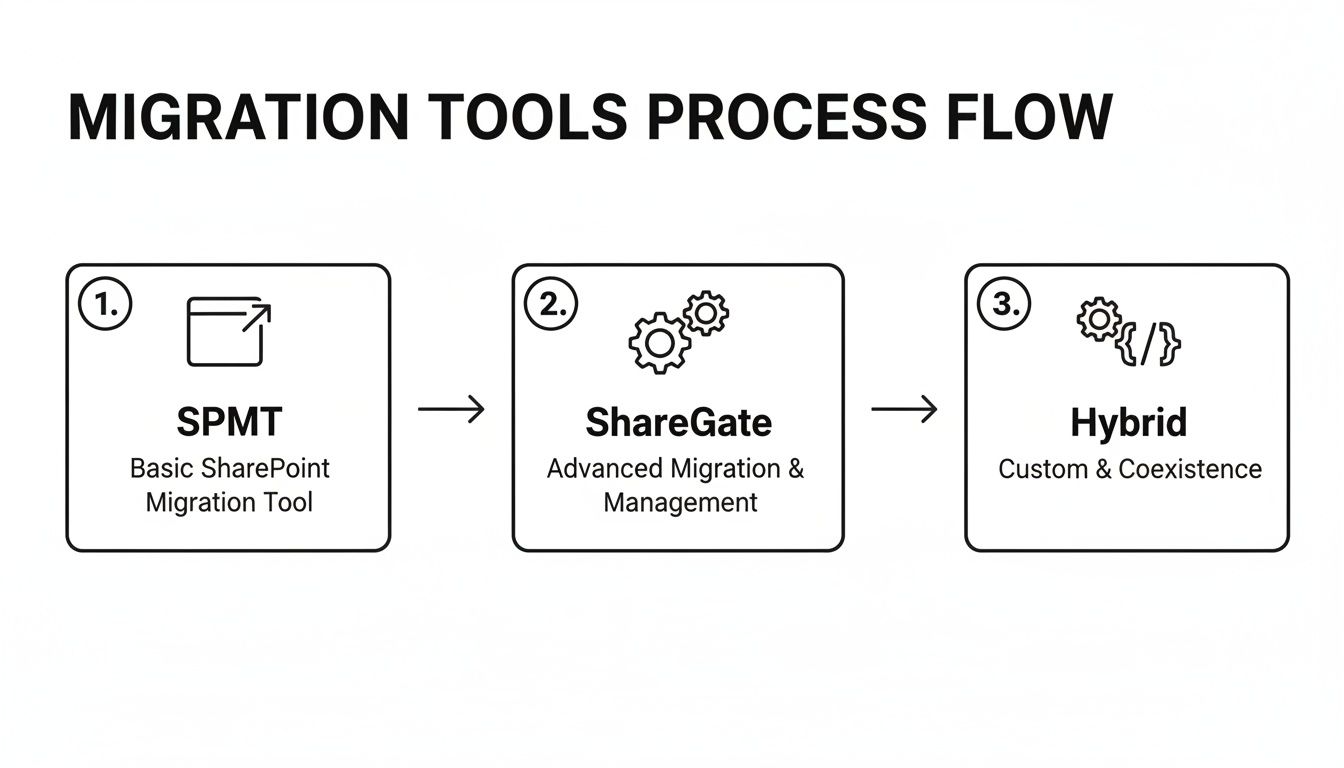
You can see a clear progression from basic tools for simple tasks to a much more sophisticated, scripted approach needed for complex, regulated environments like healthcare.
The Myth of "Off-Peak" Migration in Healthcare
Microsoft's own guidance is explicit: don't overload the system. Their documentation warns against queueing more than 5,000 migration jobs at once, as this creates a database bottleneck that can grind the entire process to a halt. While the Migration API technically has the highest throughput during global off-peak hours (you can learn more about SharePoint Online migration speed from Microsoft's documentation), this concept is a dangerous fantasy in a hospital that never sleeps.
This is exactly where a distributed agent model becomes essential. Instead of trying to force everything through one massive pipeline, we deploy multiple, lightweight migration agents. These agents work in concert, intelligently balancing the load to stay just under the throttling limits. The result is a steady, predictable flow of data that doesn't interfere with frontline services.
Your Military-Grade Migration Runbook
The cutover weekend is absolutely not the time for improvisation. Your team needs a minute-by-minute, military-grade runbook that scripts every single action. Relying on a loose checklist is how you end up with a three-hour outage that forces clinicians back to paper records.
The Ollo Verdict: A proper runbook is a script for a play where nothing is allowed to go wrong. It details every command, every verification step, and every single communication, complete with assigned owners and precise timings. In a clinical setting, anything less is professional malpractice.
Your runbook has to be battle-tested and must include these non-negotiable components:
- Pre-Flight Checks: A series of automated scripts run 24 hours before the cutover. These validate source data integrity, check the health of API endpoints, and confirm that all target site collections are provisioned and configured correctly. No surprises.
- Pilot User Migrations: This is your final dress rehearsal. A live migration of a small, representative group of users and their data. It’s your last chance to catch any unforeseen issues with permissions or unique data types before the main event begins.
- A Hyper-Detailed Communication Plan: This isn't just an email blast. It's a matrix detailing who to contact, when, and under what specific conditions. It includes pre-written status updates for clinical leads, IT stakeholders, and the helpdesk, ensuring no one is ever left in the dark.
- A Definitive Rollback Procedure: You must have a clear, tested plan to reverse the cutover if a "no-go" event happens. This includes the precise steps to re-point DNS, unlock the source data, and communicate the rollback decision across the organisation. Hope is not a strategy.
Executing a large-scale SharePoint migration in healthcare with zero downtime isn’t about having the fastest tool. It’s about having the most disciplined process.
Ensuring Success After Go-Live
Getting the data across is only half the battle. We often see clients celebrate at "go-live," assuming the project is finished. This is a critical error. For your users, the project has just begun, and the first 30 days will determine whether it’s seen as a success or another failed IT initiative.
Go-live is the beginning, not the end. Neglecting this final phase turns a technical success into a complete organisational failure, eroding trust and killing user adoption before it even has a chance.
Validation and Auditable Reconciliation
Your first job after the switch is a forensic validation of the data. This isn't just a quick spot-check. For compliance with standards like HIPAA, you must be able to produce an auditable chain of custody, proving that every single file—especially those containing PHI—arrived intact with its new permissions correctly applied.
We get this done by running scripted comparisons of the source and destination manifests. It's a meticulous process that verifies a few key things:
- File Integrity: We use checksums to confirm that not a single byte was altered or corrupted in transit.
- Permission Accuracy: We audit the permissions applied in SharePoint Online against the remediation plan we defined before the migration even started.
- Metadata Fidelity: It’s crucial that all critical metadata columns, often the home for patient IDs or document types, have been preserved perfectly.
Skipping this step doesn't just mean a sloppy migration; it's a legal compliance failure. You’re left without a defensible audit trail.
Beyond File Storage to Clinical Collaboration
Simply dumping files into SharePoint Online is a massive wasted opportunity. The whole point is to create a collaborative clinical platform, not just a bigger, shinier cloud file server. This means immediately tying the new environment into the tools your teams use every day, like Microsoft Teams and Power Automate.
For example, a common workflow we build right after migration is automating the patient discharge summary process. A clinician fills out a simple form in Teams, which kicks off a Power Automate flow to archive the final document in the correct SharePoint library, automatically applying the right compliance tags. This is how you turn a legacy file repository into an active tool that drives real efficiency.
This also ties into the bigger picture of data governance. Irish healthcare organisations moving off older SharePoint versions have to think about emerging data standards. If you treat the migration as purely a technical lift-and-shift, you risk building a new system that's incompatible with national requirements within 12-18 months. You can read more about the future of Irish healthcare data standards to get the full context.
The Ollo Verdict: A migration's success is ultimately measured by user adoption. For overworked clinical staff, this means providing targeted, role-specific training—not generic "Intro to SharePoint" videos. We establish a hyper-care support model for the first 30 days, a dedicated queue to rapidly address issues, build confidence, and prove the new system makes their difficult jobs easier.
Healthcare SharePoint Migration FAQ
How Long Does a Healthcare SharePoint Migration Take?
This is probably the most common question we get, but it’s slightly the wrong one. A better question is, "How long does a safe and compliant migration take?" It's easy to fixate on the final cutover weekend, but in reality, that's just the tip of the iceberg.
For a typical enterprise healthcare SharePoint migration, you should plan for anywhere from six to nine months. That timeline runs from the initial deep-dive assessment all the way through to post-launch support.
Why so long? Because rushing is the single biggest reason these projects fail. The bulk of that time isn't spent moving files; it's invested in the critical groundwork that protects you. We're talking about decontaminating sensitive data, meticulously redesigning your security for a Zero Trust world, and building a detailed migration runbook. If anyone tells you they can do it in three months, they're either dangerously inexperienced or planning to skip the very steps that keep patient data safe and your organisation compliant.
Can We Use Our Internal Team for the Migration?
Your internal IT team are heroes. They keep critical clinical systems running under immense pressure, and they know your environment inside and out. But they aren't specialist migration architects who spend their days navigating the undocumented breaking points of Microsoft’s APIs.
We’ve been called in to rescue multiple projects where a highly capable internal team got completely overwhelmed. They run into things like unexpected API throttling that brings everything to a halt, silent data corruption from seemingly basic tools, and the sheer, tangled mess of untangling a decade of permissions debt.
This isn't a knock on their skill; it's an honest acknowledgement that this is a highly specialised discipline. The risk versus reward calculation is pretty straightforward: the cost of a failed migration—in data loss, compliance fines, and disruption to clinical care—is astronomically higher than the cost of bringing in a specialist team to get it right the first time.
The Ollo Verdict: Using your internal team for a complex healthcare migration is like asking a GP to perform open-heart surgery. They're both brilliant medical professionals, but for a high-stakes, specialised procedure, you need the specialist. This is no different.
A failed migration doesn't just disrupt operations; it puts patient data and your organisation's reputation on the line. At Ollo, we don't just move data—we execute surgically precise, compliant migrations that protect you from disaster. Book a no-obligation strategy call with our architects to de-risk your project today.

















