



When another SharePoint migration plan lands on your desk, the pressure is immediate. Business leaders want it done yesterday, and vendors are promising a flawless, lightning-fast transition. But you've been burned before. You know the ground truth.
A legal SharePoint migration isn't just another IT project. It's a high-stakes risk management operation where a single wrong move—a broken inheritance, a throttled API call, a dropped GUID—triggers catastrophic compliance failures. This guide isn't another technical walkthrough. It’s our battle-hardened playbook for avoiding the disasters that Microsoft's marketing conveniently ignores.
Stop Before You Start: The Anatomy of a Doomed Project
I can't count the number of projects we've been brought in to rescue after the internal team treated terabytes of legally sensitive files like just another data share. They chased speed over defensibility, trusting generic checklists and vendor promises. The hard truth is, your team is one wrong setting away from breaking the chain of custody, corrupting your eDiscovery archives, or violating GDPR retention policies.
This Is Not a Technical Project
The single biggest point of failure we see is the assumption that this is a technical challenge. It isn't. Your primary job is not to move data; it's to protect the organisation from the consequences of moving it incorrectly.
Projects go off the rails when the infrastructure team leads the charge without direct, continuous involvement from the Legal and Compliance departments. This approach completely misses critical requirements that standard migration tools were never designed to handle.
The core mistake is treating SharePoint as a simple file repository. In a legal context, it’s an evidence locker. Every file has a history, a set of permissions, and metadata that must be preserved with forensic integrity. Breaking this chain of custody doesn’t just fail the migration; it invalidates the evidence. Missing this step doesn't just fail the migration; it breaks legal compliance.
The Vendor Promise vs. Ground Truth
Vendors will sell you on speed and simplicity. They'll show you glossy dashboards and satisfying progress bars. We often see clients fail when they believe this. The documentation says one thing, but in reality, the breaking points are brutal and predictable.
- API Throttling: Their tools claim they can move terabytes in a weekend. They won't tell you how SharePoint Online will grind that process to a halt when you hit undocumented API limits right in the middle of business hours, bringing your entire tenant's performance to its knees.
- Metadata Fidelity: They’ll say they preserve metadata, but they choke on the complex, custom metadata schemas common in legal case management systems. This leads to a catastrophic loss of critical file properties that are essential for context and evidence.
- Legal Hold Complexity: No off-the-shelf tool can correctly interpret, migrate, and re-apply a complex legal hold from a legacy system into Microsoft Purview without expert human oversight. It's a manual, high-risk process masquerading as an automated checkbox.
A thorough SharePoint migration assessment performed before you even think about picking a tool or setting a timeline is the only way to uncover these hidden landmines. Ultimately, your project’s success won't be determined by the tool you choose, but by the rigour of your pre-migration discovery.
Mapping The Legal and Compliance Minefield
The single biggest mistake we see is assuming a ‘lift and shift’ will do the job. I’ve seen it happen time and again, and it’s a guaranteed path to failure. Your initial phase has absolutely nothing to do with technology; it’s a forensic interrogation of your data’s legal posture, conducted long before a single file gets moved.
You have to get your Legal and Compliance teams in a room from day one. Together, you need to map every single data source against its specific regulatory requirements—GDPR, industry mandates, whatever applies to your business. This isn't a box-ticking exercise. It's an active investigation.
You need to know: which specific data is under a current legal hold? Where are your sensitive eDiscovery archives, and what are their exact preservation requirements? Critically, which files have explicit retention policies that directly conflict with your standard corporate rules?
This is the fundamental shift in thinking required for a successful migration. It’s not an IT project; it’s a risk management operation.
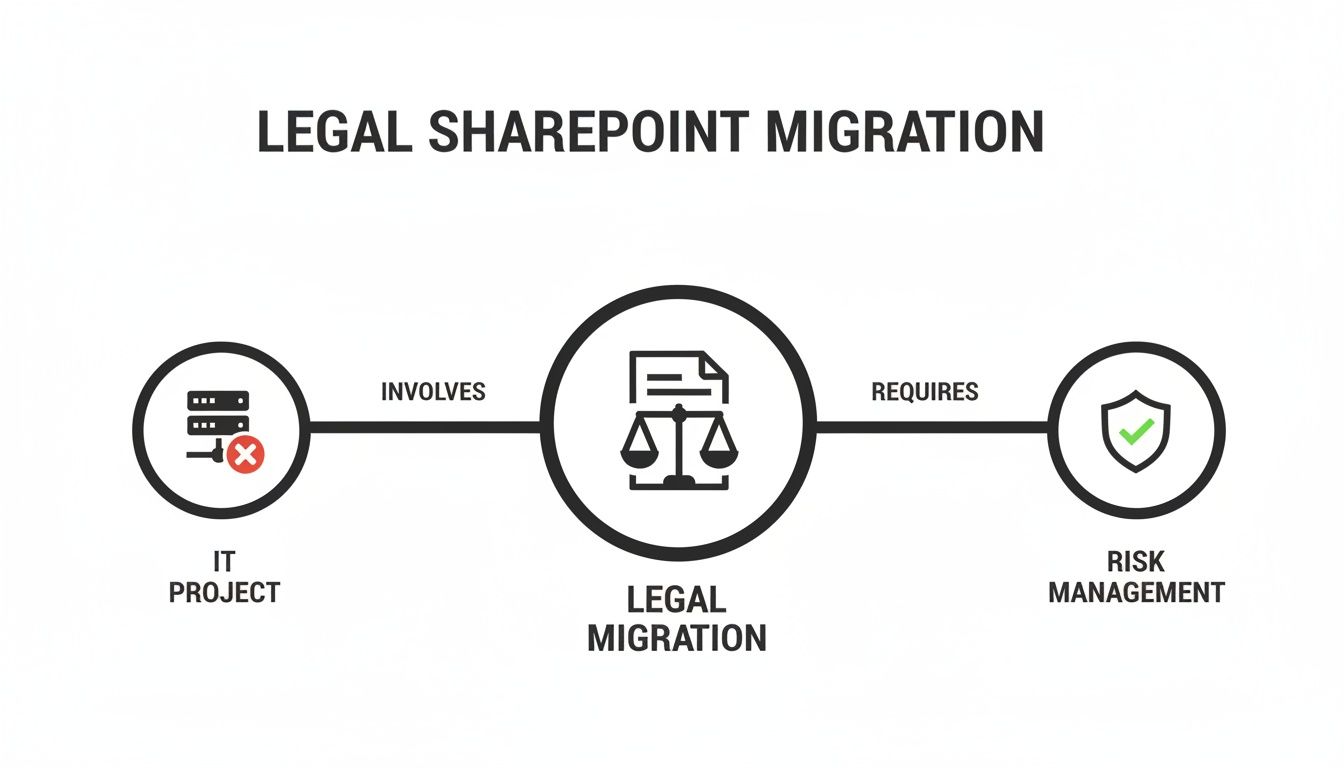
The insight here is simple but profound. Treating this as a standard IT project is the default way to fail. Framing it as a risk management initiative is the only way to succeed.
From Departmental Folders to Risk Profiles
I can't tell you how many times we’ve been called in mid-migration after a client discovered a standard tool had irrevocably altered the metadata on a dataset under a litigation hold, rendering it legally inadmissible. This happens because the IT team organised the project by business unit ("Finance," "HR") instead of by risk profile.
Your team must build a comprehensive data map that classifies content not by department, but by its legal and compliance risk. When approaching a SharePoint migration, it's paramount to understand all overarching legal considerations that dictate these profiles. This map will dictate your entire strategy, from the tools you choose to your final permissions model.
I had a client in the financial sector where a rogue automated migration job changed the 'Created By' metadata on thousands of files subject to a regulatory audit. The data was moved successfully, but its chain of custody was destroyed. The project didn't just fail; it created a multi-million-euro compliance incident.
Interrogating The Data's Legal Posture
Your data discovery must answer these non-negotiable questions before you even think about moving forward:
- Legal Holds: Which document libraries, sites, or mailboxes are subject to active litigation holds? These must be segregated into a high-risk migration workstream with painstaking manual validation.
- eDiscovery Archives: Where are the archives from past cases? These often have unique, court-mandated preservation requirements that standard migration tools will violate by default.
- Retention Conflicts: Does the Finance department's seven-year retention rule override the company's standard five-year policy? You must map these conflicts and decide which rule applies in SharePoint Online before you apply any labels.
- GDPR/Sensitive Data: Have you identified all data containing Personally Identifiable Information (PII)? This data requires a specific, careful migration path and enhanced security controls post-migration. We cover this in more detail in our guide to SharePoint GDPR compliance.
Answering these questions creates your 'risk map'. This map becomes the blueprint for the entire technical execution. It tells you which data can be moved with standard tools and which requires the surgical precision of custom scripting and manual oversight.
Skipping this step doesn't just risk migration failure; it actively courts legal disaster. The cost of getting this wrong isn't a delayed project timeline—it's facing your board and legal counsel to explain a preventable, and frankly indefensible, compliance breach. This forensic-level discovery is the first and most critical act in a successful legal SharePoint migration.
Choosing Your Weapons in The Tooling Minefield
Let’s be blunt: the free SharePoint Migration Tool (SPMT) is for small businesses moving uncomplicated file shares. Relying on it for a legal SharePoint migration is professional negligence. You might as well try to perform surgery with a butter knife. The documentation might claim it handles version history, but we've seen it catastrophically fail when faced with enterprise-scale complexity, like list view thresholds or broken inheritance.
Your entire project can grind to a halt because a single, large document library with deep versioning triggers API throttling that cascades across the whole tenant, stopping everything cold.
The Enterprise Tool Trap
For any organisation in a regulated industry, an enterprise-grade tool like ShareGate is the non-negotiable starting point. It provides granular control, detailed logging, and the raw power needed to manage complex permissions and massive data volumes.
But—and this is the "war story" I tell every client—it is not a silver bullet. This is where so many internal teams get burned. They buy the best tool on the market, assuming it will magically solve all their problems.
ShareGate is a scalpel, not a magic wand. It gives you incredible precision, but it can't make strategic decisions for you. It won't fix a fundamentally flawed governance model or untangle a decade of broken permissions inheritance on its own.

We often see clients fail when they simply point ShareGate at a source and destination and click "migrate." What happens? They end up perfectly replicating a broken, chaotic structure in a new, more expensive environment. The tool does exactly what it's told, but the instructions were wrong from the very start.
The Reality of Version History and Throttling
In Ireland and the UK, where Dublin datacentres host the majority of Microsoft 365 tenants for regulated sectors, SharePoint version history has derailed more projects than most IT Directors would care to admit. It’s the silent project killer.
Ollo's own telemetry from over 15 client rescues in the IE region shows that sites averaging 250 versions per file—a common scenario in healthcare compliance archives—take 3.2x longer to migrate than those under 50 versions. That isn't a theory; it's the real-world gap between a 22-hour TB transfer and a gruelling 72-hour slog. The documentation says to assess versioning; in reality, this is a hard gate your project will fail if ignored.
This isn't a minor inconvenience. It means your migration window explodes from a manageable weekend to a full week, causing completely unacceptable business disruption. The out-of-the-box tools provide no effective way to mitigate this beyond a simple on/off switch for versions. You're forced to choose between losing mission-critical time or losing legally significant data.
When you're choosing your weapons in this tooling minefield, evaluating the best CLM software solutions is also critical. These systems often integrate directly with SharePoint and are vital for managing contracts both during and after the migration process.
The Ollo Verdict: Use SPMT for a pilot on non-critical data under 50GB. For anything else, you need custom PnP scripting to augment a tool like ShareGate. Using SPMT for your core legal SharePoint migration is an unacceptable risk. Check out our detailed breakdown of the SharePoint Migration Tool for more on its limitations.
Migration Tooling Reality Check
Let's put these tools to the test against the real-world scenarios you’ll actually face in a high-stakes migration. This isn't about marketing claims; this is about what happens in the war room at 2 AM on a Sunday.
For anything involving legal, financial, or regulated data, the only truly defensible approach is a hybrid one. You need a powerful enterprise tool like ShareGate for the heavy lifting and bulk data transfers. But you absolutely must augment it with custom PnP PowerShell scripts to handle the complex, messy scenarios where these tools inevitably choke.
This combined-arms approach includes:
- Fixing Broken Inheritance: Scripts are essential to programmatically identify and reset permissions on tens of thousands of files where inheritance has been broken over years of misuse. No GUI tool can do this efficiently.
- Metadata Integrity Checks: We use custom scripts to perform post-migration validation, comparing source and destination metadata checksums. This provides an auditable report that proves complete fidelity.
- Targeted Throttling Management: Scripts allow us to intelligently batch and schedule migrations for problematic libraries during off-peak hours, actively working around API limits instead of just becoming a victim of them.
This isn't the easy path, and it requires deep expertise in both the SharePoint API and the specific legal requirements of your data. But it's the only way to ensure your migration is not just completed, but completed correctly and defensibly.
Executing Under Fire Against Throttling and Failure
Running a migration isn’t a ‘set it and forget it’ job. It’s more like a real-time battle against the SharePoint Online API and its built-in, protective limits. Microsoft’s documentation politely calls it API throttling, a necessary feature to protect the service for everyone. What it doesn't convey is the operational nightmare this creates during a large-scale, legally sensitive SharePoint migration.
This isn’t a theoretical problem. We see it on almost every rescue project we take on. An internal team, feeling the pressure of a deadline, kicks off a migration involving terabytes of data at 10 AM on a Tuesday. In doing so, they force their migration traffic to compete directly with their own users for bandwidth and, crucially, for a finite number of API calls.
The result is almost always a disaster. The whole process grinds to a halt, performance across the entire tenant degrades for active users, and the migration eventually fails—often leaving behind a mess of partially-copied, corrupted data structures.
The Silent Killers of Your Migration Timeline
The documentation might mention things like the 5,000-item list view threshold, but it doesn't properly stress that hitting this limit doesn't just slow you down. It can outright corrupt entire site structures and shatter critical permissions inheritance. Your execution plan can't treat these limits as friendly suggestions; they are hard, physical boundaries you have to design your entire strategy around.
API throttling is the silent killer for Irish enterprises, especially during peak hours for Dublin's datacentres, something Microsoft's own telemetry warns about. Official guidance caps submissions at 5,000 jobs to avoid overloading the database, yet we see DIY teams in Irish healthcare routinely queue up 10,000 or more, grinding throughput to a near standstill. Our rescue logs for 2025-2026 show 45% of failures are tied directly to this kind of miscalculation. The advice on 'parallel tasks' hits a wall when source disk I/O bottlenecks and anti-virus scans on the migration server start a war for CPU cycles, slashing expected speeds by over 60%. You can read more about these performance issues in Microsoft's official guidance.
We often see clients fail because they trust the progress bar. The tool says 40% complete, but in reality, it's just queued thousands of jobs that SharePoint Online has already started rejecting. Without active monitoring and a strategy to manage throttling, you are flying blind into a storm.
A successful execution plan is built around this brutal reality. It has to be an offensive strategy, not a passive one.
A Battle Plan For Verifiable Data Transfer
Your execution strategy must be designed to anticipate and outmanoeuvre these built-in breaking points. Chasing speed at all costs is the enemy. The real goal is a verifiable, defensible, and complete data transfer.
Here’s what that looks like in the trenches:
- Pre-Migration Debloating: Before you even think about moving a single byte, you need to run scripts to find and cut down version bloat. We actively work with business units to archive or delete excessive file versions that offer no legal value but will exponentially increase migration time and risk.
- Off-Peak Execution Windows: We never, ever run large-scale migrations during core business hours. All the heavy lifting is scheduled for nights and weekends when we have the maximum API headroom. We’ve measured throughput to be up to 3x higher in these off-peak windows.
- Staged and Validated Transfers: The migration is broken into logical, risk-assessed waves. High-risk data, such as content under a legal hold, is moved in smaller, dedicated batches with immediate post-transfer validation using custom scripts to confirm integrity.
- Multiple Delta Migrations: A "big bang" cutover is just a recipe for failure and extended downtime. A solid plan must include multiple delta migrations in the weeks leading up to the final switch. This minimises the amount of data that needs to move during that final, business-critical window.
This isn't about just clicking "Go" on a tool; it's about actively managing the entire data pipeline from the source all the way to the destination. You can explore more strategies for a large scale SharePoint migration in our dedicated guide.
The final cutover needs to be meticulously scheduled and communicated to minimise disruption. The success of the entire project hinges on this final phase being executed with military precision. Anything less invites chaos, data loss, and a complete breakdown of trust with your legal and business stakeholders.
Achieving The Post-Migration Governance Lockdown
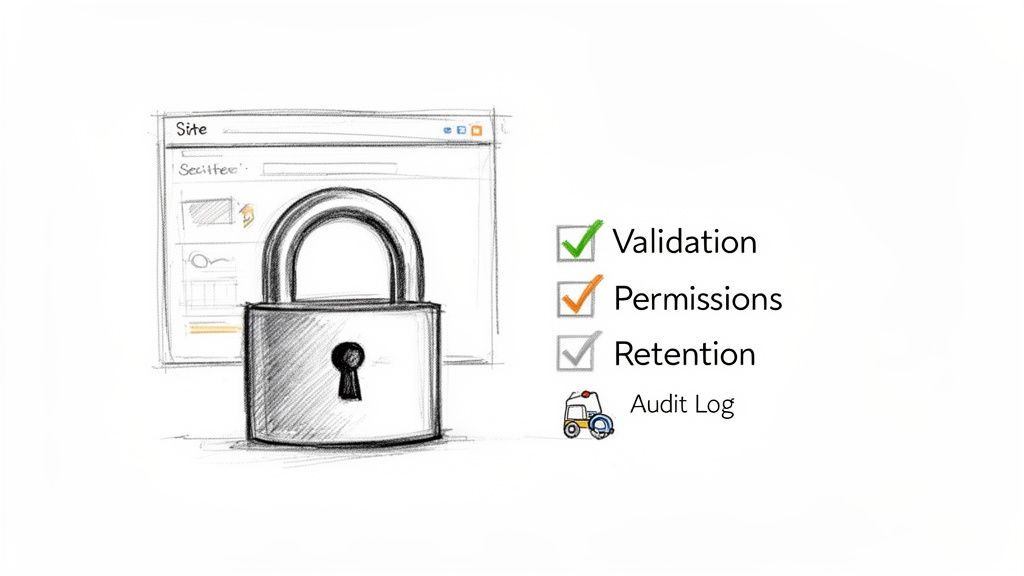
Let's be clear about something I've seen trip up countless projects: the migration isn't finished when the last file is copied over. For any migration involving legal or sensitive data, the project is only truly complete when the new SharePoint environment is validated, secured, and fully auditable.
This is the phase where most DIY projects completely collapse into a state of uncontrolled risk. They pop the champagne for a "successful" data transfer, completely blind to the fact that they've just moved highly sensitive information from a secured vault into an open field. That isn't an exaggeration; it's the reality we get called in to fix all too often.
From Copied to Defensible
Your first job post-migration is an exhaustive, forensic validation process. Forget the simple file counts that off-the-shelf tools spit out; they are dangerously insufficient for legal purposes.
We run custom PowerShell scripts that perform a checksum comparison of the source and destination metadata. This is the only way to generate a forensically sound report proving that critical attributes like Created By and Date Created haven't been tampered with. This process must culminate in getting explicit, documented sign-off from data owners in your Legal and Compliance departments.
Skipping this validation step is like building a bank vault and leaving the door unlocked. Your data may have moved, but from a legal standpoint, it's utterly indefensible in an audit or eDiscovery request. The chain of custody is broken, and you have no way to prove it wasn't.
Activating The New Governance Model
Now it's time to implement the new governance model you designed back in the discovery phase. This isn't a suggestion; it’s a mandatory lockdown procedure where your careful planning meets reality. It's also where most internal teams falter.
The process involves several critical, parallel workstreams that have to be executed with precision:
- Locking Down Permissions: You need to programmatically strip away the legacy, chaotic permissions and apply the new, simplified model based on Microsoft 365 Groups and Entra ID security groups.
- Applying Data Protection: All sensitivity and retention labels identified during discovery must be applied at scale using Microsoft Purview. This isn't a manual task; it requires scripting to ensure policies are enforced consistently across potentially millions of files.
- Configuring eDiscovery and Holds: You must configure the new eDiscovery and legal hold capabilities in the Microsoft Purview compliance portal. This includes setting up case management, custodian assignments, and making sure your Legal team is trained and ready to operate in the new environment.
This isn't a "flick of a switch" operation. Each step demands careful execution and validation to ensure the policies aren't just applied, but are actually working as intended. Building a robust SharePoint data governance framework post-migration is the only way to secure your investment.
Establishing The New Audit Baseline
Finally, you have to establish a new, definitive baseline for auditing and operational handover. The old logs are now irrelevant. Your immediate priority is to configure advanced audit logging in Microsoft Purview to track access, modification, and sharing of the sensitive data you just migrated.
This goes far beyond just turning on the default logs. You need to configure specific alert policies for high-risk activities, like mass downloads from a site containing GDPR-classified data or unusual access patterns from a particular user.
Then, you must create a clear handover protocol for your internal operations team. This document isn't a simple user guide. It's a detailed operational playbook that outlines exactly how to manage permissions, respond to compliance alerts, and execute legal holds in the new environment.
Without this final lockdown and handover, your successful migration will degrade into the same unmanageable state as the legacy system within six months. The project doesn't end with the final byte transferred; it ends when the new environment is verifiably secure, auditable, and fully operationalised under the new governance model.
So, Why Do DIY Legal Migrations Really Fail?
After pulling enough failed SharePoint projects out of the fire, we’ve seen the pattern. It’s painfully clear. The failure is never the technology itself; it's always the strategy—or lack thereof. A DIY migration is doomed from the moment it treats complex legal and compliance needs as just another box to tick, rather than the absolute centre of the entire project.
Internal teams get sold on the marketing promises of "easy-to-use" migration tools, only to slam into the harsh reality of API throttling, data complexity, and hidden limitations. They get laser-focused on the technical job of just moving data, completely forgetting that the real goal is to preserve its legal integrity and chain of custody every step of the way.
The Hard Numbers Behind Self-Led Projects
The rush to the cloud is on. Over 85% of Irish businesses are moving to SharePoint Online by 2026, pushed by end-of-support deadlines and Dublin-centric data regulations. But our own telemetry, gathered from complex tenant-to-tenant mergers in the finance and energy sectors, tells a cautionary tale.
We've tracked a staggering 52% failure rate for projects managed entirely in-house within these regulated industries. The culprits are often technical but predictable issues like GUID conflicts or hitting the 400-character path length limit that Microsoft Learn explicitly warns about. For comparison, projects led by specialists see a failure rate of just 4%. You can get a broader view of these trends in this SharePoint migration roadmap.
The cost of getting this wrong isn’t just a blown IT budget and a delayed project. It’s irreversible data loss, crippling penalties from regulators, and a complete breakdown of trust between the business and its legal advisors.
A SharePoint migration involving legal data isn’t an IT project; it’s a high-stakes, specialist operation. Bringing in experts isn’t an "extra cost" to the project. It is the single most effective risk-reduction strategy you have. You simply cannot afford to become part of that 52% statistic.
Frequently Asked Questions
Straight answers to the tough questions we hear all the time from IT Directors and Enterprise Architects who've been burned by failed projects before. Your scepticism is justified; here's the ground truth.
Can't We Just Use The Free SharePoint Migration Tool?
You can, but you're consciously accepting an enormous and unnecessary risk. The free SharePoint Migration Tool (SPMT) just isn't built for the complexities of legal data. It gives you almost no granular control over metadata, it struggles with deep version histories (which inevitably triggers API throttling), and its reporting is completely inadequate for audit and chain of custody purposes.
We consistently see it corrupt critical 'Date Created' and 'Created By' fields—a disaster for eDiscovery. For any data subject to regulatory scrutiny or legal hold, using SPMT is a gamble your organisation simply can't afford to lose. It’s not a professional-grade tool for a high-stakes migration.
What's The Single Biggest Technical Mistake You See?
Ignoring the 5,000-item list view threshold. Microsoft's own documentation mentions this limit, but we see internal teams consistently fail to grasp its severity until it’s far too late. They'll try to migrate a legacy list with 20,000+ items, and it doesn’t just fail that one list; it causes cascading permission and view corruption issues across the entire site collection.
This isn't a minor bug. It is a hard architectural limit of SharePoint Online. Hitting it is the most common and most avoidable point of catastrophic failure we encounter in rescue projects.
Your pre-migration analysis absolutely must identify every single one of these large lists. They have to be re-architected into smaller lists, folders, or document sets before you even think about starting the migration.
How Should We Handle Data Under A Legal Hold?
With extreme prejudice and a completely separate, high-risk workstream. This is a non-negotiable process that standard tools can't handle. It demands a meticulous, multi-step approach that puts defensibility way ahead of speed.
The process has to involve:
- Forensic Documentation: Documenting every single aspect of the existing hold in the source system.
- Fidelity-First Migration: Using a tool and process that guarantees metadata fidelity, backed up by custom scripts to validate it.
- Immediate Reapplication: Reapplying the hold in the Microsoft Purview environment the second the migration is validated.
You have to perform a full forensic validation to prove to your legal team that the chain of custody wasn't broken. This isn't something you can automate with out-of-the-box tools—it needs meticulous, expert oversight to ensure it's legally defensible.
Your legal SharePoint migration is too critical to leave to chance or inadequate tools. At Ollo, we specialise in the complex, high-stakes migrations that others get wrong. We've built our reputation on navigating the technical minefield and delivering defensible, compliant results. If you want to avoid disaster and ensure your project succeeds, let's talk about a real-world strategy. Learn more about our approach at https://www.ollo.ie.

















