



Microsoft 365 Copilot pricing starts at $21.00 per user/month for the add-on, with a promotional rate of $18.00 per user/month when paid yearly for the first year. That figure is dangerously misleading because it only covers the add-on licence, not the base Microsoft 365 plan, governance work, security hardening, and operational controls your organisation will need before Copilot touches live business data.
Most advice on microsoft 365 copilot pricing treats it like a neat per-user line item. That’s how budgets get wrecked. The documentation gives you a sticker price. It doesn’t tell you where tenant design, licensing eligibility, metered agent usage, and weak data controls will hit your project like a lorry.
I’m going to be direct. If your team is discussing Copilot as “just another add-on”, you’re already underestimating the true cost. We often see clients fail when they buy licences first and ask governance questions later. In regulated environments, that isn’t a minor mistake. It’s how you turn an AI rollout into a compliance incident.
The Official Microsoft 365 Copilot Pricing You See
The public pricing is simple enough on the surface. That’s part of the problem.
Microsoft positions Copilot as an add-on or as part of selected business bundles. The key operational point is this. Copilot isn’t a standalone product. Your users need a qualifying Microsoft 365 base plan first, and that base plan cost sits outside the Copilot add-on number shown on the pricing page.
The sticker price
The pricing page shows the Copilot Business add-on originally at $21.00 per user/month, reduced to $18.00 per user/month when paid yearly for the first year, which is a 14.3% reduction under promotional pricing with annual commitment and automatic renewal after that first year (Microsoft 365 Copilot pricing).
It also shows bundle reductions. Microsoft 365 Business Premium with Copilot moved from $43.00 to $32.00, a 25.6% reduction, and entry-level plans fell from $30.30 to $19.90, a 34.3% reduction under the same promotional framing on that pricing page.
That all sounds attractive until you remember two things:
- It’s first-year pricing only. Your year-two budget can’t pretend the promo lasts forever.
- Business promotional tiers cap at 300 users. If your tenant grows past that, you need enterprise-level planning, not SMB-style arithmetic.
Microsoft 365 Copilot licence and prerequisites
| Copilot SKU | List Price (Per User/Month) | Required Base Licence (Examples) |
|---|---|---|
| Microsoft 365 Copilot Business add-on | $21.00, or $18.00 promotional first year when paid yearly | Eligible Microsoft 365 Business plan |
| Microsoft 365 Business Premium with Copilot | $43.00, or $32.00 promotional | Business Premium bundle |
| Entry-level Microsoft 365 plan with Copilot | $30.30, or $19.90 promotional | Relevant bundled Microsoft 365 entry plan |
What your finance team usually misses
Your procurement team sees a neat monthly number. Your architecture team needs to ask a harder question. What must already exist for Copilot to work safely and legally in this tenant?
Practical rule: Treat microsoft 365 copilot pricing like a vehicle purchase. The licence is the sticker. The actual spend sits in insurance, compliance, access control, and support.
If you skip that framing, your TCO model is fiction.
A second trap sits in plain sight. The pricing material says the add-on requires a separate qualifying Microsoft 365 Business plan. We often see clients build a budget around Copilot and forget the prerequisite licensing entirely. That mistake doesn’t just bend the budget. It invalidates the whole commercial model you took to the board.
My recommendation
Do three things before you let anyone circulate a cost estimate:
- Separate add-on cost from prerequisite licence cost.
- Model year one and year two separately.
- Check user counts against the 300-user business cap before procurement signs anything.
The Ollo-style verdict here is blunt. Use the published price as a starting reference only. If that number is the entire basis of your business case, the business case is wrong.
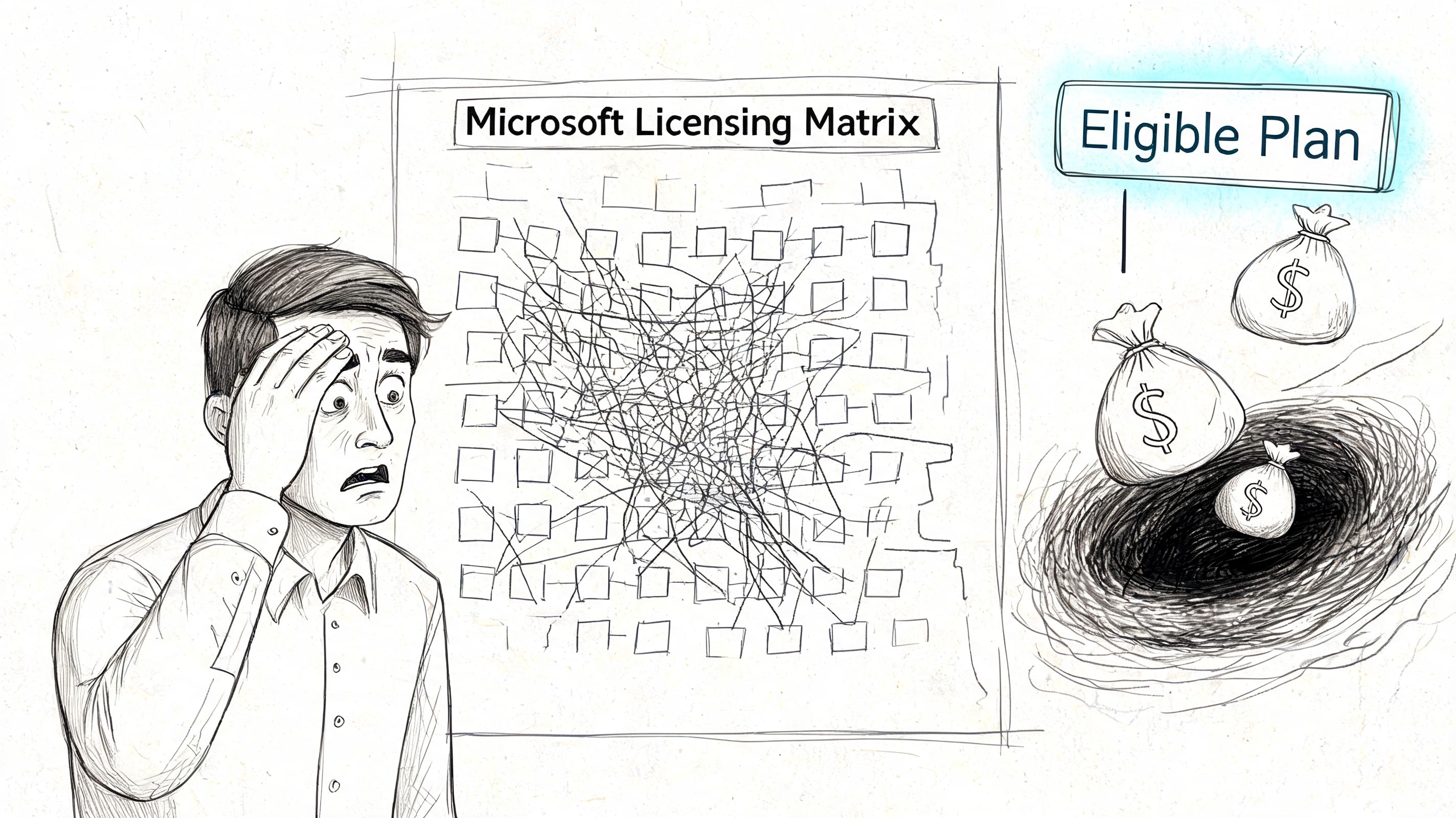
The Eligible Plan Trap That Derails Budgets
The phrase “eligible Microsoft 365 subscription” looks harmless. It isn’t.
We often see clients fail when they assume that if a user has a familiar Microsoft 365 SKU, Copilot activation will just work after a tenant move or consolidation. The documentation says you need an eligible plan. In reality, the exact validation logic is opaque, and that becomes lethal during mergers, carve-outs, and Entra ID redesigns.
Why this breaks projects
During a consolidation, your architects focus on identity, conditional access, mailbox moves, SharePoint site ownership, broken inheritance, app registrations, and domain cutover. Licensing often gets treated as admin paperwork at the end.
That’s amateur thinking.
The requirement for an eligible Microsoft 365 subscription is a critical hurdle for organisations in flux. During tenant consolidations, projects can stall because the new tenant’s E3 or E5 plan, while functionally identical to the old one in the eyes of the project team, isn’t on Microsoft’s internal list of eligible SKUs for Copilot activation (Microsoft 365 business plans and pricing with Copilot).
That’s the sort of issue that appears after migration planning is “finished”, when budget is already committed and leadership expects activation dates.
What this looks like in the real world
Your team buys Copilot licences for a target tenant. Then one of these things happens:
- SKU mismatch appears: The post-migration tenant holds a variant that doesn’t validate the way your reseller assumed.
- Business unit sprawl bites back: One division qualifies, another doesn’t, and your rollout plan fractures.
- Promo pressure distorts decisions: Teams rush to secure the lower promotional rate before they’ve validated entitlement.
The documentation says licensing is simple. In reality, “eligible plan” can become a black box during tenant change.
For effective licence management, specialist licence analysis matters more than enthusiasm. If you’re already trying to rationalise E3, E5, security add-ons, and role-based access, use something like the Reclaim Security platform to understand where you’re over-licensed, under-protected, or carrying SKU inconsistency before Copilot enters the conversation.
Before any Copilot procurement in a consolidation scenario, you should also run a formal Microsoft 365 licence audit.
What to demand from your vendor
Don’t accept “should be fine” from a reseller or implementation partner. Demand explicit confirmation of eligibility against the exact target tenant SKU set.
Ask for these items in writing:
- Validated qualifying base plans for every intended user cohort.
- Tenant-specific SKU mapping after any migration or merger activity.
- Activation assumptions documented against the target environment, not the legacy one.
- Commercial fallback options if a supposedly equivalent plan turns out ineligible.
The hard truth is that licensing confusion doesn’t stay in the licensing lane. It spills into delivery dates, user trust, finance escalation, and governance sign-off. Once that happens, your Copilot rollout stops being an AI project and turns into a rescue job.
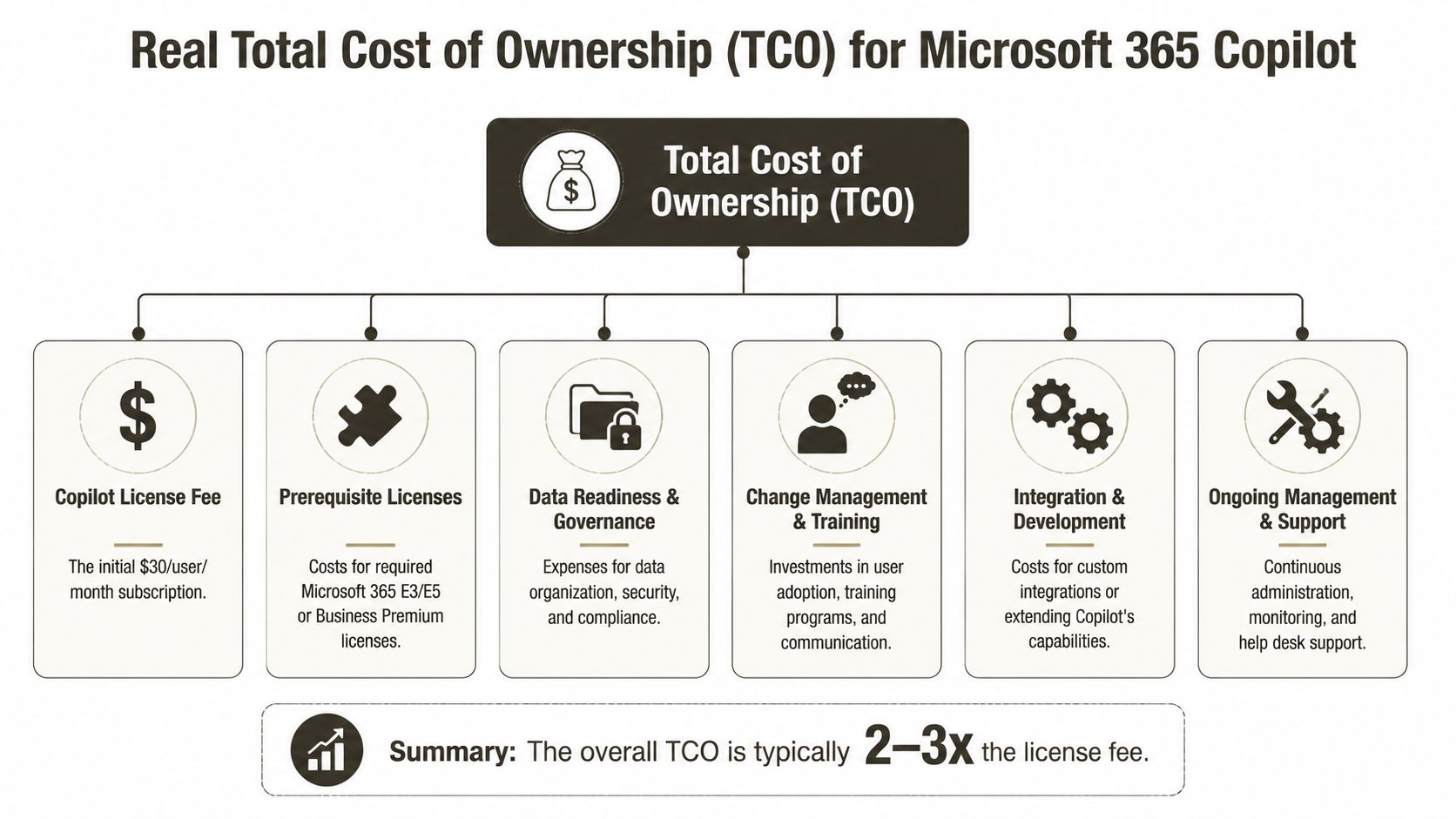
Calculating Your Real TCO Beyond the Licence Fee
Most microsoft 365 copilot pricing conversations lose their honesty at this point.
A Copilot licence gives your users access to capability. It doesn’t make your tenant ready for that capability. If your SharePoint permissions are messy, if Teams access sprawls, if your Purview controls lag behind your data reality, Copilot will expose the quality of your environment with brutal efficiency.
Data governance is not optional
Copilot works across the permissions and content structures you already have. If your tenant has years of broken inheritance, stale Microsoft 365 groups, overshared SharePoint libraries, and poorly classified files, Copilot won’t fix that. It will surface it faster.
That means your TCO must include:
- Permission cleanup: Especially in old SharePoint estates where inheritance broke years ago and nobody documented it.
- Content classification: Sensitivity labels, metadata discipline, and clear ownership.
- Access review work: Guest accounts, dormant groups, and inherited access nobody intended to preserve.
If you skip this, the issue isn’t low adoption. The issue is overexposure of business data.
A lot of teams also miss the operating model side. AI readiness isn’t just technology. It’s governance, classification, and clear behavioural rules. If you need a practical framework for that work, this AI governance model for Microsoft 365 classification, metadata and tagging for Copilot success is the sort of groundwork you should be doing before broad rollout.
Included chat versus useful chat
Microsoft split Copilot Chat into two realities.
Web-based Copilot Chat with internet-grounded results is included at no additional cost with eligible Microsoft 365 subscriptions across Business and Enterprise plans. Work-based Copilot Chat, which queries organisational data available to the user’s Microsoft Entra identity, requires a separate Microsoft 365 Copilot licence (Microsoft Learn licensing guidance for Microsoft 365 Copilot).
That distinction causes budget shock because many stakeholders hear “Copilot Chat is included” and assume the useful version is covered. It isn’t.
Budget warning: If your board wants AI over your own documents, mail, calendars, and internal knowledge, you are discussing paid Copilot capability, not the included web-grounded chat.
For teams trying to assess where AI adds commercial value before committing to broader deployment, I often recommend reviewing how other groups structure insight workflows. This guide to competitive intelligence for teams is useful because it shows the operational side of information work, not just the tooling label.
Metered services can wreck predictable budgets
Copilot Studio introduces another cost layer that too many teams treat as secondary. It isn’t.
Microsoft 365 Copilot Studio uses prepaid Copilot Credit capacity packs of 25,000 credits for $200/month per pack, billed according to specific usage patterns (Copilot Studio pricing). The problem is ugly. Different agent actions consume credits at different rates, and there’s no public lookup table that gives you deterministic per-action cost before deployment.
So your finance team asks a fair question. “What will these custom agents cost each month?” If your answer is vague, that’s because the model is vague.
This matters most when you start connecting agents to workflows, connectors, and APIs. A few badly scoped agents can burn through prepaid capacity much faster than expected. In IT departments that need tight quarterly forecasting, that’s not an annoyance. It’s a governance problem.
Here’s a useful explainer before the video.
The TCO line items people forget
Your real TCO usually includes workstreams that never appear on the Microsoft pricing page:
| Cost area | Why it appears | What goes wrong if you ignore it |
|---|---|---|
| Data readiness | Copilot reflects existing permissions and content hygiene | Oversharing, poor answers, compliance exposure |
| Security configuration | Policies and controls need tuning before AI access widens usage | Sensitive data leaks into prompts and outputs |
| Change management | Users need boundaries, training, and support | Low trust, erratic adoption, shadow AI workarounds |
| Agent operations | Copilot Studio and custom automation consume metered capacity | Budget volatility and surprise spend |
| Ongoing support | Admin, service desk, and governance owners carry the operational load | The rollout stalls after launch |
The Ollo verdict on this part is simple. If your TCO model only contains licence numbers, it isn’t a TCO model. It’s a procurement placeholder.
Copilot Licensing Scenarios Mid Size vs Enterprise
Abstract warnings don’t help much. Let’s put this into two scenarios that mirror what we see in project rescue work.
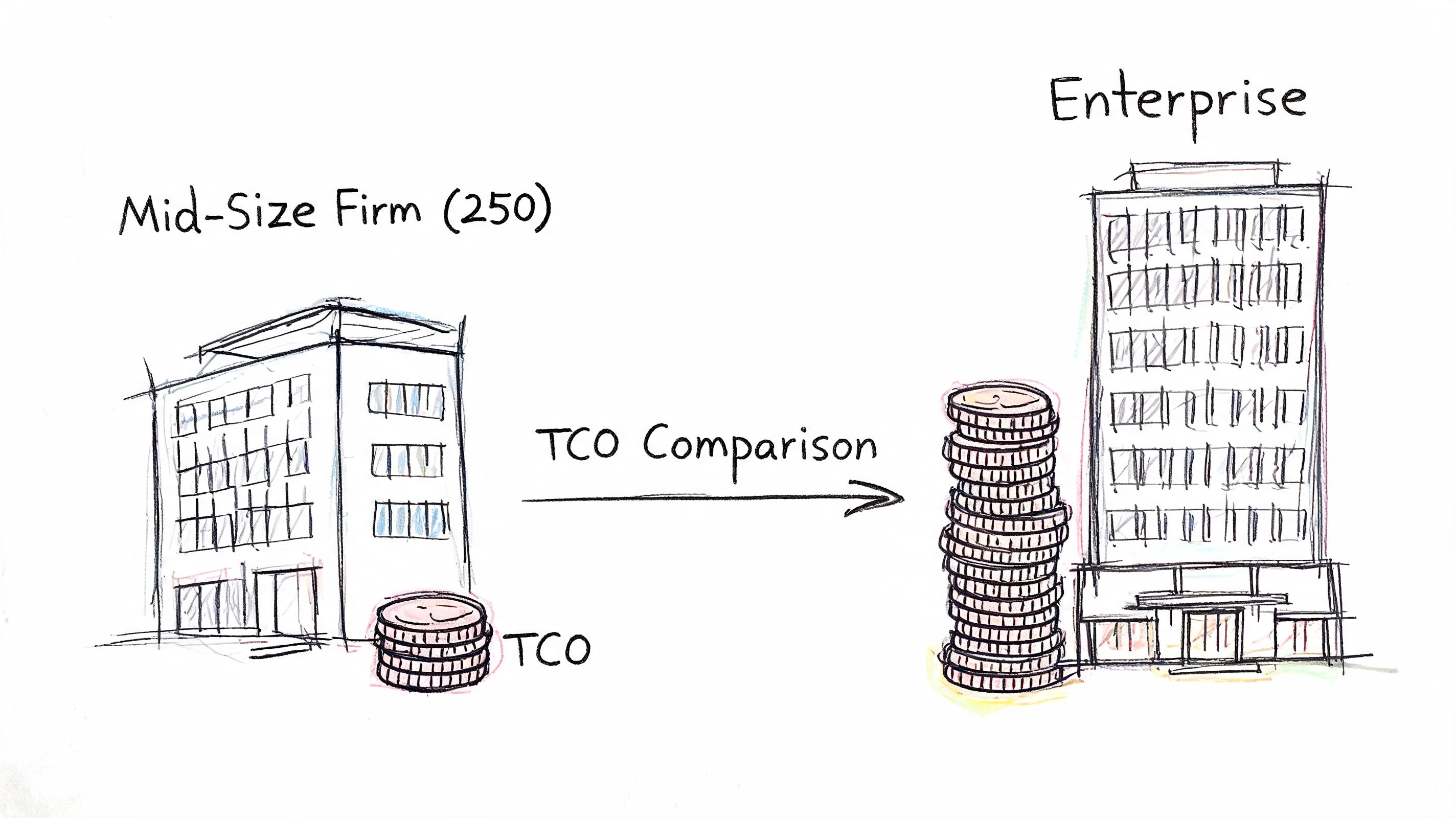
Scenario one with a mid-size firm
A 250-person business on Microsoft 365 Business Premium looks at the promotional Copilot add-on rate of $18.00 per user/month and thinks the maths is straightforward. On paper, that feels manageable.
The trap isn’t the arithmetic. The trap is everything wrapped around it.
This kind of organisation usually has enough complexity to be dangerous but not enough internal governance muscle to catch it early. SharePoint libraries often grew organically. Teams ownership drifted. Access reviews happened inconsistently. Copilot exposes all of that.
For this kind of environment, the hidden work usually includes:
- A governance audit before activation, because badly permissioned content will produce badly governed answers.
- Security hardening around classification and access boundaries.
- User scoping so not every employee gets the licence on day one.
- Expectation control because the included chat in standard Microsoft 365 plans only queries the public internet, while access to organisational data through chat requires the paid Copilot licence, creating the “capability gatekeeping” budget surprise many teams miss, as outlined in Microsoft’s licensing guidance linked earlier.
This is also where a cost review matters. If you’re trying to reduce waste before adding Copilot, start with a licence clean-up exercise such as this guide on how to reduce Microsoft 365 licensing costs.
A mid-size tenant doesn’t get a mid-size risk profile by default. It gets enterprise-style governance problems with fewer people available to fix them.
Scenario two with an enterprise rollout
A 2,000-user enterprise plans to deploy Copilot to 500 power users. That sounds disciplined. Often it is. But the failure modes change at this scale.
The issue is less about whether leadership can afford the licences and more about whether the environment can support controlled rollout without creating knock-on problems across business units.
In enterprise estates, we regularly see:
- Eligibility complexity across divisions. One business unit’s licensing posture differs from another’s, and procurement assumes standardisation that doesn’t exist.
- Operational friction during preparatory work. Large content estates bring indexing dependencies, ownership disputes, and policy gaps.
- Adoption drag from trust issues. Users won’t rely on Copilot if the first outputs surface stale, irrelevant, or over-permissive data.
- More support overhead than expected. Service desk teams inherit prompt issues, access confusion, and false assumptions about what Copilot can read.
There’s also a more technical point. Enterprise Microsoft 365 projects already battle ugly realities such as API throttling, list view threshold issues around the 5,000-item limit, long path limits, and permission sprawl. Those constraints are confirmed across official Microsoft documentation in adjacent migration and SharePoint operations contexts, and they matter because Copilot readiness depends on the health of the same underlying estate. If your content platform is messy, your AI programme inherits that mess.
My read on both scenarios
The mid-size firm tends to underestimate groundwork.
The enterprise tends to underestimate coordination.
Both get burned when they treat microsoft 365 copilot pricing as a line-item purchase instead of a tenant-wide readiness exercise.
The Ollo Verdict on Copilot Deployment Risk
Here’s the blunt version. A DIY Copilot deployment is usually the most expensive path, even when it looks cheaper at the start.
The licence doesn’t create readiness. It creates exposure. Once you switch on AI against live organisational data, every unresolved weakness in permissions, classification, tenant design, and support ownership becomes more visible and more expensive.
What failure actually costs
Failure doesn’t always mean the platform stops working. That would be easier to detect.
More often, failure looks like this:
- Users don’t trust outputs because the answers are inconsistent or clearly based on stale content.
- Security teams intervene late because access design and labelling standards weren’t agreed before rollout.
- Procurement discovers licensing friction mid-flight and the schedule slips while everyone argues over entitlement.
- Custom agent work creates spend volatility that budget owners can’t confidently forecast.
That’s why I’m sceptical of “pilot first, govern later” thinking. In regulated sectors, missing these steps doesn’t just create a messy project. It can break compliance posture.
If you want an external perspective on how governance and risk should be framed commercially, AuditReady's compliance insights are useful reading because they force the conversation back to control design rather than shiny tooling.
The Ollo verdict
Use DIY for curiosity, not for production.
If your environment is small, tightly governed, and static, you might get away with a narrow Copilot rollout managed internally. Most organisations reading this don’t fit that description. They’re juggling tenant history, inherited SharePoint chaos, multiple security stakeholders, and business pressure to “move fast”.
That combination is exactly where specialist help reduces risk. A structured assessment, hard licence validation, permission review, and security design phase cost less than cleaning up a failed rollout after users and auditors have already seen the damage. For organisations building proactive monitoring around AI activity, this approach to proactive Copilot security with Microsoft Sentinel shows the sort of thinking that should exist before broad deployment.
My definitive opinion is simple. The most expensive way to deploy Copilot is to buy licences before you’ve validated readiness.
Your Next Step A Readiness Assessment Not a PO
If you’ve made it this far, you already know the published price is only the entry point. The primary decision isn’t whether Copilot has value. It does. The core decision is whether your current tenant can support that value without producing budget shock, security drift, or operational chaos.
Your next step shouldn’t be a purchase order.
It should be a readiness assessment that answers the questions your board will eventually ask anyway:
The questions you need answered first
- Which users qualify for the intended licensing path
- Which data locations are safe to expose to AI-assisted workflows
- Where permissions, ownership, and classification are already broken
- How support, governance, and change management will operate after launch
- Which use cases justify paid Copilot first, and which can wait
That exercise gives you something far more useful than a price quote. It gives you a defensible deployment plan.
Buy certainty before you buy licences.
If your team is still working out whether the environment is ready, start with this practical checklist on whether your Microsoft 365 environment is actually ready for Copilot. It’s the right place to challenge assumptions before finance commits spend.
A proper readiness engagement should leave you with three concrete outputs. A validated licensing position. A remediation plan for governance and security gaps. A rollout sequence tied to business value rather than vendor pressure.
That’s the difference between an AI project and a rescue project.
If you want a sober view of your microsoft 365 copilot pricing exposure before you commit budget, talk to Ollo. We help IT leaders quantify the TCO, validate licence assumptions, and identify the governance and security work that must happen before Copilot goes live.

















