



Let's be blunt: most of the advice you'll find on SharePoint cloud migration is dangerously oversimplified. It's often presented as a straightforward technical project, a checklist to follow for a 'seamless' transition. As a Senior Cloud Migration Architect at Ollo.ie, I've spent years in the trenches rescuing projects for IT Directors who were told exactly that, only to watch their migration go completely off the rails.
This guide isn't about following a simple checklist. It's about confronting the predictable, high-risk failures we see every single week. It demands a risk-first approach, a deep analysis of what you actually have, and a real-world understanding of how to combine the right tools with custom scripts to navigate the inevitable breaking points.
Why Your SharePoint Migration Strategy Is A Minefield
The generic advice you've read about a 'painless' SharePoint migration is a myth. I've been called in to rescue too many projects for IT Directors just like you—projects derailed by technical failures that were entirely predictable, yet completely ignored in the initial planning. We're not here to talk about how to migrate; we're here to talk about how to avoid the catastrophic failures that turn a strategic project into a recovery mission.
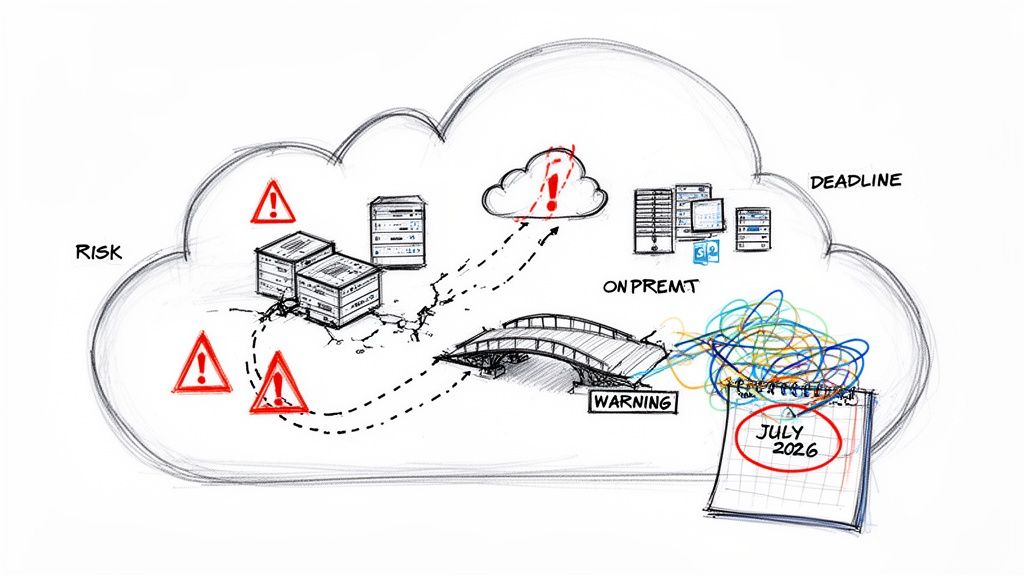
It’s time to cut through the vendor hype and expose the genuine breaking points. Your team is likely walking into a minefield with an outdated map, facing a broad spectrum of common cloud migration challenges that are particularly nasty in the context of SharePoint's complex architecture.
The Hard Deadline You Cannot Ignore
Across Ireland and the UK—especially in tightly regulated sectors like finance, energy, and healthcare—a stark reality is hitting home. Many organisations are now scrambling to finish their SharePoint Online migrations, driven by one critical date: July 14, 2026. This is the end-of-extended-support deadline for SharePoint Server 2016 and 2019.
I’ve had clients in Dublin's financial hubs and Belfast's energy firms admit they ignored Microsoft's warnings until a compliance audit finally forced their hand. After that date, there will be no more security patches. Zero. This isn't a suggestion; it's a hard stop that leaves your on-premise data critically exposed to new exploits.
The Ollo Verdict: We consistently see projects fail when the 2026 deadline is treated as a distant problem. Ignoring it doesn't just create a future headache; it actively degrades your security posture today and all but guarantees a panicked, chaotic, and hugely expensive migration project down the line.
Unseen Technical Disasters
The biggest risks are rarely the obvious ones. They are the messy technical details that most high-level migration plans gloss over, assuming a standard migration tool can just handle it. I can tell you from experience, they can't.
Here’s what’s really waiting for you:
- API Throttling: Microsoft actively throttles migration traffic to protect its cloud services. A naïve, brute-force migration will slam into these limits constantly, stretching a three-month project timeline into a miserable year-long slog.
- Broken Permissions Inheritance: Years of ad-hoc user management on your on-premise servers have created a tangled web of custom permissions and broken inheritance. This mess will not migrate cleanly. The result? Users are either locked out of critical files or, far worse, granted dangerously wide-open access.
- GUID Conflicts in Entra ID: This is a nightmare scenario in a tenant-to-tenant merger. If you map identities incorrectly, you can create GUID (Globally Unique Identifier) conflicts that break user access across the entire system, not just in SharePoint.
- Compliance Bombs: Your legacy data is almost certainly littered with files that violate GDPR, contain forgotten sensitive information, or are stored in completely unsecured locations. A simple "lift-and-shift" migration doesn't just move your data; it moves your compliance failures into the cloud, right where auditors can find them.
Moving Beyond A Simple Discovery To Real Technical Diligence
Every failed migration we’re called in to rescue starts with the same flawed premise: a superficial discovery phase. Someone on your team probably ran a script and came back with a neat summary of sites, users, and total gigabytes.
Let me be direct—that isn't discovery. It’s a high-stakes guessing game with your business continuity, and you're betting the house on dangerously incomplete data.
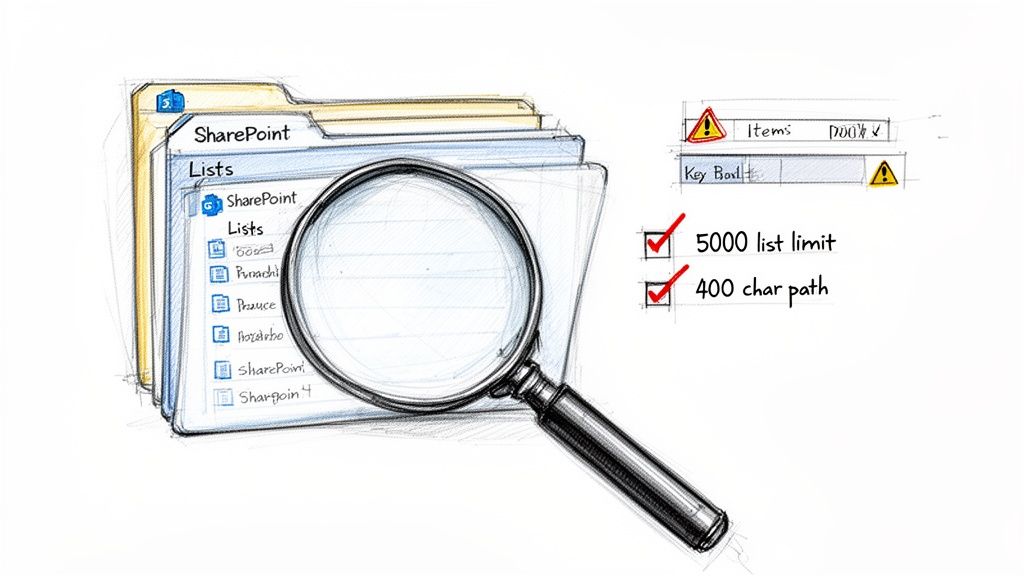
A proper, defensible diligence process doesn't just count files; it actively stress-tests your environment for the exact issues that break migrations. This is where a robust SharePoint cloud migration strategy separates success from failure before a single file is moved. We see projects go off the rails when this granular analysis is skipped, all based on the assumption that the data is 'standard'.
That assumption doesn't just cause delays; it creates compliance gaps and data loss.
Unearthing The Real Technical Debt
True diligence means proactively hunting for the technical debt that will absolutely derail your project. A simple inventory won't find these problems. You have to go looking for them.
This includes finding things like:
- The 5,000-Item List View Threshold: This isn't a friendly guideline; it's a hard limit baked into SharePoint Online. We must identify every single list or library that even approaches this limit. Migrating these as-is will cripple your site performance, leading to locked views and a user revolt.
- Path Length Violations: The official SharePoint Online path length limit is 400 characters. Your on-premise environment almost certainly contains thousands of files buried in nested folders that exceed this. Standard tools will either fail to move these files or, even worse, orphan them without warning.
- Broken Permission Inheritance: Years of ad-hoc access changes have created a tangled mess of unique permissions on folders and individual files. These will not migrate cleanly without targeted remediation, creating massive security holes the moment you go live.
We often see clients fail when they trust a simple report that says "10TB of data". What they needed was a report that said, "You have 37 critical libraries over the 5k limit, 15,000 files with paths too long to migrate, and 2,500 instances of broken inheritance that violate your security policy." That is the difference between a checklist and a strategy.
Mapping What The Tools Cannot See
Beyond the structure of your data, your environment is filled with custom solutions and legacy workflows that are completely invisible to basic scanning tools. A successful strategy requires a meticulous audit of these hidden dependencies.
You absolutely must map:
- Legacy Workflows: SharePoint 2010 and 2013 workflows are deprecated in the cloud. They're dead. These need to be identified, assessed for business criticality, and planned for rebuilding in Power Automate. Ignoring them means critical business processes will simply stop working on day one.
- Custom Solutions and Web Parts: Have developers deployed custom code, full-trust solutions, or third-party web parts over the years? These represent major migration risks and often require complete redevelopment for the modern SharePoint framework.
This level of detail goes far beyond what a typical scan can provide. To learn more about this crucial first step, you can explore our detailed guide on conducting a proper SharePoint migration assessment.
Without this forensic analysis, your migration plan is built on a foundation of pure hope—and hope is a notoriously poor project management methodology.
Debunking The Myth Of The All-In-One Migration Tool
Let’s get one thing straight right from the start: the tools. It’s the first conversation we have, and it’s often the most misunderstood. Your team has probably looked at Microsoft's free SharePoint Migration Tool (SPMT) and thought, "Great, Microsoft gives us a free tool. This will be straightforward."
Let me be perfectly clear: for any serious enterprise migration, especially in regulated sectors like finance or healthcare, relying solely on SPMT isn’t just a bad plan. It borders on professional negligence.
If you’re moving a simple file share with less than 50GB of data, sure, it might just about get you across the line. For anything larger or more complex, it’s a recipe for disaster. We’ve seen it time and time again—SPMT choking on large volumes, silently failing to migrate complex metadata, and offering absolutely no way to handle the sophisticated identity mapping needed for tenant-to-tenant mergers.
The Problem With "Push-Button" Solutions
This naturally leads us to professional-grade tools like ShareGate. It's an exceptionally powerful piece of software and a non-negotiable part of our migration toolkit. But it is not, and never will be, a magic wand. Believing any out-of-the-box tool can automagically solve deeply rooted architectural and identity problems is the single biggest mistake you can make.
Right out of the box, even a great tool like ShareGate has its limits. It cannot:
- Fix Broken Inheritance at Scale: It’s great at reporting on broken permission inheritance. But it won't write the custom scripts needed to realign thousands of files and folders to a new, secure Zero Trust model. That’s a manual, surgical process.
- Automate Complex Identity Mapping: In a tenant-to-tenant merger, you're not just moving files; you're merging user identities. ShareGate can't automatically resolve the thorny GUID conflicts that come from this. A basic mapping effort will inevitably lead to access chaos post-migration.
- Redesign Legacy Architecture: The tool will migrate exactly what you tell it to. It has no opinion. It won't flag that a 10-year-old site collection has a fundamentally flawed structure that needs to be completely rebuilt in the cloud, not just lifted-and-shifted.
The Ollo Verdict: We use ShareGate as our chassis, but the engine that drives a successful enterprise migration is our library of custom PowerShell PnP scripts. This hybrid approach is the only way to navigate the brutal technical realities of large-scale cloud projects.
This combination is how we solve the real-world problems where generic tools hit a wall. We don’t just click "migrate." We run scripts to intelligently manage API throttling, surgically repair broken permissions mid-flight, and automate the complex identity transformations that are critical for a secure Entra ID redesign. To get a better sense of the common pitfalls, check out our deeper insights on the SharePoint migration tool landscape.
Enterprise Migration Tooling Reality Check
It’s easy to get sold on a tool’s marketing promises. The table below cuts through the noise, showing where these tools fall short in a real-world enterprise context and why a scripted, expert-led approach is necessary.
| Failure Point | SPMT (Free Tool) | ShareGate (Out-of-the-Box) | Ollo Approach (ShareGate + Custom Scripts) |
|---|---|---|---|
| Handling API Throttling | Fails unpredictably, no controls. | Basic retry logic, but can get stuck in throttle loops on large jobs. | Custom scripts manage the payload, pace the migration, and work around throttling, not just through it. |
| Complex Identity Mapping | No support. Fails completely in T2T scenarios. | Manual mapping only. Prone to human error and cannot resolve deep GUID conflicts. | Automated identity transformation scripts handle GUID mapping, group resolution, and align identities to the new Zero Trust model. |
| Metadata & Content Type Repair | Fails silently, often losing critical metadata. | Migrates "as-is." If metadata is broken on-prem, it arrives broken in the cloud. | Pre- and post-migration scripts validate and repair metadata, ensuring content types are correctly mapped and data integrity is maintained. |
| Fixing Broken Permissions | No capability. Migrates broken permissions as they are. | Can report on broken inheritance but cannot fix it at scale during the migration. | We script permission remediation, realigning files and folders to the new information architecture during the migration process. |
| Rollback & Validation | None. If it fails, you are left with a partial, corrupted migration. | Limited to reporting. No automated rollback for complex partial failures. | Our playbooks include scripted validation checks and pre-planned rollback procedures to ensure a safe exit if critical issues arise. |
As you can see, the tool alone isn't the solution. The value comes from using the tool as a platform and building the necessary automation around it to handle enterprise-grade complexity.
Where DIY Migrations Consistently Fail
We’re often called in to rescue projects after a DIY attempt has gone sideways. The patterns are predictable. A team tries to consolidate tenants using basic tools and immediately hits Microsoft’s API throttling limits at 5,000 items per list—a hard ceiling documented in official guidance—causing the project to grind to a halt for weeks.
Another common pitfall is the path length restriction. File paths over 400 characters can break permissions in document libraries, another well-documented issue that generic tools don't proactively fix. We saw this with an Irish energy client whose DIY push resulted in a loss of 15% of critical metadata due to unresolved GUID conflicts during their Entra ID redesign. You can discover more about these challenges in this SharePoint Online migration guide from mcpc.com.
Believing a single software license can secure your migration is the first step toward failure. A tool is just an instrument; it’s the expertise wielding it that ensures your data arrives intact, secure, and compliant. Your investment shouldn't be in the software alone, but in the specialist knowledge required to make it perform under enterprise pressure.
Building Your Zero Trust Blueprint In Entra ID
Migrating your data without first redesigning your identity and access controls is like moving into a new fortress but leaving the front gates wide open. We see this all the time: companies perform a ‘lift-and-shift’ of their legacy Active Directory permissions, and it’s a guaranteed security failure.
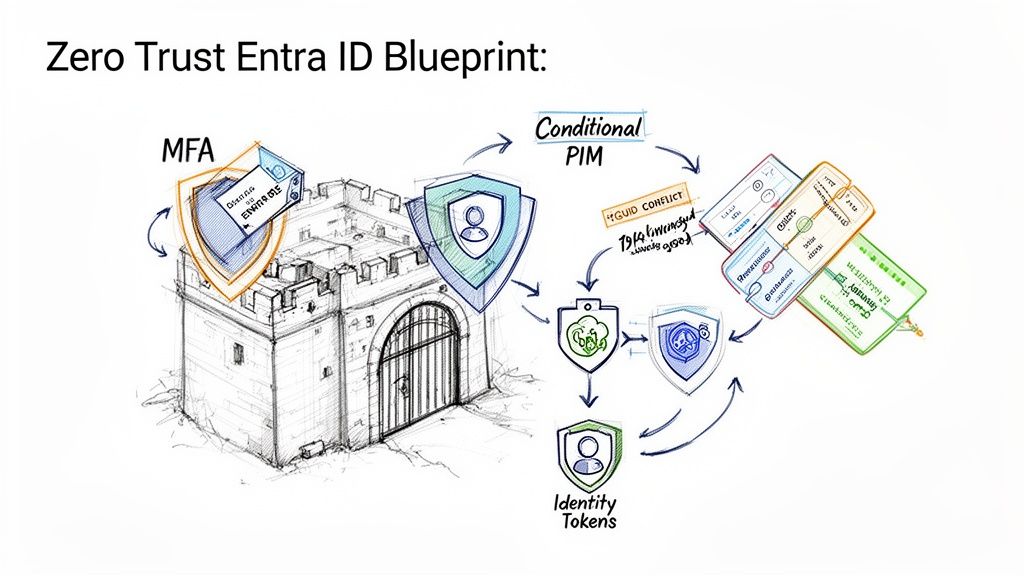
The modern enterprise runs on a Zero Trust architecture built in Microsoft Entra ID (what used to be Azure AD). This isn't a 'nice-to-have'; for any organisation in a regulated sector, it is absolutely non-negotiable.
Your entire SharePoint cloud migration strategy must be built on this foundation. If the "security" section of your migration plan is just a little checkbox, you are actively making your organisation less secure and increasing your attack surface.
Beyond Usernames and Passwords
A true Zero Trust model goes far beyond simple user accounts and passwords. It requires a granular, context-aware approach to security that legacy systems were never designed to handle.
We consistently see clients create massive security holes during tenant-to-tenant migrations by incorrectly mapping user identities. This isn't just a technical glitch; it's a critical failure that triggers GUID conflicts and widespread access errors, paralysing your workforce and exposing sensitive data.
Your strategy must have a concrete plan for:
- Identity Consolidation: In a merger or acquisition, you need a scripted, audited process for mapping and unifying user identities. Trying to do this manually is a recipe for disaster.
- Eliminating Toxic Permissions: Years of ad-hoc access grants have left your on-premise environment with a toxic accumulation of "Everyone" or "Authenticated Users" permissions. These must be systematically hunted down and eliminated.
- Enforcing MFA Everywhere: Multi-factor authentication is the absolute baseline. There are no exceptions. Your migration plan has to enforce this from day one.
The documentation might show a simple user mapping process, but reality is far more brutal. A GUID conflict doesn't just stop a user from logging in; it breaks the link between that user and every piece of content they've ever created or have access to. This doesn't just fail the migration; it breaks your chain of custody and can trigger a legal compliance nightmare.
The Pillars of a Defensible Entra ID Design
Your new identity blueprint has to be built on modern security controls. This is where your project stops being a simple data move and becomes a fundamental security upgrade for your entire organisation.
This means deeply integrating core Entra ID features into your access policies. For instance, you need to understand how to correctly configure SharePoint conditional access policies to verify every single access request, every time.
Your blueprint must incorporate these three pillars:
- Conditional Access Policies: These are the new rules of the game. Access should be granted based on the user, their location, the health of their device, the application they're trying to reach, and the real-time risk of their sign-in. A request from a known user on an unsecured network in a different country should be automatically blocked, no questions asked.
- Privileged Identity Management (PIM): Your administrator accounts are the keys to the kingdom. PIM ensures that privileged access is "just-in-time" and "just-enough-access" by forcing users to request elevated permissions for a limited time, with a full audit trail.
- Granular App Permissions: You have to scrutinise and consent to the specific permissions that applications request. A simple calendar app should not need read/write access to all your SharePoint sites. It’s that simple.
The Ollo Verdict: Do not treat identity as a post-migration cleanup task. A ‘lift-and-shift’ of your permissions is an active security downgrade. Your migration strategy must begin with a complete redesign of your identity and access model in Entra ID, built from the ground up on Zero Trust principles. Anything less is simply not defensible for a modern enterprise.
Navigating The Unspoken Costs Of Multi-Cloud Complexity
Let’s get one thing straight: your organisation operates in a hybrid or multi-cloud world, whether you actively manage it or not. The belief that your SharePoint cloud migration can happen in a neat little bubble, totally separate from your other cloud services, is a dangerous and costly fantasy.
As architects who are often called in to rescue failed projects, we’ve seen first-hand how a blinkered, SharePoint-only focus creates immediate data silos and governance chaos. It’s a critical strategic blunder, especially for organisations already juggling multiple cloud providers.
The Interconnected Reality of Microsoft 365
A DIY migration almost always overlooks just how deeply services like Teams, Power Platform, and other core Azure components are woven into SharePoint. SharePoint isn’t just a destination for files; it's the backend storage for every file shared in Microsoft Teams and a critical data source for countless Power Automate workflows.
Breaking those connections isn’t a minor hiccup. It’s a recipe for operational paralysis right after you go live. You’ll have users screaming about missing files in Teams and business-critical automations failing silently in the background. Your strategy must see this entire ecosystem as a single, connected entity from day one.
The data doesn’t just sit in SharePoint. It flows between it, Teams, and the underlying Azure services, creating a complex web of dependencies that a simple migration tool will never understand.
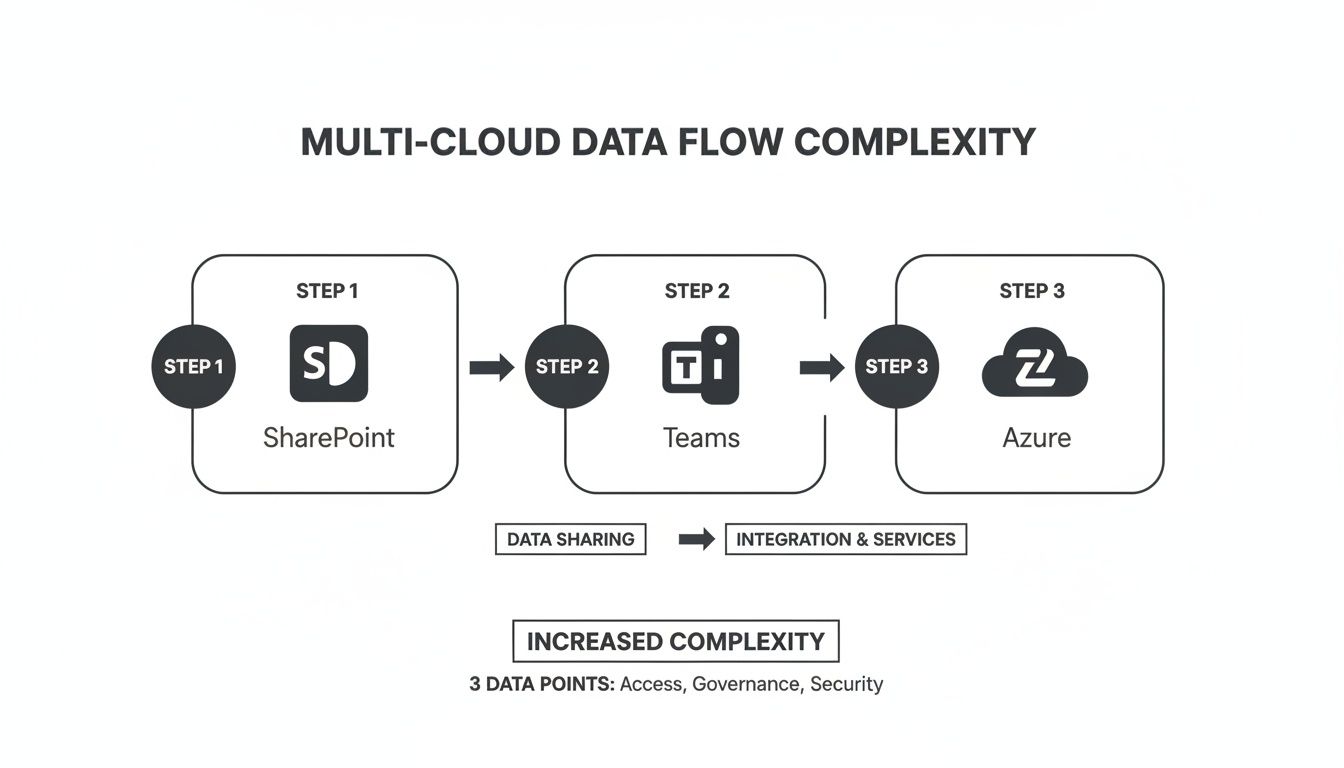
As you can see, every time data moves through the Microsoft 365 ecosystem, new layers of access, governance, and security complexity are added. An isolated migration simply can't account for this.
Data Sovereignty Is a Board-Level Concern
For IT directors in Irish energy and finance, a harsh reality is coming into focus. By 2026, global spending on sovereign cloud IaaS is forecast to hit $80 billion, as 20% of workloads are shifted to local providers to meet strict UK GDPR and Irish data residency rules. And with Azure holding 54.82% of the public cloud market share that underpins SharePoint, the physical location of your data is now a board-level conversation. You can read more on these trends in recent cloud migration statistics at auvik.com.
We’ve had to rescue Irish healthcare clients from post-DIY disasters where, like 55% of organisations, they were juggling two or more clouds. This led to completely uncontrolled sprawl in their Teams-integrated SharePoint sites, putting them on a direct collision course with regulators.
We often see clients fail when they treat SharePoint as a standalone application. In reality, it’s the central pillar of their Microsoft 365 data governance. A misstep here doesn't just break SharePoint; it breaks your compliance posture across Teams, Power Platform, and Azure.
The hard data confirms this isn't a niche problem. The majority of enterprises are increasing their hybrid footprint, with 73% of organisations now running hybrid setups. With the on-premise SharePoint end-of-life deadline of July 2026 looming, there is zero room for error. Unpatched, legacy systems in these complex environments are an open invitation for a breach.
Your SharePoint migration strategy must be an integrated cloud strategy. It has to make sure your data flows, governance policies, and security controls are coherent across your entire cloud estate, not just walled off inside SharePoint. Thinking you can calculate your project costs without factoring in these dependencies is a primary reason to rethink the true ROI of a specialist-led SharePoint migration.
The Ollo Verdict: A SharePoint migration that ignores your multi-cloud and hybrid reality is doomed from the start. This isn’t just a technical project; it's a strategic realignment of your data governance across multiple interconnected platforms. Treating it as anything less is the fastest path to creating new data silos, security gaps, and regulatory fines.
The Only Defensible Path Forward For Your Migration
We’ve laid out the technical traps and strategic blunders that derail SharePoint cloud migrations. If there’s a common thread, it’s always underestimation—underestimating the complexity of your data, the real limitations of off-the-shelf tools, and the absolute need for a secure identity design from day one.
The path forward isn't about finding a "cheaper" or "faster" way. It's about choosing the only defensible path, the one that aggressively reduces risk to your organisation. This is the critical point many IT leaders miss until it’s far too late.
The True Cost of Cutting Corners
A DIY approach, or hiring a generalist IT provider without deep SharePoint specialisation, is a high-stakes gamble. You're betting your organisation's data integrity, regulatory compliance, and security posture on the hope that your migration won't hit one of the breaking points we've outlined.
Hope is not a strategy.
We see the aftermath of these gambles all the time. The cost isn't just a delayed project; it’s a cascade of failures:
- Data Loss: Critical files orphaned due to path length limits or silent failures from free migration tools.
- Security Breaches: Migrating toxic permissions that grant wide-open access in the cloud, turning a manageable on-premise risk into a critical cloud vulnerability.
- Operational Paralysis: Broken integrations with Teams and Power Platform that bring essential business processes to a grinding halt.
- Compliance Fines: Moving data without a clear governance and residency plan, exposing your organisation to GDPR and other regulatory penalties.
A proper migration strategy also has to account for how your team will interact with the new environment, including modern SharePoint app integration possibilities that simply didn't exist on-premise.
Confronting Complexity Head-On
The Ollo approach is built on years of battle-hardened experience, specifically in regulated sectors where failure is not an option. We don't sell "easy" or "seamless" because we know from experience that complex migrations are neither.
We deliver certainty by confronting complexity head-on. This means using professional tooling like ShareGate as a foundation, but deploying our own library of custom PowerShell PnP scripts to solve the problems we know the tools cannot handle alone. We script the solutions for API throttling, permission remediation, and complex identity mapping because that is the only way to guarantee a secure and complete outcome.
Your decision isn't really about whether to hire a specialist. It’s about whether your organisation can afford the technical, financial, and reputational consequences of not doing so. For IT Directors who must stand before their board and guarantee a successful, secure outcome, our methodology is the only safe pair of hands.
If this guide has made you reconsider your current approach, our in-depth analysis of a complete SharePoint migration playbook is the logical next step.
The Ollo Verdict: Choosing a generalist or attempting a DIY migration is an explicit acceptance of risk. For a defensible, secure, and compliant migration, specialist expertise isn't an expense—it's the most critical risk-reduction investment you will make.
Frequently Asked Questions
As a Senior Cloud Migration Architect, I field tough questions every day from IT Directors and Enterprise Architects. They don’t want marketing spin; they want straight answers about the real risks of a SharePoint cloud migration.
Here are the unvarnished truths to the questions we hear most often.
Why Can't My Internal IT Team Handle This Migration?
Your internal team is undoubtedly skilled at keeping the lights on. They manage day-to-day IT operations, and they’re probably brilliant at it. But a large-scale, regulated SharePoint migration isn’t an operational task—it's a specialised, high-risk project.
We've seen great internal teams get completely overwhelmed because they hit these once-in-a-career problems for the very first time, mid-project, with no playbook to fall back on. This project demands deep, niche expertise in very specific failure points:
- API Throttling: You need to know how to script a migration to work around Microsoft's throttling, not just repeatedly hitting the wall and hoping for the best.
- Permission Scripting: This means having the ability to write custom PowerShell PnP scripts to fix thousands of broken permission inheritance instances on the fly.
- Entra ID Security Design: It requires a profound knowledge of Zero Trust principles to avoid catastrophic identity conflicts during a tenant-to-tenant merger.
The Ollo Verdict: Using a specialist isn't a slight on your team's capability; it's a strategic decision to de-risk a critical infrastructure project. Our team has solved these exact problems dozens of times. Your team would be facing them for the first. That's a risk your business can’t afford.
What Is The Single Biggest Mistake In A SharePoint Cloud Migration Strategy?
The single biggest mistake is treating discovery as a simple data inventory exercise. We see it constantly: a team runs a basic scan with a tool like ShareGate, counts the files and folders, and declares the discovery phase complete.
That’s the exact moment the project is doomed, before the first file is even moved.
A real discovery phase doesn't just count data; it actively hunts for breaking points. It stress-tests your environment against the specific limits Microsoft documents, like the 5,000-item list view threshold that will cripple site performance post-migration. It unearths legacy custom-coded solutions and identifies all the deeply nested folders that will inevitably exceed the 400-character path limit.
A migration plan built on a simple inventory report is a plan built on incorrect assumptions. A "risk-first" discovery that actively seeks out these failure points is the only valid starting point for a successful SharePoint cloud migration.
How Does A Merger Complicate A Tenant-To-Tenant Migration?
A tenant-to-tenant migration is the most complex scenario imaginable, and it's where DIY attempts fail most spectacularly. The core challenge is identity. You aren’t just moving files; you're attempting to merge two entirely separate Microsoft Entra ID instances.
This creates an extremely high risk of user identity conflicts (GUID conflicts). This isn't a small problem—it's a technical disaster that can break access to everything for the affected users.
Furthermore, you have to meticulously reconcile two different sets of governance policies, security baselines, and data structures. It demands a forensic, scripted approach to map identities, merge permissions without granting excessive access, and forge a unified, secure Zero Trust model as the end state.
The Ollo Verdict: Do not attempt this with basic tools or an inexperienced team. The risk of data loss, compliance breaches, and massive productivity disruption is near 100%. A tenant-to-tenant migration is exclusively a job for specialists who can script the complex identity transformations required. Anything less is professional negligence.
Your SharePoint migration is too critical to leave to chance. At Ollo, we don’t sell easy; we deliver certainty. If you need a partner who understands the real-world complexities and can navigate them without fail, contact us at https://www.ollo.ie.

















