



Moving a custom SharePoint environment isn't an IT project; it's a high-risk business continuity operation. This isn't about transferring files. It's about performing open-heart surgery on the business-critical processes that your company depends on, shifting them from a brittle legacy architecture to the modern cloud. The process demands a forensic audit of old solutions, a complete re-architecture using modern tools like SPFx and the Power Platform, and a migration strategy that anticipates—and neutralizes—the inevitable breaking points.
Treat this as anything less than a mission-critical initiative, and you are planning to fail.
Why SharePoint Customisation Migrations Go Wrong
Let's be direct. Your SharePoint customisation migration is a high-stakes operation. Standard migration tools and checklists might promise a simple transition, but they are dangerously unprepared for the brittle, interwoven fabric of legacy code your business actually runs on.
This guide isn't about selling you a dream; it's about preparing you for reality. We’re going to dissect the common failure points we've seen cripple organisations, from silent API throttling that corrupts data mid-flight to broken permission inheritance chains that expose sensitive information.
Treating this as a simple IT task is the fastest path to operational failure.
The Anatomy of Failure
Microsoft's documentation suggests a clear path, but in reality, the terrain is littered with technical landmines. Time and again, we see clients fail when they underestimate the sheer complexity hidden within their on-premises environment. These aren't just files; they are active components driving your business.
Here are a few classic tripwires:
- The 5,000-Item List View Threshold: This infamous SharePoint limit doesn't magically disappear in the cloud. Migrating a large list without re-architecting its views guarantees it will break on day one, halting any business process that relies on it. Missing this step doesn't just fail the migration; it breaks legal compliance if that list is part of an auditable process.
- Broken Inheritance and GUID Conflicts: In-house teams often miss the subtleties of permission models, especially during a complex cross-tenant migration. Merging environments frequently creates GUID (Globally Unique Identifier) conflicts, which can lead to chaotic and incorrect access rights after the move.
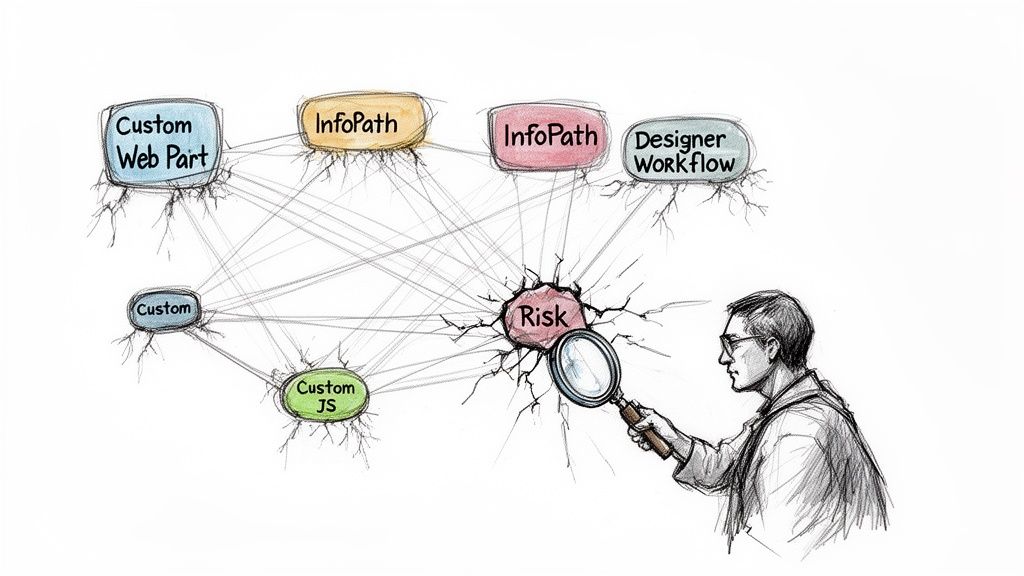
- Unsupported Legacy Code: That custom JavaScript injected into master pages, those InfoPath forms with complex business logic, and the old SharePoint Designer workflows aren't just unsupported—they are migration dead-ends. They require a complete rebuild, not just a simple move.
This isn't theoretical. Our own audits show the DIY SharePoint migration failure rate exceeds 70% on the first attempt. This is almost always due to underestimating the deep technical challenges of merging identities, permissions, and legacy customisations.
Why Your In-House Team Is Set Up To Fail
Your team is likely brilliant at maintaining the current system, but a customisation migration is an entirely different discipline. It demands a deep, almost cynical knowledge of where vendor tools break and where Microsoft’s own documentation glosses over critical complexities.
The fundamental issue is that standard tools are designed for content, not for logic. They see a workflow file as just another object to copy, blissfully unaware of the hardcoded URLs or deprecated actions inside that will instantly fail in the new tenant.
This is the point where specialist intervention stops being an option and becomes the only viable risk-reduction strategy.
Deconstructing Your Legacy Environment
Before you even think about moving a single byte of data, you have to conduct a forensic audit of your existing environment. This part is completely non-negotiable. We often see projects go off the rails because this step gets treated like a simple inventory exercise—just counting sites and databases. That approach is a guaranteed recipe for disaster.
The real work is digging in and identifying every potential point of failure hiding inside your customisations.
Think of your legacy SharePoint environment as an archaeological site. It’s layered with years of old farm solutions, SharePoint Designer workflows, forgotten InfoPath forms, and dangerously brittle JavaScript injections. These are the things that will absolutely shatter the moment they touch the modern SharePoint Framework (SPFx). A successful SharePoint customization migration starts by mapping every single one of these components.
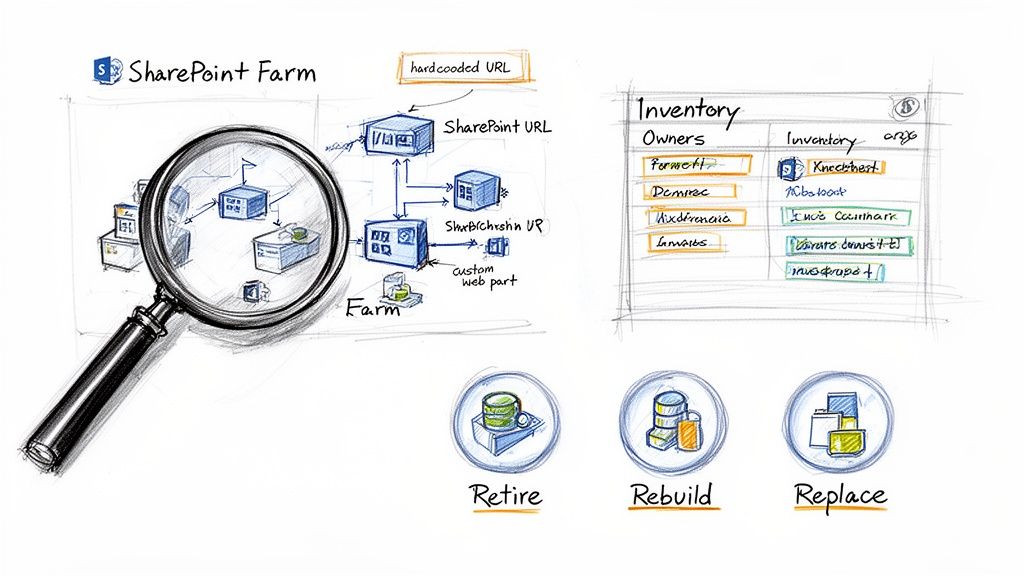
This isn’t just about making a list; it's about building an intelligence dossier. For each customisation, you need to know its business function, who owns it, and what its hidden dependencies are. We’ve found critical workflows that relied on hardcoded user profiles for people who left the company a decade ago. We’ve unearthed web parts making direct database calls—a practice that is totally impossible and unsupported in SharePoint Online.
The Retire, Rebuild, Replace Framework
Once you have a complete inventory, you have to classify everything. Please, do not attempt to just "lift-and-shift" your customisations. Most won't work, and even the ones that do will just bring old technical debt into your clean, new environment.
We use a battle-tested framework that forces a decision for every single customised component. There are only three options:
- Retire: Is this customisation still providing any real business value? Be ruthless here. We consistently find that up to 30% of legacy custom code is redundant, orphaned, or completely unused. Decommissioning it is the fastest win of the entire project.
- Rebuild: This is for essential business logic that simply can’t be replicated with out-of-the-box tools. Your custom web parts, event receivers, and timer jobs all fall into this category. They need a ground-up rewrite using the modern SharePoint Framework (SPFx).
- Replace: Can the function be delivered using the Power Platform? Many legacy approval workflows and data-entry forms (I’m looking at you, InfoPath) are perfect candidates for replacement with Power Automate and Power Apps. Just remember, this isn’t a one-to-one replacement; it demands a complete re-imagining of the business process.
Uncovering Hidden Technical Landmines
A surface-level scan will not reveal the true complexity here. Your team has to actively hunt for the specific issues that cause migrations to fail catastrophically. The official documentation tells you to run the SharePoint Migration Assessment Tool (SMAT), but in reality, that tool only scratches the surface.
The SMAT report gives you a list of potential problems, but it doesn't tell you the business impact of those problems. It will flag a customised master page, but it won't tell you that your entire corporate branding and navigation structure depends on it.
Your deep-dive audit must find these specific breaking points:
- JavaScript Injection via Content Editor Web Parts: This was a common tactic back in the SharePoint 2010/2013 days, but this method is completely blocked by modern security protocols. Every instance represents a piece of functionality that will simply vanish after the migration.
- Full-Trust Farm Solutions: These solutions have deep hooks into the server-side code and have no place whatsoever in SharePoint Online. Each one must be dissected, its purpose understood, and its logic rebuilt as an SPFx solution or perhaps an Azure Function.
- Hardcoded URLs and Service Connections: Your custom code is almost certainly pointing to internal servers, file shares, and web services using URLs that won’t exist after you move to the cloud. Finding and remapping every single one is a painful, manual process, but missing even one can bring a critical business process to a grinding halt.
This forensic deconstruction phase is the most critical part of the entire project. To learn more about how we structure this phase, you can read our detailed guide to a proper SharePoint migration assessment. Getting this wrong doesn't just introduce a few errors; it guarantees your migration will fail before it even truly begins.
The Hard Truth About Remediation And Re-Architecture
This is where SharePoint migration projects go off the rails. Sales pitches and documentation often paint a rosy picture of a clean swap—just replace the old thing with the new thing. The reality I've seen on countless projects is closer to high-stakes surgery on the very core of your business processes.
Get the re-architecture decisions wrong here, and you don't just delay the project. You bake fundamental weaknesses into your brand-new environment that will haunt you for years.
Many teams stumble because they fall for the "like-for-like" replacement trap. It's a myth. You're not just moving a web part or a workflow; you are fundamentally redesigning a process that might have been running your business for a decade. While it’s useful to understand the broader concepts of Legacy System Modernization Strategies, the specific choices you make inside the SharePoint ecosystem demand deep, practical expertise.
SPFx vs. Power Platform: The First Critical Choice
Your first major fork in the road is deciding between a full-code rebuild using the SharePoint Framework (SPFx) or a low-code approach with the Power Platform (specifically Power Apps and Power Automate). Getting this wrong isn't just inefficient; it can be catastrophic for your budget and long-term maintenance.
SPFx (SharePoint Framework): This is your scalpel, not your sledgehammer. Reach for SPFx only when the business logic is genuinely complex and can't be compromised. Think custom web parts with intricate UI demands, solutions crunching complex calculations, or deep integrations that need robust, scalable code. Don't even think about using SPFx for simple forms and approvals—you're just building a maintenance nightmare for your future self.
Power Platform: This should be your default choice for replacing old InfoPath forms and SharePoint Designer workflows. But it's no silver bullet. You have to know its limits before you commit. For instance, Power Automate can struggle with very long-running approval processes (I’m talking months, not days) and has firm API call limits that will absolutely cripple a high-volume workflow. We dive much deeper into this specific challenge in our guide on SharePoint workflow migration.
Ultimately, the trade-off is control versus speed. SPFx offers total control but is slow and expensive. The Power Platform gets you there fast but forces you to play by its rules.
The Azure Functions Escape Hatch
So, what do you do when the logic is too beefy for Power Automate, but building a full-blown SPFx web part feels like overkill? This is a classic trap that internal teams fall into. They try to contort Power Automate into doing things it was never designed for, creating brittle, unsupportable flows that fail silently.
The smart architectural move here is almost always Azure Functions.
By offloading the complex processing, heavy calculations, or sensitive data manipulation to a serverless Azure Function, you keep your Power Automate flow lean and resilient. The flow simply acts as a trigger, and the function does all the heavy lifting. Ignoring this pattern doesn't just create a messy solution; it creates a solution that is guaranteed to break under load.
Before you make a final decision, it helps to map out your options clearly. Here’s a matrix we use to guide clients through this process, weighing the modern solutions against the legacy customisations they’re meant to replace.
Legacy Customization Remediation Matrix
This table isn’t exhaustive, but it highlights the critical thinking required. Each legacy piece has a modern counterpart, but the path between them is loaded with risks and requires a very specific level of effort that must be factored into your project plan.
The Pain of Remediating Customised Pages
Here’s a brutal truth that gets buried deep in the technical manuals: any custom branding or layout changes made to master pages or page layouts will be completely destroyed during migration. They don't get migrated; they are simply reverted to the standard, out-of-the-box templates.
The documentation says customised files are reverted, but in reality, this means your entire corporate identity, navigation structure, and user experience will simply vanish overnight. You can read the official findings on the Microsoft Learn portal, but they dramatically understate the business impact.
This is not a minor inconvenience. For many organisations, this means the entire corporate identity, navigation structure, and user experience will simply vanish overnight.
The remediation is 100% manual and demands a skilled developer to recreate the branding using modern SPFx Application Customizers. Underestimating this effort is one of the fastest ways to have an angry user base knocking on your door on launch day. It’s a perfect example of how a "technical" migration task is actually a business-critical user experience project in disguise.
Choosing Your Migration Tools: A Reality Check
Let’s be blunt—migration tools are not a strategy. I’ve seen teams look at products like the SharePoint Migration Tool (SPMT) or even the industry-standard ShareGate and think they have the execution phase covered. This is a dangerous, and costly, misunderstanding.
These tools are incredibly effective for one specific job: bulk data transport. They move files, folders, and basic site structures from point A to point B. But they are fundamentally unprepared for the intricate, high-stakes reality of a SharePoint customisation migration.
Where The Tools Break Down
The most common point of failure we see is when a client treats a tool as a complete solution. Vendor documentation is filled with successful file copy reports, but in the trenches, we see where they consistently hit a wall. Their purpose is to migrate content, not intelligence.
The SharePoint Migration Tool (SPMT) is Microsoft's free offering. The documentation says it's for simple moves, but in reality, it's only viable for a single, small team site with less than 50GB of data and zero customisations. Use it for anything more complex and you will hit a brick wall of authentication failures and aggressive API throttling.
ShareGate is a far more powerful instrument, and it’s a core part of our own toolkit. But you have to understand its limitations. It cannot fix the broken logic inside a twenty-step SharePoint Designer workflow. It can't remap a hardcoded data connection inside an InfoPath form. It migrates the object, but the business logic inside that object arrives dead on arrival.
If you'd like to explore this topic further, our breakdown of the SharePoint Migration Tool provides additional context on its capabilities versus more robust solutions.
The Ollo Verdict: Use SPMT for <50GB. For anything else, you need custom scripting. Use ShareGate for the heavy lifting of your bulk content. For the workflows, forms, and custom code that actually run your business—you need expert-driven scripting. There is no other way to guarantee success.
This flowchart illustrates the core decision-making process when deciding whether to re-architect legacy customisations using Power Platform or a code-first approach with SPFx and Azure.
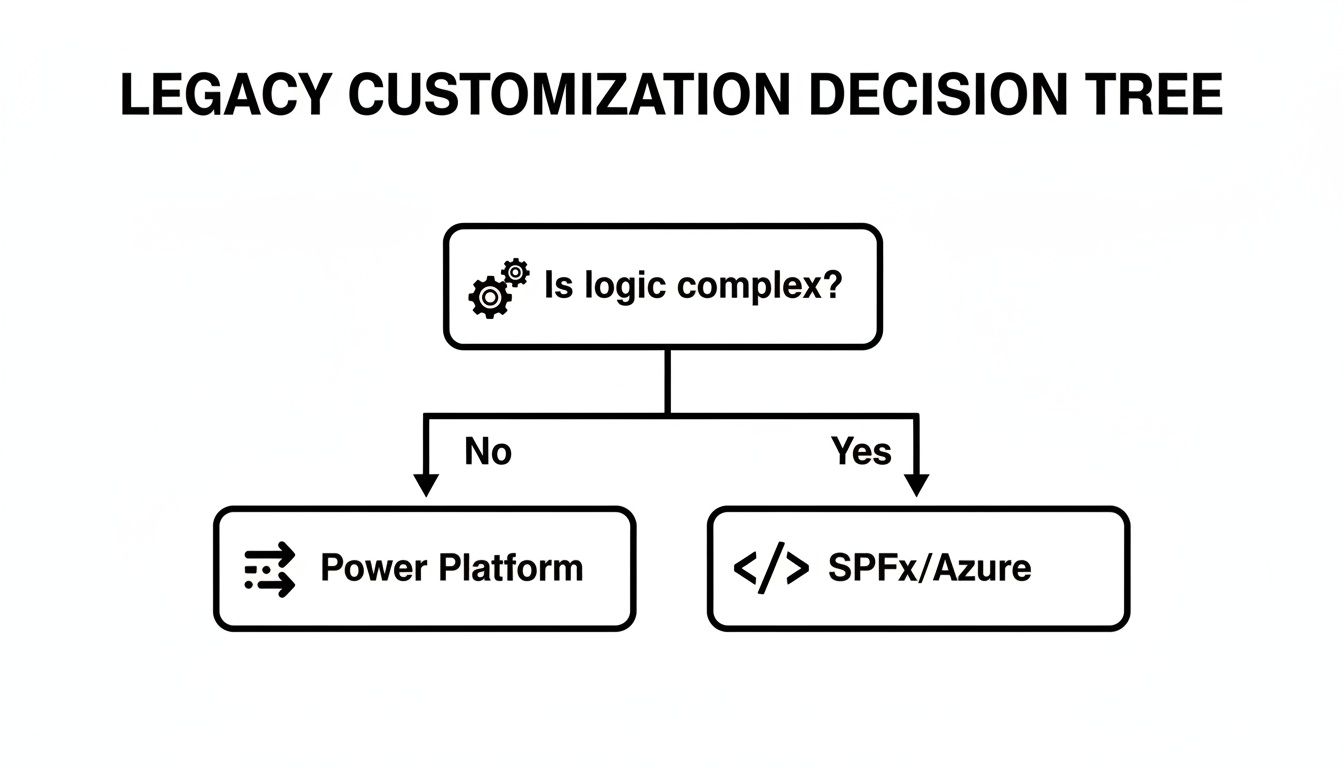
The key insight is that complexity is the deciding factor. Simple logic can be effectively replaced with low-code tools, but intricate business processes demand a full development cycle to be rebuilt correctly.
Why A Hybrid Approach Is Non-Negotiable
A successful enterprise migration plan relies on a precise combination of commercial tools and custom scripts. You simply cannot rely on one alone. The cost of this mistake isn't just a failed migration; it's operational paralysis when your teams discover their critical processes no longer function.
This is our battle-tested approach:
- Commercial Tool for Bulk Data: We use ShareGate to move the mass of documents and list items. Its speed, reporting, and error handling for standard content are best-in-class and essential for efficiency.
- Custom PnP PowerShell for the Delicate Work: This is where the real migration happens. We use a suite of custom-developed PnP (Patterns and Practices) PowerShell scripts to handle the complex scenarios where off-the-shelf tools just give up.
What Expert-Driven Scripting Actually Solves
When we talk about "delicate work," we're referring to the specific technical roadblocks that will derail your project. Scripts aren't a "nice to have"; they are the only way to surgically address these issues.
- Remediating Broken Permissions: Scripts can traverse complex permission structures, identify broken inheritance chains, and correctly re-apply access rights based on modern Entra ID groups.
- Re-hydrating Taxonomy Fields: Migrating managed metadata is notoriously difficult. Our scripts ensure that Term Store GUIDs are correctly mapped, preserving the data integrity that is critical for search and compliance.
- Handling Long Path and Special Character Issues: On-premises file systems are far more permissive than SharePoint Online. Scripts can programmatically find and fix file paths that exceed the 256-character limit or contain illegal characters (like *, #, %, or &) before the migration begins, preventing thousands of individual file failures.
Understanding foundational frameworks, such as the 6 Rs of cloud migration strategy, provides valuable high-level context for selecting the right approach. However, the execution depends entirely on having the technical capability to address these granular, SharePoint-specific problems.
Without that scripting expertise, your project is simply hoping for the best.
Your Non-Negotiable Validation Protocol
Let's get one thing straight: a "pilot migration" is not a real test. Copying a few department sites and asking users if their files showed up is a box-ticking exercise, not a validation protocol. A real test is a systematic, aggressive attempt to break the new environment before your users do.
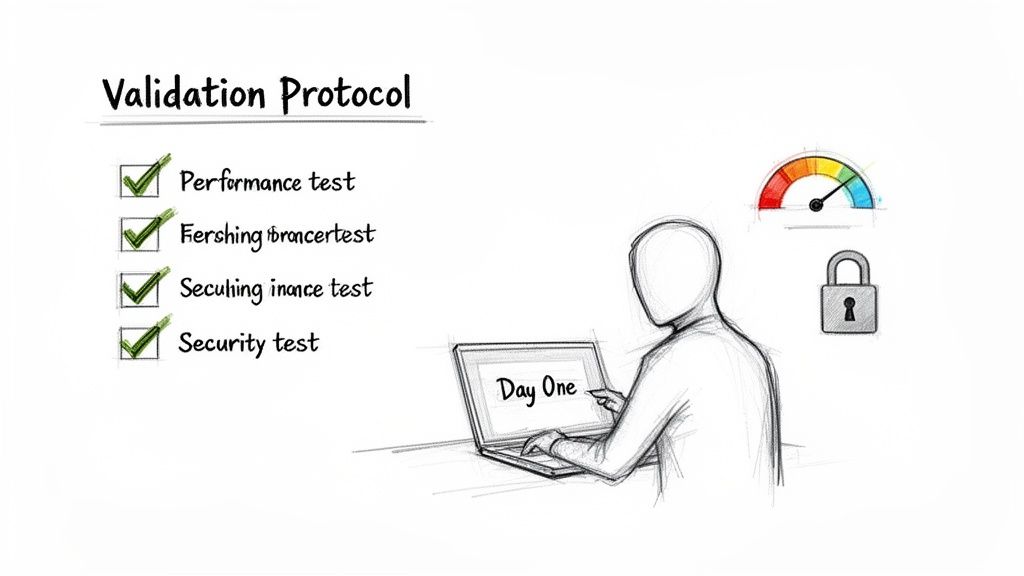
We've seen projects fall apart because the testing was far too passive. They'd confirm the data arrived but would completely fail to simulate the high-stress, real-world scenarios that are guaranteed to happen on day one.
Failing to rigorously test your re-architected customisations is how you turn a go-live event into an enterprise-wide crisis. The 'Day One' experience is everything. If it fails, you lose all credibility.
Going Beyond The File Count: UAT That Matters
Your User Acceptance Testing (UAT) absolutely must be conducted with your most demanding, critical, and frankly, most cynical business users. These are the people who live and breathe inside the processes your customisations support. Giving them a generic "click around and see if it works" instruction is worse than useless.
You need to arm them with specific, high-impact test scripts that deliberately target the known breaking points of a SharePoint customization migration.
- Workflow Execution: Does a migrated approval workflow actually complete from start to finish? What happens when it hits a complex, multi-stage approval with delegated permissions? This is precisely where the limitations of Power Automate often surface.
- Custom Form Submission: Can a user submit data via a new Power App that replaced an old InfoPath form? More importantly, does that data land correctly in the destination list with all its metadata and content types intact?
- Permissions and Access Scenarios: You have to test the edge cases. Can a user with specific, granular permissions access a file in a deeply nested folder? Can a manager approve a request for a direct report but not for someone in another department?
We insist on this level of UAT because it's the only way to find the functional gaps. A migration tool report will show "Success," but only a power user will tell you that the custom view they rely on to manage financial quarter-end reports is now completely broken.
Performance and Security Validation
Once you've confirmed everything works as expected, you must stress-test the system for performance and validate its security posture. These are not optional steps; they are critical for ensuring the environment is stable and compliant from the moment you go live.
We see projects unravel post-launch because the team never pushed the system to its limits. The documentation says a list can hold 30 million items, but in reality, any view that tries to pull more than 5,000 items at once will fail. This isn't a bug; it's a hard limit that your architecture has to account for.
Your protocol must include:
- Load Testing: Deliberately trigger actions that query large lists to identify any views that will violate the 5,000-item list view threshold. This has to be done before users discover it and grind their operations to a halt.
- Security Policy Verification: Confirm that your new Entra ID and Conditional Access policies haven't created unintended consequences. Does a policy designed to block access from unmanaged devices accidentally lock out remote senior executives trying to access a critical report? You must verify this before they do.
This multi-stage validation is your final line of defence. It’s the firewall between a successful launch and a complete operational meltdown. Your checklist has to be signed off by business stakeholders, confirming that their critical processes are not just present, but fully functional and performant. Anything less is just gambling with your business's continuity.
Establishing Post-Migration Governance
Getting your new SharePoint environment live isn't the finish line; it’s the starting pistol for a whole new way of managing your data. Let's be blunt: the security model in your old system was probably a mess, a patchwork of permissions and overly generous access that accumulated over a decade. This migration is your one real chance to fix it properly.
We see it all the time. A team treats the "go-live" date as the end of the project. Within months, their pristine new environment starts to decay, slowly becoming the same uncontrolled sprawl that made this migration so painful in the first place. You have to switch from a migration mindset to a continuous governance model from day one.
Adopting A Zero-Trust Security Model
Your new SharePoint environment must be built on a Zero-Trust security model. This isn't just a suggestion—for any organisation that takes compliance seriously, it's the only acceptable starting point. The principles are simple: verify explicitly, grant least-privileged access, and always assume a breach is possible.
This means moving beyond simple SharePoint permissions and weaving in a robust, identity-focused security fabric using tools you likely already pay for.
- Conditional Access Policies: These are the bedrock of modern security in Microsoft 365. You need to get into Entra ID and configure policies that check the user, location, device health, and application before granting access. A day-one essential? Blocking access from unmanaged personal devices to any site tagged with "Sensitive" data. That’s not a post-launch luxury; it’s a core requirement.
- MFA Enforcement: Multi-factor authentication is completely non-negotiable. Your policies must enforce MFA for every single user, with no exceptions, especially when they’re accessing sensitive data or are outside the corporate network. Anything less is an open invitation for a breach.
- Sensitivity Labels: If you need to comply with GDPR, ISO 27001, or any other serious framework, then you must use Microsoft Purview sensitivity labels. These labels classify your data and apply protection like encryption and access restrictions that travel with the file, no matter where it goes.
Skipping this step doesn't just put the migration at risk; it can break legal and compliance obligations, making your entire investment in a modern platform almost worthless.
The Ollo Verdict: Governance isn't a task you tick off a list; it's an active, ongoing process. A well-planned SharePoint customisation migration allocates at least 20% of its total budget and effort to post-migration security hardening, user training, and establishing a long-term governance committee.
Preventing The Next Migration Disaster
The chaos you just escaped was caused by a total lack of oversight. To stop history from repeating itself, you need proactive measures that control sprawl and enforce sensible practices from the get-go. This is as much about people and process as it is about technology.
You need to hammer out clear policies for site creation, data retention, and external sharing. Modern collaboration tools are incredibly powerful, but if you let them run wild, they create enormous data governance headaches. We strongly recommend setting up automated monitoring and archiving policies to deal with the legacy data that, frankly, probably shouldn't have been moved over at all.
Finally, user training isn't about showing people where the new buttons are. It’s about teaching them modern ways of working. Proper SharePoint data governance means training users to use Teams for transient, fast-paced collaboration and SharePoint for permanent, important records. This distinction is what prevents the file sprawl that crippled your last system.
Without this operational discipline, you're not finishing a project. You're just starting the countdown to your next, even more complex, migration.
SharePoint Customisation Migration FAQs
Can We Just Use ShareGate and Handle the Rest Internally?
You can, but you're taking a massive, unmanaged risk. Think of ShareGate as an excellent removal lorry—it’s fantastic for moving your boxes of content and basic furniture from the old house to the new one.
But it’s not a construction crew. It won’t rebuild your custom kitchen (legacy workflows) or rewire the complex electrics (InfoPath forms with business logic). It has absolutely no ability to rewrite a SharePoint Designer workflow into a Power Automate flow or convert a form packed with code into a functioning Power App.
This leaves your internal team holding the bag for all the complex, time-consuming development work. Frankly, this is the exact point where we see most in-house migration projects go off the rails, spiralling into expensive, career-damaging recovery missions.
What Is the Single Biggest Mistake You See Companies Make?
Underestimating the forensic audit before a single file is moved. We see it constantly. Management applies pressure to "just start migrating," so the team runs a quick scan with a tool like the SharePoint Migration Assessment Tool (SMAT), gets a high-level list, and dives in.
This approach is a recipe for disaster. It completely misses the functional dependencies buried deep inside your customisations—the hardcoded URLs, the reliance on specific user profiles that no longer exist, the brittle JavaScript injections that will break on a modern page.
The result is always the same: a migrated environment that is technically "there" but functionally broken. You end up with months of painful, post-migration fire-fighting and a complete collapse of user confidence in the new platform.
How Do We Handle Business-Critical InfoPath Forms?
Very, very carefully. Microsoft has officially deprecated InfoPath, and there is no direct, one-to-one migration tool. You have to treat every single form as its own mini-project that needs to be triaged.
Simple Forms: Things like basic contact or suggestion forms can often be rebuilt quite easily using Microsoft Forms or a standard SharePoint list customised with Power Apps forms.
Complex Forms: This is where the real danger lies. Forms with extensive code-behind logic, cascading dropdowns, complex validation rules, or connections to external databases require a complete re-architecture. This isn't a migration; it's a development project, typically using Power Apps for the front-end and Power Automate or even Azure Functions to replicate the backend business logic.
Misjudging the effort required to rebuild these complex forms is a classic—and very costly—mistake.
A successful Ollo migration isn't about the tool you use; it's about executing a battle-tested methodology. If you're looking at a complex SharePoint migration and failure simply isn't an option, schedule a consultation with our architects to talk through your specific challenges.

















