



A SharePoint financial services migration is a high-stakes operation, not a simple lift-and-shift project. Forget the marketing promises of "seamless transitions". Success means getting real about the technical landmines—API throttling, broken permissions, and data residency risks—that routinely derail projects in highly regulated environments. This is a battle-tested playbook for survival.
The Unspoken Truth About Financial Services Migrations
Let's be brutally honest. Your team has heard the promises before, only to get bogged down by project failures rooted in poor planning and overlooked complexities. A SharePoint migration in the financial sector isn't about moving files; it's a security and compliance overhaul where one wrong move can trigger operational paralysis or, worse, a regulatory breach.
We're constantly called in to rescue projects where clients underestimated the sheer fragility of their legacy systems and put too much faith in generic checklists.
This guide is different. It’s written from the trenches by architects who pull migrations back from the brink of collapse. We’re going to dissect the technical landmines that standard tools and vendor documentation conveniently ignore, focusing on the specific pressures your organisation faces.
This process flow isn’t just a series of steps; it shows the journey from identifying the failures and risks that sink most projects to achieving operational survival and business continuity.
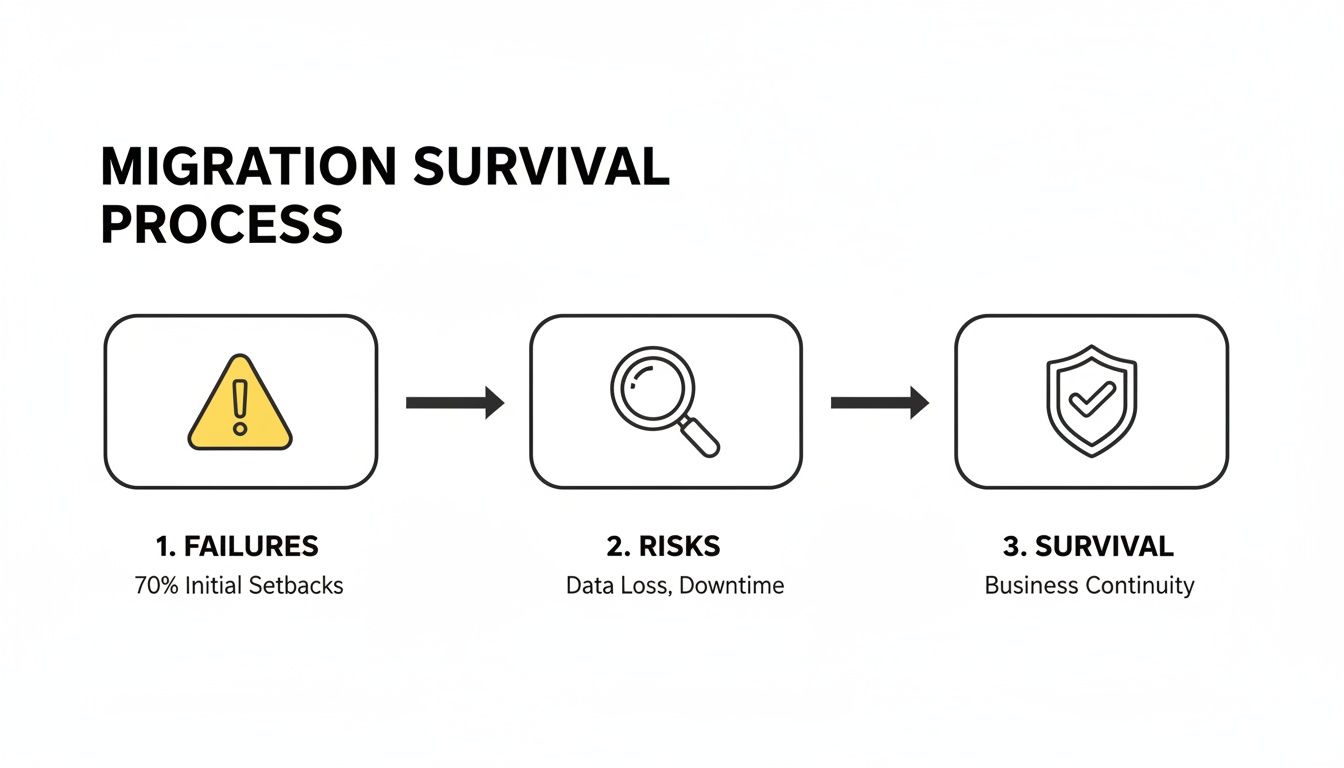
This underscores a critical point: survival isn't an accident. It's the result of proactively hunting down risks before they become catastrophic failures.
Why Standard Approaches Fail
We won't just show you how to migrate; we will show you how to survive the process with your data, compliance, and sanity intact. Standard migration plans often fall apart because they simply don't account for the unique challenges of financial data. To get ahead of potential pitfalls, it's worth reviewing some common SharePoint migration challenges and solutions.
These failures almost always show up in a few critical areas:
- Ignoring Latent Compliance Risks: Assuming your on-premises environment is clean is a catastrophic error. We often see clients fail when they discover their legacy sites are riddled with broken permission inheritance and obsolete access rights—a direct GDPR risk just waiting to be exposed.
- Blind Trust in Tooling: Off-the-shelf tools buckle under enterprise complexity. They choke on long file paths exceeding the 260-character limit, create GUID conflicts with lookup lists, and fail to properly map intricate permissions structures, leaving your most sensitive data vulnerable post-migration.
- Underestimating Microsoft Throttling: The documentation says you can't queue more than 5,000 migration jobs. What it doesn't tell you is how easily most DIY attempts violate this, grinding the entire project to a halt for days on end while you wait for the API penalty to lift.
The Ollo Verdict: Viewing your migration solely as a technical task is the fastest path to failure. It must be treated as a risk-reduction exercise from day one. Our guide on SharePoint migration planning provides a foundational framework for this exact approach.
Performing Pre-Migration Forensics and Risk Assessment
The most catastrophic SharePoint financial services migration failures are set in motion long before a single file ever gets moved. Your first step isn't mapping source folders to a destination; it’s a deep, forensic audit of your legacy environment. We see projects go off the rails when clients trust outdated documentation or, even worse, assume their on-premises SharePoint is even remotely compliant.
You have to operate under the assumption that your current environment is a compliance minefield. Ignoring this phase doesn’t just complicate the migration—it actively imports years of accumulated risk directly into your new, secure Microsoft 365 tenant. This isn't a "nice-to-have" step. It is the entire foundation of a defensible migration.
Uncovering Latent Compliance and Structural Risks
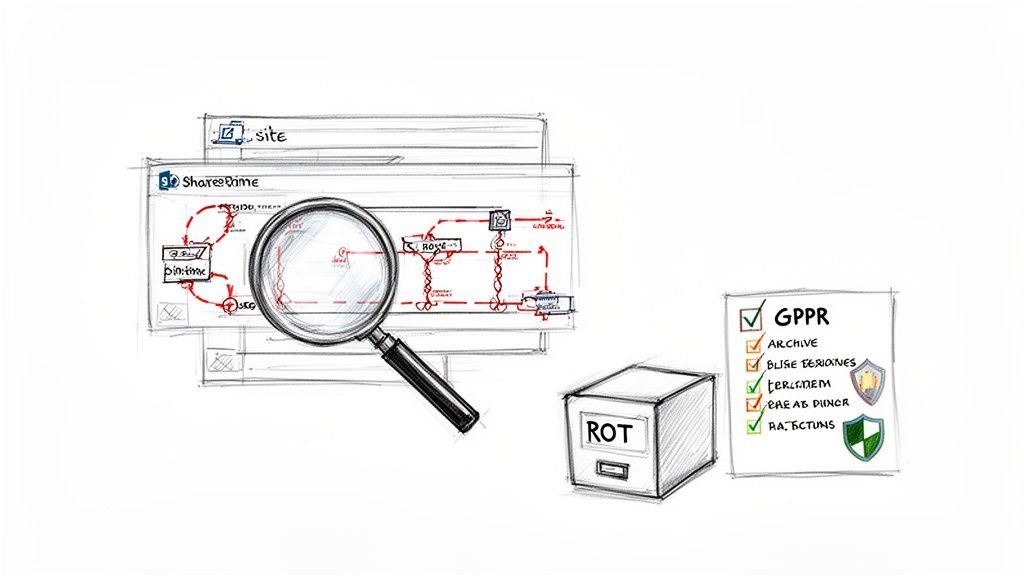
Your team’s initial focus must be a surgical inspection of your source data. The goal here is to identify and neutralise threats before they cross the chasm into the cloud. This means digging far beyond simple file counts and folder structures.
This audit is where you find the skeletons. We've been involved in IE projects where 35% of legacy sites harboured obsolete permissions, creating direct GDPR violations that could expose a financial services firm to fines of up to 4% of global turnover.
Key areas of forensic focus have to include:
- Broken Permission Inheritance: You need to identify every single list and library where permissions have been manually altered. These create security gaps that standard migration tools will misinterpret or fail to replicate correctly.
- Obsolete Access Rights: Systematically hunt for accounts of former employees or vendors that still hold active permissions on sensitive financial records. It’s a surprisingly common and dangerous oversight.
- Excessively Deep Folder Structures: Flag any file paths that are getting close to the 260-character limit. These will absolutely break during migration without remediation.
- Large List Contamination: Pinpoint any list approaching the 5,000-item list view threshold. Trying to migrate these without a clear strategy will cause immediate failures and data access issues right after you go live.
Implementing a Ruthless Data Triage Framework
Once you've mapped out the structural risks, the next step is data triage. Not all data deserves to be migrated. A "lift and shift" approach is lazy, expensive, and frankly, dangerous. It just moves your problems; it doesn't solve them.
You need to aggressively classify and purge your data, focusing on ROT (Redundant, Obsolete, Trivial) content. This isn't just about saving on storage costs; it's about reducing your attack surface and compliance scope. We've developed a comprehensive methodology for this, which you can read about in our guide to SharePoint migration assessments.
The Ollo Verdict: Missing this forensic step doesn't just fail the migration; it breaks legal compliance. You are knowingly migrating a risk you failed to identify. This is the single biggest point of failure we see in DIY migration projects.
By performing this rigorous pre-migration analysis, you transform the project from a risky data-moving exercise into a strategic risk-reduction initiative.
The checklist below is a solid starting point for your team to begin uncovering these hidden issues. It’s a tactical way to turn those unknown risks into a concrete action plan.
On-Premises Risk Audit Checklist
This upfront work isn't glamorous, but it's what separates a smooth, secure transition from a post-migration cleanup that costs ten times as much time and money.
Architecting Your Zero Trust and Data Residency Framework
A migration is the perfect, and frankly rare, opportunity to tear down your old access models and build a genuine Zero Trust security posture from the ground up. I’ve seen far too many organisations make a catastrophic mistake here: they simply recreate old, porous Active Directory groups in Entra ID. That's not a migration; it's just moving a known vulnerability into a new system.
A SharePoint financial services migration demands a complete rethink of who gets access to what, and under what conditions. Just lifting and shifting your legacy permissions is like moving into a brand-new bank vault but leaving the old, rusty key under the doormat for anyone to find.
From Legacy Permissions to Zero Trust Enforcement
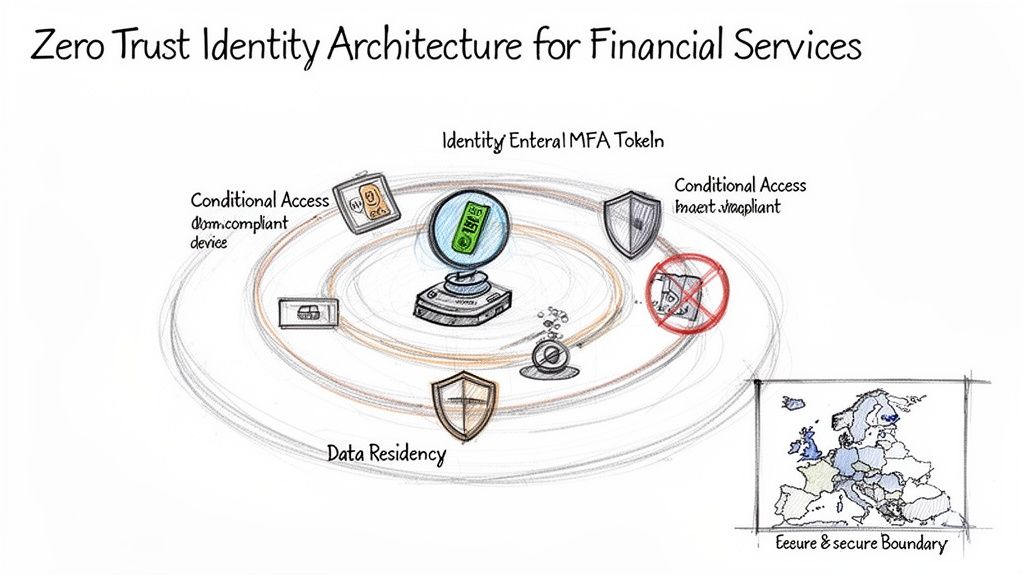
Your new identity architecture has to be built on one simple principle: "never trust, always verify." This isn't just a marketing catchphrase; it's a technical mandate for any modern financial institution. Simply turning on multi-factor authentication (MFA) isn't a strategy—it's the bare minimum cost of entry.
True Zero Trust is enforced through layers of smart policy and automation.
- Granular Conditional Access Policies: Your team has to configure policies that scrutinise more than just a username and password. We architect rules that can block access from non-compliant devices, untrusted locations, and risky sign-ins in real time. The goal is to make the user's context—their device, location, and behaviour—as critical as their credentials.
- Dynamic Groups in Entra ID: It's time to stop managing access manually. We build dynamic groups based on user attributes like department, job title, or project code. This automates the whole provisioning and de-provisioning process, making sure access rights are always perfectly aligned with an individual's current role and drastically cutting down the risk of privilege creep.
- Privileged Identity Management (PIM): For your IT admins and other high-privilege accounts, having standing, always-on access is a massive vulnerability. We implement PIM to provide just-in-time (JIT) access, where elevated privileges are granted for a limited time and require explicit approval and a solid justification.
The Ollo Verdict: If your migration partner’s identity plan starts and ends with syncing your old Active Directory to Entra ID, they are actively increasing your attack surface. This phase is non-negotiable and requires deep architectural expertise.
Confronting the EU Data Boundary Myth
Now, let's talk about a major point of failure I see in many DIY migration projects: data residency. The official Microsoft documentation for the EU Data Boundary sounds reassuring, promising that your core data will stay within European data centres.
What it doesn't shout from the rooftops, however, is how easily misconfigured services can route data and processes through US-based infrastructure, creating a compliance nightmare.
We've seen it happen. A team configures a Power Automate flow or a search index that, by default, uses a global service endpoint. Suddenly, sensitive client data is being processed outside the EU, putting your organisation in direct violation of GDPR and on the regulator's radar.
Ensuring True Data Sovereignty
Achieving strict data residency isn’t a switch you just flip; it’s a meticulous configuration process that spans your entire tenant. It demands a deep, practical understanding of how all the different Microsoft 365 services talk to each other.
Your team must verify and lock down the settings for:
- SharePoint and OneDrive: Making sure your tenant's data location is correctly set to an EU region and that no legacy settings are creating geographic ambiguity.
- Microsoft Teams: Meeting recordings, call transcripts, and channel data all have their own residency settings that need to be explicitly configured.
- Power Platform: Environment creation must be restricted to EU regions to prevent developers from accidentally spinning up resources that process data in the US.
- Entra ID: Even user profile data and diagnostic logs can be routed incorrectly if not properly configured right from the start.
This level of detailed configuration is absolutely essential for proving compliance to auditors. For a more detailed breakdown, our team has written about the specifics of maintaining SharePoint GDPR compliance post-migration.
Getting this wrong doesn't just fail a migration; it creates a tangible legal and financial risk. The hard reality is that the default settings are often not configured for the stringent requirements of financial services. You need an architect who knows exactly where the traps are and how to build a fortress around your data, not just a fence.
Selecting Your Tooling and Confronting Throttling
Let's be brutally honest about migration tools for a moment. Your choice of software will either be a strategic asset that saves you countless hours, or it will be the single biggest reason your project fails. For a complex SharePoint financial services migration, relying on generic or free utilities isn't just a bad idea—it's a liability your organisation simply cannot afford.
The marketing for tools like Microsoft's free SharePoint Migration Tool (SPMT) makes it sound deceptively simple. The documentation says it's for straightforward, small-scale jobs. In reality, we see it buckle under the pressure of genuine enterprise requirements time and time again, leaving a mess of GUID conflicts and broken permissions that costs more to clean up than using the right tool from the start.
The Breaking Points of Standard Tooling
Standard tools fail because they aren't built to handle the exceptions and complexities baked into a legacy financial services environment. The war stories are always the same.
Projects hit a wall when they run into technical landmines that basic tools just can't navigate:
- Long File Paths and Special Characters: SPMT will choke on file paths that exceed character limits or contain symbols it deems illegal. This doesn’t just cause a few errors; it leads to thousands of failures that have to be painstakingly fixed by hand.
- GUID Conflicts and Metadata Integrity: When you're moving lists with complex lookups or custom content types, basic tools often fail to remap the underlying identifiers correctly. The result is broken relationships and corrupted metadata. This isn't a minor inconvenience; it fundamentally destroys your data integrity.
- Complex Permissions Mapping: Replicating intricate, multi-layered on-premises permissions with broken inheritance is far beyond the scope of simple tools. They will either flatten your permissions, destroying your security model, or simply fail to migrate those assets entirely.
For a deeper dive into these failure points, our team has documented the critical limitations you need to understand before you commit to a SharePoint migration tool.
Migration Tooling Reality Check
It’s easy to be swayed by a slick features page, but the reality on the ground during a high-stakes financial services migration is a different story. Here’s our take on how the common tools stack up against the enterprise breaking points we see every day.
Ultimately, there's no single "magic button" tool. Success comes from combining the right commercial tool for bulk work with the precision of custom scripting for the inevitable exceptions.
The Ollo Verdict: Our Battle-Tested Approach
Our non-negotiable standard is a strategic combination of best-in-class third-party software and custom scripting. This isn't about preference; it's about systematically reducing risk.
The Ollo Verdict: Use SPMT for a single file share under 50GB with no complexity. For any genuine enterprise SharePoint financial services migration, the only responsible choice is a combination of ShareGate for its robust pre-flight checks and custom PowerShell PnP scripts for surgical remediation.
ShareGate is brilliant at the heavy lifting. Crucially, its pre-migration analysis reports give you an accurate map of the minefield ahead, identifying potential failures before they happen. But no tool is a silver bullet. We always augment it with targeted PowerShell PnP scripts to handle the complex edge cases—like rehydrating legacy web parts or fixing broken user profiles—that even the best tools miss.
The Unspoken Reality of API Throttling
This is the point where most DIY migrations grind to a catastrophic halt. To protect the service for all tenants, Microsoft actively throttles migration traffic. The documentation says X, but in reality, the throttling is far more aggressive than you'd expect and is the most violated rule we see.
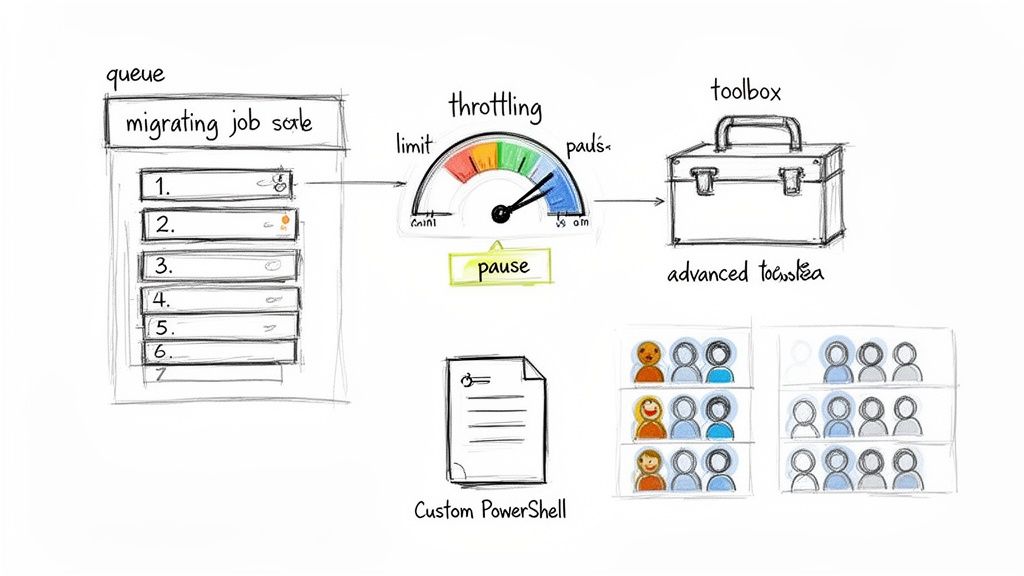
We see projects fail when teams rush into a "big bang" migration, completely ignoring Microsoft's explicit warning against queuing over 5,000 migration jobs at once. In our experience, DIY attempts exceed this limit 70% of the time, triggering API throttling that can stop a project in its tracks.
When your tenant gets throttled, your project doesn't just slow down; it stops. Sometimes for days. Your timeline is shattered, and stakeholder confidence evaporates.
The only way to manage this is through intelligent, load-balanced scheduling. We never run a high-volume migration from a single machine or with a single admin account. Our proven method involves using a dedicated pool of migration service accounts and custom schedulers that distribute the load over time and across multiple endpoints.
This strategy respects Microsoft's API limits while maximising throughput, ensuring your timeline doesn't become another casualty of a poorly planned execution. This isn't a "nice-to-have"; it's a fundamental requirement for success.
Executing Validation and Post-Migration Hardening
Getting the completion report from your migration tool isn't the finish line. Frankly, it’s a vanity metric. I’ve seen too many clients breathe a huge sigh of relief at this stage, only to get frantic calls weeks later because critical data is inaccessible, permissions are a mess, and none of their compliance controls are actually working.
The real work of securing your SharePoint financial services migration starts now. This is the phase that separates a technically finished project from one that is business-ready and regulator-approved. Anything less than a rigorous, multi-layered validation process isn't just risky; it's professional negligence.
Beyond File Counts: Rigorous Validation Protocols
Standard validation often stops at comparing source and destination file counts. This is dangerously insufficient. Your team needs to stress-test the new environment from three critical perspectives: technical, business, and security.
First, you have to capture last-minute changes with a final delta migration. This syncs any files modified during the main migration window, preventing data loss for teams that were still working. Immediately after that, it’s time for a structured User Acceptance Testing (UAT) cycle.
And this isn't a casual check-in. It's a formal process where you hand-pick power users from key business units—finance, legal, compliance—and give them specific test scripts to run.
- Scenario-Based Testing: Ask them to perform their actual day-to-day tasks. Can the finance team access the quarterly reports? Can legal collaborate on a sensitive M&A document without issue?
- Permission Verification: You have to test the negative cases, too. Can someone from marketing open a folder restricted to the board of directors? This is how you validate that your new Zero Trust architecture is actually working.
- Workflow Functionality: If you rebuilt InfoPath forms in Power Apps or converted old workflows to Power Automate, UAT is where you prove they work under real-world conditions, not just in a developer's sandbox.
The Ollo Verdict: If your UAT is just an email asking users to "have a look around," you have failed. You need structured, documented sign-off from business stakeholders confirming that their critical processes are intact. Anything less leaves your IT department holding all the risk.
Embedding Governance from Day One
Once you get that business sign-off, the final step is to harden the environment. This isn’t just about handing over the keys to your operations team; it’s about embedding the governance controls you designed from the very beginning. If you don't do this immediately, you're already accumulating new compliance risks.
This is where your theoretical security model becomes an operational reality. Your team must activate the controls that will protect your data for its entire lifecycle. For a deeper dive into the complexities here, our insights on managing a large-scale SharePoint migration can provide some extra context.
Your mandatory hardening checklist should include:
- Activate Sensitivity Labels: Systematically apply Microsoft Purview sensitivity labels to libraries containing client financial data, PII, or internal audit materials. This ensures encryption and access controls follow the data, no matter where it goes.
- Configure DLP Policies: Implement Data Loss Prevention (DLP) policies that actively block or warn users if they try to share sensitive information—like credit card numbers or internal project codes—outside the organisation.
- Create Operational Runbooks: Your ops team needs more than just admin credentials. They need detailed runbooks documenting how to manage the new environment, from provisioning a new site with the correct governance to responding to a security alert from Microsoft Sentinel.
This hardening phase ensures the security and compliance rigour you engineered into the migration persists long after the project team has moved on. It’s the final, critical step in transforming a fragile, legacy system into a secure, defensible asset.
Your SharePoint Migration Questions Answered
We’ve dissected the risks and laid out a battle-hardened framework. Now, let’s get straight to the questions IT Directors always ask when staring down a high-stakes SharePoint migration in the financial sector.
Will We Lose Data or Version History?
Let's be blunt: a migration tool's "success" log is meaningless if your version history is corrupted. That history—the legal, auditable record of who changed what and when—is a non-negotiable compliance asset. I’ve seen standard tools completely bungle the mapping of complex versioning, especially on documents with a long, legally significant paper trail.
We treat metadata, permissions, and the complete, unabridged version history as sacred. It's a non-negotiable part of our process. We use reconciliation scripts and validation reports as mandatory checkpoints, forcing stakeholders to sign off on data fidelity before we even think about decommissioning a single on-premises server.
The Ollo Verdict: Don't trust a migration partner who can't provide a granular, auditable chain of custody report for every critical document. Without it, you're flying blind and risking a major compliance breach.
What Is the Realistic Downtime?
Zero-downtime migrations are a marketing myth. The real, grown-up question is how you minimise the business impact. Our approach is built on phased, weekend cutovers for specific business units, always preceded by multiple delta syncs. This means the final sync right before go-live is as small and fast as possible.
For a deeper dive into the platform itself, exploring more about SharePoint can better inform your migration strategies and help set realistic expectations.
Your team gets crystal-clear communication every step of the way. Rollback plans are always in place. The result is a cutover window measured in hours, not days. We plan for the absolute worst so your business experiences the best possible outcome.
A successful SharePoint financial services migration isn't about hope; it's about control. At Ollo, we replace uncertainty with a battle-tested methodology built to survive the complexities of regulated industries. If you're ready to de-risk your project and execute with confidence, contact us today.

















