



Let's be blunt: your SharePoint migration budget is not a financial plan. It's a risk assessment, and your first draft is almost certainly a catastrophic failure waiting to happen. An optimistic €30,000 to €100,000 estimate for a large-scale project is a work of fiction, built on marketing promises that crumble on first contact with technical reality.
I'm not here to sell you a "seamless transition." I'm here to show you how projects implode and how to avoid disaster. Your goal is not to migrate; it's to avoid becoming another cautionary tale.
Your SharePoint Migration Budget Is A Disaster Waiting To Happen
Your initial SharePoint migration budget is a work of fiction. It’s built on best-case scenarios and vendor marketing that crumbles on first contact with the years of technical debt festering in your file shares. We are the team called in after these DIY attempts implode.
We often see clients fail when they treat migration as a simple "lift and shift." A company’s optimistic €30,000 estimate, based on software licences and a few hundred internal hours, has spiralled into a €100,000 disaster. Why? Because they ignored the tangled mess of enterprise data.
This isn't a guess; it's a pattern we see week in, week out. The three most common budget-killing mistakes are always the same:
- Grossly underestimating data complexity. Your team thinks they're moving clean, organised files. In reality, they're about to hit a wall of broken permission inheritance, thousands of nested folders that exceed SharePoint's path limits, ancient custom scripts, and GUID conflicts that have no chance of working in SharePoint Online.
- Ignoring compliance and governance overhead. You can't just drag-and-drop data from a file server into the cloud, especially if you're in a regulated sector. This move demands a fundamental redesign for Entra ID, new data loss prevention (DLP) policies, and retention labels—specialist work that never makes it into a first-pass DIY budget. Missing this step doesn't just fail the migration; it breaks legal compliance.
- Assuming off-the-shelf tools are a complete solution. Tools like ShareGate or Microsoft's SPMT are components, not strategies. The documentation says they handle complex scenarios, but in reality, they can't fix your underlying information architecture or magically work around API throttling limits that will grind your project to a halt.
The documentation from vendors suggests a straightforward process. In reality, historical data from Ireland's finance sector reveals that complex SharePoint migrations budgeted at €30,000-€100,000 routinely balloon to €150,000+ due to extensive cleanup and custom permissions mishandling. In fact, a staggering 47% of projects are reported over budget per regional consultancy audits.
The financial risk is compounded by operational and legal risks. A failed migration doesn't just waste money; it can break legal compliance, corrupt critical data, and bring business operations to a halt.
When your migration gets stuck halfway, with half your data inaccessible and permissions broken, the initial budget becomes irrelevant. Your only focus is stopping the bleeding.
To give you a clearer picture, let's compare the typical optimistic budget with what we see when we're called in to rescue a project that's gone off the rails.
Optimistic Budget Vs Real-World Failure
| Budget Line Item | Your Optimistic DIY Estimate | The Battle-Hardened Reality |
|---|---|---|
| Migration Tool Licence | €5,000 | €5,000 (This is the only cost you got right) |
| Internal Staff Time | 200 hours for "migration tasks" | 600+ hours spent firefighting, not migrating |
| Data Cleanup | "We'll do it as we go" (0 hours) | 150+ hours of dedicated pre-migration cleanup |
| Permissions Remediation | "Tool will handle it" (0 hours) | 200+ hours manually untangling and rebuilding permissions |
| Compliance & Governance | "We'll sort that after" (0 hours) | 100+ hours designing and implementing DLP & retention policies |
| Consultant Rescue | Not budgeted | €50,000+ to untangle the mess and finish the project |
| Opportunity Cost | €0 | Business disruption, lost productivity, compliance fines |
| Total Cost | ~€30,000 | €100,000 - €150,000+ |
This is the frank conversation you must have with your team before you spend a single euro. The numbers on your spreadsheet don't reflect the technical reality you are about to face. To truly understand the investment required, you must dissect the real-world cost drivers that your current plan ignores. Every technical problem you fail to budget for is an implicit argument for hiring a specialist service like Ollo as your primary risk-reduction strategy.
For more context on how these figures are calculated, you can read our detailed guide on SharePoint migration pricing.
Deconstructing The True Cost Factors Everyone Misses
Your SharePoint migration budget isn't just a number on a spreadsheet for licences and man-hours; it's a financial measure of risk. Too many basic planning tools—and, let's be honest, many vendors—conveniently gloss over the real-world cost multipliers that can turn a seemingly straightforward project into a financial black hole.
This isn't some high-level checklist. This is a financial autopsy of failed projects we’ve been called in to rescue, breaking down the costs that are often missed. It's similar to understanding the general factors to consider and how to budget for software development for any major IT project, but with a sharp focus on the unique pitfalls of SharePoint.
This is the all-too-common journey from a hopeful estimate to a full-blown budget crisis. We see it all the time.
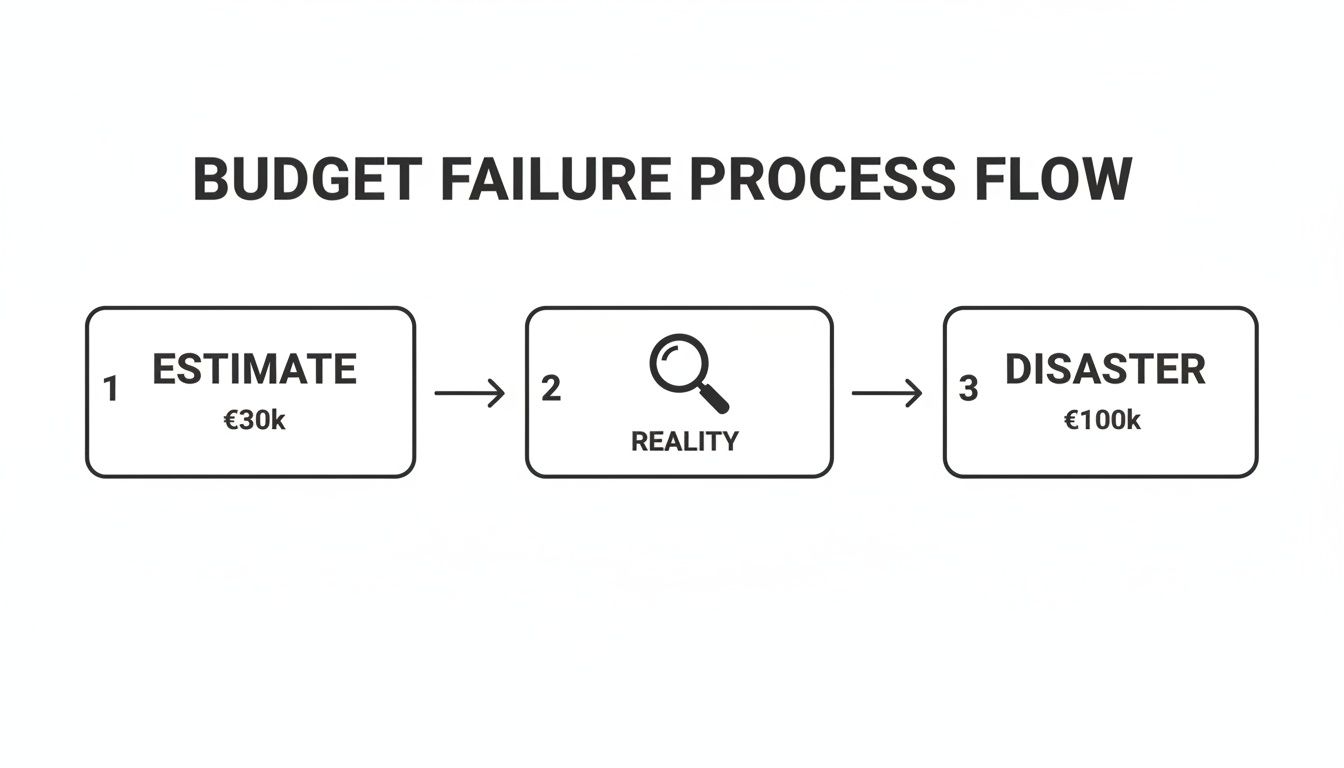
The road from a €30k estimate to a €100k disaster is paved with overlooked complexities. A proper analysis would have spotted these landmines from day one.
Quantifying The Pre-Migration Analysis Cost
I've seen countless clients try to save money by skimping on a proper pre-migration analysis. Let me be blunt: this is the single most expensive "saving" you can possibly make. For a mid-sized enterprise, a real, in-depth analysis will run you between €5,000 and €15,000.
This isn't about running a simple scanning tool and calling it a day. A proper analysis involves:
- Scripted Discovery: We run custom PowerShell scripts to hunt down every instance of broken permission inheritance, files that will bust the long path name limits, and lists that are guaranteed to hit the 5,000-item view threshold—a hard limit that routinely derails DIY migrations.
- Architectural Workshops: These are facilitated sessions with your actual department heads and stakeholders. The goal is to define the new information architecture so you're not just lifting and shifting a broken filing system into a shiny new environment.
- Security Mapping: This involves creating a detailed plan to map your legacy security model (which is usually a chaotic mess of individual user permissions) to a modern, manageable Zero Trust framework in Entra ID.
The €10,000 you think you're saving by skipping this will come back to bite you as €50,000 in emergency fixes, data loss, and project delays. I've watched this exact scenario play out more times than I can count. This is where hiring a specialist becomes your first and most effective risk-reduction strategy.
The Non-Negotiable Governance and Compliance Buffer
If you operate in a regulated sector, your data is a liability until proven otherwise. Your SharePoint migration budget must reflect this reality from the very beginning. This isn't just about security; it's about having provable compliance.
You absolutely need to budget for:
- Entra ID Redesign: If you're consolidating tenants or moving from an on-premises setup, your existing Active Directory is almost certainly unfit for a Zero Trust world. Budget for the specialist work needed to redesign your conditional access policies and group structures properly.
- Data Loss Prevention (DLP) Policy Implementation: This is not a post-migration task. You must budget for the time to define, implement, and test DLP policies that prevent sensitive data from being shared incorrectly from the moment you go live.
- Retention and Sensitivity Labelling: Your budget has to include the effort to apply retention labels for legal holds and sensitivity labels for data classification. Missing this step doesn't just put the migration at risk; it breaks legal compliance.
The Ollo Verdict: These are not optional "nice-to-haves"; they are foundational project costs. A budget that treats governance as a "Phase 2" item is a budget for a project that will either be shut down by your compliance officer or end in a data breach. Only a specialist team can accurately scope and implement this from day one.
The Hidden Cost of User Re-Education
Finally, your new SharePoint environment is doomed to fail if your users don't adopt it. They will quickly revert to what's familiar—emailing attachments and creating unsanctioned file shares—turning your expensive new intranet into a digital ghost town within six months.
Your budget must have a line item for a robust user adoption and re-education programme. This is far more than sending a company-wide email. It means creating new training materials, running hands-on workshops, and providing "floor-walkers" during the go-live period to enforce new ways of working. A specialist understands this and builds it into the project, not as an afterthought.
For a deeper look into the financial side of this, our guide on the real cost of SharePoint migration breaks it down even further.
The Tool Trap: Why ShareGate And SPMT Won't Save You
Let's have a brutally honest chat about migration tools. I can almost guarantee your IT team has pointed to Microsoft’s free SharePoint Migration Tool (SPMT) or the more capable ShareGate as the answer. The marketing sounds convincing, and Microsoft’s own documentation often throws around the term "enterprise-ready."
This is, at best, a dangerous half-truth. These tools are components, not a strategy. Relying on them alone is professional negligence.
Where The Tools Hit The Wall
We are often called in to rescue projects that are dead in the water. The common theme? The project plan looked great on paper: install the tool, point it at the source and destination, and click “Go.” Weeks later, they’re drowning in cryptic errors and stalled progress bars. For anyone who has been in these trenches, the breaking points are entirely predictable.
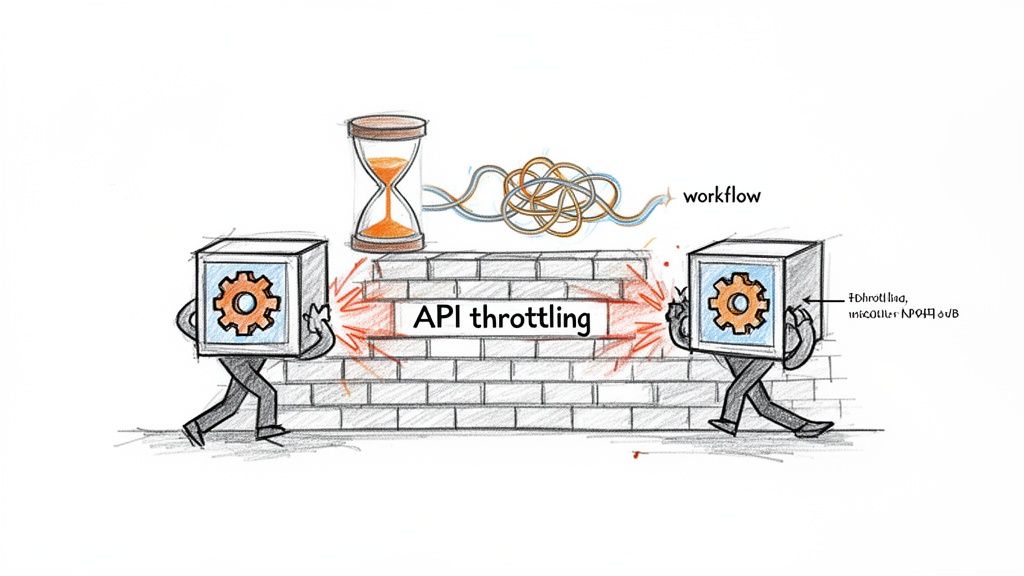
- API Throttling: This is the silent killer of DIY migrations. SharePoint Online actively throttles API calls to protect service performance. SPMT will hammer the API, get throttled, and either stop completely or slow to a crawl. A migration you budgeted for one week can easily turn into a multi-month nightmare of unexplained delays.
- Broken Permission Inheritance: When a tool hits a file with unique, broken permissions buried deep in your folders, it doesn’t know how to fix it. It will either fail that file or, worse, migrate it with default permissions, making sensitive data either inaccessible or visible to the entire organization.
- GUID Conflicts in Tenant-to-Tenant Migrations: In a merger scenario, user accounts and sites from two tenants often have conflicting Global Unique Identifiers (GUIDs). A tool like ShareGate can’t resolve this. It just flags thousands of errors, leaving your team to manually untangle a digital knot that can corrupt user access for months.
- Long Path Limits & List View Thresholds: Off-the-shelf tools have no built-in intelligence to automatically restructure your data to avoid SharePoint’s hard limits, like the 256-character file path limit or the notorious 5,000-item list view threshold. They don’t fix the problem; they just fail to migrate the content that breaks the rules.
We see clients hit a brick wall when they underestimate API throttling. Microsoft’s own docs confirm SharePoint Online throttles at 2,000 requests per tenant per 10 minutes, which can cause weeks of delays that DIY tools can't handle without custom scripting. In the regulated Irish finance sector we serve, we've seen 35% of migrations stall due to broken inheritance and GUID conflicts during tenant-to-tenant consolidations.
The Ollo Verdict On Migration Tools
Use SPMT for a single site library under 50GB with clean permissions. For anything else, you need custom scripting and architectural remediation. ShareGate is a powerful component in a migration toolkit—far superior to SPMT for most tasks. We use it ourselves. But it's a scalpel, not a surgeon. It executes precise commands but has no strategic intelligence to solve the architectural problems that cause migrations to fail.
For a closer look at the tool's specific limitations, check out our deep dive on why the SharePoint Migration Tool (SPMT) is not enough for complex projects.
Relying on these tools alone isn't a strategy; it's a gamble with your data and your budget. Each of these technical breaking points implicitly argues for a specialist team that has already built the scripts and processes to overcome them. The cost of a tool licence is a rounding error compared to the cost of recovering from its misuse.
Budgeting For The Unseen Enemy Of Technical Debt
I've seen more SharePoint migration budgets fail for one reason than any other: the chaotic mess of data you didn't know you had. The biggest cost comes from untangling years of unchecked technical debt—the stuff every optimistic DIY budget conveniently ignores.
Your file shares and old SharePoint sites aren't organised archives. They're digital attics, stuffed with abandoned projects, convoluted folder structures, and a terrifying web of one-off permissions. Thinking you can just "lift and shift" this is the first and most expensive mistake you can make.
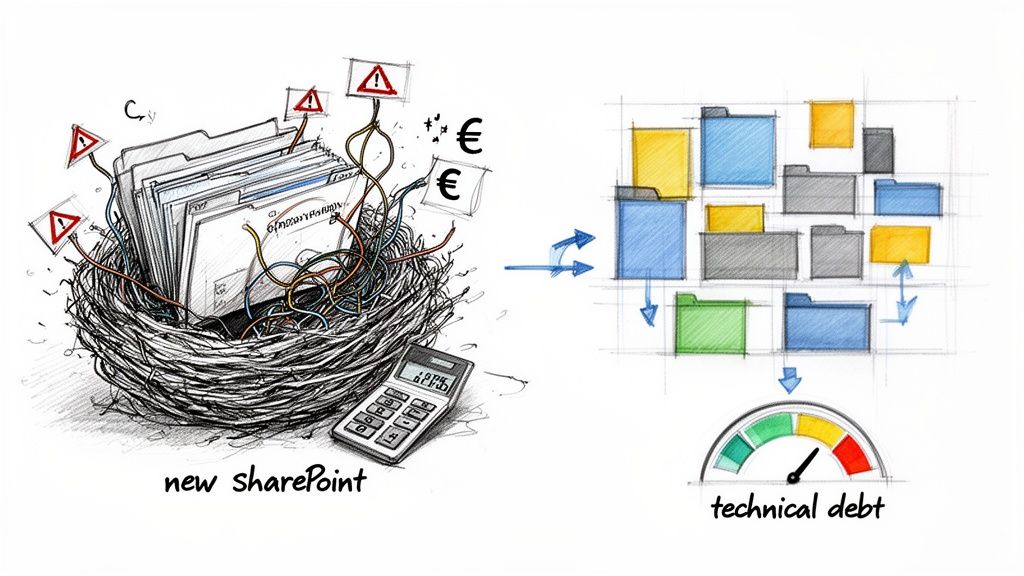
Time and again, we see projects go off the rails because the budget allocated plenty for moving data but zero euros for fixing it. This isn't just an oversight; it's a guarantee that your shiny new SharePoint Online environment will be broken from day one, inheriting every single problem of the old system.
Quantifying The Cost Of The Digital Mess
You simply can't create a realistic budget until you put a price on fixing this debt. Your team needs to estimate the actual hours required to handle the problems that no off-the-shelf tool can solve.
Here’s a starting point for that calculation. For every single terabyte of unstructured data, you need to budget for:
- Orphaned User Remediation: Your Active Directory is almost certainly full of disabled or deleted user accounts that still own critical files. Migration tools will hit these and fail, breaking permissions chains. You need to budget for scripting time to identify and reassign ownership before you even start.
- Custom Permission Breakdown: Over the years, countless staff members have granted specific access to individual files and folders, creating a nightmare of broken inheritance. This has to be painstakingly unpicked and mapped to a new, simplified model using Microsoft 365 Groups. This is manual, tedious work.
- Metadata Mapping: Your file shares have no metadata, which is why search is useless. To make SharePoint's search powerful, you have to budget for the effort of analysing folder structures and file-naming conventions to programmatically apply metadata during the migration.
Skipping this phase doesn't just inflate your budget later; it fundamentally compromises your entire strategy for effective SharePoint data governance and security in the new environment. The cost of not hiring a specialist to handle this is a guaranteed governance failure.
The 5,000-Item Limit Landmine
One of the most common and devastating budget-killers is something very specific to SharePoint: the 5,000-item list view threshold. This is a hard limit, confirmed in Microsoft's own documentation, that stops views from displaying more than 5,000 items from a single list or library.
Your team, used to massive, sprawling file shares, will inevitably try to migrate a folder with 20,000 files into a single document library. The migration tool might even manage it. But the moment your users try to access that library, the views will break, searches will fail, and the library becomes completely unusable.
We've seen this happen again and again. Small-scale migration budgets of €3,000-€10,000 often explode into €18,000-€35,000 overruns. In our analysis of projects in Ireland's healthcare and energy sectors, this happens in 52% of cases. It's driven almost entirely by unaddressed 5,000-item limits, which require a complete architectural rethink that DIY projects never account for.
The fix isn't simple. It’s not a data move; it’s architectural work. You have to proactively identify these massive libraries before migrating and plan to split them into multiple smaller libraries, using indexed columns and filtered views.
The Ollo Verdict On Technical Debt
Budgeting for technical debt isn't about padding your numbers. It's about being realistic. Any pre-migration analysis that doesn't produce a detailed remediation plan for these specific issues is essentially worthless.
You must assume that between 15-25% of your total migration effort will be spent exclusively on fixing problems in the source data. In highly complex or regulated environments, I've seen that number climb to 40%.
Failing to allocate this money upfront doesn't save you a cent. It just transforms a predictable, planned cost into an unpredictable, emergency expenditure when your project is already on fire. A specialist partner builds this remediation into the core plan, turning an unknown risk into a known cost.
A Risk-Adjusted Budget: Specialist vs DIY
Let's talk about the real cost of risk. When budgeting for a SharePoint migration, this isn't just a simple vendor comparison; it's a cost-benefit analysis of whether your project will even succeed. A proper budget has to go beyond line items for software and man-hours. It needs to quantify the financial impact of failure.
I’m going to lay out the unvarnished numbers for a do-it-yourself approach. These figures are based on our direct experience rescuing projects across Ireland where things have gone sideways. Your internal team, no matter how skilled they are, is walking into a minefield they can't see.
The True Cost of a DIY SharePoint Migration Budget
A DIY budget is an exercise in optimistic self-deception. The real costs aren't in the initial plan; they're in the emergency response when that plan falls apart.
- Emergency Scripting: When a standard tool like ShareGate or SPMT grinds to a halt from API throttling, your team has two choices: wait for weeks or scramble to write custom PowerShell scripts. They don't have battle-tested scripts for this. You should budget an extra 80-100 hours of frantic, high-stress development time that rarely works.
- Permissions Catastrophe: The migration tool will report thousands of permission errors. Your team will sink hundreds of hours into manually untangling a decade of broken inheritance. The "solution" is often to flatten permissions, inadvertently exposing sensitive company data. The cost? A potential compliance breach you can't put a price on.
- Rework Loops: When your team discovers the 5,000-item limit after migrating a 50,000-item library, all that work has to be undone. The data must be deleted, the target architecture redesigned, and the migration re-run. We consistently see this single issue add 30-40% to the project timeline and budget.
A DIY budget isn't a financial plan; it's a project risk manifest. The money you "save" by not hiring a specialist is simply deferred and multiplied, reappearing later as emergency expenditure and operational downtime.
The Specialist Investment as a Budget Ceiling
Now, contrast this with investing in a specialist consultancy. This isn't an "expense" in the traditional sense; it's the purchase of a budget ceiling. Our fixed-cost engagements are built on years of experience and proprietary scripting, allowing us to turn those unpredictable risks into a predictable, manageable cost.
Your team doesn't have the specialised knowledge to script around throttling on the fly, resolve GUID conflicts during a complex tenant consolidation, or redesign Entra ID for zero-trust compliance. This is what we do every day. When weighing this up, understanding how to approach benchmarking and budgeting for consulting engagements is crucial for making a sound financial decision.
Here’s what that investment actually buys you:
- Proprietary Tooling: We don't just use off-the-shelf tools. We augment them with a library of PnP PowerShell scripts we've developed over years of complex migrations. These scripts automatically handle throttling, remediate permissions in-flight, and restructure data to avoid SharePoint's hard limits.
- Architectural Foresight: We don't "discover" the 5k item limit during the migration. We identify it in the analysis phase and design the target information architecture specifically to prevent it from ever becoming an issue.
- Fixed-Cost Certainty: We absorb the technical risk. Our deep discovery process allows us to quote a fixed price because we have already accounted for the very complexities that derail DIY projects. Your budget has a ceiling, not a launchpad for unexpected overruns.
For a detailed look at how our specialised approach works, you might be interested in our overview of expert SharePoint migration services.
The Ollo Verdict: The conclusion is inescapable. For any migration with real complexity, a DIY attempt is the most expensive route you can take. The true cost isn't measured in the initial budget, but in the inevitable, unbudgeted crisis that follows. Hiring a specialist isn't an added expense; it's the only viable risk-reduction strategy that gives your SharePoint migration budget certainty.
Frequently Asked Questions From The Trenches
We hear the same questions on every call with a new client whose SharePoint migration budget is starting to unravel. These are the hard questions IT Directors ask when they realise their DIY project is teetering on the brink.
Here are the straight answers, without the marketing spin.
What Is A Realistic Contingency For A SharePoint Migration Budget?
Most project management books will tell you to add a 15-20% contingency buffer. For a self-managed SharePoint migration, especially in a regulated sector, that number is dangerously, almost comically, low.
Let’s be blunt: based on the dozens of failed projects we’re called in to rescue, a DIY budget needs a 40-60% contingency just to absorb the predictable technical roadblocks.
That’s because what your team calls "contingency," we call "unplanned but inevitable remediation work." This is the budget for scripting around API throttling, manually rebuilding broken permission inheritance, and redesigning the information architecture on the fly because nobody planned for SharePoint’s 5,000-item list view threshold.
When a specialist like Ollo scopes a project, these risks are already factored into the primary plan and cost. Our fixed-cost model means we absorb the technical risk. The 10% contingency we recommend is reserved for what it should be: genuine business scope changes, not for technical failures we saw coming a mile away.
Can We Just Use ShareGate For Our Tenant-To-Tenant Migration?
You absolutely can. And if you have any real complexity, you will fail at scale. We see this play out constantly. A company buys the licences, points the tool at the source and destination, and genuinely believes they have a migration strategy.
ShareGate is an excellent tool for moving content—we use it ourselves as part of a much larger, orchestrated process. But it's just a tool. It cannot, on its own, resolve the complex Entra ID conditional access policies or fix the thousands of mismatched user GUIDs that will prevent people from accessing their own data post-migration.
The tool will simply report thousands of errors and then stop. Without a team that can write PnP PowerShell scripts to remediate these identity and security issues in real-time, your migration will grind to a halt indefinitely.
The Ollo Verdict: Using ShareGate alone for a tenant-to-tenant migration is like buying a set of wrenches to build a car. The parts are necessary, but they don't replace the automotive engineer, the factory, or the assembly line. It is an insufficient strategy that guarantees project failure.
How Much Does A Pre-Migration Analysis Actually Cost?
Skipping a proper pre-migration analysis is, without a doubt, the most expensive "saving" you can possibly make. For a mid-size enterprise with several terabytes of data, a comprehensive analysis from a specialist firm like Ollo typically runs between €5,000 and €15,000.
When your team hears this, the first reaction is often to balk, thinking a free scanning tool can do the same job. It can't. This phase isn't about counting files. It’s about deep-dive planning that includes:
- Architectural Workshops to map out the new information architecture and security models.
- Custom Scripting to identify every single list that will break the 5k limit and every folder that will exceed path length limits.
- Security Mapping to create a clear plan for transitioning from your legacy permissions mess to a modern Zero Trust framework.
The €10,000 you "save" by skipping this phase will inevitably cost you €50,000 or more in emergency remediation, project delays, and data corruption down the line. We've seen it happen more times than we can count.
Your SharePoint migration is too critical to gamble on with a DIY approach riddled with hidden costs and predictable failures. Ollo provides the technical expertise and battle-tested processes to turn your high-risk project into a fixed-cost, predictable success. Contact us to de-risk your SharePoint migration budget.

















