



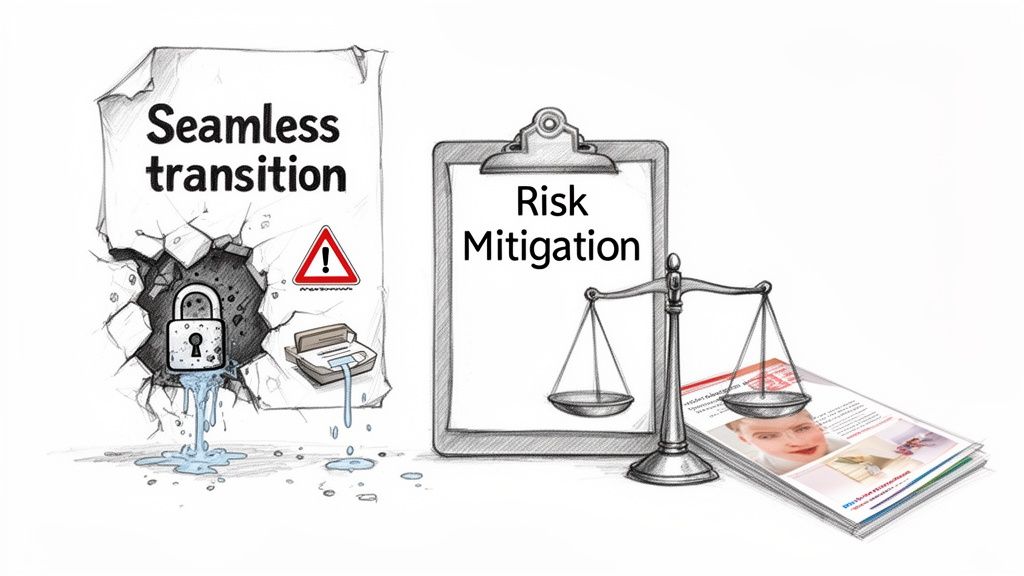
Let's get one thing straight. A business case for a SharePoint migration isn't an ROI proposal. It's a risk mitigation document. Before you can outline the rewards, you must realistically quantify the technical and compliance disasters that await a poorly planned project. I've been in the trenches of failed migrations, and success depends on confronting hard truths from the very first page.
Your job isn't to sell a project; it's to build a plan that survives first contact with reality.
Your Business Case Starts by Deconstructing Migration Myths
Before you write a single line, understand why most SharePoint migrations go off the rails: the business case was built on marketing fluff. You've heard vendors promise a "seamless transition." That's a fantasy.
At Ollo, we’re frequently called in to rescue projects where entire plans—timelines, budgets, and resources—were based on these dangerously optimistic narratives. Your business case must actively dismantle these myths, or it's doomed from the start.
A "lift-and-shift" is the fastest route to data loss, broken permissions, and a compliance nightmare. Your business case has to reflect this. This isn't pessimism; it's building a plan that can survive your actual, complex environment.
The Myth of "Easy" Migration
The core myth is that off-the-shelf tools can handle enterprise complexity without expert intervention. We see clients fail when they trust this narrative, only to discover the brutal reality of technical breaking points mid-project. Your business case must proactively identify these risks instead of leaving your team to react to them.
These aren't hypothetical problems. They are guaranteed obstacles in any mature on-premises environment:
- API Throttling: Microsoft imposes hard limits on data transfer rates. The documentation says X, but in reality, without careful, scripted management, your migration will grind to a halt, causing cascading job failures and extending timelines by weeks, not days.
- The 5,000 Item List View Threshold: This infamous limit doesn't just block a user's view; it breaks mission-critical business processes and custom applications that rely on querying large lists. Missing this risk doesn't just fail the migration; it breaks legal compliance if that list is part of an eDiscovery process.
- Broken Permission Inheritance: A simple copy-paste of permissions often fails spectacularly, leaving sensitive data exposed or critical documents inaccessible. This single point of failure can instantly create a major security incident and put you in breach of GDPR.
The Ollo Verdict: A business case that frames a SharePoint migration as anything other than a high-risk technical operation is setting your project up for failure. The document must function as a comprehensive risk register before it ever touches ROI calculations.
This reality is particularly stark for organisations still on legacy systems. As of 2026, regional data from Ireland shows that over 65% of mid-size enterprises were still running on-premises SharePoint Server, exposing them to massive compliance risks under strict GDPR rules. You can read more on Microsoft's official migration documentation, but understand that the official guidance is the starting point, not the whole story.
Deconstructing Your True Total Cost of Ownership
Your CFO is going to pick apart your SharePoint migration business case, and a flimsy Total Cost of Ownership (TCO) analysis won't survive the first five minutes. I’ve been called in to rescue more than a few business cases that make a fatal error: they just pit Microsoft 365 licence fees against the cost of on-premise servers and hardware maintenance.
That’s not a TCO. It’s a budget fantasy.
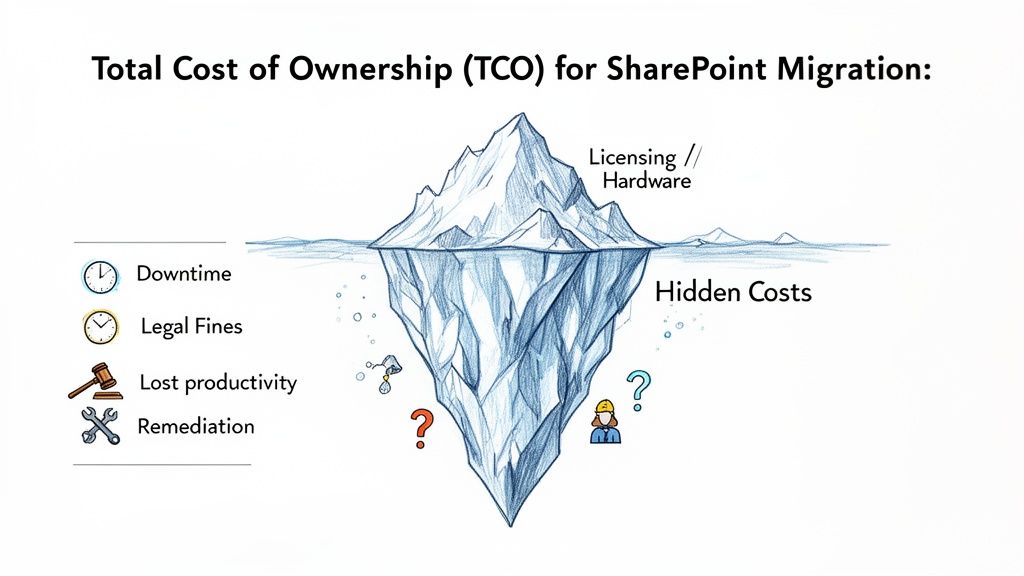
A credible TCO has to quantify the enormous, hidden part of the iceberg. The real financial bombshells aren't in the licensing; they're in the operational chaos a badly planned project leaves in its wake. Before you can even talk about ROI, you have to model the business impact of things going wrong.
Quantifying the Cost of Technical Failure
Your on-premises environment is a minefield of legacy gremlins just waiting to detonate during a naive migration. The standard tool documentation won’t help you calculate the cost of these explosions. We've seen them cripple businesses, and your TCO has to account for them.
Sit down with your team and put a price on these scenarios—we see them derail projects all the time:
- List View Threshold Paralysis: What’s the daily financial cost when a critical production list with over 5,000 items suddenly becomes inaccessible? This isn’t a minor inconvenience; it shatters core business processes. We’ve seen this halt everything from inventory management to project tracking, racking up thousands of euros in lost productivity per day.
- Broken Inheritance Catastrophe: What’s the immediate financial risk when your legal team can’t access essential eDiscovery documents because of broken permission inheritance? This isn’t just a migration failure; it’s a compliance breach, exposing the business to significant fines and reputational damage.
- Throttling and Downtime: The documentation might say you can move a certain amount of data, but reality hits hard when Microsoft's API throttling chokes your throughput to a trickle. The cost here is measured in project delays, ballooning staff hours for manual clean-up, and the opportunity cost of having your best people babysitting a failing migration for weeks longer than planned.
You can get a better sense of the numbers by exploring our detailed guide on SharePoint migration ROI.
The Hidden Costs You Must Include
Beyond direct technical meltdowns, a realistic TCO for your SharePoint migration business case has to factor in the "soft"—but brutally expensive—secondary costs. These are the budget line items that only show up after the initial plan has already gone off the rails.
Your finance team will respect a business case that anticipates these realities from the get-go.
The Ollo Verdict: Calculating TCO is not an accounting exercise; it is a risk modelling exercise. If your TCO doesn't include line items for remediation, compliance penalties, and lost productivity due to foreseeable technical failures, it is incomplete and irresponsible.
Here is a screenshot from Microsoft's own documentation outlining factors affecting migration speed, a key driver of hidden costs.
This makes it crystal clear that things like file size, throttling, and network performance aren’t edge cases. They are central factors that directly blow up your project timeline and, by extension, your budget. A business case that ignores these variables simply isn’t credible. This is how you shift the conversation from a simple cost-cutting exercise to an essential investment in risk reduction and operational resilience.
The Technical Risks Your Migration Tools Won't Tell You About
This is the part of the business case that tool vendors hope you'll skim over. Let's talk about the specific, technical traps that derail SharePoint migration projects.
Your team’s first instinct will be to grab an off-the-shelf tool. This is completely normal, but it's also where the first critical failure usually happens. Your business case needs to show you understand the real-world breaking points that these tools simply can't handle on their own.
The free SharePoint Migration Tool (SPMT) from Microsoft is fine for what it is: a basic utility for moving a folder of files from a simple file share into SharePoint Online. For a complex enterprise migration from a mature, on-premises SharePoint farm, relying on SPMT isn't a strategy; it's a liability.
We're frequently called in to rescue projects that have ground to a halt. The cause is almost always the same: a misplaced faith in a simple tool for a complex job.
The Inevitable Breaking Points of Standard Tools
The marketing material says one thing, but your messy, real-world environment guarantees another. Your business case has to plan for the harsh reality of Microsoft’s own platform controls and the built-in limits of standardised tools.
These aren't rare "edge cases." They are guaranteed problems in any SharePoint environment that has been running for more than a few years. We see projects hit these walls over and over again.
API Throttling and Latency: This is a hard limit imposed by Microsoft. A basic tool like SPMT has almost no intelligence for managing this. It just keeps pushing data until Microsoft says "stop," causing your migration jobs to choke, time out, and fail. This single issue can turn a migration planned for weeks into a months-long nightmare of failed batches and manual restarts.
The 5,000 Item List View Threshold: The documentation says a standard tool might successfully move a list with 20,000 items, but in reality, it won't fix the underlying architectural problem. The moment it lands in SharePoint Online, any business-critical applications, automated workflows, or custom views connected to that list will break. This causes immediate operational chaos.
Long File Paths and Special Characters: Your on-premises environment is almost certainly littered with file paths that go beyond the 400-character limit and contain characters like
#,%, and&that are illegal in SharePoint Online. A basic tool will either fail on these files, silently skip them, or worse, truncate the names, leading to thousands of broken links and data integrity problems.
To get a clearer picture of what to look for in your source environment, you can review our guide on performing a SharePoint migration assessment.
Migration Tool Reality Check
The gap between a tool's marketing and its real-world performance is where projects fail. The table below shows exactly where these tools break down when faced with common, but difficult, technical challenges.
| Technical Challenge | SharePoint Migration Tool (SPMT) | ShareGate (Out-of-the-Box) | Ollo Approach (ShareGate + Custom Scripts) |
|---|---|---|---|
| Complex Permission Structures | Fails or flattens permissions, causing massive security risks. | Copies permissions but struggles with broken inheritance and complex group mappings. Validation is manual and prone to error. | Pre-migration permission audit, scripted remediation of broken inheritance, and post-migration validation reporting to prove correctness. |
| API Throttling | Chokes on throttling. Jobs fail and require manual restarts. Extremely slow. | Better handling than SPMT but can still be overwhelmed, requiring manual adjustments to batch sizes and timing. | Intelligent, adaptive scripting that actively monitors for throttling and dynamically adjusts the migration speed to maximise throughput without failures. |
| Large Lists (>5,000 items) | Migrates the data but does not fix the underlying issue. Views and dependent apps break post-migration. | Migrates the list successfully but requires manual intervention to re-architect views and associated workflows. | Identifies large lists during the pre-scan. Implements automated solutions like indexed columns and filtered views as part of the migration itself. |
| Illegal Characters & Long Paths | Fails on these files or skips them, often without clear reporting. Leads to data loss. | Flags these as errors, requiring a manual, file-by-file remediation process before they can be migrated. | Automated pre-scan identifies all problem files. Custom scripts automatically rename files and folders according to predefined rules, fixing thousands of issues in minutes. |
| GUID Remapping (T2T) | Not applicable. Does not handle user/group identity mapping. | Can cause GUID conflicts, leading to catastrophic permission errors where users are mapped incorrectly. Requires extensive manual checks. | Custom scripts extract source and target user GUIDs, creating a mapping file. The migration process uses this map to ensure every user and group is correctly identified, eliminating permission errors. |
This isn't about one tool being "bad." It’s about understanding that for a complex job, you need more than just the tool—you need the expertise and the custom processes to wield it effectively.
Why ShareGate Is Not a Silver Bullet
At this point, your technical team might suggest ShareGate, and they'd be right—it's a far more capable tool. We use it ourselves; it's a core part of our migration toolkit.
However, treating ShareGate as a "fire and forget" solution is just as dangerous as relying on SPMT. Out of the box, it can't solve every complex enterprise challenge. We often see clients fail when they hit the limits of what a tool with a graphical user interface (GUI) can do.
For instance, in a tenant-to-tenant migration, GUID conflicts are a massive problem. When users or groups are moved, their underlying identifiers can clash with existing ones in the destination. A standard ShareGate migration won't resolve this, leading to catastrophic permission issues that are incredibly difficult to untangle after the fact.
Similarly, ShareGate on its own struggles with highly customised sites and deeply nested, broken permission inheritance structures. The tool might report a "successful" copy, but post-migration validation will reveal that sensitive data is either locked away or, far worse, exposed to the entire organisation. This doesn't just fail the migration; it creates a serious legal and compliance breach.
The Ollo Verdict: Use SPMT for a file share migration under 50GB. For anything else involving a legacy SharePoint environment, you must augment a powerful tool like ShareGate with custom scripting and a proven methodology. Relying solely on out-of-the-box tools is a gamble you can't afford to lose.
This is precisely why our approach combines ShareGate's powerful migration engine with surgical, custom-developed PnP PowerShell scripts. We don't just click "Start." We build scripts to pre-scan for long file paths and automatically fix them. We write code to remap user identities during a tricky tenant migration. We develop validation scripts that run after the migration to prove, with logs, that permissions on sensitive documents are correct.
Your business case must advocate for this level of rigour. Frame it not as an added expense, but as a critical risk-reduction strategy that ensures the project actually succeeds.
Building a Realistic Migration Timeline and Approach
Forget the vendor-supplied timeline of "4-6 weeks." I've seen that fantasy in dozens of business cases, and it’s the first sign that a project is doomed. A successful enterprise migration is a meticulously planned operation, not a rush job, and your SharePoint migration business case must reflect this brutal reality.
The timeline you present to your stakeholders has to be a defensible, risk-aware schedule. Anything less is professional malpractice. We often see clients fail when they skip the hard work upfront and jump straight to moving data.
The Reconnaissance and Pilot Phase
Your project doesn’t start with moving data; it starts with a forensic audit. We call this the Reconnaissance Phase. You have to dedicate significant time to a deep, technical scan of your source environment to identify every potential point of failure before it blows up in your face.
This means you’re actively hunting for problems like:
- Oversized Sites and Libraries: Finding anything that will breach SharePoint Online limits or create performance bottlenecks.
- Complex Custom Workflows: Pinpointing those old SharePoint Designer workflows that simply will not migrate and must be rebuilt in Power Automate.
- Broken Permission Inheritance: Mapping every single instance where security is compromised. Missing this doesn't just fail the migration; it creates a massive legal and compliance breach.
- Custom Solutions and Web Parts: Unearthing all the bespoke code that will break the second it hits the cloud.
Only after this forensic audit can you even think about a pilot migration. This is a non-negotiable step. You need to select a non-critical but technically complex dataset and run a full test migration. This is where your strategy meets reality, exposing the flaws in your plan before they can impact the entire business.
From Tools to a Battle-Tested Strategy
The approach you choose will dictate the timeline's realism. The visual below shows the typical evolution in thinking as organisations grapple with migration complexity. Many start with basic tools, only to realise they need a far more robust solution.
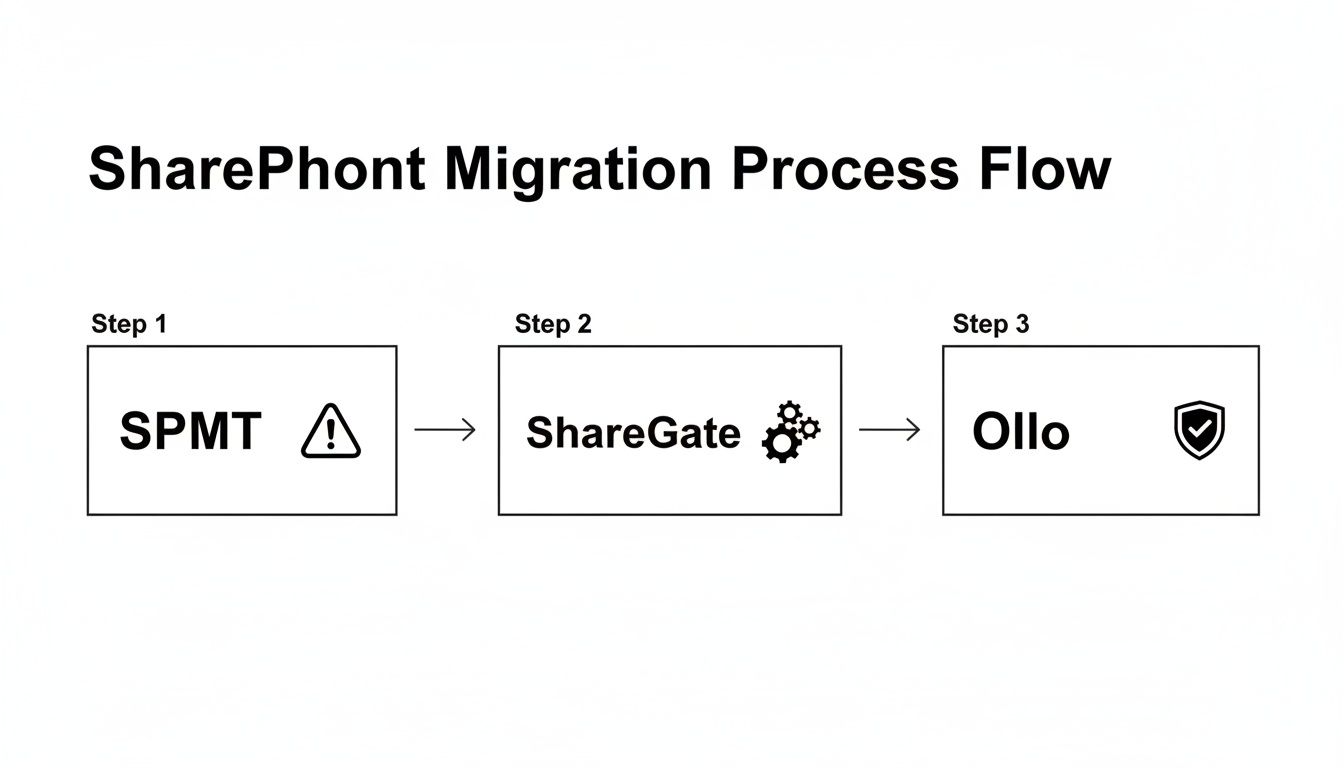
This process flow illustrates a common journey: from the oversimplification of using only the free SPMT, to recognising the need for a capable tool like ShareGate, and finally to embracing strategic risk reduction with a partner like Ollo. It highlights that tools are just one part of a much larger strategic equation.
Building the Full Migration Schedule
After a successful pilot, you can finally build a realistic schedule for the main migration waves. To truly build a realistic migration timeline and approach, it's essential to consider various proven methods and strategies for effective legacy system modernization approaches. A SharePoint migration is a complex modernisation effort, not just a file copy.
Your schedule must be broken into logical waves, typically by department or business function. Each wave needs its own detailed timeline that includes critical, often-overlooked activities.
The Ollo Verdict: A realistic timeline is your best defence against project failure. The business case must present a phased schedule that prioritises discovery, testing, and validation over raw speed. A fast migration that ends in disaster is the most expensive option of all.
Your Gantt chart shouldn't just be a series of "copy data" tasks. It needs dedicated workstreams for:
- User Communication and Change Management: Scheduling workshops and actually preparing users for the new environment.
- Pre-Migration Remediation: Allocating time to fix the issues you found during reconnaissance, like scripting fixes for long file paths or restructuring permissions.
- The Migration Wave Itself: Executing the data move, typically scheduled during off-peak hours or weekends to minimise disruption.
- Post-Migration Validation: A crucial step where you run scripts and perform manual checks to prove that permissions are correct and data is intact. This is non-negotiable.
- Go/No-Go Decision and Cutover: A formal checkpoint before you switch over and make the new environment live for that wave of users.
- Hypercare Support: Allocating dedicated support resources for the days immediately following each wave's cutover to handle user issues and build confidence.
This isn't the fastest timeline. It is, however, the only one that doesn’t end with a panicked call to a rescue specialist like Ollo. You can explore a more detailed breakdown in our complete guide to building a SharePoint migration timeline.
Defining Success with Stakeholder Accountability and Metrics
A migration isn't "done" when the last file is copied. We’ve seen too many IT Directors declare victory on a Friday, only to walk into a firestorm of user complaints and operational chaos the following Monday.
A migration is complete only when business operations are stable, the data is secure, and your team is productive in the new environment.
Your SharePoint migration business case has to define success with cold, hard metrics and establish undeniable accountability across the business. Without this, your project doesn't have a real finish line. "Done" becomes a matter of opinion, not a measurable fact. This is where you force the tough conversations about ownership before a single gigabyte gets moved.
Assigning Ownership Beyond the IT Department
The single biggest mistake we see is framing a migration solely as an IT project. It’s not. When a permissions error accidentally exposes sensitive HR data or a critical legal document goes missing, that's not just an IT problem. It’s a full-blown business crisis.
Your business case must include a RACI (Responsible, Accountable, Consulted, Informed) chart that extends far beyond your technical team. We insist on this because it forces business unit owners, Legal, and Compliance to have skin in the game. They aren't passive bystanders; they are accountable for validating their own data.
Here’s a simplified, battle-tested example of a RACI structure we enforce on projects:
| Task/Deliverable | IT Infrastructure | Business Unit Owner (e.g., Head of Finance) | Legal & Compliance | Project Manager/Ollo |
|---|---|---|---|---|
| Define Data Classification | Consulted | Accountable | Responsible | Informed |
| Validate Migrated Permissions (High-Risk Data) | Responsible (Execution) | Accountable (Sign-off) | Consulted | Responsible (Reporting) |
| Test Migrated Workflow Functionality | Consulted | Responsible | Informed | Informed |
| Final User Acceptance Testing (UAT) Sign-off | Informed | Accountable | Consulted | Responsible (Coordination) |
This simple chart makes it impossible for business stakeholders to claim ignorance when something breaks. The Head of Finance is now formally Accountable for signing off that their team’s critical financial reports are present and correct. Legal is Responsible for validating that eDiscovery holds are intact. Accountability becomes a shared burden, which is exactly how you de-risk a project of this scale.
KPIs That Actually Tell You the Truth
Forget vanity metrics. You need Key Performance Indicators (KPIs) that provide an honest, unvarnished view of the migration's health. Your business case should commit to tracking and reporting on these from day one.
These are the numbers that truly matter:
- Migration Velocity (GB/Hour): This isn't about speed; it's about predictability. A stable velocity means your timeline is holding up. Erratic numbers signal problems like API throttling or network bottlenecks that need immediate attention.
- Error Rates (Per Wave): You need to track the percentage of files that fail to migrate. An increasing error rate is an early warning that you’ve hit a new type of complexity, like deeply nested folders or unsupported file types that weren't caught in discovery.
- Permission Validation Success Rate: This is arguably the most critical metric. We run post-migration scripts to compare source and destination permissions on high-risk sites. We aim for a 100% match on these sensitive assets. Anything less is a failure that must be fixed before the final cutover.
- User-Reported Incidents (Post-Cutover): This is the ultimate measure of success. Tracking the volume and severity of helpdesk tickets in the first 72 hours after a migration wave goes live tells you exactly how much pain you've actually caused the business.
Effective knowledge management is often a core driver for moving to SharePoint in the first place. Understanding what makes a robust knowledge management system helps you define success metrics that reflect your real business goals for information access and usability. Your KPIs should show that you're achieving those user-centric outcomes.
The Ollo Verdict: If your business case doesn't include a cross-departmental RACI and a list of auditable, unforgiving KPIs, it is incomplete. Success must be a measurable state, not a vague aspiration. This is how you prove the migration was not just completed, but completed correctly.
By defining accountability and measurable success criteria upfront, you transform your business case from a simple funding request into a binding operational contract with the rest of the business. To learn more about identifying what needs to be measured, you can review our guide on performing a SharePoint migration assessment.
Why Your Business Case Needs a Specialist Partner
You’ve done the work. You’ve mapped every technical dependency, calculated a realistic total cost of ownership, and put together a timeline that feels achievable. And in doing so, you’ve likely come to an unavoidable conclusion: the risk of trying to do this all yourself is just too high.
Your internal IT team is fantastic at what they do—keeping the lights on, managing infrastructure, and supporting your users. But they aren't SharePoint migration specialists. They don’t live and breathe the nuances of API throttling limits, redesigning Entra ID for zero-trust security, or untangling a decade's worth of metadata quirks. That’s a different skillset entirely.
This is where your business case makes its final, critical point. Proposing a budget for a SharePoint migration isn’t just asking for money; it’s making a formal argument for certainty.
By including a specialist partner like Ollo right from the start, you’re sending a clear message to the board: you’ve grasped the true complexity of this project. You’ve proactively addressed the single biggest point of failure—inexperience.
From Vendor to Risk-Reduction Strategy
Let’s be clear. A specialist partner isn't just another vendor you hire to tick a box. We are your risk-reduction strategy. We’re the team that gets called in to rescue the projects that went down the "easy" path and ended in data loss, budget blowouts, and frustrated users.
Your business case needs to frame this partnership correctly. This isn’t about outsourcing a task your team can’t handle. It’s about insourcing decades of battle-hardened experience that your team simply doesn't have.
A specialist partner’s real value is measured in the disasters they help you avoid:
- Preventing Compliance Breaches: We don’t just move files. We run scripts to validate every permission level, ensuring that a broken inheritance chain doesn't accidentally expose sensitive HR data to the entire company.
- Avoiding Budget Overruns: Our detailed reconnaissance phase and phased approach are designed to uncover the "surprises" that derail timelines and inflate costs before they happen.
- Ensuring User Adoption: We plan for change management from day one, making sure the project isn’t just a technical success but a business failure because nobody uses the new system.
The Ollo Verdict: Choosing to go it alone is often the most expensive decision you can make. The eventual cost of failure—measured in downtime, data loss, and emergency remediation—dwarfs the initial investment in getting it right the first time.
Your business case is exponentially stronger when it acknowledges this reality. Presenting a plan that includes a specialist isn't admitting weakness; it's demonstrating strategic foresight.
For a deeper look at how we approach these projects, you can explore our guide on what to expect from a SharePoint migration consultant. It will give you an even clearer picture of the value we bring to the table.
Burning Questions About Your SharePoint Migration
We get it. A major SharePoint migration comes with a lot of tough questions. Here are the straight answers to the ones we hear most often from IT leaders and Enterprise Architects who are staring down the barrel of a complex project.
Can't We Just Use the Free SharePoint Migration Tool?
You could, but it’s like using a rowboat to cross the Atlantic. The free SharePoint Migration Tool (SPMT) is fine for the simplest of journeys—think moving a small, clean file share with basic permissions.
The moment you hit real-world complexity, like a move from an on-premises server or a tenant-to-tenant merger, the SPMT becomes a massive liability. We’ve seen countless projects grind to a halt because of it. It’s notorious for severe API throttling, it has no intelligent way to fix broken permission inheritance, and its reporting is a black box.
Relying on it for a critical migration is a huge risk, and it's one your leadership team needs to fully understand before it ends up in your business case.
How Does a Specialist Prevent Data Loss and Secure Our Information?
A specialist approach doesn’t start with moving files; it starts with a deep, forensic analysis. We map out all your high-risk data, untangle complex permission structures, and identify potential pitfalls before a single file is touched. We don't guess; we validate.
We bring in powerful migration tools, but we enhance them with custom scripts for pre-flight checks and, crucially, post-migration validation. This isn't just about moving data; it's about proving, with logs and reports, that every file and every permission was replicated perfectly.
The Ollo Verdict: We never just "lift and shift" your data. For us, a migration is the perfect opportunity to modernise your entire security posture. We often use it to redesign permissions for a zero-trust model using Microsoft Entra ID. Your security shouldn't just survive the migration; it should come out stronger.
How Much Downtime Should We Actually Expect?
With a properly planned and executed phased migration, user-facing downtime can be almost non-existent for most of your team. It's not magic; it’s strategy.
The whole thing hinges on migrating content in discrete, manageable waves—usually overnight or during a weekend—followed by a final, quick delta sync right before the official cutover. This way, the business keeps running.
The real key isn't the speed of the move itself, but the thoroughness of the validation. Instead of a single "big bang" migration that risks one catastrophic failure, we confirm each wave of data is moved, secured, and fully functional before making it live for users. This completely avoids the extended, business-crippling downtime that inevitably happens when a full-scale migration goes wrong after the cutover.
Your business case has to be honest about the immense risk of inexperience. At Ollo, we bring the battle-hardened expertise to make sure your SharePoint migration delivers on its promise without derailing your business. Find out more about our specialist migration services at https://www.ollo.ie.

















