



Let's get one thing straight. When we talk about SharePoint migration data loss, it’s not some theoretical risk you might run into. For unprepared organizations, it’s the default outcome. This isn't about misplacing a few old files. It’s about legal records becoming corrupted, compliance frameworks being shattered, and career-defining projects going up in flames.
Why Migrations Fail Before They Start
Your biggest enemy in a migration isn't the technology. It's the catastrophic miscalculation of risk before you move a single byte. The hard truth is that any major platform change, especially when modernizing legacy systems without the risk, is loaded with danger. The vendor documentation paints a rosy picture of a smooth journey, but in the trenches, we see a much harsher reality.
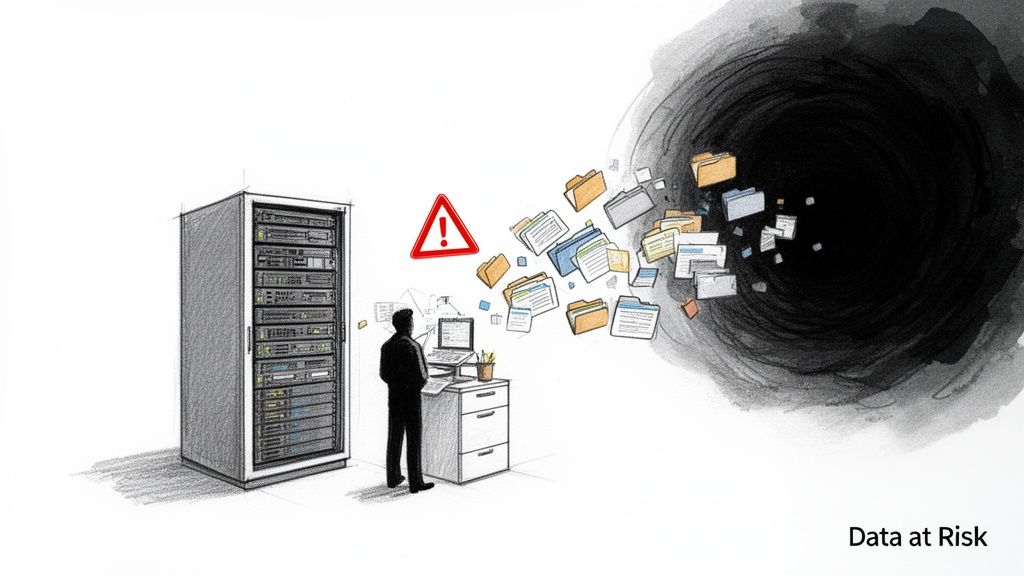
We're not here to talk about "how to migrate." We’re here to talk about how to survive the process with your data, your compliance posture, and your job intact.
The Real Cost of a Failed DIY Migration
The idea that an internal team can just "figure it out" with some standard tools is the first step toward disaster. Too often, we see clients who equate the cost of migration with a software license. This thinking completely ignores the true, punishing costs of failure.
These aren't hypotheticals. These are the financial and operational disasters we’ve been called in to fix.
- Inaccessible Legal Documents: We rescued a law firm that had lost the chain of custody on thousands of case files. Why? Their basic migration tool had wiped the "Created By" and "Modified Date" metadata. This didn't just botch the migration; it created a full-blown legal and compliance nightmare. Missing this step doesn't just fail the migration; it breaks legal compliance.
- Corrupted Financial Databases: An energy company’s attempt to migrate corrupted critical financial data stored in SharePoint lists. It rendered years of records completely useless and brought quarterly reporting to a dead stop. The eventual bill for data forensics and manual reconstruction dwarfed their entire initial project budget.
- Complete Operational Standstill: A healthcare provider's DIY plan failed to account for the custom workflows built on their old SharePoint environment. After the switch, patient intake and scheduling systems were totally broken, leading to severe disruptions in patient care.
The Ollo Verdict: The number one cause of SharePoint migration data loss isn't a technical glitch. It's a leadership failure to correctly price the risk of going it alone. The question isn't whether a DIY migration is cheaper, but whether your organization can actually survive the financial and reputational fallout when it inevitably goes wrong.
This isn't about scaring you; it's about giving you the direct, battle-hardened advice your IT directors and enterprise architects need to hear. For a deeper look at foundational strategies, our guide on SharePoint migration best practices offers a critical starting point.
But the real challenge is moving from theory to flawless execution under pressure. That's where true expertise becomes non-negotiable.
The Anatomy of Failure: Common Data Loss Scenarios
Your team thinks they're just moving files from A to B. What they're actually doing is trying to transplant a living, breathing ecosystem of data, permissions, and hidden dependencies that have grown together for years. A SharePoint migration data loss event is rarely a loud bang. It’s a quiet, creeping failure that you only discover weeks or months later—usually when a critical business process grinds to a halt or a legal discovery request lands on your desk.
This isn't about a few files failing to copy. It's about the subtle, high-impact failures we see cripple businesses that thought a standard migration tool was "good enough." These are the breaking points where a DIY migration almost always snaps.
Silent Data Corruption and Metadata Wipeout
The most dangerous kind of data loss isn't a file that goes missing; it's a file that looks like it made it, but has been silently corrupted. We’re often called in after a DIY migration where, on the surface, everything seems fine. The file counts match. The folders are there. But a closer look reveals a data integrity catastrophe.
Here’s what really happens: out-of-the-box tools completely fail to handle the crucial metadata that gives a file its context, history, and legal standing. This isn't a bug; it's just not what they were designed for. We see this play out in a few predictable ways:
- ‘Created By’ and ‘Modified By’ Fields: These are almost always overwritten by the admin account running the migration. For any organization in a regulated industry, this single act shatters the chain of custody, rendering your data useless for compliance and legal purposes.
- ‘Modified Date’ Timestamps: Standard tools love to reset this to the migration date. This doesn't just erase the file's history; it breaks any business process that relies on versioning or tracking recent changes. Suddenly, every file looks like it was edited yesterday.
- Custom Metadata Columns: Your on-premise SharePoint is likely full of custom metadata built up over years—project codes, document statuses, review dates. The documentation says a generic tool handles this, but in reality, it often doesn't know what to do with these fields, so it just drops them. The migration doesn't fail; your data just vanishes into thin air without a warning.
The Ollo Verdict: Losing metadata isn't some minor technical inconvenience; it's a form of data destruction. The product documentation might say it preserves metadata, but our experience shows this usually only applies to the most basic, out-of-the-box fields. If your data integrity is ever subject to legal or regulatory scrutiny, a standard migration tool is a non-starter. This is about preserving evidence, not just moving files.
The Catastrophic Failure of Custom Solutions
Your old SharePoint environment is far more than a simple document library. Over the years, it has become the foundation for business-critical solutions—custom workflows, InfoPath forms, bespoke web parts, and scripts that are all deeply woven into the fabric of the old server architecture.
A migration tool’s job is to move files. It is not designed to deconstruct, re-architect, and rebuild your custom code in a new environment. We are constantly called in for rescue missions where a client proudly announces they "successfully" moved all their documents, only to discover their entire operational backbone has vanished.
This is the point where most DIY projects hit a concrete wall. Your team suddenly discovers that:
- InfoPath forms have no direct equivalent in SharePoint Online and are now completely broken.
- Hard-coded URLs in custom web parts are all pointing to a server that has just been decommissioned.
- Legacy workflows are incompatible with Power Automate and require a total rewrite, not a simple "lift and shift."
This is an incredibly common and costly scenario. You can read more about how these issues snowball into major financial losses in our guide on the 5 SharePoint migration failures that cost enterprises millions.
The problem is that your IT team is now facing a massive, unplanned development project, all while the business is screaming about broken processes. This isn't a migration problem anymore; it's a full-blown business continuity crisis. The false economy of a cheap tool evaporates the moment you're paying developers emergency rates to rebuild what the migration destroyed.
Why Your Migration Timeline Is A Recipe For Disaster
The business wants it done yesterday. You're under pressure to deliver a complex migration on an aggressive, often arbitrary, timeline. We get it. But as architects who have rescued countless projects, we can tell you with absolute certainty: that pressure is the single greatest risk factor for SharePoint migration data loss.
An unrealistic timeline isn’t just optimistic; it’s a guarantee that critical steps will be skipped. And it’s your data that will pay the price.
We often see clients fail when they treat a migration like a simple copy-paste job that can be squeezed into a quarter. The documentation says you can move quickly, but in reality, the technical bottlenecks make this impossible.
This timeline below? It’s the predictable sequence of failures we see in rushed projects. It always starts with silent data corruption and escalates from there.
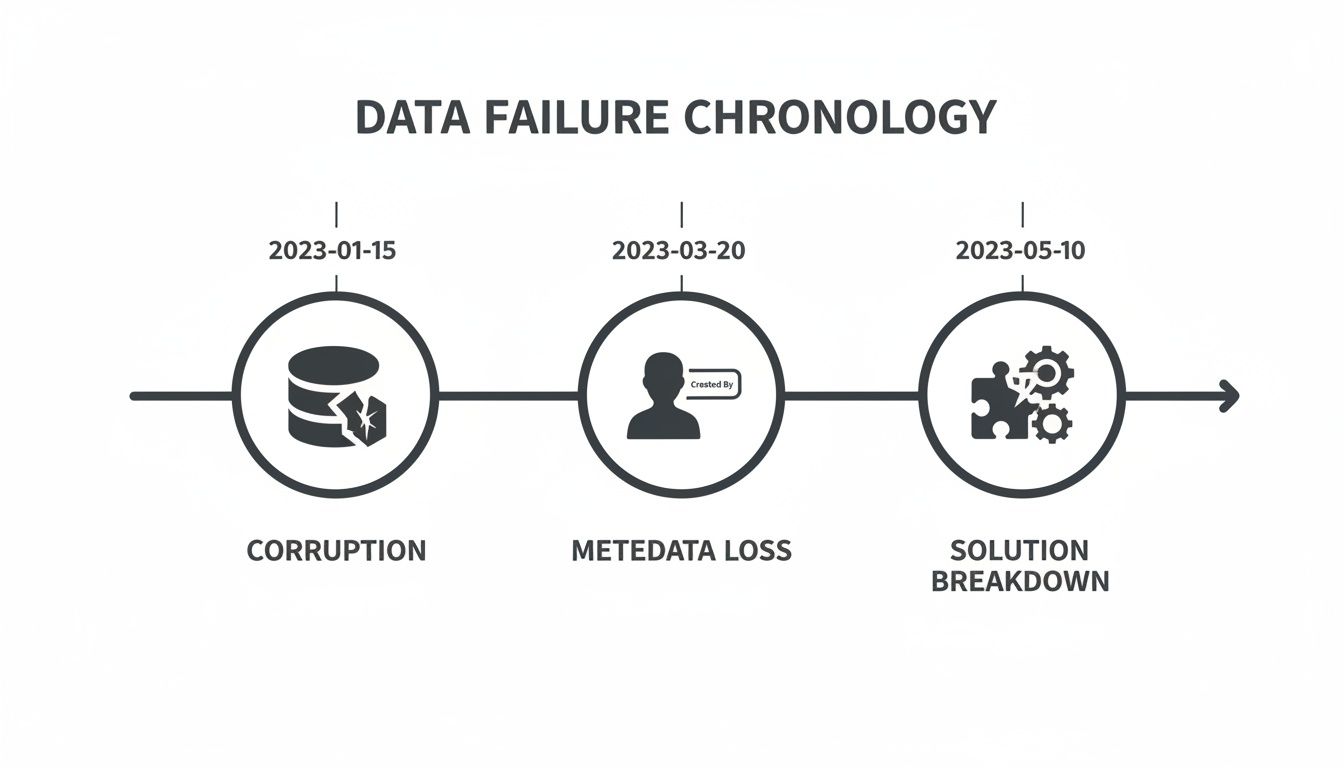
This progression isn't a worst-case scenario. It is the standard outcome when speed is prioritized over rigor, leaving your critical business solutions broken and your teams unable to work.
The "Optional" Phases That Are Actually Non-Negotiable
When the clock is ticking, the first things to get cut are the "non-essential" planning and validation phases. This is a fatal error. These aren't optional extras; they are the bedrock of a successful migration. A rushed timeline forces your team to skip them entirely.
- Pre-Migration Audits & Data Cleansing: Your source environment is a minefield of duplicates, abandoned sites, long file paths, and obsolete data. Migrating this digital clutter doesn't just waste time and storage; it dramatically increases the odds of failure by hitting long path limits and other technical walls. A proper audit identifies and purges this junk before it can cause problems.
- Pilot Migrations: Would you deploy a new ERP system without testing it first? Of course not. Yet, teams constantly attempt to move terabytes of data without running a small-scale pilot. A pilot migration on a representative data set is where you uncover the hidden breaking points—permission conflicts, broken inheritance, GUID conflicts—before they impact the entire organization.
- Comprehensive Validation Reporting: Both Microsoft’s SharePoint Migration Tool (SPMT) and professional tools like ShareGate generate critical reports (
ItemSummary.csv,ItemFailureReport.csv). These logs tell you exactly what failed and why. But in a rushed project, who has time to analyze them? The reports are ignored, and silent failures go unnoticed until your helpdesk phone starts ringing off the hook.
Without adequate time, critical pre-migration assessments and data integrity checks are abandoned. The result? Your employees are left without essential files, and your organization is exposed to serious compliance failures. You can learn more about how timelines impact migration success from this in-depth analysis of migration risks on crowcanyon.com.
Redefining a “Realistic” Timeline
A realistic timeline isn't a sign of inefficiency; it’s the hallmark of a professional who understands the terrain. It demonstrates foresight and a commitment to risk reduction.
An aggressive timeline, conversely, is the first red flag that a project is being set up to fail.
The Ollo Verdict: When a stakeholder pushes an impossible deadline, your job isn't to meet it—it's to educate them on the consequences. The cost of a rescue migration, including data recovery, compliance penalties, and operational downtime, will always be an order of magnitude higher than the cost of building a realistic plan from day one.
Your migration timeline is your primary risk management tool. Treat it as such. We have developed specific frameworks to help you build a timeline that stands up to scrutiny, which you can explore further in our guide on creating an effective SharePoint migration timeline. It’s about replacing wishful thinking with a battle-hardened plan that protects your data.
The False Security of Off-the-Shelf Migration Tools
Let's talk about the tools your team is probably looking at for this migration. I’m willing to bet Microsoft’s free SharePoint Migration Tool (SPMT) and the well-known professional tool, ShareGate, are at the top of the list. As architects who live in these environments day in and day out, we’ve developed a healthy dose of constructive cynicism. We know these tools inside and out—not just their marketing features, but their precise breaking points in high-stakes projects.
Thinking a tool is a complete strategy is the single most common, and most dangerous, assumption we see. It’s what leads directly to SharePoint migration data loss. These tools are powerful instruments, but in the hands of someone who doesn't understand the underlying architecture, they can cause more harm than good.
The SharePoint Migration Tool (SPMT): A Tool for the Smallest Jobs
Microsoft’s SPMT has a very specific—and very limited—job it does well. If you read the documentation, it sounds like a capable entry-level tool. And for moving a simple file share under 50GB with no complexity, that’s true. It will move your files from point A to point B.
But for a genuine enterprise migration? Relying on SPMT is professional malpractice. It’s like using a hand-saw to build a skyscraper. We see its weaknesses get exploited time and time again.
Here are the technical breaking points that bring it to its knees:
- No Tenant-to-Tenant Capability: If your migration is the result of a merger, acquisition, or any kind of tenant consolidation, SPMT is a non-starter. It simply wasn’t built for that world.
- Poor Handling of Complex Permissions: The tool chokes on anything beyond basic, inherited permissions. Broken inheritance, unique permissions on individual list items, or complex Active Directory group mappings are often misinterpreted or dropped entirely. The result is a security and access nightmare after you go live.
- Zero Custom Transformation Logic: Your source data is never perfect. It needs to be cleaned, restructured, and transformed on its way to the new environment. SPMT has no engine for this. It moves your data “as-is,” which means you’re just moving old problems into a new, more expensive home.
The Ollo Verdict: Use SPMT to move a non-critical file share under 50GB from a server that's being retired. For anything else, you need custom scripting. Its failure reports often lack the detail needed for proper remediation, leaving your team guessing what went wrong and where the bodies are buried.
ShareGate: The Professional's Tool That Still Needs an Expert
Now, let's be clear: ShareGate is a powerful, professional-grade instrument. We use it ourselves. But buying a set of professional chisels doesn't make you a master carpenter.
We are often called in to rescue projects where a team thought owning ShareGate was enough. They quickly discovered the hard way that the tool is only as good as the expertise wielding it. These are the enterprise-level challenges where out-of-the-box ShareGate requires expert oversight and custom scripting to prevent disaster.
- The List View Threshold (5,000 Item Limit): This is a hard architectural limit in SharePoint, confirmed in the official Microsoft guidance. When your team tries to move a list with 100,000 items, ShareGate can't magically fix this. We've seen migrations grind to a halt or create unusable lists because the team had no strategy for automating the creation of indexed columns and filtered views before the data was moved.
- GUID Conflicts in Complex Merges: When you merge two SharePoint environments, you're smashing together two sets of unique identifiers (GUIDs). If this isn't managed meticulously, you create chaos. Workflows start triggering on the wrong items, lookups pull incorrect data, and you’re left with a web of broken connections that are nearly impossible to untangle. This requires sophisticated pre-migration analysis and custom scripting, not just a button-click.
- API Throttling at Scale: Move terabytes of data, and Microsoft's servers will throttle your connection to protect service health for all tenants. The documentation confirms this is by design. A novice team will just hit the throttle limit and wait, extending the project timeline by weeks. An expert uses ShareGate in combination with custom scripts to manage multiple migration accounts, balance the load, and schedule jobs outside of peak throttling windows.
The gap between what standard tools offer and what enterprise projects demand is where most migrations fail. It’s a reality check that many teams only experience when it's too late.
Migration Tool Reality Check: Standard Tools Vs. Enterprise Demands
| Enterprise Challenge | SharePoint Migration Tool (SPMT) | ShareGate (Out-of-the-Box) | The Ollo Approach (ShareGate + Custom Scripts) |
|---|---|---|---|
| Throttling & Performance | No management. It hits a wall and stops or slows dramatically. | Basic settings to reduce speed, but no active load balancing. | Custom scripts manage multiple accounts to work around throttling, scheduling jobs 24/7 for maximum throughput. |
| Complex Permissions | Fails on broken inheritance and unique permissions. Creates security gaps. | Good at direct mapping but struggles with complex scenarios or "on-the-fly" restructuring. | Pre-migration scripts audit and fix broken inheritance. Post-migration scripts validate every unique permission. |
| Large Lists (>5,000 Items) | Often fails entirely or creates unusable lists that can't be viewed. | Migrates the data, but the list becomes unusable without pre-planning. | We script the automatic creation of indexed columns and filtered views in the destination before data arrives, ensuring 100% usability. |
| Data Transformation | None. Moves data "as-is," migrating all your old problems. | Very limited. Can map metadata but can't run complex cleansing or restructuring logic. | Custom PowerShell PnP scripts clean, merge, and transform data during migration, ensuring it lands in the new environment correctly structured. |
| GUID/ID Conflicts | No mechanism to resolve conflicts, leading to broken lookups and relationships. | Can remap some lookups but can't handle deep, systemic ID conflicts in a tenant merge. | Pre-migration analysis identifies all potential GUID conflicts. Scripts systematically resolve them, preserving all data relationships. |
| Detailed Logging & Auditing | Minimal. "X files failed" with little actionable detail. | Good, but often lacks the specific forensic detail needed for compliance audits. | We generate comprehensive, audit-ready logs that prove every file, version, and permission setting was migrated and validated. |
This isn't about criticizing the tools; it's about being honest about their limitations. They are built for the 80% of common use cases, but enterprise migrations almost always live in the complex 20%.
The Ollo verdict on ShareGate is unequivocal: it's the best off-the-shelf tool on the market, but it’s still just a tool. For complex migrations, it is the starting point, not the final solution. Success depends on the custom PowerShell PnP scripts and deep architectural knowledge that surround the tool’s operation. While you can learn more about various tools, the underlying principle remains the same; explore our thoughts on choosing SharePoint migration software to understand the landscape better. We provide the expertise that makes these powerful tools effective and safe.
The Backup & Preparedness Crisis You're Ignoring
Let's get right to the elephant in the room: the dangerous, unspoken assumption that Microsoft 365 is your backup service. Here’s a dose of reality you need to accept before you even think about moving a single file: you are responsible for your data, not Microsoft. Kicking off a complex SharePoint migration without a solid, independent, pre-migration backup isn't just a bit risky; it's professionally negligent.
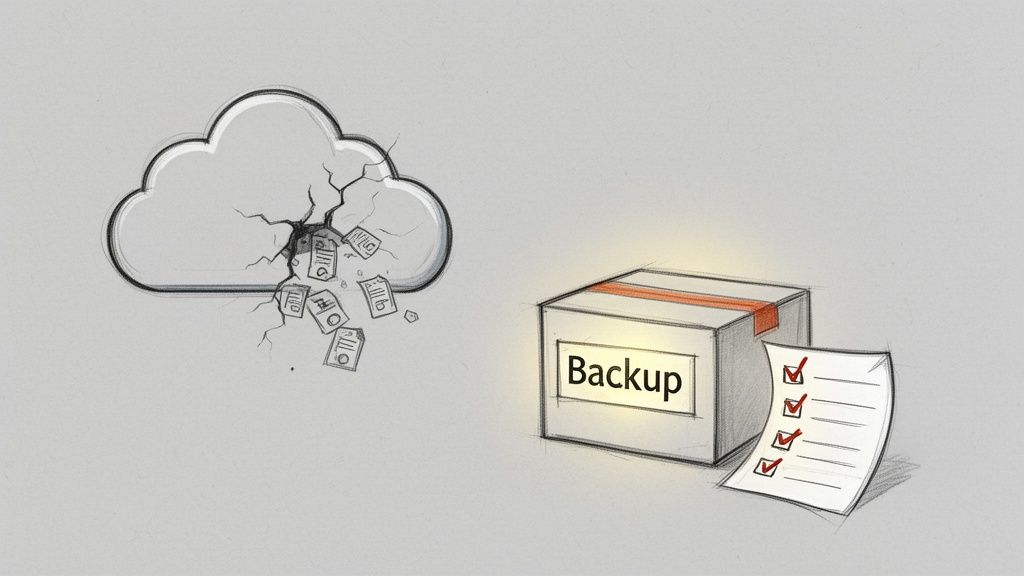
This backup and preparedness crisis is something most organizations only confront after disaster has already struck. We see it time and time again—clients who simply don't realize that Microsoft's job is to keep their cloud infrastructure running, not to protect your data from your own actions. This misunderstanding turns catastrophic during a migration.
A Hard Lesson: Microsoft’s Shared Responsibility Model
The official documentation talks about redundancy, but let’s be clear what that means. It protects you if Microsoft has a hardware failure—not from SharePoint migration data loss. It gives you zero protection against the most common culprits: an admin accidentally deleting a site, a misconfigured tool corrupting your source files, or a malicious attack.
We’ve seen the war stories first-hand. In one case, a simple sync error during a DIY migration corrupted months of sales data. And not just in the new SharePoint site, but in the original source environment too. With no independent backup, the company was left with nothing but a mountain of corrupted files and a massive headache.
The risk is not theoretical. A botched migration step doesn't just lose files; it can introduce security vulnerabilities that lead to breaches. The financial fallout is brutal: data breach costs can average €120,000, while downtime alone costs businesses thousands per hour.
Without a rock-solid backup and recovery plan, you're not migrating your data; you're gambling with it.
The Ollo Verdict: Microsoft 365 is not a backup solution. It is a service that requires one. Starting a migration without a third-party, air-gapped backup of your source data is an indefensible risk to your business.
Backup Is Not Just Insurance; It Is Your Rollback Plan
Think of your pre-migration backup as more than just an insurance policy. It's your only real rollback plan when—not if—something goes wrong. A botched migration can leave you stranded between a corrupted source and an incomplete destination, a digital no-man's-land.
Here’s where a proper backup goes from a "nice-to-have" to an absolute project-saver:
- Source Data Corruption: It's more common than you think. A migration tool bug or a simple script error can write bad data back to your source environment. Without a backup, your "safe" starting point is gone for good.
- Ransomware Attack Mid-Migration: Migrations are periods of intense administrative activity, making them a prime target for attackers. A mid-project ransomware attack could encrypt both your source and destination, leaving you with absolutely nothing.
- Catastrophic Configuration Error: Imagine your team accidentally deletes a site collection or library during the post-migration cleanup, only to realize it contained data that never made it across. The 93-day recycle bin retention policy is cold comfort when the data was mission-critical.
A huge part of avoiding data loss, especially when moving to the cloud, is having a robust Cloud Computing Disaster Recovery plan in place. This isn't just about restoring a few files; it's about restoring your entire operation.
The cost of failure is explicit and severe. It’s not just about potential regulatory fines. It's about the tangible cost of recreating data (often between €15,000 and €50,000 per incident), the crippling operational downtime, and the complete loss of trust from your leadership and users. Investing in a specialist service that mandates and manages backups isn't an expense; it's a calculated, risk-averse business decision. For more on this, our guide on why you must backup SharePoint before any migration dives deeper into the specific strategies you need.
Your Toughest SharePoint Migration Questions Answered
By now, you’ve probably realized that SharePoint migration data loss isn’t some rare accident. It’s often the default outcome for a project that lacks real-world expertise. You’ve seen the technical minefields and felt the false sense of security from off-the-shelf tools.
So, let's cut to the chase and tackle the direct, pragmatic questions every IT Director and Enterprise Architect has—the ones people are often hesitant to ask out loud.
How Much Does a SharePoint Migration Cost?
I know what happens. Your team looks at the price of a ShareGate license and thinks that's the budget. I look at that number and see the tip of the iceberg. A migration's true cost isn't the software; it’s the astronomical price of failure.
When we get called in for rescue missions, the final bill for a DIY project that’s gone south almost always includes:
- Emergency Data Recovery: Forensic specialists billing by the hour, trying to piece together corrupted databases and find missing files.
- Compliance Penalties: Six- or even seven-figure fines from regulators because metadata vital for legal discovery was silently wiped out.
- Operational Downtime: The very real cost of lost revenue for every hour your core business processes are paralyzed by broken links and inaccessible data.
- Reputational Damage: The cost that never makes it to a balance sheet but can cripple an IT leader's career.
The price of a specialist service like Ollo isn't an expense. It is a fixed, predictable investment in risk reduction, measured against the infinite, unpredictable cost of getting it wrong.
The Ollo Verdict: When we quote a project, you're not just buying man-hours or software licenses. You're buying certainty. You're paying for a guaranteed result, not just a well-intentioned attempt.
How Much Disruption Should We Expect?
The level of disruption is a direct result of your migration strategy. A rushed, "big bang" approach, often driven by an unrealistic deadline, is a guarantee for maximum chaos. Your users will be battling broken links, missing files, and non-functional workflows for weeks on end.
An expertly managed project, however, is a completely different story. We engineer migrations to be non-events for the business. It’s not magic; it’s a proven methodology.
- Phased Rollouts: We don't try to move the whole company at once. We start with low-risk departments, validate every step, learn, and then iterate.
- Delta Syncs: The heavy lifting—the initial data move—happens in the background over weeks. Then, we run a final delta sync over a single weekend to capture only the very last changes. Your team leaves on Friday and logs in on Monday with everything exactly where it should be.
- Hypercare Support: Our team is on deck right after the cutover, providing immediate, hands-on support to resolve any tiny issue before it even has a chance to become a helpdesk ticket.
The user guides won’t tell you this, but a perfectly executed migration should feel boring to your end-users. That’s how you know it worked.
Can’t My Internal Team Handle This?
Let's be direct. Your internal IT team is fantastic at keeping the lights on. They are genuine experts in your business and your daily operational needs. What they are not, however, are seasoned migration specialists who have seen every possible failure mode across dozens of complex enterprise environments.
This isn't their day job. They haven't spent hundreds of hours wrestling with PowerShell PnP scripts to get around the dreaded 5,000-item list view threshold. They haven't had to rebuild an entire permissions structure from scratch after a tool misinterpreted and flattened broken inheritance. They haven't had to stand in front of a board and explain why critical legal documents are suddenly invalid because their metadata vanished.
We have. That niche expertise, forged in the trenches of failed projects we were called in to rescue, is what you’re really paying for. It's the difference between navigating a minefield with a detailed map versus sending your team in blindfolded. Respect their skills by assigning them the right mission, and let us handle this one.
Don't let a poorly planned migration put your data, your operations, and your career at risk. At Ollo, we don’t just manage migrations; we architect certainty. If you're facing a complex, high-stakes project where failure is not an option, let's have a frank discussion about what it really takes to succeed. Book a strategy call with us today.

















