



Let's get one thing straight: SharePoint migration downtime isn't a neat, scheduled maintenance window you pop in the calendar. It’s your sales team locked out of proposals for days. It's the finance department staring at broken workflows during quarter-end. This is the operational paralysis we are constantly called in to fix after standard tools and DIY approaches have failed.
The True Cost of SharePoint Migration Downtime
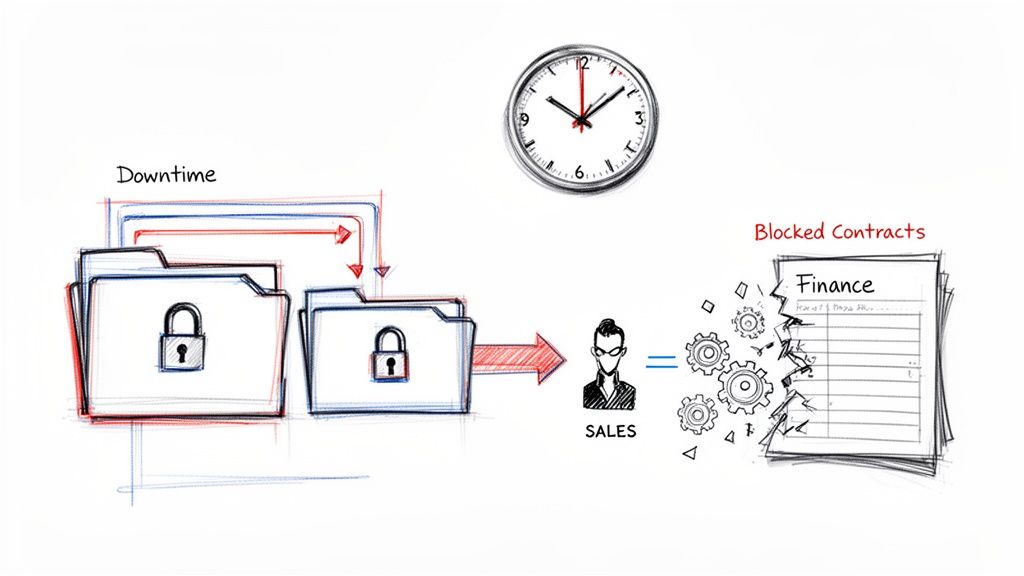
When your internal project team talks about "downtime," they're probably thinking about a planned outage. But as someone who has rescued more than a few of these projects, I see it for what it really is: a catastrophic business interruption. The marketing fluff about "seamless transitions" is dangerously misleading, especially for any enterprise that's been burned by failed IT projects before.
The conversation needs to shift from, "How long will the migration take?" to, "What is the actual business cost if this goes wrong?" Your users don’t care about terabytes moved; they care about whether they can access a critical contract or approve an invoice. Downtime isn't just a technical metric. It's a direct measure of operational failure.
The Technical Killers Behind Every Failed Migration
We're usually called in when projects fail not from a lack of effort, but from a lack of foresight into a few specific, technical breaking points. These aren't abstract risks. They are the direct cause of budget overruns and data loss disasters.
Your migration will fail if you ignore these all-too-common project-killers:
- API Throttling: Microsoft actively slows down migration tools to protect the service for all users. This isn't a bug; it's a feature that will bring your migration to a dead stop unless you know how to work around it with specialist scripting.
- List View Thresholds: The infamous 5,000-item limit isn't just a performance headache. It's a hard wall that breaks critical lists and can render entire sites unusable after migration. Missing this step doesn't just fail the migration; it breaks legal compliance for records management.
- Broken Permissions & GUID Conflicts: A "successful" migration that leaves your permission inheritance shattered isn't successful at all. It's a security breach waiting to happen, locking legitimate users out while potentially exposing sensitive data to the wrong people.
These issues are well-documented by Microsoft, yet they remain the primary reasons most DIY attempts unravel.
In Ireland, where SharePoint tenants are pinned to Irish time zones, we've seen migration throughput nosedive by up to 80% during weekday business hours—9 AM to 5 PM GMT—due to Microsoft's aggressive API throttling. The official Microsoft Learn documentation confirms this, explicitly warning you'll get 'very limited throughput' unless you shift work to evenings and weekends. Ignoring this, as we often see Irish firms do, is why 70% of projects overrun their budgets by at least 50%.
The Financial Black Hole of DIY Attempts
A failed migration doesn't just stall a project; it burns cash. The cost of your internal team spending weeks troubleshooting cryptic errors from a free tool, only to have the migration fail repeatedly, is immense. It's not just their salaries; it's the cost of lost productivity across the entire organisation. You can get a better sense of the numbers by reviewing our guide on SharePoint migration costs.
The Ollo Verdict is simple: Treating a complex SharePoint migration as a commodity IT task is the single most expensive decision you can make. The real cost isn't in hiring an expert; it's the price you pay for not hiring one. We’ve seen the wreckage of DIY attempts firsthand, and our credibility is built on that brutal honesty.
War Stories: The Peril of Out-of-the-Box Migration Tools
Every migration project lives and dies by its tooling, but here's a secret: treating these tools like magic bullets is the fastest way to fail. As an IT Director, you have to look past the marketing gloss and see these tools for what they are—powerful, but flawed, instruments that require expert hands.
Let's put the two most common tools, Microsoft's SharePoint Migration Tool (SPMT) and ShareGate, under a very critical microscope.
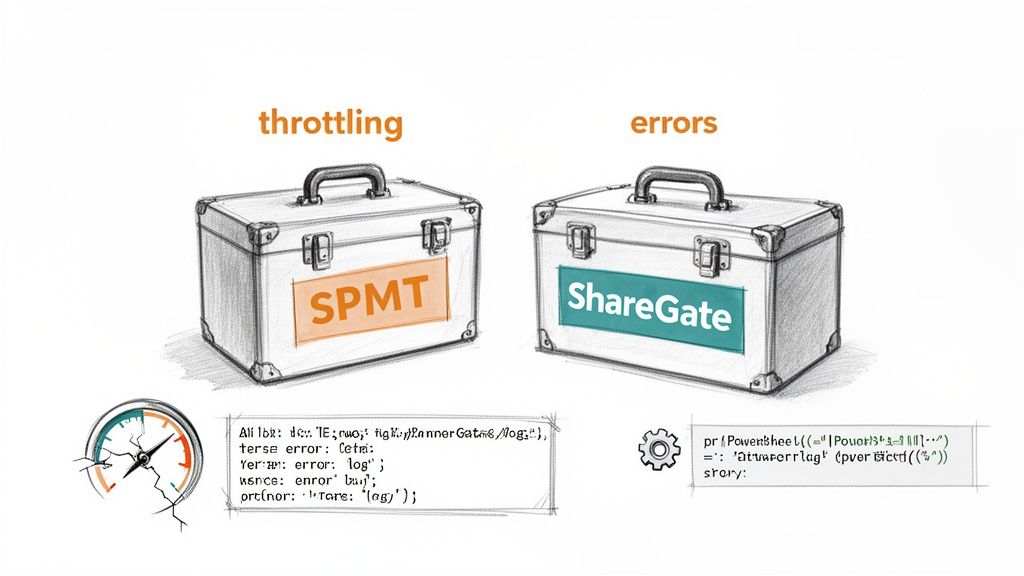
Choosing your team's tooling is a critical strategic decision. It’s often the first, irreversible mistake we see in failed DIY projects. The "free" price tag of some tools is incredibly tempting, but it often hides enormous costs in failed jobs, blown timelines, and data integrity problems that only show up months later.
The SharePoint Migration Tool (SPMT): A Dangerous Illusion
Let's be blunt. Microsoft's own SPMT is fine if you're moving a tiny team site with less than 50GB of simple files. For any serious enterprise migration, relying on it is professional malpractice. Its fatal flaw, the one that will bring your project to its knees, is its complete inability to intelligently handle API throttling.
We are regularly called in to rescue projects where a team thought SPMT was a viable enterprise solution. The reality check is always brutal.
- It completely falls apart under Microsoft's aggressive throttling, spitting out cryptic error logs that offer no clear path to fixing the problem.
- It has no answer for complex permissions, broken inheritance, or the GUID conflicts that are common in tenant-to-tenant moves.
- It lacks any real scheduling or error-handling logic. This leaves your team manually restarting failed jobs over and over, just hoping for a different result.
This isn’t just our opinion; it's a well-documented reality. You can find more detail in our comprehensive breakdown of the SharePoint Migration Tool (SPMT). Think of it as a basic utility, not an enterprise system.
ShareGate: The Professional's Choice, With a Critical Caveat
This brings us to ShareGate. It's a powerful, professional-grade tool and a core part of our own arsenal. However, it is not a 'fire-and-forget' solution that your team can just install and expect success. Without expert configuration, it too can be crippled by the same API throttling that neuters SPMT.
The secret that DIY attempts and even some junior consultants always miss is this: ShareGate's true power is only unlocked through custom scripting. The GUI is for simple jobs. The real work of a complex, near-zero-downtime migration is done with PowerShell PnP. This is how you build a migration engine that is resilient, auditable, and surgical.
Migration Tool Reality Check
The marketing materials for these tools never tell the whole story. Here’s a war-torn comparison based on what we see in real-world enterprise projects.
| Scenario | SPMT (SharePoint Migration Tool) | ShareGate (Out-of-the-Box) | Ollo's Approach (ShareGate + Custom Scripts) |
|---|---|---|---|
| Simple Lift-and-Shift (under 1TB) | Might work, but will hit throttling. Prone to random failures and cryptic errors. | Good. Can handle basic structures, but will still suffer from throttling on large jobs. | Excellent. Scripts manage parallelism and throttling, ensuring a predictable and fast baseline migration. |
| Tenant-to-Tenant Migration | Non-starter. Can't handle user mapping, GUID conflicts, or complex permissions. | Challenging. The GUI struggles with identity mapping at scale. High risk of errors. | The Only Way. Custom scripts handle identity re-mapping, permission translation, and validation surgically. |
| Staged, Near-Zero Downtime | Impossible. Lacks any incremental sync or scheduling logic. | Limited. Can do incremental copies, but lacks the intelligence for true staged cutover. | Standard Practice. Scripts are built for this, handling delta syncs, pre-cutover validation, and post-cutover integrity checks. |
| Complex Permissions/Broken Inheritance | Fails completely. It will either stop or, worse, apply incorrect permissions. | Hit-or-miss. Can often replicate the broken structure, creating a mess in the target. | Surgical Repair. We identify and report on broken inheritance pre-migration, then apply a clean, correct structure in the target. |
| Handling Throttling | None. It just fails and gives up. | Basic. It will slow down, but can't dynamically adjust across multiple accounts. | Intelligent. Scripts automatically load-balance across multiple admin accounts and back off/speed up based on real-time API feedback. |
The Ollo Verdict: Use SPMT for a <50GB demo site with two users. For anything else in an enterprise setting, you need custom scripting. This is the difference between a high-risk gamble and an expert-led strategy that guarantees data integrity.
We build scripts that perform multi-account parallelism, intelligently handle errors with custom retry logic, and generate detailed post-migration reports that validate data integrity down to the individual file permission. This is what separates a smooth, predictable project from a chaotic, budget-destroying failure. It isn't about the tool itself, but the battle-hardened expertise that wields it.
Performing a Pre-Mortem: Your Downtime Risk Assessment
Successful migrations are won long before a single byte of data moves. This is the pre-mortem phase—where you have to act as your own worst critic, hunting for every potential point of failure.
This isn't about running a simple inventory. It’s a forensic analysis of your current environment with a single-minded focus on what will break during the move.
We are consistently called in to rescue projects where the initial assessment was dangerously optimistic. A standard report might tell you there’s ‘1 TB of data,’ which sounds manageable. Our analysis, however, often finds that within that terabyte are 200,000 files with paths too long to migrate, critical lists about to breach their limits, and a tangled web of unique permissions that will snap the moment a standard tool touches them.
A generic report is worse than useless—it creates a false sense of security.
Hunting for the Ticking Time Bombs
Your source data is never as clean as you think it is. It's a minefield of technical debt, accumulated over years. The documentation says to watch out for these risks, but we see teams ignore them constantly, treating them as edge cases rather than the project-killing inevitabilities they are.
Your pre-mortem has to hunt for these specific technical disasters:
- Deeply Nested Folders & Long Path Limits: You must find every file and folder structure even approaching the 400-character path limit in SharePoint Online. A generic tool will either skip these files silently or, worse, corrupt them in transit. This isn't a theoretical problem; we've seen it cause mass data loss that goes unnoticed until months after the migration.
- Sprawling Lists and Libraries: The 5,000-item list view threshold isn't a suggestion; it's a hard wall that will render critical business processes unusable. Your team needs to identify every single list or library with more than 4,000 items and design a remediation plan—indexing, archiving, or re-architecting—before you even think about migrating it.
- A Tangled Web of Permissions: Unique permissions are the silent killer of migrations. You need to script a full audit of every site, library, folder, and item with broken inheritance. Each one is a guaranteed failure point for automated tools and a potential security breach if replicated incorrectly.
Moving Beyond Inventory to Quantifiable Risk
A successful pre-mortem doesn't just list problems; it quantifies risk and builds a remediation plan. The output of your analysis should be a risk register, not just a data inventory. For a deeper dive into our methodology, you can explore the principles behind a proper SharePoint migration assessment.
This isn't theory. We recently rescued a project for a financial services firm where their initial scan showed 5TB of "clean" data. Our pre-mortem found over 500,000 files with paths exceeding the 400-character limit and nearly 100 critical lists on the verge of breaking the 5k threshold. Their 'successful' migration would have been a catastrophic data loss event.
This detailed, cynical analysis is the only way to build a realistic migration plan. It informs the strategy, dictates the remediation tasks, and accurately predicts the real effort involved. Skimping on this phase is the most common reason we see for catastrophic SharePoint migration downtime.
The Ollo Verdict on Pre-Migration Analysis
Your pre-mortem must be ruthless. If your analysis tool spits out a simple file count and a folder tree, it's not fit for purpose. You need PowerShell scripts that specifically hunt for path length violations, query list item counts, and map out every instance of broken permission inheritance.
The goal isn't to confirm that your data is ready to move. The goal is to prove that it isn't, and then build a precise, surgical plan to fix it.
This forensic approach is the only way to transform a high-risk gamble into a predictable, engineered project. Anything less is just hoping for the best—a strategy that has no place in an enterprise migration.
Designing a Phased Migration and Cutover Strategy
Let's be blunt: a 'big bang' migration attempted over a single weekend isn't a strategy. It's a gamble, and it's one you are almost guaranteed to lose. We're constantly brought in to clean up the wreckage of this exact approach, where a failed cutover spirals into days of unplanned SharePoint migration downtime.
A genuine enterprise migration is a meticulously planned campaign, not a desperate weekend push. The blueprint for a smooth, near-zero downtime migration is built on one core principle: making the final cutover an absolute non-event. This is all about using a delta-sync strategy, where true architectural expertise is the line between a seamless transition and a catastrophic failure.
Architecting the Phased Campaign
First, you have to segment your data logically. A common rookie mistake is to segment by department. Don't do that. You must segment by complexity and business criticality. You tackle the simplest, lowest-risk data first to build momentum and prove out your process.
The process kicks off with an initial bulk copy of all your data. This happens silently in the background over days, or even weeks. Your users keep working in the source environment, completely oblivious that terabytes of data are being moved to a staged, read-only location in your new SharePoint environment. This initial seeding is the heavy lifting, and we run it off-peak to get around Microsoft’s brutal daytime API throttling.
Once that initial copy is in place, the real work begins: the delta syncs.
- Initial Seeding: The first, massive pass copies the vast majority of your content while users stay on the old system. It all happens behind the scenes.
- Incremental Delta Syncs: After that, automated jobs run frequently—daily or even hourly—to copy only what’s changed. This includes new files, updated versions, and permission edits. These jobs are incredibly fast.
This is where the difference between having a tool and having a strategy becomes painfully obvious. You can't manage this level of orchestration through a GUI. It demands robust PowerShell scripting to schedule ShareGate's multi-threaded transfers, handle credentials, and log every single action for your audit trail.
This flow chart outlines the core steps of our pre-mortem risk assessment, which is the foundation for designing a migration that won't fail.
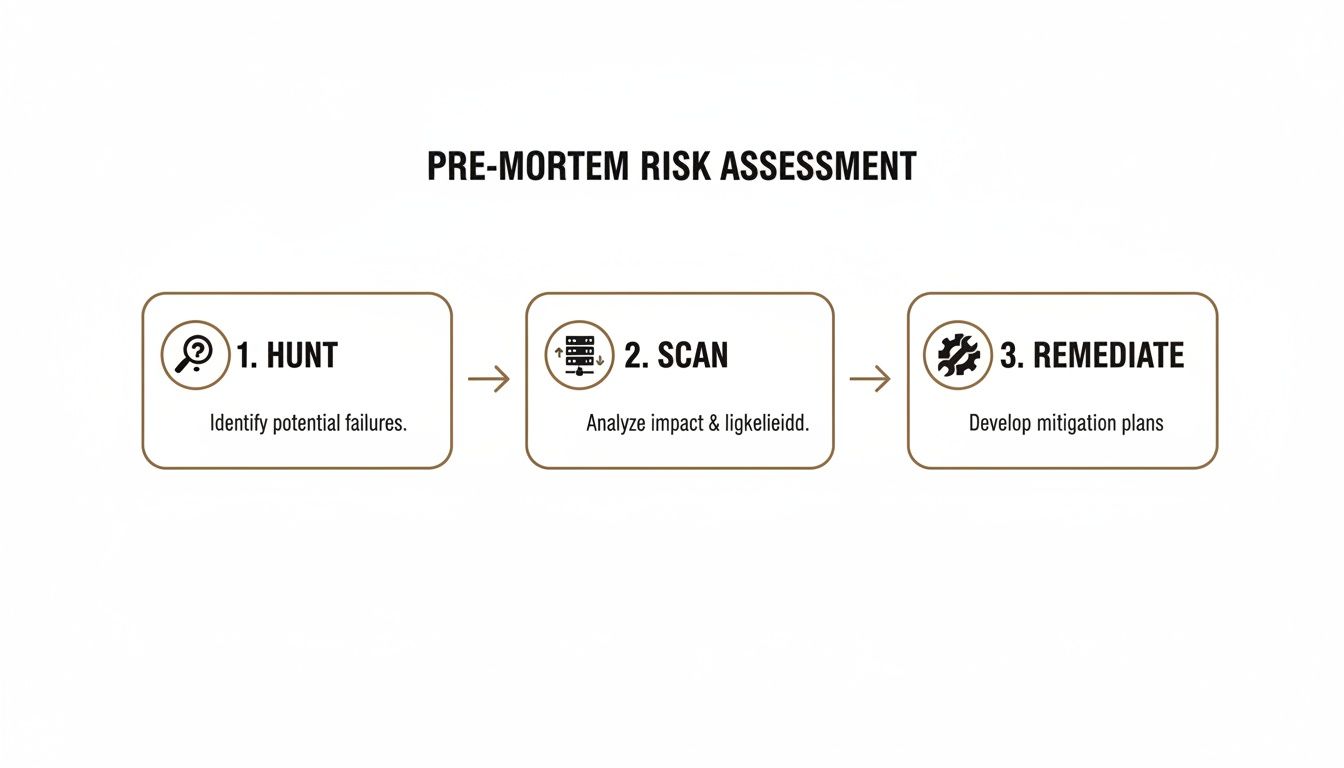
This Hunt, Scan, and Remediate process is exactly how we find the project-killers before they can cause downtime. It ensures our phased strategy is built on solid ground.
Engineering the Cutover and Rollback
The final cutover should be a surgical strike, not a frantic scramble. Because you’ve been running delta syncs all along, that final synchronisation is incredibly quick. The entire cutover event should be measured in minutes, not hours or days.
Our runbook for this is non-negotiable:
- Announce a Content Freeze: A brief, planned window where users are told to stop editing content.
- Set Source to Read-Only: This is the critical step most DIY attempts miss. It freezes the source environment in a known-good state, guaranteeing data fidelity.
- Run the Final Delta Sync: This captures the last handful of changes made right before the freeze.
- Execute User Redirection: DNS changes and any link updates are switched over to point to the new environment.
- Validate, Validate, Validate: We immediately run pre-prepared scripts to confirm permissions and data integrity post-migration.
This phased approach is the only way to deliver what we consider a true zero-downtime SharePoint migration from the user’s point of view. For more complex moves, like across geographies, the risks multiply exponentially.
Cross-geo site moves in SharePoint migrations for IE-region tenants—often needed for data residency compliance in finance and healthcare—don't just cause 4-6 hours of read-only downtime as Microsoft's documentation understates. The real killer is the search index lag, which cripples user access for 2-5 days post-move, turning critical documents invisible when your teams need them most. The documentation says the crawler 'typically takes a couple of days' to catch up, but in Irish tenants aligned to EU geos, we've clocked averages of 72+ hours for full indexing. This hidden outage kills productivity: one healthcare client lost 40% of document retrievals for three days straight, risking regulatory fines under GDPR because their DIY team missed this business impact gap.
Finally, hope is not a strategy. You must have a tested rollback plan. If a critical failure is discovered after the cutover, our plan is simple: switch the source from read-only back to read-write and change the redirects back. Because the source was frozen in a perfect state, you can revert with zero data loss. Without this step, a single failure becomes an unrecoverable disaster.
The Ollo Verdict: A chaotic cutover weekend is a symptom of a failed strategy. If your migration plan relies on a single, heroic effort, your project has already failed. True expertise lies in making the final migration step the most boring and predictable part of the entire project.
Post-Migration Validation and Hidden Outage Detection
The moment your migration tool flashes ‘100% success’ is the most dangerous point in your entire project. Your team breathes a collective sigh of relief, but for us, this is precisely when the real work of validation begins.
A green checkmark from a tool is a vanity metric. It’s a comforting illusion that often hides a multitude of failures that will fester, only to emerge weeks later as data loss, compliance breaches, or crippling SharePoint migration downtime.
We see it happen all the time. A client equates a completed data transfer with a successful migration. They check some file counts, pat themselves on the back, and call it a day. That is a recipe for disaster. You have to operate with a cynical mindset—trust nothing until you can verify it independently.
Going Beyond Simple File Counts
A basic validation check simply confirms a file exists in the new location. A professional, battle-hardened validation confirms the file is usable and secure. This requires a playbook that goes far beyond what any out-of-the-box tool provides.
Your team needs to be running scripts that compare source and destination access control lists (ACLs) to verify permission integrity at scale. Did the unique permissions on that sensitive HR folder transfer correctly, or is it now inheriting parent permissions and accidentally visible to the entire department? Your validation must answer this for thousands of items, not just a few random spot-checks. Anything less is just security theatre.
Permission failures and broken workflows account for over 90% of SharePoint migration downtime incidents we see in IE enterprises, especially when moving from an old on-premise environment to SharePoint Online. The documentation spells out that classic workflows don’t port cleanly, which can halt business automations that people rely on every single day.
The reality on the ground is even tougher. During peak IE business hours, using too many migration agents—say, 20+—without proper tuning just amplifies API request rates until Microsoft throttles your tenant into a blackout. Our approach flips this entirely: we use a combination of multi-threaded ShareGate agents and custom PowerShell PnP scripts, parallelising the workload across multiple service accounts during off-peak hours to phase the migration and cut downtime to near zero. If you're running into these issues, you can learn how to sidestep these common migration pitfalls.
Detecting the Hidden Downtime of Search and Workflows
Even if every single file arrives perfectly, your environment can still be unusable. This is the brutal reality of ‘hidden downtime’—a state where the system is technically online but functionally broken for your users. The most common culprit is search indexing.
Microsoft’s documentation says it "takes time" for the search crawler to index new content. In the real world, for a large tenant, we've seen this take days. Your users log in, search for a critical file they need right now, and get zero results. To them, the data is gone. The environment is down.
Then there are the broken business processes.
- Classic Workflows: SharePoint 2010 and 2013 workflows are officially dead in SharePoint Online. They don’t migrate. If your team missed a critical approval workflow during the analysis phase, that business process is now offline, period.
- Power Automate Flows: Even modern flows can snap. A migration changes internal identifiers like Site IDs and List IDs. Unless your team has a concrete plan to remap all the connection references in your flows, your automations will fail silently in the background.
Discovering these issues through a flood of user complaints is a complete failure of your migration strategy. To effectively minimise the impact of unforeseen issues and handle outages, it's wise to adopt robust incident management best practices. And if you're already struggling with these kinds of problems, our detailed guide on SharePoint migration troubleshooting can help you get back on track.
The Ollo Verdict: Post-migration validation is not an optional cleanup task; it is a dedicated, mandatory workstream. It requires specialised scripts and a battle-hardened, cynical mindset that assumes everything has failed until proven otherwise. Trusting a tool’s success report without this level of scrutiny is not a calculated risk—it's negligence.
Frequently Asked Questions From the Trenches
You’ve seen the risks and you're rightly sceptical. We get tough questions every week from IT Directors and Enterprise Architects who have been burned before. Here are the direct, battle-hardened answers you won't get from a sales pitch, addressing the reality of managing SharePoint migration downtime.
Can We Really Achieve Zero Downtime During a SharePoint Migration?
Let's be precise. "Zero downtime" should mean zero unplanned impact on business operations. A "big bang" migration over a weekend that fails and leaves your teams unable to work on Monday is a massive downtime event.
Our phased, delta-sync approach means your users work uninterrupted on the source system until a brief, planned cutover window. During this window, we switch the source to read-only, run one final, rapid sync, and redirect users.
From their perspective, the operational downtime is effectively zero. Anyone promising a "zero downtime" lift-and-shift of a complex environment without a controlled cutover is selling you a fantasy.
My Team Is Certified—Why Do We Need a Specialist?
Certifications teach you what Microsoft's documentation says. Experience teaches you where that documentation is dangerously optimistic.
Your team might know what API throttling is; we know what it feels like at 2 AM when a terabyte transfer fails for the seventh time and the tool gives you a useless error code. We've been there.
We don’t just follow the playbook; we write the playbook with custom scripts that handle specific failure points—like GUID conflicts in tenant-to-tenant moves—that we've seen cripple hundreds of migrations. You're not hiring us for our certifications; you're hiring us for our scars and the risk-mitigation strategies they represent.
The Ollo Verdict: You are hiring a specialist not just to execute the migration, but to underwrite the outcome. Our value isn't just in the technical execution, but in the institutional knowledge that prevents the common, catastrophic mistakes that certifications don't cover.
What Is the Single Biggest Mistake You See Companies Make?
Underestimating complexity. We often see clients fail when an IT Director runs a basic tool, sees "1TB of files," and budgets for what they think is a simple copy-paste job.
They don't see the 50,000 unique permissions, the 200 critical business workflows that will snap on migration, or the legacy customisations that are deeply embedded in their operations.
They treat migration as a commodity IT task, not the complex business transformation and risk management exercise it truly is. This single mistake is the root of all other failures, from budget overruns to catastrophic data loss. The biggest risk in any migration is not knowing your real risk.
For effective post-migration validation and to proactively prevent unexpected issues, implementing robust real-time website monitoring is crucial. This moves you from reactive fire-fighting to proactive validation, a core tenet of our methodology.
A DIY migration is a gamble with your budget, your timeline, and your data's integrity. At Ollo, we provide the battle-hardened expertise to turn that gamble into a predictable, successful engineering project. Contact us today at https://www.ollo.ie to discuss how we de-risk complex migrations for regulated enterprises.

















