



The entire debate over SharePoint migration vs upgrade is a red herring designed to make you feel like you have a choice. You don’t. An upgrade is a patch job that guarantees you carry forward every piece of technical debt you own. A migration is a strategic, surgical move to the modern, compliant architecture of SharePoint Online.
This isn't a technology decision. It's a business one: are you going to confront your legacy problems head-on, or are you going to procrastinate and let them fester?
Stop Asking the Wrong Question
We see teams frame this as a choice between a SharePoint migration and an upgrade all the time, and it's a trap. As architects who spend our days rescuing projects for some of Ireland’s most regulated sectors, we’ve seen this exact misstep burn through budgets and shatter careers.
Let's be brutally honest: this isn't a choice between two equal paths.
An on-premises upgrade—say, from SharePoint 2016 to the Subscription Edition—is a tactical delay, plain and simple. You're patching a legacy system, dragging all its underlying problems forward with it. We're talking about bloated content databases, broken permission inheritance that makes audits impossible, and security models that are fundamentally incompatible with modern threats. You're just kicking the can down the road.
A migration to SharePoint Online is a completely different beast. It's a surgical relocation and restructuring of your corporate data into a modern, compliant architecture. It is your only real chance to align with Zero Trust principles in Entra ID, enforce proper data governance, and finally shed years of accumulated digital clutter.
We often see clients fail when they opt for an upgrade to "save money," only to be hit with a mandatory—and far more expensive—migration project 18 months later when a compliance audit or a security breach forces their hand. Your team can learn more about building a plan that doesn't fail by reading our complete guide on SharePoint migration strategy.
This flowchart simplifies the core decision you're actually facing.
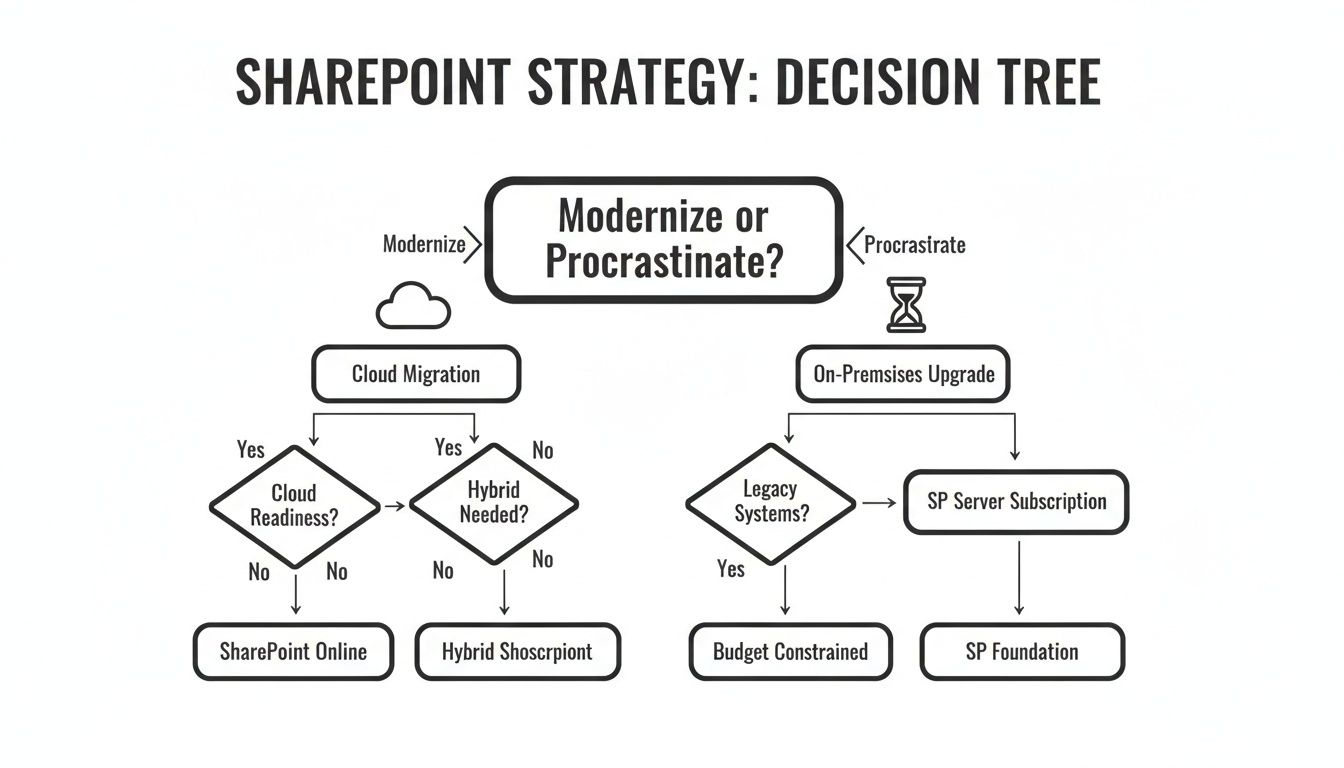
As you can see, an upgrade is positioned as a procrastination tactic. A migration is the definitive path to modernisation.
Decision Matrix: The Architect's View on Risk vs. Reward
To make this tangible, let’s compare these paths based on the factors that truly determine project success or failure. This isn't about a list of features; it's about risk.
| Decision Factor | SharePoint Upgrade (On-Premises) | SharePoint Migration (To Online) | The Ollo Verdict |
|---|---|---|---|
| Security Posture | Retains legacy security models. Fundamentally incompatible with a modern Zero Trust architecture. | An opportunity to redesign security with Entra ID, Conditional Access, and DLP. This is mandatory for compliance. | An upgrade is a security liability. A migration is a security imperative. |
| Technical Debt | Actively preserves existing problems: bloated databases, broken inheritance, long path limits, and GUID conflicts. | Forces you to fix things: you must confront and remediate your data structure, permissions, and ROT (Redundant, Obsolete, Trivial) data. | Upgrading actively increases long-term technical debt. Migration is the only way to pay it down. |
| Future Viability | A dead-end. You're locked out of M365 innovations like Copilot. Microsoft's focus is squarely on the cloud. | Aligns your organisation with Microsoft’s entire innovation roadmap. You get an evergreen platform. | An upgrade is a bet against the future. A migration is a bet on it. |
The verdict here is brutally clear. An upgrade might seem cheaper in the short term, but it’s a strategic misstep that leaves your organisation exposed to security risks and locks you out of modern innovation. A migration, while more complex, is the only path that prepares your business for the future.
The On-Premises Upgrade: A Road to Technical Debt
Let's be direct: choosing an in-place SharePoint upgrade is a bet against your own future. The documentation says it's a straightforward process, but in reality, our experience rescuing failed projects tells a vastly different story. You aren't just updating software; you are actively choosing to preserve everything you should be desperate to eliminate.
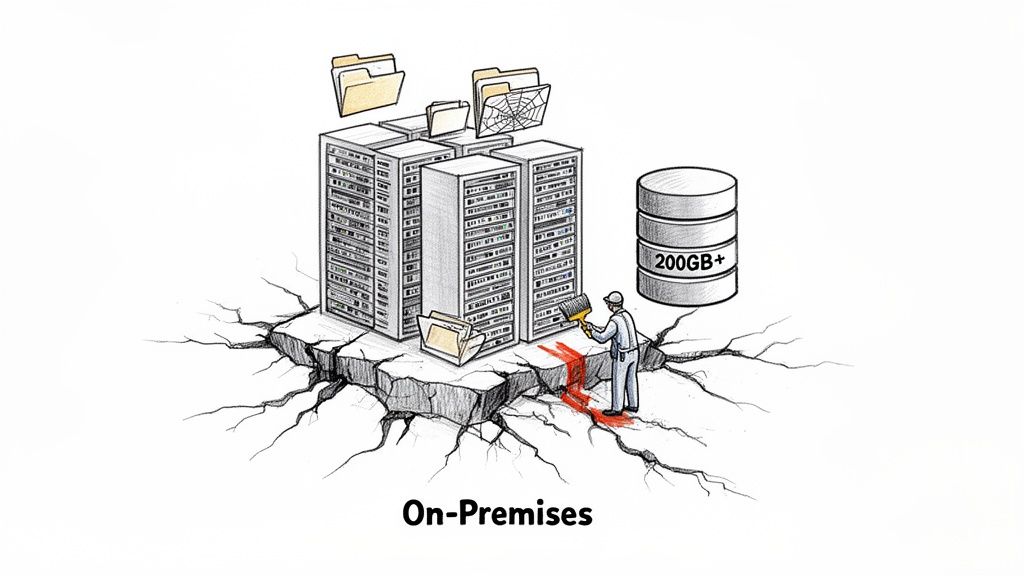
An upgrade from SharePoint 2016 or 2019 to the Subscription Edition (SPSE) carries forward every single piece of technical debt you've accumulated. We're talking about bloated content databases far exceeding the 200GB optimal size, which instantly cripples your Recovery Time Objective (RTO) and Recovery Point Objective (RPO) targets. Your backups become painfully slow, and restores are a nightmare you don't want to live through.
This isn't just about performance. An upgrade perpetuates the deep-seated structural flaws in your environment, like shallow folder architectures that destroy search performance and years of accumulated digital clutter that your users can no longer navigate.
The Hidden Failures of an Upgrade
The most dangerous aspect of an on-premises upgrade isn’t what it preserves, but what it fails to fix. These are the ticking time bombs that detonate long after your "successful" upgrade project is signed off.
We often see clients fail when they opt for a DIY upgrade. For one healthcare client, an upgrade resulted in a 25% loss of metadata due to broken inheritance in custom site templates. The documentation says this is a risk, but in reality, it's a predictable failure point. Path length issues over the 400-character limit only made it worse, halting 35% of related automation jobs.
The Architect's War Story: We were called in to rescue a financial services firm after their upgrade from SharePoint 2013 went sideways. Their custom branding was gone, web parts were broken, and worst of all, GUID conflicts were causing intermittent but critical access failures for their legal team. The upgrade didn't cause these issues; it simply exposed underlying rot that had been festering for years.
Key Technical Breakpoints in an Upgrade
Your team needs to understand the specific, technical reasons why an upgrade path is so risky for any serious enterprise environment. It’s not about missing features; it's about fundamental architectural limitations that don't get resolved.
An upgrade path is notorious for failing to address:
- Broken Permission Inheritance: An upgrade will not fix sites and lists where permissions have been manually broken from the parent. You are simply carrying forward a security nightmare, making your environment impossible to audit and secure effectively.
- GUID Conflicts: In complex farms, especially those with a history of multiple migrations or rebuilds, object GUIDs can conflict. An upgrade does nothing to resolve this, leading to unpredictable behaviour in search, user profiles, and content management that is maddening to troubleshoot.
- Outdated Customisations: Solutions built on deprecated models (like full-trust code or sandbox solutions) are a massive liability. An upgrade forces you to either carry this unsupported code forward or embark on a costly, unplanned development project right in the middle of your upgrade.
Ultimately, you are just putting a new coat of paint on a crumbling foundation. You defer the inevitable pain, accumulating technical debt that your successor will be forced to pay off with a full—and far more expensive—migration project. Our team has extensive experience with the intricacies of a proper SharePoint Server migration, a process designed to dismantle this debt, not just postpone it. The choice is between proactive remediation and reactive disaster recovery.
SharePoint Online Migration: The High-Stakes Surgery
Think of a migration to SharePoint Online less as moving house and more as performing open-heart surgery on your company’s data. The reward is huge: a modern, compliant, and scalable platform. But the risk, if your team isn't prepared for the sheer complexity, is total project failure.
This process is so much more than a simple ‘lift-and-shift’ of files. It’s a complete restructuring of your information architecture, all while the business needs to keep running. Done right, a SharePoint Online migration is also the perfect chance to rethink how your organisation shares information, setting the foundation for building a knowledge base that drives real results.
The real challenges aren't found in the migration tools themselves. They're rooted in the fundamental physics of the SharePoint Online environment. These are the non-negotiable limits where we see most DIY projects grind to a halt.

Confronting Throttling and Thresholds
Your project will live or die based on how you handle two specific technical constraints: API throttling and the 5,000-item list view threshold. The documentation says these limits exist, but it completely fails to convey their sheer brutality during a real-world enterprise migration.
Throttling isn't a gentle slowdown; it's a hard stop. When your migration tools make too many calls to the SharePoint APIs, Microsoft simply blocks your traffic, often for hours at a time. This can derail your migration timeline by weeks, forcing all work into inconvenient, off-peak windows just to get anything done.
The key takeaway is that your project’s migration traffic is automatically classed as a "low priority" activity. You are at the bottom of the queue by default, making throttling almost inevitable without expert intervention and custom scripts to manage the API request load intelligently.
Why the 5k Limit Breaks More Than Just Views
The 5,000-item list view threshold is even more insidious. The documentation says it only limits how many items you can see in a single view. In reality, hitting this limit doesn't just break a view; it shatters critical business processes that depend on that list.
The Ollo Verdict: We’ve seen countless internal projects fail because they plan for data volume but not for data structure or API consumption. Hitting the 5k limit can break custom Power Automate flows, cripple reporting dashboards, and halt custom applications that query those lists. It's a domino effect of failures that can bring operations to a standstill.
These are not theoretical possibilities. They are predictable project killers. The physics of SharePoint Online are unforgiving.
Unseen Dangers That Wreck Migrations
Beyond the well-documented limits, several other technical gremlins lie in wait to sabotage your project if you’re not prepared. These are the issues that standard tools struggle with and where hands-on experience becomes non-negotiable.
- Long Path and File Name Issues: While SharePoint Online's 400-character path limit seems generous compared to Windows' 260, the migration process itself can add characters, pushing you over the edge. This can cause thousands of files to fail silently.
- Broken Inheritance and Permission Nightmares: Migrating permissions isn't a simple mapping exercise. If your source environment has years of manually broken inheritance, no out-of-the-box tool can replicate it perfectly. This is how data breaches happen post-migration, when sensitive files suddenly become accessible to the entire company.
- GUID Conflicts in Hybrid Scenarios: If you are migrating content into an environment that has ever been synced with an on-premises SharePoint farm, you risk creating GUID (Globally Unique Identifier) conflicts. This can corrupt your term store, break site navigation, and cause user profile synchronisation to fail catastrophically.
This is the point where unprepared projects collapse, often leading to panicked calls to specialists like us. A successful migration requires more than just a tool; it demands a team that has already battled these issues and built the custom scripts to overcome them. To get a better sense of this process, you can review our detailed approach to a SharePoint Online migration.
A Realistic Tooling Showdown: SPMT vs. ShareGate vs. Custom Scripts
The success or failure of your SharePoint migration will hinge on the tools you choose. This isn't just a matter of preference; it’s a direct reflection of how seriously you’re taking the risks involved. We consistently see projects go off the rails because the tool was fundamentally mismatched with the complexity of the business environment.
Let's break down the real-world capabilities and, more importantly, the breaking points of your main options.
The SharePoint Migration Tool (SPMT): The Free Tool That Costs You Dearly
Microsoft’s SharePoint Migration Tool (SPMT) is free. For many, that’s its main—and only—significant advantage. We often see IT teams, pressured by budget constraints, try to use SPMT for enterprise-scale projects. The results are predictably catastrophic.
The documentation says it's a capable tool, but in reality, it wasn't built for the complexities of a legacy on-premises environment. Its failures aren't subtle.
- Zero Throttling Control: SPMT gives you almost no granular control over how it hits SharePoint Online APIs. When it inevitably triggers Microsoft’s throttling limits, your migration just stops dead. You have no levers to pull, no way to intelligently manage the request load.
- Catastrophic Permission Handling: The tool’s ability to handle anything beyond simple permissions is practically non-existent. It struggles profoundly with broken inheritance, custom permission levels, and cross-domain user groups. This often results in a complete failure to copy permissions or, even worse, a silent misapplication that grants wide-open access after the move.
- No Robust Error Handling: SPMT chokes on the slightest deviation from a perfect source environment. Files with long paths, special characters, or metadata inconsistencies will simply fail to migrate, often with cryptic error logs that give you no actionable path to fix them.
The Ollo Verdict: Use SPMT for your personal OneDrive files or a single, non-critical team site with less than 50GB of data and a flat permission structure. For any migration involving business-critical data, regulated information, or complex structures, using SPMT isn’t a cost-saving measure; it’s an act of project self-sabotage. You can find our full breakdown in this in-depth analysis of the SharePoint Migration Tool.
ShareGate: The Professional’s Workhorse with Limits
ShareGate is a powerful, professional-grade tool and a core component of our migration toolkit here at Ollo. It provides what SPMT lacks: excellent pre-migration analysis, robust reporting, intelligent handling of complex permission mappings, and far better management of API throttling.
For standard "lift-and-shift" migrations from on-premises to SharePoint Online, it is the industry benchmark for a reason.
However, even a tool as good as ShareGate is not a magic wand. We often encounter clients who believe that just buying a ShareGate licence is the entire solution, but it isn't. The documentation highlights its strengths, but in reality, it has specific breaking points in enterprise scenarios.
ShareGate begins to show its limits in more advanced scenarios, such as:
- Complex Tenant-to-Tenant Consolidations: While it can move content between tenants, it can't, on its own, resolve the thorny identity mapping challenges. This includes things like merging Entra ID user profiles or reconciling GUID conflicts without significant manual intervention and custom scripting.
- Surgical Data Transformation: ShareGate is excellent at moving data as is. It is not designed to perform complex, on-the-fly transformations of content types, restructure metadata based on new governance rules, or surgically rebuild a site's information architecture during the migration.
- Rescuing Failed Migrations: When a migration has already failed and left behind a chaotic mix of partially moved data and broken permissions, ShareGate alone is often not enough. You need the ability to write scripts that can assess the damage, compare the source and destination, and perform targeted, delta-style fixes.
Custom Scripts (PnP PowerShell): The Non-Negotiable Last Mile
This is where real expertise separates a successful project from a failed one. For any migration involving high stakes, regulated data, or significant complexity, custom scripting with PnP/PowerShell is mandatory. This is the "last mile" capability that even the best off-the-shelf tools can't provide.
Custom scripting is what allows us to build bespoke logic to overcome the specific, unique roadblocks in your environment. It’s how we surgically handle broken inheritance by querying the source, analysing the breaks, and rebuilding permissions correctly in the destination.
It's how we build custom throttling engines that pause and resume jobs based on the API's real-time responses, ensuring maximum throughput without getting blocked. When a tenant-to-tenant migration demands a complete Entra ID redesign, scripts are the only way to manage the GUID remapping and ensure user identities remain intact.
Governance and Compliance: The Non-Negotiable Driver
For IT Directors in finance, healthcare, or any regulated sector, the technical pros and cons of migration versus upgrade often miss the most critical point. The conversation really needs to start and end with governance. Sticking with an on-premises server means you’re chained to a legacy security model that simply wasn't built for today's regulatory environment.
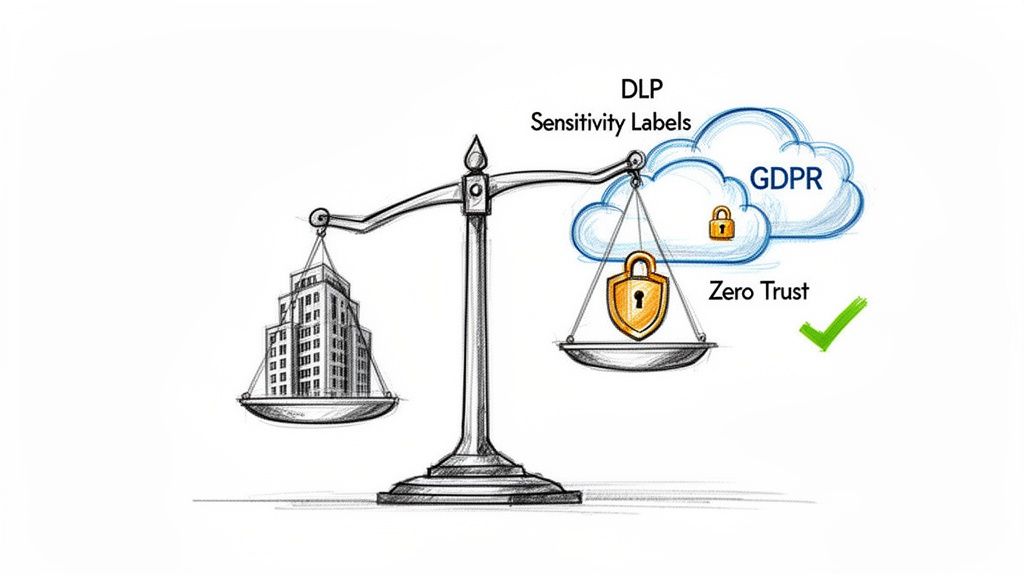
Let’s be blunt. You can't properly bolt modern Zero Trust principles onto an old SharePoint farm. Trying to implement granular Entra ID conditional access policies or advanced threat protection is a frustrating, often fruitless exercise. An on-prem upgrade just gives you a newer version of an outdated security architecture.
A migration to SharePoint Online, on the other hand, is a one-time shot to completely rebuild your governance from the ground up. This is your moment to implement Microsoft Purview sensitivity labels that actually travel with your data, configure data loss prevention (DLP) policies that stop exfiltration, and establish retention rules that will stand up in an audit. This isn’t a simple feature bump; it's a fundamental security reset.
Where DIY Migrations Create Compliance Catastrophes
Trying to move regulated data with basic tools or an inexperienced team isn't just a project risk—it's a direct threat to your organisation's legal and financial standing. We see it all the time: a DIY migration goes wrong, and a technology project quickly spirals into a compliance disaster.
The documentation might say a tool preserves taxonomy, but it dangerously overlooks how broken inheritance or long path limits can lead to silent data loss or permission exposure. These are not edge cases; they are common failure modes.
The Architect's War Story: We were called in to rescue a Dublin-based financial institution after their DIY migration went sideways. Using SPMT, they had created a 15% permission mismatch on sensitive client data. If this had gone unnoticed until their next audit, the GDPR fines would have been catastrophic. Missing this detail doesn't just mean the migration fails; it breaks legal compliance and shatters any trust in the IT governance function.
The Migration as a Governance Reset
Ultimately, the SharePoint migration vs. upgrade decision isn't about the tech. It’s about control. A migration forces you to finally tackle years of accumulated governance debt and build a security posture that's actually defensible for the future.
This is your chance to:
- Enforce Zero Trust: Move away from the flimsy "castle-and-moat" security of on-premises servers and build granular, identity-based controls using Entra ID.
- Automate Compliance: Deploy sensitivity labels and DLP policies that automatically classify and protect data the moment it’s created, instead of hoping users remember to do it manually.
- Create an Audit-Ready Environment: Use the unified audit log in Microsoft 365 to get a complete, searchable record of who is accessing, changing, and sharing your most critical data.
An upgrade just papers over existing vulnerabilities. A migration, when handled by specialists who live and breathe the compliance landscape, is the most effective risk-reduction project you can undertake. Structuring that new environment correctly is key, and our guide on SharePoint data governance provides a solid framework for getting it right.
The Ollo Verdict on Governance
The choice couldn't be clearer. An on-premises upgrade means knowingly preserving a security model that is no longer fit for purpose, leaving your organisation exposed. A professionally managed migration is your single best opportunity to build a compliant, secure, and modern information architecture from scratch.
For any organisation handling regulated data, this isn't really a choice. It's a mandate.
The Ollo Verdict: When to Call for Reinforcements
By now, the conclusion should be clear. An on-premises upgrade is a tactical delay, not a long-term strategy. For any modern, secure enterprise, a full migration to SharePoint Online is the only viable path forward. The real question isn't if you'll make the move, but how your team will handle what is an undeniably high-stakes project.
Your internal IT team might be fantastic at keeping the lights on. They know your systems inside and out. But they are SharePoint operators, not migration specialists. They haven't spent years battling API throttling, scripting bespoke fixes for broken permissions that standard tools choke on, or navigating the unique physics of a large-scale migration.
The High-Risk Liability Checklist
You need to consider your current plan a high-risk liability if your organisation ticks any of these boxes. This isn't a knock on your team's capability; it's about acknowledging the unforgiving nature of a process that requires very specific, battle-hardened experience.
Your migration is a gamble if:
- Your data volume exceeds 1TB.
- You operate in a regulated industry like finance, healthcare, or energy.
- You are consolidating tenants as part of a merger or acquisition.
- Your source environment is riddled with heavy customisations or years of undocumented changes.
- Your last migration attempt failed or stalled completely.
Trying to run a project under these conditions with an internal team is like betting against the house. You are gambling with your data's integrity, your compliance posture, and frankly, your career. The cost of failure—data loss, security breaches, regulatory fines—dwarfs the perceived savings of a DIY approach. When navigating complex transformations like a SharePoint migration or upgrade, especially concerning strategy, governance, and tooling, seeking expert IT consultancy can provide the essential strategic guidance and execution support you need.
A migration specialist isn't just someone who knows how to use ShareGate. They are architects who anticipate failure points and have pre-built scripts to navigate around them. They've seen every way a project can break and know how to fix it before it happens.
The Real Cost of Failure
Hiring a specialist consultancy like Ollo isn't an expense. It's a risk-reduction strategy you deploy when failure is simply not an option. You bring in surgeons for surgery, not general practitioners. The exact same logic applies here.
We are the team you call when the stakes are too high to leave to chance. Our entire role is to de-risk the process, from the initial pre-migration analysis all the way to post-cutover validation. We don't just move your data; we guarantee its integrity, security, and compliance in its new home. For IT Directors who need certainty, that's the only metric that matters.
Frequently Asked Questions for IT Directors
As architects who spend our days rescuing SharePoint projects, we tend to hear the same critical questions from IT Directors. Here are the straight, no-fluff answers you need when weighing up a SharePoint migration vs. an upgrade.
Can We Just Use ShareGate for Our Enterprise Migration?
No. While ShareGate is an excellent tool and a non-negotiable part of our migration toolkit, it is absolutely not a complete, fire-and-forget solution. We see far too many teams fail because they assume the licence fee covers their entire project risk.
The documentation shows its power, but in reality, ShareGate on its own struggles with the deep complexities of regulated industries. It cannot, by itself, handle complex permission restructuring, surgically map identities during a tenant-to-tenant merger, or perform the kind of custom metadata transformations that compliance demands.
The Ollo Verdict: ShareGate is a critical component, but for any serious enterprise project, you will hit a wall. You need custom PnP PowerShell scripting and deep architectural expertise to handle the inevitable, high-stakes edge cases it simply cannot solve.
What Is the Single Biggest Cause of Migration Failure?
The number one reason migrations fail is catastrophically inadequate pre-migration analysis. Teams get pressured to “just move the data” and jump straight into execution without ever fully mapping the source environment.
This fatal oversight means your team has no real grasp of your information architecture, the true state of your permissions, or the depth of your customisations. This leads directly to underestimating the impact of API throttling, hitting the infamous 5,000-item list view threshold, and discovering thousands of files that fail due to long path limits. The project doesn't just slow down; it stalls completely, burns through the budget, and destroys credibility.
How Long Does a Properly Managed SharePoint Migration Take?
There’s no simple answer, but you should be extremely wary of anyone promising a rapid turnaround for a complex environment. For a typical enterprise with 1-5TB of data, a properly executed migration takes 6-9 months.
This timeline isn't arbitrary. It accounts for the essential, non-negotiable phases that guarantee a successful outcome:
- In-depth discovery and analysis.
- Architectural design and governance planning.
- Pilot migrations and remediation scripting.
- Phased user cutovers and post-migration validation.
Any vendor promising a "30-day migration" for your enterprise SharePoint environment is either dangerously inexperienced or intentionally misleading you. This isn't a simple file copy; it’s a complex infrastructure project.
Navigating the complexities of a SharePoint migration vs upgrade requires specialist expertise. When failure isn't an option, you need a partner who has already fought and won these battles. Ollo de-risks your project by bringing the architectural oversight and custom scripting needed to guarantee success.

















