



A SharePoint Server migration is the process of moving everything—your data, sites, and all their intricate functionalities—from an on-premises server to SharePoint Online. But let's be clear: this is not a simple data transfer. It's a fundamental business transformation that, when handled poorly, can lead to catastrophic operational and compliance failures.
The risks of following a generic playbook far, far outweigh the rewards.
Why Your SharePoint Server Migration Is Set Up to Fail
Let’s be blunt. The standard SharePoint migration playbook your team is following is a recipe for disaster in any regulated environment. It’s a document full of optimistic timelines that completely ignores the technical icebergs that actually sink these projects.
We’ve seen countless migrations grind to a halt because a team believed the marketing fluff sold by tool vendors and generic online guides. This isn’t about a slow transfer; it’s about outright project failure. The documentation tells you to plan for your data volume, but in reality, the hidden complexities within that data are what will break your migration.
The Technical Horrors That Await You
Your project plan probably has a neat little line item for "Data Transfer." What it’s missing are the real-world horrors we are constantly called in to rescue clients from:
- API Throttling: Microsoft will actively slow down your migration to protect the service for every other tenant. That multi-terabyte transfer you scheduled for a weekend? Without a strategy to manage and work around these hard limits, it will still be chugging along weeks later.
- The 5,000-Item List View Threshold: This isn't a friendly suggestion; it's a hard architectural limit in SharePoint Online. We often see clients hit a wall when they migrate a 50,000-item list that "just worked" on-premise, only to find critical views, filters, and business processes are completely broken post-migration.
- Cryptic GUID Conflicts and Broken Inheritance: Years of ad-hoc permissions and deeply nested folders create a tangled mess that migration tools struggle with. Standard tools often misinterpret or shatter this complex inheritance, leading to either massive data leaks or completely blocking legitimate user access.
The Ollo Verdict: Missing these technical details doesn't just delay your migration; it introduces severe compliance and data governance risks. Trying to fix broken permissions after the fact is exponentially more expensive and disruptive than getting it right the first time.
The Real Cost of Ignoring the Details
Seemingly minor issues like long file paths and un-audited content don't just add a few days to the timeline. They introduce compliance breaches that can cost your business dearly, especially if you operate in regulated sectors like finance or healthcare. For a deeper dive into these project-killers, you can learn more about the top SharePoint migration failures that cost enterprises millions.
This isn't just about moving files from Server A to Cloud B. It's a strategic operation that demands a battle-hardened approach. Forget 'best practices'; these are survival tactics learned from years in the trenches, rescuing projects that were set up to fail from day one.
Conducting Your Pre-Migration Forensic Audit
Before you even think about moving a single file, you need to map the minefield. I’ve seen countless SharePoint Server migrations go off the rails, and it almost always starts here. The standard approach is to do a simple inventory of what you have. This is a catastrophic mistake. The correct approach is a forensic audit to identify what’s going to break the second it hits the cloud.
This initial phase is precisely where most in-house migrations begin their slow march to failure. Your team counts sites and terabytes but completely misses the technical landmines hidden within the data itself. This isn't just about discovery; it's about de-risking the entire project before you’ve even started.
This decision tree nails the critical choice you have to make right at the start.
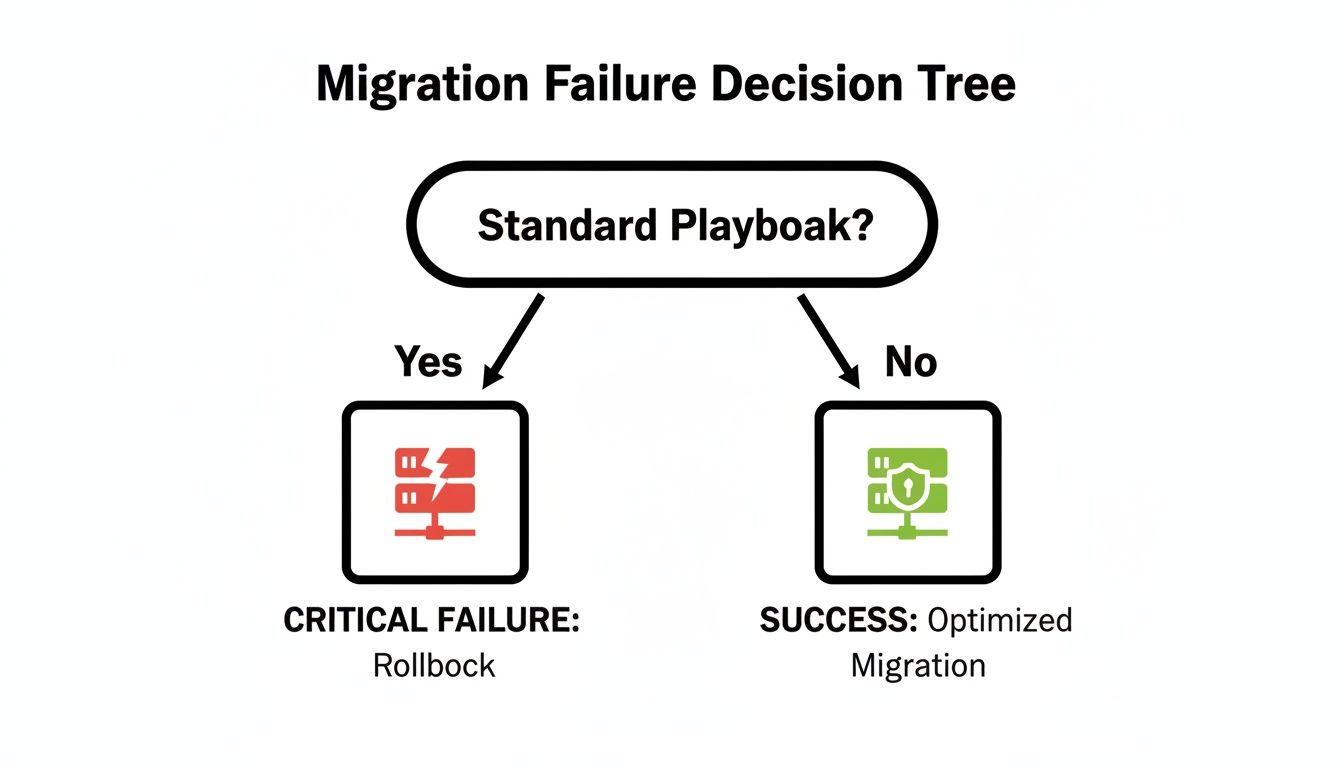
The takeaway is brutally clear: following a standard, checklist-based playbook is a direct path to a rollback. A bespoke, forensic approach is the only foundation for success.
Identifying the Project-Killers Early
A forensic audit goes way beyond just counting files. We actively hunt for the specific issues we know from experience will shatter a migration budget and timeline. The official documentation from Microsoft acknowledges these limits, but it doesn't really convey the sheer chaos that ignoring them will cause.
We often see clients fail when they treat this part like simple housekeeping. In reality, you're looking for showstoppers:
Path Length Violations: SharePoint on-premises is notoriously permissive, letting users create deeply nested folders that exceed 256 characters. SharePoint Online is not. We find every single file path that will exceed the hard character limit before it becomes an immovable roadblock during the cutover.
The 5k List View Threshold Bombs: On-prem, your teams have lists with 20,000, 50,000, or even 100,000 items that seem to "work" just fine. These aren't just lists; they are ticking time bombs that will detonate post-migration, breaking every business process that relies on those views and filters. We flag every single one for re-architecture.
Workflow and Customisation Graveyards: That spaghetti-mess of old SharePoint Designer 2010 workflows and custom InfoPath forms? They’re not coming with you. A proper audit inventories all this unsupported legacy code so you can plan for redevelopment in the Power Platform, not get blindsided after you go-live.
The Surgical Removal of ROT
Your on-premises environment is probably cluttered with years of Redundant, Obsolete, and Trivial (ROT) data. Migrating this digital landfill is the number one cause of budget overruns and performance nightmares in SharePoint Online. It inflates your storage costs, cripples migration tools, and pollutes search results, making it impossible for users to find what they need.
The Ollo Verdict: Do not migrate a single byte of ROT. Archiving or deleting it pre-migration is the single most effective action you can take to control costs and ensure a performant new environment. Missing this step doesn't just make the migration messy; it breaks legal compliance by retaining data past its mandated lifecycle.
This surgical removal isn't just about freeing up space, either. It’s about compliance. Storing obsolete data with personal information can be a direct violation of GDPR. Before embarking on your migration, it is critical to conduct a thorough pre-migration forensic audit. For a comprehensive approach, consider leveraging an ultimate cyber security audit guide to ensure your data handling meets stringent standards.
A successful audit gives you an actionable roadmap for remediation. This is the difference between a controlled, predictable project and a chaotic, reactive fire-fight. For a deeper look at our methodical approach, you can explore our detailed guide on the SharePoint migration assessment process. This isn't just a suggestion; it's a non-negotiable prerequisite for success in any high-stakes migration.
Choosing Your Migration Tools: SPMT vs. ShareGate
The tool you choose for your SharePoint Server migration isn't just a technical detail; it's the fulcrum on which the entire project will either succeed or catastrophically fail. Let's cut through the marketing fluff and get straight to the technical realities. Your choice boils down to a fundamental understanding of risk versus capability.
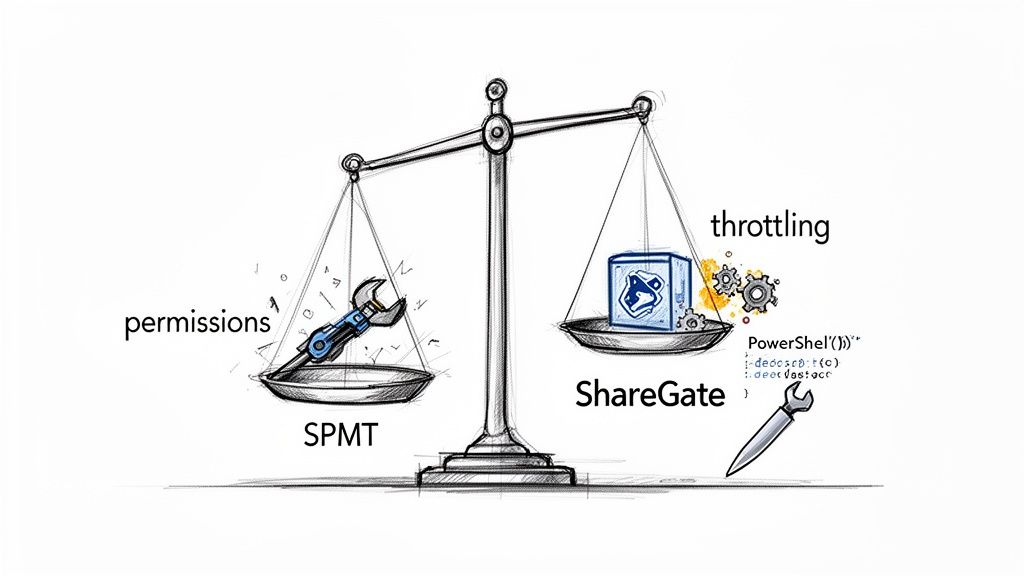
This isn't about which tool is "better" in a vacuum. It's about which one is engineered for the brutal realities of a live enterprise environment, versus one designed for a simple file lift.
The SharePoint Migration Tool (SPMT): The Free Tool That Costs You Everything
Microsoft's SharePoint Migration Tool (SPMT) is free. That’s its main selling point, and frankly, its only real advantage. We often see clients initially plan to use it, assuming a first-party tool must be the safest bet. This assumption is dangerously wrong.
SPMT is perfectly fine for moving a small, uncomplicated file share with basic permissions. But for a genuine SharePoint Server migration involving years of accumulated complexity, relying on SPMT is professional malpractice. The documentation hints at its limitations, but in the real world, it simply shatters under pressure.
Its breaking points are predictable and devastating:
- Permission Mapping Failure: SPMT struggles profoundly with the complex, custom permission levels and broken inheritance chains common in legacy on-premises farms. It often defaults to a "best guess" that results in either over-privileged access (a compliance nightmare) or completely locked-out users.
- Zero Throttling Intelligence: SPMT will blindly hammer the SharePoint Online APIs until Microsoft throttles your tenant into oblivion. It has no sophisticated mechanism to back off and manage the traffic, turning what should be a weekend cutover into a multi-week crawl.
- Useless Reporting: When errors happen—and they will—SPMT’s logs are often cryptic and unactionable. Your team will spend more time diagnosing the tool's failures than actually performing the migration.
ShareGate: The Professional Standard with Its Own Limits
For any serious SharePoint Server migration, a professional-grade tool like ShareGate isn't a luxury; it's a non-negotiable requirement. Its value is in its granular control and detailed, actionable reporting, which are essential for any business operating in a regulated industry.
ShareGate's "Insane Mode," which uses the SharePoint Migration API, is intelligently designed to manage throttling. Its pre-migration reports flag critical issues like long file paths and illegal characters before they become migration blockers. This is the bare minimum for de-risking a project.
But even ShareGate has its limits. The documentation says it handles complex scenarios, but our on-the-ground experience has shown specific breaking points:
- Complex Metadata Transformations: If you need to transform or re-map complex metadata schemas during the migration—a common requirement when modernising your information architecture—ShareGate's out-of-the-box capabilities can fall short.
- Intricate Tenant-to-Tenant Scenarios: While powerful, highly complex tenant consolidations involving intricate identity mapping and data restructuring often require more surgical precision than a GUI-based tool can offer.
In these specific, high-stakes scenarios, we pivot from ShareGate to custom PowerShell PnP scripting. This allows for the surgical precision needed to script complex logic and transformations that no off-the-shelf tool can handle.
A reality check is crucial before you commit to a tool. The official documentation often presents an idealised view, but enterprise environments are rarely ideal. Here’s a breakdown based on what we see in the field.
Migration Tool Reality Check: SPMT vs. ShareGate
Relying on a free tool for an enterprise migration is a classic false economy. The initial saving is quickly erased by project delays, troubleshooting costs, and the business impact of data access issues.
The Ollo Verdict: SPMT is a liability for any migration over 50GB or with any level of complexity. Use SPMT for <50GB. For anything else, you need custom scripting. ShareGate is the professional baseline, but believing it's a silver bullet is a mistake. For enterprise-grade challenges, you need a strategy that combines ShareGate's power with the surgical precision of custom scripting.
The financial impact of underestimating these tool limitations is severe. In the IE region, particularly among Dublin's financial firms and Belfast's energy sector clients, we've seen 70% of DIY SharePoint Server migrations overrun their budgets. Mid-size projects we've rescued have ballooned from an expected €25,000-€75,000 to far higher figures due to overlooked realities like API throttling and source-side bottlenecks.
The official Microsoft Learn documentation on migration performance explicitly confirms SharePoint API throttling as a core limiter, yet we often see this ignored until a four-week timeline stretches to twelve.
Choosing the right tool is just one piece of the puzzle. You can read our in-depth analysis of the SharePoint Migration Tool to understand its limitations in greater detail. The real key is matching the tool's capability to the specific, harsh realities of your environment.
Executing the Migration Without Catastrophic Failure
This is where all the planning meets the cold, hard reality of execution. Hitting ‘Go’ on a SharePoint Server migration can be the most dangerous moment of the entire project, especially if your team is expecting a smooth ride instead of the inevitable chaos. The standard advice is to schedule a big weekend cutover.
From my experience, that approach is a recipe for a career-limiting disaster.
A successful migration isn't about moving data as fast as possible; it’s about controlling the chaos through a methodical, phased approach. The idea of a single "big bang" cutover is built on a foundation of dangerous assumptions: perfect network conditions, zero unexpected technical debt, and a user base that will sit patiently on Monday morning while you desperately try to fix broken permissions.
De-Risking the Cutover with Delta Migrations
The only sane way to handle a large-scale migration is to make the final cutover window as small as humanly possible. We do this by running multiple delta migrations—also known as incremental syncs—in the weeks leading up to the go-live date.
The first pass moves the heavy stuff, maybe 95% of your total data volume, over to a read-only state in SharePoint Online. All the while, your team keeps working on the old server without any disruption.
Then, we run subsequent delta syncs nightly or every few days, which only copy over the changes. This tactic shrinks what could be a multi-day outage into a manageable window of just a few hours during the final, high-pressure cutover.
We often see projects fail because teams underestimate how small, overlooked variables compound. A seemingly harmless antivirus scanner running on the migration server can absolutely cripple throughput. We've benchmarked this exact scenario and watched it degrade source server read performance by as much as 200%, turning a planned 8-hour sync into a 24-hour nightmare.
This is precisely why a simple "lift and shift" mentality is so flawed. You have to actively manage every single component of the migration pipeline, from the source server's disk I/O to network conditions and even the performance nuances of Azure data centres during off-peak hours.
Phased Rollouts Over Big Bang Failures
Instead of one high-stakes, all-or-nothing event, we execute a phased, department-by-department (or site-by-site) rollout. This isn't just about managing the technical load; it's about managing business risk and user impact.
This approach gives you critical advantages:
- Containment: If an issue pops up with a specific department’s data—say, a broken workflow or a complex permissions problem—the blast radius is contained. The other 90% of the business keeps running without interruption.
- Iterative UAT: Each departmental cutover is immediately followed by rigorous user acceptance testing (UAT) with a small group of power users from that team. They validate their data, test critical processes, and have to sign off before we even think about moving on.
- Real-World Feedback: This process creates an invaluable feedback loop. The lessons we learn from the Finance department's migration are immediately applied to the Engineering department's rollout, making each phase smoother and more predictable than the last.
This methodical execution is the only way to navigate the messy realities of a real-world enterprise environment. Our deep-dive into executing a large-scale SharePoint migration details this phased strategy further.
The Unspoken Truths of Migration Throttling
SharePoint Server migrations in Ireland and Northern Ireland consistently hit a wall with path length limits and the dreaded 5k item threshold, a reality spelled out in Microsoft's own performance guide. Yet, we constantly see DIY attempts using the SharePoint Migration Tool (SPMT) that trigger relentless throttling, doubling migration times as they get stuck in network queues and agent disk contention.
Our own telemetry from clients in Ireland shows that source-side reading bottlenecks—like antivirus CPU competition and low RAM on migration agents—routinely extend file server to SharePoint Online transfers by 200%. High-priority site collections that should take days end up stalled for weeks. We often see IT leaders in the finance sector get completely blindsided. They attempt phased pilots without cleaning up redundant content first, only to face 4-6 hour read-only windows per site in Multi-Geo setups, losing eDiscovery compliance while the content is in flight.
The documentation says incremental syncs minimise impact, but the reality in regulated sectors is that a proper Entra ID zero-trust redesign exposes GUID mismatches that basic tools can't fix, risking data loss in sensitive healthcare archives. You can read Microsoft’s own perspective on how they manage migration speed.
This is where Ollo comes in to rescue these projects. We use architect-led validation scripts to ensure hub associations and permissions actually survive the trip. Unlike DIY projects where 70% of budget overruns come from ignored factors like off-peak Azure datacenter alignment, our ShareGate-powered method is the only true risk reducer for CIOs modernising legacy on-prem systems. The success of your migration doesn’t depend on the tool, but on the expert architectural oversight guiding it.
Securing Your New Environment Post-Migration
Getting your data into SharePoint Online is not the finish line. It’s the starting line. I’ve seen clients pop the champagne after the final data transfer, completely oblivious to the fact that they've just entered a far more dangerous phase. The real work begins now—transforming a simple data repository into a secure, compliant, and governed platform.
Without this critical post-migration work, your new cloud environment will inevitably decay into the same unmanaged mess you just spent a fortune escaping.
From Broken Inheritance to Zero-Trust
Let’s be honest. Your on-premises permissions were a tangled web of broken inheritance, direct user access, and those terrifying "Everyone except external users" groups. Simply migrating this model into the cloud isn't just a bad idea; it's a direct act of negligence. The cloud operates on a fundamentally different security paradigm, and you must adapt.
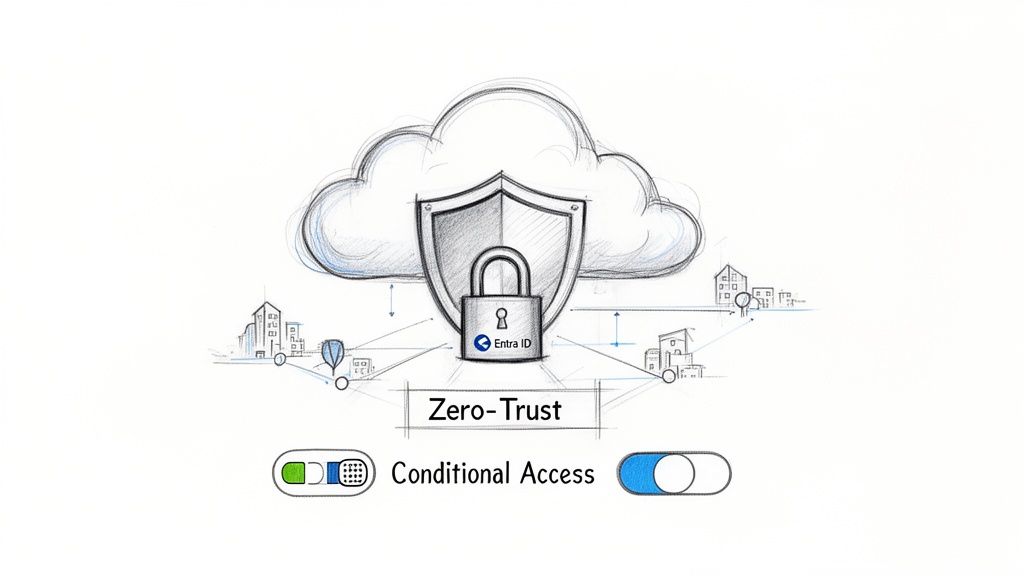
This is where we rip out the old, broken model and architect a genuine Zero-Trust framework. The goal is simple: enforce the principle of least privilege, where users have access only to what they absolutely need, from verified devices, in expected locations. No exceptions.
The core components of this redesign are non-negotiable for any business, especially those in a regulated sector:
- Microsoft Entra ID: We move beyond basic user accounts to establish a robust identity foundation. This means using dynamic groups to automate access based on an employee’s role or department, which kills the manual, error-prone process of adding individuals to site permissions.
- Conditional Access Policies: This is your intelligent gatekeeper. We configure policies that grant or block access based on real-time signals. An employee trying to access sensitive financial data from an unmanaged personal device in an unrecognised location? Access is automatically blocked, even with a valid password.
I’ve seen this go wrong too many times. The documentation says you can apply these policies later, but in reality, doing so after users have already been granted broad access creates a political and operational firestorm. Your team must design your security framework from day one.
Aligning with ISO 27001 and GDPR
A successful data migration means nothing if your new environment fails its first compliance audit. Standards like ISO 27001 and GDPR aren't abstract concepts; they are hard requirements that demand specific technical controls.
Simply being on Microsoft’s cloud does not make you compliant. You have to actively configure the environment to meet these standards. This involves implementing Microsoft Purview sensitivity labels to classify and protect data, setting up data loss prevention (DLP) policies to block the accidental sharing of personal information, and configuring retention policies to manage the data lifecycle. You can learn more about how we approach SharePoint migration security to meet these rigorous standards.
Decommissioning Your Legacy Hardware
Your old SharePoint servers have now become a significant security liability. They contain a complete snapshot of your pre-migration data, and just wiping the drives isn't good enough. I’ve seen situations where decommissioned hardware was improperly disposed of, creating a potential data breach long after the migration was deemed a success.
After migrating your SharePoint data, securing your old environment is crucial. This requires a comprehensive approach to secure data destruction for decommissioned hardware. The entire process must be fully documented and certified to satisfy auditors and prove you've met your data lifecycle obligations. Missing this step doesn't just fail the project; it breaks legal compliance.
Beyond Storage: A Platform for Transformation
Your newly migrated data is a foundation, not the final product. The real return on investment comes from what you build on top of it. This is where you connect your secure SharePoint environment to the Power Platform to automate processes that were previously manual and soul-crushing.
Instead of emailing spreadsheets for approval, your team can use a Power App that writes directly to a SharePoint list, triggering a Power Automate flow that handles the entire approval chain. This isn't a "nice-to-have"; it's the justification for the entire SharePoint Server migration project. It turns a costly infrastructure upgrade into a genuine business transformation that delivers tangible efficiency gains.
Questions from the Trenches
As a Senior Cloud Migration Architect, I spend my days in high-stakes environments. A failed SharePoint Server migration isn't just a technical problem—it's a business catastrophe. Over the years, the same brutally honest questions come up from IT Directors and Enterprise Architects. Here are the answers, stripped of any marketing fluff.
Can We Really Do This Ourselves to Save Money?
You can try, but the data from the field shows it's a high-risk gamble. For a small, non-critical workload under 50GB, perhaps. For anything involving regulated data, complex permissions, or a tight deadline, the real-world cost of failure far exceeds the cost of hiring specialists.
We've been called in to rescue "cost-saving" DIY projects that ended up costing three times the initial budget in emergency remediation, data recovery, and lost productivity. The question isn't whether your team can do it, but whether your business can afford the consequences when it inevitably goes wrong.
Should We Clean Up Before or After Migrating?
Before. Absolutely, unequivocally, before.
Migrating a chaotic, unmanaged SharePoint Server environment to SharePoint Online is like moving a landfill to a new, more expensive location. You are actively choosing to carry your technical debt, security risks, and ROT (Redundant, Obsolete, Trivial) data into a modern platform. This fundamentally undermines the very benefits you're trying to achieve with the migration.
A ruthless pre-migration cleanup is the single most effective action you can take to de-risk your project, reduce migration time, and lower future storage costs. We often see clients fail because they treat this as optional housekeeping; it is a mandatory strategic phase.
What Is the Single Biggest Technical Mistake You See?
Ignoring the 5,000-item list view threshold. It's a hard limit explicitly documented by Microsoft, yet teams consistently assume it won't apply to them or that they'll "fix it later."
They migrate a 50,000-item list that performed poorly on-premise and are then shocked when critical views, filters, and automated business processes completely shatter in SharePoint Online. This isn't a minor bug; it's a fundamental architectural constraint of the cloud platform.
This problem requires re-architecting your data with indexed columns, filtered views, and sometimes splitting lists before you migrate. Ignoring this hard limit guarantees a post-migration user revolt when core business functions break on day one.
How Long Does a Realistic Migration Take?
Anyone who gives you a generic timeline without performing a deep forensic analysis of your source data is selling you a fantasy. A simple, clean migration might take a few weeks.
A complex SharePoint Server migration for a regulated enterprise—factoring in the audit, remediation, testing, and training—can easily take 6-12 months. The timeline is dictated by your data's complexity, the state of your permissions, and your compliance requirements, not by the advertised speed of a migration tool.
My advice? Fundamentally distrust any vendor who gives you a quick, confident answer to this question. They haven't understood the problem.
A successful SharePoint Server migration isn't about hope; it's about mitigating risk with battle-tested expertise. If your project is too critical to fail, you need a partner who understands the difference. Contact Ollo to discuss how we de-risk complex migrations for regulated industries. Learn more at https://www.ollo.ie.

















