



Your compliance lead asks a simple question in the middle of a steering call. “How is our SharePoint data protected at rest?” Your team answers with the line almost every team uses. Microsoft encrypts it by default.
That answer sounds competent. It also hides the underlying risk.
In regulated environments, default encryption isn't the same as an adequate control. It's a platform baseline. If your business handles financial records, health data, operational data, legal evidence, or commercially sensitive IP, the hard part isn't proving that encryption exists. The hard part is proving that your organisation controls it, operates it properly, and doesn't destroy its own compliance posture during migration.
I've seen too many programmes fail because the architecture looked fine in a slide deck and collapsed under operational pressure. The documentation says one thing. Reality adds key ownership, role separation, recovery planning, broken inheritance, API throttling, list view thresholds confirmed in Microsoft Learn, long path problems, and migration tooling that falls apart once you leave the lab. That's where projects go sideways.
Your Data Is Encrypted But Is It Safe
You're probably in one of two positions right now. Either your team already moved sensitive content into SharePoint Online and assumed the default protections covered the risk, or you're preparing a migration and trying to work out whether “encrypted at rest” is enough to satisfy audit, legal, and security.
It usually isn't.
The phrase SharePoint encryption at rest gives people false confidence because it sounds final. It isn't. It answers a narrow technical question about stored data on platform infrastructure. It doesn't answer who controls the keys, who can still access content through privileged paths, how your migration handles metadata and permissions, or what happens when a key management process breaks.
The compliance answer your auditors won't accept
If your response to a regulator or internal audit is “Microsoft handles it”, you've already lost control of the conversation. Auditors don't just look for the existence of encryption. They look for governance, ownership, and evidence that your controls match the sensitivity of the data.
That matters even more when your organisation talks about quantum resilience and modern cryptography. If your security team needs a useful plain-English primer, these insights on AES 256 quantum security help frame why algorithm strength matters. But strong cryptography on paper doesn't rescue poor operational design.
Practical rule: Default controls are a starting point. Regulated data needs provable control, not vague comfort.
A second mistake shows up fast in incident response. Teams think encryption at rest eliminates the need for backup, recovery testing, and independent restoration planning. It doesn't. If your tenant gets hit by malicious deletion, retention mistakes, or a bad admin decision, encryption won't save you. A proper Microsoft 365 backup strategy still matters because availability failures and governance failures cause just as much damage as theft.
Where sceptical IT leaders should draw the line
You should treat Microsoft's built-in encryption as infrastructure hygiene. Useful. Necessary. Not sufficient.
Your actual risk sits in the gaps around it:
- Key ownership: If Microsoft manages the key hierarchy, your organisation hasn't taken full control.
- Privileged access: Encryption at rest doesn't fix over-permissioned sites or weak admin hygiene.
- Migration damage: A badly planned move can strip metadata, flatten permissions, and undermine legal hold assumptions.
- Operational fragility: If one admin understands Key Vault and nobody else does, you don't have a control. You have a single point of failure.
That is the main discussion. Not whether SharePoint encrypts data. It does. The question is whether your implementation is safe enough for the data you've put there.
The Default Illusion What Encryption at Rest Really Means
Let's strip away the marketing language and deal with the engineering reality.
Microsoft Learn states that SharePoint Online enforces encryption at rest through two mandatory layers. BitLocker handles disk-level encryption for the underlying storage, and per-file encryption protects customer content. Microsoft also states this architecture is non-optional for all tenants and has remained the service baseline through 2026, including data hosted in the Ireland region that serves as a primary EU hub for Microsoft 365 (Microsoft Learn on SharePoint and OneDrive data encryption).

What the baseline actually protects
That dual-layer model is solid for the threat it was designed to address. If a physical disk disappears from a Microsoft facility in Ireland, the disk-level encryption and separately managed per-file encryption keys make the content unreadable without the right cryptographic context. That separation matters. It reduces single-point failure at the storage layer.
For organisations trying to align storage controls with zero trust thinking, that's useful background. If your architects need a practical refresher on identity-led design around data access, this guide to Zero Trust in Microsoft environments is worth reading alongside the encryption discussion.
What it does not protect
Teams frequently misread the documentation.
Encryption at rest protects stored data on the platform. It does not solve the problems that usually trigger real incidents in enterprise tenants:
- Compromised administrative access
- Misconfigured site permissions
- Broken inheritance across large site structures
- Overshared links and uncontrolled guest access
- Weak governance around legal, HR, finance, or clinical repositories
The documentation says the data is encrypted. True. It doesn't say your permission model is sane. It doesn't say your admin estate is hardened. It doesn't say your migration tooling preserved the security model you thought you had.
The technical baseline is strong against physical storage compromise. It is not a substitute for control over identity, access, and key governance.
That distinction matters in employee data scenarios as much as in customer data scenarios. If you're dealing with workforce records, disciplinary evidence, or HR case files, the operational side of UK GDPR compliance for employee data is often where failure primarily happens, not the cryptographic primitive itself.
The part vendor summaries usually skip
Vendors love to present encryption as if it closes the matter. It doesn't. For regulated sectors, the default model mostly answers one question: can someone read raw data if they steal storage media? Good. Necessary. Not enough.
If your board thinks that “encrypted by Microsoft” closes the compliance gap, your risk register is fantasy.
Taking Control Customer Key vs Double Key Encryption
The serious conversation starts when you ask who controls the root of trust.
By default, Azure Storage Service Encryption in SharePoint Online applies 256-bit AES encryption to data at rest without customer configuration, but that default uses Microsoft-managed keys. For regulated entities in Ireland, that's the problem. Customer Key adds tenant-controlled root key ownership through Azure Key Vault, but it requires Office 365 E5 or Advanced Compliance plus the Azure Key Vault integration that lets your organisation supply the root key used to encrypt tenant keys. The source material is blunt enough on the mechanics, and the operational implication is the part too many teams ignore (analysis of SharePoint encryption types and Customer Key requirements).
The documentation treats Customer Key as optional. In reality, if your organisation operates in a tightly regulated environment, default Microsoft-managed keys often leave a control gap you'll struggle to defend.
The realistic choice set
You have three broad positions. None of them is free of trade-offs.
| Feature | Service Encryption (Default) | Customer Key | Double Key Encryption (DKE) |
|---|---|---|---|
| Who controls the root key | Microsoft | Your organisation through Azure Key Vault | Split control model with additional customer-held component |
| Setup effort | Low | High | Very high |
| Licensing burden | Included in service baseline | Requires Office 365 E5 or Advanced Compliance | Higher operational and architectural overhead |
| Fit for regulated sectors | Weak for strict sovereignty demands | Stronger and usually the rational baseline | Niche use only |
| Operational complexity | Low | Significant | Severe |
| Impact on day-to-day governance | Minimal | Demands disciplined key lifecycle management | Can become obstructive fast |
Customer Key is the practical standard
Customer Key doesn't replace the service baseline. It adds control over the encryption root in a way auditors and regulators can understand. Your tenant supplies the root key. Azure Key Vault holds it under your control. That's the point.
We often see clients fail when they stop at licensing and basic configuration. They buy the right subscription, create a vault, assign access, and think the control is complete. It isn't. If your team doesn't define role separation, recovery ownership, revocation procedures, and evidence trails, you've built a fragile dependency, not a resilient control.
Double Key Encryption usually creates more pain than protection
DKE gets attention because it sounds stronger. Sometimes it is. Often it's just heavier.
The harsh truth is that most organisations asking about DKE don't need it. They need disciplined Customer Key deployment, tighter identity controls, and a migration design that preserves permissions and metadata. DKE introduces complexity that many internal teams can't operate safely over time. Complexity is its own failure mode.
Architect's view: If your operations team can't rehearse key loss, role transfer, and recovery under pressure, don't add a more complex encryption model.
If you're also evaluating the broader governance stack around Microsoft 365, these SharePoint compliance tools and controls should sit beside the encryption decision. Encryption without governance is just an expensive blindfold.
The Ollo Verdict
Use default service encryption only for low-risk or non-regulated workloads where platform baseline protection is enough.
Use Customer Key when the data matters, the auditors are serious, and sovereignty questions won't go away. For regulated sectors, this is the minimum credible position.
Use Double Key Encryption only when a specific legal or operational requirement justifies the pain. For most environments, it's the wrong answer.
The Unspoken Risks Where Your Encryption Strategy Fails
The dangerous part starts after the workshop, when somebody says, “Great, we've enabled Customer Key.”
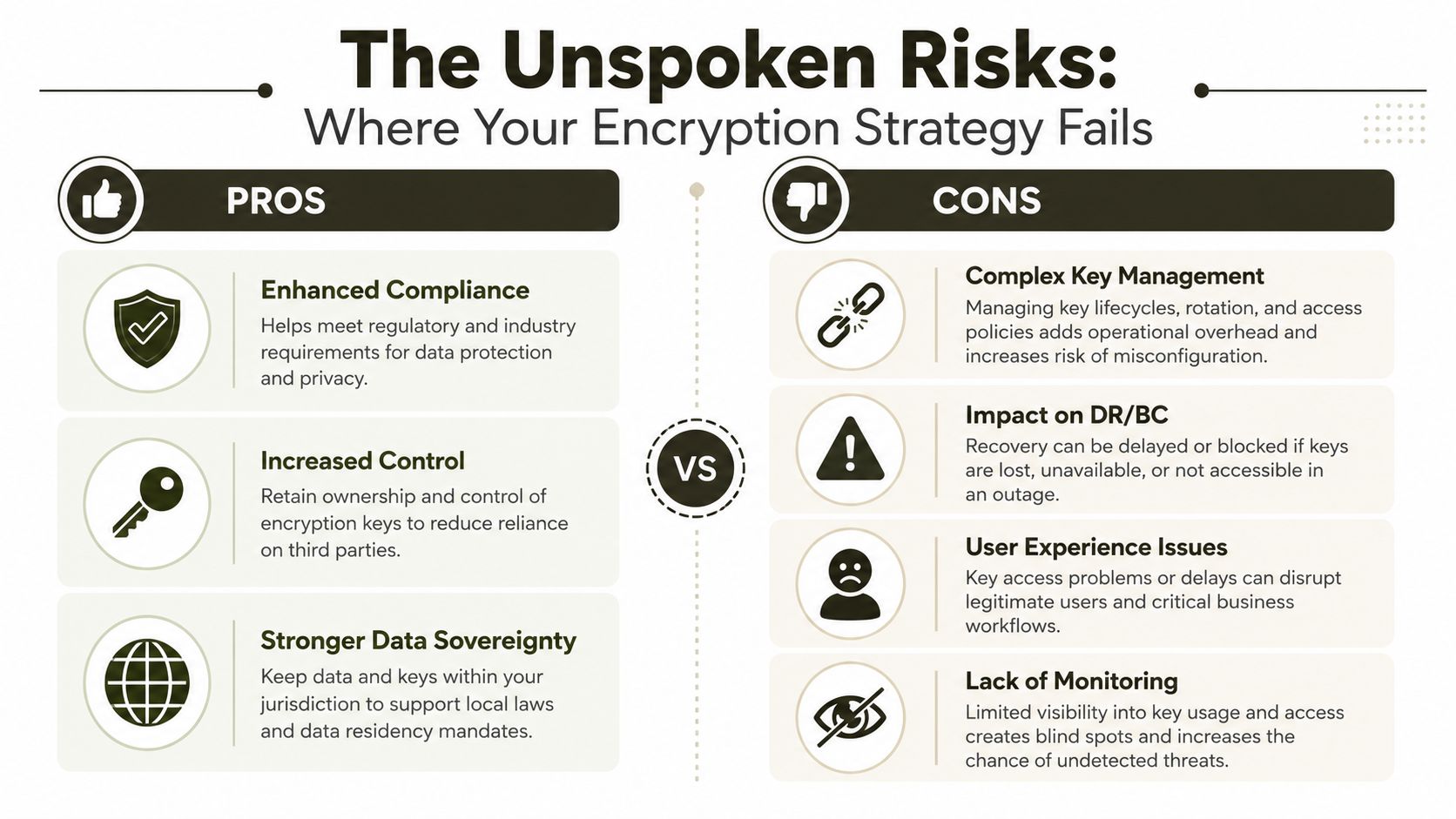
That sentence usually means the team has completed the visible task and ignored the operational one. Key management isn't a switch. It's an ongoing discipline. If you don't design it like an operational system, it will fail like one.
Key ownership without process is theatre
We often see clients fail when one cloud engineer builds the Azure Key Vault integration, stores the procedural knowledge in their head, and leaves six months later. Suddenly nobody knows the dependency chain, nobody understands the break-glass path, and everyone discovers too late that access reviews were never documented.
Typical failure points look like this:
- Role concentration: One admin controls vault configuration, policy knowledge, and emergency access.
- Revocation panic: A key or permission change takes content offline and nobody has a tested recovery runbook.
- Audit weakness: The team can't prove who changed what, when, or why.
- Poor lifecycle discipline: Expiry, rotation, and retirement get treated as future problems until they become current outages.
Missing this step doesn't just weaken security. It can break legal compliance and create self-inflicted data loss.
The video below gives useful context on the broader challenges around encryption and key control in Microsoft environments.
Migration is where expensive controls get undermined
The documentation tells you how encryption works in the destination. It says almost nothing about how badly a migration can compromise the outcome if you don't manage the path into that destination.
That's where the ugly stuff appears:
- Metadata loss: Retention and legal interpretation depend on timestamps, authorship, versioning, and document properties.
- Permission corruption: Broken inheritance and manual fixes create accidental overexposure.
- Structure failure: List view thresholds at the 5k limit are documented by Microsoft Learn, and teams still ignore them until performance and usability collapse.
- Tool stress: API throttling is confirmed in Microsoft documentation. If you don't engineer around it, jobs slow, retry badly, or fail unevenly.
- Identity mismatch: Tenant consolidations can trigger GUID conflicts that no checkbox in a migration tool will magically resolve.
The documentation says migration tools support SharePoint moves. In reality, support and safety aren't the same thing. A move that technically completes can still fail compliance, break access models, and poison your audit trail.
The risk most teams spot last
Your data is most vulnerable when controls are changing. That means migration windows, permission remapping, site redesign, key rollout, and policy transitions.
If your plan focuses on the destination architecture and ignores the operational sequence, your encryption strategy looks strong on paper and weak in production.
The Good Enough Tools Will Destroy Your Migration
Bad migrations rarely fail because the tool was completely useless. They fail because the tool was good enough to create confidence and not good enough to survive complexity.
Take SPMT, the Microsoft SharePoint Migration Tool. It has a place. For small, clean moves, it can be perfectly reasonable. That's the nice part.
However, in practice. We see teams push SPMT into enterprise workloads with regulated content, ugly legacy permissions, and oversized document libraries. Then they hit API throttling, documented by Microsoft, and wonder why elapsed times become fiction. They ignore list view threshold behaviour at the 5k limit, also documented by Microsoft Learn, and act surprised when content structures become unstable or unusable. They hit long path problems, malformed content, and inheritance mess, and suddenly “free” becomes expensive.
ShareGate is powerful. It still won't rescue poor architecture
I use ShareGate. Serious practitioners use ShareGate. It's a proper tool.
But ShareGate is not an architect. It won't automatically fix tenant merger problems involving GUID conflicts. It won't redesign a permission model wrecked by years of ad hoc exceptions. It won't decide when to script around blocked objects, map identities cleanly, or split a migration wave because the target information architecture is broken.
Teams get hurt when they buy a strong tool and assume capability transfers with the licence.
Here's the practical divide:
- SPMT works for basic jobs with limited complexity.
- ShareGate handles much tougher scenarios.
- Custom PowerShell PnP scripting becomes mandatory when enterprise conditions stop fitting product assumptions.
If your team is still comparing products in isolation, start with the actual limits of SPMT for SharePoint migration. The tool decision only makes sense after you understand the data shape, permission model, and recovery plan.
The Ollo Verdict
Use SPMT for small, low-risk moves.
Use ShareGate when the content is more complex, but only if the migration is led by people who understand broken inheritance, metadata fidelity, path issues, and identity remapping.
For tenant consolidations, regulated workloads, or ugly legacy estates, tools alone won't save you. You need custom scripting and an architect who's seen these failures before.
A Battle-Hardened Migration Pattern for Regulated Data
The safest migration pattern starts long before the first file moves. If you begin with tooling, you're already late.
For regulated data, the sequence matters more than the product list. You need a method that reduces risk in stages and proves control at each stage. That's the only way to avoid building a lovely encryption architecture on top of a broken migration.

Phase design before data movement
Start with discovery and classification. You need to know what you hold, who uses it, where permissions are already unsafe, and which repositories carry the highest regulatory impact.
Then define the target control model. That includes Entra ID design, zero trust access patterns, site architecture, and your encryption ownership decision. For regulated projects, the migration and the control design must move together, not as separate workstreams.
A sensible pattern looks like this:
Deep discovery and classification
Identify sensitive repositories, legacy permission anomalies, and content that can't tolerate metadata damage.Risk assessment and control design
Map the target SharePoint structure, define access boundaries, and lock down your key management operating model.Pilot and validation
Test migration behaviour on difficult content first. Not easy content. Easy content teaches you nothing.
Execution has to respect how SharePoint encrypts data
Microsoft documents an important detail that many teams never factor into validation. When a file is stored, SharePoint splits it into one or more chunks based on size and encrypts each chunk with a separate unique AES 256-bit key. When a file changes, SharePoint splits the update into chunks and re-encrypts each with a new unique key, so no single component is useful on its own without the wider cryptographic context (Microsoft assurance guidance on encryption in Microsoft 365 services).
That matters because validation can't stop at “the file opened”. You need to verify integrity, metadata, permissions, and post-move behaviour inside the actual service model.
Don't validate only accessibility. Validate chain of custody, metadata fidelity, and post-migration governance.
Post-migration proof matters more than cutover applause
Once the move completes, the main work continues:
- Cryptographic validation: Confirm the destination control model behaves as intended.
- Permission review: Check inheritance breaks, oversharing, and identity edge cases.
- Operational handover: Document key responsibilities, recovery steps, and approval paths.
- Monitoring setup: If nobody watches the control, nobody owns the control.
For organisations planning a high-risk move, this guide to regulated industry SharePoint migration planning is the right conversation starter. Not because migration is easy, but because failure usually starts in the assumptions.
The Real Cost of Getting Encryption Wrong
The cost of getting encryption wrong isn't the licence uplift. It's the aftermath.
It's the regulator asking who controlled the keys and your team producing a vague answer. It's the production outage caused by a botched key change. It's the legal team discovering that a migration broke metadata needed for evidential integrity. It's the reputational hit when confidential data leaks through bad permissions even though everyone kept repeating that the platform was encrypted.
Security leaders in other sectors understand this instinctively. The same discipline that applies to security in embedded systems applies here too. Strong technical controls fail when operators don't design for edge cases, recovery, and governance.
Your organisation doesn't need another generic cloud checklist. It needs a hard look at where control sits, how migration risk gets contained, and whether your current design would survive audit pressure and operational stress.
DIY is attractive because it looks cheaper at the start. It rarely stays cheaper when you account for remediation, delay, incident response, and compliance fallout.
If your team holds regulated or high-stakes data in SharePoint Online, treat encryption at rest as a business risk decision, not a product feature.
If you need a frank review of your Microsoft 365 security posture, tenant migration risk, or SharePoint encryption design, talk to Ollo. We help IT leaders in regulated sectors avoid the avoidable failures that generic migration plans miss.

















