



Most advice about choosing a software development company for Microsoft 365 modernisation is wrong from the first sentence. It tells you to compare rates, review portfolios, and book a demo. That's how teams end up with a polished slide deck, a migration plan built on guesswork, and a SharePoint estate that starts failing the week after cutover.
I've rescued enough broken Microsoft 365 projects to say this plainly. M365 modernisation is not a generic software job. It's a controlled extraction and reassembly of permissions, identities, metadata, content structures, and governance rules inside a platform that has documented limits and service protections. Ignore those constraints and your “successful migration” can still wreck reporting, expose restricted files, or destroy user trust.
A generalist software development company can build you an app. That does not mean they can move a brittle SharePoint environment without collateral damage. Your selection criteria need to reflect that reality.
Why Your M365 Migration Will Fail Without a Specialist
“Lift and shift” is how bad SharePoint projects get sold.
High-risk Microsoft 365 migration work fails long before cutover. It fails during discovery, when nobody checks broken inheritance, oversized lists, malformed metadata, archive sprawl, or identity conflicts between source and target tenants. By the time users complain that search is useless, permissions are wrong, or regulated records have gone missing from the places auditors expect, the migration team has already declared success.
I have seen this pattern too many times. A generalist software development company copies content, closes the project plan, and leaves the client holding a damaged information estate.
SharePoint does not forgive lazy migration design
SharePoint Online has hard platform behaviours that shape the migration design whether your vendor likes it or not. API throttling will slow aggressive extraction jobs. Large lists will expose poor information architecture. Long or illegal paths, broken content types, and inconsistent metadata will turn a “simple move” into a remediation backlog halfway through execution.
A specialist plans for those failure modes before a single batch runs. They sequence workloads, normalise content, map identities properly, and test permissions with the target governance model in mind. Anyone who starts with tool selection instead of source-state analysis is selling theatre.
Practical rule: If the first workshop is a product demo, not a forensic review of structure, permissions, metadata, retention, and access patterns, stop the process.
Teams dealing with wider platform debt should treat migration as a modernisation problem, not a copying exercise. This guide to legacy system modernization gets that part right. The target platform is a new operating model with different constraints, different controls, and different failure modes.
Your core problem probably isn't development
Buyers often frame the decision incorrectly. They ask whether they need developers, an M365 admin, or a consultant. In high-risk migrations, the job is risk removal. That means someone who can identify what will break, what must be remediated before migration, and what cannot be trusted to an automated tool. This comparison of a Microsoft 365 admin vs consultant helps clarify the distinction before you put the wrong scope into an RFP.
The mistakes are predictable:
- Custom code does not repair bad source structure
- Migration tools do not redesign broken permissions
- A fast cutover does not survive an audit
- A completed transfer does not prove operational continuity
That is why a specialist matters. You are not buying hands to move files. You are hiring a team to prevent security drift, reporting failure, records misclassification, and post-migration chaos.
Generalist Developers vs Migration Engineers
A generalist software development company and a migration engineering team are not interchangeable. Treating them as interchangeable is like hiring a house builder to move a fresco out of a crumbling cathedral. The builder may be competent. The fresco still ends up in pieces.
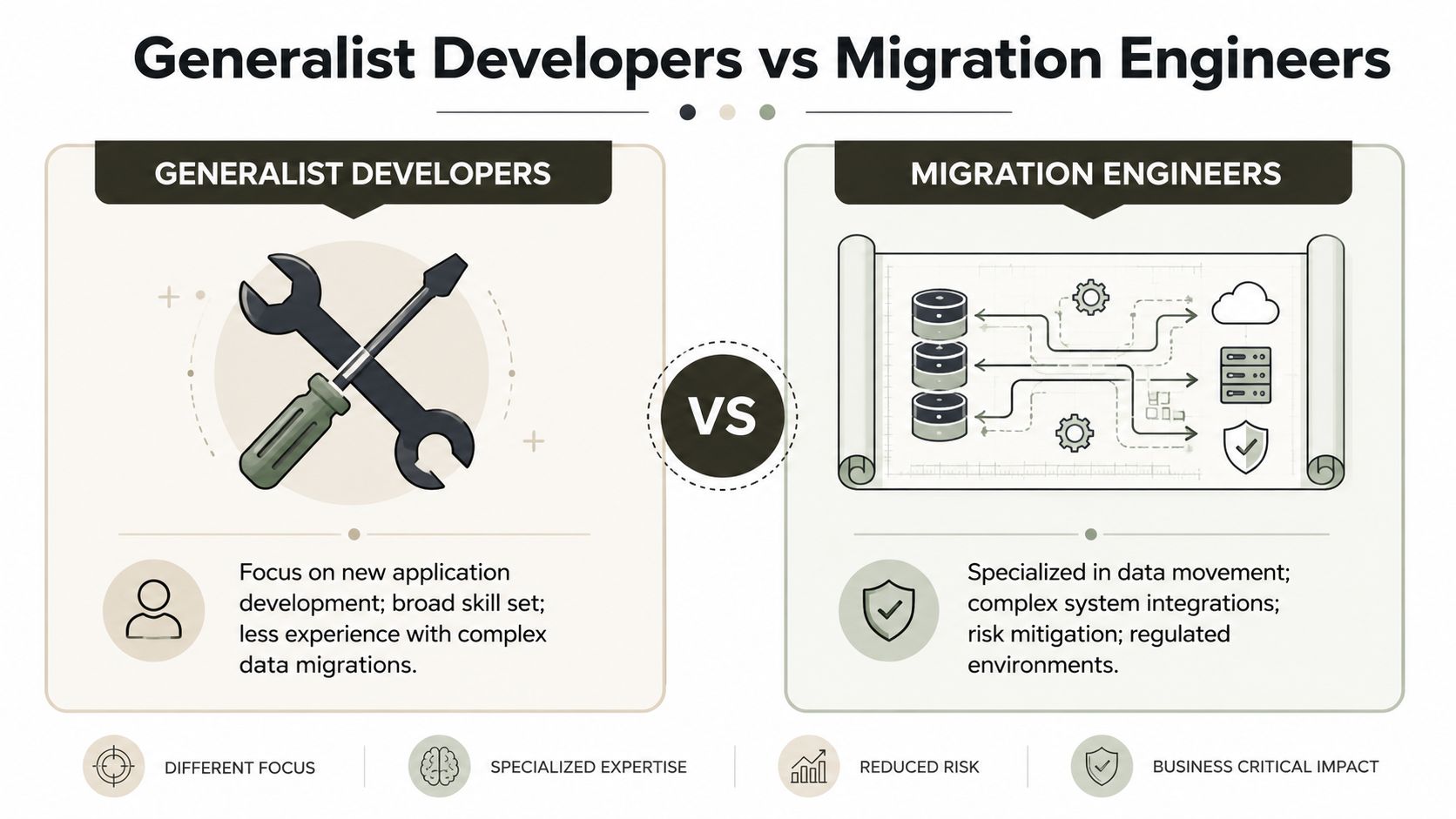
Builders create systems. Migration engineers preserve meaning
Generalist developers usually think in terms of features, release cycles, and application logic. That's fine when the problem is building something new. It's the wrong instinct when the problem is preserving document relationships, version history, security boundaries, and metadata fidelity during a move.
Migration engineers start from different questions:
- What breaks if this site collection moves as-is
- Where has inheritance been broken
- Which libraries hide illegal paths or malformed metadata
- How will identity mapping affect access after cutover
- What has to be remediated before a single byte moves
That's why your architecture team should care less about broad dev capability and more about migration surgery. This perspective aligns well with the responsibilities outlined for a cloud solutions architect in SharePoint projects, because the hard part isn't provisioning the target. It's preserving business function under constraint.
The working style is completely different
Here's the cleaner comparison.
| Focus area | Generalist developers | Migration engineers |
|---|---|---|
| Primary goal | Build new functionality | Preserve data, security, and business continuity |
| Typical instinct | Develop around the issue | Triage the issue before movement |
| Success metric | App shipped | Defensible cutover with validated integrity |
| Failure pattern | Underestimates source complexity | Delays cutover to avoid hidden damage |
Generalists often assume the source environment is roughly sane. It usually isn't. Old SharePoint estates accumulate duplicate structures, broken inheritance, abandoned workflows, long nested paths, stale users, and list designs that only worked because everyone learned to avoid touching them.
A migration engineer doesn't ask, “Can the tool move this?” They ask, “What damage will the tool hide while it moves it?”
The Ollo verdict
Use a generalist software development company when you need a net-new application, a portal, or integration work around a stable dataset.
Use migration engineers when your estate is messy, regulated, politically sensitive, or already damaged. If the move touches SharePoint permissions, Entra ID changes, tenant consolidation, or legal hold concerns, you need a conservator, not a builder.
Where Off-the-Shelf Migration Tools Break Down
Off-the-shelf migration tools fail at the exact point enterprise risk starts. They can copy files. They cannot judge whether the content model, permission model, identity mappings, or downstream dependencies still make sense after the move.
That distinction is where bad programmes go off the rails.
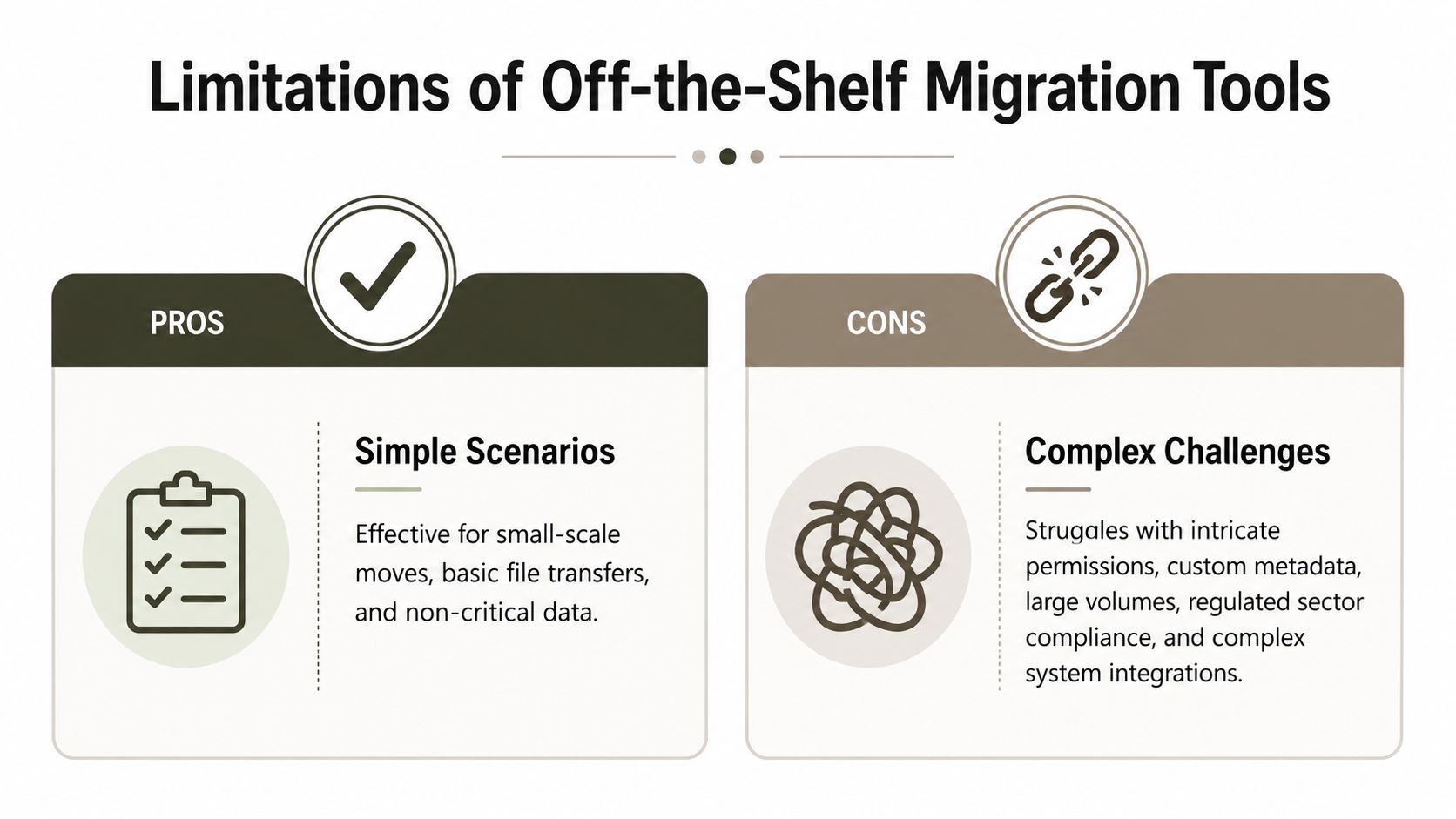
SPMT handles simple transfers. It does not defend a complex estate
Microsoft's SharePoint Migration Tool is fine for straightforward file-share moves and low-risk SharePoint cleanups. Use it for what it is. A utility. Not a migration strategy.
The trouble starts when IT teams treat a successful copy job as proof that the target is fit for use. It isn't. SPMT will move content into a broken structure just as happily as it will move content into a sensible one. It will not fix bad taxonomy, redesign permissions, or warn you that a library looks acceptable in test data but becomes painful once real usage patterns hit threshold-sensitive behaviour in production.
If you need a baseline on tool scope, this SPMT guide for SharePoint migration planning is a useful reference. Treat it as scope definition, not reassurance.
ShareGate gives you better control. It still cannot think for you
ShareGate is the stronger option for structured migration work. It offers better reporting, better filtering, and better control over staged execution. We use it because it saves time. We do not pretend it removes engineering responsibility.
A tool can report success while the business inherits silent failure. That happens all the time with permission drift, orphaned identities, broken lookup relationships, flattened metadata behaviour, and automations that no longer trigger because the object they referenced did not survive the move cleanly.
Microsoft 365 also imposes service protections that punish lazy migration design. Throttling, list threshold behaviour, and path constraints are not edge cases. They are normal operating conditions. If your partner has no batching model, no retry discipline, and no pre-flight cleanup plan, the tool becomes a very efficient way to create inconsistent results at scale.
The breakpoints that actually matter
The ugliest failures are usually the least visible during a demo.
API throttling and retry chaos
Large-volume jobs hit service limits. Poorly configured runs stall, skip, or finish with enough inconsistency to poison trust in the result set.Broken inheritance copied without review
Old SharePoint estates often carry years of unique permissions at site, library, folder, and item level. Blindly reproducing that mess preserves risk. Accidentally flattening it creates a different risk.Path, URL, and naming violations
Long folder trees and verbose file names still break migrations. The real problem is not that some files fail. It is that failed files are often discovered by the business after cutover, when remediation becomes political.Object mapping and reference failure
GUID-dependent processes, lookup relationships, legacy workflows, and custom integrations rarely survive on good intentions. If the tool cannot preserve or intelligently rebuild those references, the platform may look intact while business operations gradually degrade.Identity and access mismatches across tenants
Guest users, stale accounts, renamed users, and Entra ID changes create ugly edge cases. A copied permission entry is useless if it points to the wrong principal or to one that no longer exists.
Tools document what they can copy. They do not tell you what the business will lose.
The Ollo verdict
Use SPMT for small, clean, low-risk moves where the source is simple and the permission model is boring.
Use ShareGate when you need better control and your team knows how to stop, inspect, remediate, and rerun instead of pushing through warnings.
For regulated content, tenant-to-tenant moves, messy inheritance, legacy workflows, or custom SharePoint design, use a hybrid method. That means ShareGate where it helps, PowerShell and PnP automation where the tool runs out of road, and engineers who validate business function, not just file counts. That is how you preserve an operating environment instead of copying a mess into a newer tenant.
The Four Phases of a Defensible Migration
Most migration plans fail before the first file moves. The failure starts in planning, where sales-led partners promise speed, skip technical triage, and pretend every SharePoint estate is just content in folders. It is not. In high-risk M365 modernisation, the work is closer to controlled recovery than routine delivery.
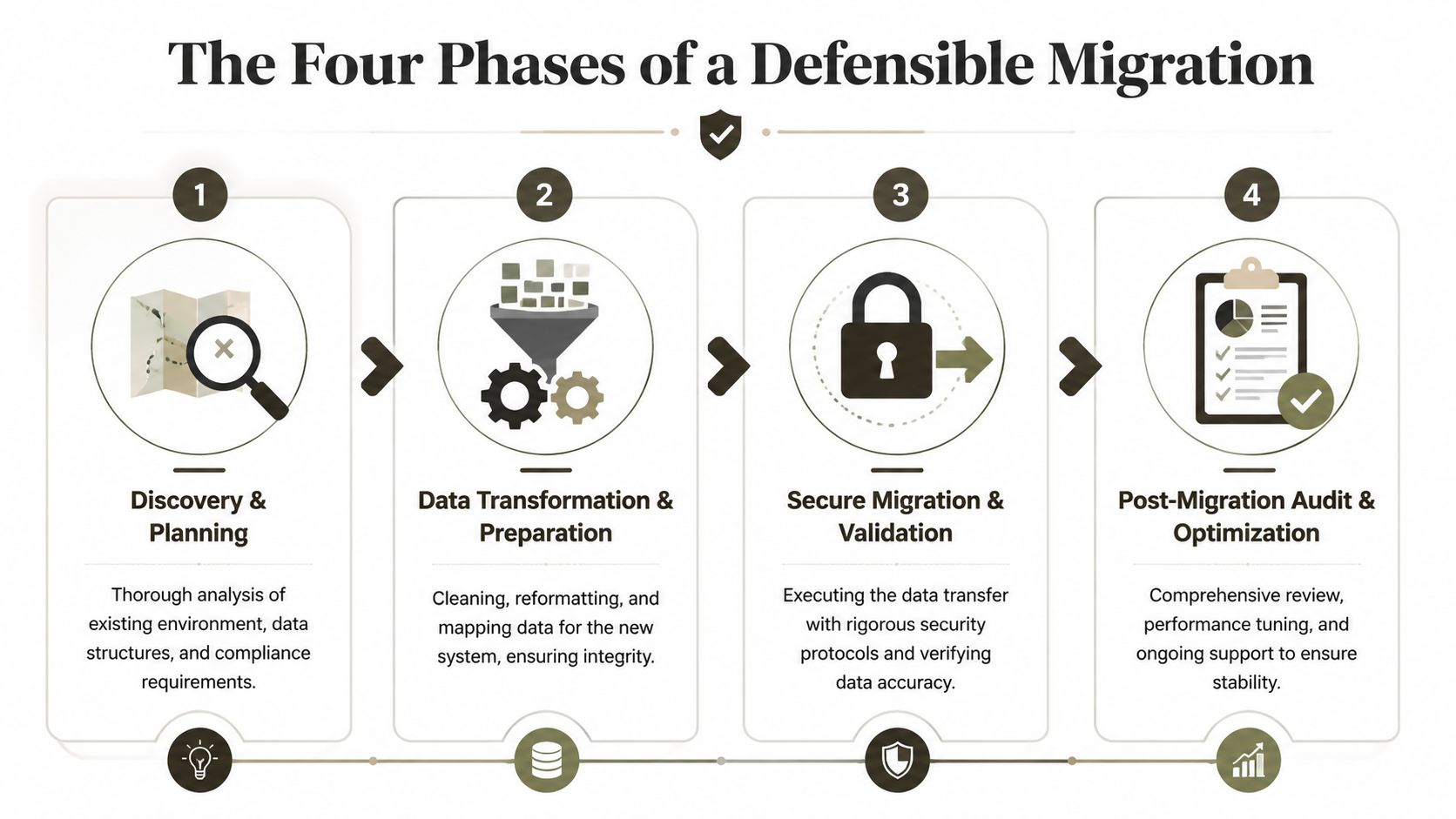
If you want a baseline method, review this Microsoft 365 migration approach for SharePoint projects. Then use it the right way. Measure your partner against it and see where their process gets vague, tool-led, or suspiciously fast.
Phase 1 discovery and triage
This phase decides whether the rest of the project is grounded in reality.
A serious migration engineer inspects path lengths, unsupported artefacts, threshold-sensitive lists, orphaned users, broken inheritance, stale sharing links, InfoPath remnants, Designer workflows, custom forms, and undocumented integrations. They also identify content that should be archived, rebuilt, or left behind. That matters because bad migrations usually start with one bad assumption. Everything must move.
Triage also separates technical defects from business dependencies. A library may copy cleanly and still be operationally dangerous because approval steps, metadata defaults, retention labels, or downstream reporting depend on design choices nobody documented. Generalist developers miss that. They see data. Migration engineers see failure chains.
Phase 2 remediation and governance planning
Weak partners start pushing for cutover. They want to move before the source has been made survivable.
You fix what is fixable before migration. You reduce folder sprawl. You correct broken groups. You map old identities to current Entra ID principals. You decide what happens to sharing links, external access, retention rules, and site ownership. You define the target information architecture so the new tenant does not inherit the old tenant's decay.
The hard lesson from failed programmes is simple. If governance is undefined before execution, the migration script becomes your architecture. That is a stupid way to design an enterprise platform.
Video can help here because you can see how much planning sits behind an apparently simple move.
From the trenches: If a vendor says they will clean it up after migration, expect two things. The mess will get bigger, and the invoice will too.
Phase 3 piloted and batched execution
Complex estates need controlled waves. They do not need heroics.
Execution should be grouped by business process, sensitivity, data shape, and technical risk. High-friction sites go early because they expose defects while you still have time to change the plan. Teams that leave the ugly workloads to the end usually run out of time, then call the result a partial success.
A defensible execution plan includes:
- Controlled pilots for high-risk libraries, lookup-heavy lists, and unusual permission models
- Migration waves based on source complexity and business criticality
- Hybrid execution with ShareGate for broad transfer and PowerShell or PnP scripts for exceptions, remapping, and validation support
- Rollback criteria defined before each wave, including what triggers a stop, rerun, or business escalation
Tool output is not enough here. You need operator judgement. Throttling, retries, lock conflicts, malformed metadata, and permission anomalies all require active handling during execution, not excuses after cutover.
Phase 4 validation and delta sync
Validation is where bad partners get exposed. File counts are not proof. Green dashboards are not proof. A migration log that says completed is definitely not proof.
You need structured validation across content, metadata, permissions, version history where required, and business-critical user journeys. For regulated environments, you also need evidence that the right people retained access, the wrong people did not, and records controls still behave as intended. Then you run delta sync to capture changes made during the migration window and recheck the affected areas.
This phase is where legal defensibility either exists or collapses. Missing files create operational pain. Incorrect access creates audit pain, breach exposure, and executive attention.
The Ollo verdict
A migration you cannot defend should not get approved. The right software development company for this work behaves like a SharePoint recovery team with engineering discipline, not a generic dev shop with a migration licence. Ollo is one example of that model. It focuses on SharePoint and Microsoft 365 migration work using ShareGate plus custom PowerShell and PnP automation for scenarios where packaged tooling stops being reliable.
How to Vet Your Migration Partner
The UK software developers industry is projected to reach £49.5 billion in 2026, and 29,053 businesses operate in the sector, according to IBISWorld's UK software developers industry data. In a market that crowded, your problem isn't finding a software development company. It's filtering out the firms that should never touch a regulated migration.
You do that by interrogating them.
Questions that expose competence
Don't ask whether they've “done SharePoint”. Everyone says yes.
Ask them these instead:
- How do you detect and handle broken inheritance before migration
- What's your response when SharePoint Online throttles large operations
- How do you identify lists that will become operationally fragile after migration
- What do you remediate at source versus rebuild at target
- How do you validate permissions after cutover
- What won't you migrate without redesign
A real migration engineer answers with process, constraints, and caveats. A pretender answers with branding, confidence, and screenshots.
Red flags that should end the call
I'd walk away if you hear any of the following.
| Red flag | What it usually means |
|---|---|
| “It's seamless” | They haven't done ugly enterprise work |
| “We can quote now without discovery” | They price by fantasy |
| “We mainly use SPMT” | They are not enterprise-ready |
| “Permissions usually come across fine” | They don't audit deeply |
| “We'll tidy up post-migration” | They plan to migrate the mess |
If they can't explain API throttling in plain English and then describe what they do about it, they're not ready for your environment.
Green flags worth paying for
Good partners often sound less polished because they know where the bodies are buried.
Look for firms that:
- Start with discovery and insist on scanning the source
- Talk about governance early instead of treating it as a later workstream
- Separate tooling from method because they know tools are secondary
- Discuss remediation openly even when it slows the sales cycle
- Challenge your assumptions about what should move, what should be archived, and what should be rebuilt
The best answer you'll hear from a vendor is not “yes”. It's “that depends on your source structure, your permissions model, and your compliance constraints”. That answer usually comes from someone who has already cleaned up after a bad migration.
Why Regulated Sectors Cannot Afford Migration Risk
In regulated sectors, migration errors aren't technical annoyances. They're reportable events, audit failures, legal exposures, and reputational damage.

The wider software market keeps pushing speed. Enterprise software spending is forecast to reach $1.25 trillion in 2025, up 14.2% year over year, 88% of businesses already run at least one low-code project, and 84% of developers use or plan to use AI tools in their workflow, according to this software development statistics roundup. For regulated organisations, that matters because speed amplifies failure. Unchecked automation can corrupt data or break permissions at a scale manual mistakes never could.
What technical failure looks like in the real world
Broken inheritance in a finance environment isn't a small defect. It can expose sensitive deal material, board content, or restricted audit files to the wrong group. That's not an IT snag. That's a compliance incident.
Permission drift in healthcare is just as ugly. If users lose access to critical records, work slows. If the wrong users gain access, the problem gets worse. You don't get credit for “most files migrated correctly” when the wrong record lands in the wrong hands.
In energy and utilities, poor identity mapping and document misclassification can undermine operational controls. Teams rely on trusted repositories during incidents and maintenance windows. If your migration corrupts that trust, your staff stop believing the system.
The risk versus reward calculation is simple
Cheap migration looks attractive only before failure.
The so-called reward is a lower project fee. The actual risk is data spillage, broken legal hold logic, failed audits, business interruption, and emergency remediation under executive pressure. That's why firms in sensitive sectors should treat migration as a risk management function. This perspective is especially relevant for regulated industry SharePoint migration planning, where architecture and governance have to move together.
Speed is only useful when the destination is trustworthy. In regulated environments, a fast bad migration is worse than a slow good one.
The Ollo verdict
If you operate in finance, healthcare, or energy, don't buy migration the way you buy general development capacity. Buy it the way you buy risk containment. The software development company you hire needs to think like an investigator, an architect, and a recovery engineer at the same time. Anything less is reckless.
Your Next Step Is Not a Demo It Is a Risk Assessment
A tool demo won't show you what happens when your migration jobs start throttling overnight. It won't show you how broken inheritance spreads bad access in the target. It won't tell you whether a list that worked in the old estate will become unusable after cutover.
Your next step is to force a serious conversation about risk.
Ask for discovery. Ask how the partner scans for threshold-sensitive structures, path issues, identity problems, and permission anomalies. Ask what they refuse to migrate without remediation. Ask how they prove the result is defensible. If they pivot back to a product tour, end the meeting.
A competent software development company for M365 modernisation starts with evidence, not theatre. That's how disaster gets avoided. Not by optimism, not by vendor slogans, and certainly not by pretending SharePoint migration is just another dev project.
If your team is facing a high-risk Microsoft 365 or SharePoint move, talk to Ollo about a risk assessment before you approve any tooling or timeline. The sensible first step is to inspect the source estate, identify the failure points, and decide what needs remediation before migration begins.

















