



Your team has probably already done the obvious bits. You've published an SPF record. You've enabled DKIM somewhere in the Microsoft 365 admin sprawl. You've added a DMARC record and told yourself you'll tighten it later. Then a campaign underperforms, invoice mails disappear, or a compliance lead asks why spoofed internal mail still landed even after p=reject.
That's the moment this stops being a DNS tidy-up and becomes an enterprise risk problem.
The ugly truth about spf dkim dmarc microsoft 365 is simple. Microsoft explains the standards well enough. It does not prepare you for the operational blast radius when alignment breaks, relay paths drift, or Microsoft's own verdict logic behaves differently from what your policy implies. We often see clients fail when they treat email authentication as a junior admin task. That mistake doesn't just hurt deliverability. It breaks sales outreach, customer notifications, and regulated communications your business is expected to send reliably.
The Anatomy of a Microsoft 365 Delivery Failure
A familiar failure starts like this. Marketing schedules a large send. Customer success has a service notice going out. Finance has invoice traffic riding the same domain. Your tenant looks “mostly configured”, so nobody expects trouble.
Then mail to consumer Microsoft addresses starts failing.

This isn't theoretical. Microsoft's Defender documentation spells out the mechanics. SPF authorises source mail servers, DKIM signs message content, and DMARC tells the receiver what to do when SPF or DKIM fails. Microsoft changed enforcement for consumer Outlook properties on May 5, 2025, moving bulk senders from junk-folder handling to outright rejection with SMTP error 550 5.7.15 Access denied when authentication doesn't meet the required level, and the threshold is 5,000 or more messages per day to Microsoft consumer addresses in Microsoft's own documentation.
Where enterprise teams actually break things
The documentation says DMARC works when SPF or DKIM passes and aligns. Reality is harsher. Your CRM may send with one domain, your relay may stamp another, and your visible From address may use your primary brand domain. SPF can pass and still fail DMARC because alignment is wrong. DKIM can exist and still fail to save you because it signs with the wrong domain.
We often see clients fail when they assume p=none means they are safe enough or that a single valid DNS record means the whole sender estate is covered. It isn't. Misaligned custom domains, third-party relay services, and forgotten subdomains usually break first. The impact lands on the business, not on the DNS team.
Practical rule: If one business-critical system sends mail through a path you didn't map, your DMARC policy becomes a weapon against your own organisation.
A proper diagnosis also goes beyond authentication alone. If your domain reputation is already damaged, even “correct” authentication won't rescue poor sender trust. That's why tools like Domain Drake's reputation guide are useful during triage. They help you separate policy failure from reputation fallout.
Why this isn't a junior admin task
In regulated environments across Ireland and the UK, this is live-delivery risk. If your organisation sends high-volume mail into Microsoft consumer mailboxes, DIY domain-authentication changes can break customer communications without warning. The dangerous part is that many failures look partial. Some mail gets through. Some doesn't. That's the worst possible state because people argue about whether there is really a problem.
If your organisation is also in the middle of broader Exchange work, this risk compounds fast. We've seen authentication issues surface during routing changes, coexistence periods, and namespace clean-ups tied to Exchange on-premises to Exchange Online migration planning.
A key lesson is blunt. SPF, DKIM, and DMARC are a chain. Alignment is the weak link. Microsoft's enforcement made that weak link operationally expensive.
Your Pre-Deployment Audit A Mandatory Safety Net
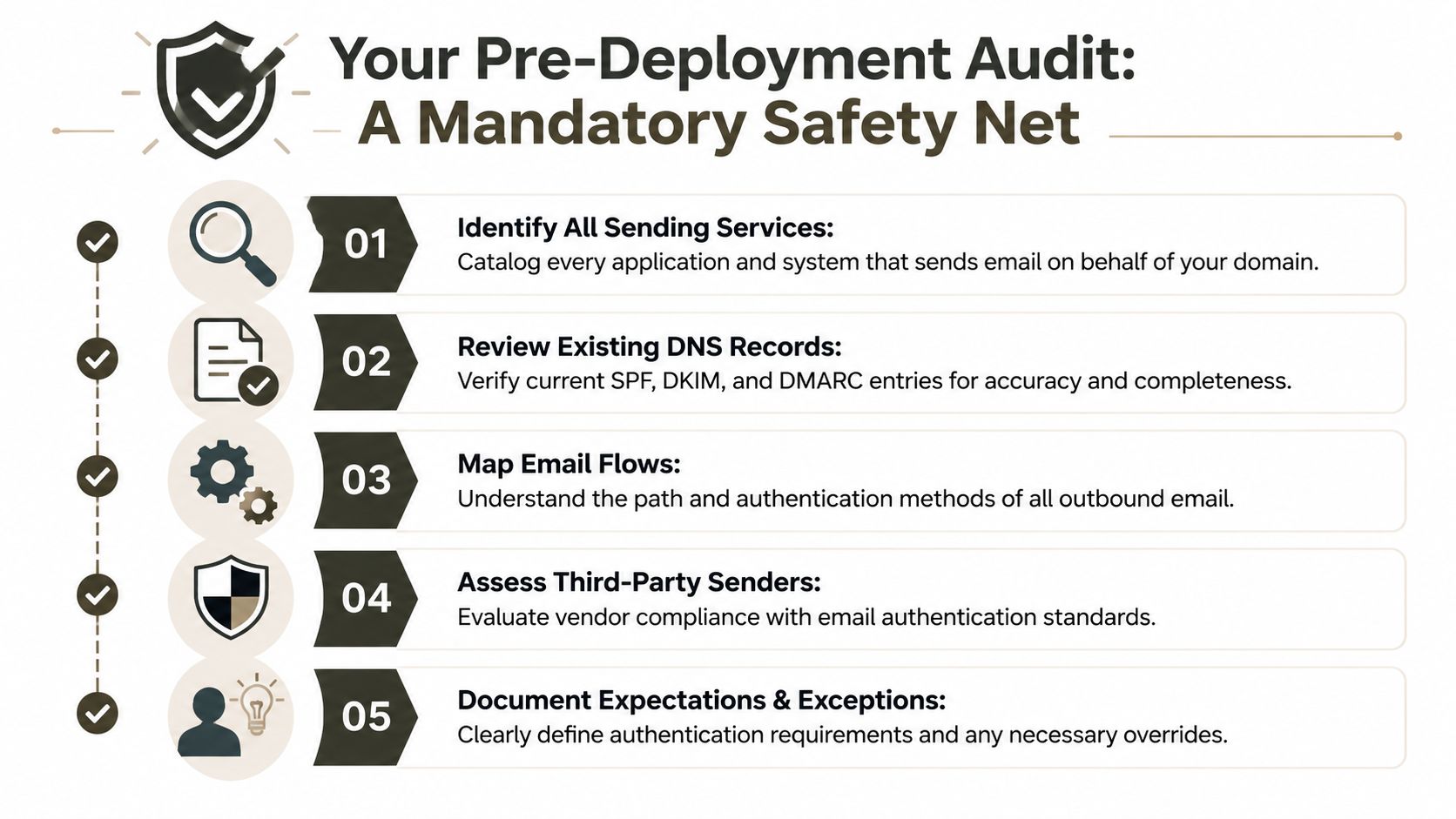
Before you touch DNS, build the sender inventory. Not a rough list. A complete one.
That means every service that can send as your domain, through your domain, or on behalf of your domain. If you skip this, your future DMARC enforcement will block legitimate mail. Not spam. Your own invoices, appointment reminders, application alerts, and workflow notifications.
The systems your team usually forgets
Most internal teams remember the obvious platforms. They ask marketing about Mailchimp or the CRM owner about Salesforce. They rarely chase the ugly edge cases.
- Operational platforms: ERP invoice runs, ticketing tools, HR systems, e-signature platforms, booking engines.
- Legacy infrastructure: on-premises app servers, old IIS relay hosts, copier fleets, monitoring systems, backup alerts.
- Shadow IT: business-unit SaaS tools, contractor-managed domains, unsanctioned automation using shared mail identities.
- Subdomain senders: systems using a forgotten subdomain for bounce handling, tracking, or delegated sending.
One missed sender is enough to poison the rollout.
Audit the path, not just the product
An audit that lists products but ignores message flow is useless. You need to know which service sends directly, which relays through Microsoft 365, which signs with its own domain, and which rewrites the envelope sender. Those differences decide whether SPF, DKIM, and DMARC will align or fail.
If your compliance team assumes “authenticated” means “understood”, they're already exposed.
This is also why email authentication belongs in the same risk conversation as security testing. A badly scoped mail flow change can create spoofing gaps, break legitimate delivery, or both. That's one reason organisations doing serious hardening often pair this work with broader controls like penetration test services for Microsoft environments.
You should also educate stakeholders before enforcement begins. This short technical walkthrough is worth using with internal teams that still think DMARC is just one TXT record:
What a proper audit output looks like
Don't finish the audit with a spreadsheet full of names. Finish it with decision-grade detail.
Sender identity
Record the application owner, business purpose, and sending domain visible to recipients.Transport path
Note whether mail leaves via Microsoft 365, a third-party platform, an on-prem relay, or a vendor-controlled service.Authentication method
Confirm whether SPF, DKIM, both, or neither are in play. If DKIM exists, verify which domain signs.Business criticality
Mark what happens if the mail fails. Sales annoyance is one thing. Missed regulated notices are another.Exception handling
Write down what can't be fixed quickly and what temporary policy decisions the business is willing to accept.
Missing this step doesn't just fail a project. It can break legal or contractual communications your organisation is expected to deliver. That's why the audit is the safety net. Everything after it is just execution.
Executing the High-Stakes Technical Rollout
Once the audit is complete, then you touch the controls. Not before.
The biggest mistake here is copy-pasting from setup guides as if every sender in your estate behaves like native Exchange Online. They don't. The rollout needs discipline because spf dkim dmarc microsoft 365 failures often come from interactions, not from one obvious typo.
SPF first, but not blindly
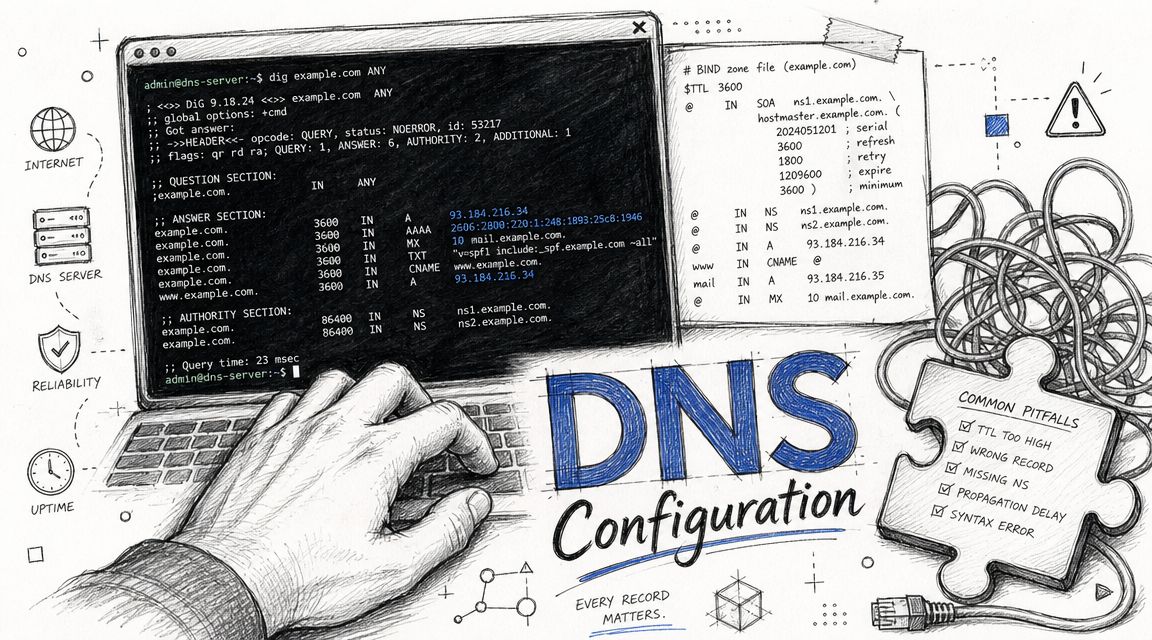
SPF looks simple until your domain has accumulated years of third-party senders. Every include, redirect, and nested dependency adds fragility. Teams often publish an SPF record that appears valid, then discover later that a vendor chain or inherited setup created too much lookup complexity. The failure isn't always dramatic. It can be inconsistent and painful to trace.
Your SPF rollout should do three things:
- Collapse authorised senders: remove obsolete vendors and dead relay paths before you publish anything new.
- Separate marketing and operational traffic where possible: it reduces blast radius when one path fails.
- Validate against actual sender inventory: if it isn't in the audit, it doesn't belong in production authorisation.
If your DNS team wants a practical reference for provider-side record work, guides such as AI agent email DNS configuration can help with the mechanics. They do not replace architecture.
DKIM is where many “working” deployments fail
Microsoft's portals make DKIM look like a switch. It isn't. The trap is assuming Microsoft-managed defaults cover your production domains in a way that satisfies alignment. They often don't match the business reality of branded sending, delegated applications, or acquired namespaces.
A safe DKIM rollout checks:
| Focus area | What to verify | Why it matters |
|---|---|---|
| Signing domain | The domain in the DKIM signature matches the business sending identity | DMARC alignment depends on it |
| Domain scope | Every active sending domain is accounted for, not just the primary one | Forgotten domains become hidden failure points |
| Service coverage | Third-party platforms sign correctly for the right domain | A valid signature on the wrong domain still causes pain |
Field lesson: A green tick in an admin portal often means only that one component is enabled. It does not mean your end-to-end sender path is safe.
This is also where Defender expertise matters. Mail authentication decisions sit inside a wider protection stack, and your security team should understand that overlap, not treat it as separate plumbing. If that's not already joined up in your organisation, fix it before rollout with a stronger understanding of Microsoft Defender for Office 365 controls.
Build DMARC with restraint
Your initial DMARC record should reflect reality, not aspiration. Start with reporting and visibility. Use that period to prove that legitimate sender paths align. Then and only then should you move toward enforcement.
The Ollo verdict is simple. Use Microsoft's documentation to understand the standards. Don't use it as your rollout strategy. It tells you what to click. It does not tell you which forgotten relay, inherited domain, or outsourced application will burn you after the change window closes.
Phased DMARC Escalation From Monitoring to Rejection
DMARC isn't a switch you flip. It's a staged exposure exercise. You start by learning what your domain is really doing, then you tighten policy only after the evidence says you can.
This phase is often disliked because it feels slow. That impatience causes the breakage.
The only roadmap that doesn't get people fired
| Phase | DMARC Policy | Primary Goal | Typical Duration |
|---|---|---|---|
| Discovery | p=none | Observe all visible sender behaviour and identify legitimate gaps | Short initial monitoring period |
| Control | p=quarantine | Apply pressure to unauthenticated mail while validating exceptions | Controlled transition period |
| Enforcement | p=reject | Block unauthorised mail once trusted senders are consistently aligned | Only after sustained clean reporting |
The policy progression looks tidy on paper. The reports don't.
What the reports actually tell you
Aggregate DMARC reports arrive as XML and expose which receivers saw traffic claiming to be from your domain, what authentication they observed, and whether alignment held. That sounds manageable until you realise how many distinct services, subdomains, and edge cases can appear once you turn reporting on.
The first useful question isn't “Are we ready for reject?” It's “Who is still sending and why does the business allow it?”
Look for patterns like these:
- Known systems failing alignment: often caused by incorrect visible From addresses or vendor-side signing choices.
- Unexpected volume from old platforms: usually abandoned tooling, inherited business systems, or forgotten automation.
- Subdomain leakage: mail streams that never featured in the original plan but still affect brand trust.
- Receivers seeing different results: proof that your ecosystem is more complex than your architecture diagram admits.
The team that says “we'll just review the XML manually” usually abandons that idea as soon as the report volume becomes real.
Why manual DMARC analysis doesn't scale
At enterprise scale, manual parsing turns into a time sink. Someone exports files, someone else tries to normalise them, and nobody fully trusts the conclusions. Meanwhile, business owners keep adding new tools that send mail under your brand.
That's why escalation must be governed, not improvised. You need a policy board for exceptions, an owner for each sender, and a decision process for whether a service gets fixed, re-routed, or cut off. Otherwise p=none becomes a permanent parking spot and p=quarantine never arrives.
If your organisation treats email as a regulated communication channel, this should sit alongside your broader Microsoft 365 email security governance, not as a detached DNS task done in isolation.
The disciplined path is boring. That's exactly why it works. Audit, observe, clean up, pressure-test, then enforce. Anything faster is gambling with production mail.
When DMARC Fails You Tenant Migrations and Other Nightmares
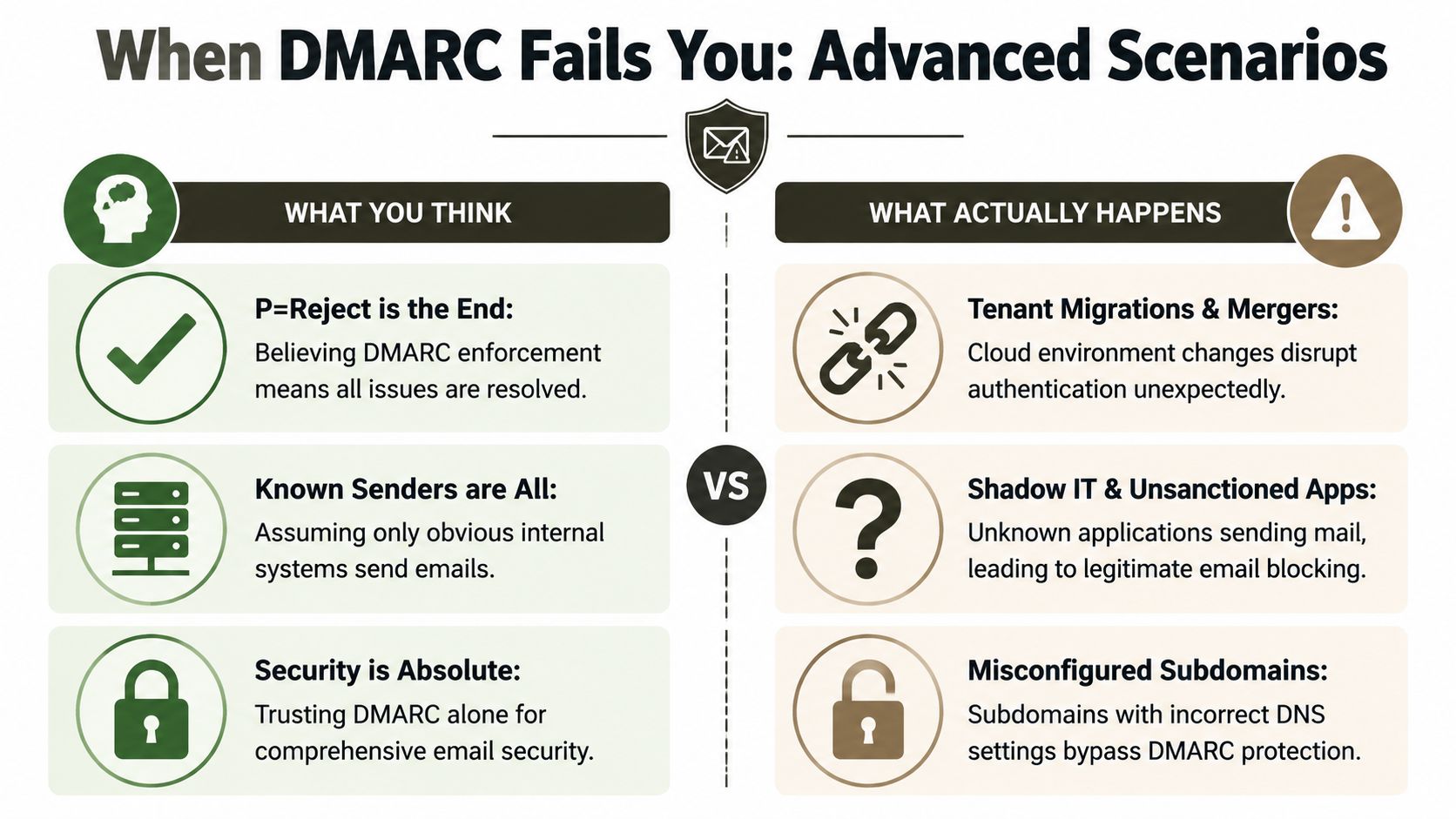
The most dangerous moment in this whole programme comes after you reach p=reject and start believing the problem is solved.
It isn't.
DMARC passing doesn't always mean what you think
This is the underserved part of the conversation. Existing Microsoft 365 SPF, DKIM, and DMARC advice rarely prepares teams for the reality that DMARC passing does not always mean Microsoft will block what you expect, especially during internal spoofing analysis and composite-auth decisions. Independent troubleshooting writeups describe cases where DMARC is set to p=reject yet messages still require header-level analysis because Microsoft also uses signals such as compauth beyond standard SPF, DKIM, and DMARC checks, as discussed in this DMARC p=reject and Microsoft 365 troubleshooting analysis.
That gap matters. Your compliance lead may believe the policy equals enforcement. Your security analyst may point to a passing DMARC result. Your users may still receive mail you expected to die at the edge.
Header forensics is where the truth lives
When mail behaves “wrong”, portal summaries aren't enough. You need to inspect Authentication-Results, compare SPF outcome to the envelope path, inspect whether DKIM is absent or signing a different domain, and understand how Microsoft reached the final verdict.
That's where DIY teams run out of runway.
- Internal spoofing cases: a message can interact with tenant-specific trust signals in ways that confuse simplistic policy expectations.
- Relay bypass scenarios: mail paths that don't match the design can alter authentication context before the final verdict is stamped.
- Exception-heavy tenants: older mail flow rules, connectors, and inherited namespace decisions create behaviour that nobody documented properly.
You don't solve these cases with another checkbox. You solve them by reconstructing the sender path and redesigning it.
Tenant migrations make this worse
Tenant-to-tenant work is where hidden authentication debt becomes visible. Domains move, users move, applications move later, and old send paths stay alive longer than anyone admits. The result is fractured alignment, inconsistent signing, and delivery behaviour that changes depending on which part of the estate generated the message.
This is why authentication cannot be bolted on after a merger or consolidation plan. It has to be part of the migration design from day one. If your team is staring at a carve-out, consolidation, or acquisition, the relevant risk sits inside the broader problem of Microsoft 365 tenant migration execution.
The Ollo verdict here is blunt. p=reject is not the finish line. In Microsoft 365, edge cases live in composite verdicts, tenant behaviour, and undocumented interactions that only show up when production mail starts doing something embarrassing.
The Ollo Verdict Why DIY Email Authentication Is a Career Risk
You can absolutely add DNS records yourself. That's not the main question.
The core question is whether your team can govern a cross-functional sender audit, untangle inherited mail flows, validate alignment across business applications, interpret DMARC reporting, and investigate Microsoft 365 verdict logic when messages behave against policy. Most internal teams can do pieces of that. Very few can do all of it under production pressure.
This is why DIY email authentication fails so often in enterprise environments. The tools are accessible, but the work is deceptive. The documentation explains the standards. It doesn't carry the accountability when your board asks why customer mail vanished, why spoofed internal messages still appeared, or why a merger broke trusted sender paths for half the estate.
Your reward for getting this right is modest. Email continues working. Nobody notices.
Your penalty for getting it wrong is very visible. Revenue mail gets rejected. Operational alerts disappear. Regulated notifications fail. Security teams lose trust in the controls. Leadership starts asking who approved the change.
Bottom line: If your Microsoft 365 environment includes multiple domains, third-party senders, legacy relays, or tenant migration activity, this is a risk management project disguised as a technical task.
That's the hard-earned view from the trenches. Don't let anyone reduce spf dkim dmarc microsoft 365 to a checklist. In a simple tenant, maybe your team gets away with it. In a real enterprise, hidden sender paths and Microsoft-specific verdict behaviour turn “simple” into outage territory very quickly.
If your team needs a safe pair of hands for Microsoft 365 authentication, migration, or rescue work, talk to Ollo. We help regulated organisations reduce delivery risk before a misconfigured policy becomes a public incident.

















