



Most advice on what is a tender stops at procurement theory. That advice is incomplete, and in enterprise Microsoft 365 work it's dangerous.
If you're an IT Director, a tender for a migration isn't just a request for price. It's a formal mechanism that can lock your organisation into the wrong technical approach, the wrong tooling, and the wrong assumptions. Your procurement team may see governance. Your compliance team may see process. I see the aftermath when a tenant-to-tenant move stalls under throttling, permissions break, and nobody can prove what migrated.
That's the problem with generic tender guidance. It explains paperwork. It doesn't explain failure. For complex SharePoint and Microsoft 365 estates, that gap matters more than the wording in the RFT.
Your Tender Is Not What You Think It Is
You probably searched for what is a tender expecting a clean procurement definition. That's the first trap.
In enterprise IT, especially in Irish regulated environments, a tender isn't a harmless administrative exercise. It's a risk container. Once your organisation publishes a migration tender, you're not merely asking vendors for a price. You're defining what risks they must solve, what risks they're allowed to ignore, and what risks your own team has failed to name.
That distinction matters because tender documents often look rigorous while staying technically shallow. They ask for a methodology. They ask for governance. They ask for evidence of delivery. But they often don't force bidders to explain how they'll deal with broken inheritance, long path issues, list view thresholds, delta validation, or tenant merge identity problems.
We often see clients fail when they assume a polished response means technical competence. It doesn't. It means somebody understood the paperwork.
Practical rule: If your tender for a Microsoft 365 migration doesn't test how a supplier handles failure states, it's screening for presentation skills, not engineering capability.
The formal procurement process still matters. It exists for a reason. But if your migration sits inside a regulated environment, your real exposure sits in the implementation layer, not the wording of the invitation.
That's why organisations looking at Microsoft 365 migration services need to think beyond commercial scoring and ask a harder question. What exactly are you buying protection from?
The honest answer is simple. You're trying to avoid data loss, compliance breaches, operational disruption, and a rescue project six months later.
The Official Definition of a Business Tender
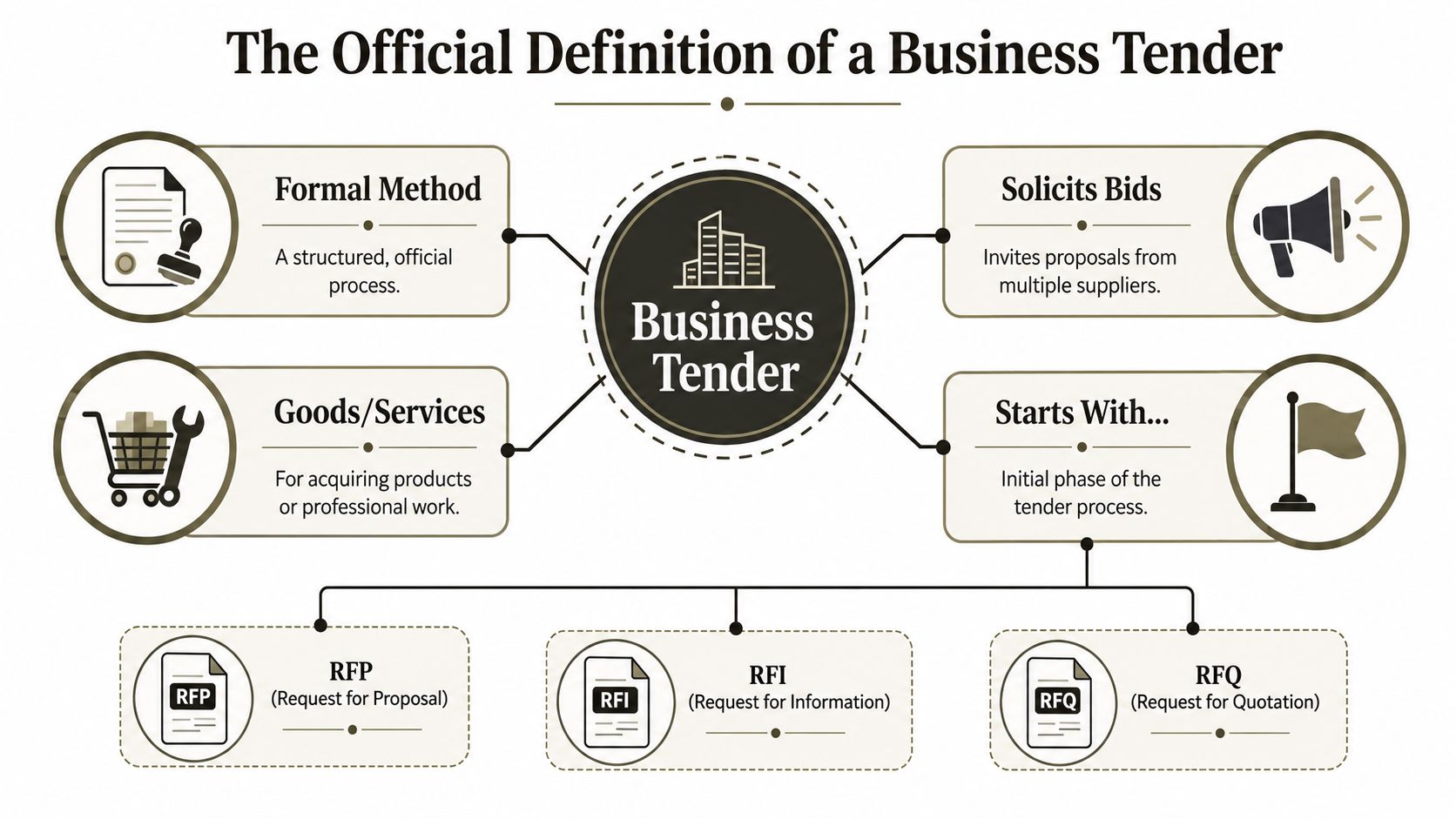
At textbook level, a tender has a precise meaning. A tender is formally defined as a structured process where an organization issues an invitation to solicit bids from suppliers to deliver goods or services, with the objective of identifying the 'most economically advantageous tender' (MEAT) by applying established criteria to ensure fair competition. Legally, an accepted tender becomes a binding contract according to Bid Detail's definition of tender in business.
That's the correct baseline. It also explains why people confuse “tender” and “bid”.
Tender versus bid
A tender is the overall buyer-led process. The organisation issues the invitation, sets the criteria, receives submissions, evaluates them, and awards the contract.
A bid is the supplier's response to that process.
That isn't a semantic detail. It shapes accountability. If your organisation writes a weak tender, every bidder responds to weak assumptions. You can still run a compliant competition and end up choosing a technically unfit solution.
What the process usually includes
In plain terms, the official model looks like this:
- Invitation stage: The buyer issues an RFT, ITT, or a related request document describing scope, conditions, and evaluation criteria.
- Supplier response: Vendors submit their offer, including delivery approach, pricing, capability, and compliance statements.
- Evaluation phase: The buyer scores submissions against pre-set criteria to identify the most economically advantageous tender.
- Contract award: Once accepted, the tender moves from proposal to binding agreement.
If you need a cleaner breakdown of how request documents differ, this guide to request for proposal documents is a useful reference point.
The theory says the process protects the buyer through structure and transparency. In reality, it only protects what the buyer was smart enough to ask for.
That's where IT tenders go wrong. Procurement frameworks were built to create fairness and comparability. They were not built to expose weak migration engineering.
Understanding Tender Stages and Types
The procedural side of tendering has its own vocabulary, and if you ignore it, you'll misread both risk and intent.
The common tender types
Most organisations run one of these routes:
- Open tender: Any qualified supplier can submit a response. This widens competition, but it also floods evaluators with glossy submissions from firms that may have little real delivery depth.
- Restricted tender: The buyer shortlists suppliers first, usually through a pre-qualification stage. This is more sensible for specialised IT work because it filters out obvious mismatches.
- Negotiated tender: The buyer engages one or more selected suppliers directly. This tends to appear where the work is specialised, sensitive, or difficult to define cleanly in advance.
The structure looks disciplined. That doesn't mean the content is disciplined.
The usual stages
Most business tenders follow a familiar sequence:
- The buyer identifies a need.
- The organisation issues the tender documentation.
- Suppliers ask clarification questions.
- Responses arrive by a fixed deadline.
- An evaluation panel scores submissions.
- The buyer awards the contract.
That sequence gives boards and procurement teams a sense of control. It should. Process matters.
But process isn't engineering. A migration can pass every procurement checkpoint and still collapse because nobody tested the proposed toolchain against the actual estate.
For readers dealing with international procurement environments, this guide for foreign bidders in Israel is worth reviewing because it shows how local tender rules can shape who qualifies and how submissions get assessed. The lesson applies broadly. The administrative route changes by jurisdiction, but technical failure behaves the same way everywhere.
Where the framework stops helping
The documentation says open, restricted, and negotiated procedures create a transparent path to the best supplier. Reality is messier.
A tender framework can tell you when to submit, how to score, and which declarations must be signed. It cannot tell you whether the proposed migration approach will choke on large libraries, mis-handle permissions, or leave your team with a broken rollback position.
That's why experienced architects treat the tender process as necessary but incomplete. It tells you how to buy. It doesn't tell you whether you're buying something safe.
The Dangerous Gap in Regulated Sector Tenders
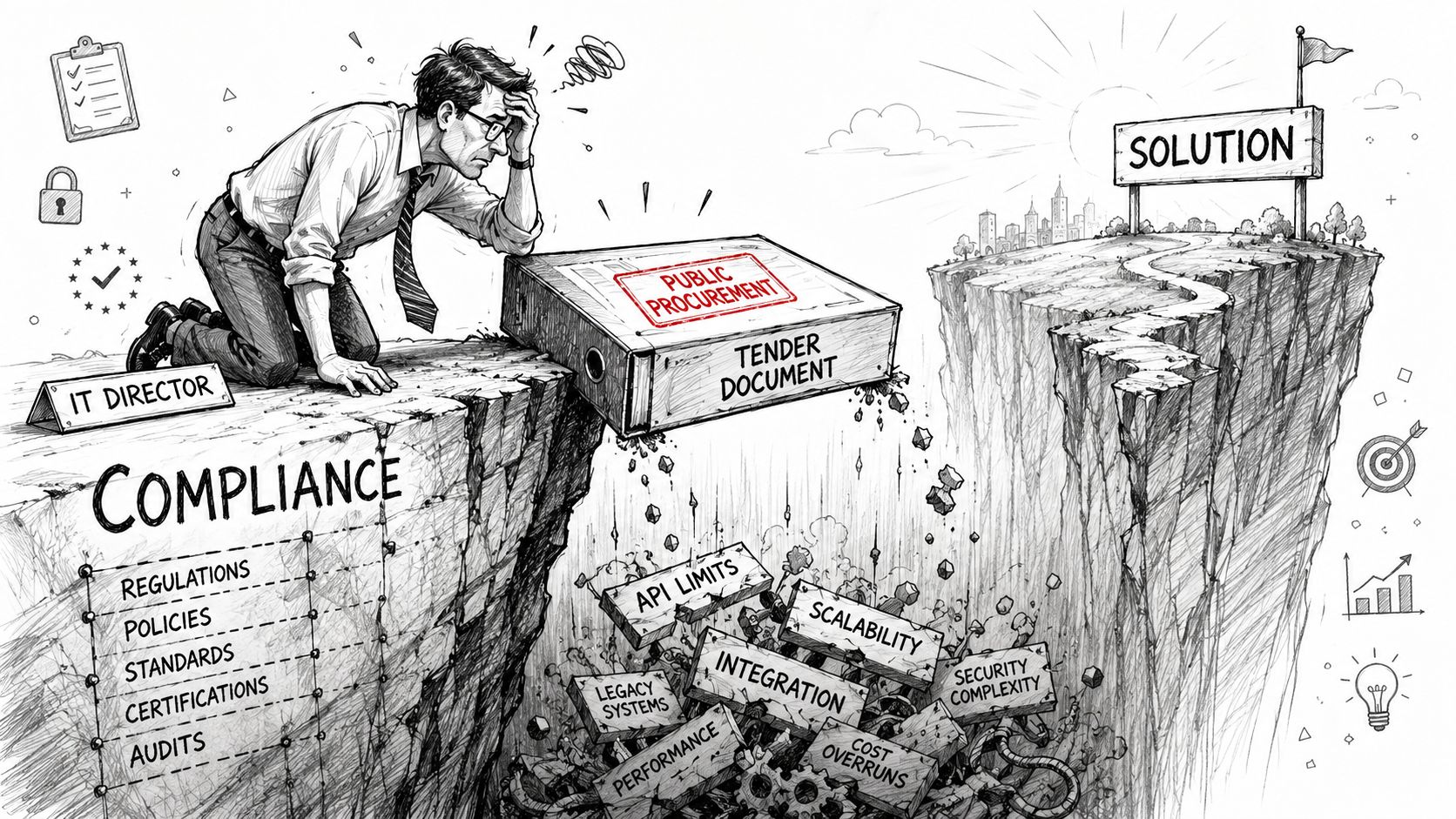
In regulated sectors, the biggest mistake isn't non-compliance. It's assuming procedural compliance equals technical safety.
In Ireland, public procurement rules matter. Public procurement is governed by guidelines mandating a quality-to-price ratio, such as 60% quality and 40% price, and a 10-day standstill period after award. Failure to meet mandatory criteria in a Tender Response Document results in automatic rejection without review according to the Dublin City Council Public Procurement Guide.
That sounds strong. On paper, it is.
The blind spot nobody likes admitting
The scoring model can force fairness, but it can't force technical depth. A migration tender may ask for a project plan, a support model, and security assurances. It may say the supplier must protect integrity and minimise disruption. Fine. Those are table stakes.
What it often doesn't ask is more important:
- How will you handle GUID conflicts during tenant consolidation
- How will you preserve complex permission structures with broken inheritance
- How will you validate post-migration fidelity beyond vendor dashboard success messages
- How will you cope with list view threshold behaviour and large library edge cases
- How will you manage throttling during iterative delta runs
That omission creates a dangerous gap. Procurement teams evaluate the response they received. They don't evaluate the technical risks they failed to specify.
Why this hurts regulated organisations more
In finance, healthcare, and energy, a bad migration doesn't just inconvenience users. It can damage records integrity, access control, auditability, and retention posture. Missing that step doesn't just fail the migration. It breaks legal compliance.
We often see clients fail when the compliance team signs off on the wording of the tender but never pressures suppliers on execution mechanics. The document says “secure migration”. The bidder says “yes”. Nobody asks what happens when the source estate contains sprawling permissions, oversized lists, and decades of unmanaged SharePoint sprawl.
If that's your environment, this regulated industry SharePoint migration perspective is relevant because it reflects reality procurement language usually avoids.
A tender can reject a non-compliant bidder in minutes. It can still reward a bidder whose technical plan falls apart in production.
That's the point many teams learn too late. Governance protects the procedure. It does not protect your data on cutover weekend.
The Technical Failures Your Tender Will Not Predict
The rescue jobs all sound different at first. By week one, they look the same.
A team wins a migration project with a respectable tender response. The documents are polished. The delivery plan looks sensible. The tool choice appears “industry standard”. Then the move starts, and the estate pushes back.
API throttling is not a theory problem
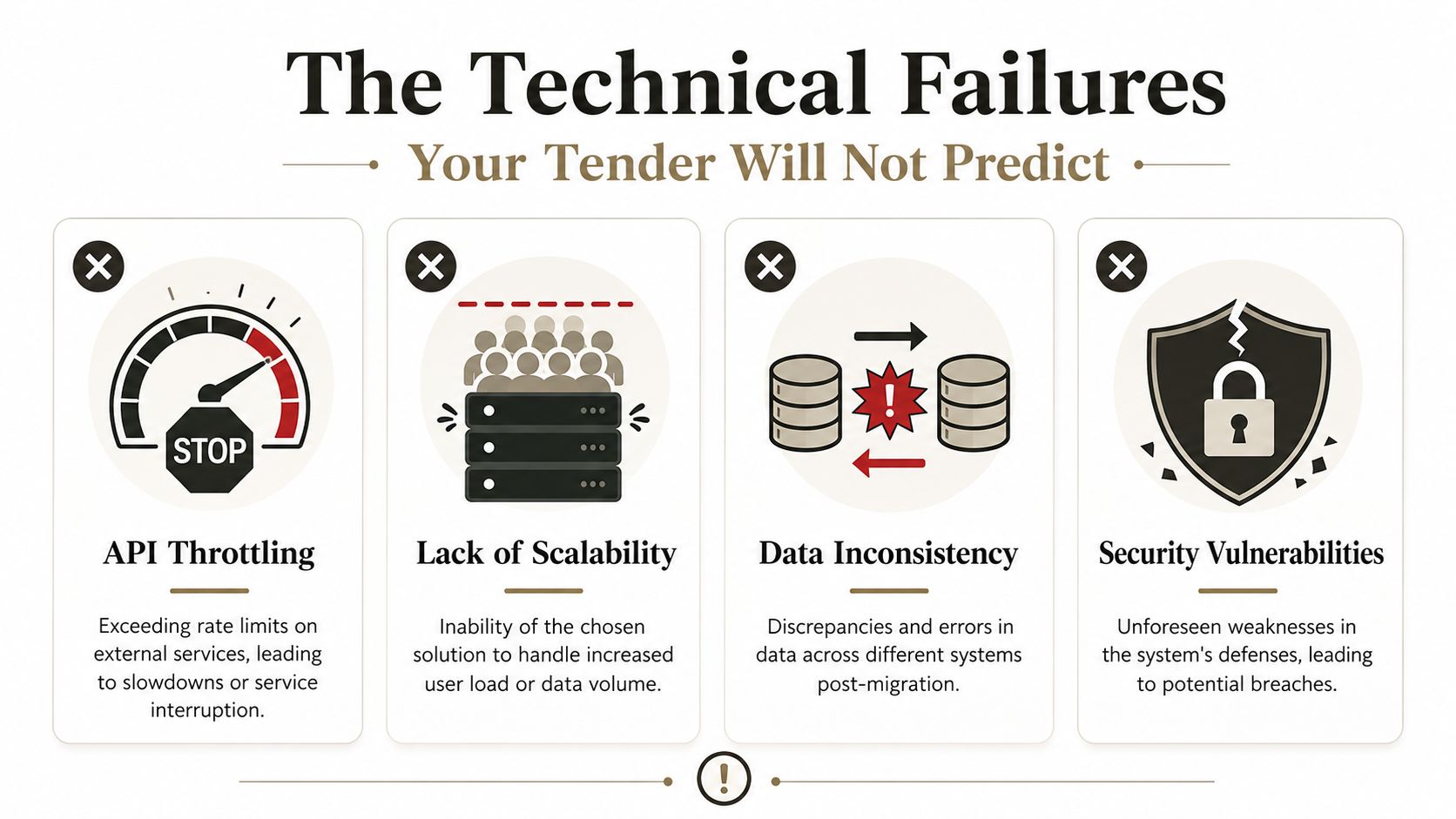
One of the most common failure points is API throttling. During Microsoft 365 migrations, SharePoint Online rejects requests exceeding its rate limits, which can stall incremental delta migrations and cause data loss if not managed with custom PowerShell PnP scripts, a behaviour confirmed in Microsoft Learn documentation and summarised in this SharePoint migration analysis.
The documentation says throttling exists. Reality is uglier. Tools keep pushing, schedules slip, delta windows collapse, and the team loses confidence in what was transferred.
If your bidder's migration plan doesn't describe throttling control, retry logic, and validation after interrupted deltas, they haven't given you a serious enterprise design.
The failures that come in behind it
Throttling is only the first crack. Others follow quickly.
- Broken inheritance: SharePoint estates rarely have neat, inherited permission models at scale. They contain years of exceptions. Many tools copy content faster than they replicate access logic accurately.
- GUID conflicts: Tenant-to-tenant merges expose identity and object reference problems that generic migration plans often ignore until features start breaking.
- Long path and naming issues: The tender response may promise complete migration coverage, but operational reality punishes bad assumptions around awkward legacy file structures.
- Verification gaps: “Migration completed successfully” usually means the tool finished its job. It does not mean your organisation can prove data, permissions, metadata, and access outcomes match expectation.
The documentation says a tool supports migration. It doesn't say the tool understands your estate.
Why standard tender language misses this
Tender documents ask suppliers to confirm capability. They rarely force them to show failure handling. That's backwards.
A serious migration response should explain how the team tests, validates, remediates, and re-runs. It should also be explicit about the hard parts. Large lists. Hybrid messes. Site-level exceptions. Permission drift. Tenant mapping problems. If those aren't named, they haven't been engineered.
For teams reviewing supplier responses, this guide to migration testing types is a useful checkpoint because testing strategy is often where weak migration plans expose themselves.
The war story pattern
We often see clients fail when they treat migration as bulk copy rather than controlled reconstruction. They move files, then discover navigation breaks, memberships don't line up, and business owners can't access critical content.
That isn't bad luck. It's the predictable outcome of a tender that selected for compliance language instead of technical realism.
Comparing Migration Approaches DIY Versus Specialist
When a migration tender lands on your desk, your real decision isn't just vendor selection. It's approach selection. That choice determines whether your project stays operationally boring or turns into a prolonged incident.
The hard truth is that tools don't fail evenly. They fail at different thresholds, in different ways, and for different reasons.
DIY with SPMT
Microsoft's SharePoint Migration Tool has a place. It's useful for smaller, cleaner moves where the estate is simple and the risk tolerance is high.
But let's be blunt. We often see clients fail when they use SPMT as if “Microsoft-built” means “enterprise-safe for every scenario”. It doesn't. The tool can move content. That's not the same as controlling a complex migration programme across messy SharePoint structures, repeated delta cycles, and tenant-level quirks.
The documented edge cases are bad enough. The undocumented operational headaches are worse.
ShareGate only
ShareGate is a much stronger tool. It handles a lot that SPMT doesn't. For many organisations, it's the first serious step away from amateur migration planning.
But out-of-the-box ShareGate still has limits in large, ugly environments. If your bidder plans to rely on the standard interface alone, without custom scripting, validation routines, and exception handling, they're still underestimating the estate.
That's the pattern. A better tool reduces risk. It does not remove the need for engineering.
For a broader non-technical primer, this article on how to learn to migrate your data is useful as a contrast. It's fine for general awareness. Enterprise SharePoint work is a different category of problem.
The data point most teams should take seriously
Data shows that 92% of failed Irish enterprise migrations stem from unvalidated tooling, with 78% of IT Directors who attempted self-migration using SPMT suffering from API throttling and broken GUID inheritance, as outlined in Beyond Intranet's discussion of tender risk.
That aligns with what rescue work looks like in practice. Weak validation and naive tool assumptions do the damage long before the final cutover.
Migration Approach Risk Profile
| Failure Point | DIY (SPMT) | Standard Tool (ShareGate Only) | Ollo Specialist (ShareGate + Scripts) |
|---|---|---|---|
| API throttling control | Weak. Basic runs often struggle once scale and repeated deltas enter the picture. | Better, but still dependent on operator discipline and workload design. | Strongest option. Custom PowerShell PnP scripting gives you active control over throttling behaviour and reruns. |
| Broken inheritance handling | High risk in complex estates with years of permission exceptions. | Better mapping support, but still vulnerable where security is heavily fragmented. | Designed for remediation and validation, not just copying structure. |
| GUID conflicts in tenant merges | High risk. DIY teams usually discover this after users report broken behaviour. | Reduced risk, but not eliminated in heavily customised or cross-tenant scenarios. | Explicitly managed as an engineering problem, not left as a tool assumption. |
| Validation of migration outcome | Usually weak. Teams rely on completion logs. | Better reporting, but still not enough on its own for regulated estates. | Validation scripts and controlled testing reduce blind spots. |
| Suitability for enterprise complexity | Poor once the estate becomes large, messy, or compliance-sensitive. | Good for many projects, but not sufficient by itself for the nastiest environments. | Best fit where failure has operational or compliance consequences. |
The Ollo Verdict
Use SPMT for very small, low-risk moves. If you're shifting a small volume of uncomplicated content, it's acceptable.
Use ShareGate for standard projects where the environment is organised and your risk tolerance is realistic.
For tenant-to-tenant work, regulated estates, or anything carrying serious operational consequences, you need ShareGate plus custom PowerShell PnP scripting and specialist oversight. That's not gold-plating. That's risk control.
If your internal team is still debating whether to run the project alone or bring in specialists, this Microsoft 365 admin versus consultant comparison helps frame the difference properly.
Your Tender Is a Contract to Avoid Disaster
A tender is not just a buying process. In enterprise IT, it's a contract that decides how much failure your organisation is willing to tolerate.
The textbook definition still matters. So do the rules, the scoring, and the standstill periods. But none of that changes the central fact. When you award a migration contract, your organisation assumes the chosen supplier can protect data, preserve access, and keep the business functioning under pressure.
That assumption is often reckless.
Your leadership may believe the tender process guarantees safety because it looks formal and auditable. It doesn't. It guarantees that a structured selection happened. Those are not the same thing. If the technical design is weak, all the governance in the world won't save the cutover.
The decision that actually matters
The key question isn't “Who wrote the best response?”
It's this:
- Who understands throttling under real load
- Who knows where SharePoint permissions break
- Who validates results instead of trusting tool dashboards
- Who treats migration as risk containment, not file transfer
Your tender should identify the safest pair of hands, not the cheapest confident bidder.
If you're responsible for a Microsoft 365 or SharePoint migration, treat the tender as a disaster-avoidance instrument. Write it that way. Score it that way. Challenge bidders that way.
Anything less is how rescue projects start.
If your team is staring at a migration tender and doesn't trust the usual vendor promises, talk to Ollo. We specialise in high-risk Microsoft 365 and SharePoint migrations, including tenant-to-tenant consolidations, regulated environments, and rescue work where standard tooling already failed.

















