



The simple answer for when to migrate SharePoint is this: the moment the risk of staying put becomes greater than the risk of moving. For most IT Directors and Enterprise Architects I speak with, that tipping point isn’t gradual. It’s a sudden realisation—usually triggered by a looming end-of-support deadline, a nasty security vulnerability, or the strategic imperative to finally consolidate data into a single, governable Microsoft 365 tenant. Your team has probably been burned before, and you know this isn't a project you can afford to get wrong.
The Critical Signals for Your SharePoint Migration
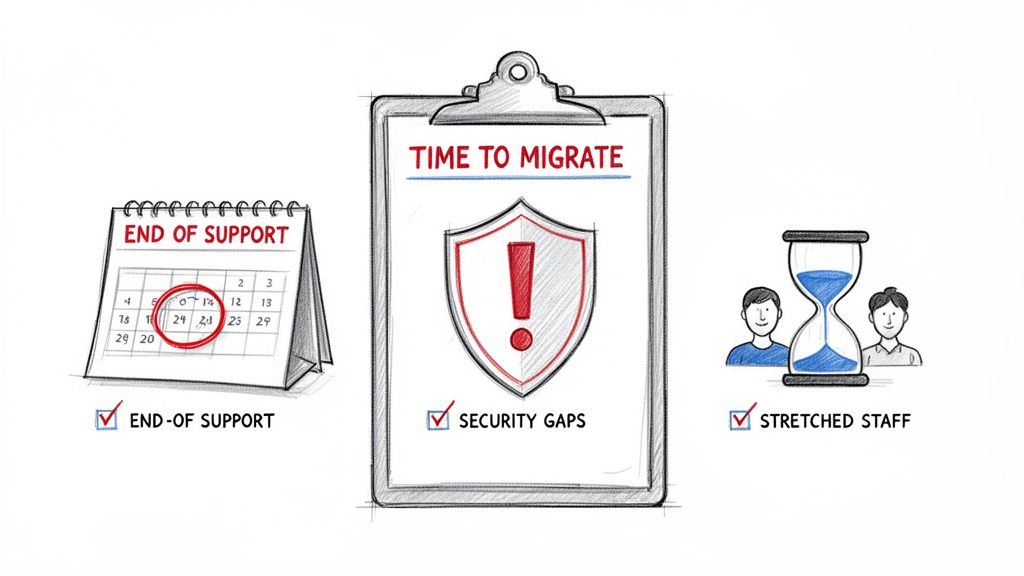
Let's be direct. You know a SharePoint migration is on the horizon, but the thought of it is probably giving you a headache. You’ve likely seen other projects go sideways, and the risk of failure feels paralysing. You're questioning the timing, the tools, and the impact on your already stretched team. This isn't just another IT project; it's a strategic move with very real consequences if it goes wrong.
We’re here to cut through the noise and give you the real signals that it’s time to act. In our experience, waiting is no longer a viable strategy—it's an active risk.
Business and Technical Triggers
The decision to migrate is rarely about one single thing. It’s usually an accumulation of business pressures and technical debt that finally reaches a breaking point. Time and again, we see clients forced into action by a combination of these classic triggers:
Looming End-of-Support: This is the most obvious, non-negotiable deadline. Once Microsoft stops supporting your SharePoint version, the security patches dry up. Your environment instantly becomes a much more attractive target for attackers.
Regulatory and Compliance Demands: Your on-premise setup is failing to keep pace. If you can't deliver the granular auditing, data loss prevention (DLP), and sensitivity labelling required by regulations like GDPR, a migration becomes essential to avoid severe financial and legal penalties. Missing this doesn't just fail the migration; it breaks legal compliance.
Fragmented Data and Tenant Sprawl: Is your data scattered across multiple SharePoint farms, ancient file shares, and different tenants from past mergers? If so, you're living with a security and productivity nightmare. Consolidation is the only real path to a unified, governable state.
Looking at an ultimate guide to Microsoft 365 Business Premium often highlights just how wide the gap is between your current capabilities and what the cloud offers. That gap itself can be the critical signal that it's time to move.
The real "when" is the moment you realise your legacy system is actively costing you more in risk and lost opportunity than the migration project itself. For a pragmatic IT leader, that calculation changes everything.
A migration isn’t just about moving files from A to B. It's your opportunity to completely redesign your information architecture. A well-executed project finally lets you enforce the security policies that were always impossible to implement on-premise. For many, a comprehensive SharePoint migration assessment is the first step to properly quantifying these risks and opportunities.
Ignoring these signals means you’re consciously accepting a state of permanent vulnerability. The question then stops being when to migrate SharePoint and becomes how much a data breach or compliance failure will cost when your luck finally runs out.
Why Your On-Premises Environment Is a Liability
That old SharePoint 2016 server isn't just "legacy tech"—it's a ticking clock. As an IT Director, you’ve probably been conditioned over the years to treat end-of-support dates as soft suggestions. Let's be direct: the October 14, 2026, end-of-support date for SharePoint 2016 is a hard stop. This isn't about missing out on new features; it’s about Microsoft ceasing all security patch development for that platform.
Once that date passes, every single new vulnerability discovered will remain unpatched in your environment. Forever. You will be knowingly operating an insecure system, a fact that both attackers and regulators will be more than happy to exploit.
The Myth of the "Secure Perimeter"
We often see clients who believe their firewalls create an impenetrable shield around their on-premises servers. The harsh reality, proven time and again by the breach reports we analyse, is that a hardened perimeter means very little when internal vulnerabilities are left to fester.
Attackers don't just knock on the front door. They slip in through the side windows—the known weaknesses in unpatched software. After October 2026, your on-premises SharePoint environment becomes prime real estate for bad actors using automated scanners to find companies that didn't get out in time. Continuing to run it isn't a calculated risk; it's a guaranteed future failure.
From Technical Debt to Financial Ruin
For businesses in the highly regulated sectors across Ireland and the UK—think energy, finance, and healthcare—clinging to unsupported systems is more than a technical headache. It's a direct violation of your duty of care.
From our work with Dublin's finance hubs and Belfast's energy firms, we've seen a clear pattern: organisations that delay migration past Q2 2026 face staggering breach risks. The latest reports on data breach costs show just how massive the financial fallout can be.
The Ollo Verdict: Viewing this as a simple upgrade is a critical mistake. You need to frame this migration as an essential risk mitigation project—one designed to shield your organisation from severe fines, operational downtime, and the reputational ruin that follows a public data breach.
This isn't just about moving data from point A to point B. It’s about insulating your business from a predictable and catastrophic failure. The cost of a specialist-led migration pales in comparison to the financial and career-damaging fallout from a single successful exploit on an unsupported server.
The Compounding Costs of Inaction
Staying put doesn't just invite security risks; it actively drains your budget and stifles progress. The hidden costs start to pile up quickly.
- Skyrocketing Maintenance: Your team will spend more and more time just keeping the lights on for ageing hardware and software that delivers less and less value. It's a losing battle.
- Compliance Black Holes: How can you prove data residency or enforce modern Data Loss Prevention (DLP) policies on a system that was never designed for them? You can't. Every day you wait, you are likely falling further out of compliance.
- Stifled Innovation: Your business wants to use modern tools. They see competitors using the Power Platform for automation or Microsoft Teams for true collaboration. Your on-premises environment is the anchor holding them back.
An on-premise to cloud migration is your chance to shed this technical debt and get IT aligned with the strategic goals of the business. Delaying the decision to migrate your SharePoint environment is, in itself, a decision—a decision to accept spiralling costs and escalating, unmanaged risk.
The only responsible move is to start planning your exit now.
The Breaking Points of Standard Migration Tools
If your team is considering a SharePoint migration, you’ve almost certainly looked at Microsoft's free SharePoint Migration Tool (SPMT) and probably professional tools like ShareGate. Their websites and marketing materials paint a pretty picture of a simple, almost click-and-go process.
From our position in the trenches, rescuing projects that have gone off the rails, I can tell you that this is a dangerously simplistic view for any real business.
These tools are built for an ideal, clean-room scenario that almost never exists inside a mature organisation. Relying on them as your entire strategy isn't a smart cost-saving measure; it’s a high-stakes gamble with your data, your timeline, and your project's reputation.
Where DIY Tools Hit a Brick Wall
The promotional material for these tools tends to gloss over their hard limits. We see clients run into trouble when they discover these limits not during planning, but mid-migration, when thousands of errors start flooding their logs. Let's get specific about the technical tripwires your team will face.
API Throttling
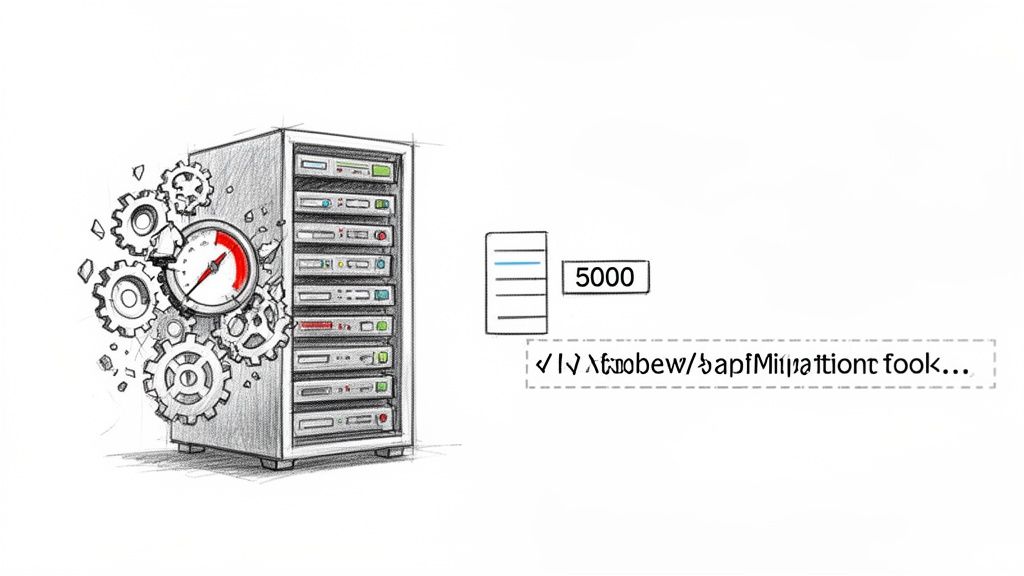
Think of this as a speed limiter that Microsoft puts on its servers to protect performance for all tenants. The documentation says SPMT is designed to handle this, but in reality, when your team starts throwing terabytes of data at Microsoft 365, it triggers these limits. Your migration speed plummets, and a project you thought would take days suddenly stretches into weeks or even grinds to a complete halt.
List View Thresholds and Path Limits
These aren't just minor annoyances; they are project killers. The infamous 5,000-item list view threshold and 400-character path limit don't just slow things down—they cause outright migration failures that standard tools can't work around. When your team hits this wall, the tool simply stops, logs an error, and leaves you to manually fix thousands of individual items.
We often see clients fail when they assume SPMT can scale; it's just not engineered for enterprise terabytes. It throttles heavily under peak EU business hours, a reality Microsoft’s own documentation acknowledges by specifying that datacenter proximity and off-peak uploads are needed to boost speeds.
These issues are not edge cases. For Irish and UK enterprises with years of accumulated data, our logs show teams hitting these limits every single week. Procrastinating on when to migrate SharePoint until your legacy system is bursting at the seams just makes these problems a hundred times worse.
The Problem with "Fire-and-Forget" Migration Tools
We've seen it time and again: an internal team uses a powerful tool like ShareGate—which we use ourselves—and declares the project "95% complete." That last 5% is where the real disaster is hiding. It’s usually a tangled mess of broken inheritance, failed customisations, and orphaned data that the tool couldn't map correctly.
To understand why this happens, it helps to compare what standard tools attempt versus what a specialist-led approach actually does.
Enterprise Migration Challenges: DIY Tools vs Specialist Approach
| Technical Challenge | Standard Tool (e.g., SPMT) Reality | Specialist Approach (ShareGate + Custom Scripts) |
|---|---|---|
| API Throttling | The tool gets throttled and slows to a crawl or stops. You have no control and can only wait for the throttling to lift. | We use tools like ShareGate that are designed to manage throttling, combined with scripts that dynamically adjust the migration load based on API responses to maintain maximum throughput. |
| Complex Permissions | The tool makes a "best guess" at mapping permissions. It often fails with nested AD groups or unique permissions (broken inheritance), resulting in widespread access errors. | We run pre-migration scripts to identify and flatten complex permissions. Post-migration scripts then verify and correct any discrepancies, ensuring security integrity. |
| List View Thresholds (>5,000 items) | The migration for that list or library simply fails. The tool logs an error and moves on, leaving you with missing data. | Before migration, we script the automatic creation of indexed columns and filtered views. During migration, we break large lists into smaller chunks to stay under the threshold. |
| Long File Paths (>400 characters) | The tool fails to migrate any files or folders exceeding the path limit. You're left with a list of thousands of errors to fix manually. | We run pre-migration scripts to identify and automatically shorten long file and folder names based on predefined rules, preventing these errors from ever occurring. |
| Legacy Customisations (InfoPath, Workflows) | The tool will flag these as unsupported and skip them. Your business processes break, and you have no clear path to modernise them. | We perform a pre-migration analysis to map legacy solutions to modern Power Platform equivalents. We then build the new solutions so they're ready on day one. |
| GUID Conflicts | When merging tenants, the tool may skip or overwrite content with conflicting IDs, leading to silent data loss. | Our scripts detect GUID conflicts before migration and remap them, ensuring all content is migrated without loss. |
The takeaway is clear: the most common and severe migration failures are things that standard tools are simply not designed to handle programmatically.
Even ShareGate, a far more capable tool than SPMT, is still a toolkit that requires a skilled operator. It's the difference between giving someone a set of professional chef's knives and having a Michelin-starred chef in your kitchen. The tool is only as good as the person using it, especially when things go wrong. For a deeper technical breakdown, see our detailed analysis of the SharePoint Migration Tool.
Our Verdict on the Tools
This isn’t about blaming the tools. It’s about being realistic about what they’re designed for. They are instruments, and their effectiveness depends entirely on the expertise of the team wielding them.
The Ollo Verdict: Use SPMT for a single department's file share that’s under 50 GB. For anything more complex—especially enterprise-wide data, regulated content, or environments with any history of customisation—relying on a tool alone is a critical error. You need a specialist who can augment the tool with custom scripting to navigate the inevitable failures.
The real choice isn't between SPMT and ShareGate. It’s between a DIY approach that accepts a high risk of data loss and project delays, and a specialist-led project that uses these tools as part of a much larger, more resilient migration strategy.
The Strategic Pay-Off: Security and Consolidation
Too often, the decision to migrate SharePoint is only made when something breaks. It's a reactive choice, a scramble to avoid disaster. Viewing it this way is a massive missed opportunity. A SharePoint migration is the single best chance you'll get to fix years of accumulated chaos across your entire company.
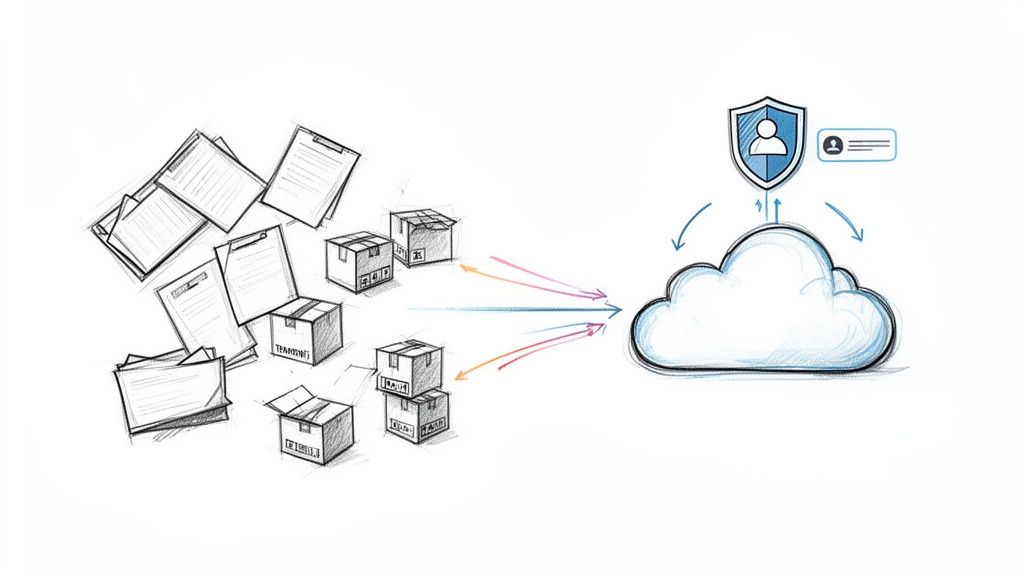
Think about it. Your organisation is probably drowning in data fragmentation. We see the same picture everywhere: critical information scattered across multiple M365 tenants from old acquisitions, legacy file shares nobody dares to touch, and siloed systems that make true collaboration impossible. This isn't just messy; it's a huge, unmanaged security risk waiting to be exploited.
A migration done right isn't about just moving files from A to B. It's the foundational project for building a unified, secure, and properly governed Microsoft 365 ecosystem.
From Data Chaos to a Zero Trust Foundation
IT Directors are under constant pressure to implement a Zero Trust security model. The problem? It's a non-starter when you can't even see all your users and data in one place. Your scattered environment, with its multiple identity systems and conflicting permissions, actively fights against that goal.
A consolidation migration is your reset button. It’s the one event that lets you finally:
- Unify Identities: Get all your users into a single, master Entra ID (what used to be Azure AD) tenant. This isn't just a nice-to-have; it's the absolute bedrock of any modern security strategy.
- Enforce Centralised Governance: Roll out Microsoft Purview sensitivity labels and Data Loss Prevention (DLP) policies across your entire data estate, not just isolated pockets. This is how you turn compliance policies from a theoretical document into a practical reality.
- Enable Secure Collaboration: With everyone in the same tenant, you can finally unlock the true power of tools like Microsoft Teams. Say goodbye to confusing guest access and clunky workarounds. Hello to a single, secure environment for your hybrid workforce.
Sticking with the status quo isn't a neutral choice. It’s a decision to accept a broken security posture and force your team to keep struggling with inefficient workarounds.
The old way of migrating—granting a tool or a service account Global Admin rights—is a relic of a less secure era. It directly contradicts the principle of least privilege that underpins Zero Trust. Any migration partner who still asks for
Sites.FullControl.Allpermissions by default is showing you they haven't kept up.
Modern, secure migrations use granular permissions like Sites.Selected. This lets us grant access only to the specific sites being migrated, dramatically shrinking the attack surface during the project itself. For us, this is a non-negotiable part of our method, ensuring the project aligns with the very security goals it’s meant to achieve.
More Than a Move, It’s a Redesign
We see so many migrations fail because clients treat the project like a simple data transfer. They move the same chaotic folder structures, the same broken permissions, and the same outdated content into a new system, then wonder why nothing has improved. You’ve just moved the mess.
A successful migration is your one-time shot to fundamentally redesign your Information Architecture (IA). This isn't about tidying up a few folders; it’s about structuring your data around how your business actually works today. If you'd like to dig deeper into this critical step, you can learn more about our approach to SharePoint migration security and architecture.
The real prize isn't just a new platform. It’s the ability to finally use the full Microsoft stack as intended. Once you have a clean, consolidated data foundation, the Power Platform becomes a realistic tool for automation, and Teams becomes the genuine work hub it was always meant to be. This strategic alignment is the true reward for doing the project right.
Calculating the True Cost of a Failed Migration
A failed SharePoint migration isn't just a project setback; it's a financial hole that gets deeper by the day. When we get the call to rescue a project, the client is never just worried about wasted software licences. They're watching costs spiral out of control, blowing past any budget they thought they had.
We aren't talking about hypothetical risks here. We're talking about the very real, hard costs of emergency clean-up fees, entire departments grinding to a halt because they can't get their data, and the legal fallout from regulatory fines. This is the moment a "cost-effective" DIY migration turns into an existential threat to your budget and your credibility.
The Hidden Financial Penalties of a Botched Project
Your initial project budget is just the tip of the iceberg. The real costs of failure are buried in the aftermath, and they grow exponentially the longer the problems fester. We've seen these scenarios play out countless times.
Emergency Remediation: This is the first, immediate cost. Your internal team is firefighting, but they don't have the specialist scripts to fix systemic issues like broken permission inheritance across thousands of sites. You're forced to pay a premium for emergency outside help to untangle a mess that’s getting worse by the hour.
Lost Productivity: Calculate the hourly cost of your employees. Now multiply that by the number of people unable to access critical project files, client data, or financial reports for days, or even weeks. That number alone can quickly eclipse the original project budget.
Compliance Fines: This is the one that keeps executives awake at night. A single broken permissions chain doesn't just block a user; it can expose sensitive financial or personal data. In a regulated sector, this isn't a simple mistake; it's a reportable compliance event that can trigger severe GDPR or industry-specific fines.
A failed migration doesn't just fail quietly. It broadcasts its failure across the entire business through data unavailability, security alerts, and panicked support tickets. The cost isn't just financial; it's a direct hit to the IT department's reputation.
Quantifying the Damage: A War Story
We were once brought in to rescue a migration for a financial services firm. Their internal team had used a standard tool, and the dashboard was proudly showing a "98% success rate." That hidden 2% was a catastrophe. Unique permissions on client folders had been flattened during the move, granting broad access to highly sensitive investment data.
The initial migration took two weeks. The clean-up, which involved painstaking forensic analysis and scripted permission rollbacks, took over two months and cost them nearly three times their original budget. The true cost of their "savings" was a seven-figure sum when you factor in remediation, legal consultations, and the risk of regulatory action. If you're looking to understand what a realistic budget looks like from the start, our guide on estimating your SharePoint migration cost breaks it down.
Investment vs. Expense: The Fiscal Case for Expertise
The choice you face isn't between a "cheap" DIY project and an "expensive" specialist. The real choice is between a predictable, upfront investment in expertise versus an unpredictable, exponential, and reactive expense to clean up a failure.
When you hire a specialist partner like Ollo, you aren't just buying labour. You are acquiring a risk-reduction strategy. You're paying for the accumulated knowledge of every potential failure point, every edge case, and every custom script needed to prevent those problems from ever happening in your environment.
The documentation might say a tool can handle permissions, but our experience proves it will break on complex, nested Active Directory groups. That foreknowledge allows us to build a script that fixes the problem before it happens. That's what you're investing in: predictable success instead of high-stakes gambling.
Your Actionable Framework for a Successful Migration
You’ve seen the triggers, the technical traps, and the business case for moving. Now, let’s get down to brass tacks and build a decision framework. This isn't some generic checklist; it’s a series of hard questions for your team designed to uncover the real complexity lurking in your current SharePoint environment.
Ultimately, you need honest, definitive answers to three questions: What do we actually have? What could go wrong? And what’s our plan B if things go sideways? Answering these with brutal honesty is the difference between a predictable project and a career-damaging mess.
The Readiness Gauntlet
Before you even think about moving a single file, you have to run a readiness assessment. This is where most DIY migrations go off the rails—they skip the tough discovery work and walk straight into a minefield.
As your team maps out the project, it’s worth looking at established database migration best practices, as many of the principles around data integrity apply here, too.
Your team needs to ask:
- Data Volume & Complexity: Are we talking about gigabytes or terabytes? How many lists do we have that are creeping dangerously close to SharePoint’s notorious 5,000-item threshold?
- Customisation Audit: How many legacy InfoPath forms, SharePoint Designer workflows, or weird custom solutions are buried in our sites? Each one is a landmine that standard migration tools will happily ignore.
- Permissions Mapping: Can we confidently map our current, tangled permissions—including all those complex, nested AD groups—to a modern Microsoft 365 model? Or is a "best guess" approach going to expose sensitive data to the wrong people?
Thinking a DIY project will save money is a common trap. This decision tree shows you the reality of where the costs often hide.
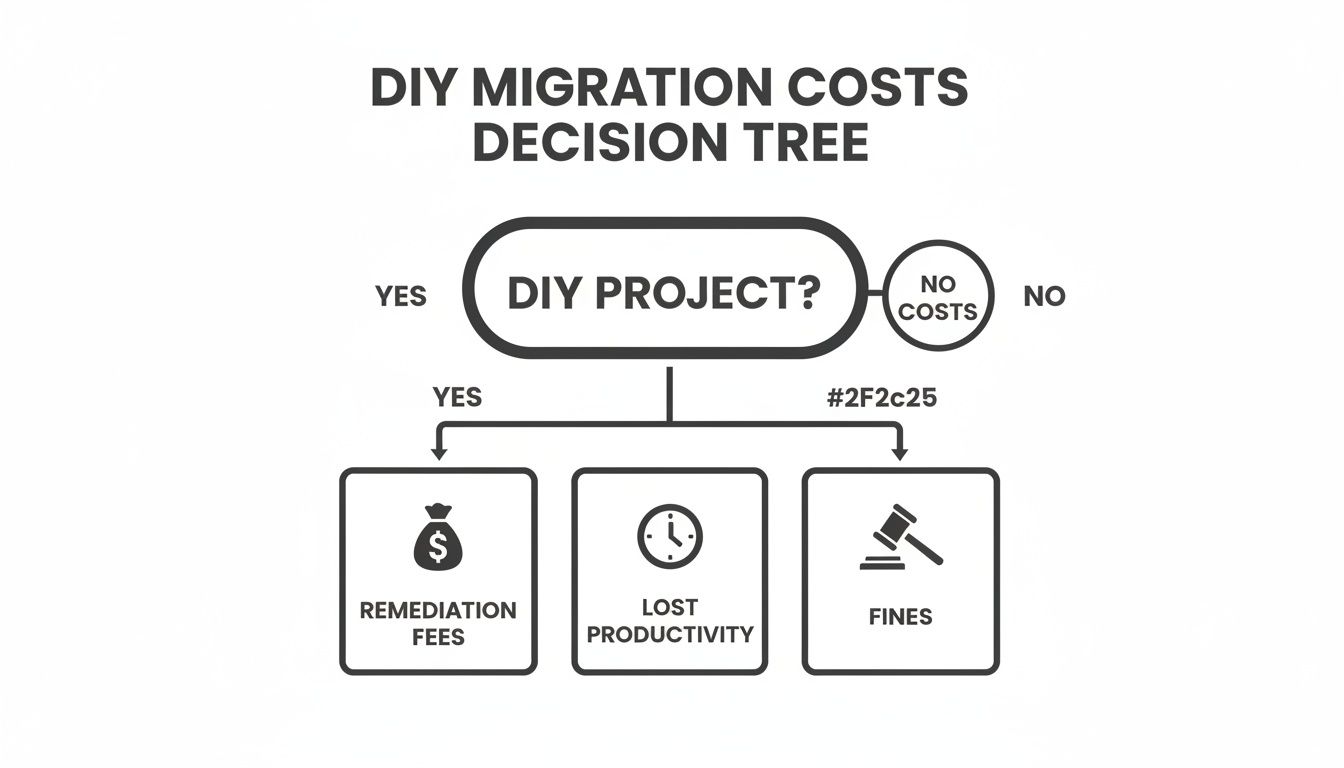
As you can see, a "yes" to DIY often leads down a path of unplanned expenses that completely wipe out any perceived savings.
The Risk-Reduction Mandate
If that readiness assessment uncovers significant complexity—terabytes of data, deep-seated customisations, or strict compliance requirements—the decision has pretty much been made for you. At that point, the risk of a DIY or tool-only approach becomes far too high for any sensible business to accept.
This is the moment when bringing in a specialist partner stops being a cost and becomes an essential risk-reduction measure. We don’t promise an "easy" migration, because complex, enterprise-level migrations are never easy. What we do promise is a meticulously planned, technically sound project run by experts who have seen and solved every failure point you can imagine.
The choice isn't between DIY and a partner. It's between unacceptable risk and predictable success. If you can’t definitively answer every question in the readiness gauntlet, you’re gambling with your company’s data.
Frequently Asked Questions
After years of managing these projects, we’ve found that almost every IT Director asks the same set of questions. They’re wrestling with the same concerns. Here are the direct, no-nonsense answers, based on what we’ve seen go wrong in the real world.
Can Our Highly Customised SharePoint Environment Be Migrated?
The short answer is yes. But this is the single biggest trap for off-the-shelf tools and inexperienced teams.
If your environment is full of custom workflows, legacy InfoPath forms, or other bespoke solutions, a standard migration will fail. We use custom scripts to analyse, remap, and often modernise these elements into Power Apps and Power Automate. The goal is to ensure functionality is actually improved, not just lost in translation.
The Ollo Verdict: Trying to migrate a heavily customised environment with a generic tool is a recipe for disaster. The tool will simply skip what it doesn't understand, leading to silently broken business processes and data loss. Your team will be left cleaning up the mess for months.
How Long Does an Enterprise SharePoint Migration Really Take?
Be extremely wary of any partner promising a complex migration in just a few "weeks." It’s a major red flag.
A realistic timeline for a large-scale migration—involving terabytes of data and intricate permissions—is 3-9 months. This must cover thorough discovery, meticulous planning, a pilot phase, the phased migration itself, and robust post-migration support.
Anyone quoting less is either dangerously inexperienced or deliberately hiding the full scope of what's involved. The quality of the initial planning phase has the biggest impact on the timeline; rushing it guarantees a longer, more expensive, and far more painful project.
Should We Wait to Migrate if We Are in a Merger?
No. In fact, you should do the opposite—accelerate the migration and make it a core part of your M&A integration strategy.
A tenant-to-tenant migration is the only truly effective way to consolidate user identities, unify collaboration into a single Teams environment, and enforce consistent security policies across the newly formed organisation.
Delaying the migration creates a fragmented, insecure, and inefficient digital workspace. It actively undermines the very business integration you’re trying to achieve. It’s a technical problem that quickly becomes a serious business problem.
A successful migration isn't about hoping no problems arise. It's about having the deep expertise to anticipate and solve them before they can cause catastrophic failure. Ollo provides that expertise.
Learn more at https://www.ollo.ie.

















